
If you have been using Google Forms and hit a wall, you are not alone.
Google Forms is free, and it works for basic surveys and internal data collection. But the moment you need custom branding, a professional-looking page, file uploads without a Google account, or a form that actually looks like your business, Google Forms starts showing its limits.
In this article, I will walk through the best Google Forms alternatives in 2026, covering price, features, and which one is right for your use case.
Why People Look for Google Forms Alternatives
Here are the most common reasons people switch:
No custom branding. Every Google Form looks like a Google Form. There is no way to make it look like your business, your event, or your brand.
File uploads require a Google account. If you add a file upload question to Google Forms, every respondent must sign in with a Google account to upload. No Google account means no upload. For customers, event participants, and external contacts, that is a real problem.
No shareable landing page. Google Forms gives you a bare form on a white page. There is no hero section, no event details, no schedule, no photos. It does not look like something worth filling in.
No HTML form backend. If you have a static site or a custom HTML form, you cannot point it at Google Forms. You are stuck using their builder only.
No instant email notifications. Google Forms sends submissions to a Google Sheet. You have to check the sheet to see new responses. There is no instant email notification to your inbox by default.
No self-hosting or open source option. Your data lives on Google's servers. If data ownership or GDPR compliance matters to you, Google Forms gives you no alternative.
If any of those hit home, keep reading.
The Best Google Forms Alternatives in 2026
1. Formgrid: Form Builder, Landing Page Templates,
and Form Backend in One Place
Best for: Event organizers, small businesses, and developers who want a form that looks professional and works without a backend.
What makes it different:
Most form tools pick a lane. Either a drag-and-drop form builder or a form backend for developers. Formgrid does both. And it adds something neither Google Forms nor most alternatives offer: world-class landing page templates that wrap your form in a complete branded page.
Here is how it works:
Option A: Build a Form With a Landing Page Template
This is the most powerful thing Formgrid does that Google Forms cannot.
Instead of getting a bare form on a white page, you choose a professionally designed landing page template, and your form is embedded inside it. The result is a complete branded page that you are proud to share anywhere.
Step 1: Sign Up and Create a Form
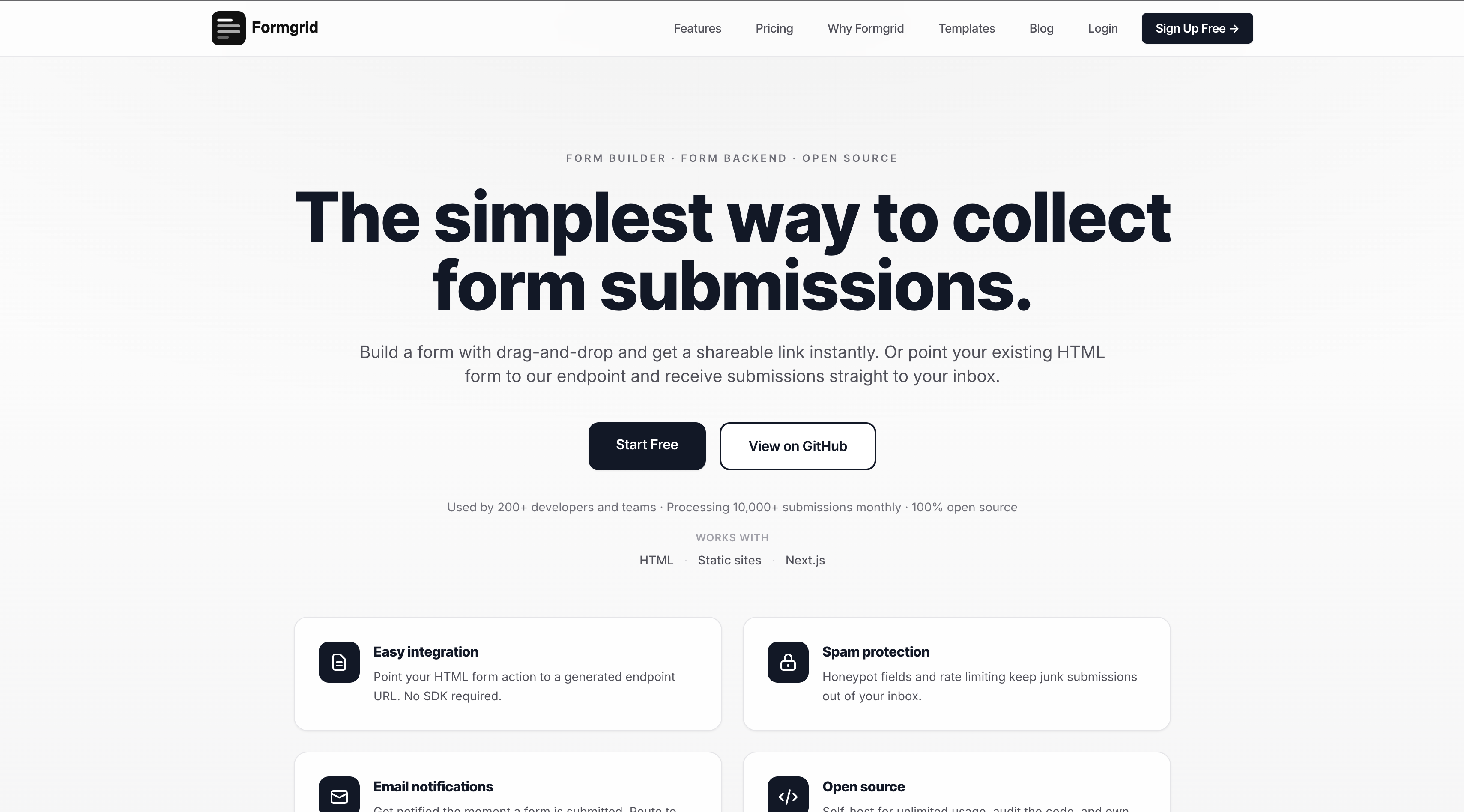
Head to formgrid.dev and sign up with Google or your email address. No credit card required.
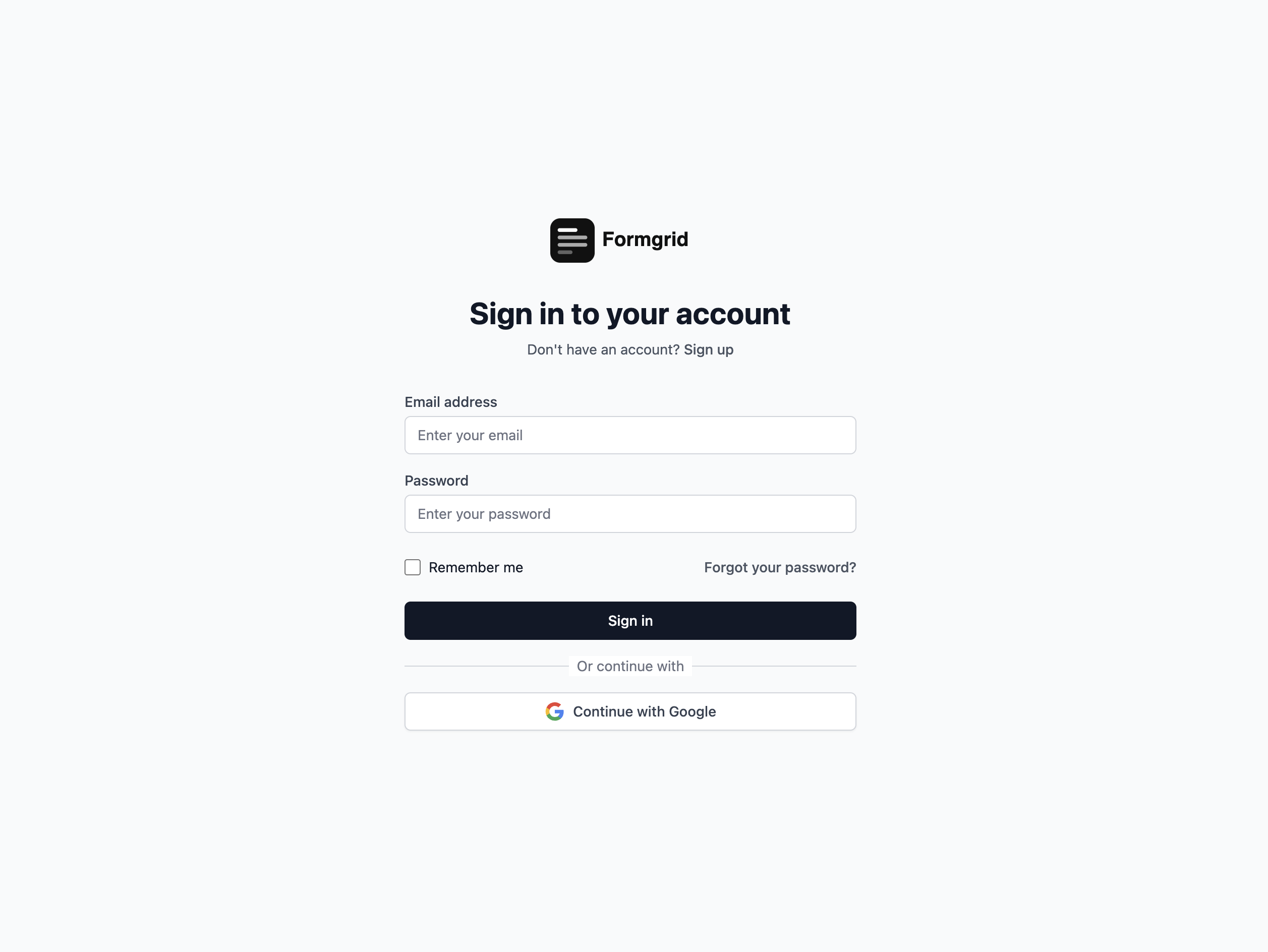
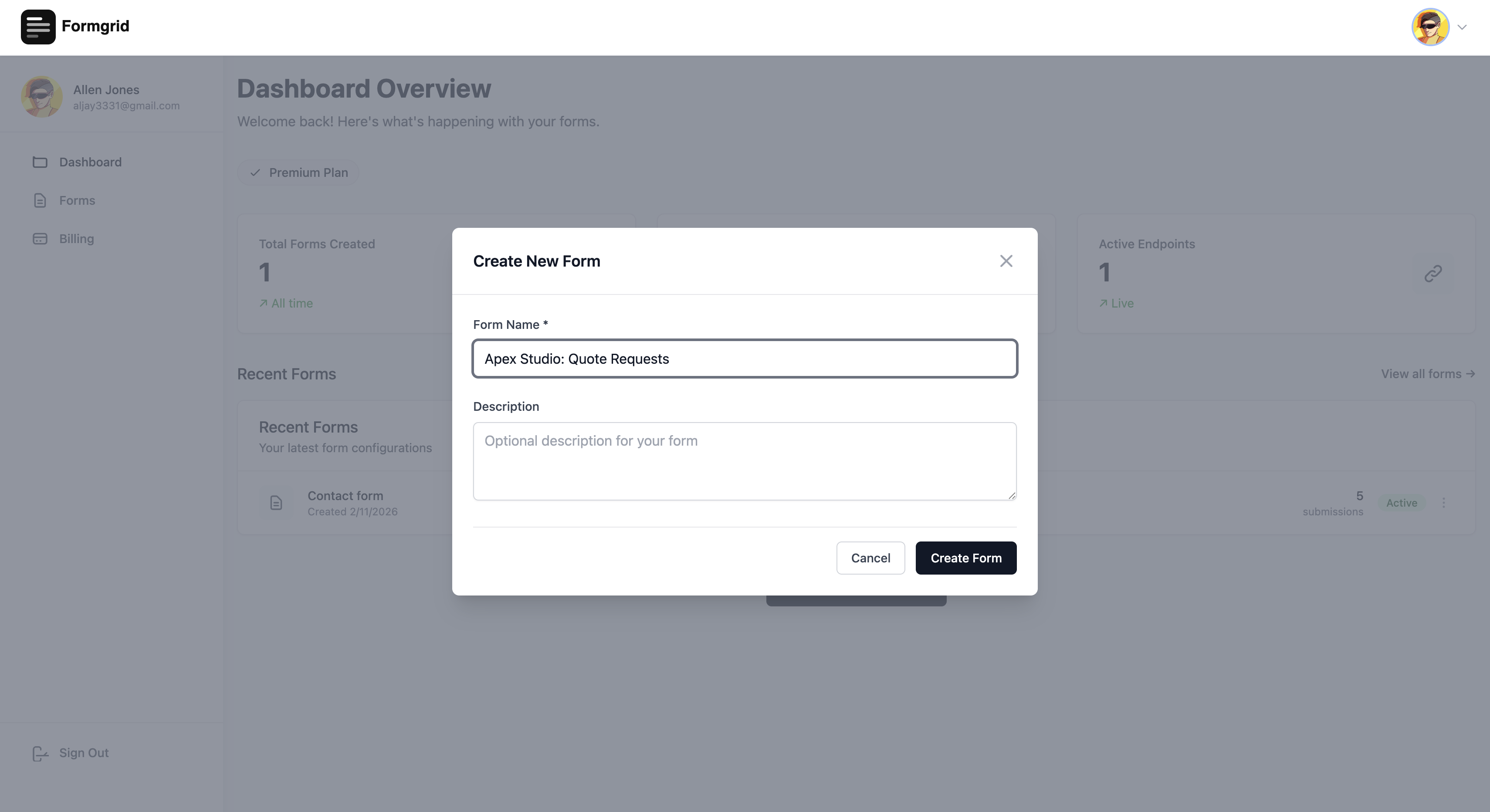
Once logged in, you land on your dashboard. Click New Form to get started.
Step 2: Open the Form Builder
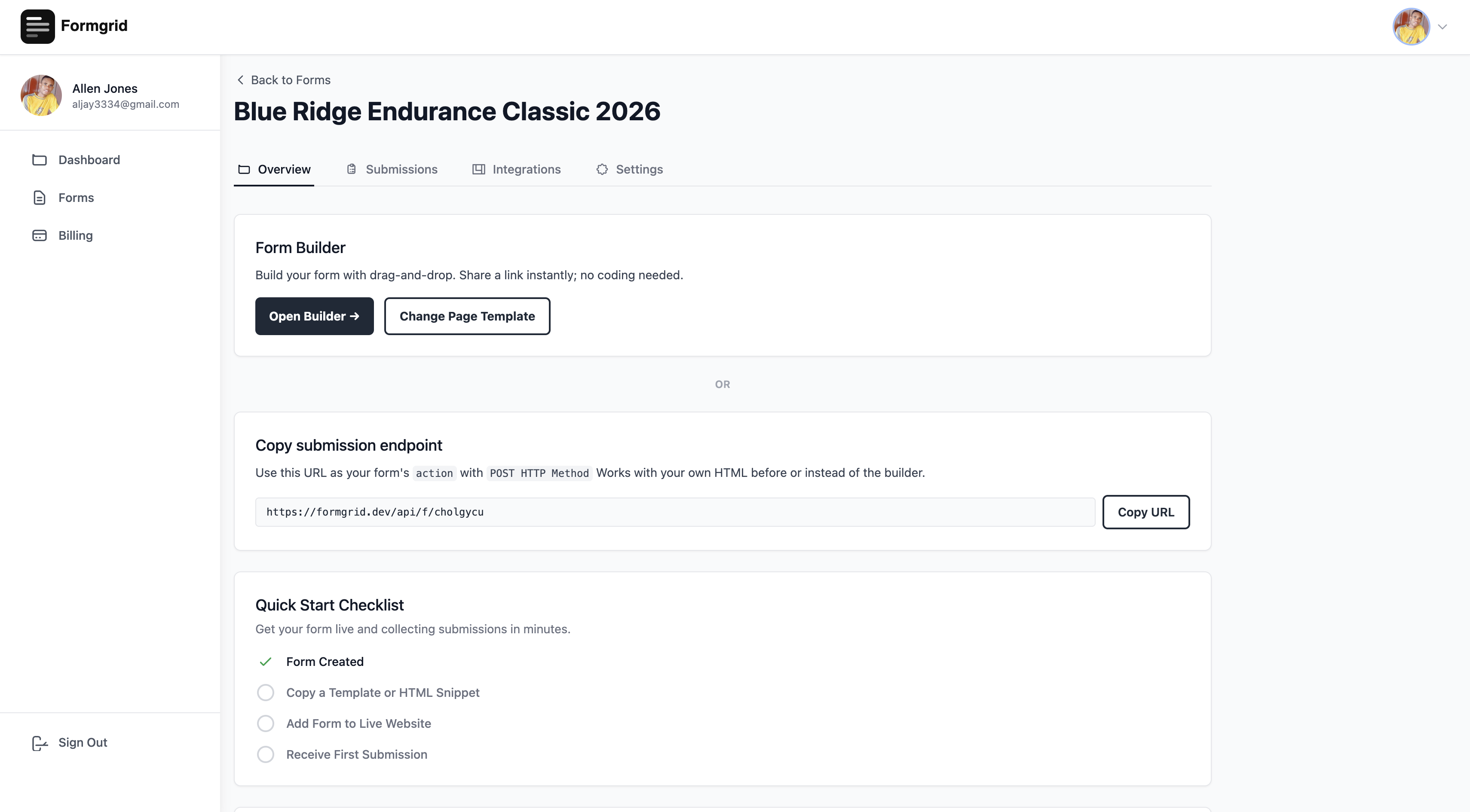
After creating your form, you will be taken to the form details page. Click Open Builder to enter the form builder.
Step 3: Choose a Landing Page Template
This is where Formgrid goes beyond every other form tool on this list.
At the top of the builder, click Choose Template. A template gallery opens, showing professionally designed landing page templates for different industries and use cases.
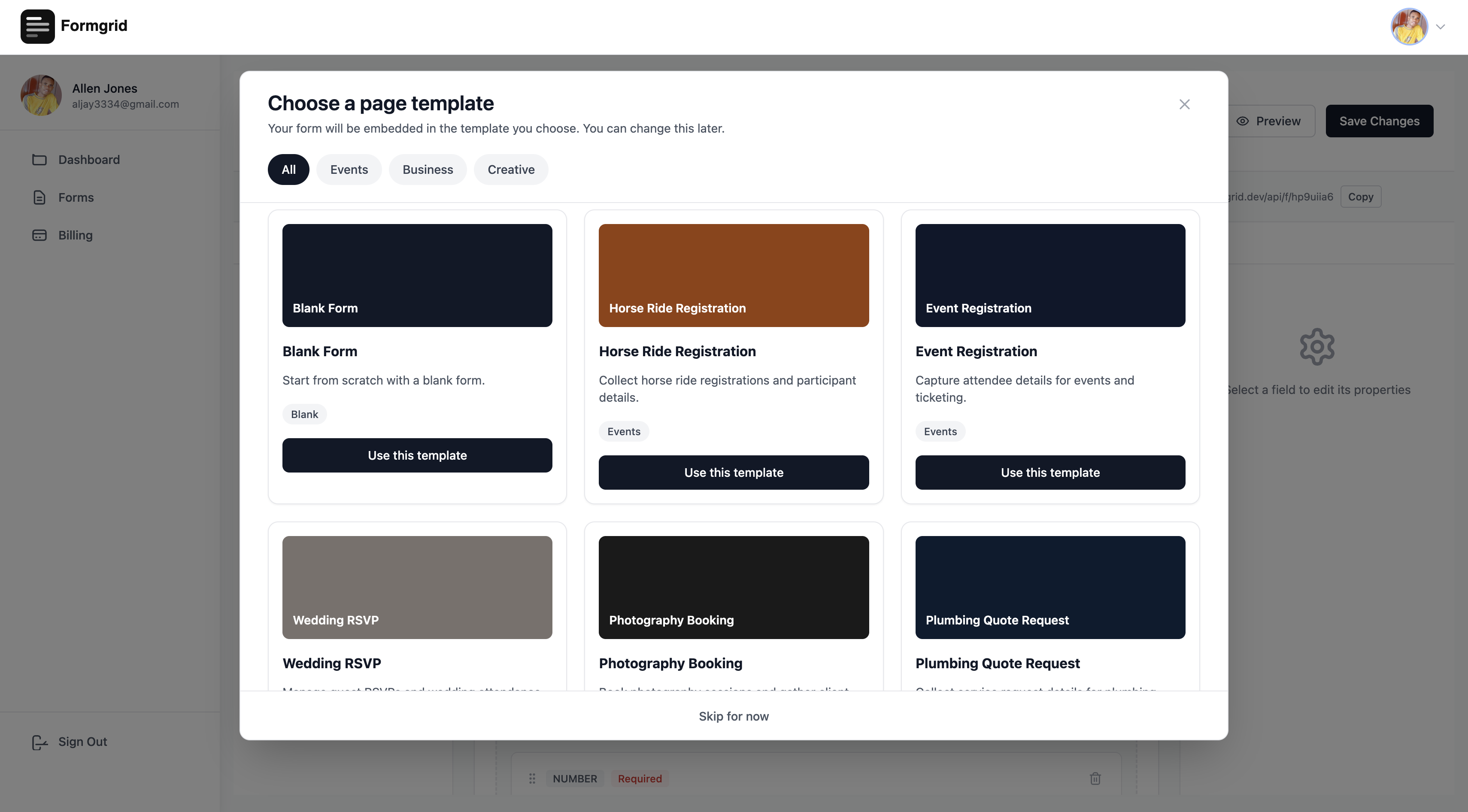
Templates available include:
- Horse Ride Registration
- Event Registration
- Wedding RSVP
- Photography Booking
- Cleaning Service Booking
- Personal Trainer Enquiry
- Real Estate Enquiry
- Plumbing Quote Request
- Job Application
- Blank Form
Select the template that matches your use case, and Formgrid immediately loads a complete, beautiful landing page with your form embedded inside it.
This is not a basic form on a white page. It is a full landing page that looks like a real business website.
Step 4: Edit the Template Inline
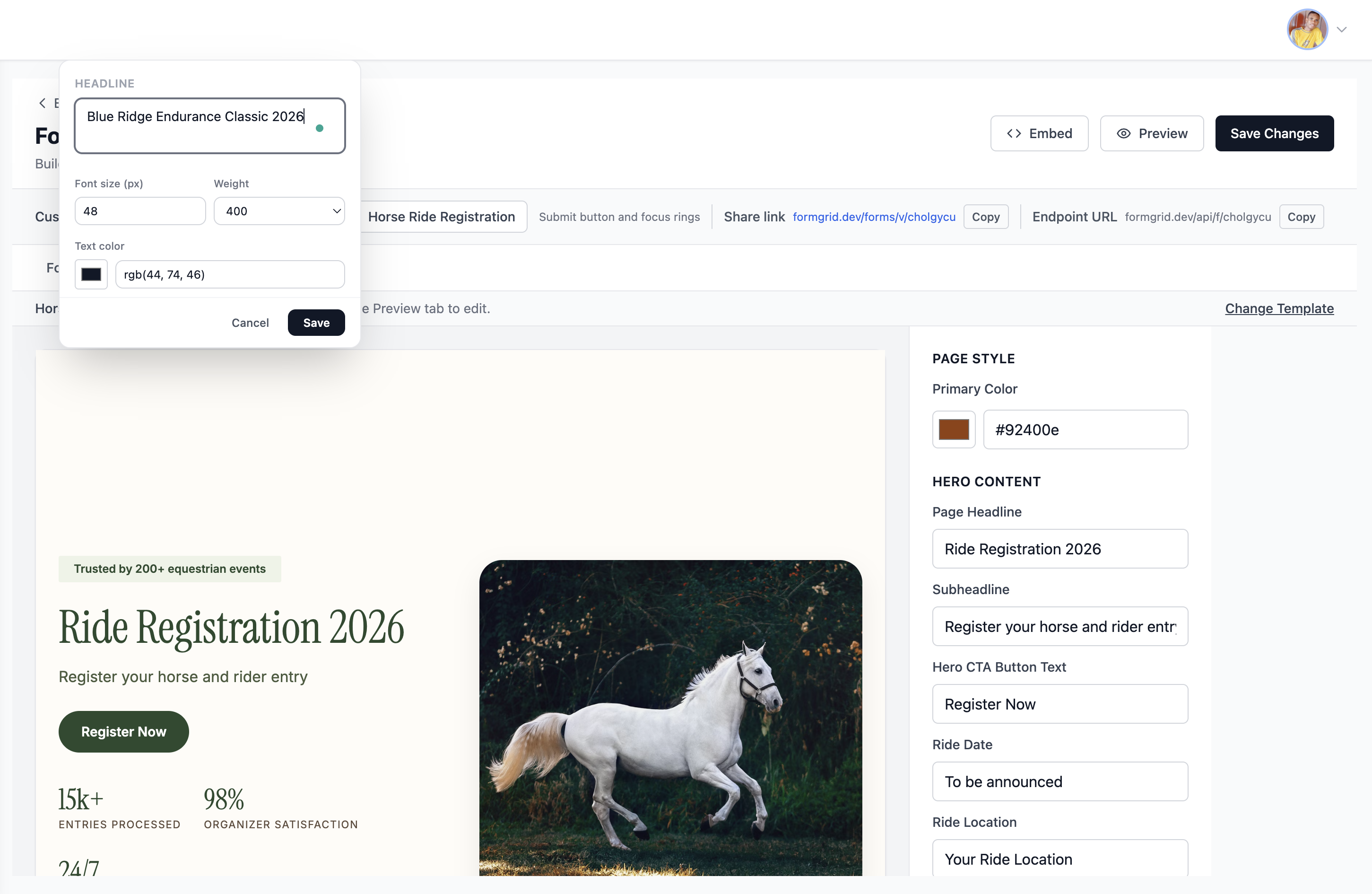
Every piece of text on the page is editable. Click directly on any text element, and it becomes editable in place. Just like editing a document.
Click on the headline and change it to your event name. Click on the date and update it. Click on the description and write something about your specific event or business.
Change the primary color using the color picker on the right panel and the button, accents, and highlights across the entire page update instantly to match your brand.
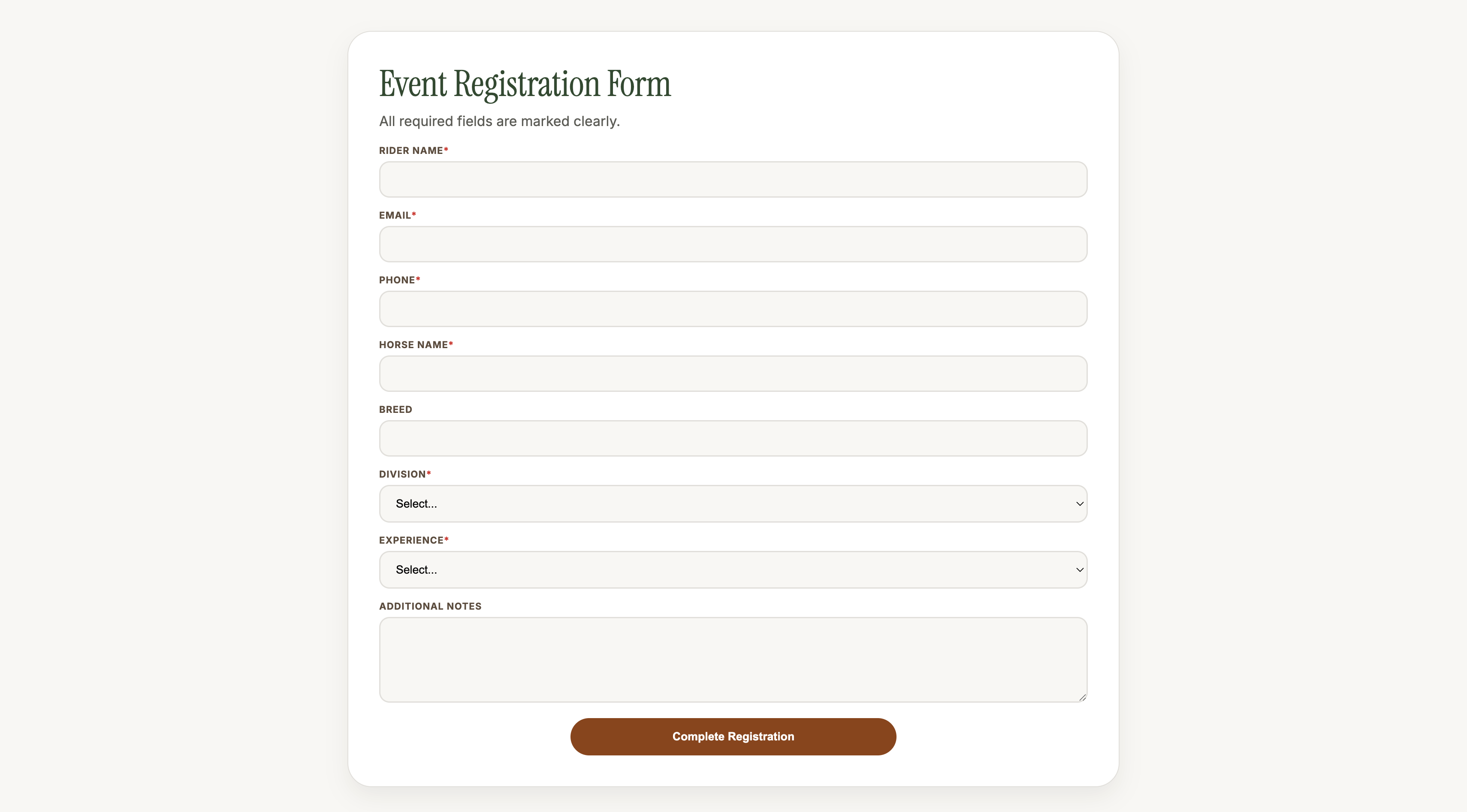
Step 5: Customize Your Form Fields
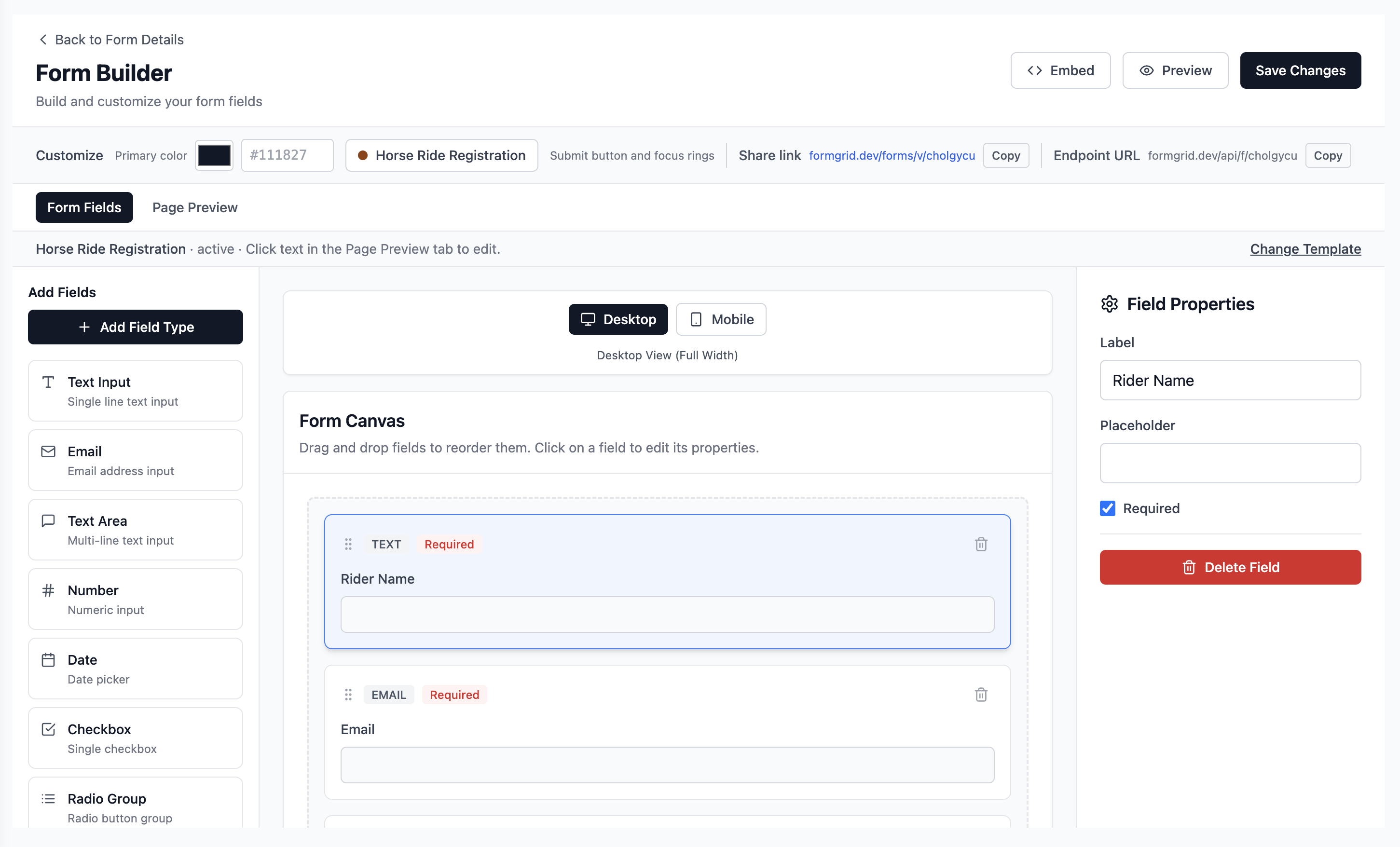
Switch to the Form Fields tab to add, remove, and reorder the fields in your form. Drag fields from the left sidebar onto the canvas. Every field is fully customizable with labels, placeholder text, required status, and validation rules.
Step 6: Share Your Form Link
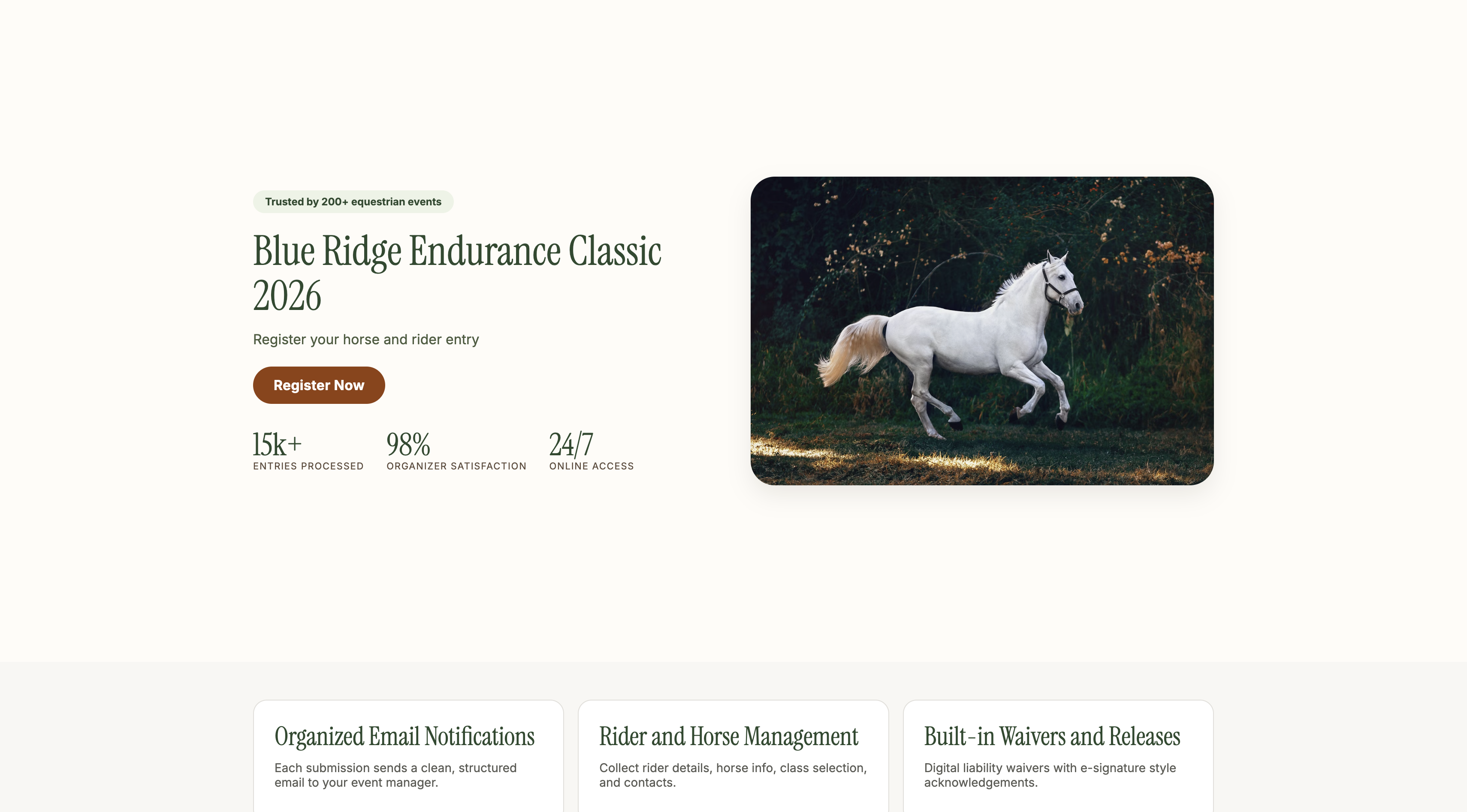
When you are happy with the page, click Save Changes. Go back to the form details page and copy your unique shareable link.
That link is a real, live landing page. Share it anywhere: WhatsApp groups, email newsletters, Instagram bio, Facebook events, or embed it on your website.
Your participants or customers visit the link and see a complete branded page. Not a Google Form.
Step 7: Receive Instant Email Notifications
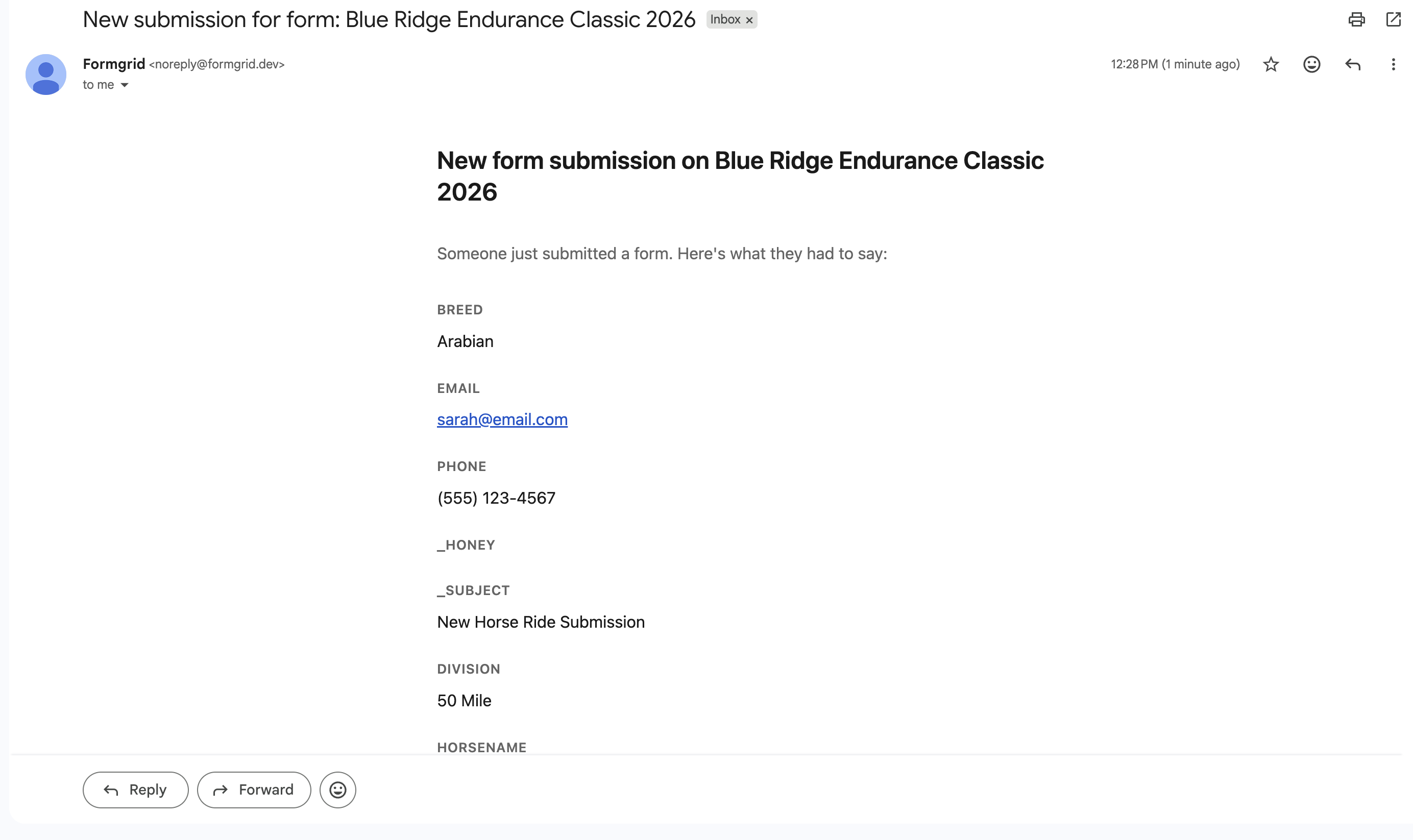
The moment someone submits the form, you receive an instant email notification with all their details formatted cleanly:
New Registration: Blue Ridge Endurance Classic 2026 Rider Name: Sarah Johnson Email: sarah@email.com Phone: (555) 123-4567 Horse Name: Midnight Storm Division: 50 Mile Experience: Advanced
No checking a spreadsheet. No logging into a dashboard. Every submission arrives in your inbox the moment it happens.
Step 8: View and Export Submissions
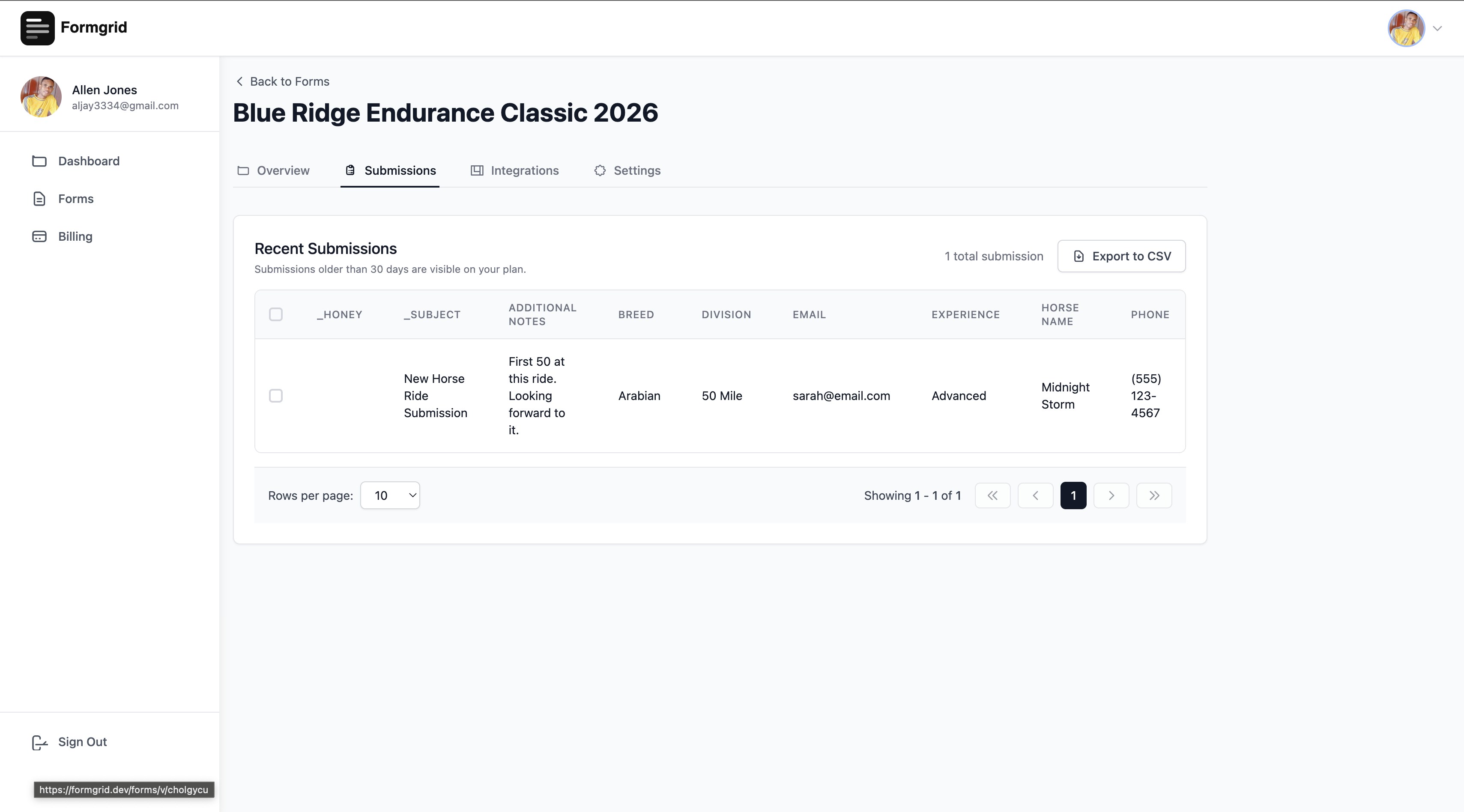
All submissions are stored in your Formgrid dashboard. Go to the Submissions tab to view, search, filter, and export your complete list as a CSV file.
Option B: Use Your Existing HTML Form
If you already have an HTML form on your website, just point it at your Formgrid endpoint URL. No other changes needed:
<form
  action="https://formgrid.dev/api/f/your-form-id"
  method="POST"
>
  <input
    type="text"
    name="name"
    placeholder="Your Name"
    required
  />
  <input
    type="email"
    name="email"
    placeholder="Your Email"
    required
  />
  <textarea
    name="message"
    placeholder="Your Message"
  ></textarea>

  <input
    type="text"
    name="_honey"
    style="display:none"
  />

  <button type="submit">Send Message</button>
</form>
Formgrid handles receiving submissions, sending email notifications, and storing the data. Your form stays exactly as it is.
Key features:
- World-class landing page templates for different industries
- Inline text editing directly on the template
- Drag and drop form builder with shareable link
- HTML form endpoint for static sites
- File uploads from anyone without a Google account
- Instant email notifications
- Submissions dashboard with CSV export
- Spam protection with honeypot and rate limiting
- Color picker for brand matching
- Auto-responder emails on Business plan
- Google Sheets native integration on Business plan
- Webhooks on Business plan
- Self-hostable with Docker
- 100% open source under MIT license
- GDPR friendly with no tracking
Pricing:
| Plan | Price | Submissions |
|---|---|---|
| Free | $0/month | 25/month |
| Premium | $8/month | 1,000/month |
| Business | $29/month | 15,000/month |
The bottom line: Google Forms is free but it gives you a bare form that looks nothing like your brand. Formgrid gives you a complete branded landing page with your form embedded inside it, instant email notifications, and a submissions dashboard starting at $8 per month.
A horse riding club manager in San Diego found Formgrid through one of our blog posts. She was collecting ride registrations by email and manually scanning each one for rider and horse details. She set up a Formgrid registration page, shared the link with her 200 riders, and now every registration arrives in her inbox formatted and ready to act on. She upgraded to the Business plan at $29 per month without hesitation.
That is the difference between a Google Form and a Formgrid landing page.
2. Tally: Clean Free Form Builder
Best for: Non-technical users who want a clean, minimal form experience at no cost.
Tally is a popular alternative with a simple interface. Their free plan is genuinely useful, with unlimited forms and unlimited responses, though some features are locked behind the paid plan.
Key features:
- Unlimited forms and responses on the free plan
- Conditional logic
- File uploads on paid plan
- Notion integration
- Embeddable forms
Pricing: Free plan available. Paid plan at $29/month.
Drawback: No landing page templates. No HTML form backend. No self-hosting. No instant email notifications by default. No open source. Forms look like Tally forms, not like your brand.
3. Typeform: Best for Conversational Forms
Best for: Marketers who want a beautiful conversational form experience for surveys and lead generation.
Typeform pioneered the one question at a time conversational format. It produces high completion rates for surveys and research forms, and the design is genuinely beautiful.
Key features:
- Conversational one question at a time format
- Beautiful design templates
- Logic jumps and conditional branching
- Payment integrations
- Data analysis
Pricing: Free plan limited to 10 responses per month. Paid plans start at $25/month.
Drawback: Extremely limited free plan. No HTML form backend. No landing page templates. No self-hosting. No open source. Overkill and overpriced for simple contact forms or event registrations.
4. Jotform: Most Feature Rich
Best for: Businesses that need advanced form logic, payment integrations, and a full form management suite.
Jotform is the most feature-rich form builder on this list. Hundreds of templates, payment integrations, conditional logic, and approval workflows, PDF generation, and e-signatures. If you need advanced functionality, Jotform has it.
Key features:
- 10,000+ templates
- Payment integrations
- Conditional logic
- PDF generation
- E-signatures
- Approval workflows
- 150+ integrations
Pricing: Free plan available with 100 monthly responses. Paid plans start at $34/month.
Drawback: Expensive. No HTML form backend. No self-hosting. No open source. Significant overkill for most small businesses and event organizers' use cases.
5. Web3Forms: Lightweight Form Backend
Best for: Developers who just need a simple form endpoint for their static site with no frills.
Web3Forms is a lightweight form backend service. No form builder. No landing page templates. Just an endpoint URL you point your HTML form at.
Key features:
- Simple HTML form endpoint
- Email notifications
- Spam protection
- Free plan available
Pricing: Free plan available. Pro plan at $18/month.
Drawback: No form builder. No landing page templates. No submission dashboard on the free plan. No self-hosting. No file upload support at a reasonable price.
Side-by-Side Comparison
| Feature | Google Forms | Formgrid | Tally | Typeform | Jotform |
|---|---|---|---|---|---|
| Form builder | ✅ | ✅ | ✅ | ✅ | ✅ |
| Landing page templates | ❌ | ✅ | ❌ | ❌ | ❌ |
| Inline page editing | ❌ | ✅ | ❌ | ❌ | ❌ |
| HTML form endpoint | ❌ | ✅ | ❌ | ❌ | ❌ |
| File upload (no Google account) | ❌ | ✅ | ✅ Paid | ✅ Paid | ✅ Paid |
| Instant email notifications | ❌ | ✅ | ❌ | ✅ | ✅ |
| Self-hostable | ❌ | ✅ | ❌ | ❌ | ❌ |
| Open source | ❌ | ✅ | ❌ | ❌ | ❌ |
| Custom branding | ❌ | ✅ | ✅ Paid | ✅ Paid | ✅ Paid |
| Free submissions | Unlimited | 25/month | Unlimited | 10/month | 100/month |
| Starting price | Free | $8/month | $29/month | $25/month | $34/month |
| GDPR friendly | ⚠️ | ✅ | ⚠️ | ⚠️ | ⚠️ |
Which One Should You Use?
Use Formgrid if:
You want a form that looks like a real business page, not a Google Form.
You are an event organizer, photographer, cleaning service, or small business owner who shares form links with customers or participants.
You need file uploads from people without a Google account.
You want instant email notifications when someone submits.
You need a form backend for your existing HTML site.
You care about open source and self-hosting.
GDPR compliance matters to you.
Use Google Forms if:
You need something completely free with unlimited responses.
Branding and design do not matter.
You are collecting internal data or running simple surveys within your organization.
Use Tally if:
You want a clean, minimal form builder for free.
You are a Notion user.
You do not need landing page templates or an HTML form backend.
Use Typeform if:
You need a conversational one-question-at-a-time time experience.
You are running surveys or research forms where completion rate matters most.
Visual design is your top priority, and budget is not a constraint.
Use Jotform if:
You need advanced logic, payments, approval workflows, and PDF generation.
Budget is not a constraint.
You are building complex enterprise forms.
Final Thoughts
Google Forms is genuinely useful for basic internal surveys and simple data collection. If that is all you need, it is hard to argue against free.
But the moment you need your form to look professional, collect file uploads from anyone without a Google account, and send you an instant email when someone submits, or give participants a page that reflects your brand and event, Google Forms falls short.
Formgrid is the only tool on this list that combines world-class landing page templates, inline editing, an HTML form backend, and instant email notifications, and a submissions dashboard starting at $8 per month.
You can try it free at formgrid.dev. No credit card required. 25 submissions per month on the free plan to test your full setup.
Full disclosure: I built Formgrid. I wrote this comparison as honestly as I could. If anything looks inaccurate, let me know in the comments.