
If you have been using Jotform and recently looked at your bill, you are not alone. Jotform's free plan limits you to 100 responses per month, and their paid plans start at $34 per month for features that other tools offer for free or at a fraction of the cost.
For developers, indie hackers, and small businesses, that is hard to justify in 2026.
In this article, I will walk through the best Jotform alternatives in 2026, covering price, features, self-hosting options, and which one is right for your use case.
Short Version
If you want a form builder, an HTML backend for developers, and a way to track what happens to a submission after it arrives, use Formgrid. It starts at $12 a month against Jotform's $34.
If branding does not matter and you just need something free for internal use, Google Forms is genuinely the simplest option and it costs nothing.
If you specifically need approval workflows, PDF generation, or e-signatures and budget is not the concern, Jotform's depth in those areas is still hard to replace.
Why Developers and Businesses Look for Jotform Alternatives
Before jumping into the list, here are the most common reasons people switch:
Price. Jotform's free plan is limited to 100 responses per month and 5 forms. Paid plans start at $34 per month, which is expensive for what most people actually need.
No HTML form backend. Jotform is a hosted form builder only. You cannot point your existing HTML form at a Jotform endpoint. If you have a static site, you are out of luck.
No self-hosting. If you care about data ownership or GDPR compliance, Jotform gives you no option to run it on your own infrastructure.
No way to track what happens after a submission. Jotform collects responses well, but once a response lands, you are on your own to remember who you followed up with and who converted.
Overkill for simple use cases. Jotform has thousands of templates, approval workflows, PDF generation, and e-signatures. If you just need a quote request form or a lead capture form, that is a lot of complexity you will never use.
No open source option. You are locked in with no transparency and no way to customize the core behavior.
If any of those hit home, keep reading.
The Best Jotform Alternatives in 2026
1. Formgrid.dev: Form Builder, Form Backend, and Lead Pipeline in One Place
Best for: developers who want a form backend and non-technical users who need a shareable form link, both in one tool, plus a way to know what happened after someone submits.
What makes it different
Most form tools pick a lane. Either a form backend for developers or a no-code form builder for everyone else. Formgrid does both, and it adds something neither Jotform nor most builders have: a lead pipeline. Every submission, whether it came through an HTML endpoint or the form builder, becomes a tracked lead you can mark New, Contacted, or Converted, add a note to, and set a follow-up reminder on.
You can point your existing HTML form to a Formgrid endpoint URL, just as you would with Formspree. Or you can use the drag and drop form builder, start from a template, and get a shareable link without touching any code. Either way, submissions land in the same lead pipeline.
How Norma uses it
Norma runs the Tazewell County Fair Pageant in Virginia. Registrations come in waves before each event, and she needs to know at a glance who has registered, who she still needs to confirm details with, and who dropped off partway through. She uses the dashboard actively during registration season, not just to view submissions but to track each one through her own process, contacted, confirmed, converted, instead of digging back through old emails every time someone asks about their entry.
Option A: use your existing HTML form
If you already have an HTML form on your static site, point the action attribute at your Formgrid endpoint. No other changes needed:
<form
  action="https://formgrid.dev/api/f/your-form-id"
  method="POST"
>
  <input
    type="text"
    name="name"
    placeholder="Your Name"
    required
  />
  <input
    type="email"
    name="email"
    placeholder="Your Email"
    required
  />
  <textarea
    name="message"
    placeholder="Your Message"
  ></textarea>

  <!-- Honeypot spam protection -->
  <input
    type="text"
    name="_honey"
    style="display:none"
  />

  <button type="submit">
    Send Message
  </button>
</form>
Your form stays exactly as it is. Formgrid handles receiving submissions, sending email notifications, and turning each one into a lead in your dashboard.
Option B: start from a multi-step template
This is the fastest way to see what Formgrid can do, and you do not need to create an account first.
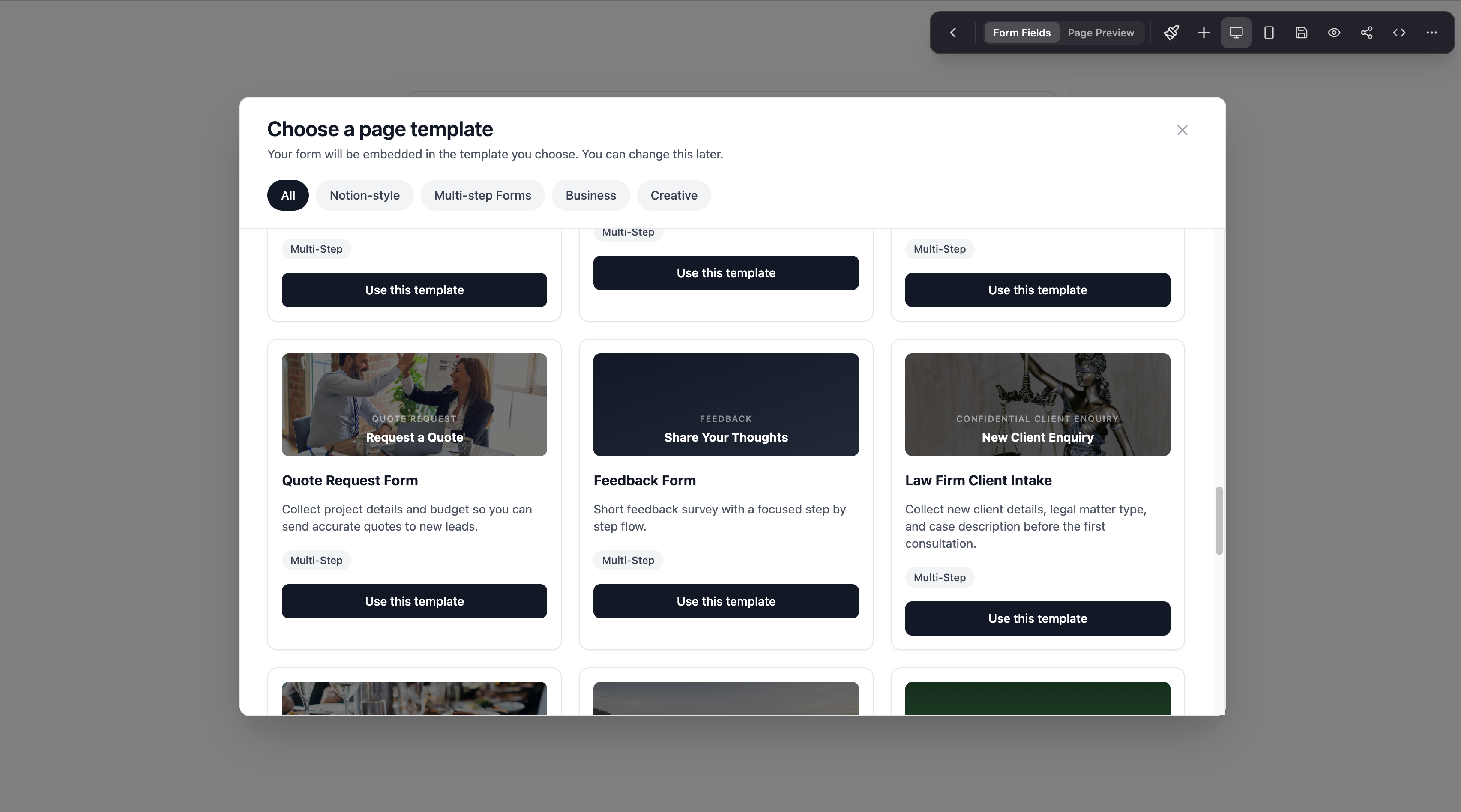
Head to the Formgrid templates page and open the Quote Request template. It is a multi-step form built for exactly the kind of lead capture most small businesses and freelancers need: contact details on the first step, project or service details on the second, and budget or timeline on the last.
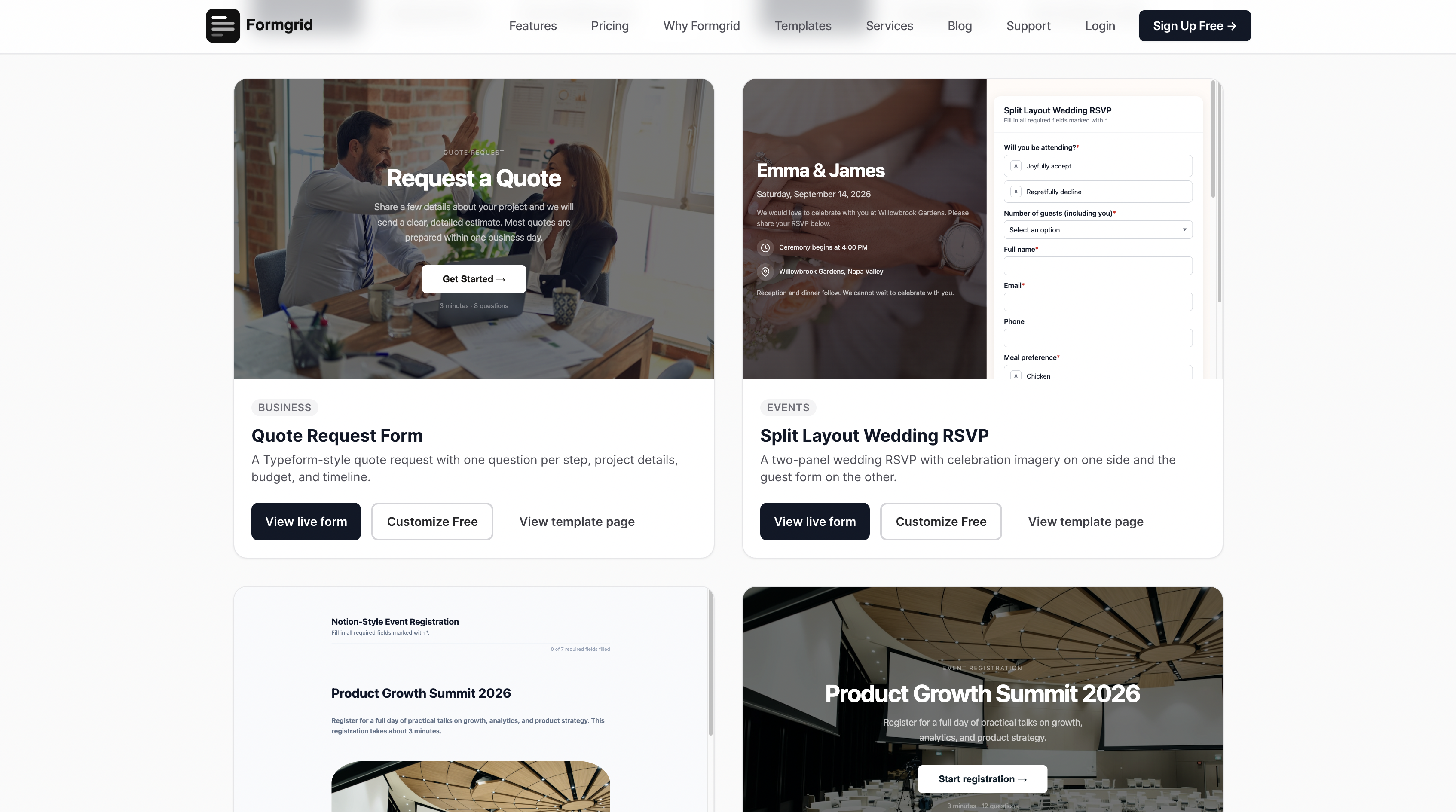

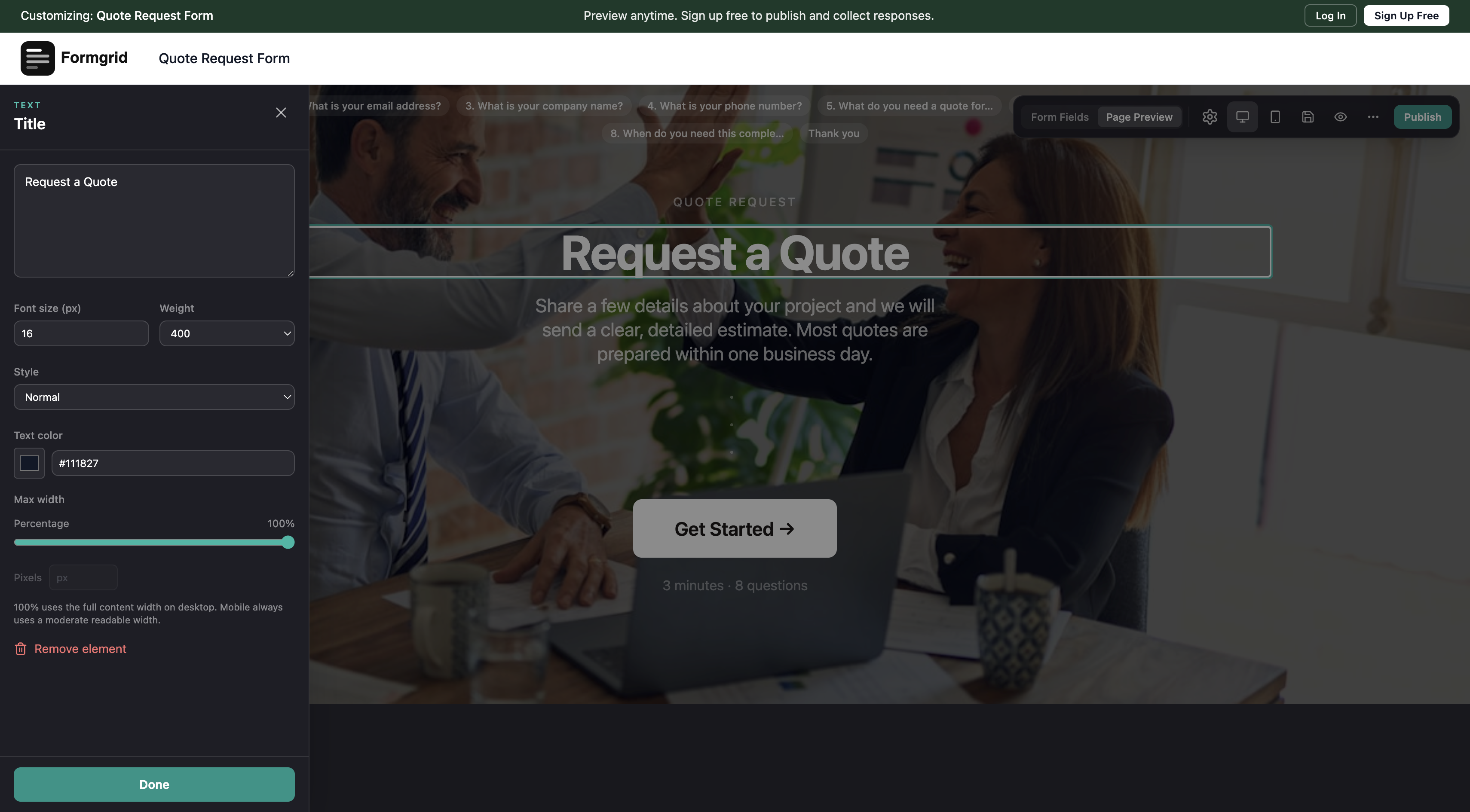
You can try the anonymous builder right there in the browser. Change the headline, edit the steps, swap the color, and preview exactly what your visitor will see before you ever create an account. Only when you are happy with it do you click Save, at which point you are prompted to sign up.
Each step in a multi-step form can include a page break, so respondents only see one section at a time instead of one long scrolling form. That alone tends to lift completion rates compared to a single page form with the same number of fields.
You can also switch any multi-step form into a conversational layout, one question at a time, with a progress bar and animated transitions between fields, the same style Typeform is known for. It is a toggle in the builder rather than a separate product, so you keep the same submissions, notifications, lead tracking, and Google Sheets sync either way.

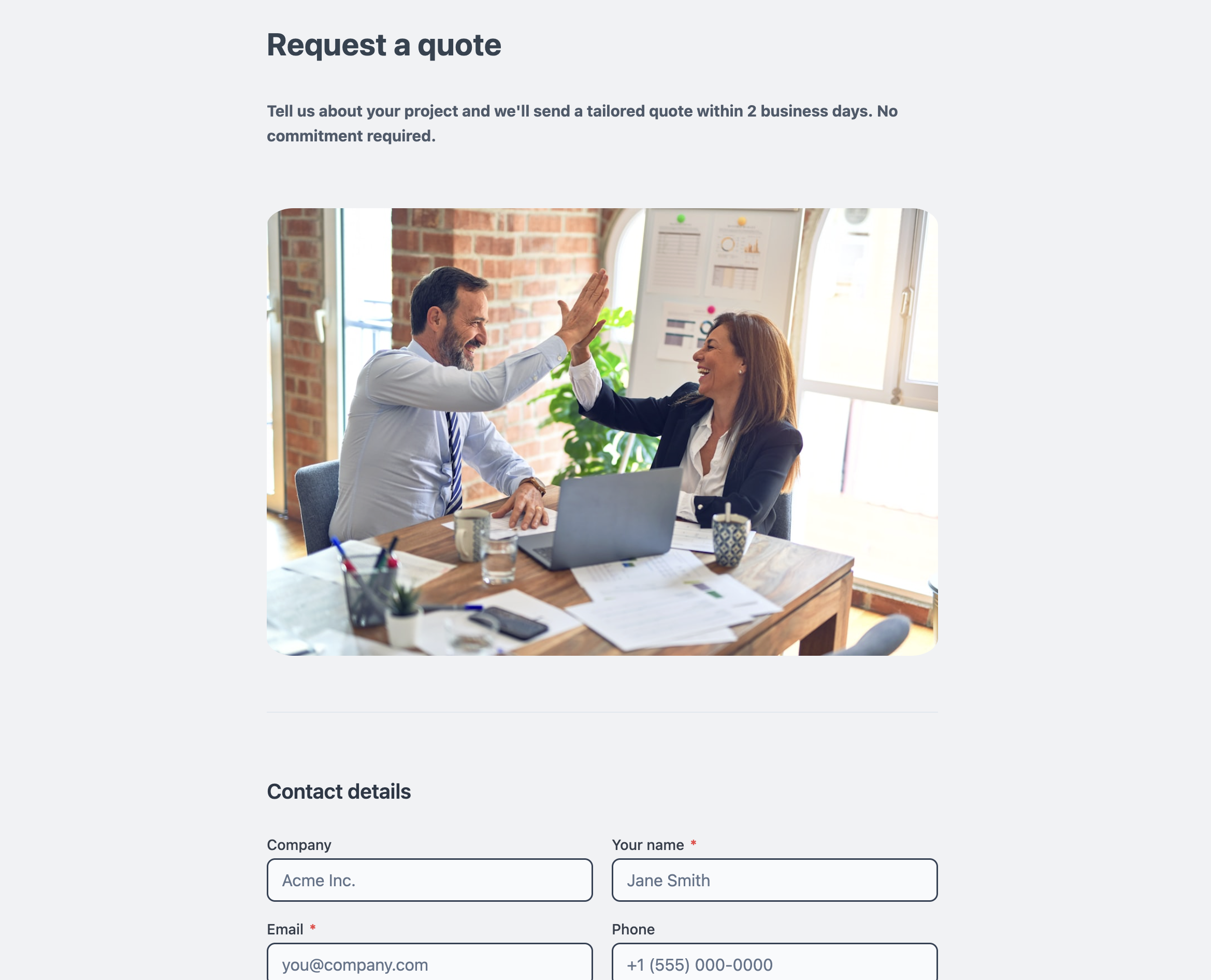
You can view and customize this template here.
Option C: build a blank form from scratch
If a template does not fit your use case, Formgrid also has a blank form document mode for building something fully custom.
Blank forms support:
- Column widths, so you can lay out fields side by side instead of stacking everything vertically
- Page break blocks, letting you turn any blank form into a multi-step form
- Borderless document mode, which strips the card styling and lets a form read like a plain document, useful for longer intake forms or agreements
- Six content blocks: heading, paragraph, image, divider, video, and embed, so you can add real context between your fields instead of a bare list of inputs
For a more visual layout, there is also a Split Layout template, which pairs your form fields on one side with an image or brand panel on the other, similar to what you would normally need custom code for.
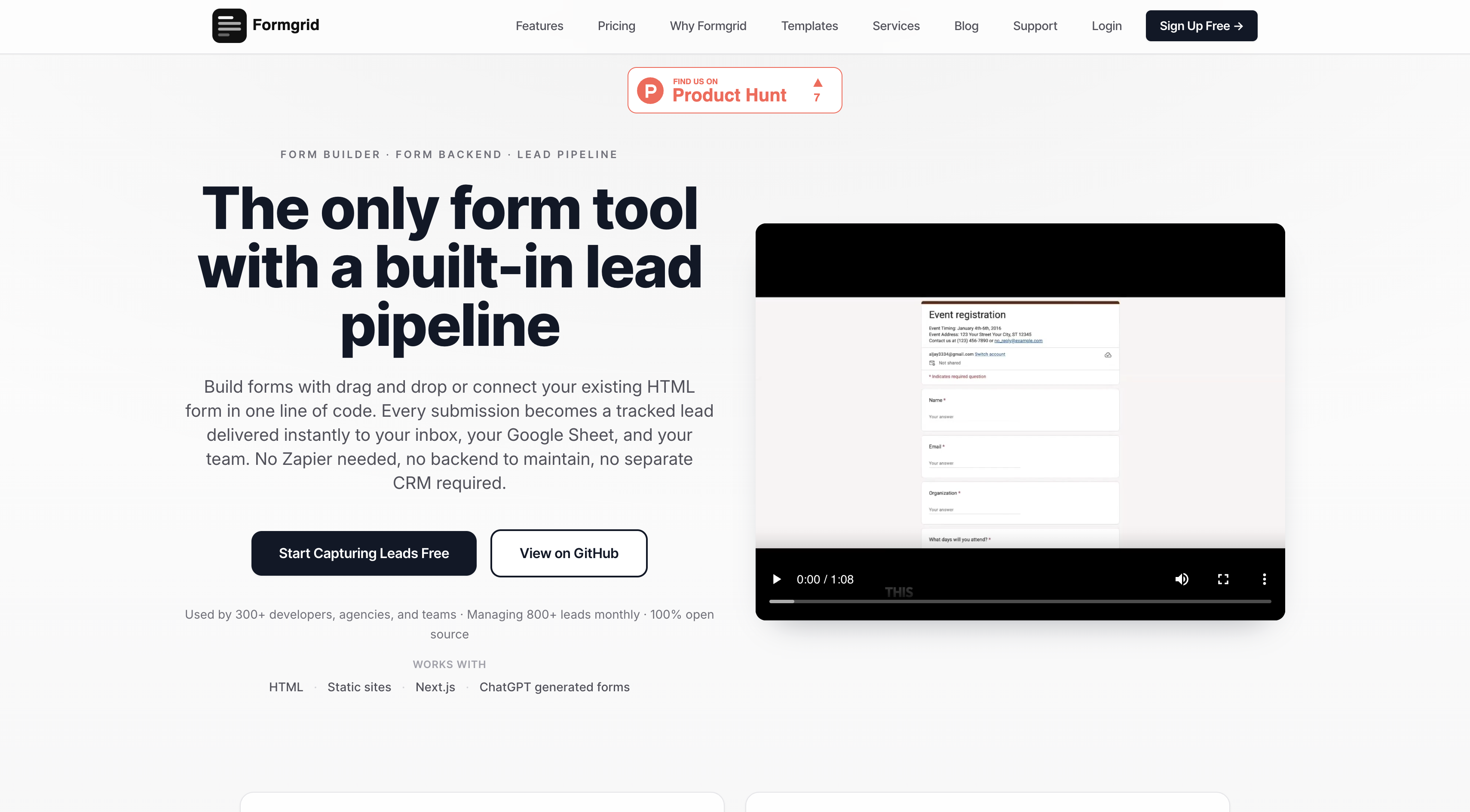
Step 1: sign up and create a form
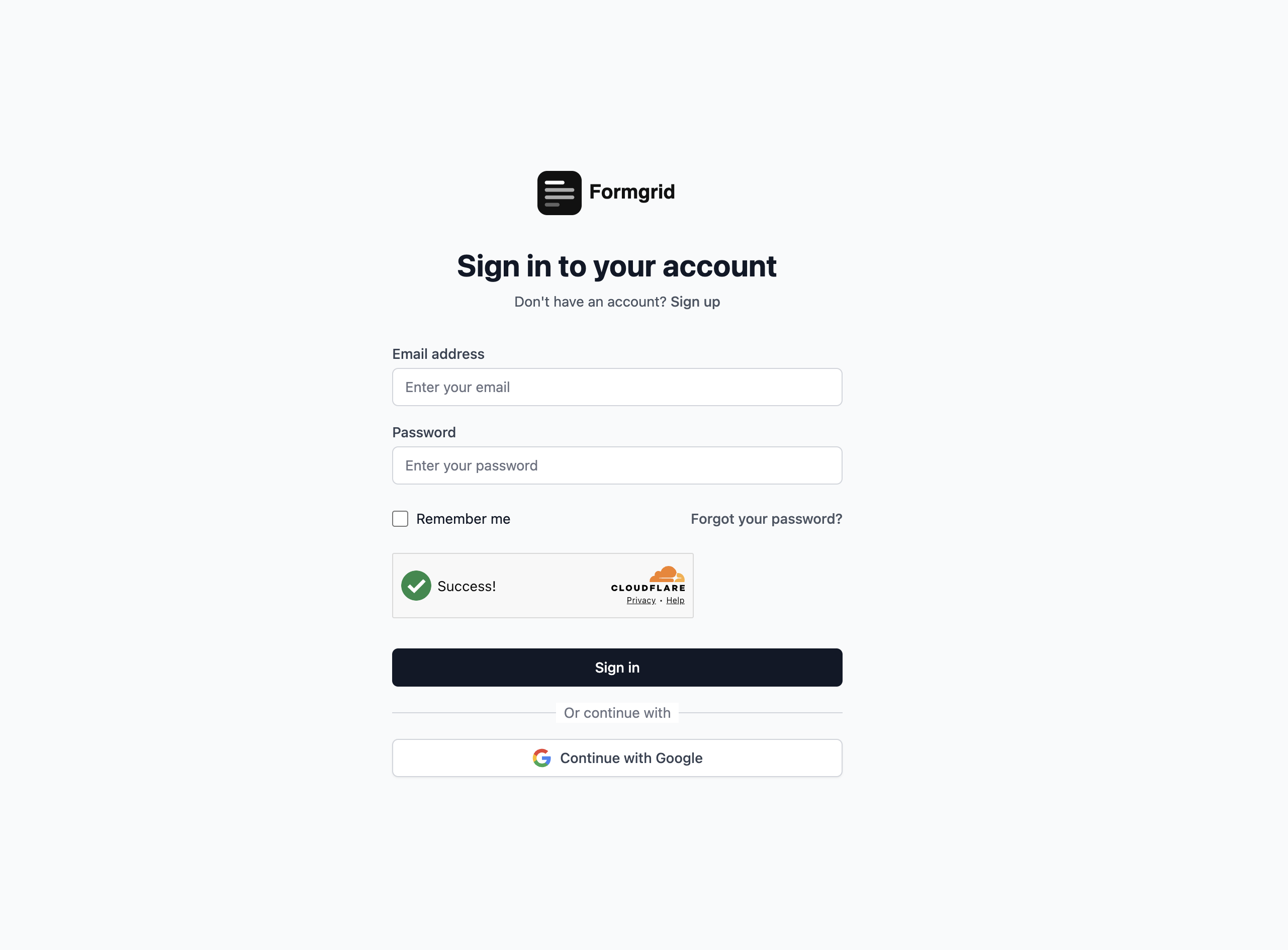
Head to formgrid.dev and sign up using Google or email. No credit card required.
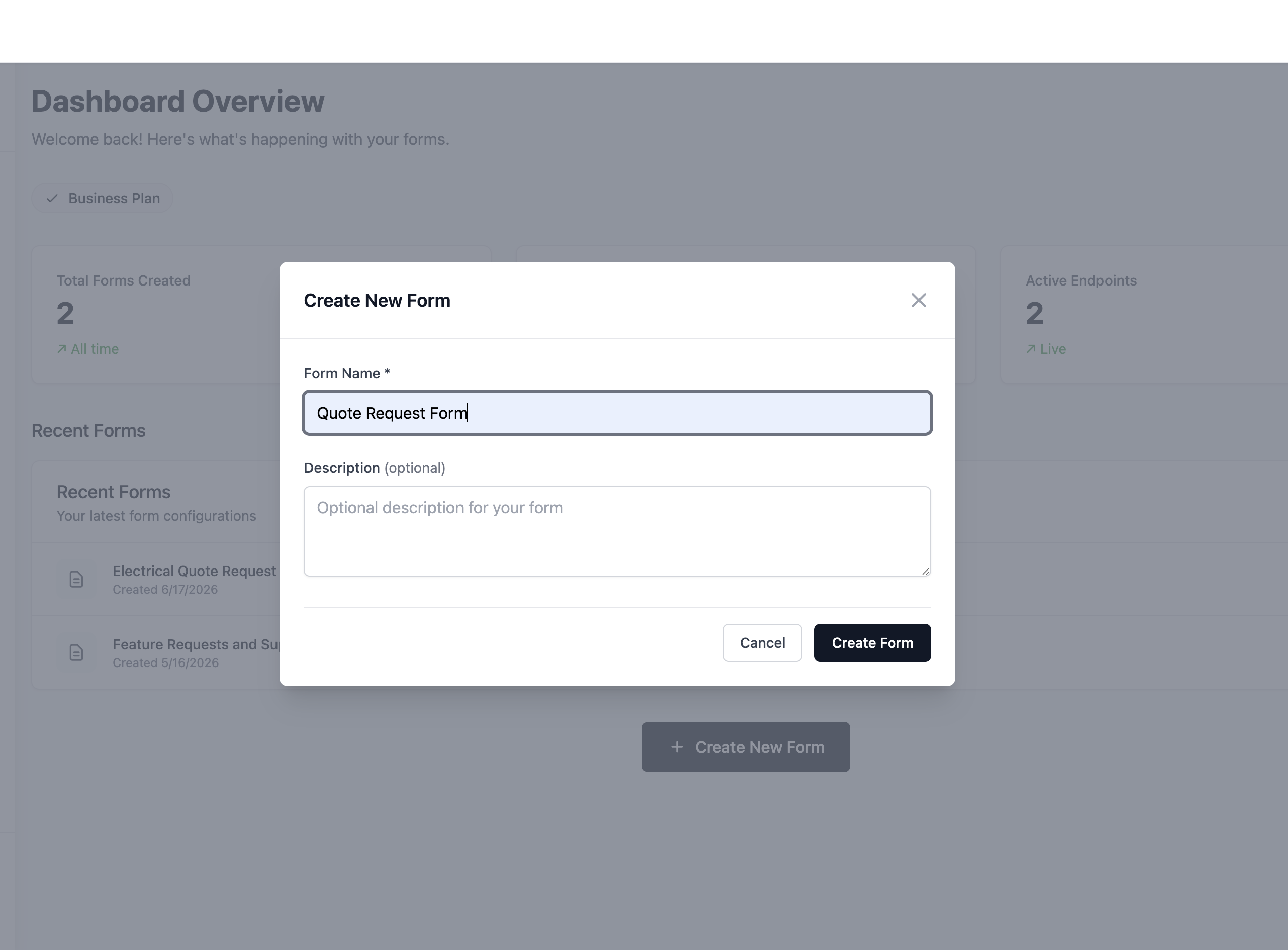
Once logged in, you will land on your dashboard. Click New Form to get started, or open a template you already customized in the anonymous builder.
Step 2: choose your path
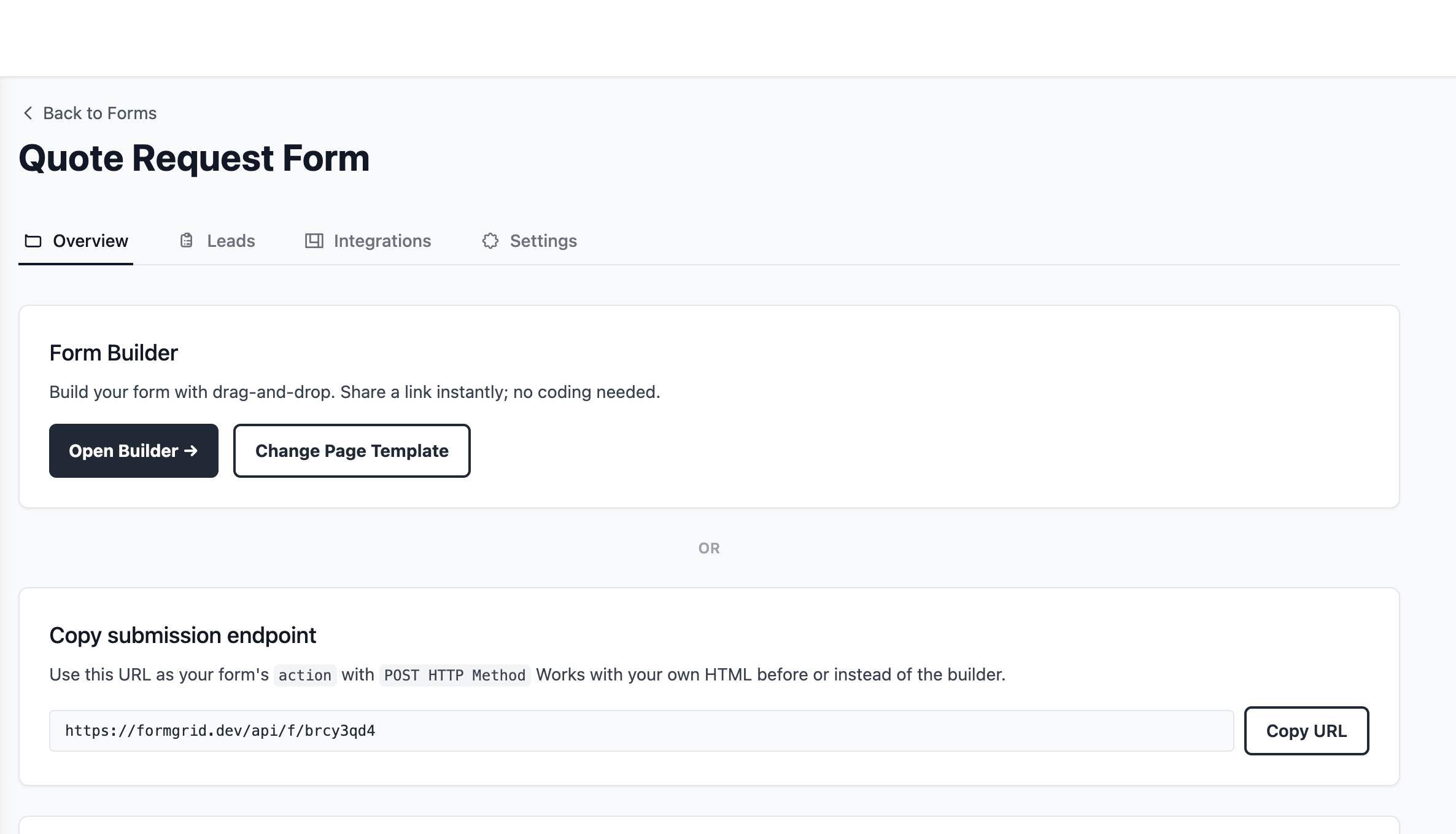
After creating your form, you will be taken to the form overview page, where you can either build with the form builder, opening the drag and drop editor from a blank document or a template, or use the endpoint URL, which gives you the URL to point your existing HTML form at.
Step 3: build your form
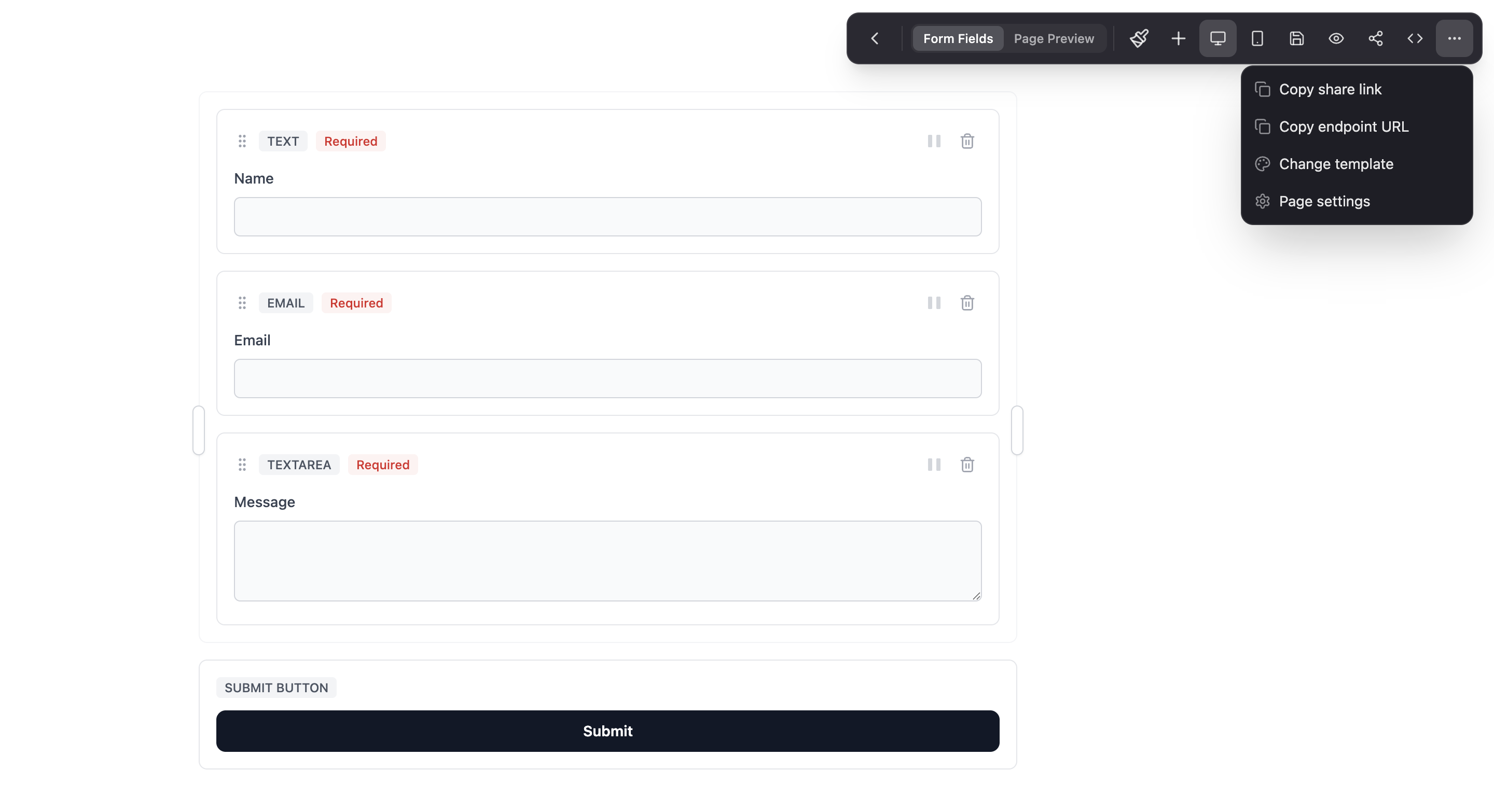
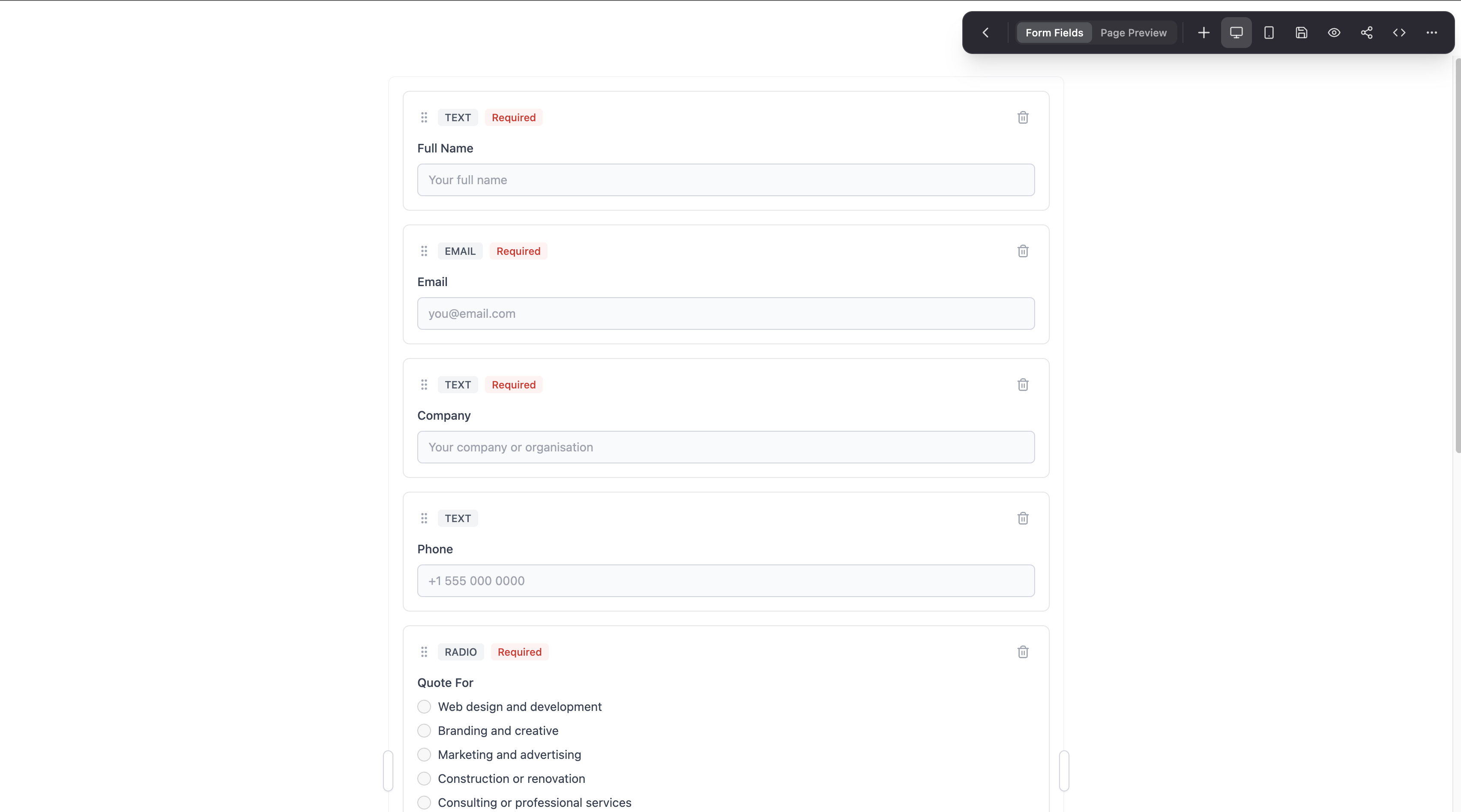
Drag fields from the left panel onto the canvas: text fields, email fields, dropdowns, checkboxes, file uploads, and more. If you started from the multi-step template, each step already has fields grouped logically, and you can add or remove a page break at any point.
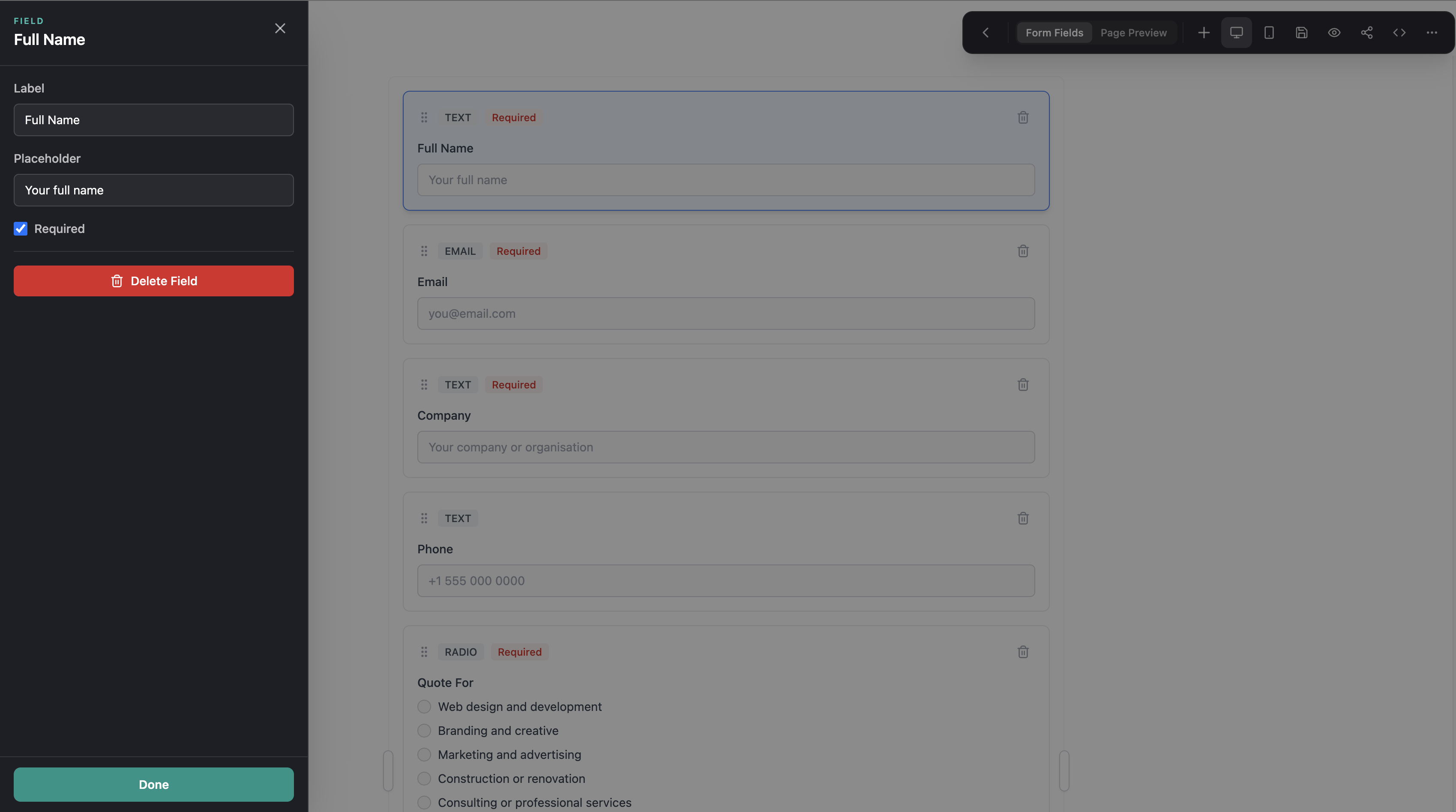
Each field is fully customizable. Click any field to edit its label, placeholder, required status, and validation rules.
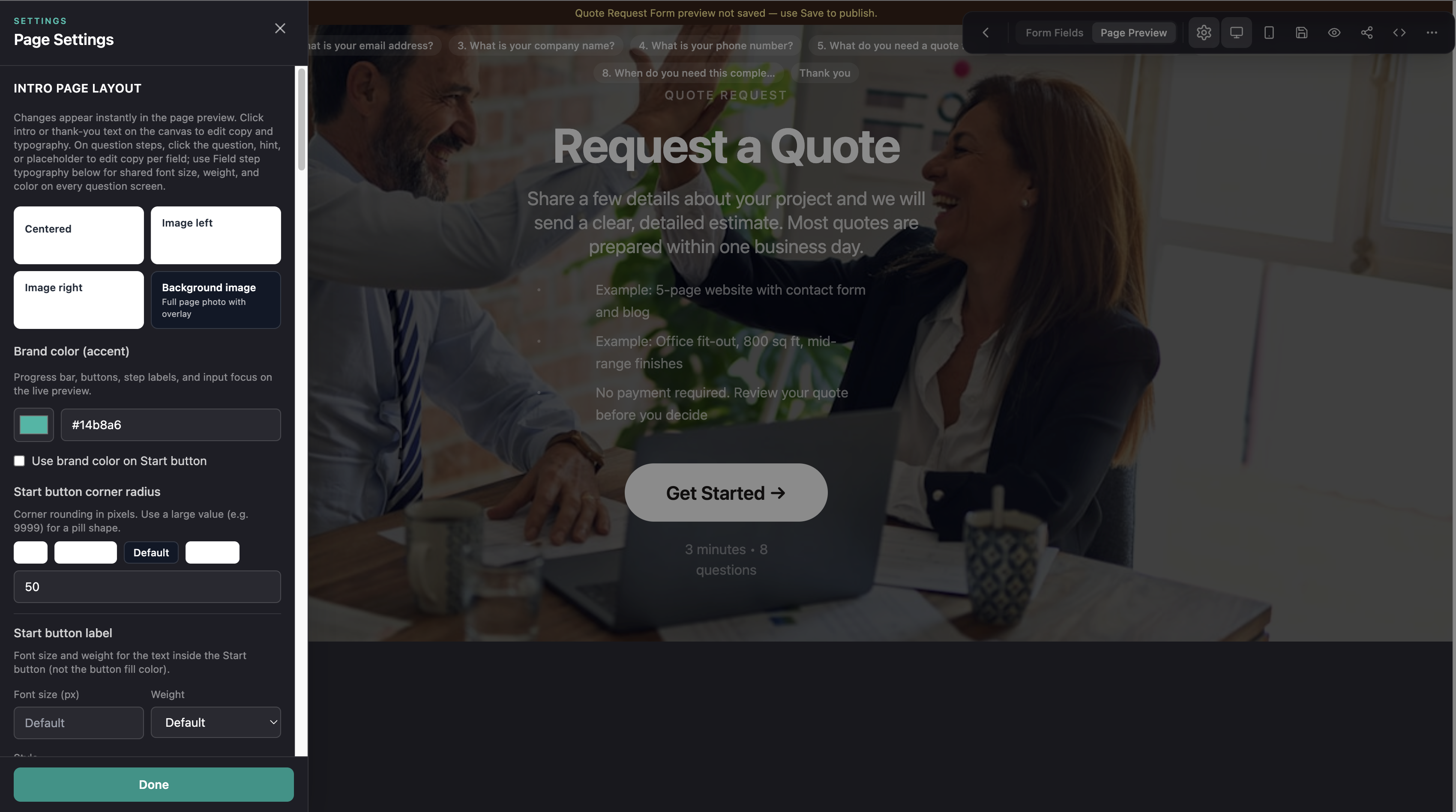
Step 4: customize your brand
Formgrid includes a color picker so you can match the form to your brand or your client's brand. Change the primary color, background, and button style directly in the builder.
If you are on the Premium plan, you can also connect a custom domain, so your shareable form link reads as forms.yourbusiness.com instead of formgrid.dev. Every form page also ships with proper OG and SEO meta tags out of the box, so links preview correctly when shared on LinkedIn, Slack, or WhatsApp.
Every form you share looks like it belongs to your brand, not like a generic third-party tool.
Step 5: preview and share
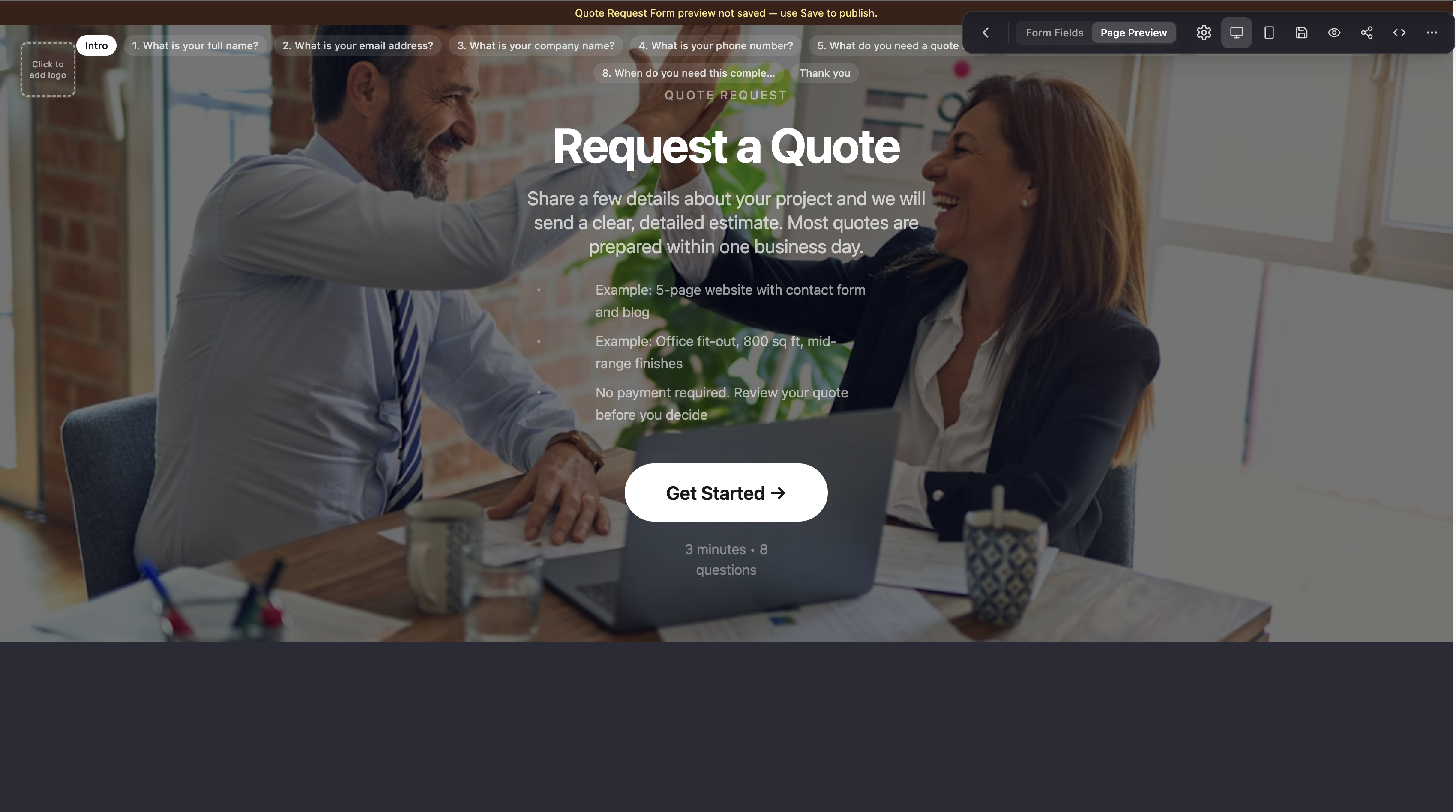
Once you are happy with the form, click Preview to see exactly how it looks to your users. When it is ready, click Share to get your shareable form link.
You can send that link via WhatsApp, email, SMS, or embed it on any website. No code, no hosting, just a link.

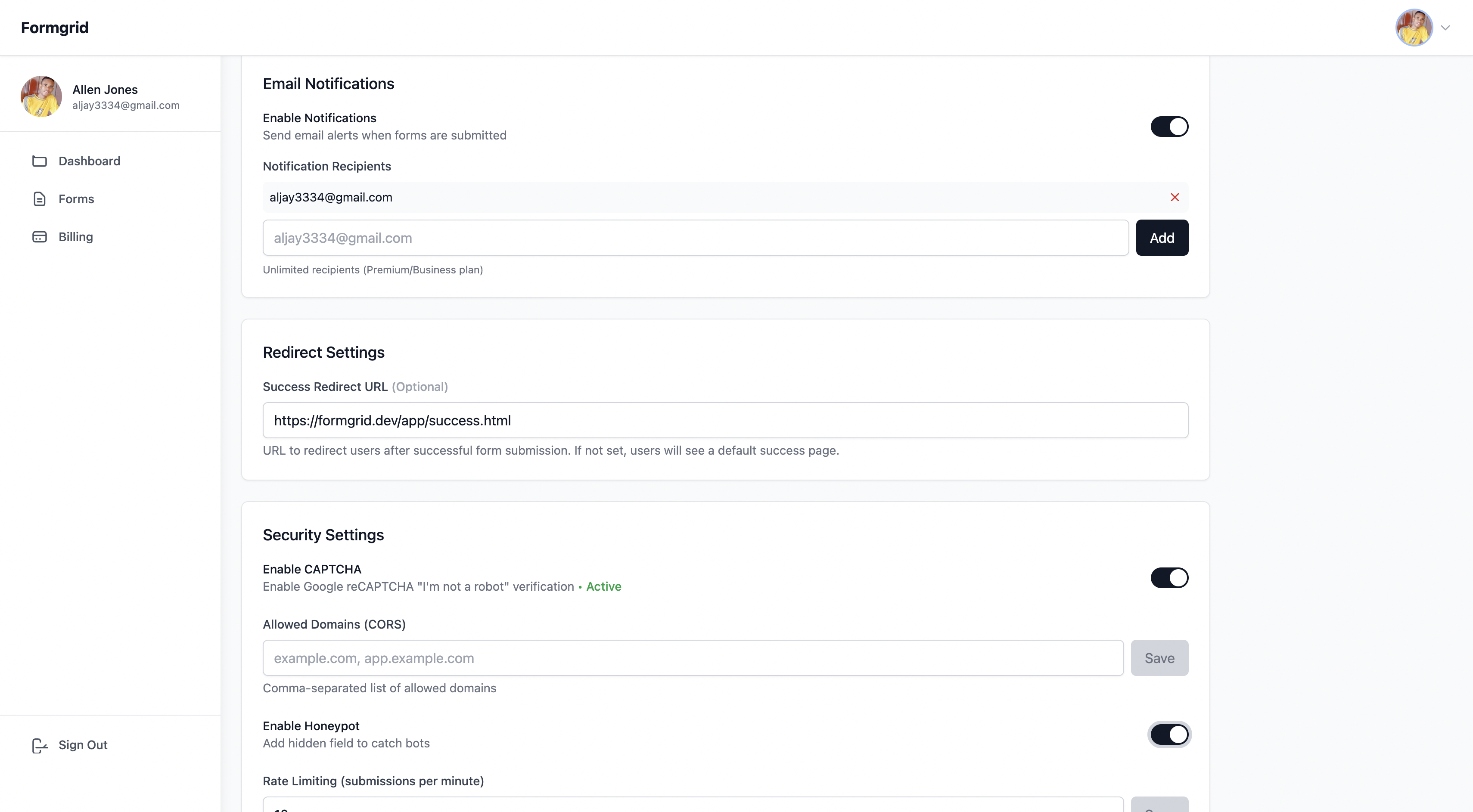
Step 6: configure settings
Go to the Settings tab on your form to:
- Add notification email addresses. Notifications go to the address you signed up with by default, and you can add more if you want teammates or clients to be notified too
- Enable spam protection with a honeypot and rate limiting built in
- Set a custom redirect URL after submission
Step 7: get notified the moment someone submits, and see it as a lead
Every submission triggers an instant email notification to the addresses you added in Settings. You do not need to log in to your dashboard to know a form was filled out, but every submission also lands in your dashboard as a lead you can move through New, Contacted, and Converted.
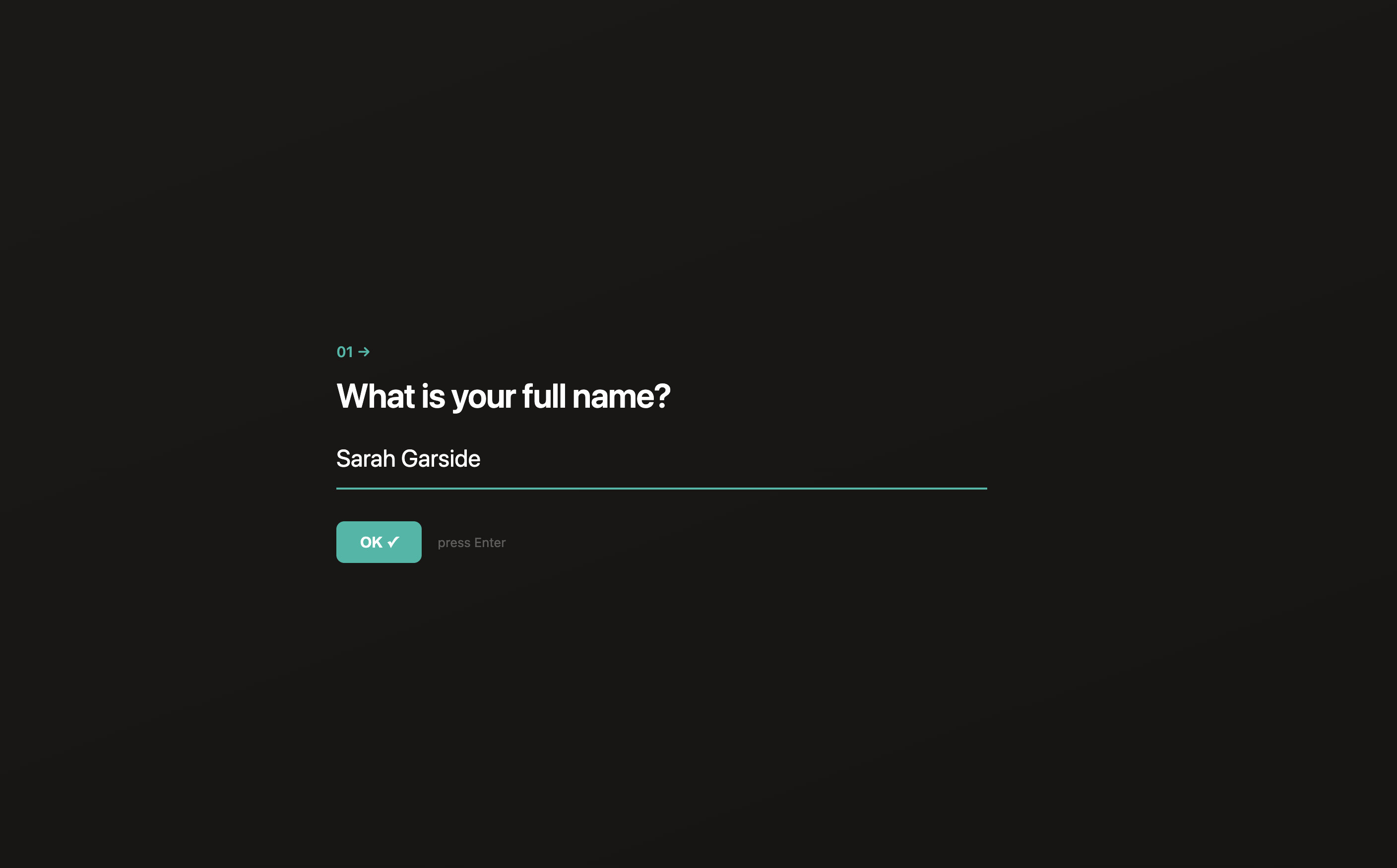
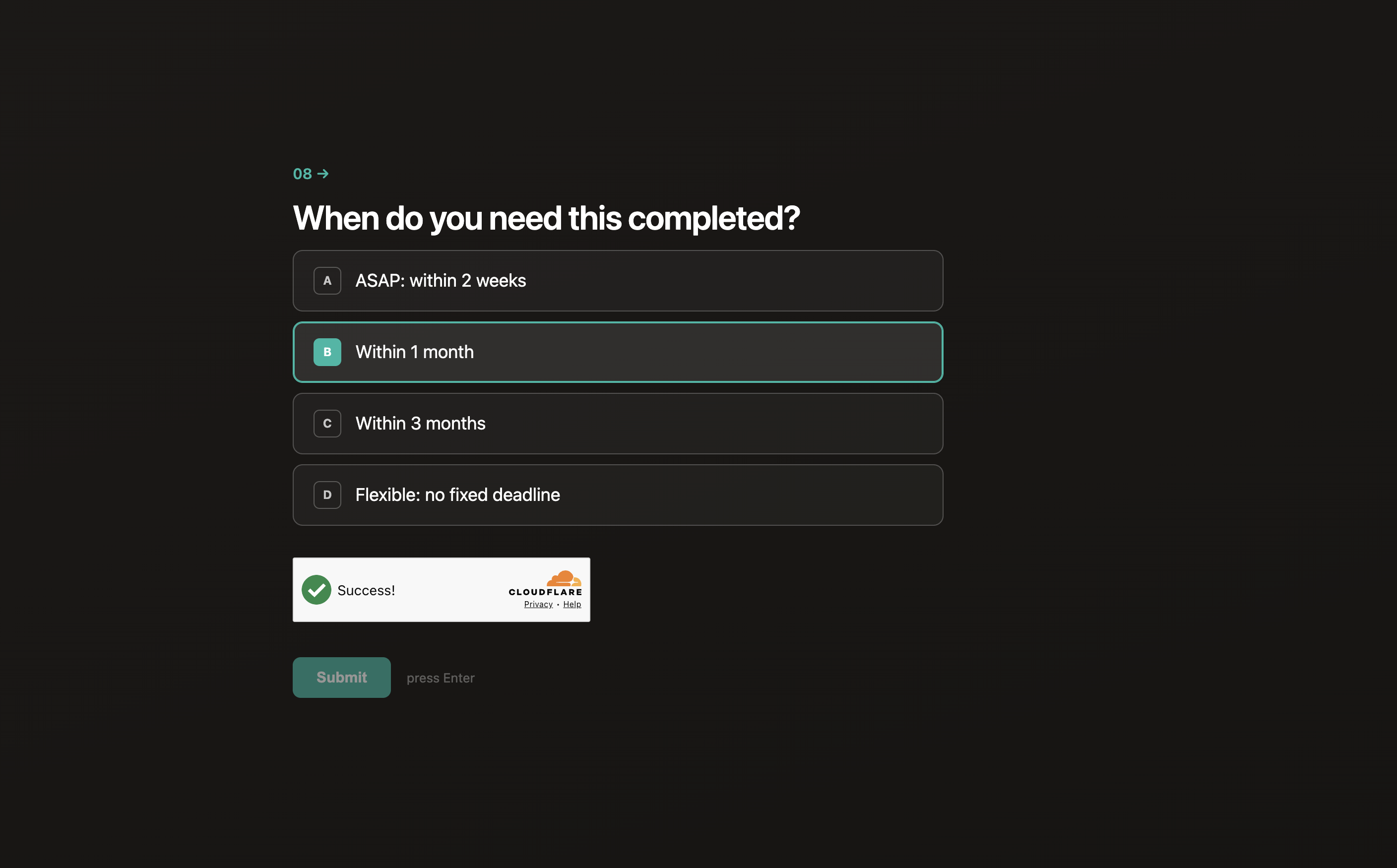
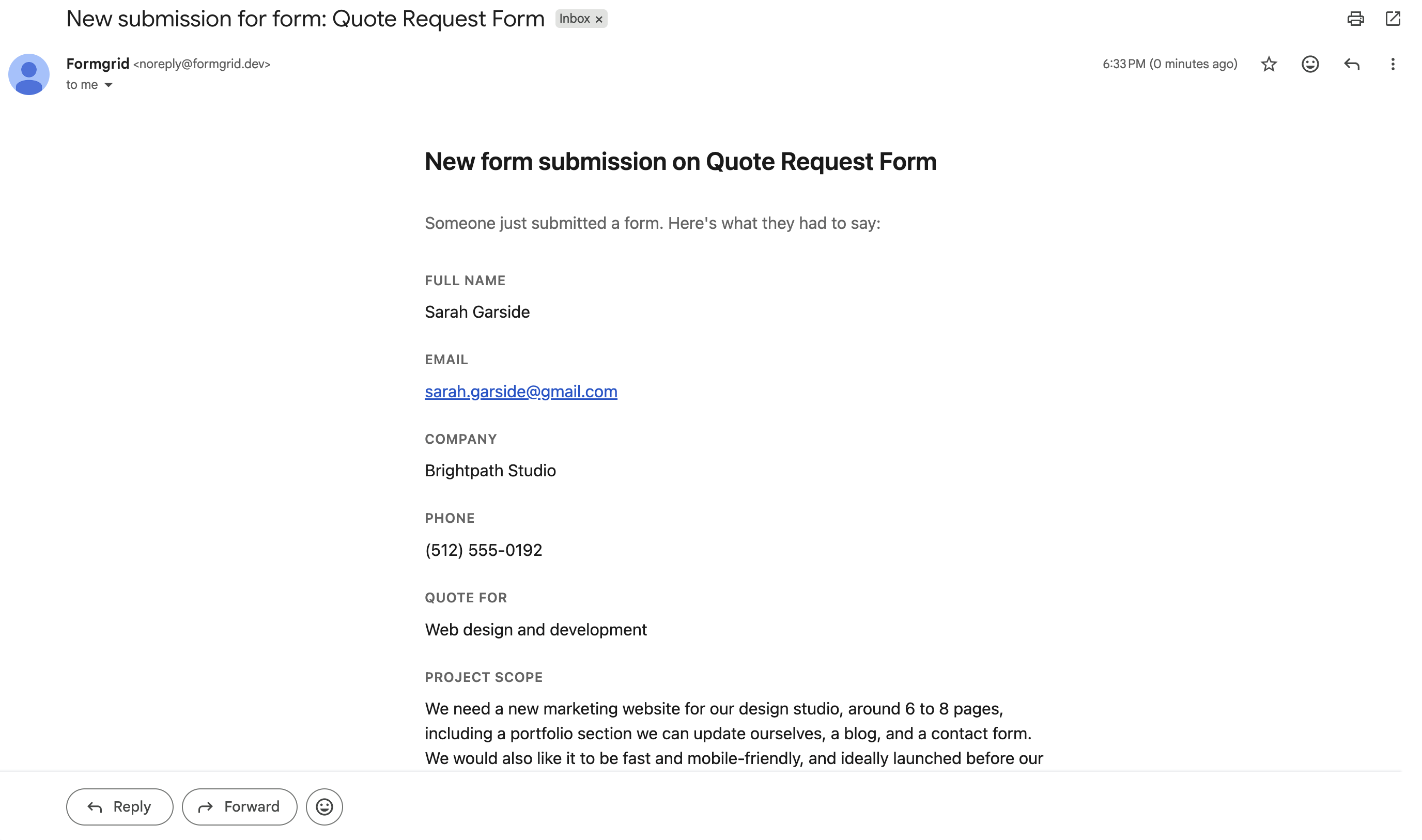
The email includes every field the respondent submitted, formatted so you can scan it in a few seconds, along with the time it was submitted.
If you are on the Business plan, these notification emails are sent from your own custom domain instead of a formgrid.dev address, so they land in your client's inbox looking like they came directly from you.
Step 8: Work the lead, not just the submission
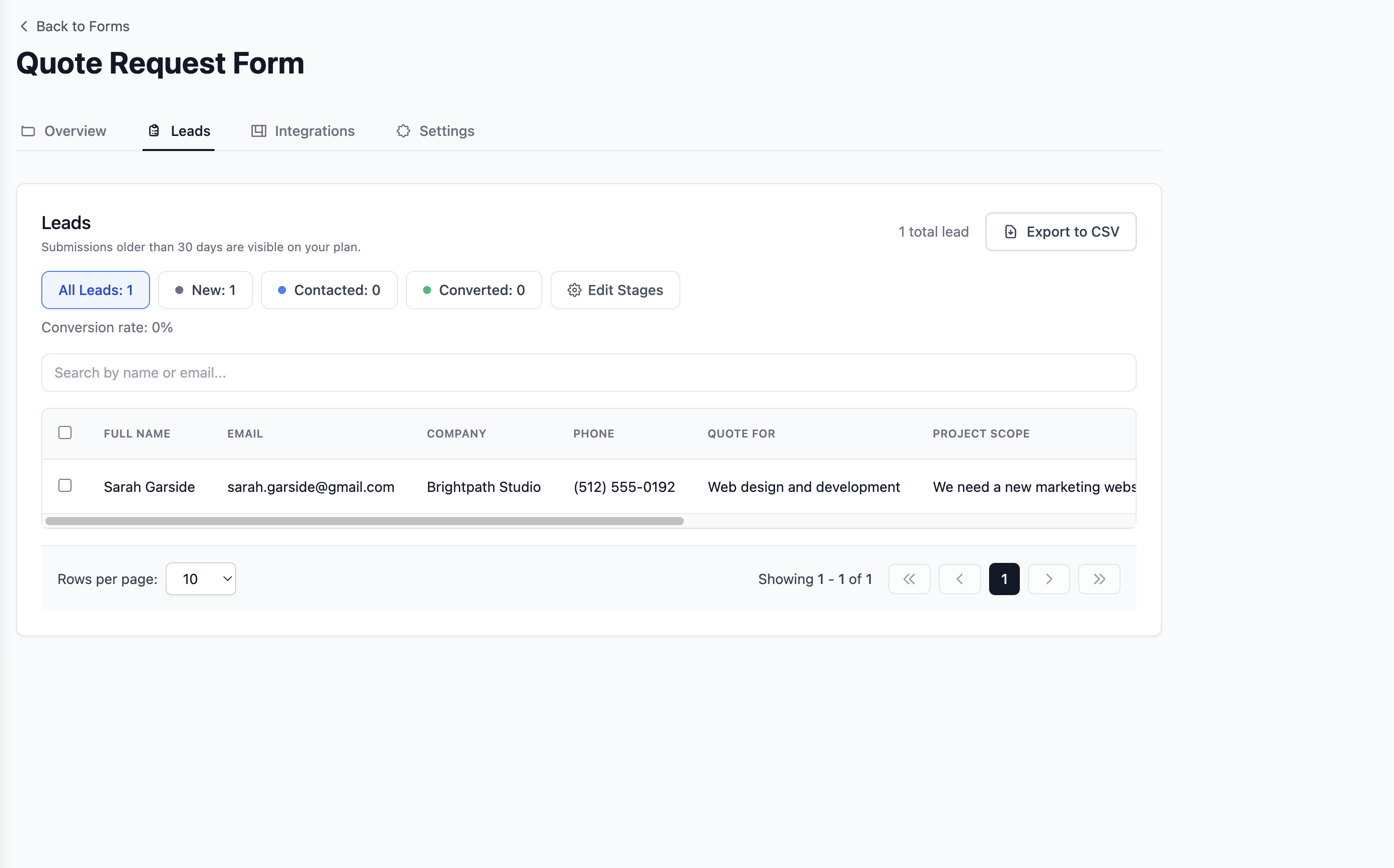
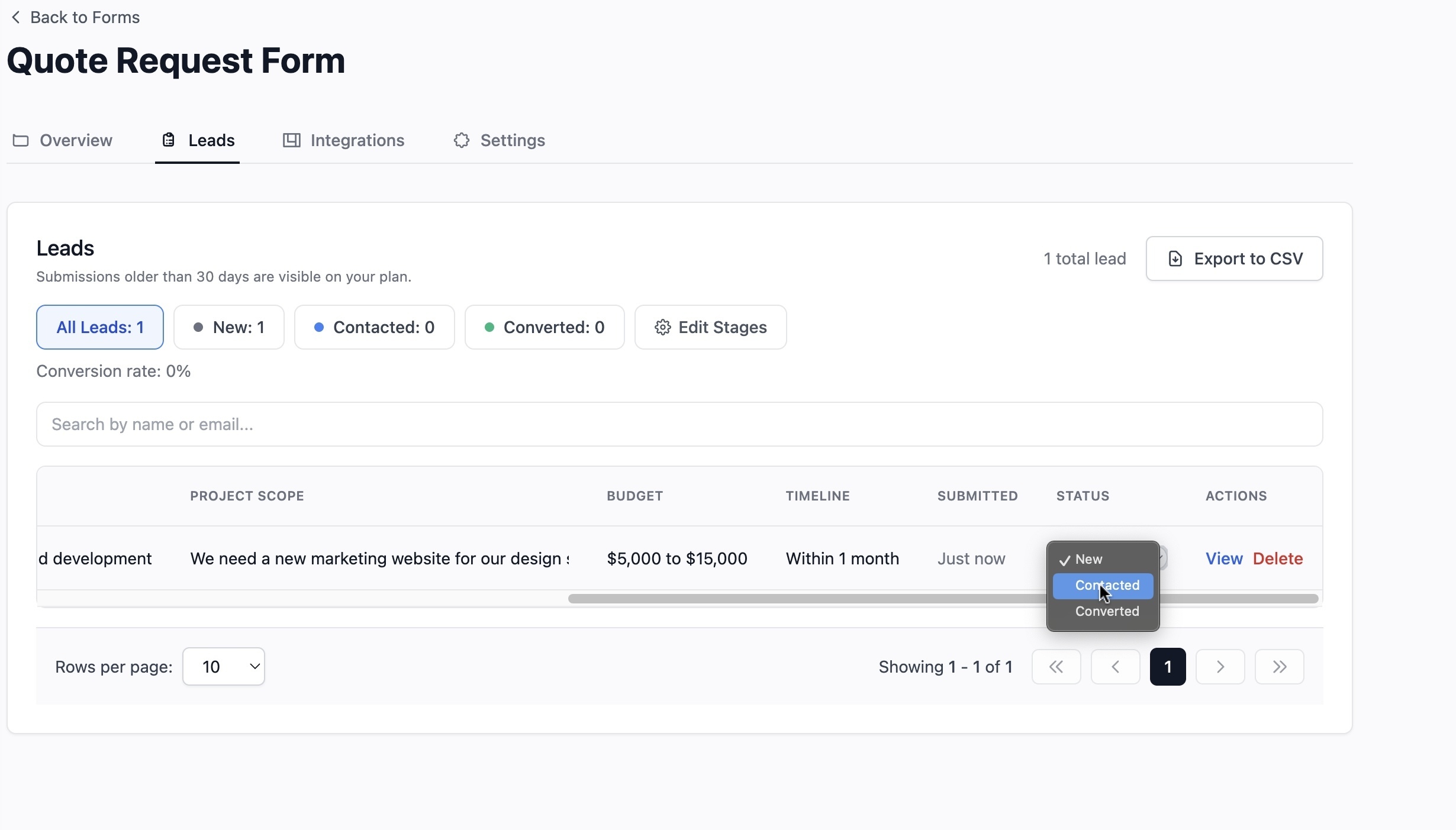
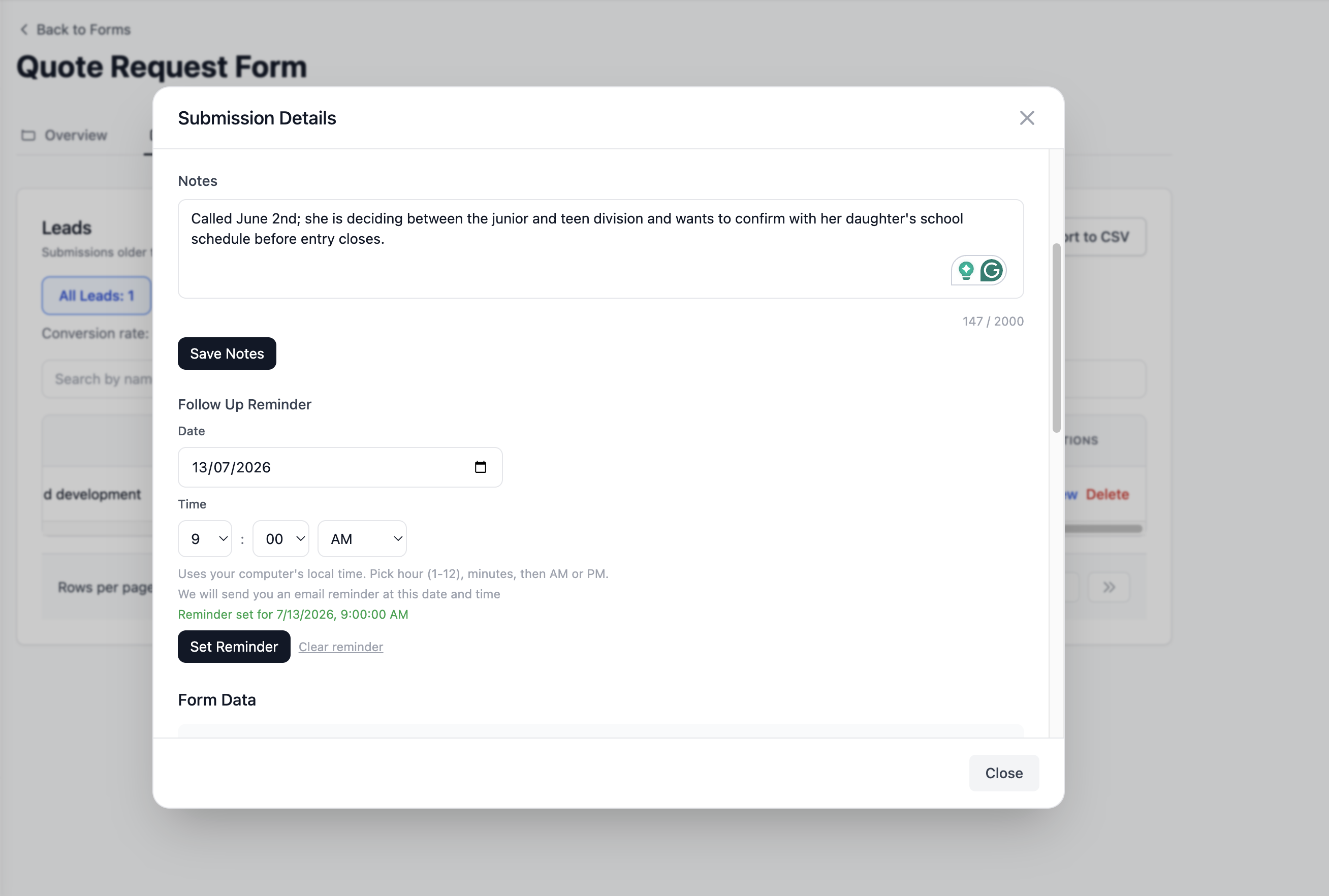
All submissions are stored in your Formgrid dashboard as leads, not just a static list. Go to the Submissions tab to view, search, filter, and export your data as a CSV, or open any individual lead to add a note, set a follow-up reminder, and update its status as you work it.
Key features
- Drag and drop form builder with shareable link
- Multi-step form template, plus page break blocks to turn any blank form into a multi-step form
- Conversational one question at a time mode, toggled on from the same multi-step form, no separate tool needed
- Blank form document mode with column widths, borderless layout, and six content blocks: heading, paragraph, image, divider, video, and embed
- Split Layout template for a form paired with an image or brand panel
- Built in lead pipeline on every submission: New, Contacted, Converted
- Notes and follow-up reminders on each lead
- Try before you sign up: templates open in an anonymous builder so you can customize before creating an account
- Custom domain support on Premium, plus built in OG and SEO meta tags on every form
- HTML form endpoint that works with any static site
- Spam protection with honeypot and rate limiting
- Instant email notifications
- File uploads up to 1GB
- CSV export
- Color picker for brand matching
- Google Sheets sync on all plans, with higher limits on Premium at $12 a month and unlimited sync on Business at $29 a month
- Self-hostable with Docker
- 100% open source under MIT license
- GDPR friendly with no tracking and no data selling
Pricing
| Plan | Price | Submissions |
|---|---|---|
| Free | $0/month | 50/month |
| Premium | $12/month | 1,000/month |
| Business | $29/month | 15,000/month |
The bottom line: Jotform charges $34 a month for their starter paid plan. Formgrid gives you a multi-step form builder, a document mode for fully custom forms, a form backend, a lead pipeline to track what happens after someone submits, self-hosting, and open source code, starting at $12 a month. If you are paying for Jotform just to build and share forms, this is the obvious switch.
Try a template free. No account needed to start customizing.
2. Google Forms: Best Free Option
Best for: anyone who needs a completely free form builder for basic use cases.
Google Forms is completely free with no submission limits. It is the most widely used form tool in the world for good reason. It works, it is fast, and everyone already knows how to use it.
Key features
- Completely free
- Unlimited responses
- Google Sheets integration built in
- Conditional logic
- Simple analytics
Pricing: free.
Tradeoff: no custom branding, no custom domain, no HTML form backend, no self-hosting, no way to track a response after it arrives. Forms look like Google Forms, not like your brand, so it is not well suited to professional client work.
3. Tally: Clean and Free Form Builder
Best for: non-technical users who want a Typeform-like experience at a lower price.
Tally is a popular alternative with a clean, minimal interface. Their free plan is genuinely useful, with unlimited forms and unlimited responses, though some features are locked behind the paid plan.
Key features
- Unlimited forms on the free plan
- Unlimited responses
- Conditional logic
- File uploads on the paid plan
- Notion integration
- Embeddable forms
Pricing: free plan available, paid plan at $29 per month.
Tradeoff: no HTML form backend, no self-hosting, no open source, no lead tracking after a response arrives.
4. Typeform: Best for Conversational Forms
Best for: marketers who want a beautiful conversational form experience for surveys and lead generation.
Typeform pioneered the one question at a time conversational form format. It is visually polished and produces strong completion rates for surveys and research forms.
Key features
- Conversational one question at a time format
- Beautiful design templates
- Logic jumps and conditional branching
- Payment integrations
- Data analysis and insights
Pricing: free plan limited to 10 responses per month, paid plans start at $25 per month.
Tradeoff: very limited free plan, no HTML form backend, no self-hosting, no open source, and the conversational format is no longer exclusive to Typeform.
5. Paperform: Best for Beautiful Landing Page Forms
Best for: marketers and creators who want visually striking forms with a strong brand feel.
Paperform focuses on beautiful landing page style forms that feel like a designed experience rather than a generic form. Strong media embedding, payment support, and good conditional logic.
Key features
- Beautiful form design
- Payment integrations
- Conditional logic
- Calculator fields
- Media embedding
Pricing: starts at $24 per month, no free plan.
Tradeoff: no free plan, no HTML form backend, no self-hosting, and expensive relative to what it offers compared to alternatives.
6. Web3Forms: Lightweight Form Backend
Best for: developers who just need a simple form endpoint for their static site with no frills.
Web3Forms is a lightweight form backend service. No form builder, just an endpoint URL you point your HTML form at. Simple and fast.
Key features
- Simple HTML form endpoint
- Email notifications
- Spam protection
- Free plan available
Pricing: free plan available, Pro plan at $18 per month.
Tradeoff: no form builder, no submission dashboard on the free plan, no self-hosting, no lead tracking.
Side by Side Comparison
| Feature | Jotform | Formgrid | Google Forms | Tally | Typeform |
|---|---|---|---|---|---|
| Form builder | Yes | Yes | Yes | Yes | Yes |
| Multi-step template | Paid | Free | No | No | Yes |
| Conversational one question format | No | Free | No | No | Paid |
| HTML endpoint | No | Yes | No | No | No |
| Lead pipeline after submission | No | Yes | No | No | No |
| Custom domain | Paid | Premium | No | No | Paid |
| Shareable link | Yes | Yes | Yes | Yes | Yes |
| Self-hostable | No | Yes | No | No | No |
| Open source | No | Yes | No | No | No |
| Google Sheets | Paid | From $12/mo | Free | No | Paid |
| File uploads | Paid | Yes | Yes | Paid | Paid |
| Free responses | 100/month | 50/month | Unlimited | Unlimited | 10/month |
| Starting price | $34/month | $12/month | Free | $29/month | $25/month |
| GDPR friendly | Partial | Yes | Partial | Partial | Partial |
Which One Should You Use?
Use Formgrid if you want a form backend and a form builder in one tool, you need a multi-step form and want to try it before creating an account, you want a Typeform-style conversational form without paying for a second tool, you need to point an existing HTML form at an endpoint, you want to know what happened to a submission after it arrived instead of losing track of it in your inbox, you want a custom domain on your form links without an enterprise price tag, or you care about open source and self-hosting.
Use Google Forms if you need something completely free and branding does not matter, since you are collecting internal data or running simple surveys.
Use Tally if you want a clean, minimal form builder for free and you do not need an HTML form backend.
Use Jotform if you need advanced logic, payments, approval workflows, and PDF generation, and budget is not a constraint.
Use Typeform if you need a conversational one question at a time experience for surveys or research forms where visual design and completion rate are the top priority.
Final Thoughts
Jotform built a genuinely powerful product. But in 2026, it is hard to justify $34 a month for a starter plan when better alternatives exist at a fraction of the cost.
If you are a developer who needs both a form backend for your static site and a no-code builder for non-technical clients or teammates, and you also want to know what happens to a submission after it arrives instead of losing it in your inbox, Formgrid is the strongest option here. It includes a multi-step form template, a document mode for fully custom blank forms, a lead pipeline on every submission, and custom domain support, starting at $12 a month.
If you need something completely free for basic use cases with no need to track responses afterward, Google Forms or Tally will serve you well.
But if you are paying $34 a month or more for Jotform and not using its advanced approval workflows, PDF generation, or e-signature features, you are significantly overpaying.
Browse templates and start building free. No account needed to try it.
Full disclosure: I built Formgrid. I wrote this comparison as honestly as I could. If anything looks inaccurate, let me know in the comments.

Comments
Leave a comment