
If you just opened your Formspree settings and discovered that Google Sheets integration requires their Business plan at $90 per month; you are not alone in being surprised by that number.
For most developers and small business owners, $90 per month just to get form submissions into a spreadsheet is a hard number to justify. Especially when Google Sheets is free, and the integration itself is not a particularly complex feature.
This post covers the best alternatives to Formspree for teams that need form submissions to go to Google Sheets automatically, without paying $90 per month to make it happen.
Why Formspree Charges So Much for Google Sheets
Formspree's pricing tiers look reasonable at first glance. The Basic plan starts at $15 per month. But Google Sheets integration is locked to the Business plan, which starts at $90 per month.
That is not a typo. $90 per month. For a spreadsheet integration.
For a developer who just wants form submissions organized in a shared sheet so their client or team can see them without logging into a separate dashboard, paying $90 per month is simply not sensible.
The good news is that several alternatives include Google Sheets sync at a fraction of that price or completely free. Here is the full comparison.
The Best Formspree Alternatives With Google Sheets Sync
1. Formgrid: Google Sheets Sync on Every Plan, Including Free
Formgrid includes Google Sheets sync on all plans, including the free plan. Not locked behind a premium tier. Not an add-on that costs extra. Included from the moment you sign up.
The free plan syncs your first 10 rows per form. The Premium plan at $12 per month syncs up to 500 rows per month. The Business plan at $29 per month syncs unlimited rows automatically.
At $29 per month for unlimited Google Sheets sync Formgrid costs $61 per month, less than Formspree for the same feature.
But the price difference is only part of the story.
What makes Formgrid different from Formspree:
Formspree receives your form submissions and forwards them to your inbox. That is where the workflow ends.
Formgrid turns every submission into a tracked lead with a status, a notes field, and a follow up reminder you can set in one click. Your conversion rate updates automatically as you move leads through the pipeline.
At the top of your leads tab you see your full pipeline at a glance: New: 12 Contacted: 8 Converted: 3 Conversion rate: 13%
That is the number Formspree can never give you.

Setting up Google Sheets sync in Formgrid:
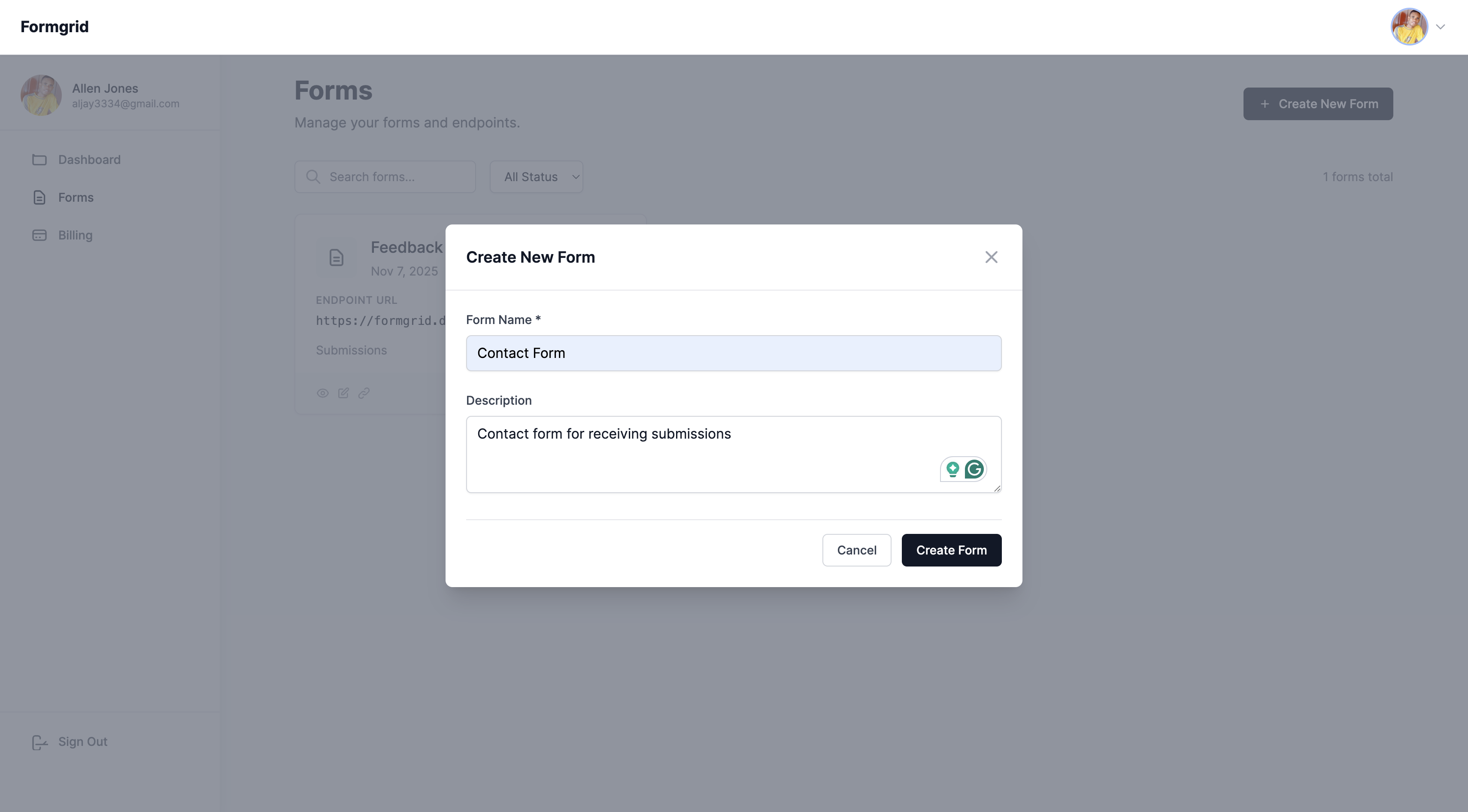
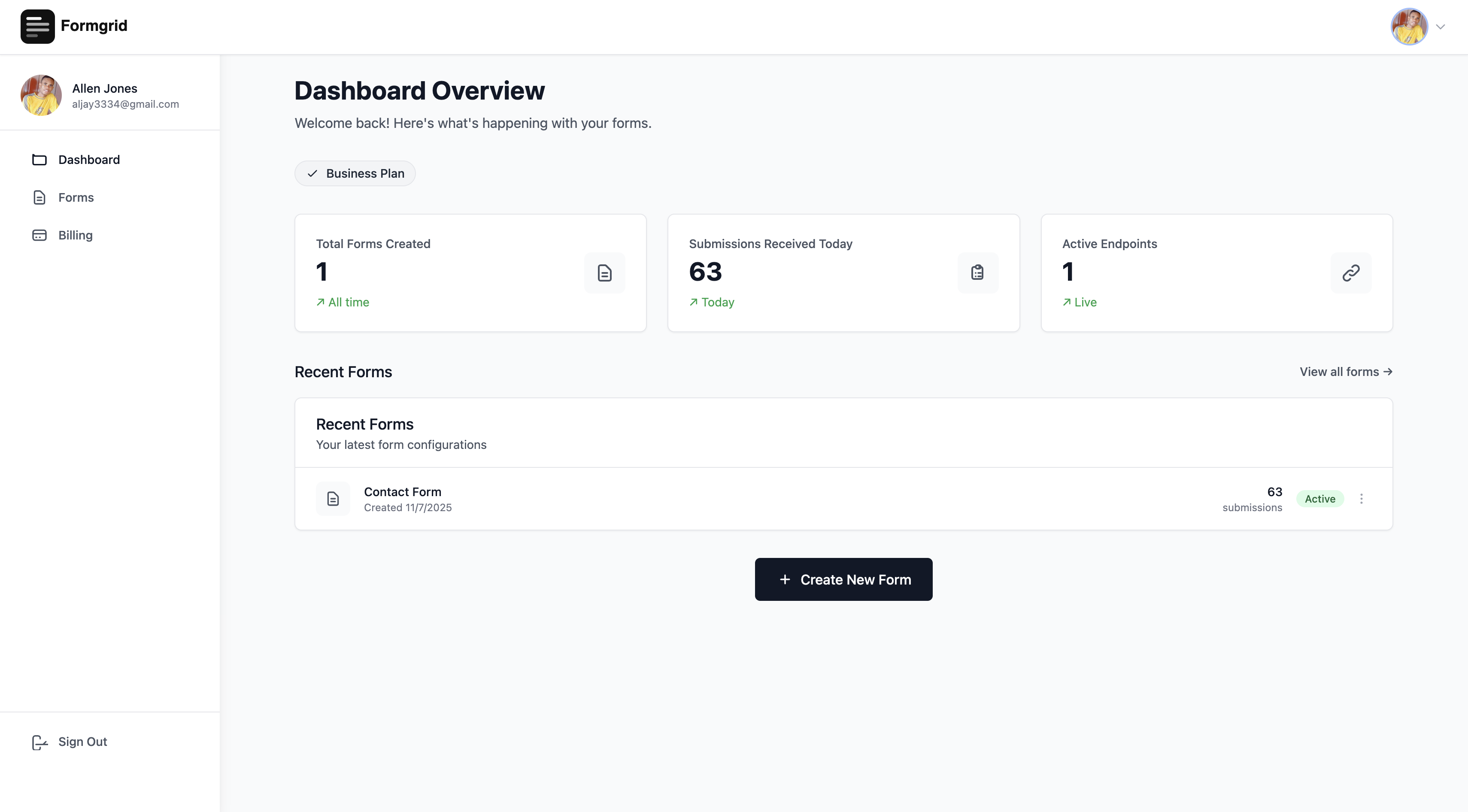
Step 1: Create a form in your Formgrid dashboard.
Step 2: Copy your unique endpoint URL from the Overview tab and paste it into your HTML form action attribute.
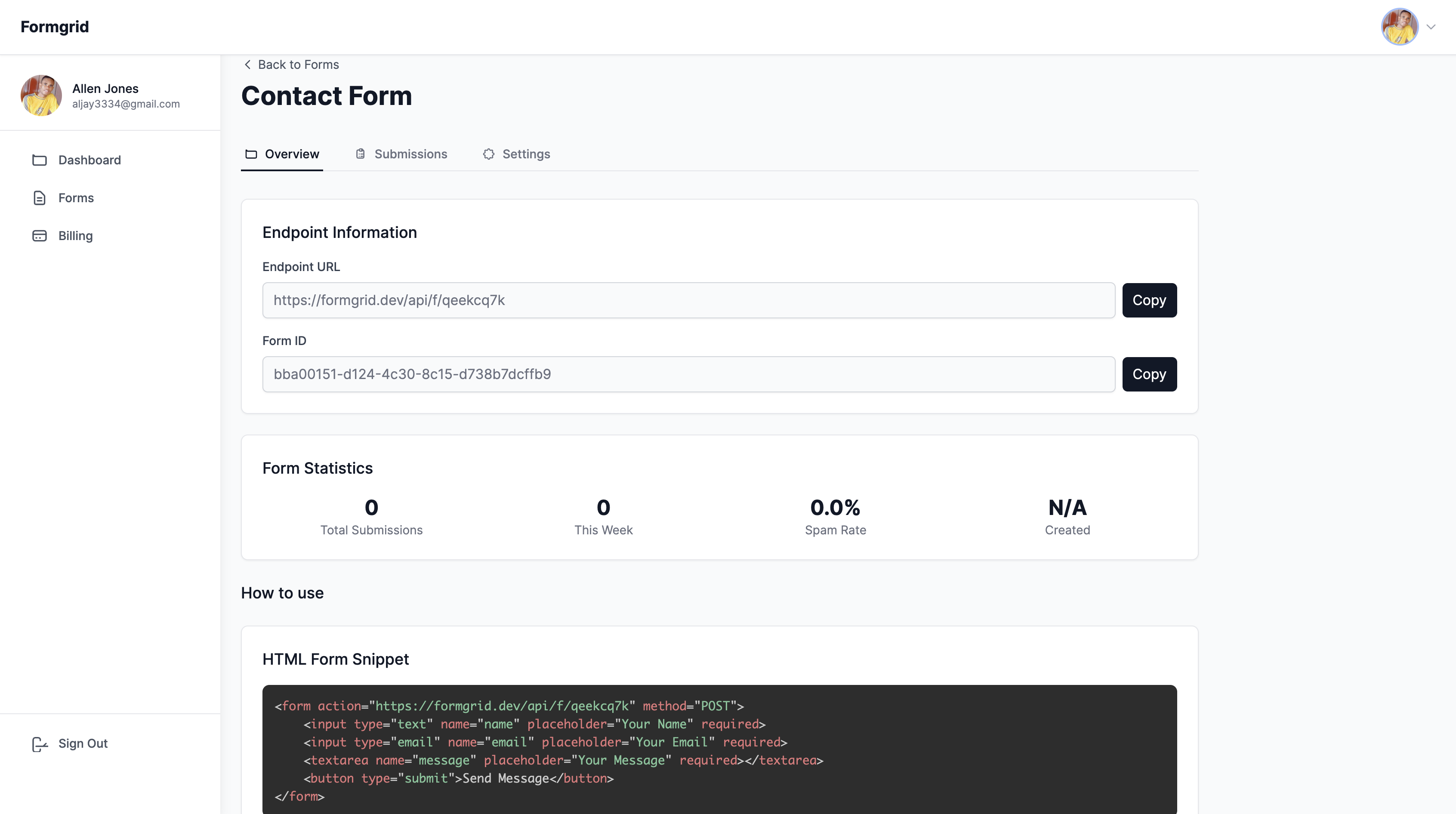
<form action="https://api.formgrid.dev/f/form-id"
      method="POST">
  <input type="text" name="name" required />
  <input type="email" name="email" required />
  <textarea name="message"></textarea>
  <input type="text" name="_honey"
         style="display:none" />
  <button type="submit">Send</button>
</form>
Step 3: Open the Integrations tab in your Formgrid dashboard.
Step 4: Click Create blank Google Sheet.
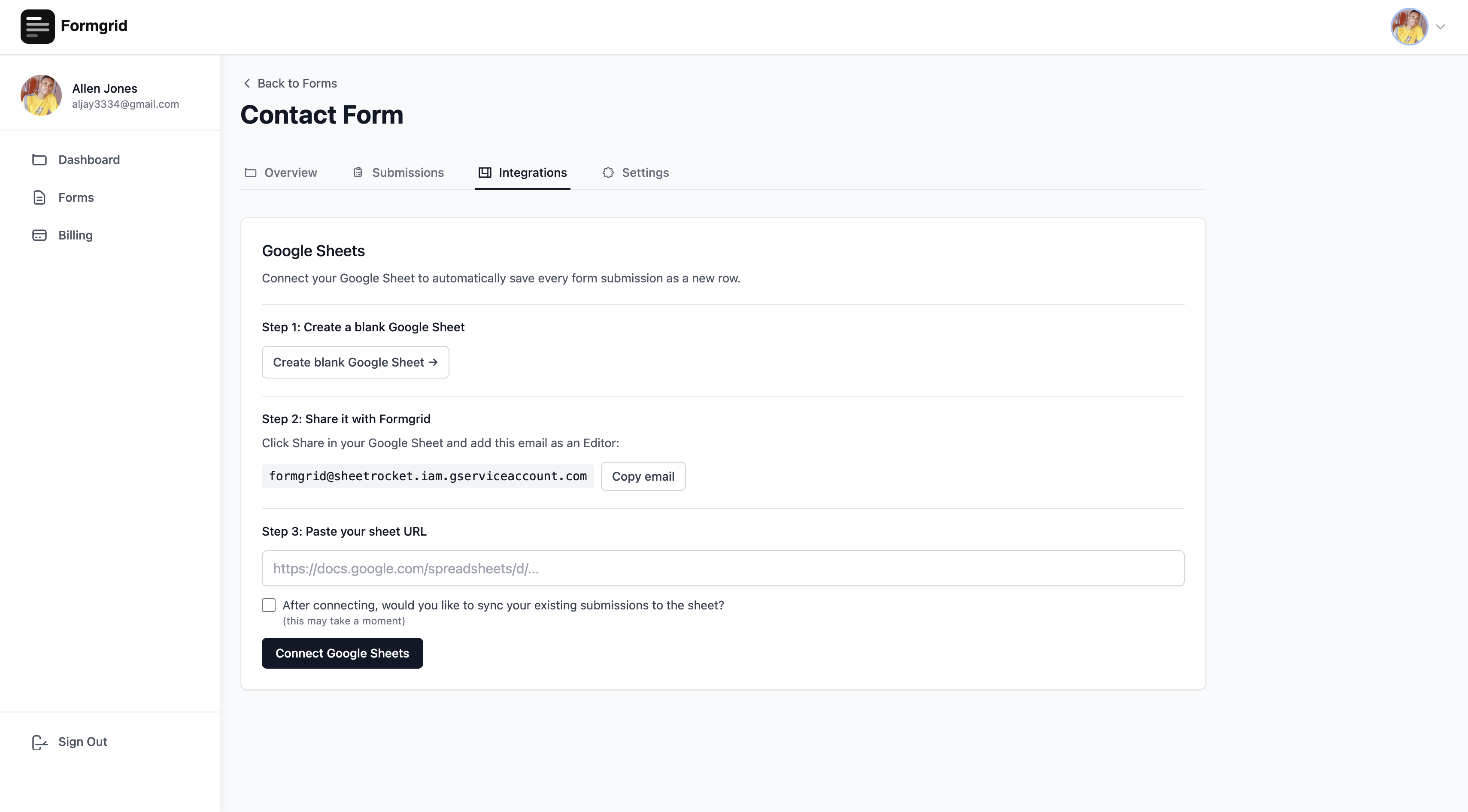
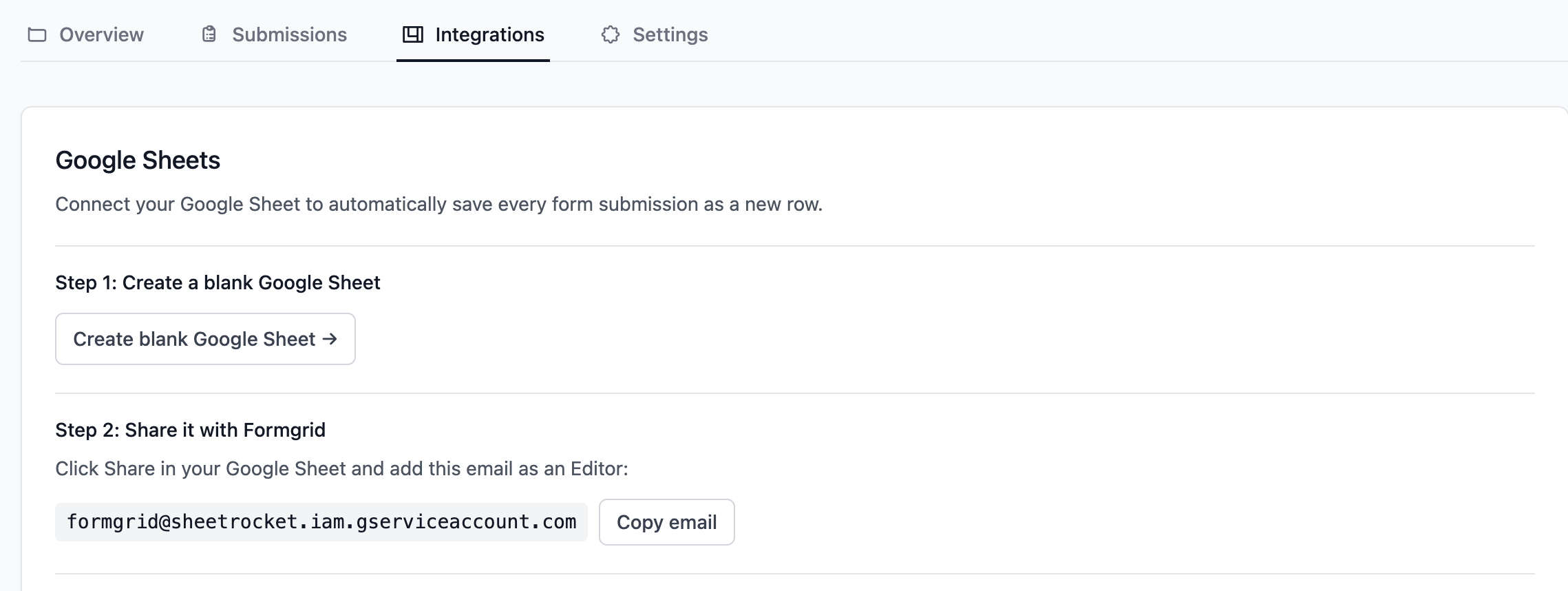
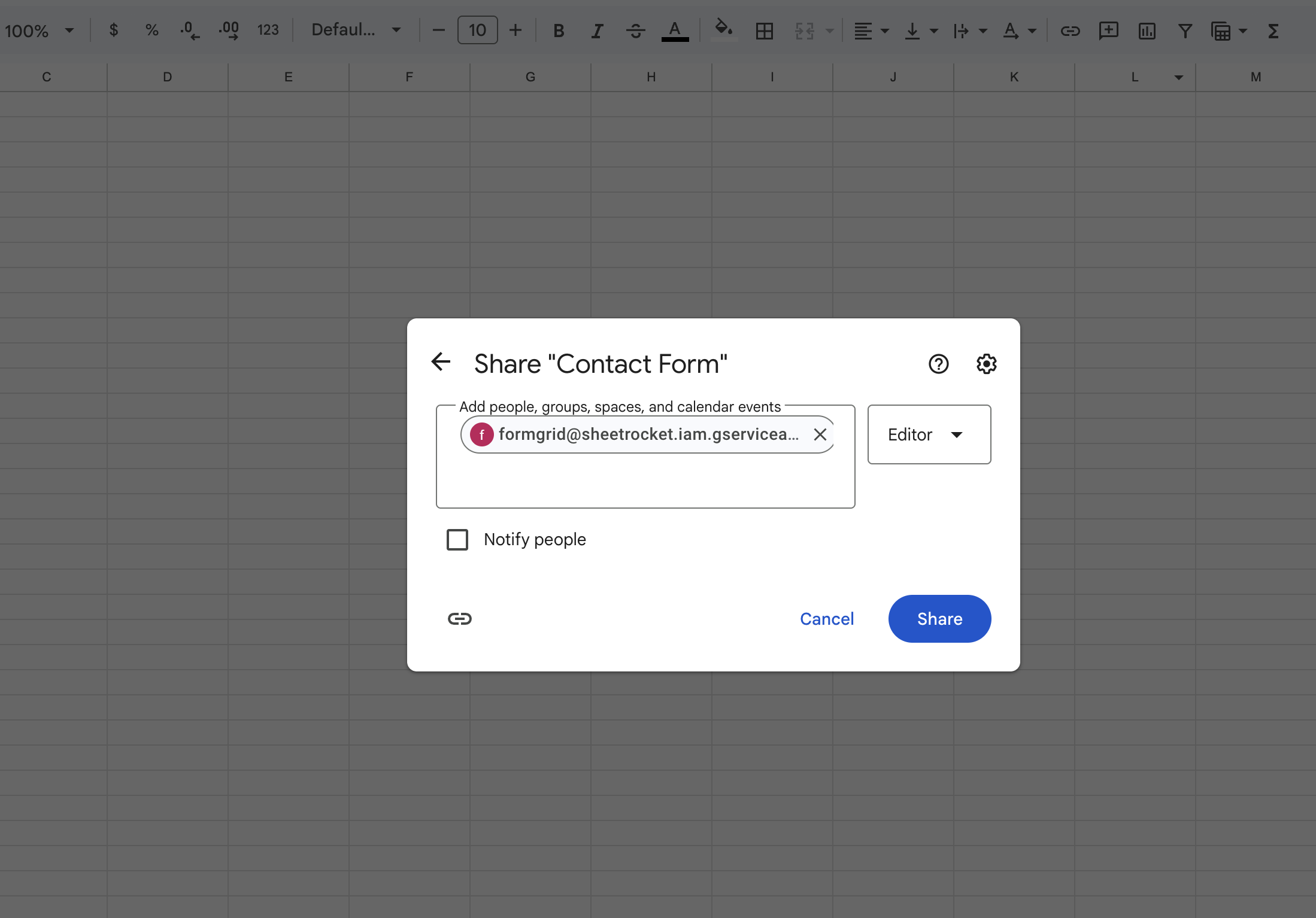
Step 5: Share the sheet with the Formgrid service account email as an Editor. Copy the email directly from your Formgrid dashboard to avoid typing errors.

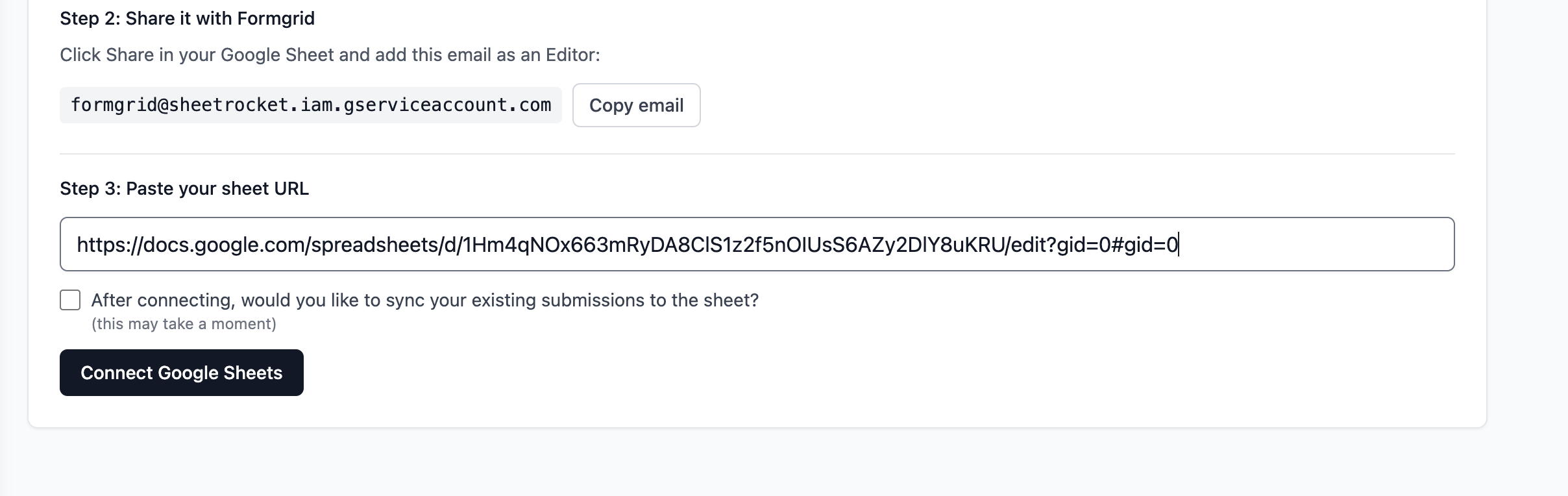
Step 6: Paste your Google Sheet URL into Formgrid and click Connect.

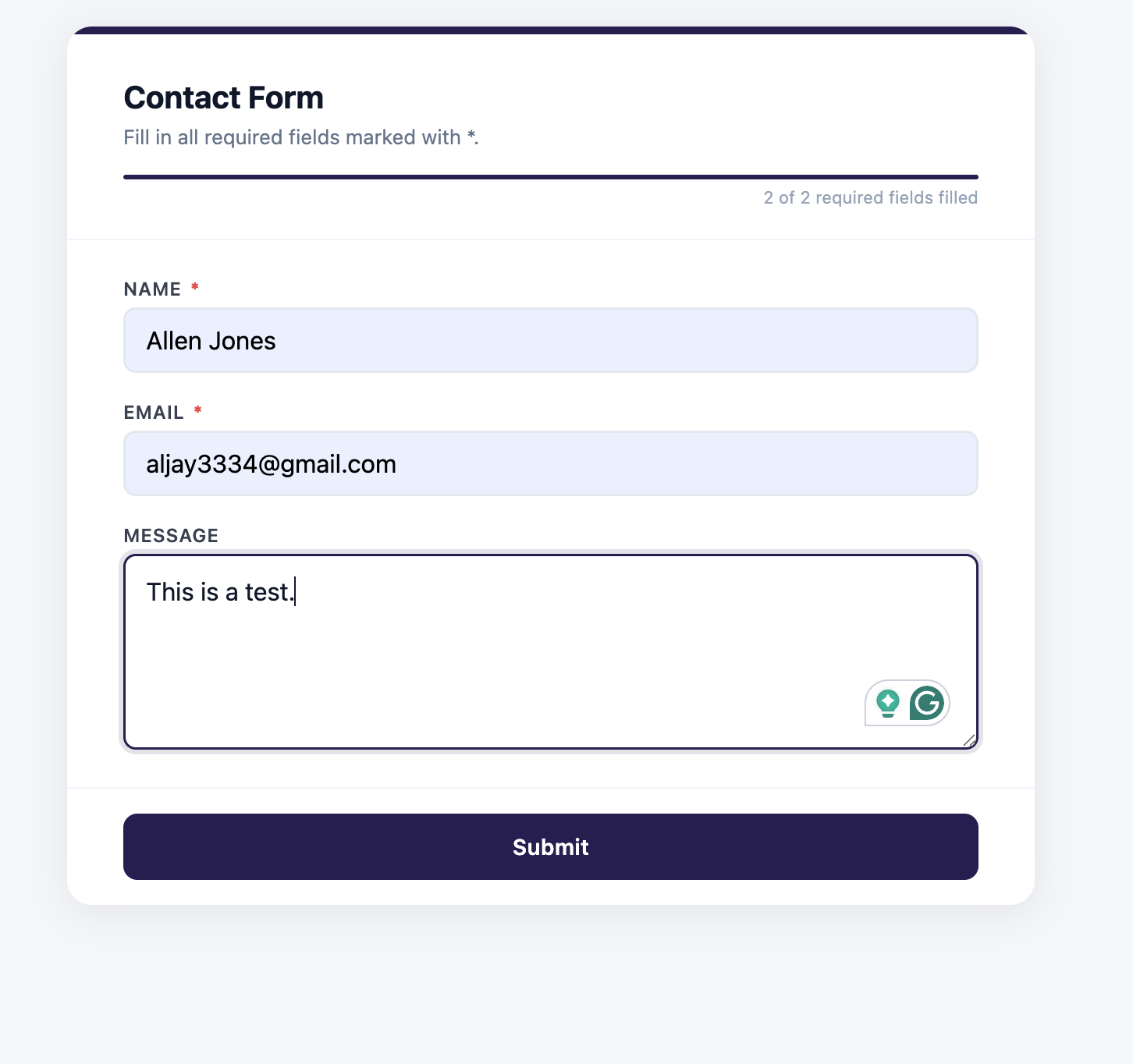
From this point every form submission appears as a new row in your Google Sheet automatically within seconds. Column headers are created from your form field names on the very first submission. No manual setup required.
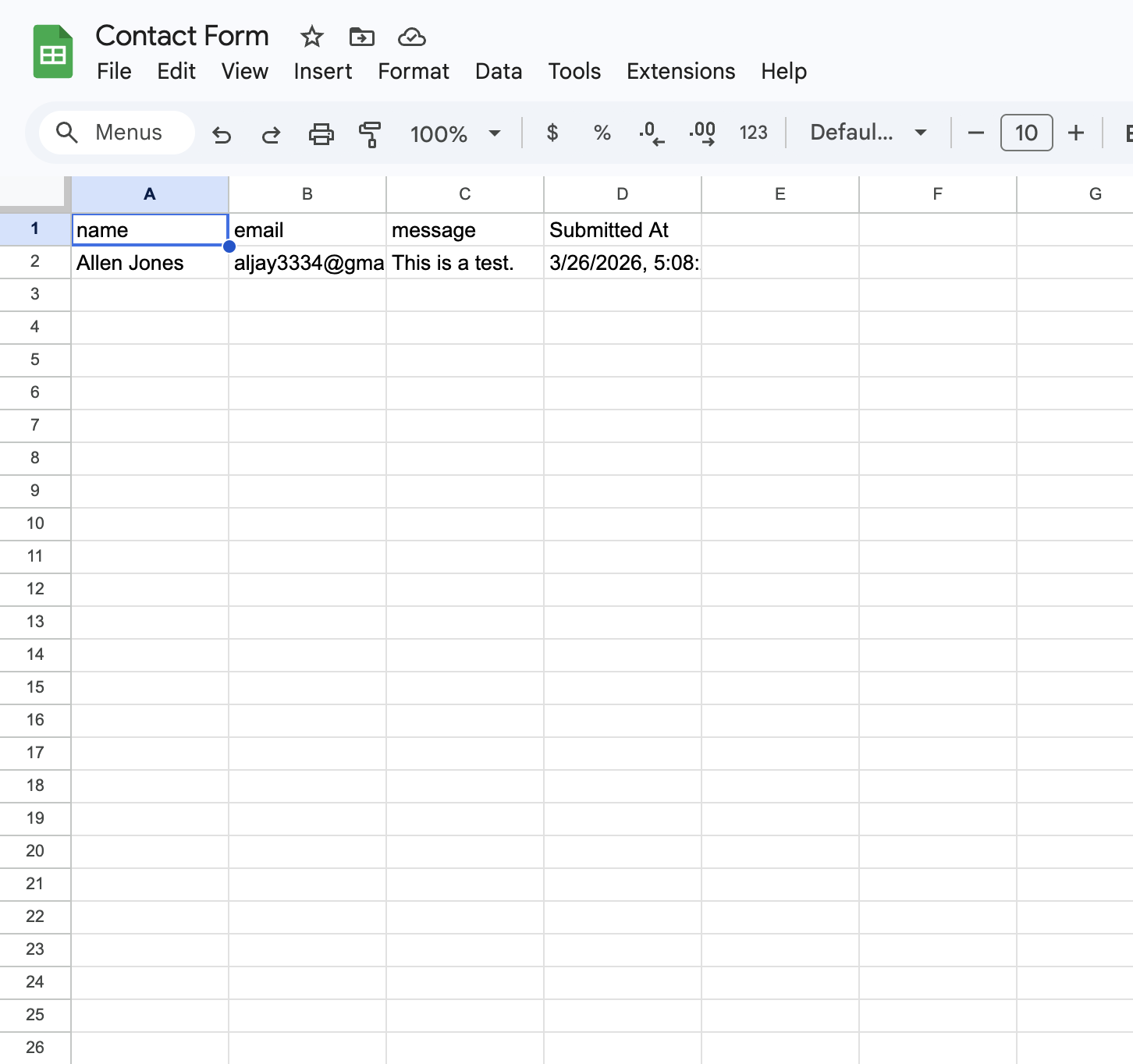
Formgrid pricing:
| Plan | Price | Submissions | Google Sheets |
|---|---|---|---|
| Free | $0/month | 50/month | 10 rows one time |
| Premium | $12/month | 1,000/month | 500 rows/month |
| Business | $29/month | 15,000/month | Unlimited |
The bottom line on Formgrid:
You pay $29 per month for unlimited Google Sheets sync, a full lead pipeline, follow-up reminders, UTM source tracking, custom email templates, and 15,000 submissions per month.
Formspree charges $90 per month for Google Sheets sync alone with none of the lead management features.
2. Netlify Forms: Free Google Sheets Via Zapier if You Are on Netlify
Netlify Forms is built into the Netlify platform. If your site is already deployed on Netlify it is the lowest friction option available. Add the Netlify attribute to your form tag and submissions are captured automatically.
<form name="contact" method="POST"
      data-netlify="true">
The catch is that native Google Sheets sync is not included. You would need to use Zapier or Make to push submissions to a spreadsheet, which adds another monthly cost on top of whatever Netlify plan you are on.
Best for: Sites already hosted on Netlify that do not need Google Sheets sync or are comfortable paying for Zapier separately.
Not ideal for: Anyone who wants Google Sheets sync included without adding a Zapier subscription.
3. Basin: Affordable but Limited
Basin is a minimal form backend that keeps things simple. It supports HTML form endpoints, email notifications, and basic integrations.
Google Sheets sync is available on Basin but requires connecting through Zapier. The paid plan starts at $15 per month which is competitive on price but you still need a separate Zapier subscription to get data into Google Sheets.
Best for: Developers who want a very minimal form backend and are already paying for Zapier for other workflows.
Not ideal for: Anyone who wants native Google Sheets sync without a Zapier dependency.
4. Getform (Now Forminit): Decent but Pricier
Getform rebranded to Forminit in early 2026. The product is largely the same. It is a clean developer-friendly form backend with a good dashboard.
Google Sheets integration is available on paid plans starting at $19 per month. That is significantly cheaper than Formspree's $90 per month but still more expensive than Formgrid's $12 per month for similar functionality.
There is no form builder and no lead management pipeline. Forminit is purely a form backend.
Best for: Developers who want a clean simple form backend with Google Sheets at a reasonable price.
Not ideal for: Anyone who needs a form builder or wants to track leads after they arrive.
5. Web3Forms: Completely Free With Google Sheets
Web3Forms offers a free tier that includes basic form handling and some integrations. Google Sheets connectivity is available through their free plan.
The free plan is genuinely useful for low-volume projects. But the feature set is limited compared to paid options. No lead management. No file uploads. No follow-up reminders.
Best for: Developers who want a completely free option for low-volume forms with basic Google Sheets sync.
Not ideal for: Anyone managing real business leads who needs more than basic submission forwarding.
The Full Comparison
| Tool | Google Sheets | Price | Lead Pipeline | Form Builder | Open Source |
|---|---|---|---|---|---|
| Formspree | $90/month | $15 to $90/month | No | No | No |
| Formgrid | Free on all plans | $0 to $29/month | Yes | Yes | Yes |
| Netlify Forms | Via Zapier only | Bundled with Netlify | No | No | No |
| Basin | Via Zapier only | $15/month | No | No | No |
| Forminit | $19/month+ | $19/month+ | No | No | No |
| Web3Forms | Free tier | Free | No | No | No |
What Happens After Submissions Hit Your Sheet
This is the part most comparisons skip entirely.
Every tool on this list can get form submissions into a Google Sheet. The real question is what happens to those submissions after they arrive.
With Formspree, Netlify Forms, Basin, Forminit, and Web3Forms, the answer is nothing. The data lands in the sheet. What you do with it is entirely up to you.
With Formgrid, the submission also becomes a tracked lead in your pipeline. You mark it Contacted when you follow up. You mark it Converted when it becomes a customer. You add notes from every conversation. You set a follow up reminder and get an email on the exact date you need to act.


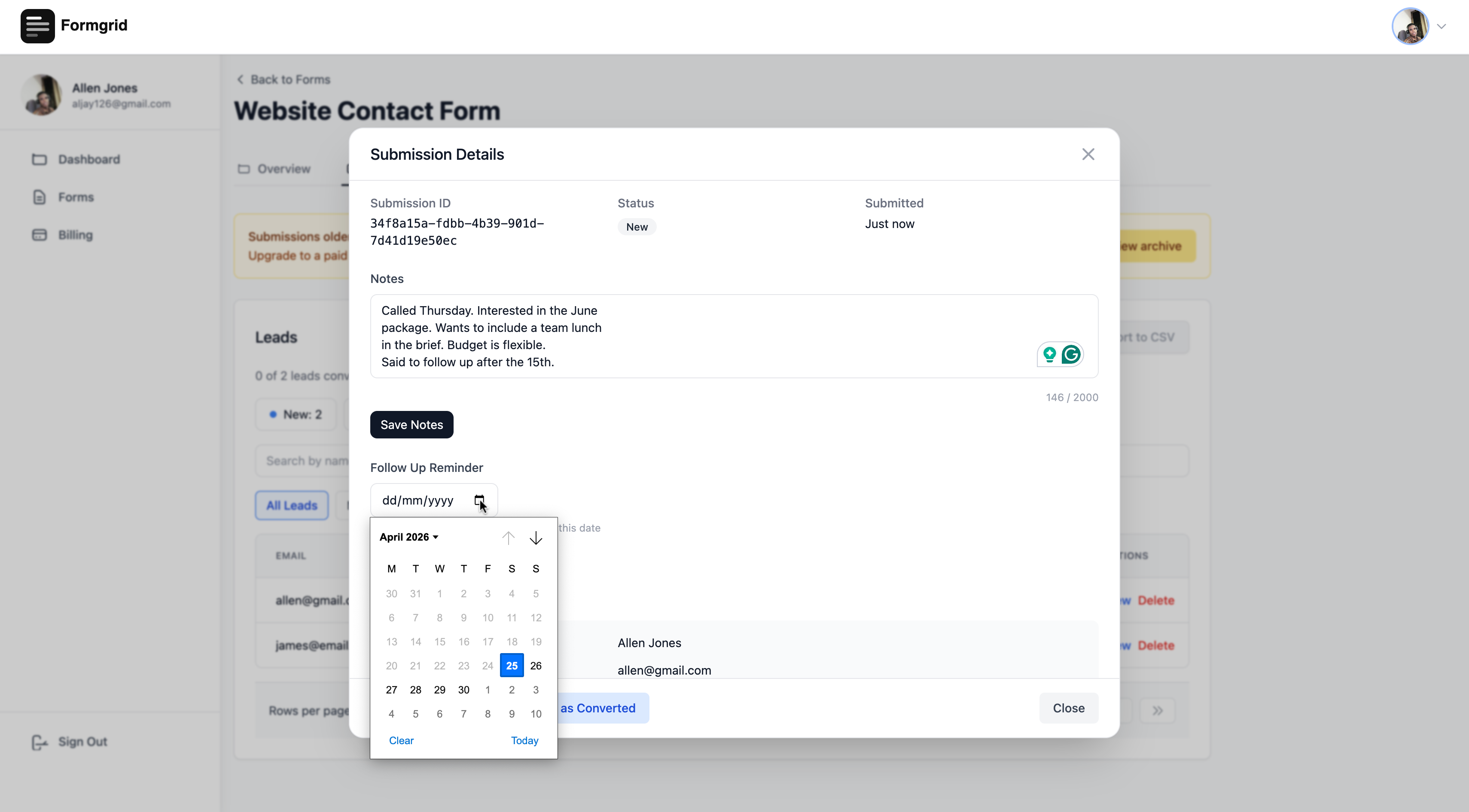
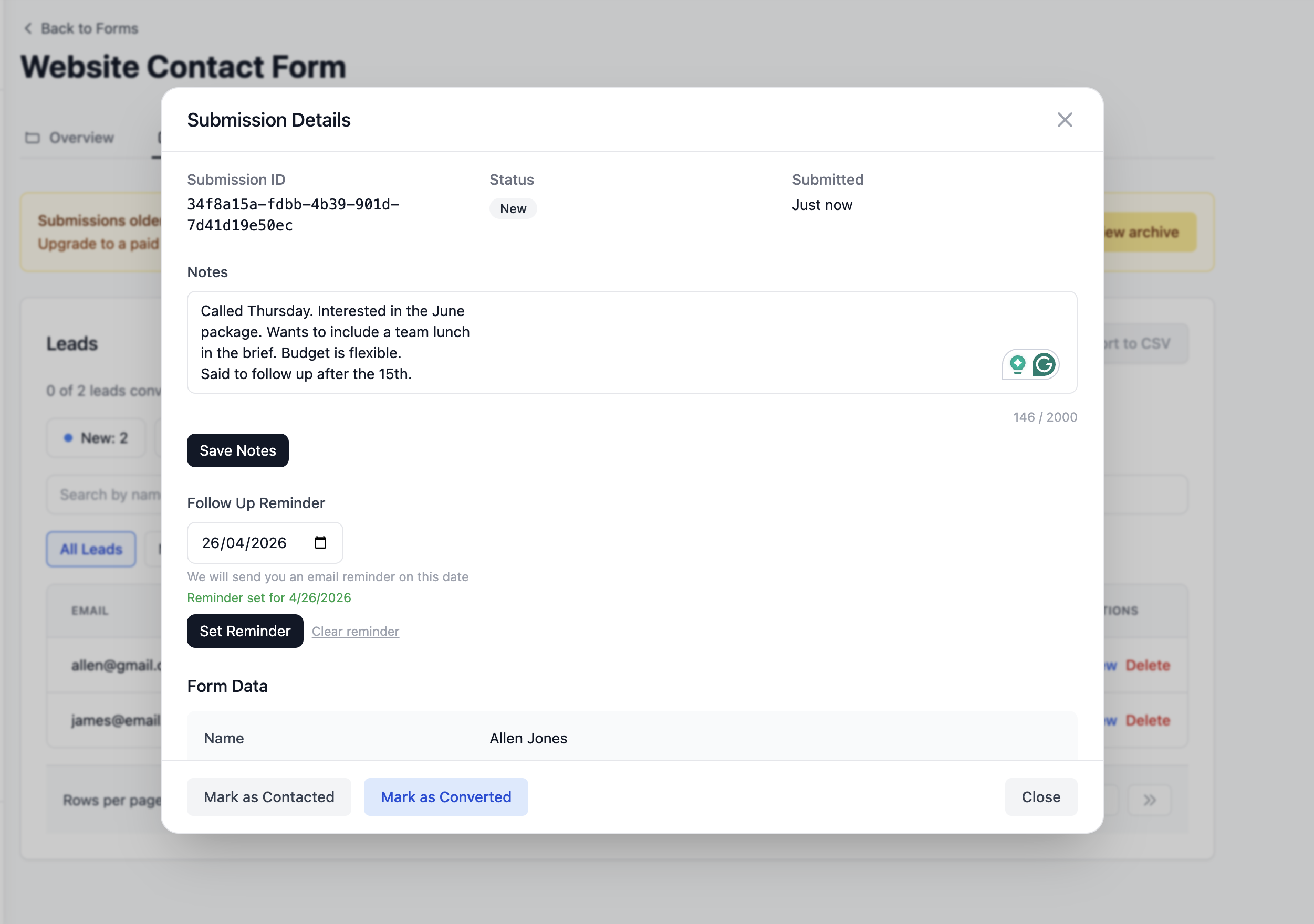
For a developer building a portfolio site where submissions are just notifications, that extra capability adds no value. But for a small business where every form submission is a potential customer having a system that tracks what happens after the submission arrives is the difference between winning that customer and losing them to a buried email.
A Real Example
One of Formgrid's customers runs endurance horse riding events in San Diego. She manages registrations through a form on her website. Before Formgrid, every registration arrived as an unformatted email that her non-technical event manager struggled to read.
She connected Formgrid to her registration form, set up Google Sheets sync, and configured a custom email template so every registration arrived as a clean, structured email with labeled fields her team could actually read.
Every registration now appears as a new row in a shared Google Sheet that her whole team accesses in real time. Every registrant is tracked as a lead in her pipeline. She knows exactly how many riders are registered, confirmed, and pending.
She is on the Business plan at $29 per month. Formspree would charge $90 per month for Google Sheets alone without any of the lead tracking or custom email features.
"The level of personal support was impressive." A. Libby, Event Manager, San Diego Endurance Riders
How to Switch From Formspree to Formgrid
If you are already using Formspree the migration takes about five minutes and your HTML form does not change at all.
Step 1: Sign up for free at formgrid.dev. No credit card required.
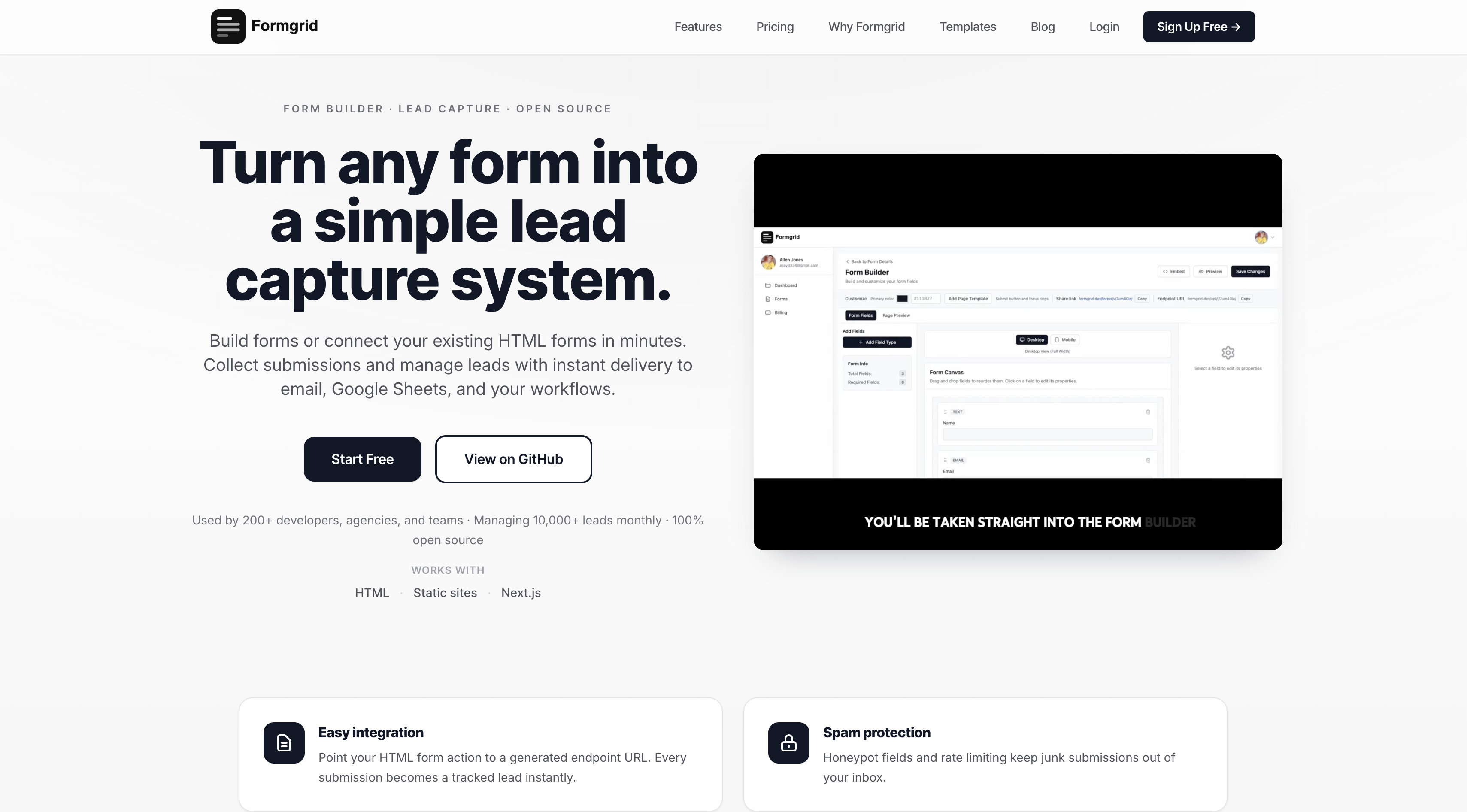
Step 2: Create a new form and copy your Formgrid endpoint URL.
Step 3: Replace your Formspree endpoint in your HTML form with your Formgrid endpoint URL. One line change:
<!-- Before: Formspree -->
<form action="https://formspree.io/f/your-id"
      method="POST">

<!-- After: Formgrid -->
<form action="https://api.formgrid.dev/forms/
your-form-id/submissions"
      method="POST">
Step 4: Connect your Google Sheet in the Integrations tab. Takes about three minutes as shown above.
That is the entire migration. Your form works exactly as before. You now have Google Sheets sync at $29 per month instead of $90 per month plus a full lead pipeline you did not have before.
Is There Any Reason to Stay on Formspree?
To be honest yes. One situation.
If you are a developer using Formspree purely as a form backend for static sites where submissions are just notifications and you have no need for Google Sheets, Formspree at $15 per month is a reasonable choice. It is reliable and well documented.
But the moment Google Sheets sync is part of your requirements Formspree becomes one of the most expensive ways to get it. Every other tool on this list gets you there for significantly less.
Final Thoughts
Paying $90 per month for Google Sheets integration is not something most developers or small business owners should accept as normal. It is a pricing decision Formspree made and there are better options available at every price point.
If you want native Google Sheets sync included without Zapier and without paying $90 per month Formgrid is the most complete option available.
You get Google Sheets sync on every plan, including free, a full lead pipeline, follow-up reminders, UTM tracking, and a form builder in one tool starting at $0 per month.
No credit card required. Free plan available. Switching from Formspree takes five minutes and your form does not change at all.
If you have questions about switching or setting up Google Sheets sync for your specific situation, reply in the comments or email allen@formgrid.dev directly.
Full disclosure: I built Formgrid. Written as honestly as I could. Let me know in the comments if anything looks inaccurate.

Comments
Leave a comment