Lead pipeline
Every submission becomes a tracked lead
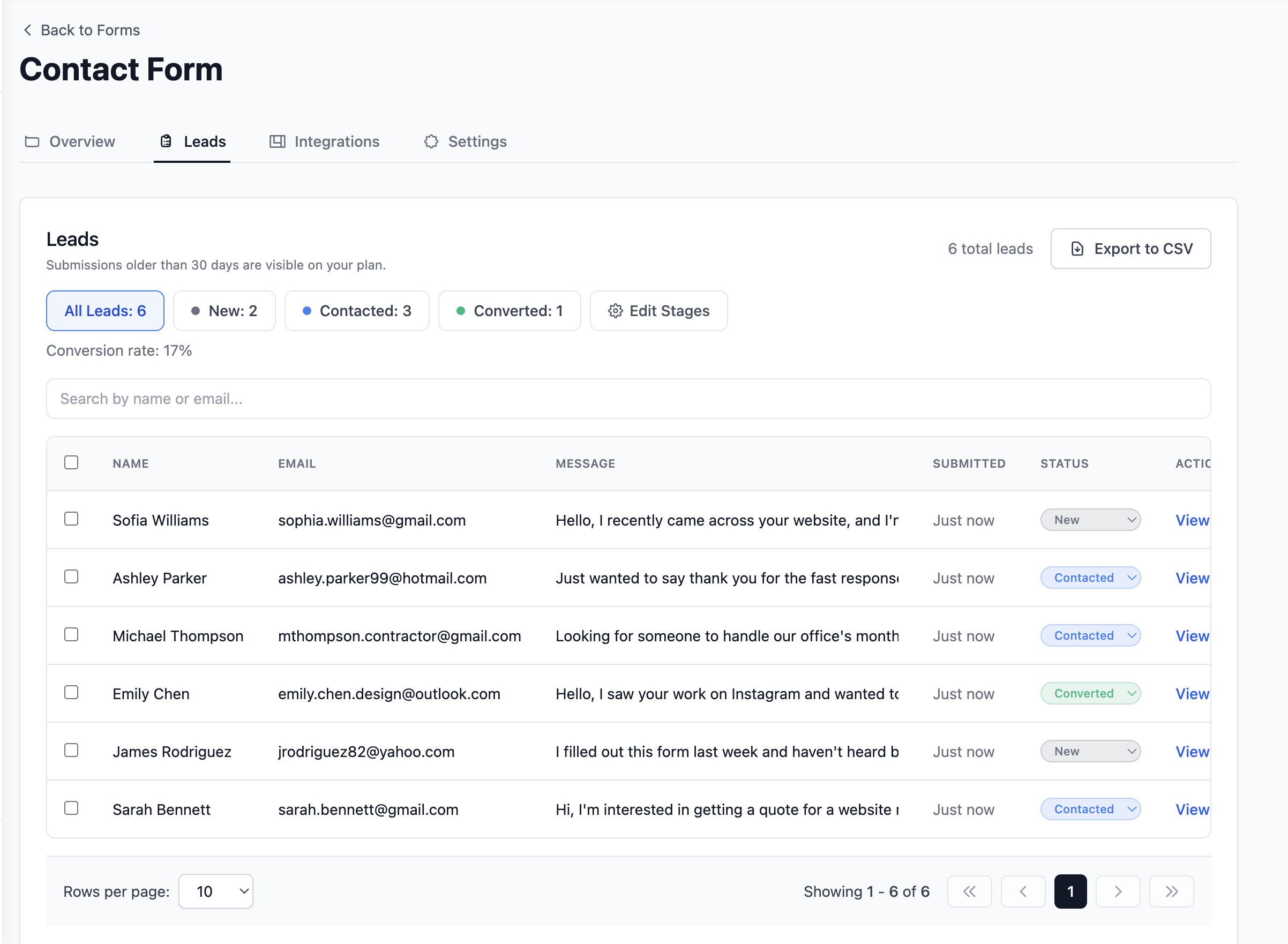
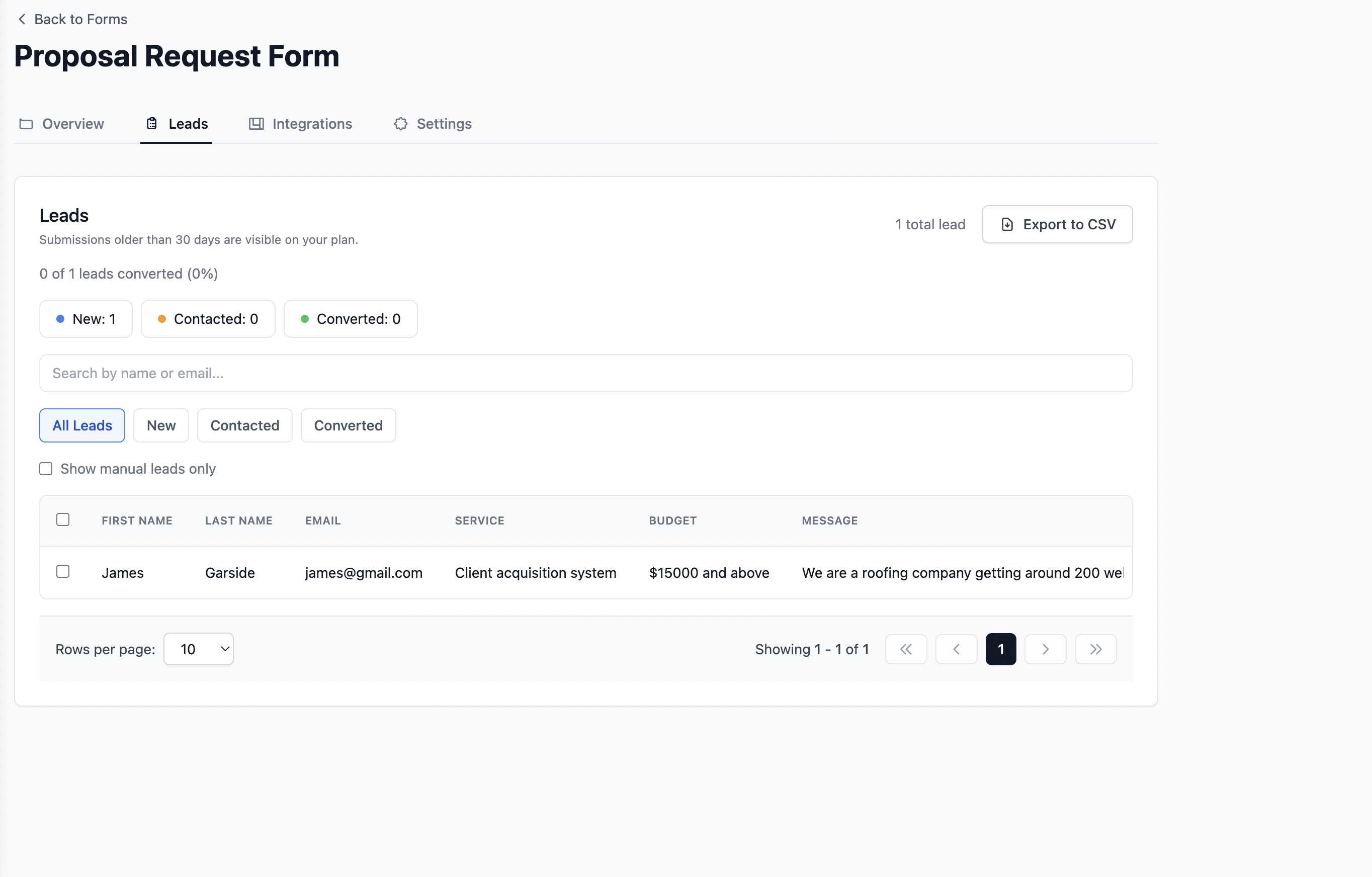
New, Contacted, and Converted stages in one dashboard. See active enquiries and conversion rate without counting manually or adding a separate CRM.
Contact form without Node.js
Collect contact form submissions without running Node.js. Keep your site static and let Formgrid receive POSTs, send email alerts, and track leads.
No Express app. No API routes. Free to start.
Free plan to start. No credit card required.
Many developers reach for a small Node service when all they need is a place to accept form fields and notify the team.
Formgrid is the hosted endpoint. Your site stays HTML/CSS/JS. Submissions still arrive with email alerts and lead ops.
Ship static output. Formgrid handles the server side of form submissions.
Skip route handlers, body parsing, and mail libraries for a simple contact page.
Get notifications plus New, Contacted, and Converted tracking out of the box.
Use the same Formgrid action on GitHub Pages, Netlify, Vercel static, or Cloudflare Pages.
Create a Formgrid form, point your HTML form at it, deploy static files, and manage leads.
Create a Formgrid form and copy the endpoint URL.
Set action and method="POST" on your HTML form.
Publish without a Node server for form handling.
Use email alerts, pipeline statuses, and optional Sheets sync.
Formgrid goes beyond inbox forwarding so marketing sites and developer portfolios can manage real enquiries.
Point a standard HTML form at your Formgrid endpoint. Field names map directly to the submission dashboard.
<form action="https://formgrid.dev/api/f/your-form-id" method="POST">
  <label>
    Name
    <input type="text" name="name" required />
  </label>
  <label>
    Email
    <input type="email" name="email" required />
  </label>
  <label>
    Message
    <textarea name="message" required></textarea>
  </label>
  <button type="submit">Send</button>
</form>
Replace your-form-id with your form ID from the Formgrid dashboard.
What Is Included
Point your HTML form at Formgrid and get the full stack behind every submission. Each row below shows what lands in your dashboard, inbox, and shared tools.
Lead pipeline
New, Contacted, and Converted stages in one dashboard. See active enquiries and conversion rate without counting manually or adding a separate CRM.
Google Sheets sync
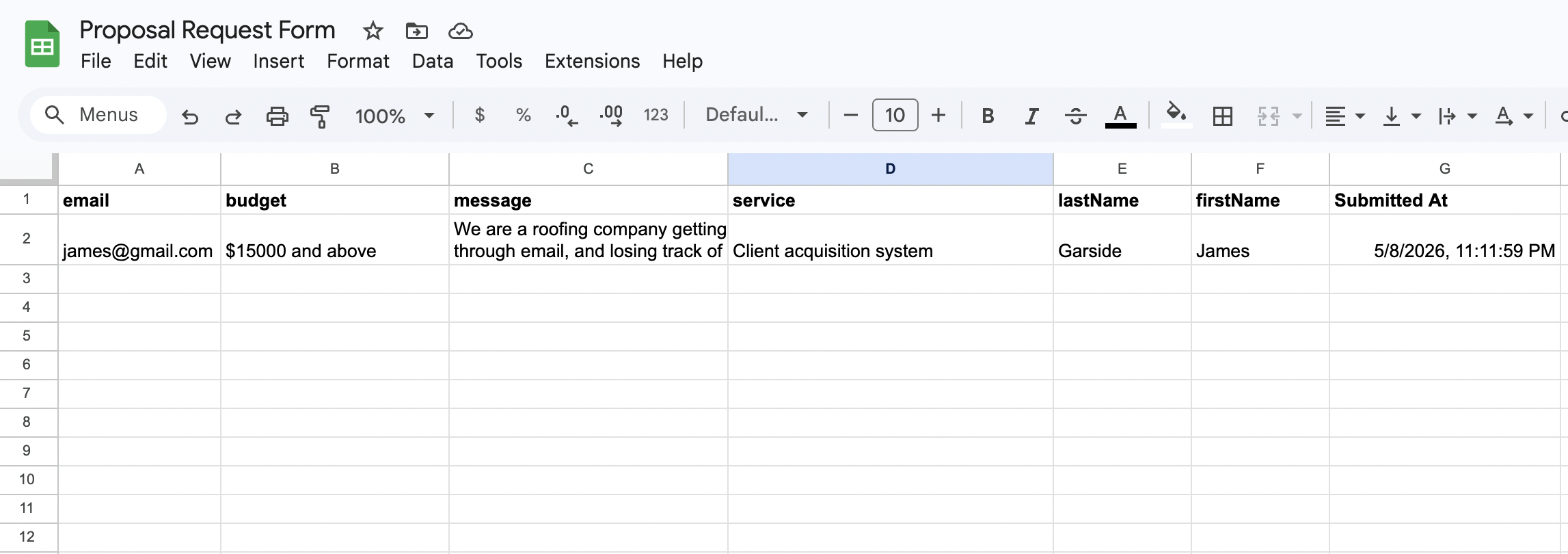
Each form submission appears as a new row in Google Sheets within seconds. Your whole team sees new leads in real time. No Zapier needed.
Email notifications
Every form submission triggers a clean, formatted email with the full enquiry details. No raw data dumps in the inbox.

Follow up reminders
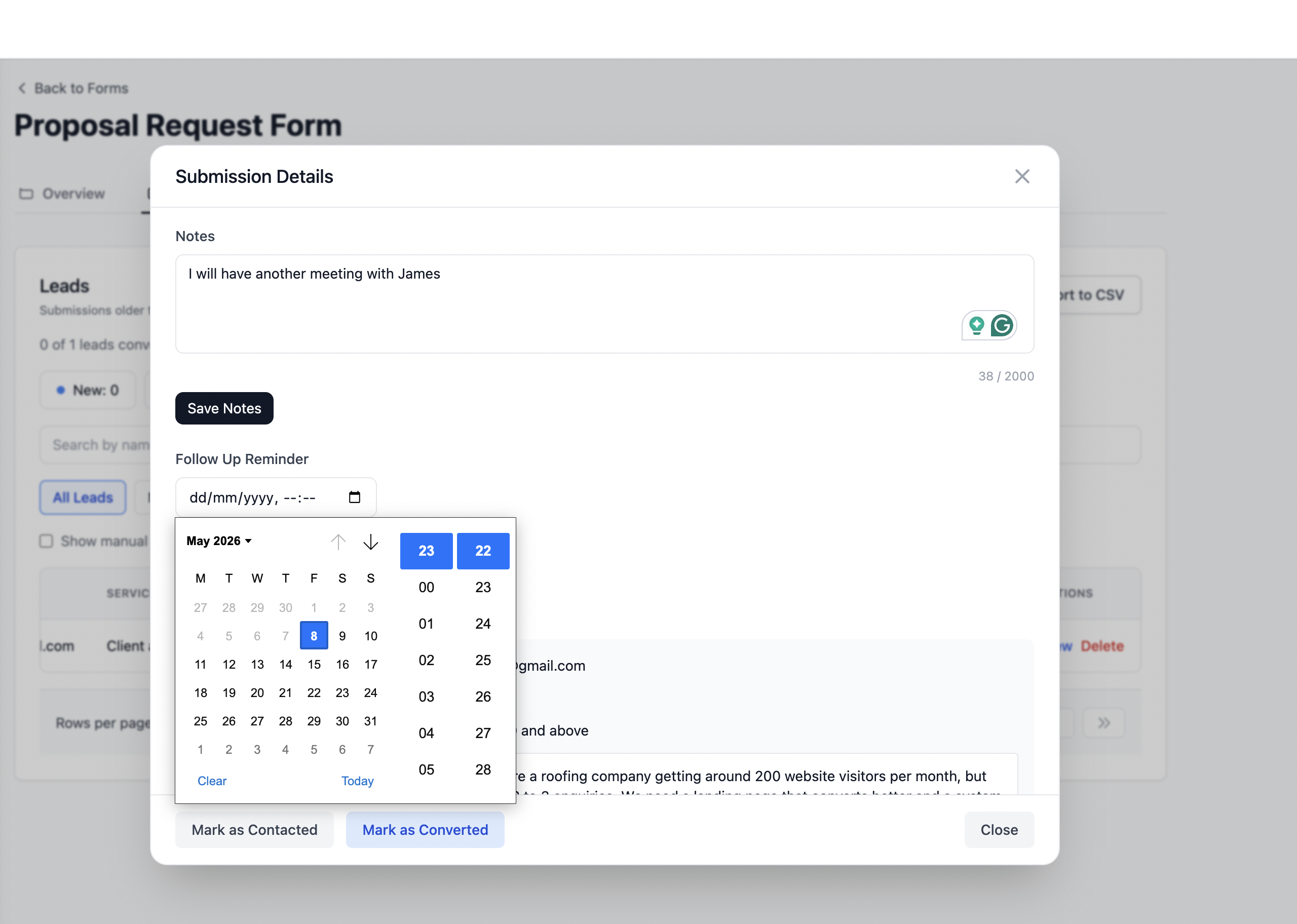
Set a follow up date on any lead and get an email reminder with the lead details and your notes on that date.
Know exactly which channel sent each submission. Google, Instagram, referrals, and paid ads are captured automatically on every form post.
Honeypot fields and rate limiting are built in automatically. Your form stays protected from bots without extra configuration.
Create a free Formgrid endpoint and keep your marketing site fully static.
Start FreePoint your HTML form at Formgrid and collect leads without running Node.js.
Create your free form backendWhether you are sharing a form link on WhatsApp, pointing your HTML form to a Formgrid endpoint, or tracking leads through a built-in pipeline, get it done in 2 minutes.
Start Free. No Credit Card Required