Lead pipeline
Every Webflow submission becomes a tracked lead
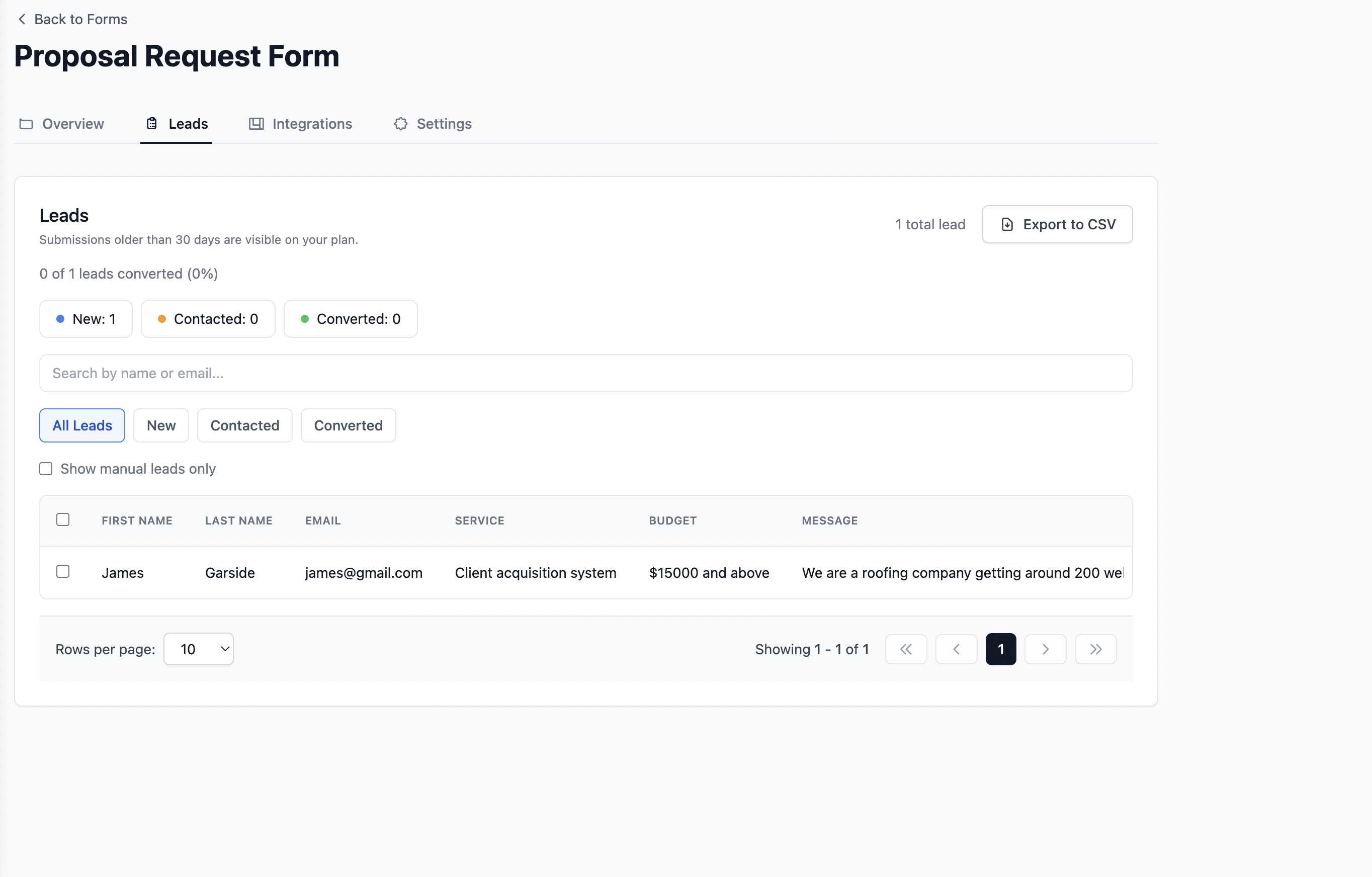
New, Contacted, and Converted stages in one dashboard. Move leads through your pipeline, add notes after client calls, and see conversion rate without a separate CRM.

Use case, Webflow
Go beyond Webflow’s built-in forms. Point your form action to Formgrid and every submission becomes a tracked lead with a built-in pipeline, structured emails, and Google Sheets sync. No server to deploy.
Built for designers, freelancers, and agencies. Free plan to start.
Webflow shines at layout and motion. When forms need to power real campaigns, waitlists, or client handoffs, gaps show up fast.
Point your form’s action to Formgrid. You keep components and interactions in Webflow. We handle ingestion, lead tracking, and delivery.
Every submission becomes a tracked lead with New, Contacted, and Converted stages. No separate CRM required.
Answers stay tied to fields so exports and client reviews stay sane.
One action URL on your form element. No custom Node server for the form layer.
One account supports multiple sites and forms as your client roster grows.
Before
After
Studio workflow
We stopped treating the client inbox as the source of truth. Formgrid gives us field-level data and a lead pipeline we can actually hand off after launch.
For agency sites with contact forms, quote requests, and waitlist signups, the pipeline means your team always knows who is new, who was contacted, and who converted without opening a separate CRM.
In Webflow, select your form and set the action to your Formgrid endpoint. Use POST, match field names to what you configured in Formgrid, and publish.
<form action="https://formgrid.dev/api/f/your-form-id" method="POST">
  ...
</form>
Replace your-form-id with your form ID from the Formgrid dashboard.
Want a full walkthrough with Google Sheets sync? Read the Webflow to Google Sheets guide.
Marketing sites and landing pages
Collect qualified leads and track them through your pipeline.
Waitlists and product interest
Capture signups and follow up before leads go cold.
Event and registration flows
Structured data for ops teams, not inbox chaos.
Contact and quote requests
Feed sales and ops with leads you can act on.
What Is Included
Point your Webflow form at Formgrid and get the full stack behind every client submission. Pipeline, sheets, notifications, and follow ups without HubSpot or Zapier.
Lead pipeline
New, Contacted, and Converted stages in one dashboard. Move leads through your pipeline, add notes after client calls, and see conversion rate without a separate CRM.
Google Sheets sync
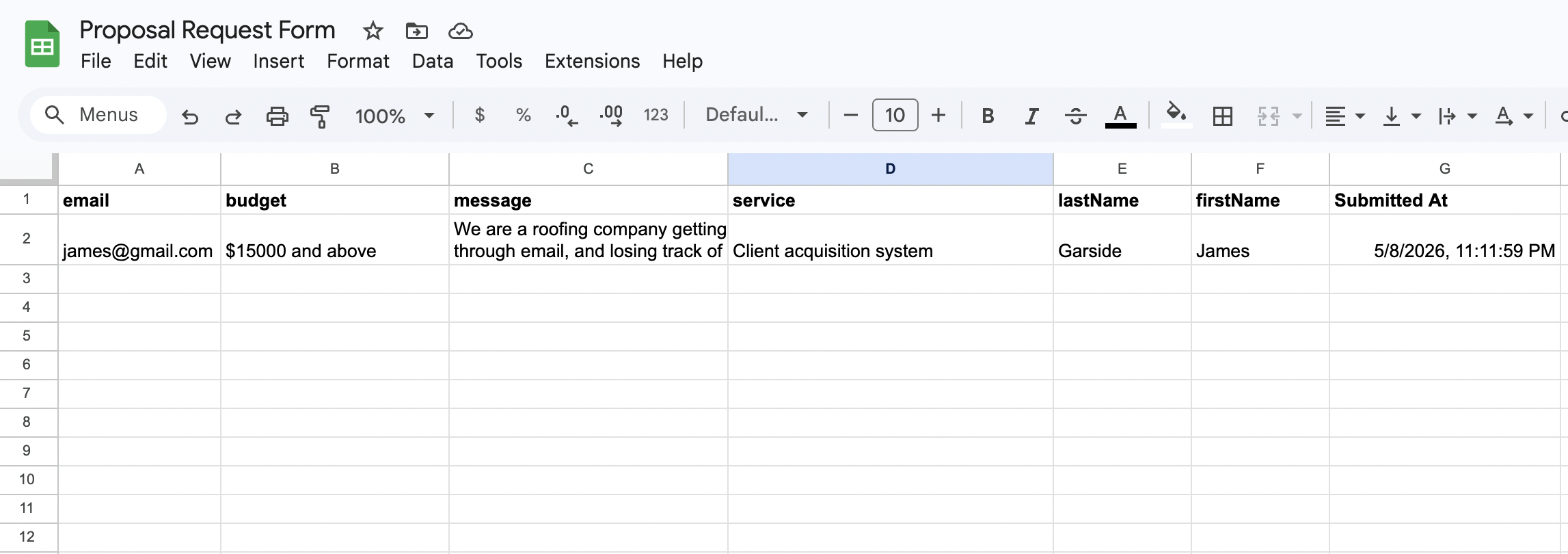
Each Webflow form submission appears as a new row in Google Sheets within seconds. Your client or agency team sees new leads in real time. No Zapier needed.
Email notifications
Every submission triggers a clean, formatted email with the full enquiry details. Hand off to clients with notifications they actually want to read.

Follow up reminders
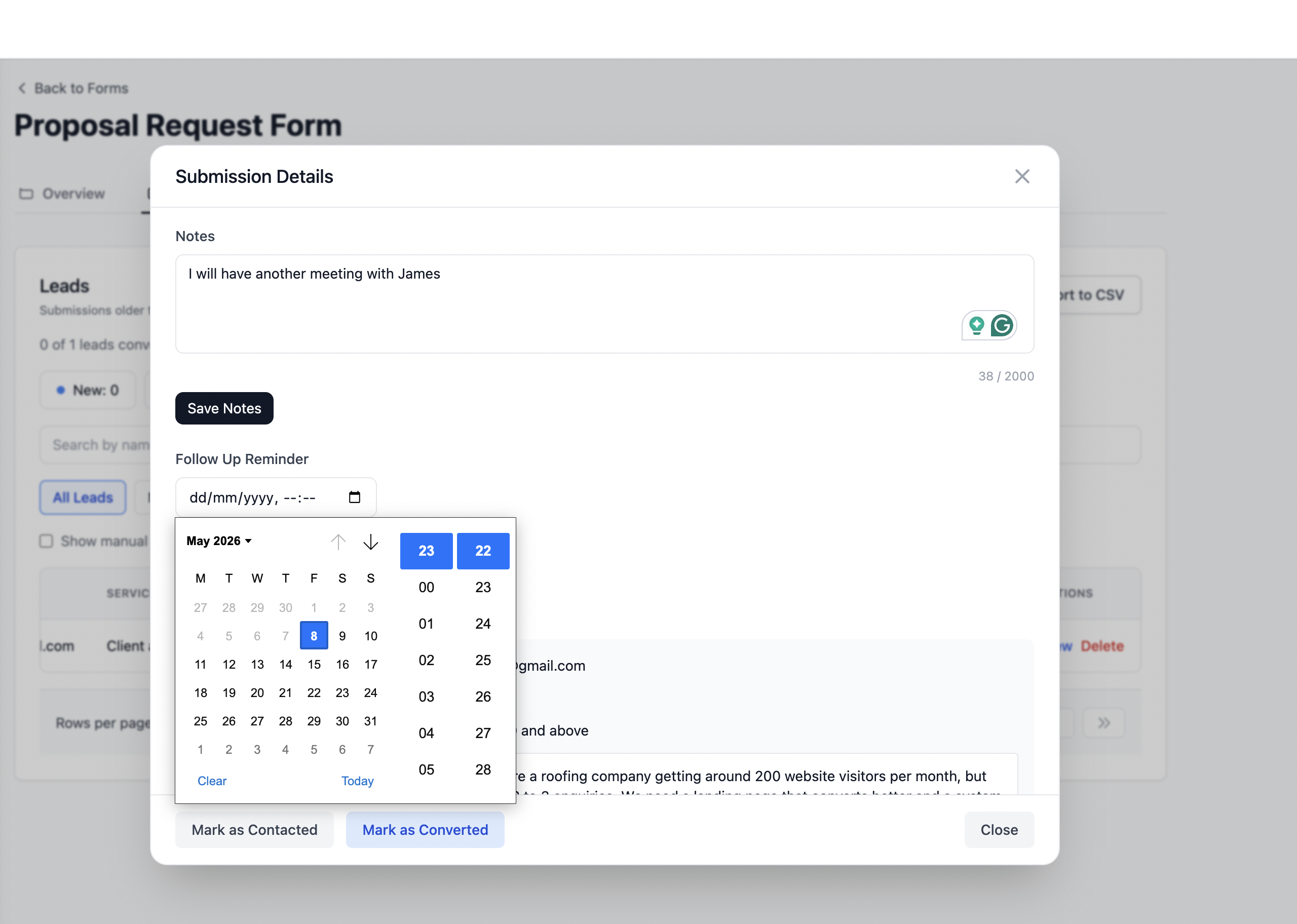
Set a follow up date on any lead and get an email reminder with the lead details and your notes on that date. Perfect for agency handoffs and client retainers.
Know exactly which channel sent each Webflow submission. Google, Instagram, referrals, and paid ads are captured automatically on every form post.
Honeypot fields and rate limiting are built in automatically. Client forms stay protected from bots without any configuration required.
Handle submissions properly with a built-in lead pipeline. No extra CRM. No server to maintain.
Start using FormgridWhether you are sharing a form link on WhatsApp, pointing your HTML form to a Formgrid endpoint, or tracking leads through a built-in pipeline, get it done in 2 minutes.
Start Free. No Credit Card Required