Lead pipeline
Every Squarespace submission becomes a tracked lead
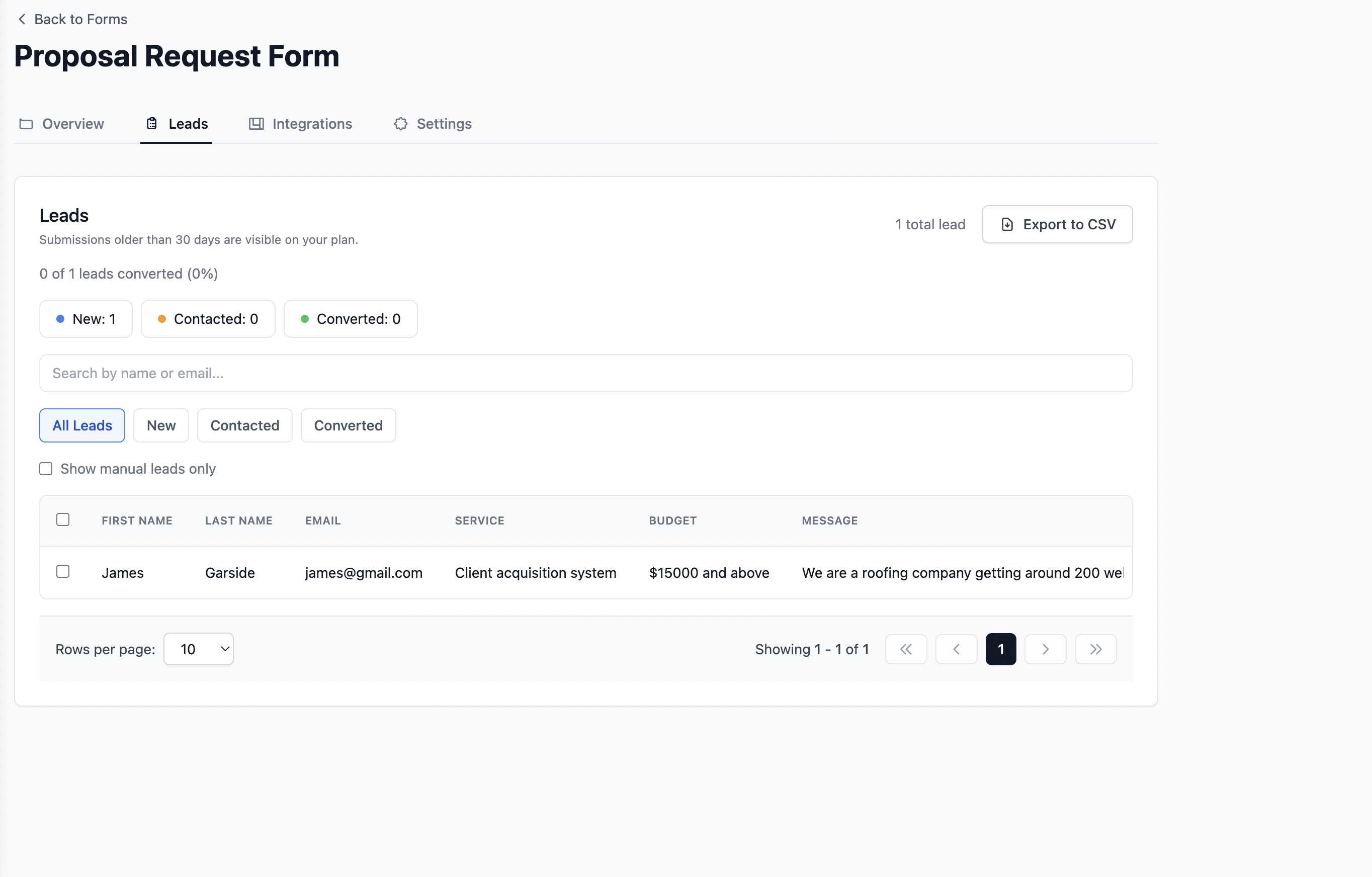
New, Contacted, and Converted stages in one dashboard. Track enquiries from contact forms, quote requests, and newsletter signups without a separate CRM.

Use case, Squarespace
Fix messy submissions and handle registrations properly. Point your form at Formgrid and every submission becomes a tracked lead with a built-in pipeline, structured emails, and Google Sheets sync. No coding required.
Free plan available. No credit card required to start.
Squarespace is great for building pages. When your forms start handling real submissions, common problems show up fast.
Point your form at Formgrid. You keep your page design. We handle submissions, lead tracking, and delivery like a real form backend.
Every submission becomes a tracked lead with New, Contacted, and Converted stages. No separate CRM required.
Every submission is organized into clear sections your team can read quickly.
Replace your form action URL. No servers to deploy for the form layer.
Stays manageable even with busy registration periods and 100+ entries.
Before
After
Case study
Annie, event organizer using Squarespace
She built her event page on Squarespace but struggled with messy registration emails. Every submission came as one long, unreadable block.
Her team had to scan each entry by hand during a 200 person event.
With Formgrid, each submission is structured into clear sections, including the following.
Now every registration is clean, easier to process, and tracked as a lead in her pipeline.
Update your form so it posts to your Formgrid endpoint. If your platform hides the raw form tag, use custom code or embed options, or follow the tutorial below for Squarespace specifically.
<form action="https://formgrid.dev/api/f/your-form-id" method="POST">
  ...
</form>
Replace your-form-id with your form ID from the Formgrid dashboard after you sign up.
Need a step by step guide for Squarespace? Read the full tutorial on adding a custom form to Squarespace.
Event and registration forms
Structured data for ops teams, not inbox chaos.
Contact and inquiry forms
Track every enquiry through your lead pipeline.
Service business bookings
Photographers, consultants, and local services collecting leads.
Course and workshop signups
Capture signups and follow up before leads go cold.
What Is Included
Upgrade your Squarespace form action and get structured data, a lead pipeline, and team-ready workflows. No server setup required.
Lead pipeline
New, Contacted, and Converted stages in one dashboard. Track enquiries from contact forms, quote requests, and newsletter signups without a separate CRM.
Google Sheets sync
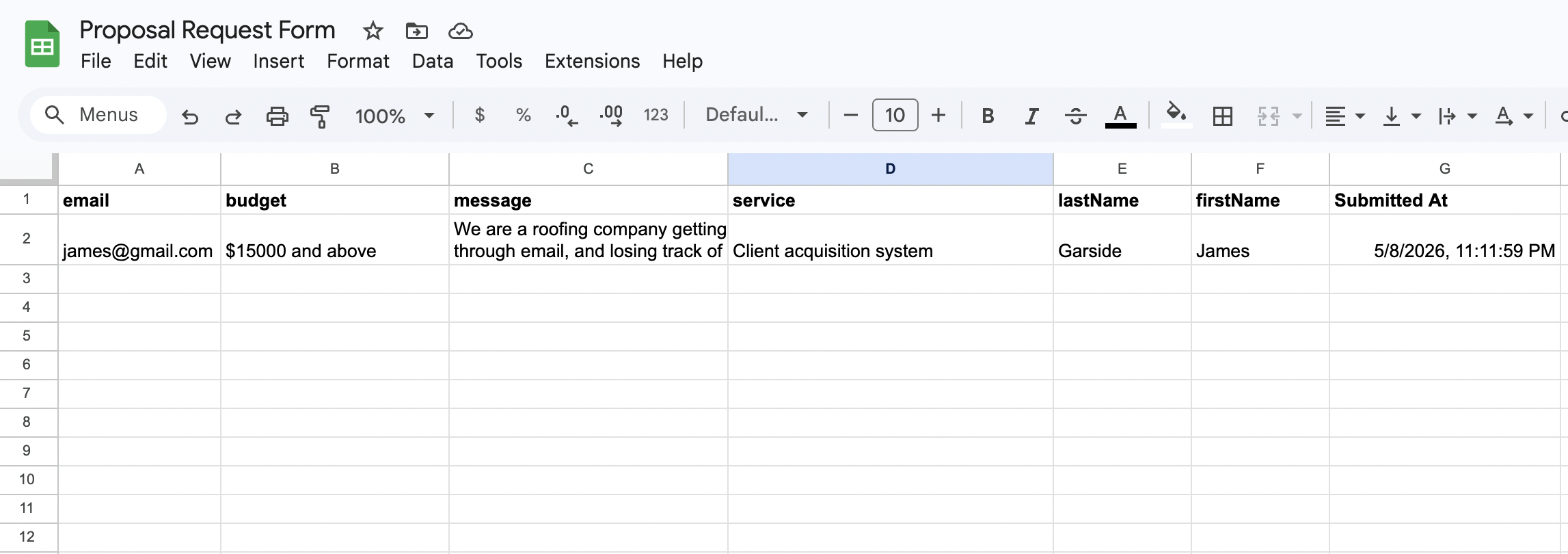
Each Squarespace form submission appears as a new row in Google Sheets within seconds. Your whole team sees new leads in real time. No Zapier needed.
Email notifications
Every submission triggers a clean, formatted email with the full enquiry details. No more raw Squarespace notification emails with messy formatting.

Follow up reminders
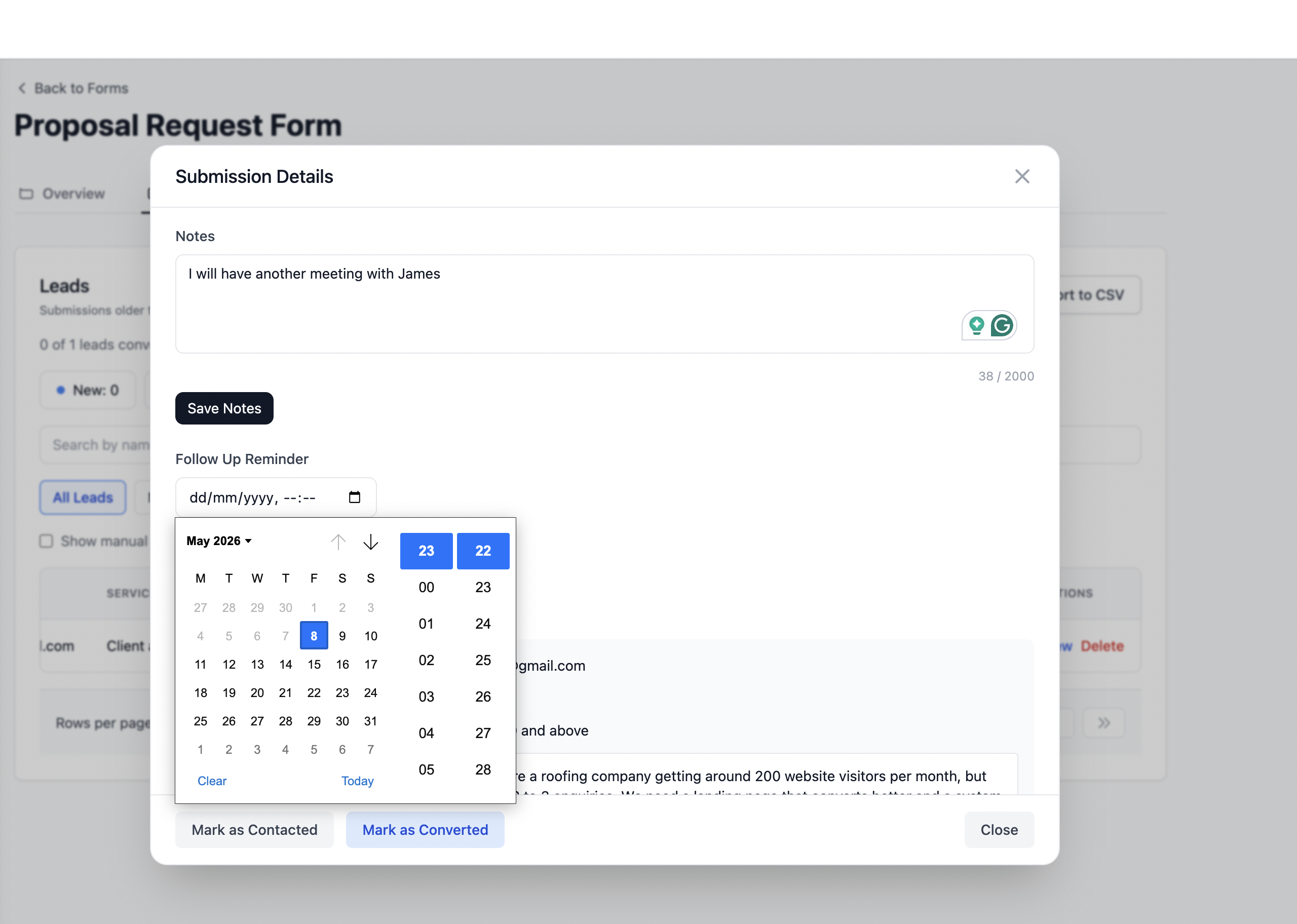
Set a follow up date on any lead and get an email reminder with the lead details and your notes on that date. Perfect for service businesses on Squarespace.
Know exactly which channel sent each submission. Google, Instagram, referrals, and paid ads are captured automatically on every form post.
Honeypot fields and rate limiting are built in automatically. Your Squarespace form is protected from bots without any configuration required.
Stop losing time to messy submissions. Use a system with a built-in lead pipeline that scales with your workflow.
Start using FormgridWhether you are sharing a form link on WhatsApp, pointing your HTML form to a Formgrid endpoint, or tracking leads through a built-in pipeline, get it done in 2 minutes.
Start Free. No Credit Card Required