Lead pipeline
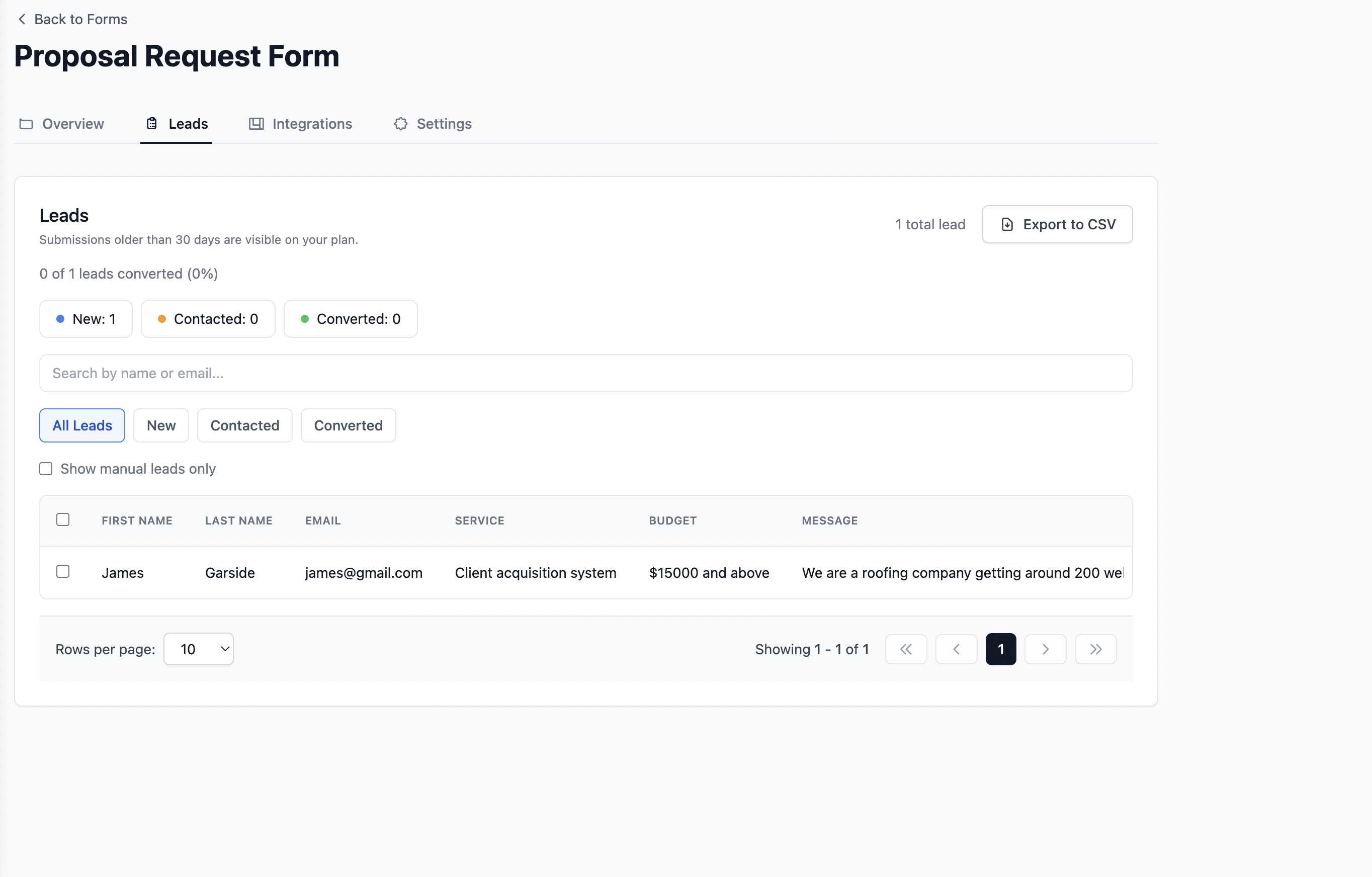
Every submission becomes a tracked lead
New, Contacted, and Converted stages in one dashboard. See active enquiries and conversion rate without counting manually or bolting on a separate CRM.

Netlify Forms alternative
Formgrid is a form backend without Netlify: the same POST to a URL idea, plus a lead pipeline and drag and drop builder. Change one line in your form's action attribute and keep everything else exactly as it is.
Works on GitHub Pages, Vercel, Cloudflare, and Netlify itself. MIT licensed. No credit card on the free tier. 300+ developers and teams managing 800+ leads a month.
Every submission becomes a tracked lead, automatically
Every submission in Google Sheets within seconds, no Zapier
What You Get With Formgrid
Point your form action at Formgrid and keep your static site on any host. You also get a lead pipeline, Google Sheets sync, and follow up reminders that Netlify Forms does not include.
Lead pipeline
New, Contacted, and Converted stages in one dashboard. See active enquiries and conversion rate without counting manually or bolting on a separate CRM.
Google Sheets sync
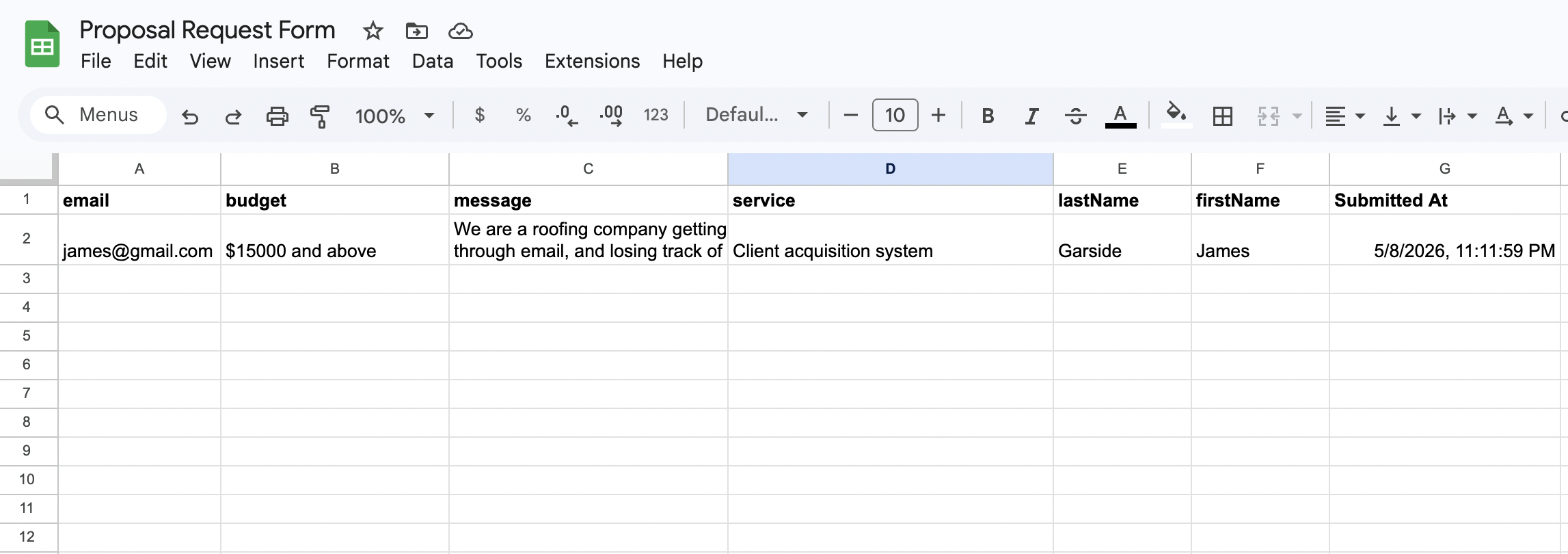
Each form post appears as a new row in Google Sheets within seconds. Your whole team sees new leads in real time. No Zapier integration required.
Email notifications
Every submission triggers a clean, formatted email with the full enquiry details. No raw data dumps or provider branded notification templates.

Follow up reminders
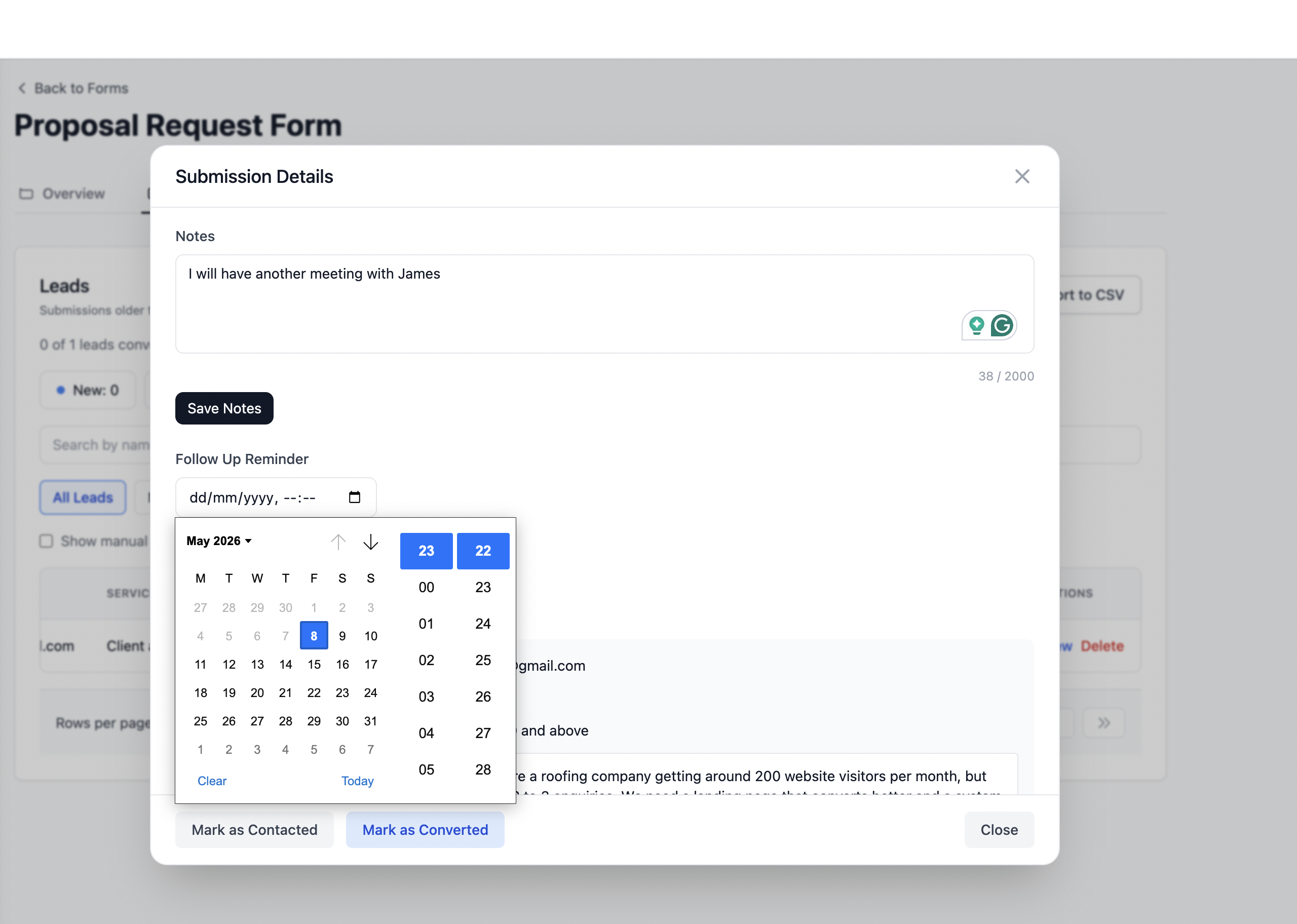
Set a follow up date on any lead and get an email reminder with the lead details and your notes on that date. Built in, not a paid upgrade or Zapier workflow.
GitHub Pages, Vercel, Cloudflare Pages, S3, plain HTML, or Netlify itself. Your form layer is independent of where the site is deployed.
Honeypot fields and rate limiting are built in automatically. Captcha options available without bolting on a separate Netlify function.
Quick Answer
Formgrid is the best Netlify Forms alternative for static sites because it works on any host including GitHub Pages, Vercel, Cloudflare Pages, and plain HTML without requiring Netlify hosting. It includes a drag and drop form builder, a lead pipeline, free captcha protection, and Google Sheets sync at $12 per month. Netlify Forms only works when your site is deployed on Netlify. Formgrid works everywhere.
Netlify Forms is a good fit when your whole stack lives on Netlify. Friction shows up when you need Netlify forms on other hosts, or when you outgrow the default workflow. You still need somewhere for submissions to land without rewriting your site around one vendor.
Formgrid is built for the same mental model (POST to an endpoint) while adding shareable forms, a lead pipeline, and a path to full control via Docker when you want it.
Like Netlify Forms, you keep a plain HTML form. Unlike Netlify Forms, you set action to your Formgrid URL and it works from any static site. Or build visually and share a link. No HTML required for internal teams.
<form action="https://formgrid.dev/api/f/your-form-id" method="POST">
  <input type="text" name="name" placeholder="Your name" required />
  <input type="email" name="email" placeholder="Email" required />
  <textarea name="message" placeholder="Message"></textarea>
  <button type="submit">Send</button>
</form>
Replace your-form-id with the ID from your Formgrid dashboard. Remove any data-netlify attributes.
High level view for form backend without Netlify and Netlify forms alternative for static sites searches. Verify current docs on both sides before you migrate.
| Topic | Netlify Forms | Formgrid |
|---|---|---|
| Works outside Netlify hosting | — | Yes |
| Form builder | — | Yes |
| Lead pipeline | — | Yes |
| Google Sheets sync | Via Zapier / glue | Built in |
| Self hostable | — | Yes (Docker) |
| Open source | — | Yes (MIT) |
| Typical paid entry (indicative) | Bundle with hosting | From $12/mo |
Details change over time. Always compare current docs and pricing on both sides before you migrate.
Whether you landed here from Netlify Forms alternative or form backend without Netlify, the bar is the same: predictable behavior, clear exports, and no lock in. Formgrid’s hosted product and OSS repo share the same API shape so you can graduate to self hosting when it makes sense.
Explore HTML templates or read more on the blog.
What You Get With Formgrid
Switch your form action to Formgrid and keep your existing site exactly as it is. You also get a lead pipeline, Google Sheets sync, and follow up reminders that most form backends charge extra for.
Lead pipeline
New, Contacted, and Converted stages in one dashboard. See active enquiries and conversion rate without counting manually or paying for a separate CRM add-on.
Google Sheets sync
Each form post appears as a new row in Google Sheets within seconds. Your whole team sees new leads in real time. No Zapier integration required.
Email notifications
Every submission triggers a clean, formatted email with the full enquiry details. No raw data dumps or provider-branded notification templates.
Follow up reminders
Set a follow up date on any lead and get an email reminder with the lead details and your notes on that date. Built in, not a paid upgrade.
Know exactly which channel sent each submission. Google, Instagram, referrals, and paid ads are captured automatically on every form post.
Honeypot fields and rate limiting are built in automatically. Your form is protected from bots without any configuration required.
Everything you need to know about replacing Netlify Forms with Formgrid.
Swap your form action to a Formgrid endpoint, remove data-netlify, and you are live on any host. Keep your static site exactly as it is.
Whether you are sharing a form link on WhatsApp, pointing your HTML form to a Formgrid endpoint, or tracking leads through a built-in pipeline, get it done in 2 minutes.
Start Free. No Credit Card Required