Lead pipeline
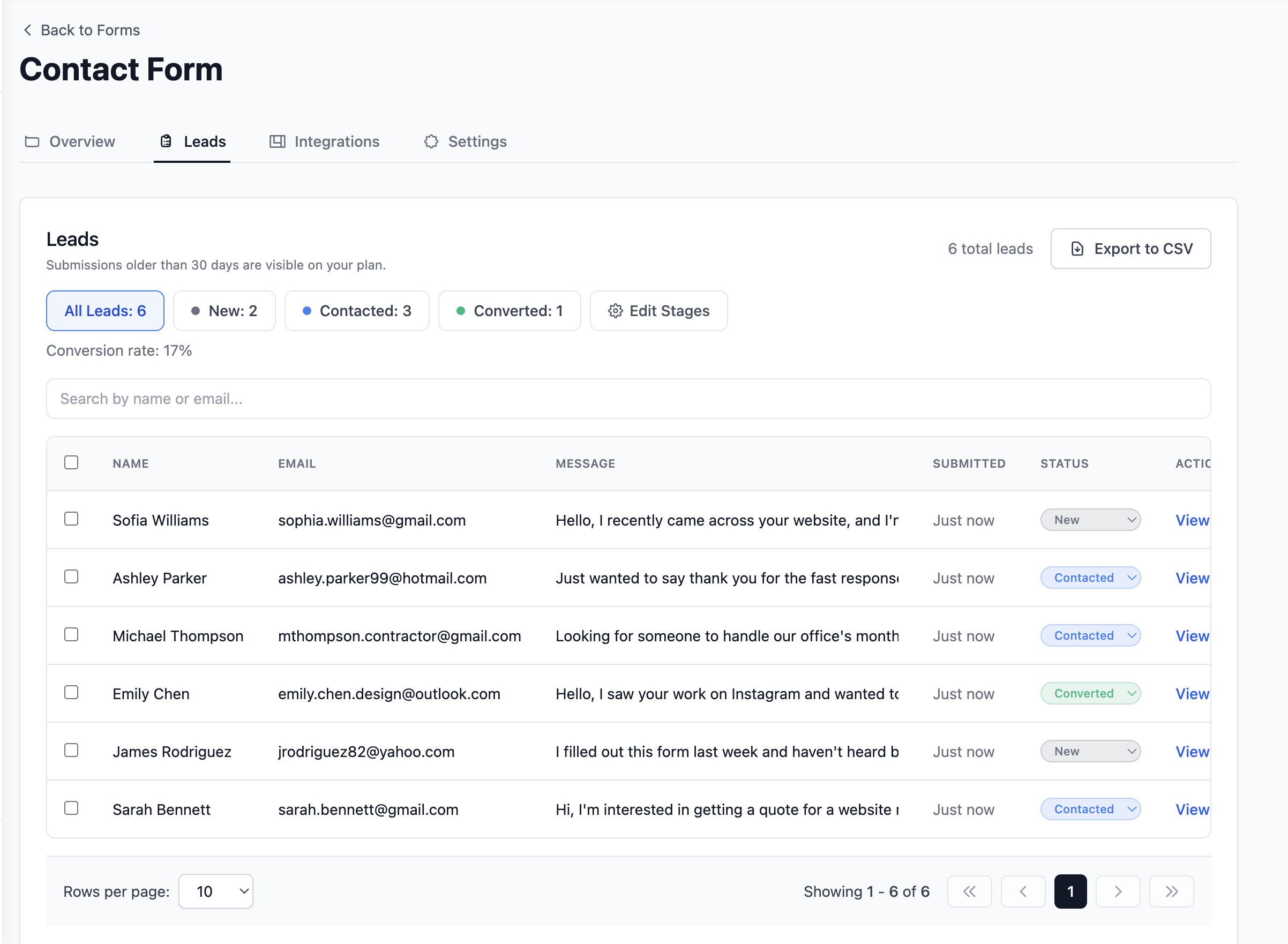
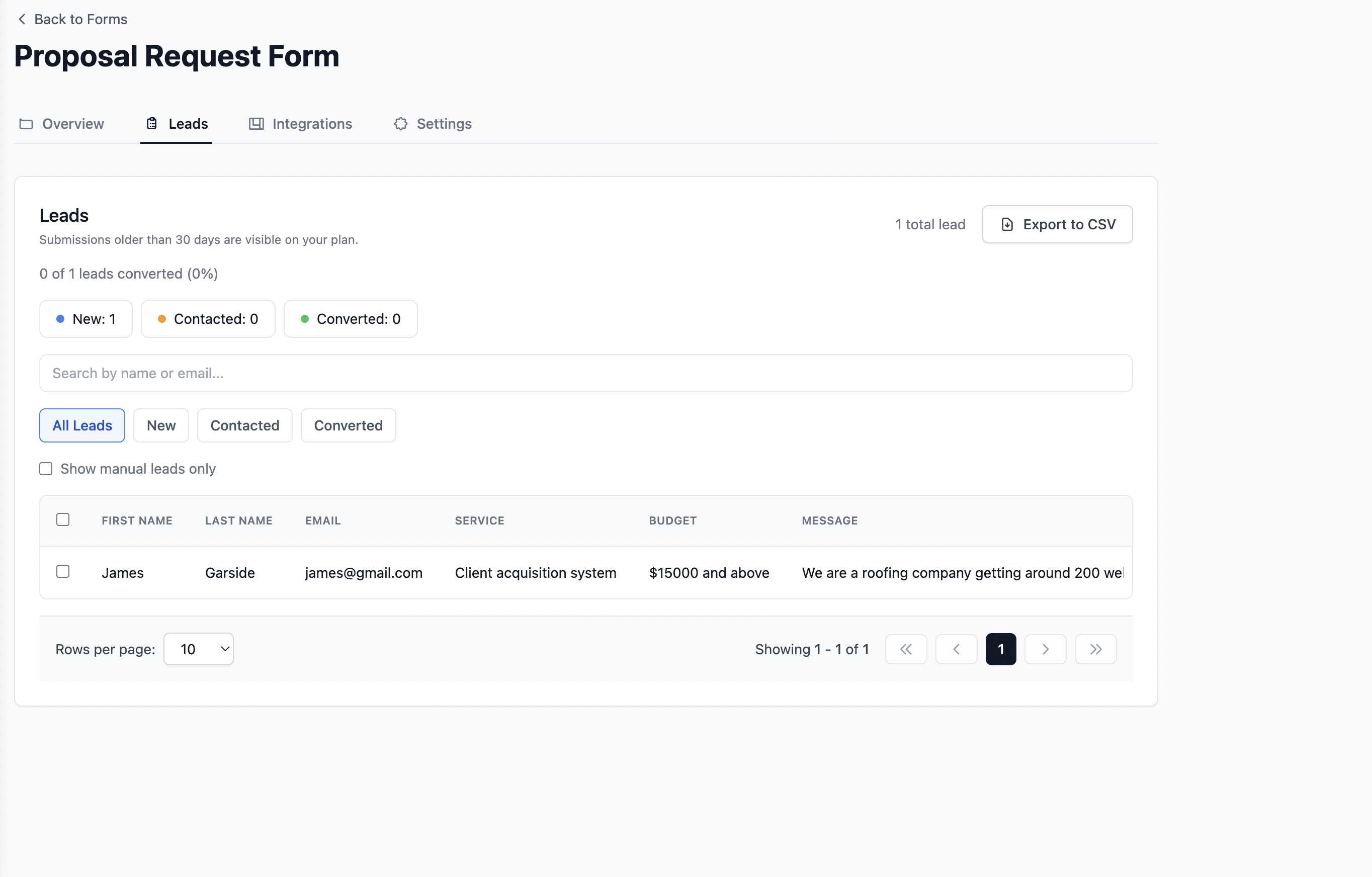
Every submission becomes a tracked lead
New, Contacted, and Converted stages in one dashboard. See active enquiries and conversion rate without counting manually.
Form Backend Service
Most form backends stop at your inbox. Formgrid turns every submission into a tracked lead with follow up reminders and Google Sheets sync built in.
Point your HTML form at a Formgrid endpoint and every submission becomes a tracked lead with email notifications, Google Sheets sync, and a follow up pipeline. No backend to build. No server to maintain. Free to start.
Used by 300+ developers, agencies, and teams managing 800+ leads monthly. 100% open source.
A form backend is the server side infrastructure that receives, stores, and processes the data submitted through your HTML form.
When someone fills out a contact form on your website and clicks submit, their browser sends the data to a URL specified in your form action attribute. Without a backend to receive that request, the data goes nowhere.
Static sites, landing pages, and portfolios built on GitHub Pages, Netlify, Vercel, Cloudflare Pages, or plain HTML have no server side code. They cannot process form submissions on their own.
A form backend service like Formgrid acts as that server. You point your form action at a Formgrid endpoint URL. Every submission is received, stored, and forwarded to you automatically. No server to configure. No database to manage. No backend code to write or maintain.
Prefer a visual editor? Use Formgrid's free online form builder for multi-step and Notion-style forms, or compare Formgrid with a popular hosted option on our Formspree alternative page.
Four steps from zero to production. Step four mentions Google Sheets sync when you want rows without opening your inbox.
Name it, pick notification settings, and note the unique endpoint path Formgrid assigns.
You will paste this value into the action of any HTML form that should post here.
Jekyll, Hugo, Astro, Eleventy, or hand written pages all behave the same way.
Turn on Google Sheets sync from the integration screen when your ops team lives in a spreadsheet.
<form action="https://formgrid.dev/api/f/your-form-id" method="POST">
  <input type="text" name="name" placeholder="Your name" required />
  <input type="email" name="email" placeholder="Email" required />
  <textarea name="message" placeholder="Message"></textarea>
  <button type="submit">Send</button>
</form>
Replace your-form-id with the identifier from your workspace.
What Is Included
Point your HTML form at Formgrid and get the full stack behind every submission. Each row below shows what lands in your dashboard, inbox, and shared tools.
Lead pipeline
New, Contacted, and Converted stages in one dashboard. See active enquiries and conversion rate without counting manually.
Google Sheets sync
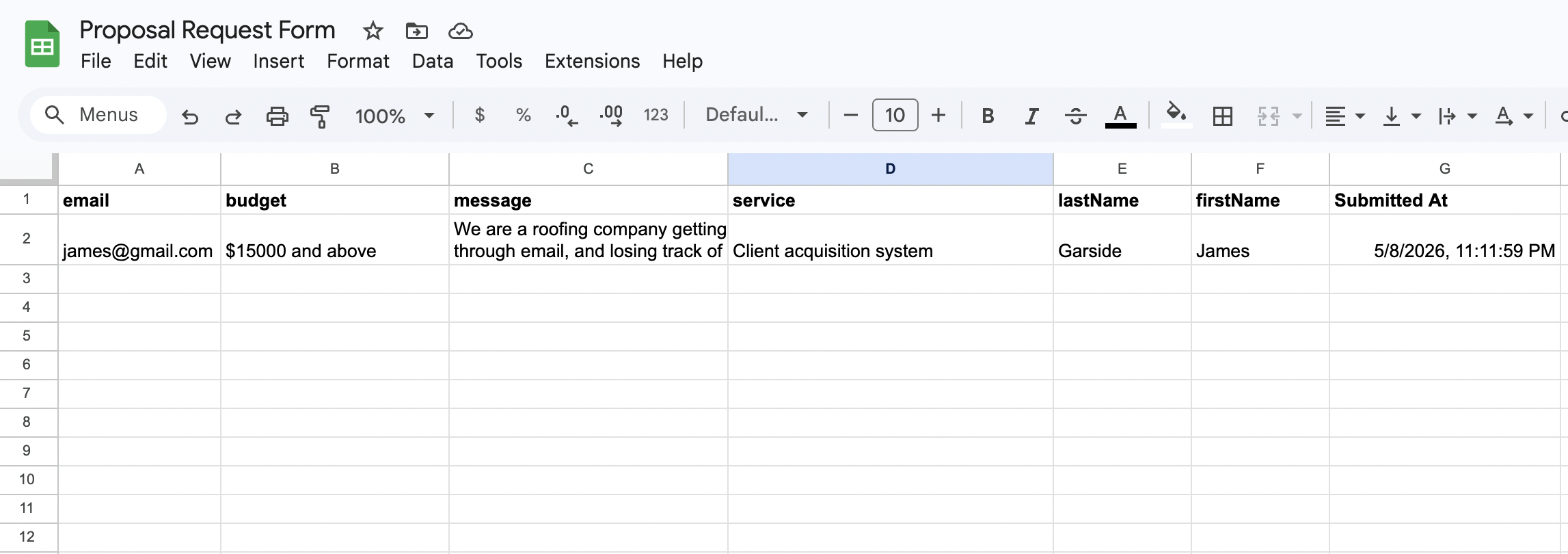
Each form submission appears as a new row in Google Sheets within seconds. Your whole team sees new leads in real time. No Zapier needed.
Email notifications
Every form submission triggers a clean, formatted email with the full enquiry details. No raw data dumps in the inbox.

Follow up reminders
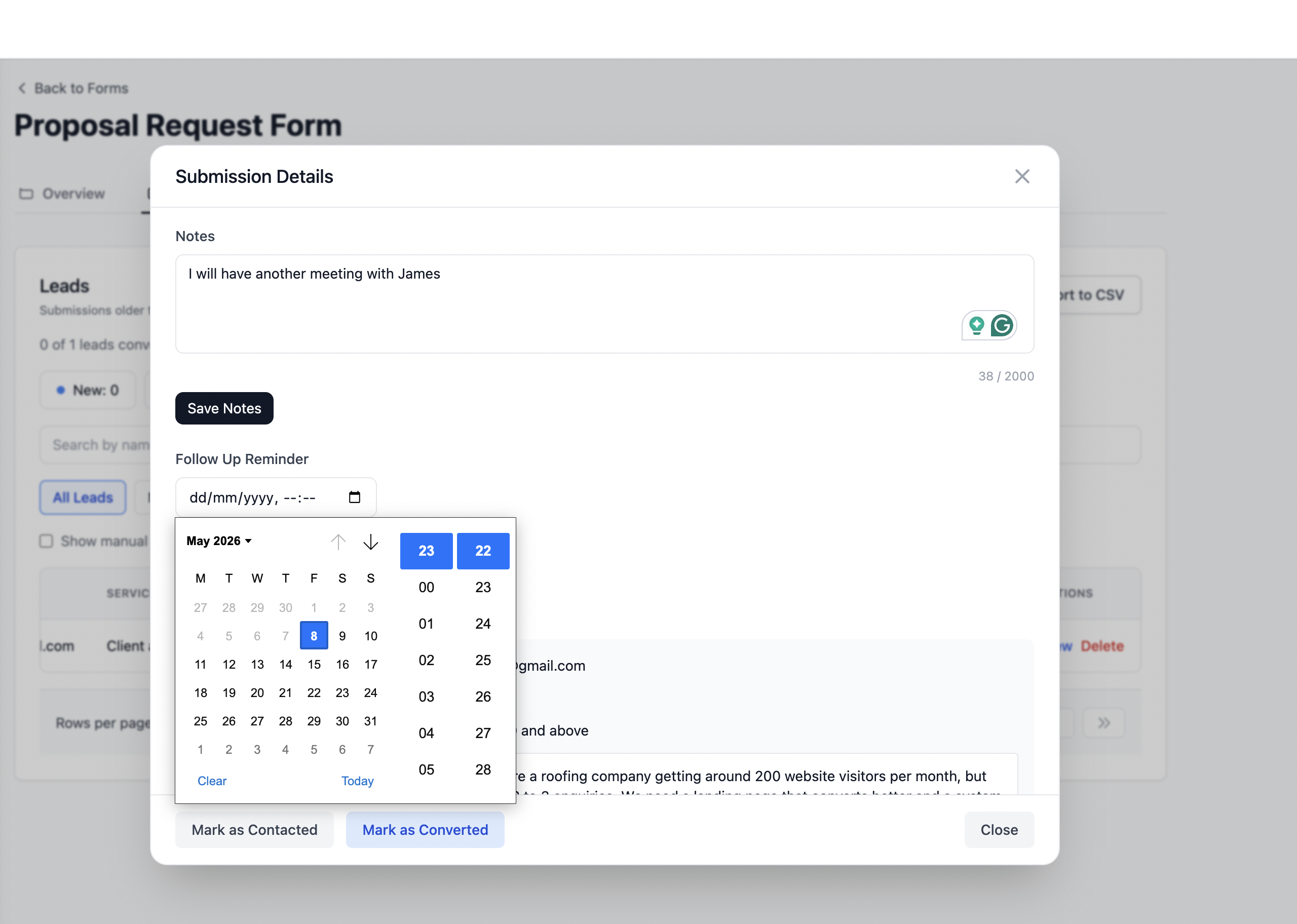
Set a follow up date on any lead and get an email reminder with the lead details and your notes on that date.
Know exactly which channel sent each submission. Google, Instagram, referrals, and paid ads are captured automatically on every form post.
Honeypot fields and rate limiting are built in automatically. Your form is protected from bots without any configuration required.
Create a form, copy your endpoint URL, and point your HTML form action at Formgrid. No backend code required.
Get my form endpoint freeSame integration story everywhere. Designers on Webflow form backend flows and merchants on Squarespace form backend pages point their action URL here too. Developers on Astro, Hugo, Jekyll, Eleventy, React, Next.js, and Vite use the same endpoint pattern. See also our Jamstack form backend guide.
Indicative only. Visit each vendor for live pricing and caps before you migrate.
| Capability | Formgrid | Formspree | Netlify Forms | Forminit |
|---|---|---|---|---|
| Open source core you can audit | Yes, MIT | No | No | No |
| Self host or bring your own domain | Yes, Docker | Hosted only | Hosted only | Hosted only |
| First party drag and drop builder | Yes | Limited | No | No |
| Works on any static host | Yes | Yes | Requires Netlify | Yes |
| Google Sheets without Zapier tax | Built in | Paid tiers | Plugins or functions | Varies |
| Typical entry paid plan (indicative) | From 8 USD per month | From about 10 to 12 USD per month | Bundled with hosting | Check site |
Still weighing vendors? Read the dedicated Formspree alternative breakdown.
Capture product questions on a landing page built with a static generator and let sales reply from email plus the shared dashboard.
Pair a lightweight HTML form with Google Sheets so volunteers see attendees in one tab. Similar flows appear on our event registration forms page.
Hand off a branded endpoint per client while you keep one Formgrid workspace with separate forms and permissions.
Self host for unlimited free usage or use our managed hosting below.
View on GitHubValidate Formgrid on real traffic before you upgrade.
No credit card required.
Steady lead flow for small teams that outgrew the free cap.
No contracts. Cancel anytime.
Automation forward teams that need webhooks and higher volume.
No contracts. Cancel anytime.
Need unlimited? Self host for free →
Registration takes minutes. Run a real event registration forms pilot or start with a single contact form on your homepage.
Create free accountWhether you are sharing a form link on WhatsApp, pointing your HTML form to a Formgrid endpoint, or tracking leads through a built-in pipeline, get it done in 2 minutes.
Start Free. No Credit Card Required