
Your contact form is working.
People are filling it in. Submissions are arriving in your inbox. You are getting enquiries from potential customers.
But here is the problem.
Three days later, you cannot remember which ones you replied to. A week later, you find an email buried under 50 others from someone ready to buy. A month later, you realise you never followed up on half the enquiries that came in during your busiest week.
Your contact form is not the problem. What happens after the submission is.
Most form tools treat their job as done the moment your inbox receives a notification. But for a small business owner that is exactly where the real work begins.
This guide shows you how to turn your existing contact form into a simple lead tracking system so every enquiry gets the follow-up it deserves.
The Problem With a Standard Contact Form
A standard contact form does one thing. It sends you an email.
That email lands in your inbox alongside everything else. Your newsletter subscriptions. Your supplier invoices. Your team messages. Your spam.
The enquiry from a potential customer sits in the same place as everything else, with no way to tell at a glance: Which leads have I replied to? Which ones are still waiting? Which ones became customers? Which ones need a follow-up this week?
Without answers to those questions, you are managing leads the same way most small businesses do. In your head. With sticky notes. With starred emails, you forgot to unstar. With a spreadsheet, you update when you remember.
That system works when you have 5 enquiries a month. It breaks down at 20. It falls apart completely at 50.
What a Lead Tracking System Actually Means
A lead tracking system does not have to be a CRM. You do not need HubSpot. You do not need Salesforce. You do not need a subscription that costs more per month than your form tool.
For a small business, a lead tracking system is simply a way to answer three questions about every enquiry that comes in: Where does this lead in my process? What do I know about this person? When do I need to follow up?
That is it. Three questions. Everything else is noise.
The Simple Pipeline That Changes Everything
The most useful thing you can add to your contact form workflow is a three-stage pipeline: New → Contacted → Converted
Every submission starts as New. The moment you reach out to that person, they become Contacted. The moment they become a customer, they become converted.
That one change transforms your inbox from a list of unread emails into a visible picture of your entire lead pipeline.
At a glance, you can see: New: 12 people waiting for a response Contacted: 8 people in conversation Converted: 3 people who became customers
You know exactly where your attention needs to go. You know exactly how your form is performing. You know your conversion rate without counting anything manually. 3 of 23 leads converted Conversion rate: 13%
That number tells you something. If your conversion rate drops from 20% to 8% over a month, you know something changed. Maybe a new traffic source is bringing lower quality leads. Maybe you stopped following up quickly enough. Maybe your pricing conversation needs work.
You cannot see any of that from an inbox.
Adding Notes to Every Lead
The second most important thing you can do is add a private note to each lead.
After you call someone and they say they are interested but want to think about it for two weeks, you need to write that down somewhere that is attached to that specific person.
Not in a separate document. Not in a different app. Right there on the lead. Called Sarah on Tuesday. She liked the proposal but wants to check with her partner first. Said to follow up in two weeks. She mentioned the budget is around $500.
That note is worth more than any CRM feature. When you follow up two weeks later, you remember exactly where the conversation left off. You sound prepared. You sound professional. You close the deal.
Without the note, you are starting the conversation from scratch every time.
Setting Follow-Up Reminders
The third piece is follow-up reminders.
Most leads do not convert on the first contact. They need a second email. A third call. A gentle nudge two weeks later, when they have had time to think.
The problem is that "follow up in two weeks" is not a system. It is a hope.
A proper follow-up reminder turns that hope into a certainty. You set a date on the lead, and on that date, you receive an email: Subject: Follow-up reminder: Sarah Thompson from Contact Form You set a follow-up reminder for this lead. Lead: Sarah Thompson Email: sarah@email.com Current status: Contacted Notes: Called on Tuesday. Interested but wants to check with partner. Budget around $500. View this lead: [link]
You open that email, you have all the context you need, and you send the follow-up immediately. No hunting through old emails. No, trying to remember what you talked about.
That is what a follow-up reminder does. It turns intention into action.
How to Set This Up With Formgrid
Formgrid is a form builder and form backend that has lead tracking built directly into every form. You do not need a separate CRM. You do not need a Zapier integration. Everything is in one place.
Here is how to set it up in under 10 minutes.
Step 1: Sign Up and Create Your Form
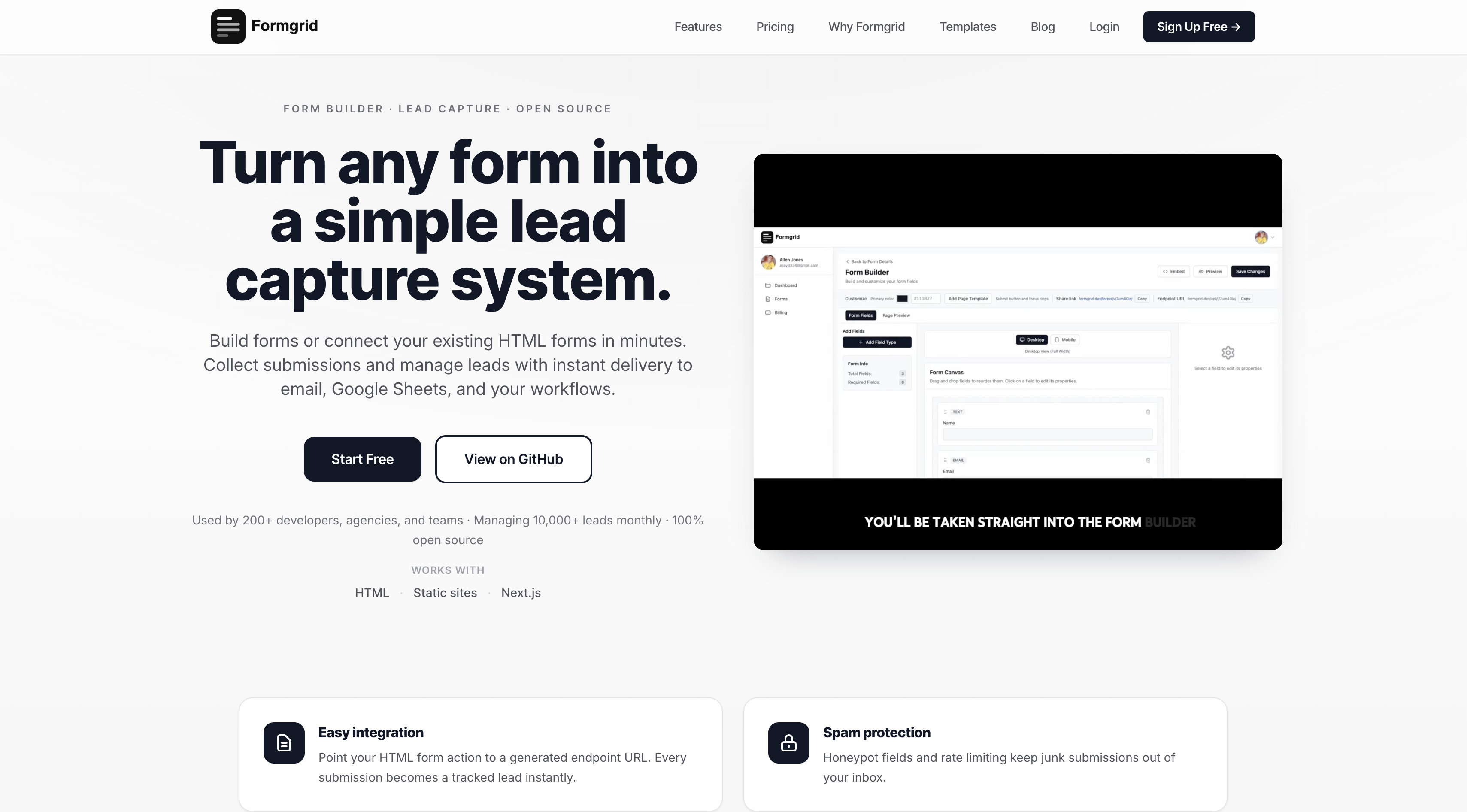
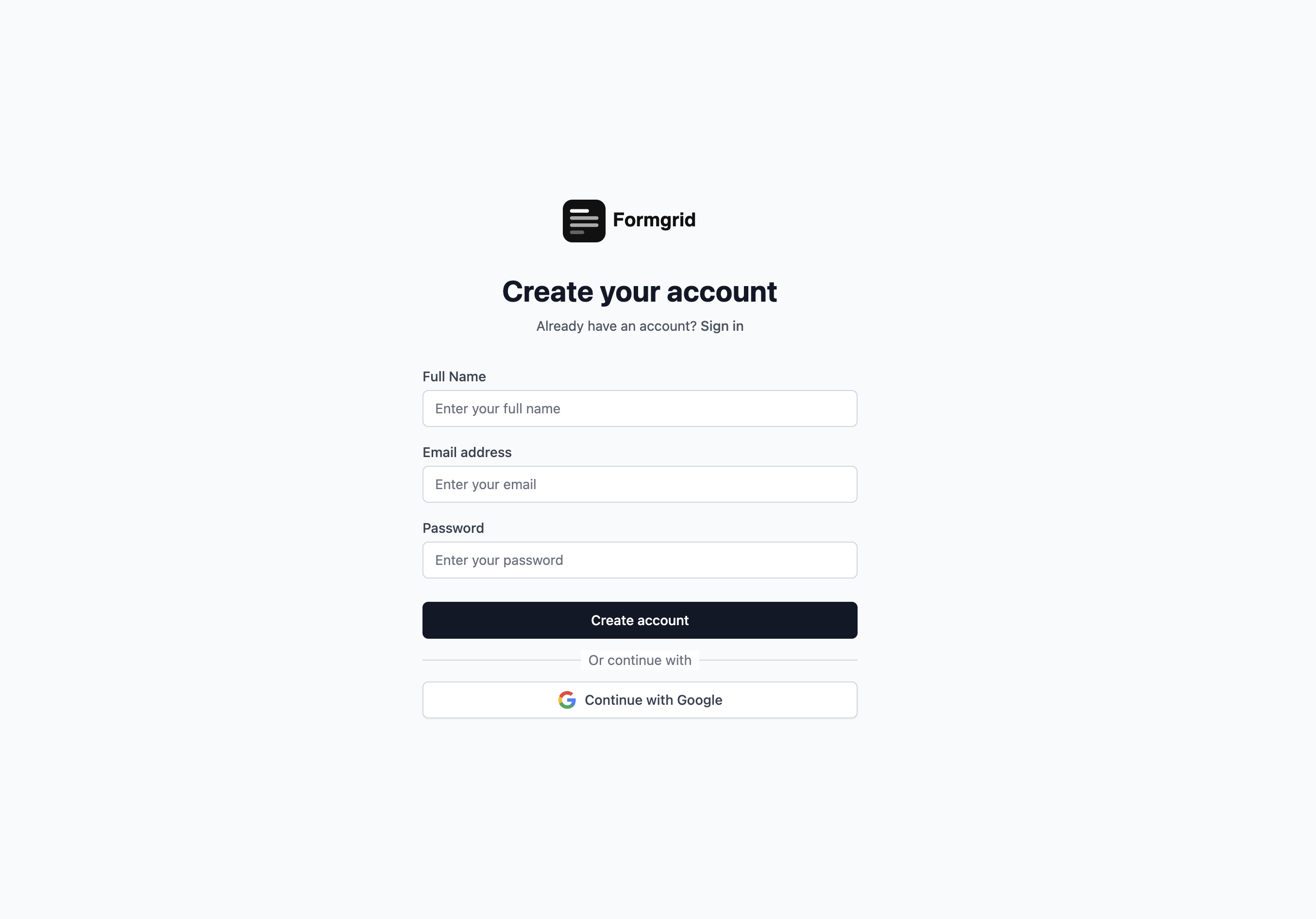
Go to formgrid.dev and sign up with Google or your email address.
No credit card required.
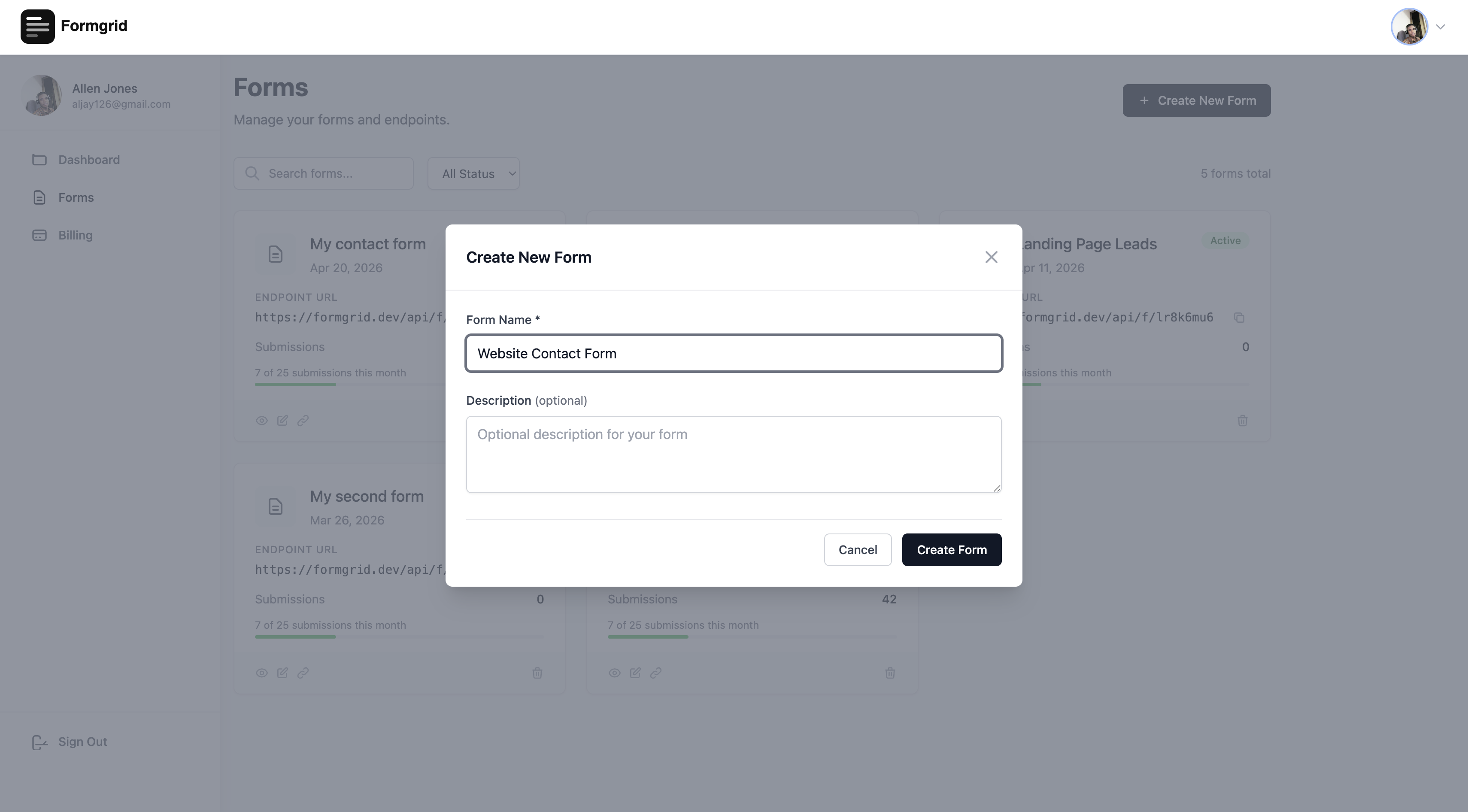
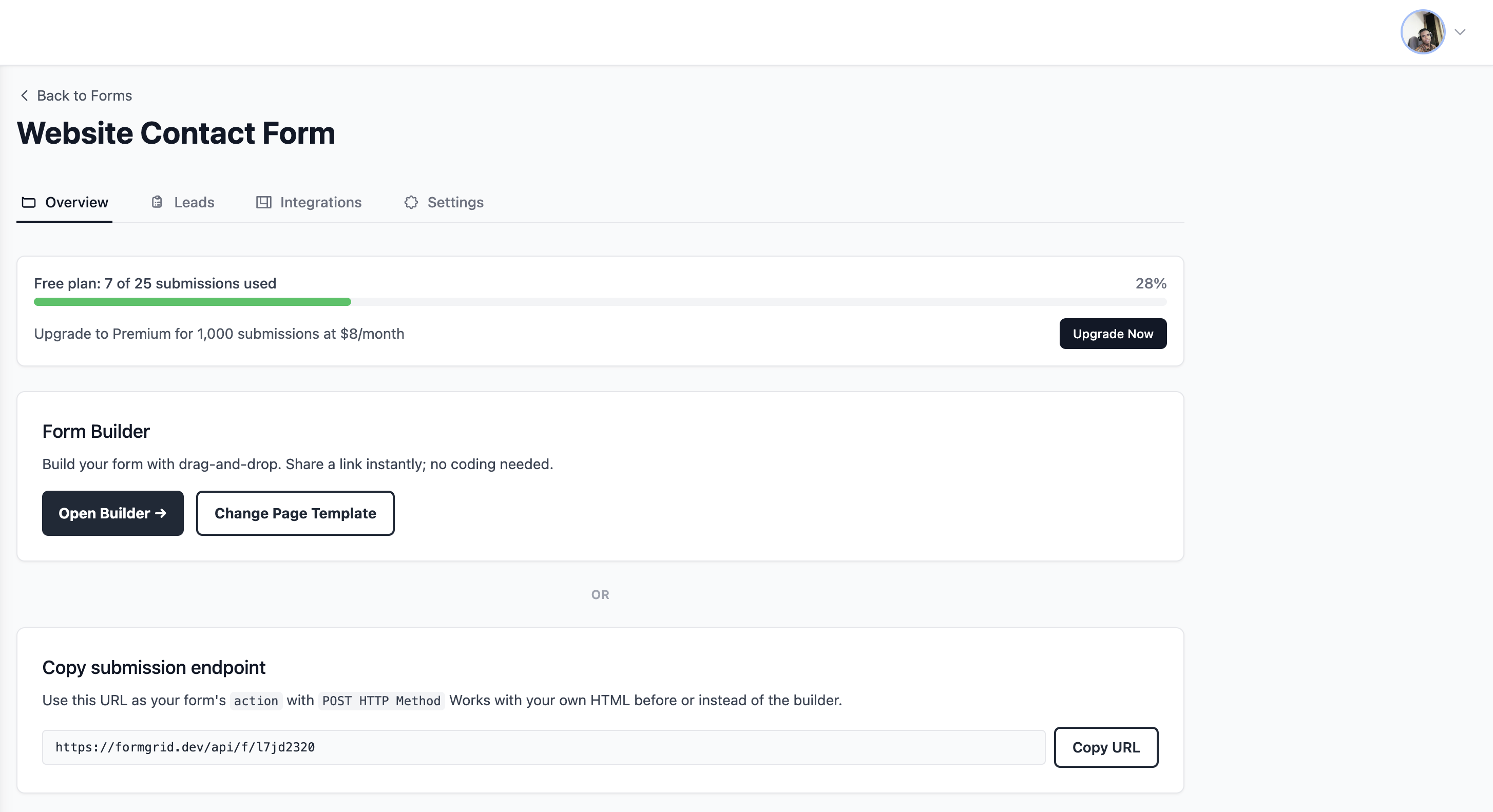
Once you are logged in, click New Form and give it a name that matches your use case: Website Contact Form Photography Booking Enquiries Quote Request Form Workshop Registration
Step 2: Connect Your Form
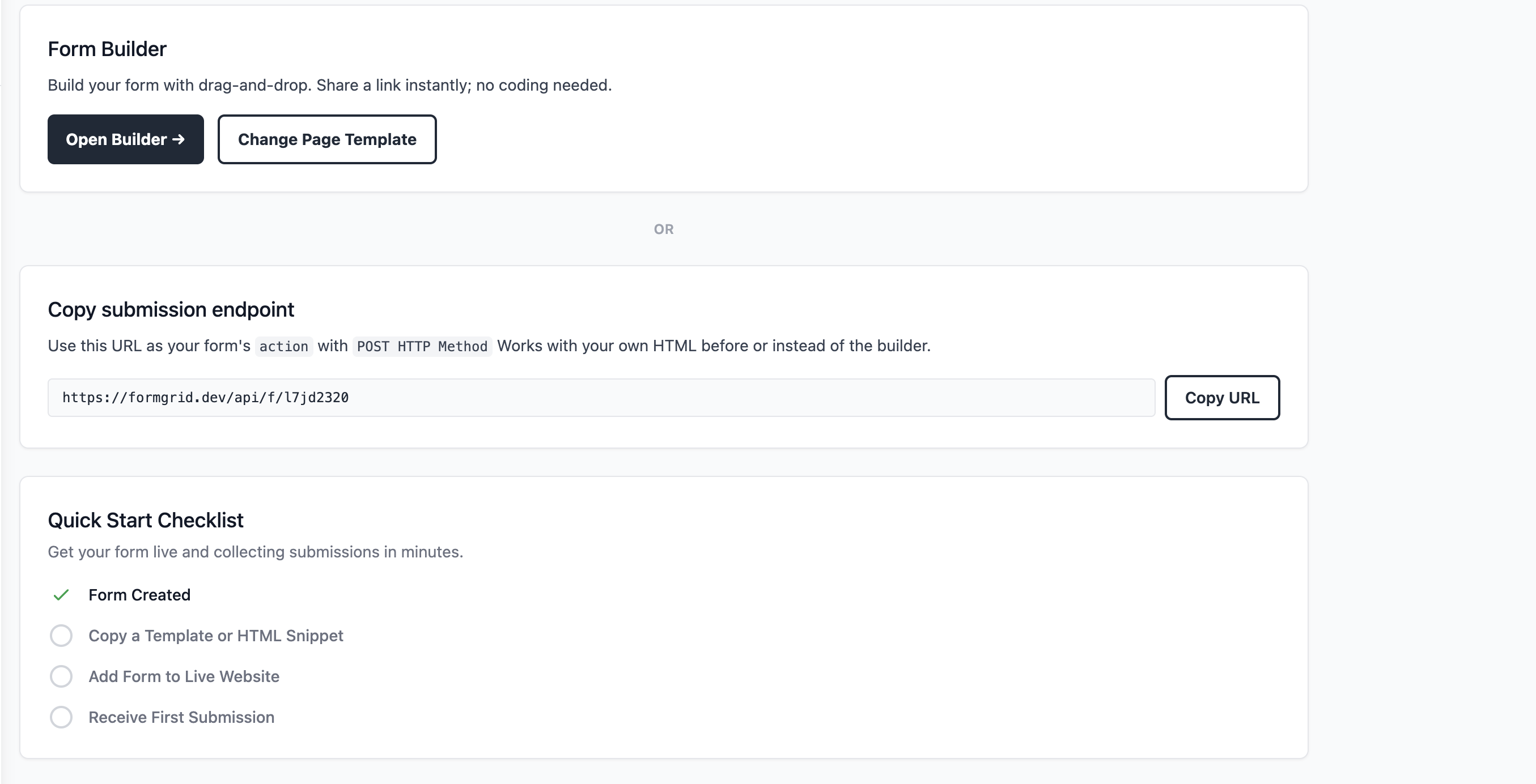
You have two options, depending on whether you already have a form on your website.
Option A: Use your existing HTML form
If you already have a contact form on your website, just replace the form action with your Formgrid endpoint URL. One change. Everything else stays exactly as it is.
<form
  action="https://formgrid.dev/api/f/your-form-id"
  method="POST"
>
  <input
    type="text"
    name="name"
    placeholder="Your Name"
    required
  />
  <input
    type="email"
    name="email"
    placeholder="Your Email"
    required
  />
  <textarea
    name="message"
    placeholder="Your Message"
  ></textarea>

  <input
    type="text"
    name="_honey"
    style="display:none"
  />

  <button type="submit">Send Message</button>
</form>
Copy your endpoint URL from the form details page in your Formgrid dashboard and paste it into the action attribute.
Option B: Use the drag and drop builder
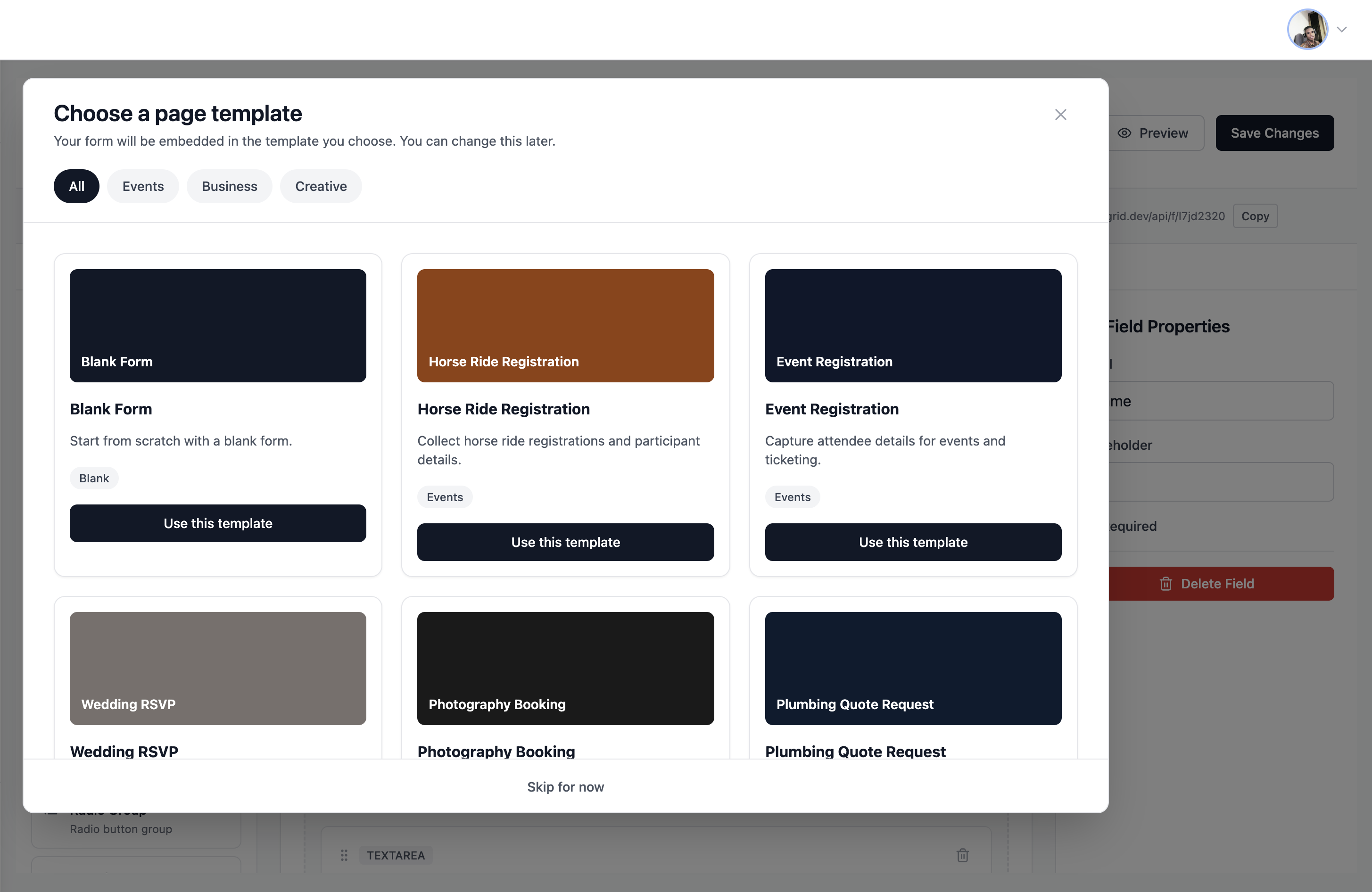
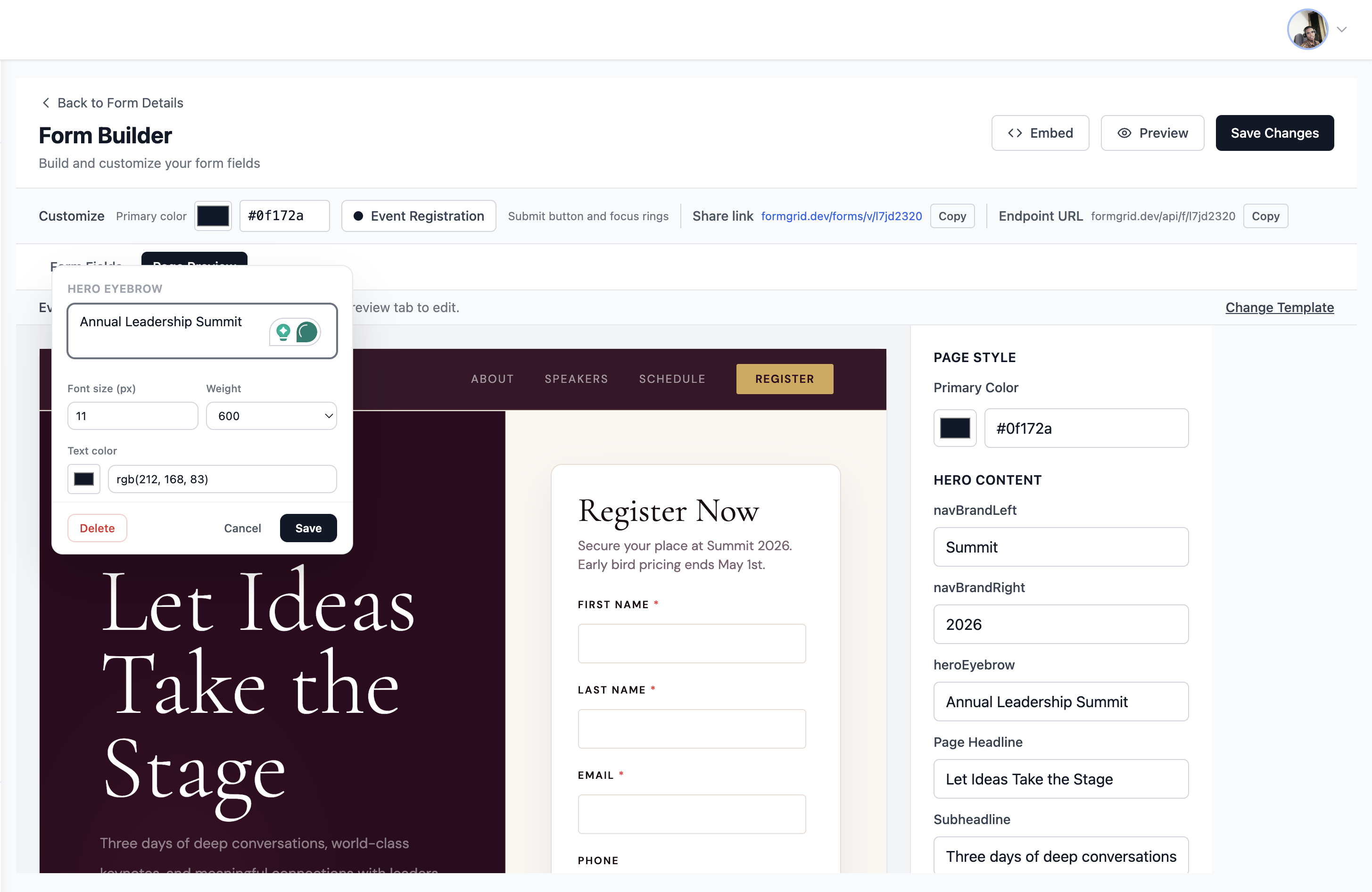
If you do not have a website or you want a standalone shareable form link, click Open Builder on your form details page.
Build your form with drag and drop fields. When you are done, click Save and copy your shareable link. Send it via WhatsApp, email, or embed it on any page.
Step 3: Watch Submissions Become Leads
The moment someone fills in your form, two things happen.
You receive an instant email notification: New Lead: Website Contact Form Name: James Garside Email: james@email.com Phone: (555) 234-5678 Message: Hi, I am interested in your photography packages for a corporate event in June. Can you send me pricing? Submitted: 2 minutes ago
The submission appears in your Leads tab:
Go to your form in the Formgrid dashboard and click the Leads tab. Every submission appears there as a tracked lead with its current status, the time it came in, and the submitter's details.
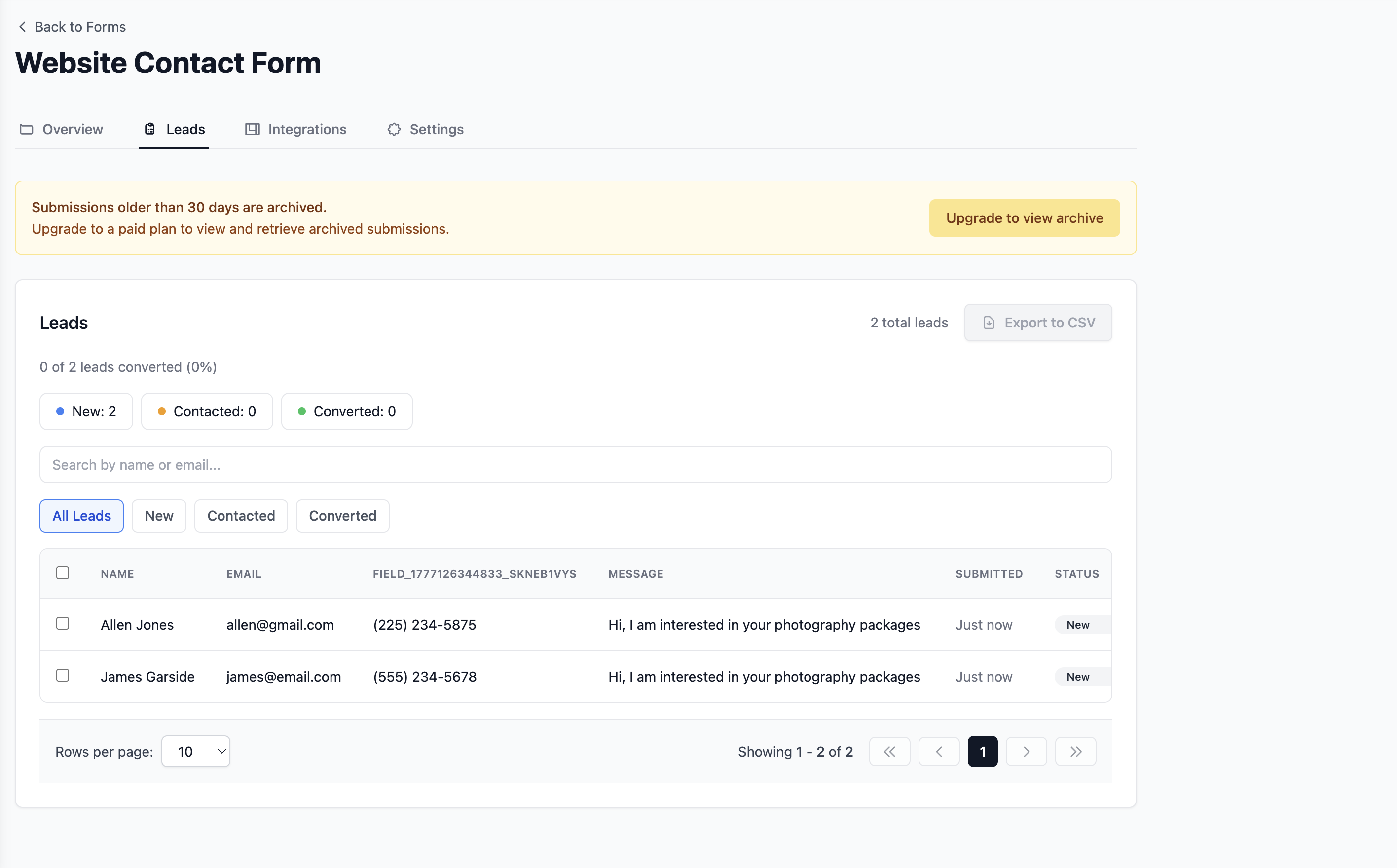
At the top of the leads tab, you will see your conversion summary: 3 of 23 leads converted (13%)
And a status breakdown: New: 12 Contacted: 8 Converted: 3
That is your entire pipeline at a glance.
Step 4: Update Lead Status as You Work
When you reply to a lead, open it in your dashboard and change its status from New to Contacted.
When they become a customer, change it to Converted.
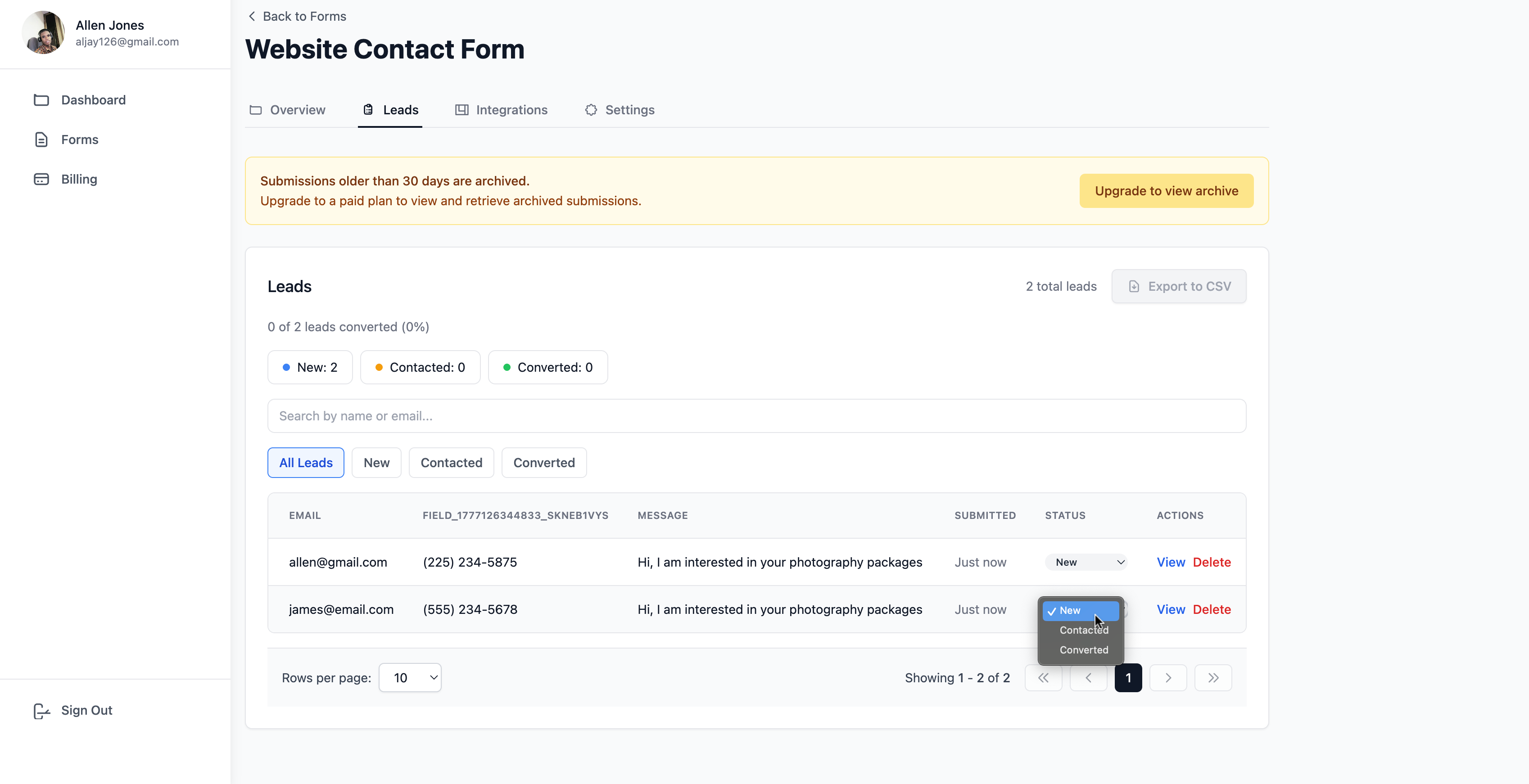
You can also update multiple leads at once using bulk actions. Select the leads you replied to this morning and mark them all as Contacted in one click.
That keeps your pipeline accurate without slowing you down.
Step 5: Add Notes to Every Lead
When you have a conversation with a lead, open their record in the dashboard and add a note.
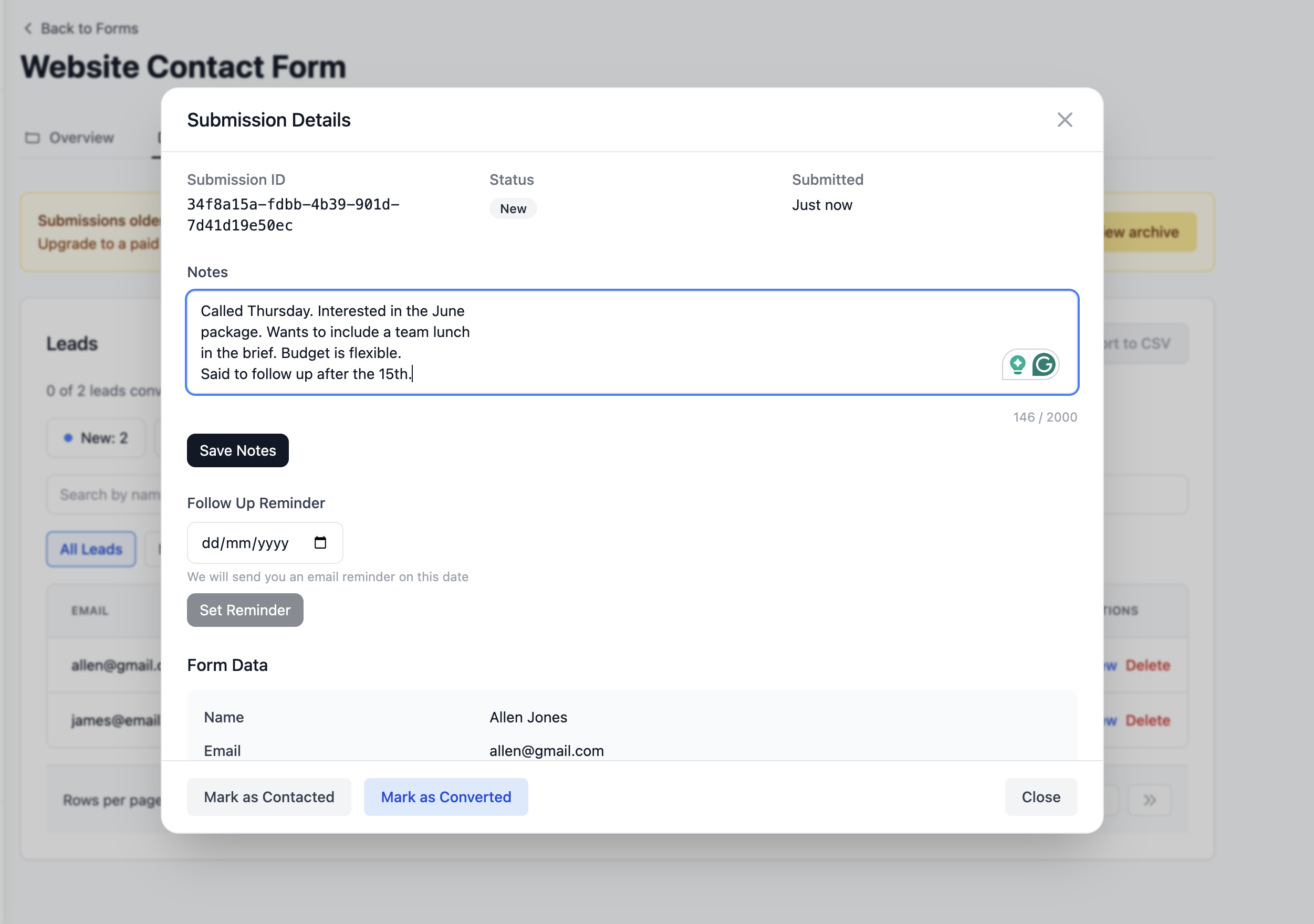
There is a notes field on every lead that accepts up to 2000 characters. Write whatever is useful: Called Thursday. Interested in the June package. Wants to include a team lunch in the brief. Budget is flexible. Said to follow up after the 15th.
The next time you open that lead, your note is right there. You always know where the conversation stands.
Step 6: Set a Follow-Up Reminder
If a lead needs a follow-up in a few days or a few weeks, set a reminder directly on the lead.
Click the Follow Up Reminder section on the lead detail page, pick a date, and click Set Reminder.
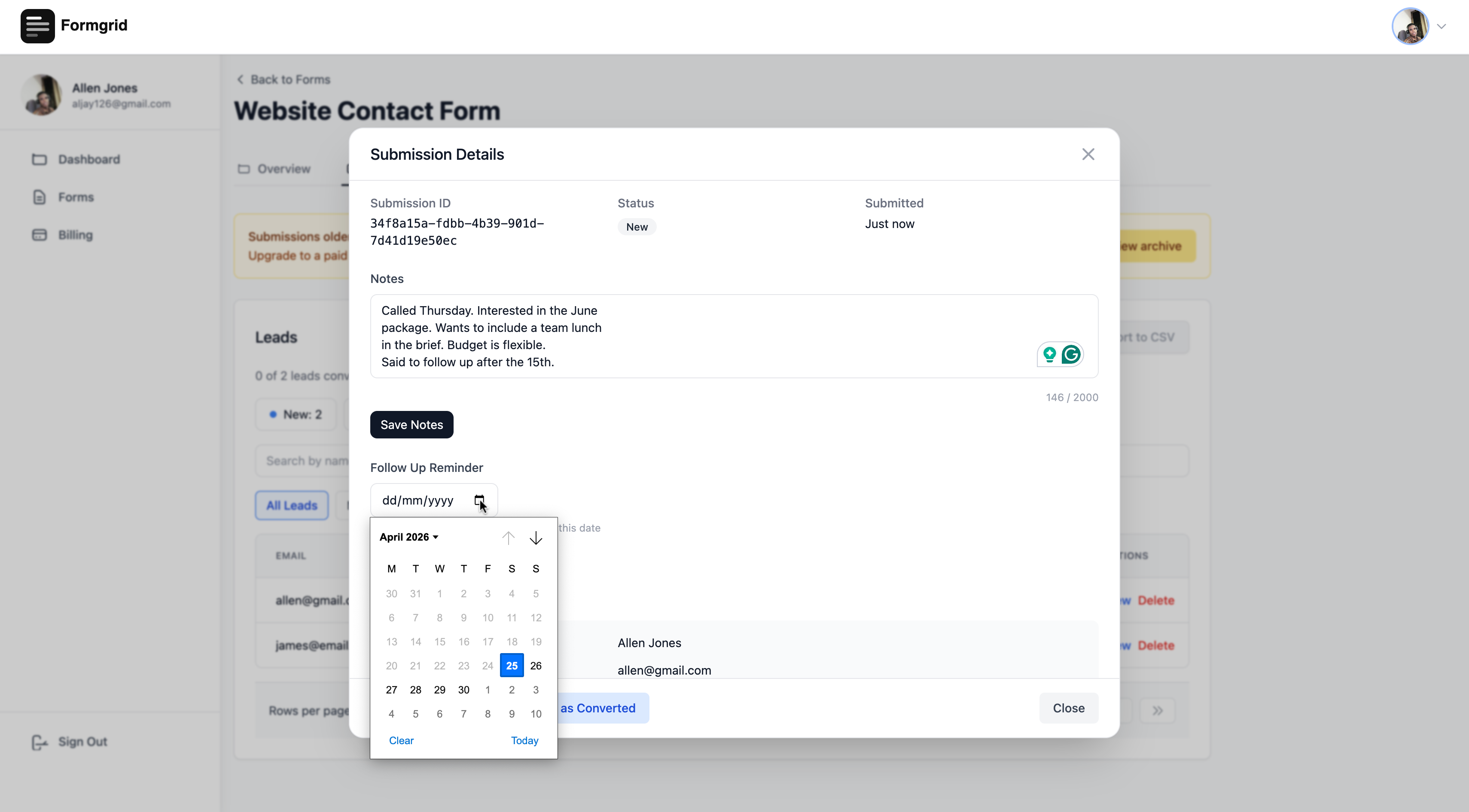
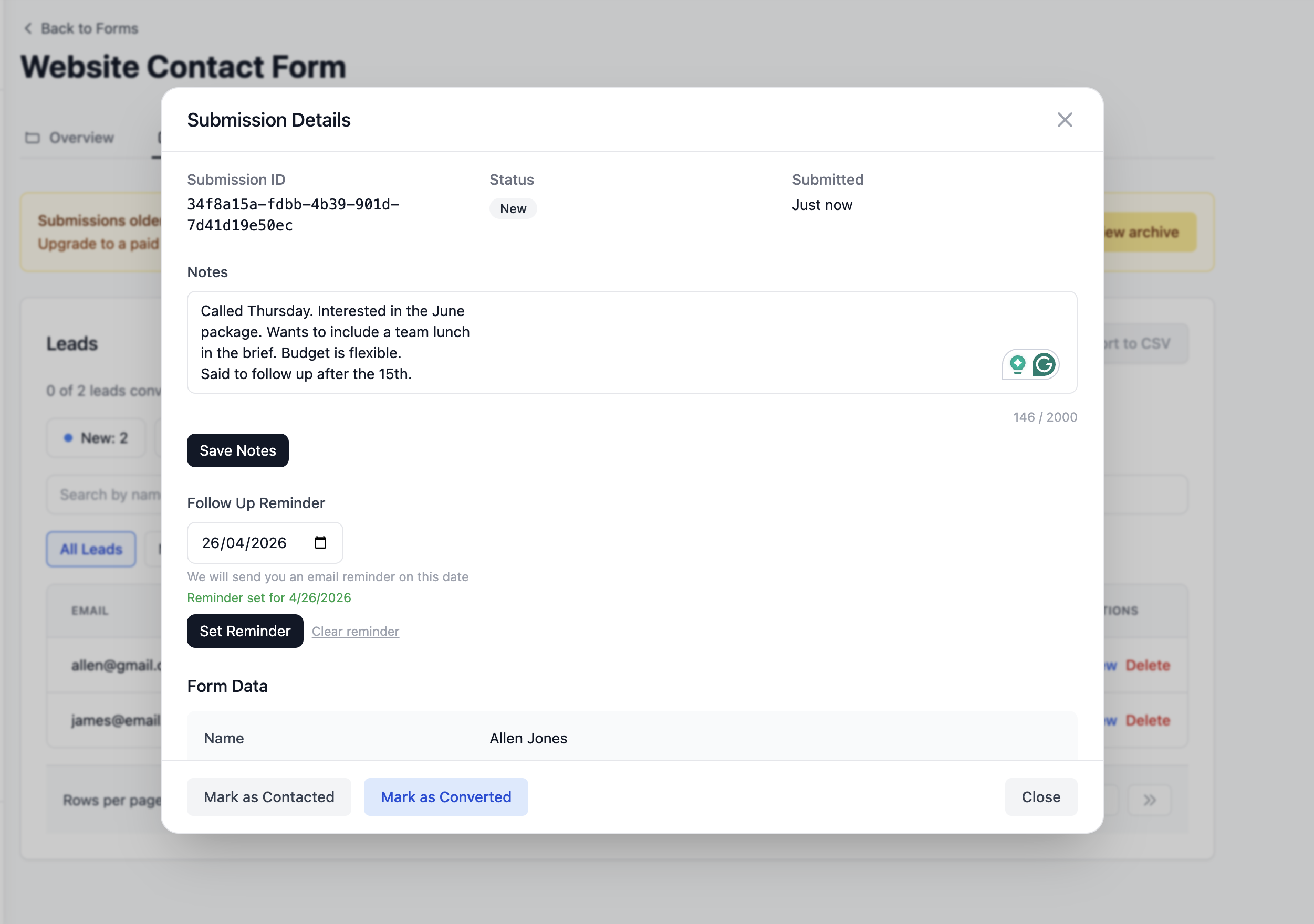
On that date, Formgrid sends you an email with the lead details and your notes so you have everything you need before you pick up the phone or type the email.
You set the reminder once. Formgrid handles the rest.
Step 7: See Your Conversion Rate
The leads tab shows your conversion rate at all times.
As you move leads through the pipeline from New to Contacted to Converted, the rate updates automatically: 3 of 23 leads converted (13%)
If that number is low, it tells you something. Maybe you need to follow up faster. Maybe your form is attracting the wrong audience. Maybe your proposal needs work.
If that number is high, it tells you something, too. Your form is working. Your follow-up process is working. Keep doing what you are doing.
Without that number, you are guessing.
A Real Example: How a Photographer Uses Formgrid to Track Booking Enquiries
Sarah runs a photography studio. She was getting 15 to 20 booking enquiries per month through her website contact form.
The enquiries were going to her inbox, and she was replying to them when she had time. Some got replies the same day. Some got replies a week later. Some got buried.
She had no idea how many enquiries were converting to bookings or how long it was taking her to respond.
She switched to Formgrid and connected her existing contact form in about five minutes by replacing the form action URL.
Now every enquiry lands in her Leads tab as a New lead. She has a rule for herself: every new lead gets a reply within 24 hours, and she marks it Contacted the moment she sends the reply.
She adds a note after every call with what the client wants and what she quoted. She sets a follow-up reminder if they said they would get back to her.
After two months, her conversion rate is sitting at 31%. She knows that because Formgrid shows her. Before, she had no idea.
She also discovered that leads who get a reply within 4 hours convert at almost twice the rate of leads who wait a day or more. She would never have known that from an inbox.
What This Costs
Formgrid is free to start.
The free plan gives you 25 submissions per month, which is enough to test the whole system and run a low-volume form.
When your form starts generating real lead volume, upgrade to Premium at $8 per month for 1,000 submissions.
The Business plan at $29 per month adds auto-responder emails, so every person who fills in your form automatically receives a confirmation email from you the moment they submit. That one feature alone reduces the number of people who email you asking whether their submission came through. Free: $0/month 25 submissions Premium: $12/month 1,000 submissions Business: $29/month 15,000 submissions plus auto-responder emails and more
There are no contracts. Cancel any time.
Why This Beats a Spreadsheet
Some people track leads in a Google Sheet. That works if you are disciplined about updating it every time something happens. Most people are not.
The advantage of tracking leads inside your form tool is that the leads are already there. You do not have to copy anything anywhere. The moment someone submits your form, their details are in the system. You just need to update the status and add a note.
That friction reduction matters more than it sounds. Any system that requires you to do extra work to keep it updated will eventually fall behind. A system that puts the lead in the right place automatically just needs you to close the loop.
Why This Beats a Full CRM
HubSpot, Salesforce, and Pipedrive are powerful tools. They are also built for sales teams with dozens of leads per day, complex pipelines, and dedicated sales operations staff.
For a small business owner with 10 to 50 enquiries per month, they are overkill. The setup takes days. The learning curve takes weeks. The cost starts at $50 per month and climbs fast.
Formgrid gives you the 20% of CRM features that handle 80% of your actual needs. A pipeline. Notes. Follow-up reminders. A conversion rate. All is built into your form tool, so you do not have to manage a separate system.
Getting Started Today
Your contact form is already collecting leads. The only question is whether you are tracking what happens to them.
Setting up lead tracking with Formgrid takes about 10 minutes if you already have an HTML form. If you are starting from scratch, the form builder gets you live in under 5 minutes.
No credit card required. Free plan available. Upgrade when your volume grows, and your process needs it.
Have questions about setting up lead tracking for your specific use case? Email allen@formgrid.dev, and I will help you get it working.

Comments
Leave a comment