
If you have been using Google Forms and hit a wall, you are not alone.
Google Forms is free, and it works for basic surveys and internal data collection. But the moment you need custom branding, a professional-looking page, file uploads without a Google account, or a form that actually looks like your business, Google Forms starts showing its limits.
In this article, I will walk through the best Google Forms alternatives in 2026, covering price, features, and which one is right for your use case.
Short Version
If you want a form that looks like a real landing page instead of a bare Google Form, with multi-step or conversational steps and a way to track what happens to a submission after it arrives, use Formgrid. It starts at $12 a month.
If branding truly does not matter and you just need something free for internal use, Google Forms itself remains the simplest option, and it costs nothing.
If you specifically need advanced logic, payments, or approval workflows and budget is not the concern, Jotform's depth in those areas is still hard to replace.
Why People Look for Google Forms Alternatives
Here are the most common reasons people switch:
No custom branding. Every Google Form looks like a Google Form. There is no way to make it look like your business, your event, or your brand.
File uploads require a Google account. If you add a file upload question to Google Forms, every respondent must sign in with a Google account to upload. No Google account means no upload. For customers, event participants, and external contacts, that is a real problem.
No shareable landing page. Google Forms gives you a bare form on a white page. There is no hero section, no event details, no schedule, no photos. It does not look like something worth filling in.
No HTML form backend. If you have a static site or a custom HTML form, you cannot point it at Google Forms. You are stuck using their builder only.
No instant email notifications. Google Forms sends submissions to a Google Sheet. You have to check the sheet to see new responses. There is no instant email notification to your inbox by default.
No captcha or bot protection. Google Forms has no built-in bot protection. Spam can reach your sheet without any filtering.
No self-hosting or open source option. Your data lives on Google's servers. If data ownership or GDPR compliance matters to you, Google Forms gives you no alternative.
If any of those hit home, keep reading.
The Best Google Forms Alternatives in 2026
1. Formgrid: Form Builder, Landing Page Templates, Multi-Step Forms, and Form Backend in One Place
Best for: event organizers, small businesses, and developers who want a form that looks professional, blocks bots automatically, and works without a backend.
What makes it different
Most form tools pick a lane. Either a drag and drop form builder or a form backend for developers. Formgrid does both, and it adds something neither Google Forms nor most alternatives offer: landing page templates that wrap your form in a complete branded page, a multi-step conversational form builder, and free bot protection that requires no backend code to verify.
How Jesse uses it
Jesse runs a tree felling business and found Formgrid through Perplexity while looking for something better than a Google Form for quote requests. His old form worked, but it looked exactly like every other Google Form his customers had ever filled out, and anyone without a Google account could not attach photos of the tree or the job site. He switched to a branded landing page with the form built in, so a homeowner requesting a quote sees a page that actually looks like his business, and can attach a photo without needing to sign into anything first.
Option A: use your existing HTML form
If you already have an HTML form on your website, point the action attribute at your Formgrid endpoint. No other changes needed:
<form
  action="https://formgrid.dev/api/f/your-form-id"
  method="POST"
>
  <input
    type="text"
    name="name"
    placeholder="Your Name"
    required
  />
  <input
    type="email"
    name="email"
    placeholder="Your Email"
    required
  />
  <textarea
    name="message"
    placeholder="Your Message"
  ></textarea>

  <input
    type="text"
    name="_honey"
    style="display:none"
  />

  <button type="submit">Send Message</button>
</form>
Formgrid handles receiving submissions, sending email notifications, and storing the data. Your form stays exactly as it is, and it is already a real page, not a Google Form.
Option B: start from a landing page template
This is the fastest way to see what Formgrid can do, and you do not need to create an account first.
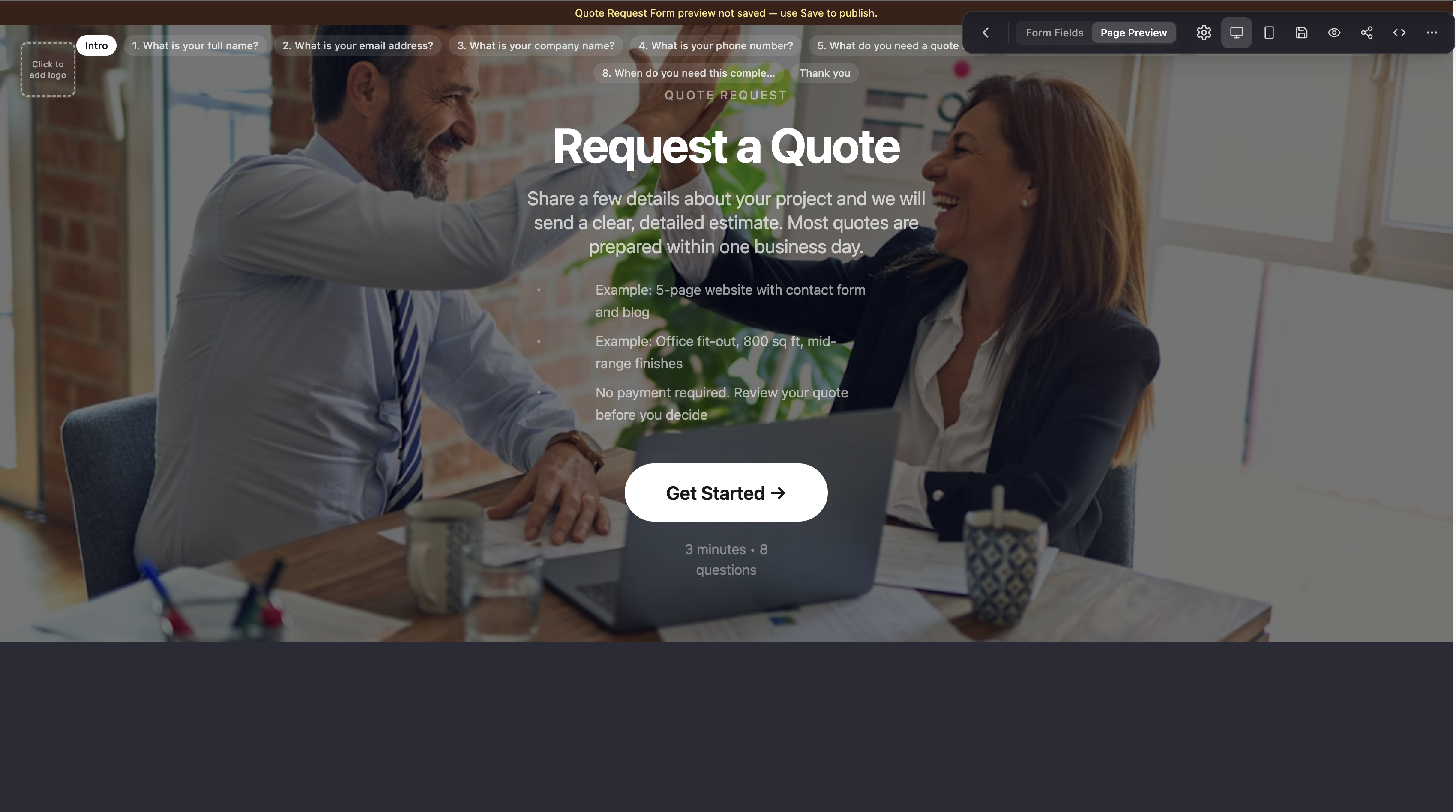
Head to the Formgrid templates page and open the Quote Request template. It is a multi-step form built for exactly the kind of lead capture most small businesses and freelancers need: contact details on the first step, project or service details on the second, and budget or timeline on the last. Instead of a bare form on a white page, it loads as a complete landing page with your form embedded inside it.
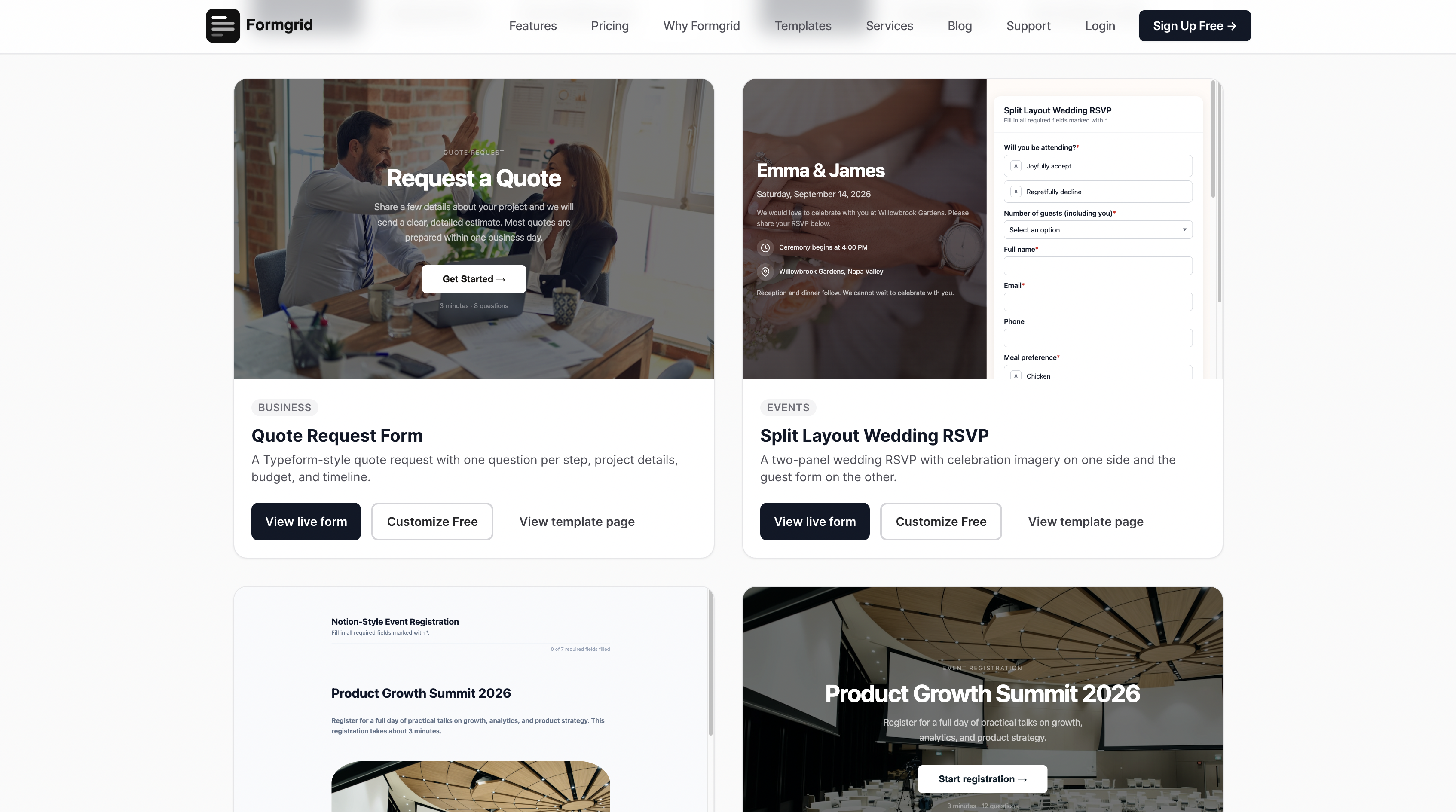

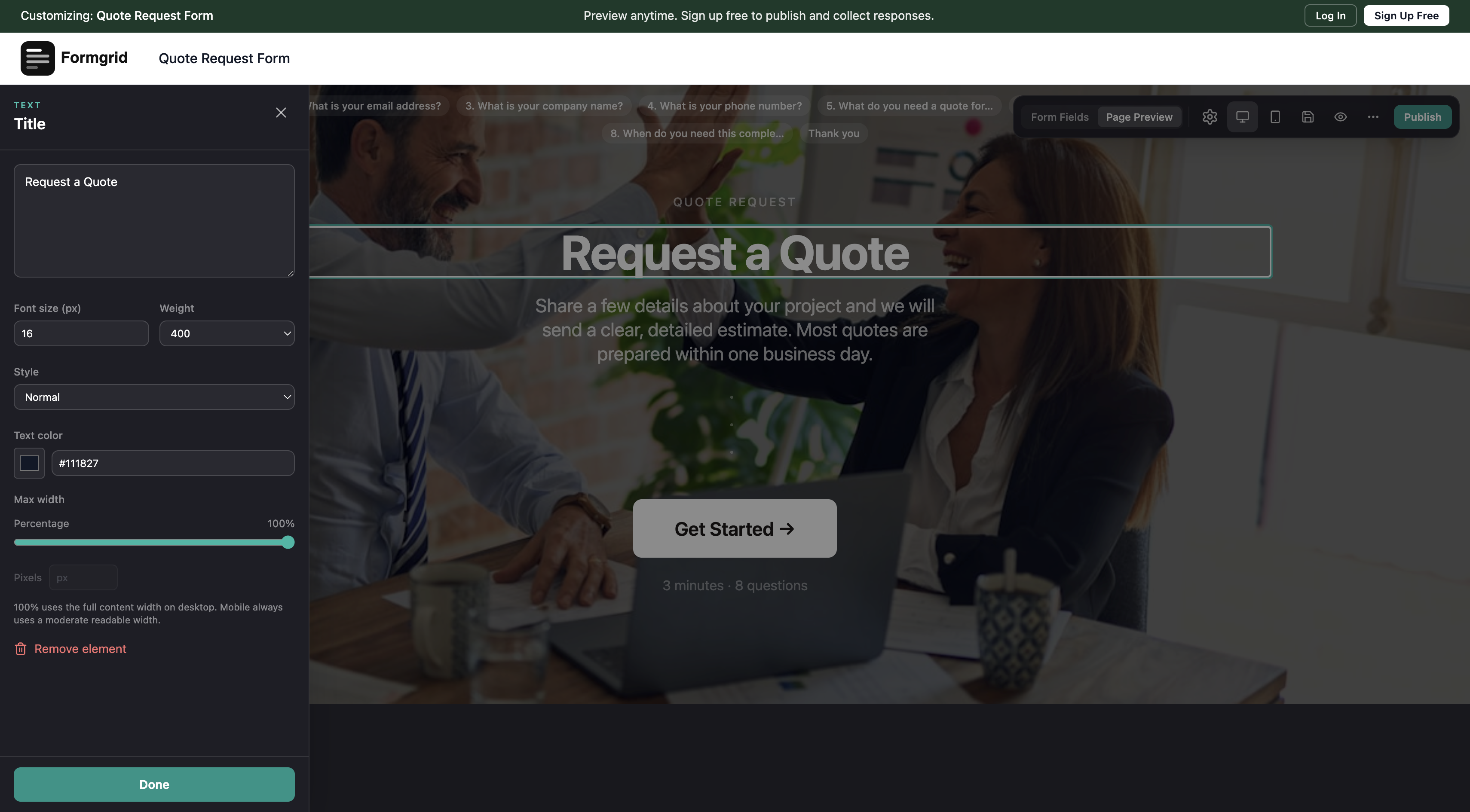
You can try the anonymous builder right there in the browser. Change the headline, edit the steps, swap the color, and preview exactly what your visitor will see before you ever create an account. Only when you are happy with it do you click Save, at which point you are prompted to sign up.
You can also switch any multi-step form into a conversational layout, one question at a time, with a progress bar and animated transitions between fields, the style Typeform is known for and Google Forms does not offer at all. It is a toggle in the builder rather than a separate product, so you keep the same submissions, notifications, lead tracking, and Google Sheets sync either way.
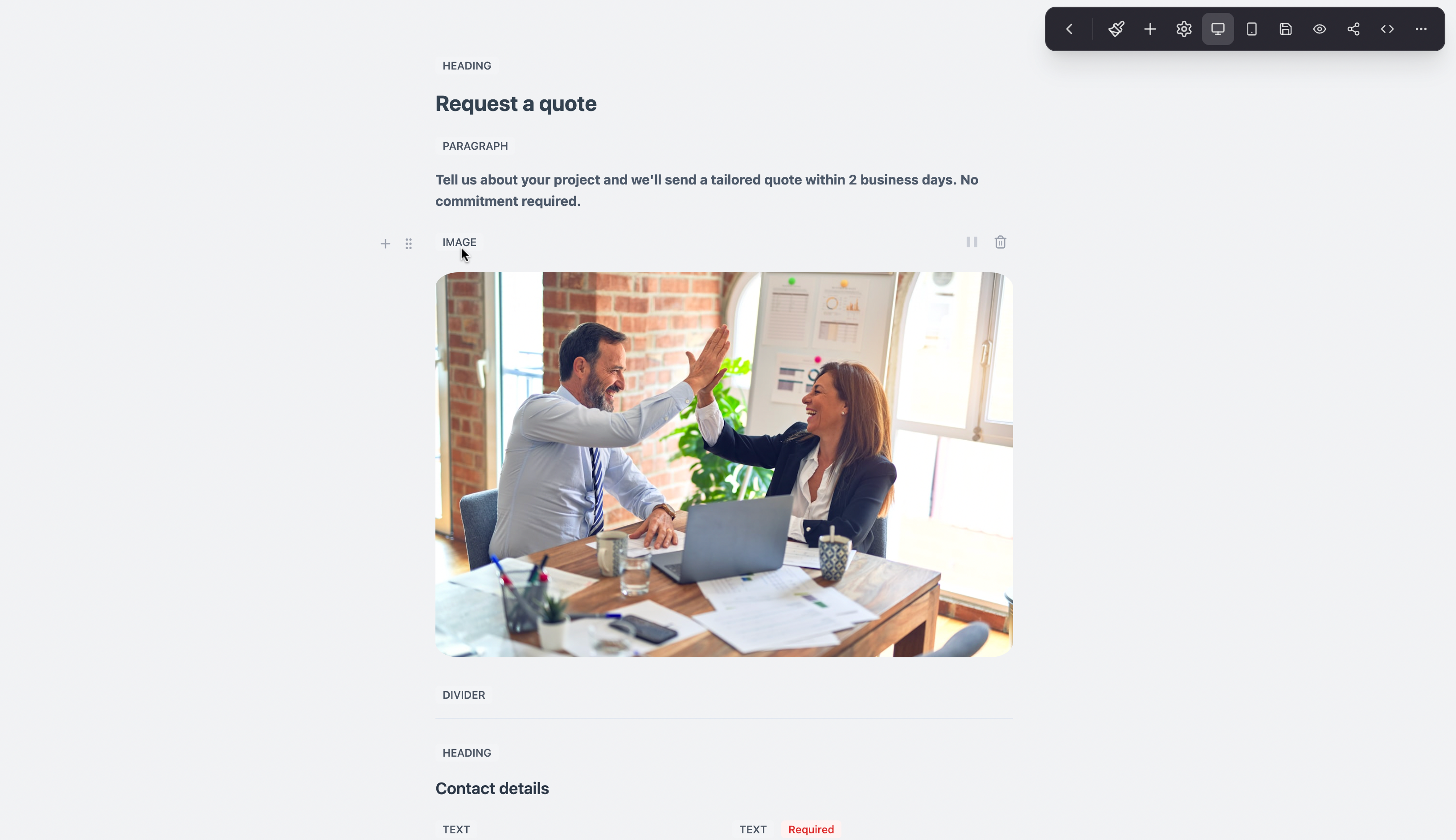
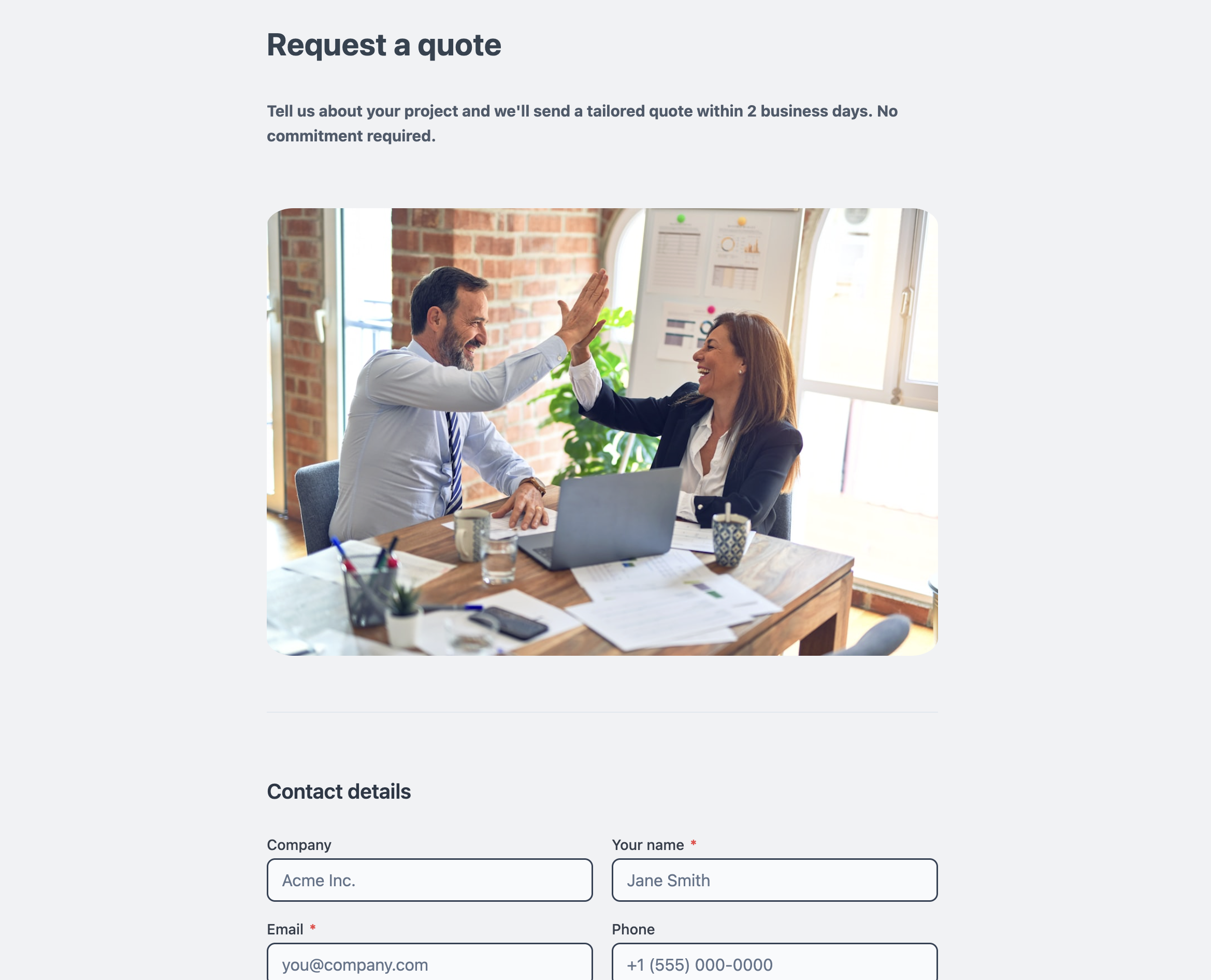
You can view and customize this template here.
Option C: build a blank form from scratch
If a template does not fit your use case, Formgrid also has a blank form document mode for building something fully custom.
Blank forms support:
- Column widths, so you can lay out fields side by side instead of stacking everything vertically
- Page break blocks, letting you turn any blank form into a multi-step form
- Borderless document mode, which strips the card styling and lets a form read like a plain document
- Six content blocks: heading, paragraph, image, divider, video, and embed, so you can add real context between your fields instead of a bare list of inputs, something Google Forms has no equivalent of
For a more visual layout, there is also a Split Layout template, which pairs your form fields on one side with an image or brand panel on the other.
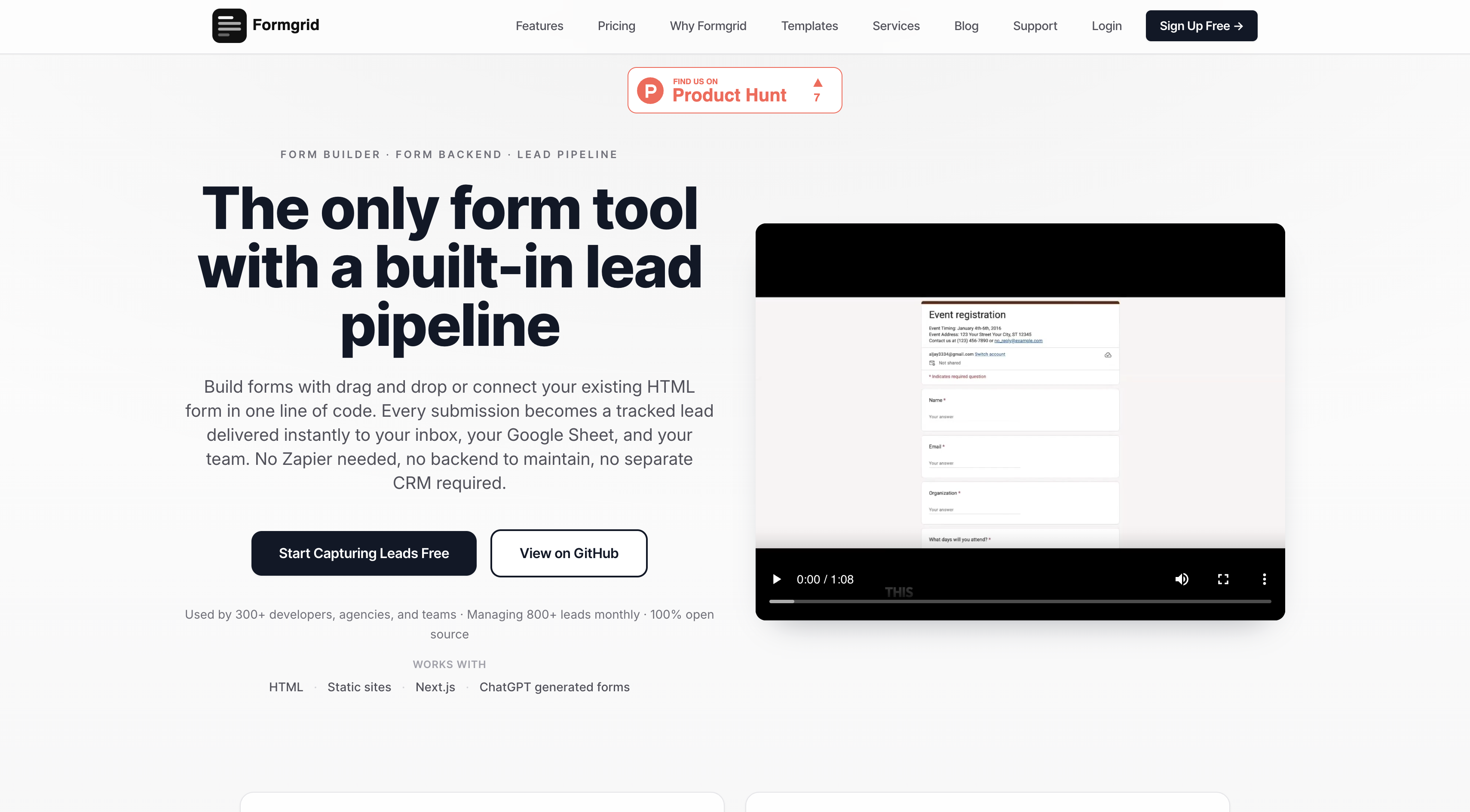
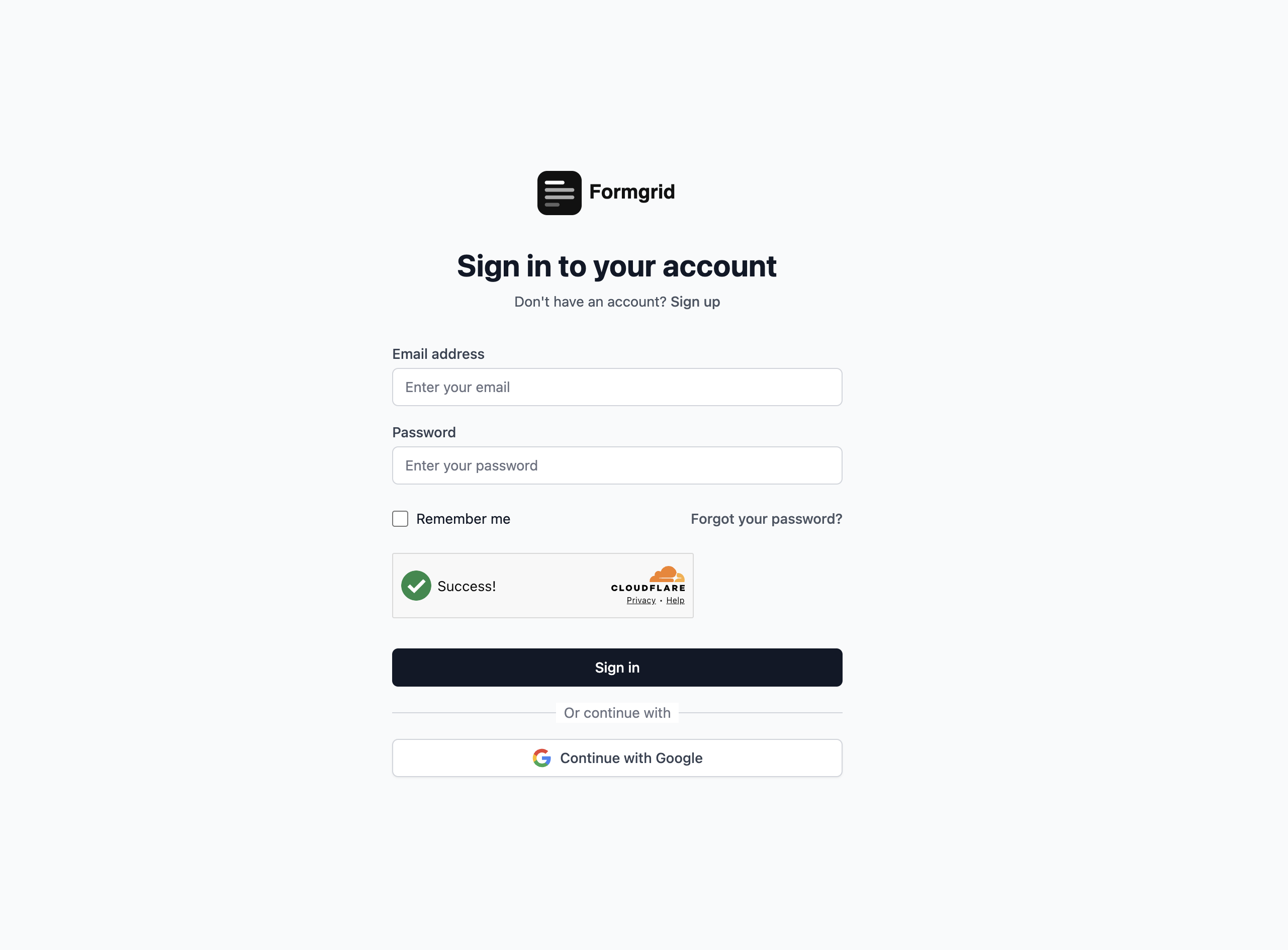
Step 1: sign up and create a form
Head to formgrid.dev and sign up using Google or email. No credit card required.
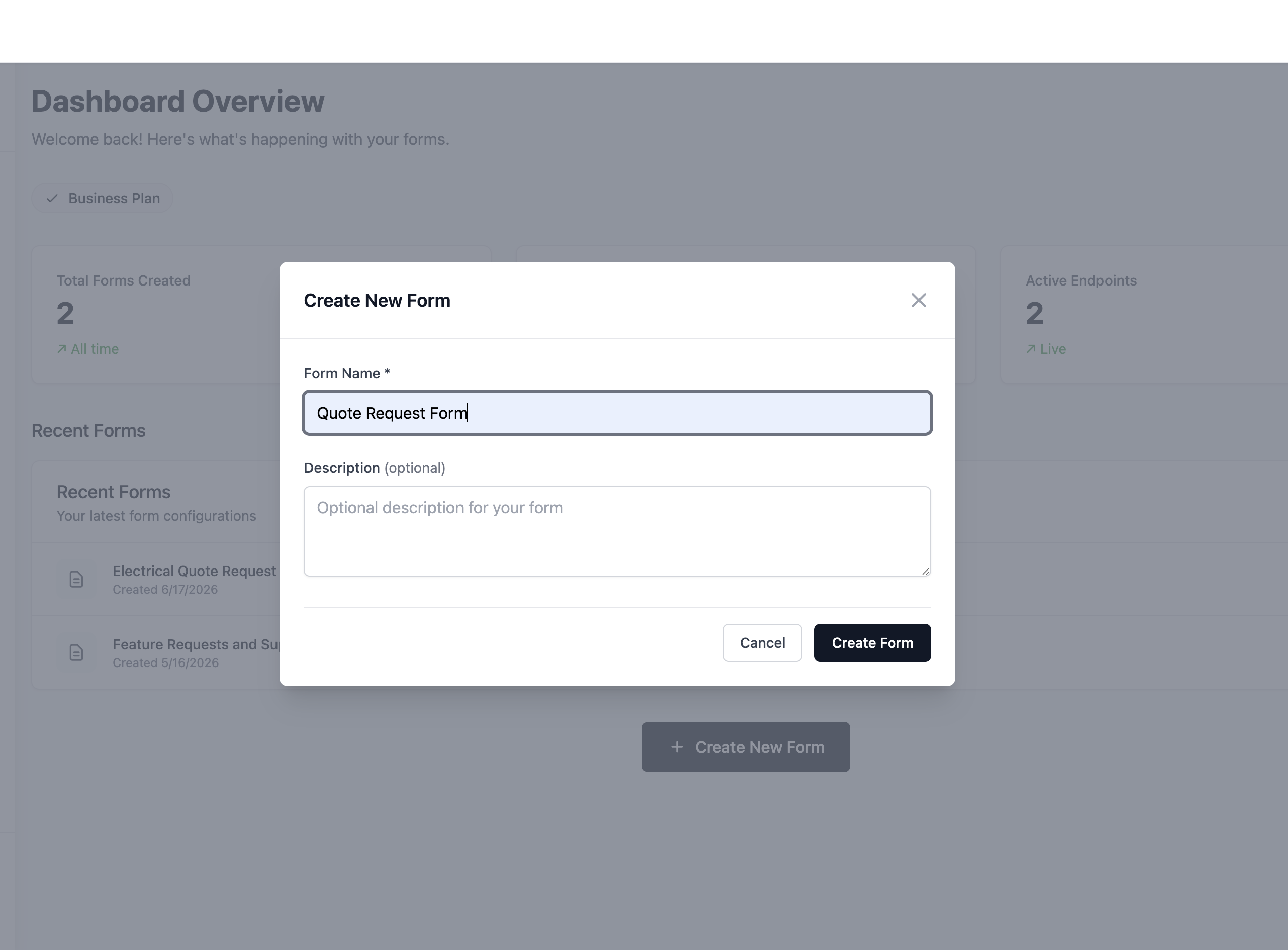
Once logged in, you will land on your dashboard. Click New Form to get started, or open a template you already customized in the anonymous builder.
Step 2: choose your path
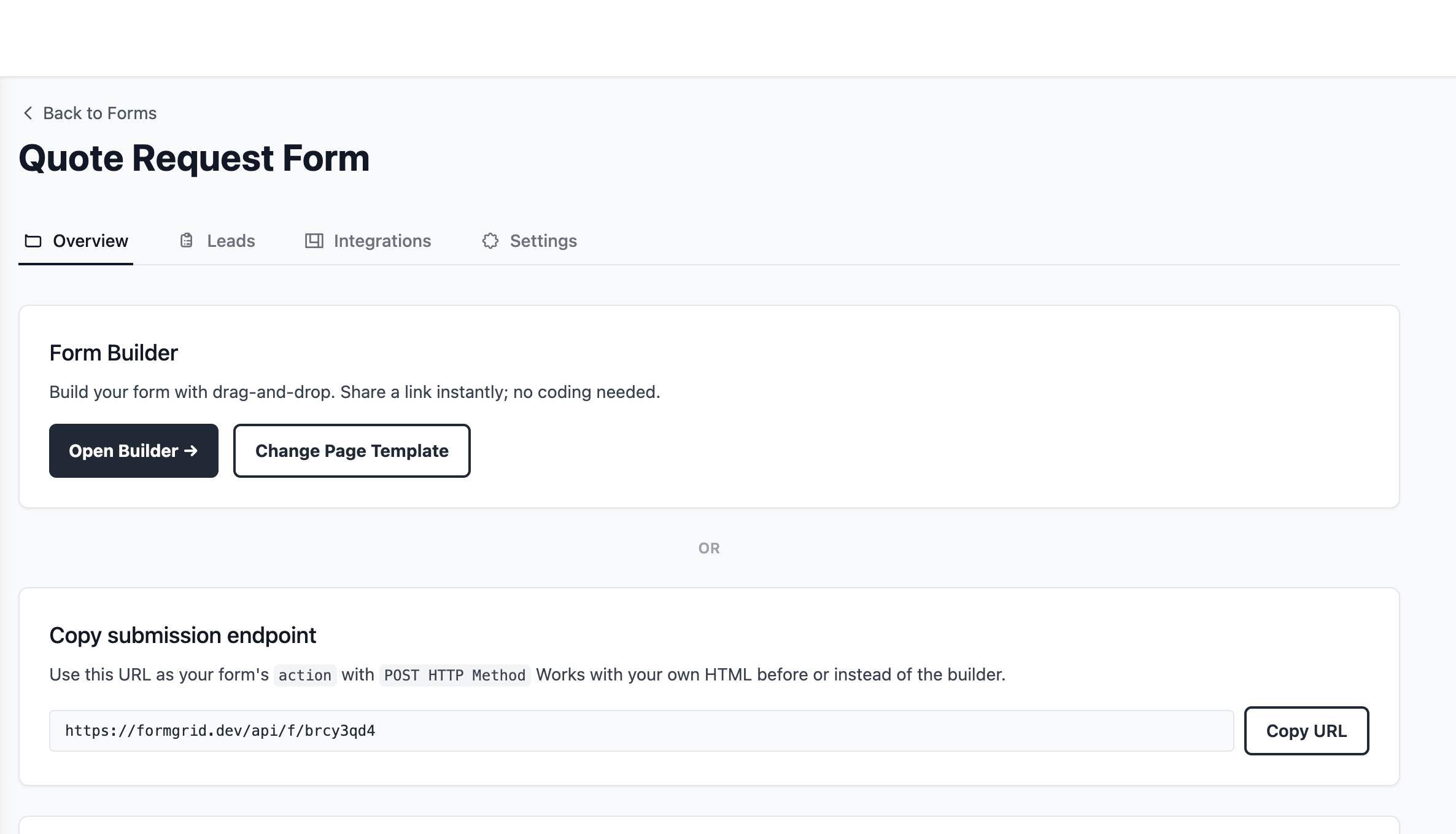
After creating your form, you will be taken to the form overview page, where you can either build with the form builder, opening the drag and drop editor from a blank document or a template, or use the endpoint URL, which gives you the URL to point your existing HTML form at.
Step 3: build your form
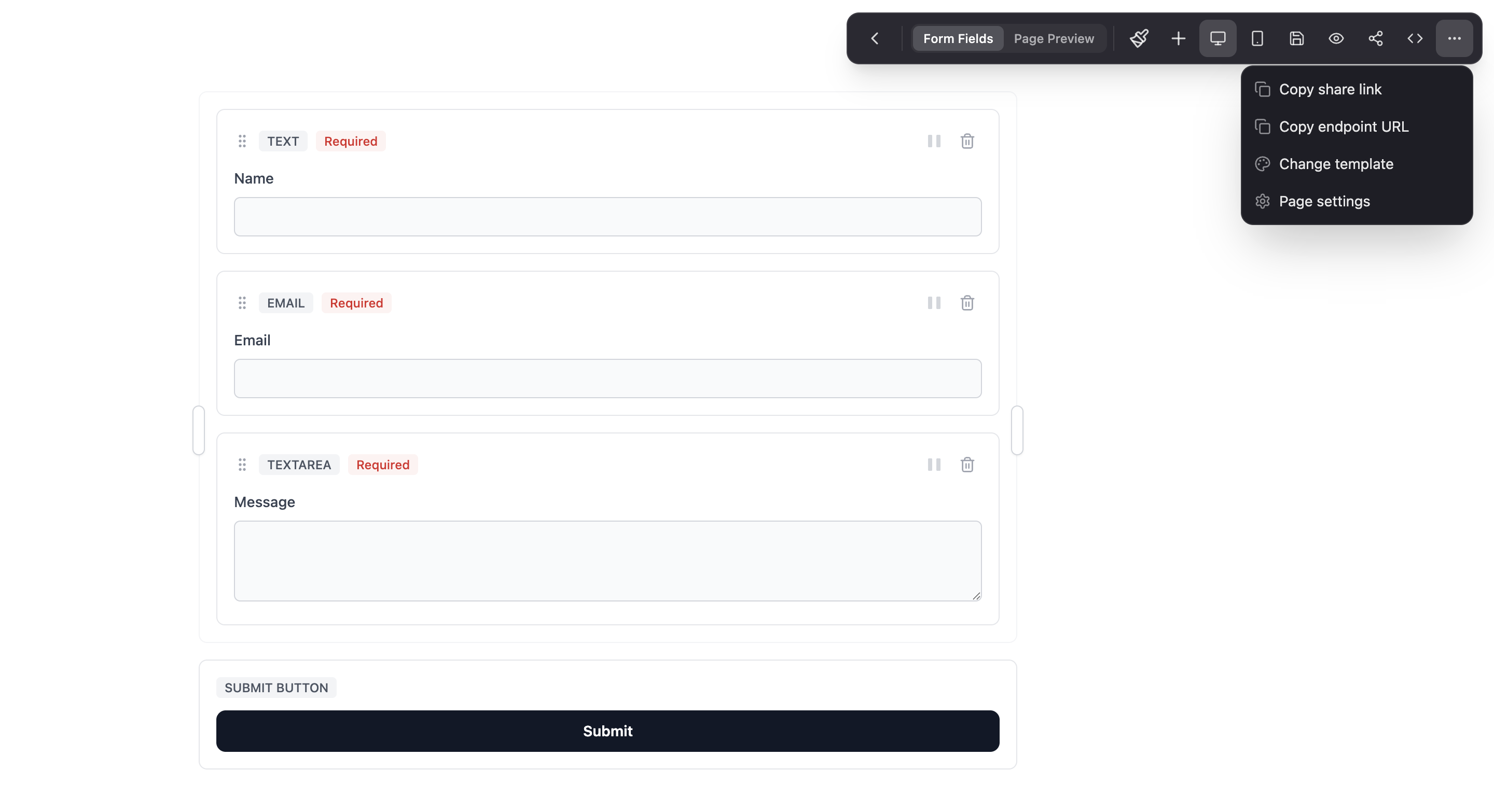
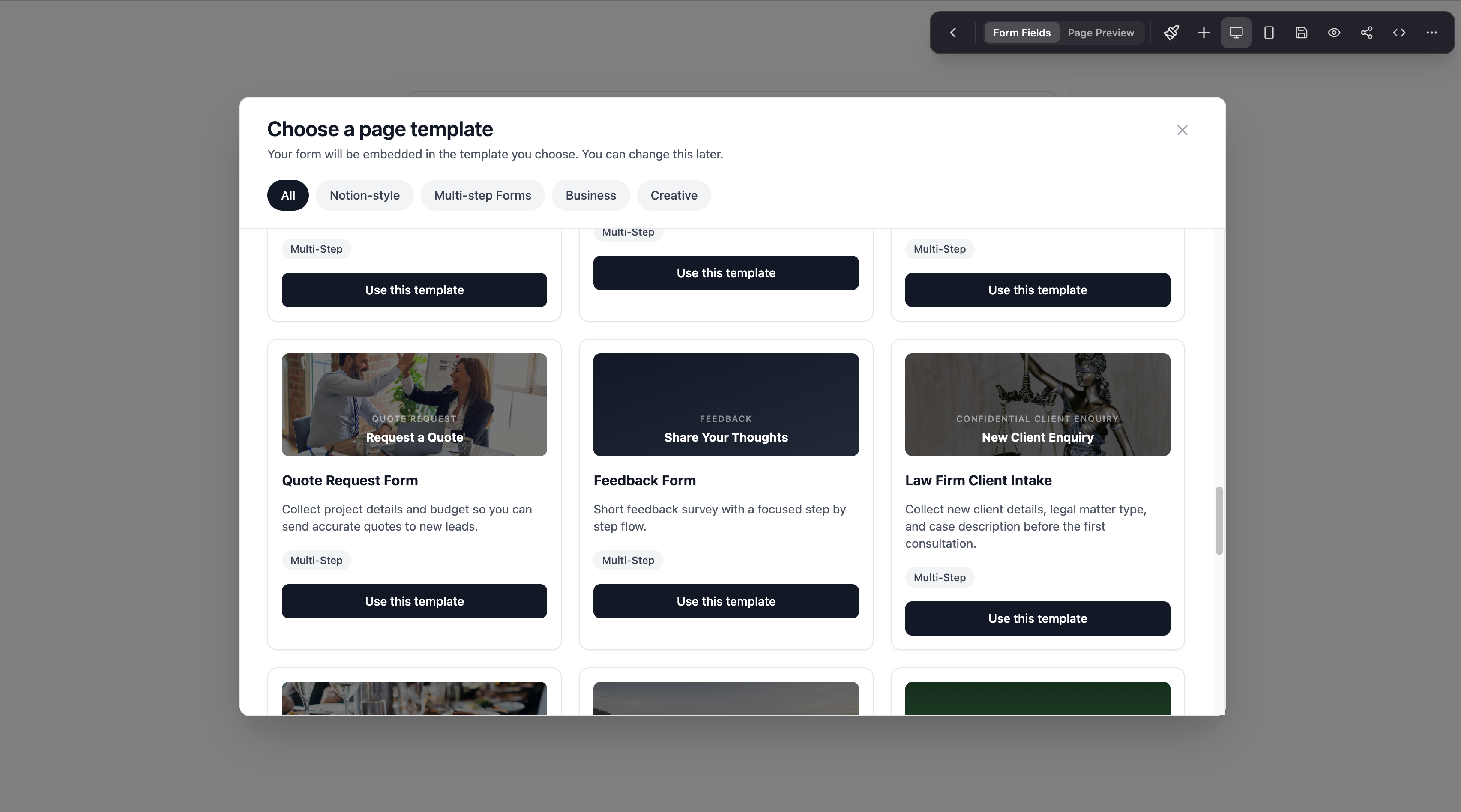
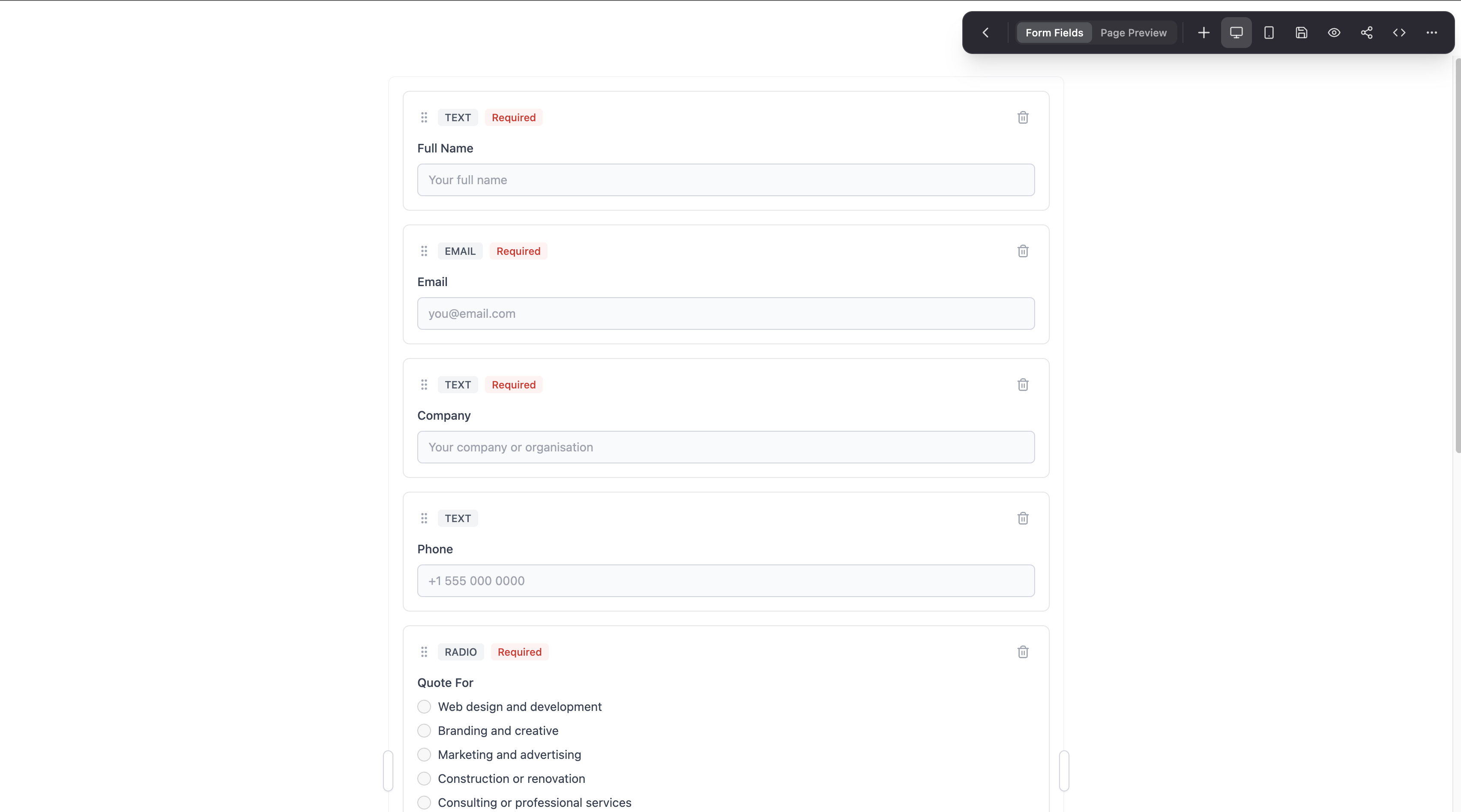
Drag fields from the left panel onto the canvas: text fields, email fields, dropdowns, checkboxes, file uploads, and more. If you started from the Quote Request template, each step already has fields grouped logically, and you can add or remove a page break at any point.
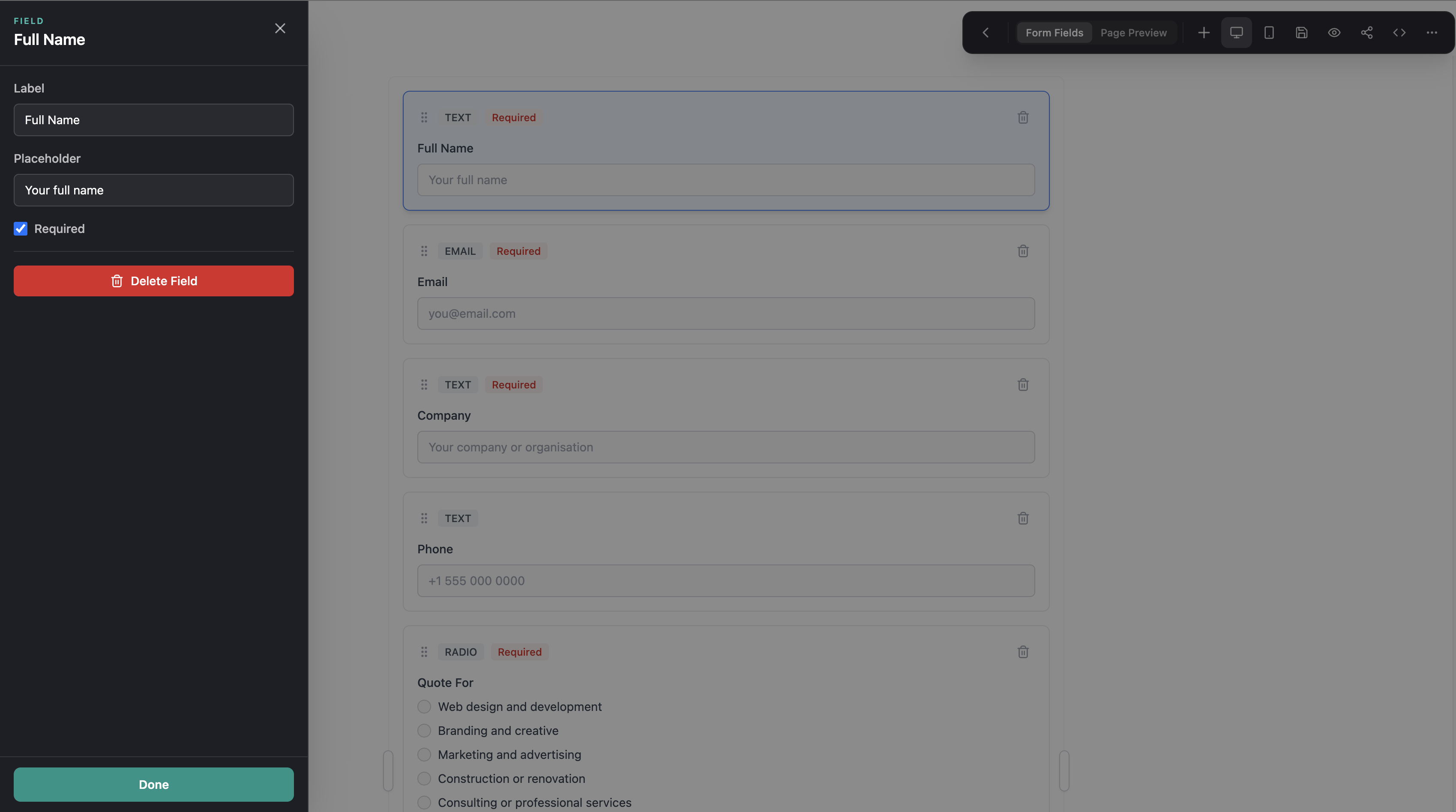
Each field is fully customizable. Click any field to edit its label, placeholder, required status, and validation rules.
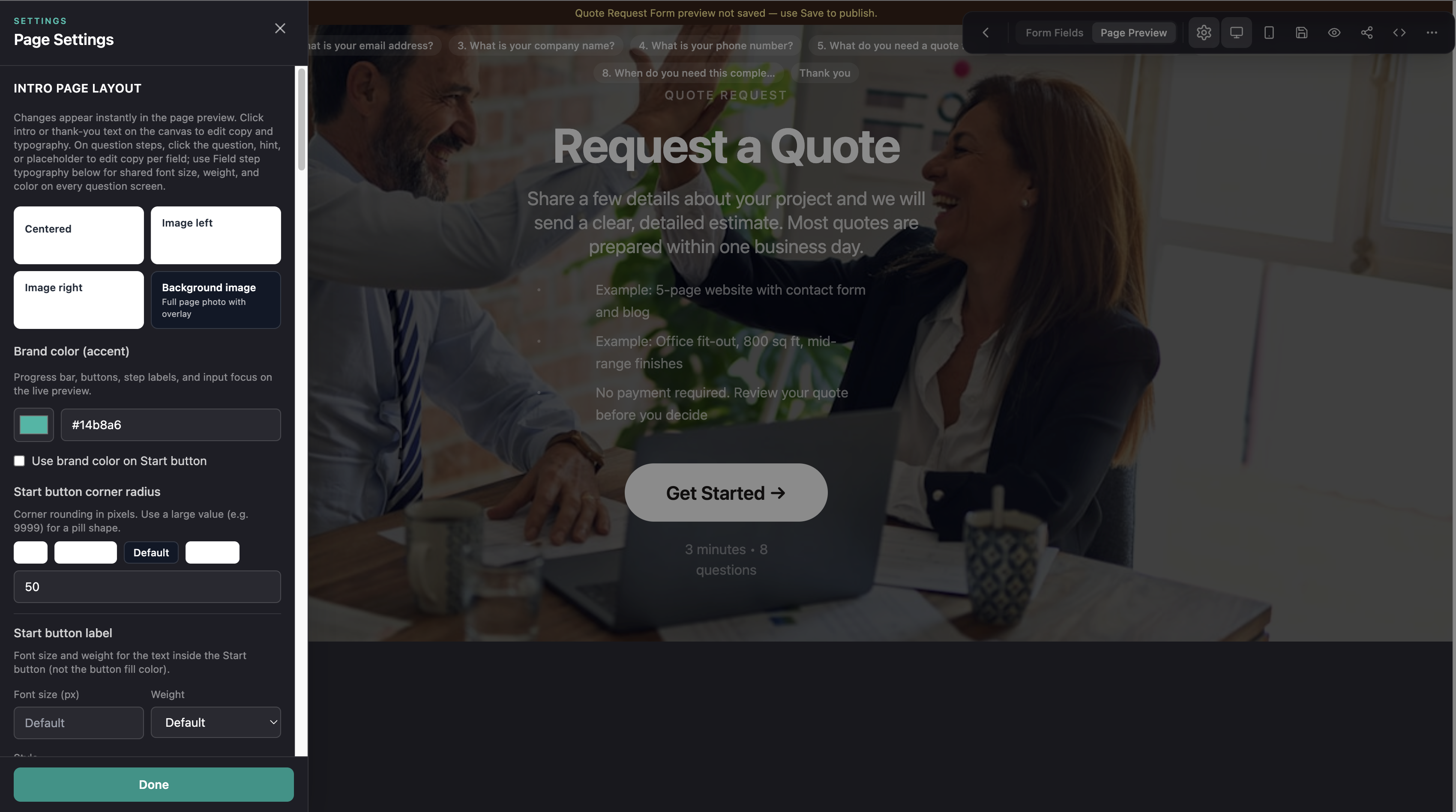
Step 4: customize your brand
Formgrid includes a color picker so you can match the form to your brand or your client's brand. Change the primary color, background, and button style directly in the builder.
If you are on the Premium plan, you can also connect a custom domain, so your shareable form link reads as forms.yourbusiness.com instead of formgrid.dev. Every form page also ships with proper OG and SEO meta tags out of the box, so links preview correctly when shared on LinkedIn, Slack, or WhatsApp.
Every form you share looks like it belongs to your brand, not like a generic third-party tool, and definitely not like a Google Form.
Step 5: preview and share
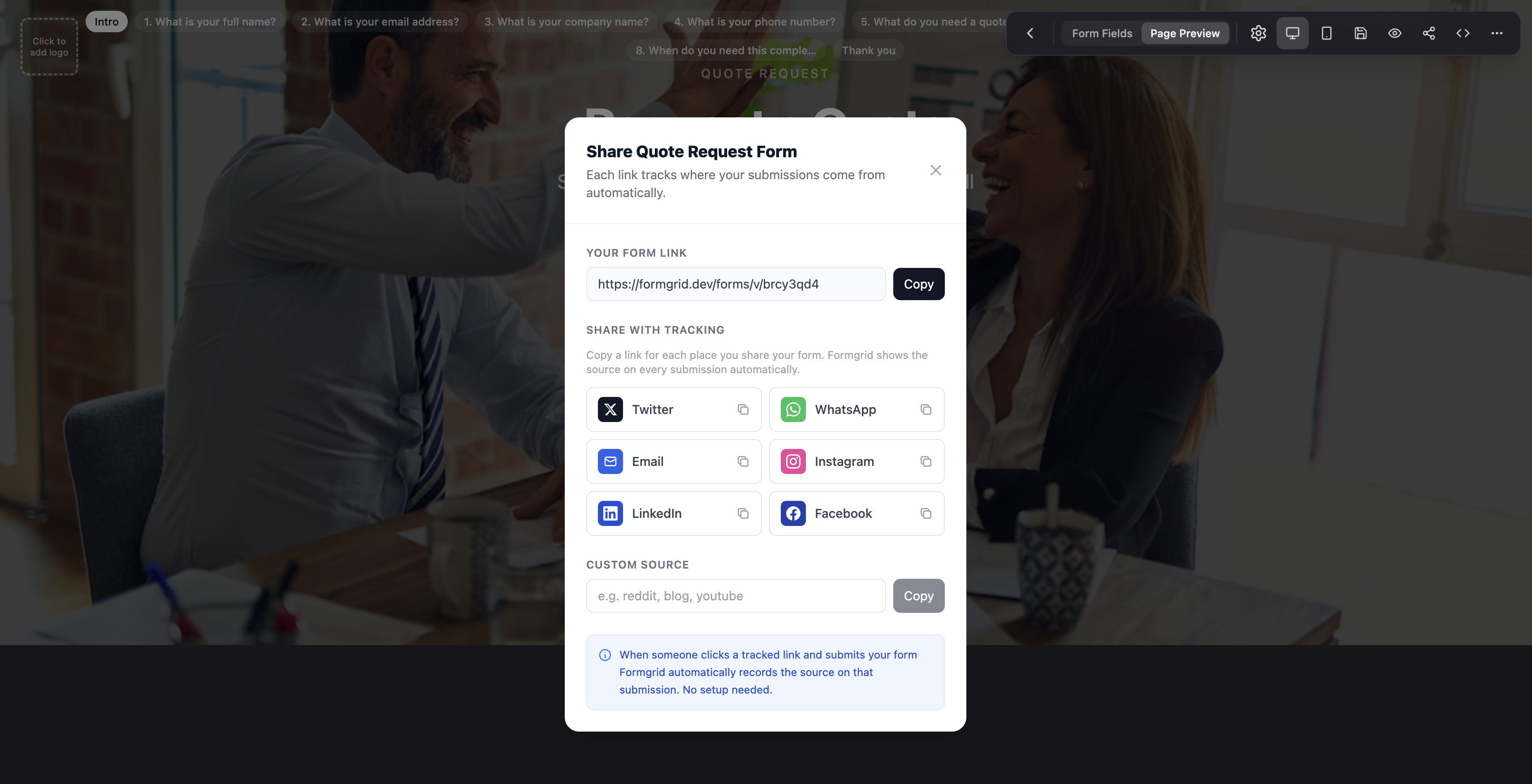
Once you are happy with the form, click Preview to see exactly how it looks to your users. When it is ready, click Share to get your shareable form link.
You can send that link via WhatsApp, email, SMS, or embed it on any website. No code, no hosting, just a link, and it is a real landing page, not a bare Google Form.
Step 6: configure settings
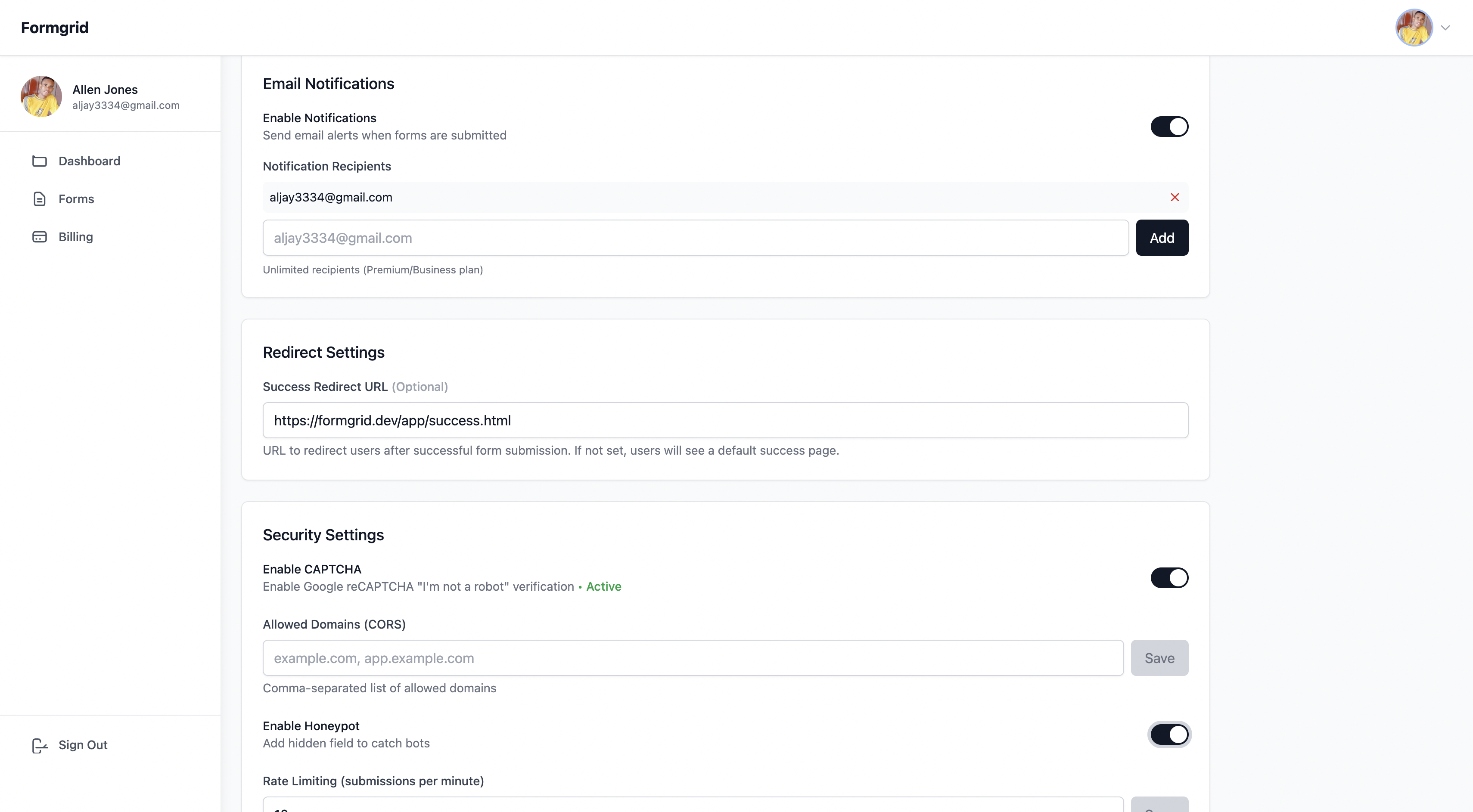
Go to the Settings tab on your form to:
- Add notification email addresses. Notifications go to the address you signed up with by default, and you can add more if you want teammates or clients to be notified too
- Enable spam protection with a honeypot and rate limiting built in
- Set a custom redirect URL after submission
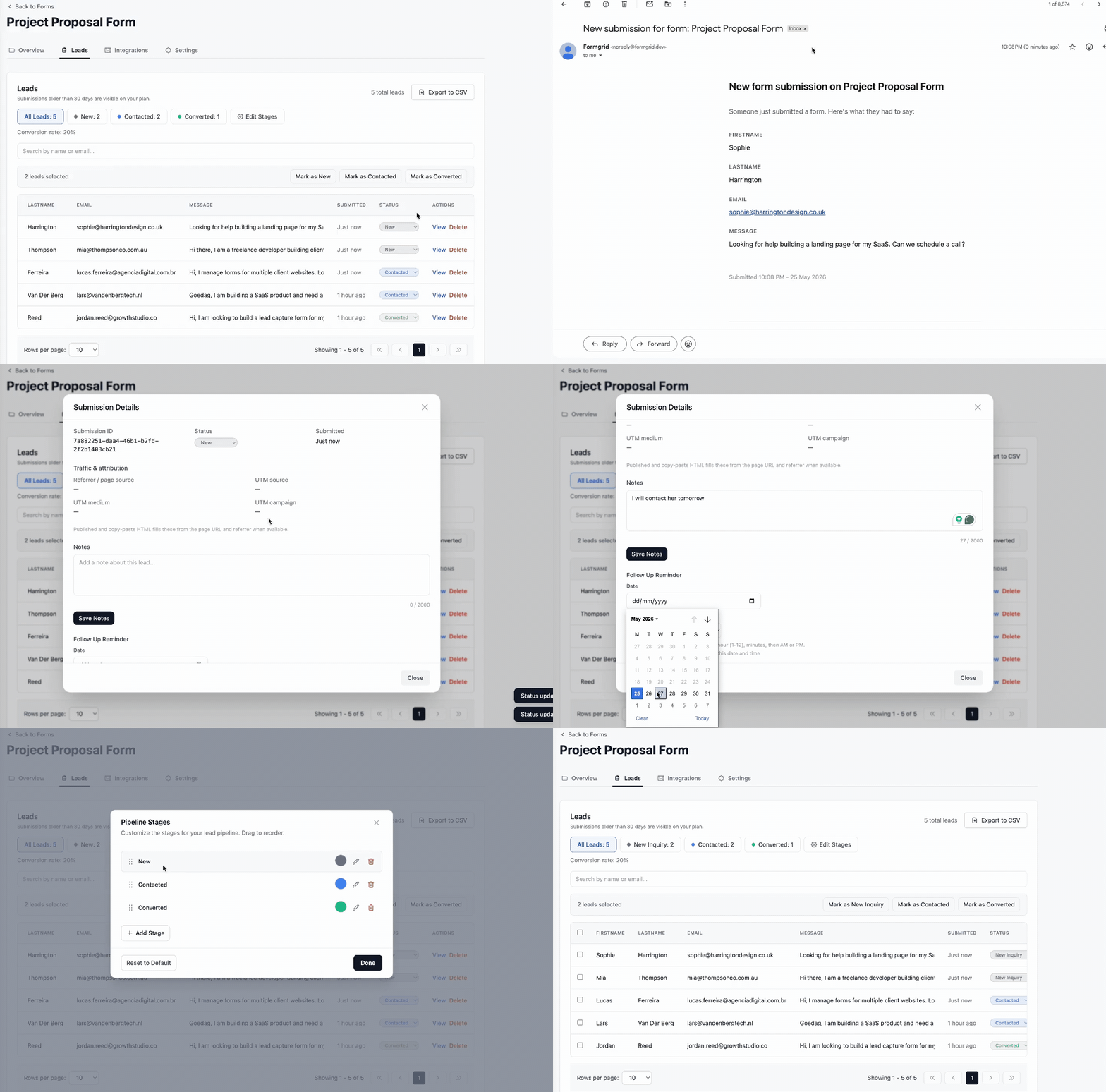
Step 7: get notified the moment someone submits, and see it as a lead
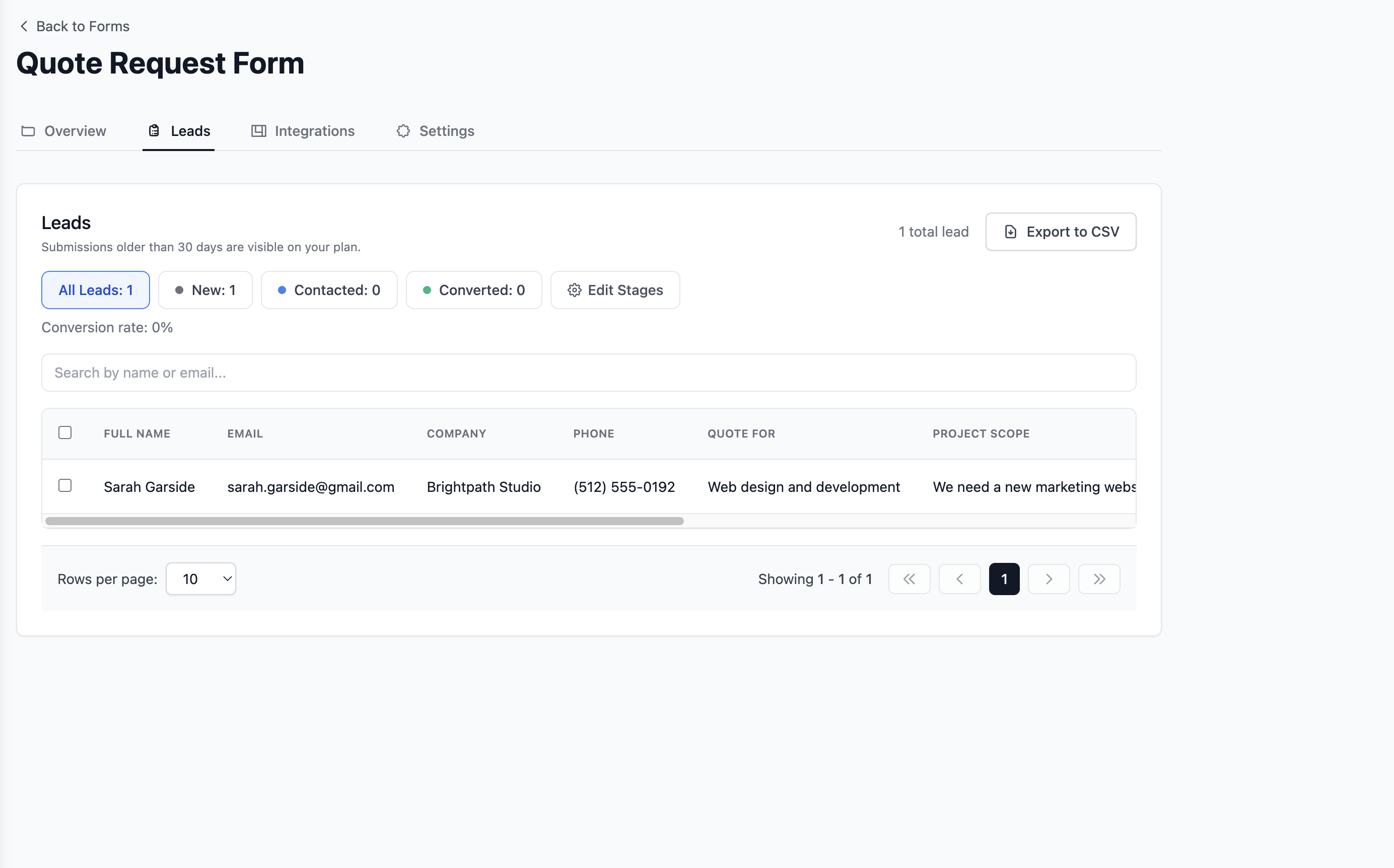
Every submission triggers an instant email notification to the addresses you added in Settings, something Google Forms does not do by default. You do not need to log in to your dashboard to know a form was filled out, but every submission also lands in your dashboard as a lead you can move through New, Contacted, and Converted.
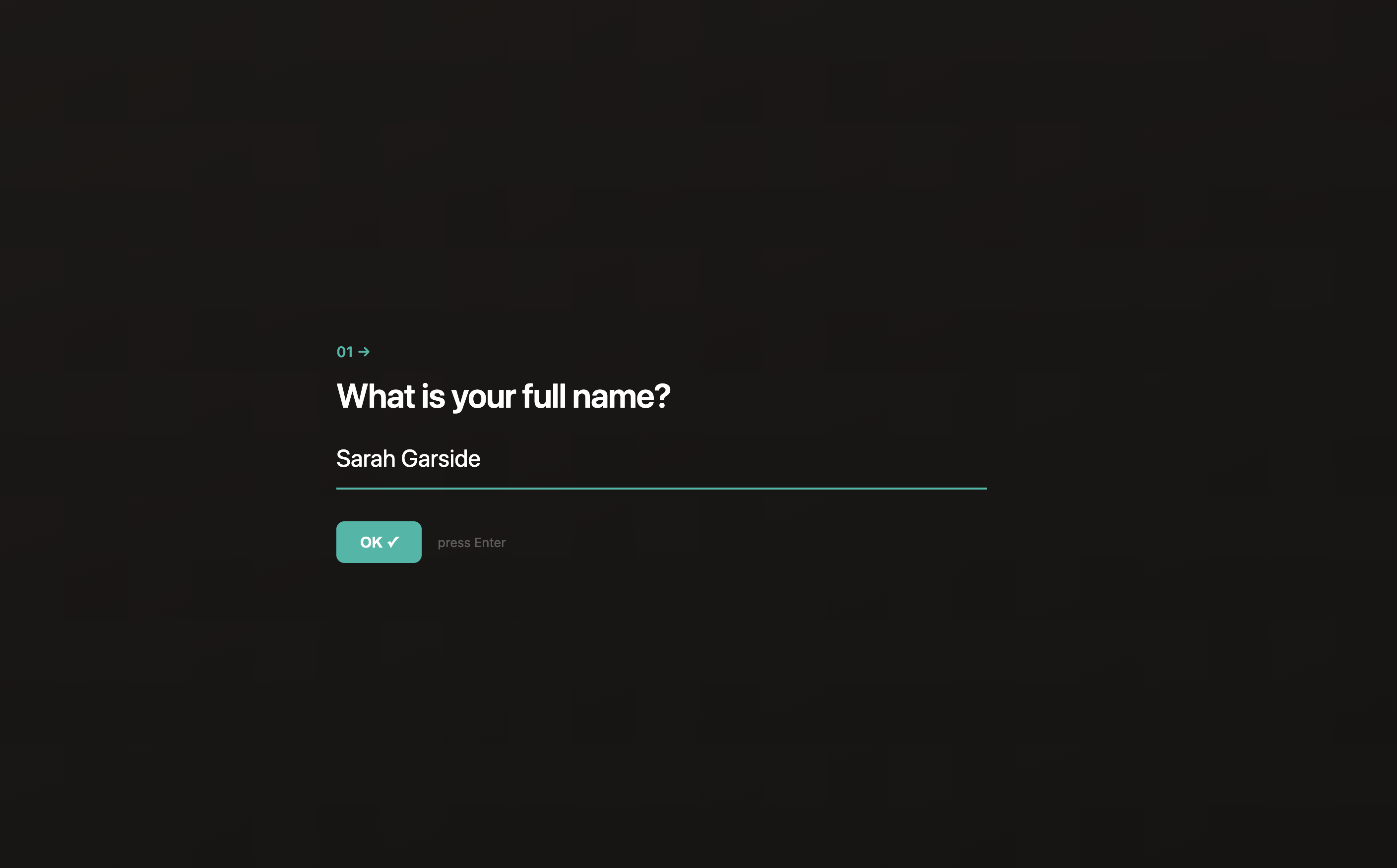
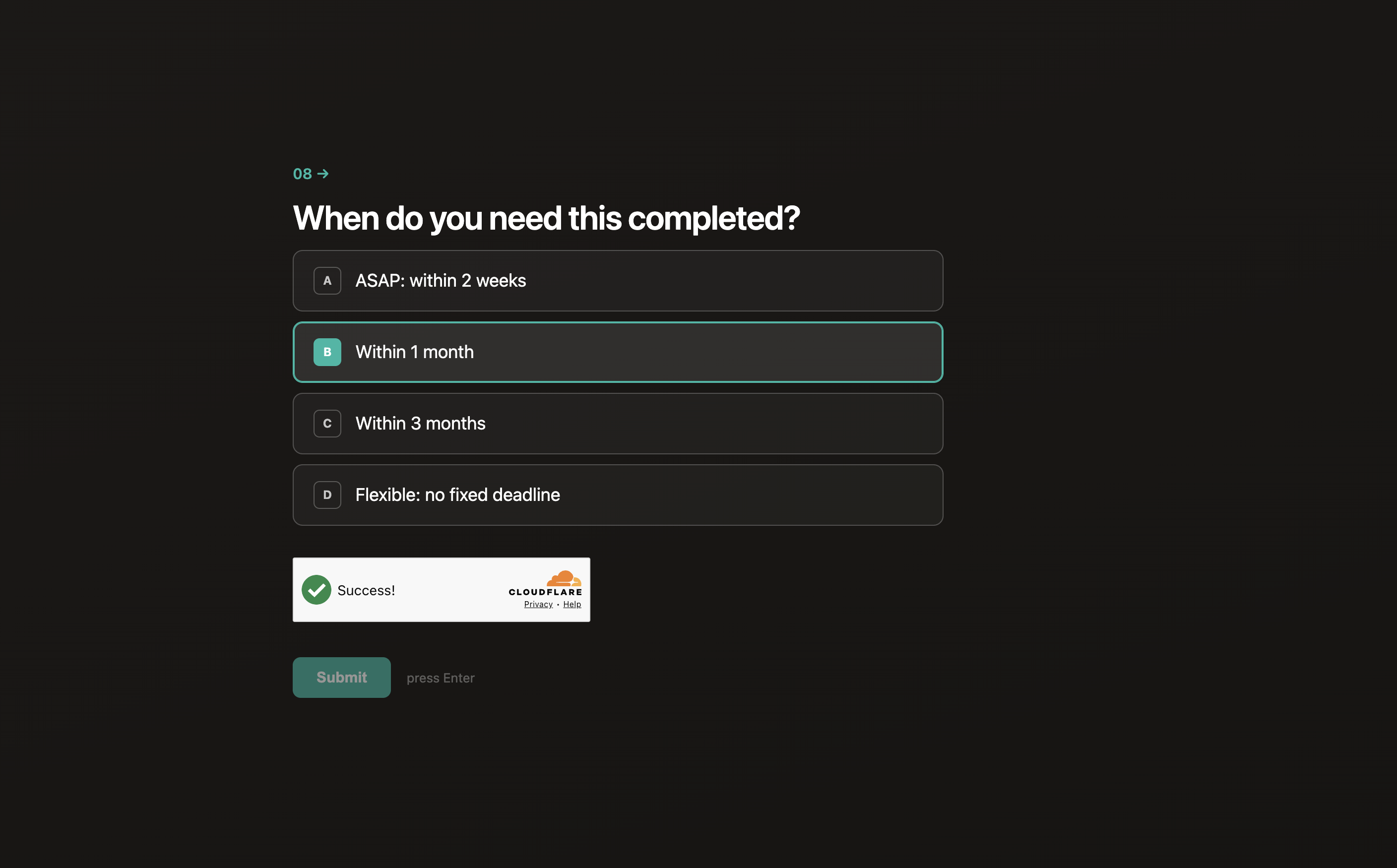
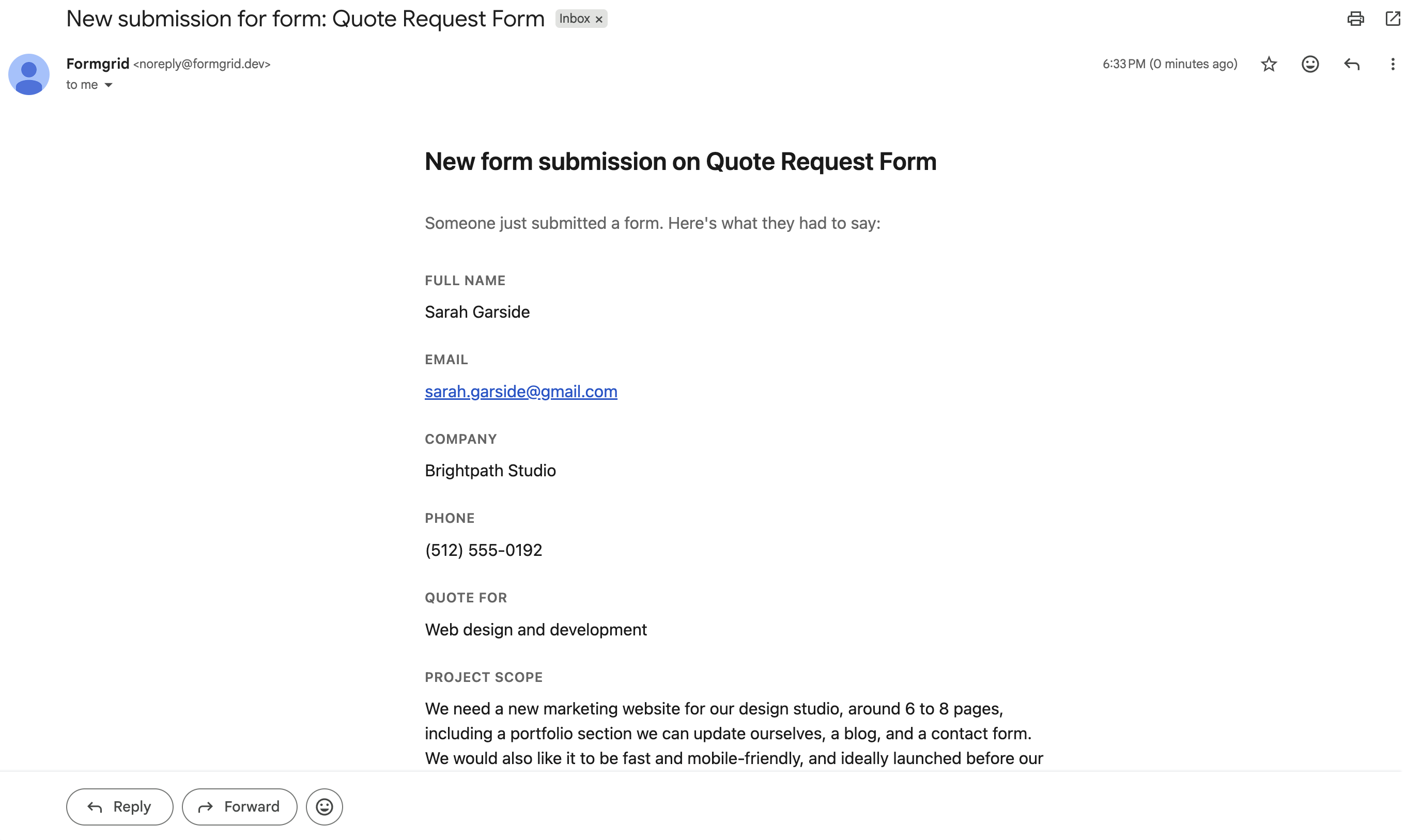
The email includes every field the respondent submitted, formatted so you can scan it in a few seconds, along with the time it was submitted.
If you are on the Business plan, these notification emails are sent from your own custom domain instead of a formgrid.dev address, so they land in your client's inbox looking like they came directly from you.
Step 8: work the lead, not just the submission
All submissions are stored in your Formgrid dashboard as leads, not just a static list, and not just rows in a spreadsheet the way Google Forms leaves you with. Go to the Submissions tab to view, search, filter, and export your data as a CSV, or open any individual lead to add a note, set a follow-up reminder, and update its status as you work it.
Key features
- Landing page templates for different industries
- Multi-step conversational forms built in, no Typeform needed
- Try before you sign up: templates open in an anonymous builder so you can customize before creating an account
- Drag and drop form builder with shareable link
- Blank form document mode with column widths, borderless layout, and six content blocks
- HTML form endpoint for static sites
- File uploads from anyone without a Google account
- Instant email notifications
- Built in lead pipeline: New, Contacted, Converted
- Notes and follow-up reminders on every lead
- Conversion rate tracking
- Custom domain support on Premium, plus built in OG and SEO meta tags on every form
- Free captcha and bot protection on all plans, something Google Forms has none of
- Google Sheets sync without Zapier, alongside notifications and lead tracking Google Forms does not offer
- CSV export
- Color picker for brand matching
- Self-hostable with Docker
- 100% open source under MIT license
- GDPR friendly with no tracking and no data selling
Pricing
| Plan | Price | Submissions |
|---|---|---|
| Free | $0/month | 50/month |
| Premium | $12/month | 1,000/month |
| Business | $29/month | 15,000/month |
The bottom line: Google Forms is free but it gives you a bare form that looks nothing like your brand, sends no instant notifications, offers no bot protection, and has no lead management. Formgrid gives you a complete branded landing page, multi-step conversational forms, instant email notifications, free captcha, a lead pipeline, and Google Sheets sync starting at $12 per month.
That is the difference between a Google Form and a Formgrid landing page.
Try a template free. No account needed to start customizing.
2. Tally: Clean Free Form Builder
Best for: non-technical users who want a clean, minimal form experience at no cost.
Tally is a popular alternative with a simple interface. Their free plan is genuinely useful, with unlimited forms and unlimited responses, though some features are locked behind the paid plan.
Key features
- Unlimited forms and responses on the free plan
- Conditional logic
- File uploads on paid plan
- Notion integration
- Embeddable forms
Pricing: free plan available, paid plan at $29 per month.
Tradeoff: no landing page templates, no multi-step forms on the free plan, no HTML form backend, no bot protection, no self-hosting, no instant email notifications by default, no open source. Forms look like Tally forms, not like your brand.
3. Typeform: Best for Conversational Forms
Best for: marketers who want a beautiful conversational form experience for surveys and lead generation.
Typeform pioneered the one question at a time conversational format. It produces high completion rates for surveys and research forms, and the design is genuinely polished.
Key features
- Conversational one question at a time format
- Beautiful design templates
- Logic jumps and conditional branching
- Payment integrations
- Data analysis
Pricing: free plan limited to 10 responses per month, paid plans start at $25 per month.
Tradeoff: extremely limited free plan, no HTML form backend, no landing page templates, no bot protection, no self-hosting, no open source, overkill and overpriced for simple contact forms or event registrations.
Worth noting: Formgrid now includes multi-step conversational forms built in at no extra cost. If the multi-step format is the main reason you are considering Typeform, Formgrid covers that use case at a fraction of the price.
4. Jotform: Most Feature-Rich
Best for: businesses that need advanced form logic, payment integrations, and a full form management suite.
Jotform is the most feature-rich form builder on this list. Hundreds of templates, payment integrations, conditional logic, approval workflows, PDF generation, and e-signatures. If you need advanced functionality, Jotform has it.
Key features
- Thousands of templates
- Payment integrations
- Conditional logic
- PDF generation
- E-signatures
- Approval workflows
Pricing: free plan available with 100 monthly responses, paid plans start at $34 per month.
Tradeoff: expensive, no HTML form backend, no self-hosting, no open source, significant overkill for most small businesses and event organizers.
5. Web3Forms: Lightweight Form Backend
Best for: developers who just need a simple form endpoint for their static site with no frills.
Web3Forms is a lightweight form backend service. No form builder, no landing page templates, just an endpoint URL you point your HTML form at.
Key features
- Simple HTML form endpoint
- Email notifications
- Spam protection
- Free plan available
Pricing: free plan available, Pro plan at $18 per month.
Tradeoff: no form builder, no landing page templates, no multi-step forms, no lead management, no submission dashboard on the free plan, no self-hosting.
Side by Side Comparison
| Feature | Google Forms | Formgrid | Tally | Typeform | Jotform |
|---|---|---|---|---|---|
| Form builder | Yes | Yes | Yes | Yes | Yes |
| Landing page templates | No | Yes | No | No | No |
| Multi-step forms | No | Yes | Paid | Yes | Yes |
| Conversational one question format | No | Free | Paid | Paid | No |
| HTML form endpoint | No | Yes | No | No | No |
| File upload without a Google account | No | Yes | Paid | Paid | Paid |
| Instant email notifications | No | Yes | No | Yes | Yes |
| Lead pipeline | No | Yes | No | No | No |
| Follow up reminders | No | Yes | No | No | No |
| Custom domain | No | Premium | No | Paid | Paid |
| Built in captcha | No | Free | No | No | Paid |
| Google Sheets sync | Yes | Yes | Paid | Paid | Paid |
| Self-hostable | No | Yes | No | No | No |
| Open source | No | Yes | No | No | No |
| Custom branding | No | Yes | Paid | Paid | Paid |
| Free submissions | Unlimited | 50/month | Unlimited | 10/month | 100/month |
| Starting price | Free | $12/month | $29/month | $25/month | $34/month |
| GDPR friendly | Partial | Yes | Partial | Partial | Partial |
Which One Should You Use?
Use Formgrid if you want a form that looks like a real business page, not a Google Form, you want multi-step or conversational forms without paying for Typeform, you are an event organizer, tradesperson, or small business owner who shares form links with customers or participants, you need file uploads from people without a Google account, you want instant email notifications when someone submits, you are getting spam and want free captcha protection without writing backend code, you want Google Sheets sync without Zapier or paying extra, you need a form backend for your existing HTML site, or you care about open source and self-hosting.
Use Google Forms if you need something completely free with unlimited responses and branding or design do not matter, since you are collecting internal data or running simple surveys.
Use Tally if you want a clean, minimal form builder for free, you are a Notion user, and you do not need landing page templates or an HTML form backend.
Use Typeform if you need a conversational one question at a time experience with advanced logic and branching, and visual design is your top priority regardless of budget.
Use Jotform if you need advanced logic, payments, approval workflows, and PDF generation, and budget is not a constraint.
Final Thoughts
Google Forms is genuinely useful for basic internal surveys and simple data collection. If that is all you need, it is hard to argue against free.
But the moment you need your form to look professional, collect file uploads from anyone without a Google account, send you an instant email when someone submits, protect you from spam bots, give you a multi-step conversational experience, or give participants a page that reflects your brand and event, Google Forms falls short.
Formgrid is the only tool on this list that combines landing page templates, multi-step conversational forms, an HTML form backend, instant email notifications, free captcha protection, Google Sheets sync, and a submissions dashboard, starting at $12 per month.
Browse templates and start building free. No account needed to try it.
Full disclosure: I built Formgrid. I wrote this comparison as honestly as I could. If anything looks inaccurate, let me know in the comments.
Comments
Leave a comment