Sign up
Create a free Formgrid account
Sign up with Google or email. No credit card required. You land on the dashboard ready to create a form.
Form to Notion
Connect any form to a Notion database in minutes. No Zapier, no custom code, no copying from email. Every submission becomes a new page, with properties created from your fields.
Works with Formgrid’s form builder and with HTML forms you already have on your site.
Free plan includes 10 Notion pages to test. No credit card required.
Prefer a click-by-click walkthrough? Read the full guide.
A visitor fills out your form. The submission lands in an inbox, separate from the workspace where you manage clients, projects, and leads. Someone has to notice the email, copy the details, and paste them into Notion. On a busy week, that step gets skipped.
It works, but it costs extra every month, you have to build the Zap yourself, and it can break quietly when either tool changes. Sync is also delayed because Zapier polls on a schedule.
Download submissions and import them into Notion. That works once, then becomes a task you forget. It is never real time.
Some tools connect to Notion only for forms built inside that product. If you already have an HTML form on your site, you are stuck.
A webhook to Notion’s API means hosting backend code, handling OAuth, and maintaining it. That is a lot of work for something that should be a checkbox.
Anyone who manages work in Notion and wants form submissions to land there automatically.
Track clients in Notion and have new enquiries appear as pages you can move into your existing workflow.
Use a Notion database as the shared source of truth instead of leaving leads in an inbox nobody checks.
Run enrollment or membership enquiries next to the rest of your workspace, not in a separate tool.
Get the same result without the extra monthly cost or a Zap you have to maintain.
Authorize once with Notion’s own consent screen, pick a database, and every new submission creates a page. Properties are created from your form fields on the first submission.
Step-by-step screenshots of signup, OAuth, the database picker, and a live Notion page are in the How to Send Form Submissions to Notion Automatically Without Zapier guide.
Create an account with Google or email. No credit card required.
Build it in the form builder, or point an existing HTML form at a Formgrid endpoint. Both use the same Notion connection.
Open the Integrations tab and click Connect with Notion. You authorize on Notion’s official page, not a Formgrid page.
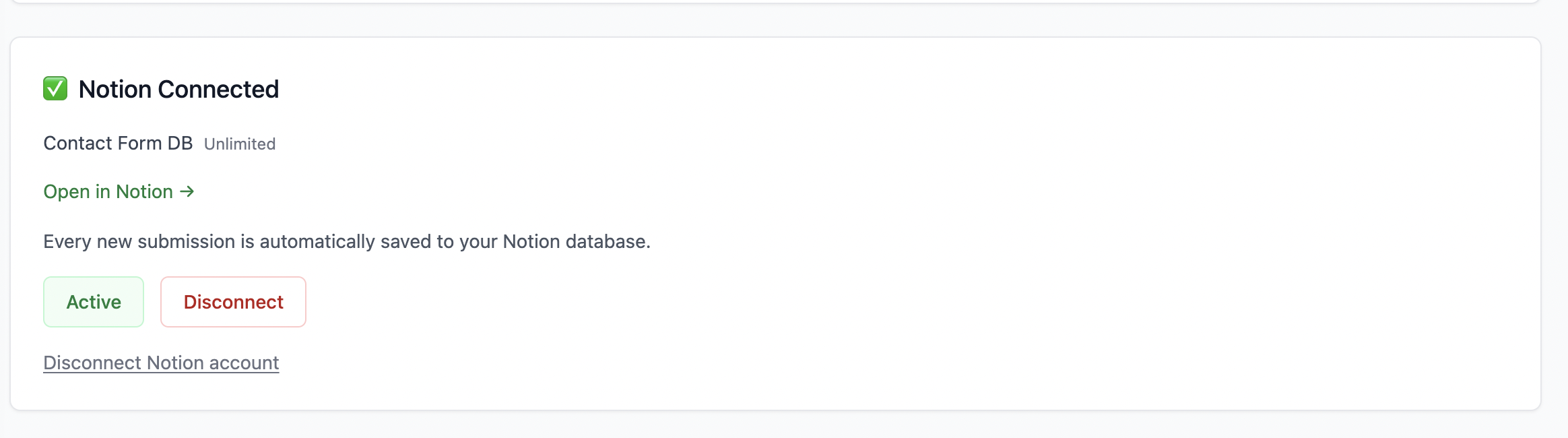
Pick the database you shared with Formgrid. Click Connect. You can pause or disconnect later without deleting existing Notion pages.
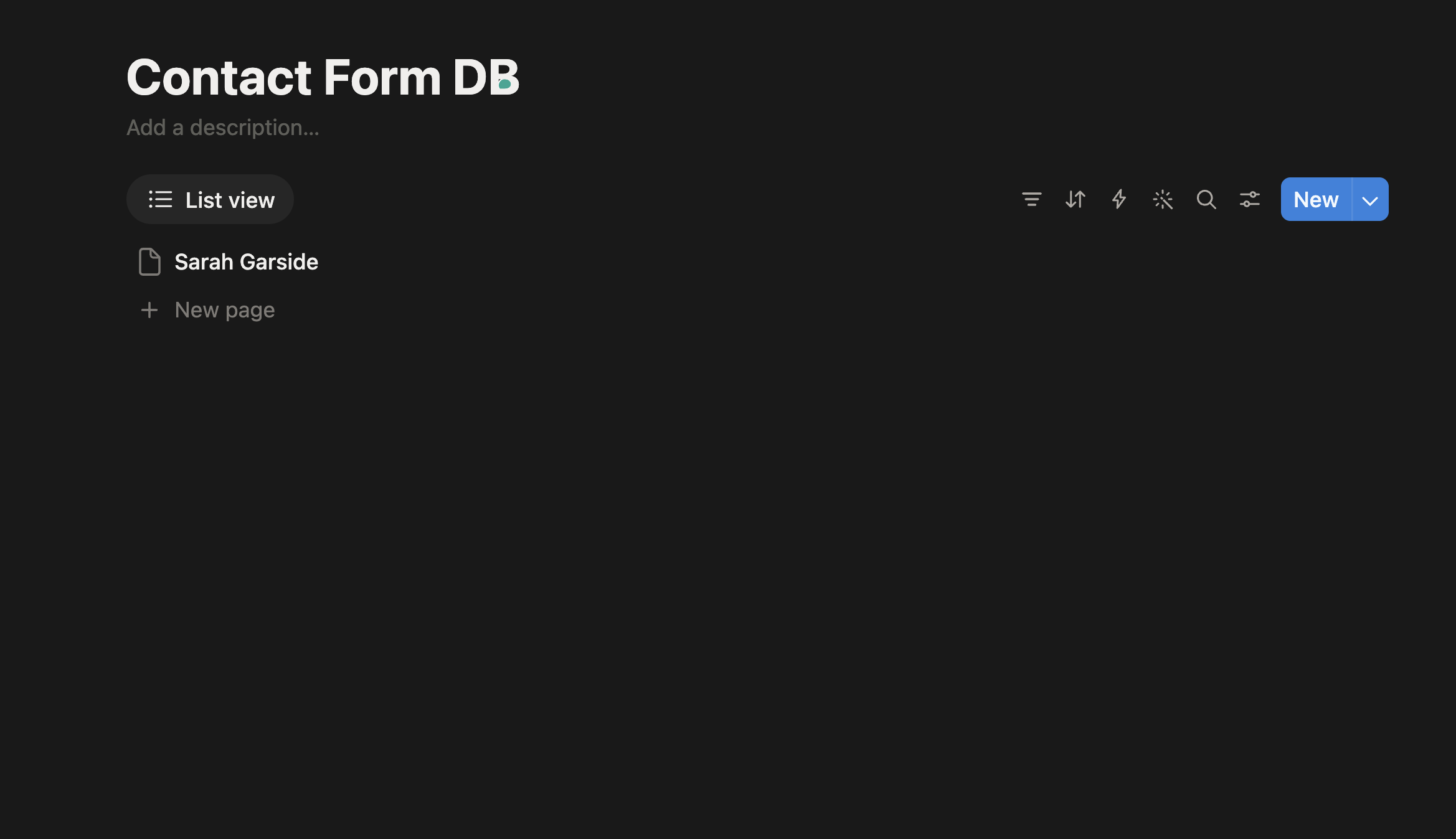
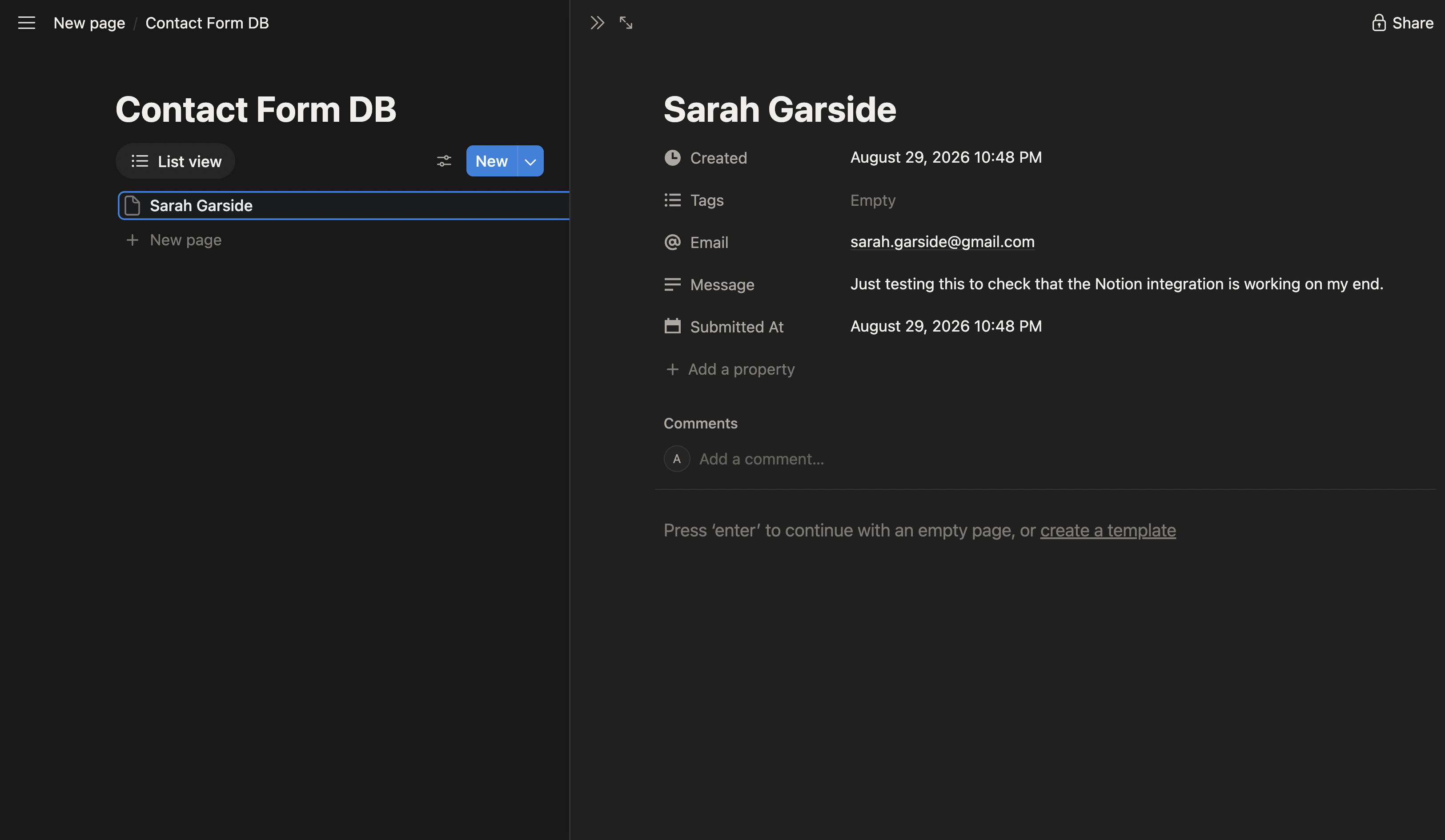
Fill the form once. A new Notion page appears with each field as a property, plus Submitted At. The same submission also emails you and becomes a lead in Formgrid.
Native Notion integration
The same screens from the full Notion walkthrough. Create a form, connect Notion, pick a database, and the next submission becomes a page.
Sign up
Sign up with Google or email. No credit card required. You land on the dashboard ready to create a form.
Create your form
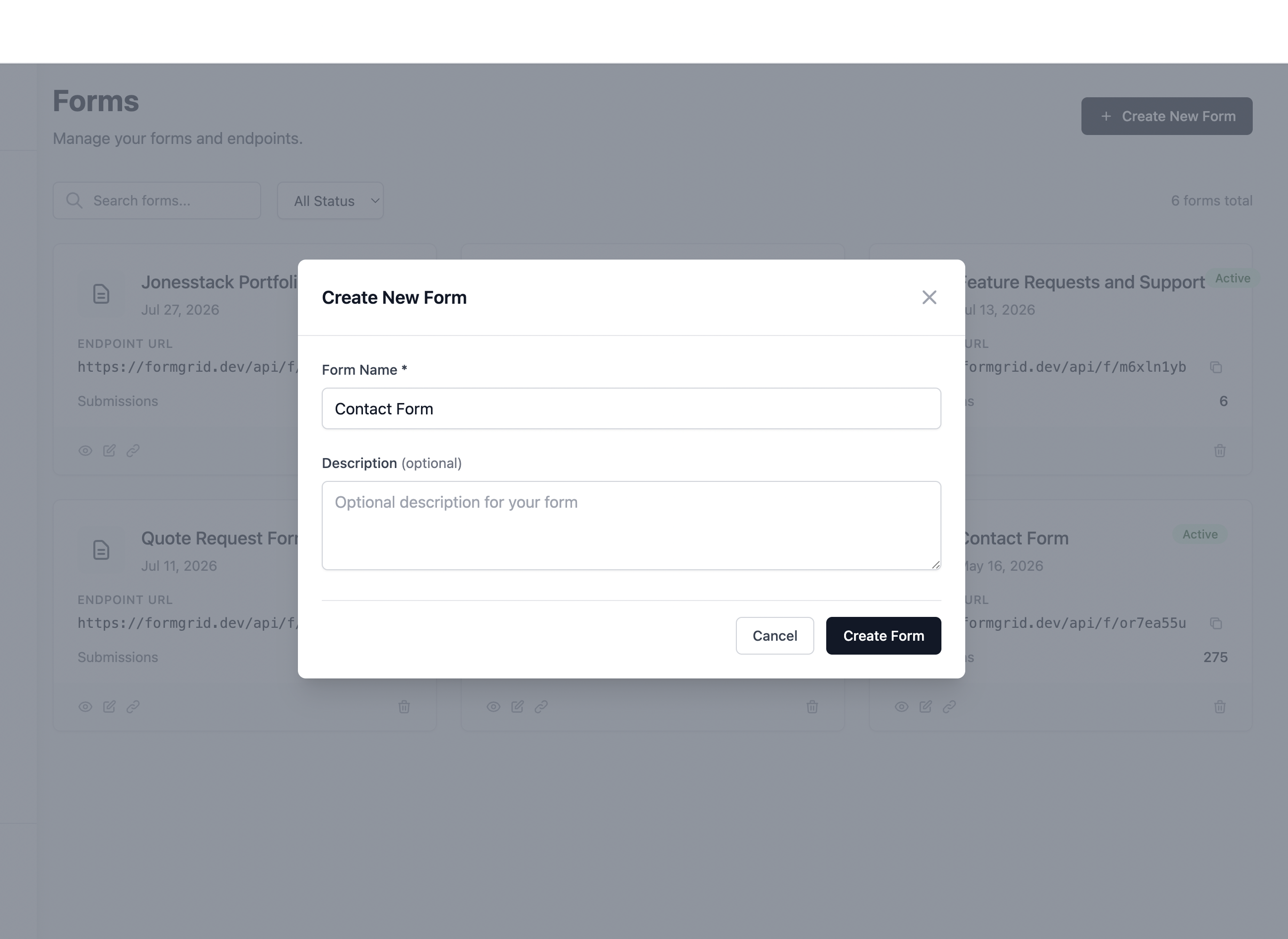
Click New Form on the dashboard. Use the drag-and-drop builder, or point an existing HTML form at the endpoint URL. Both use the same Notion connection.
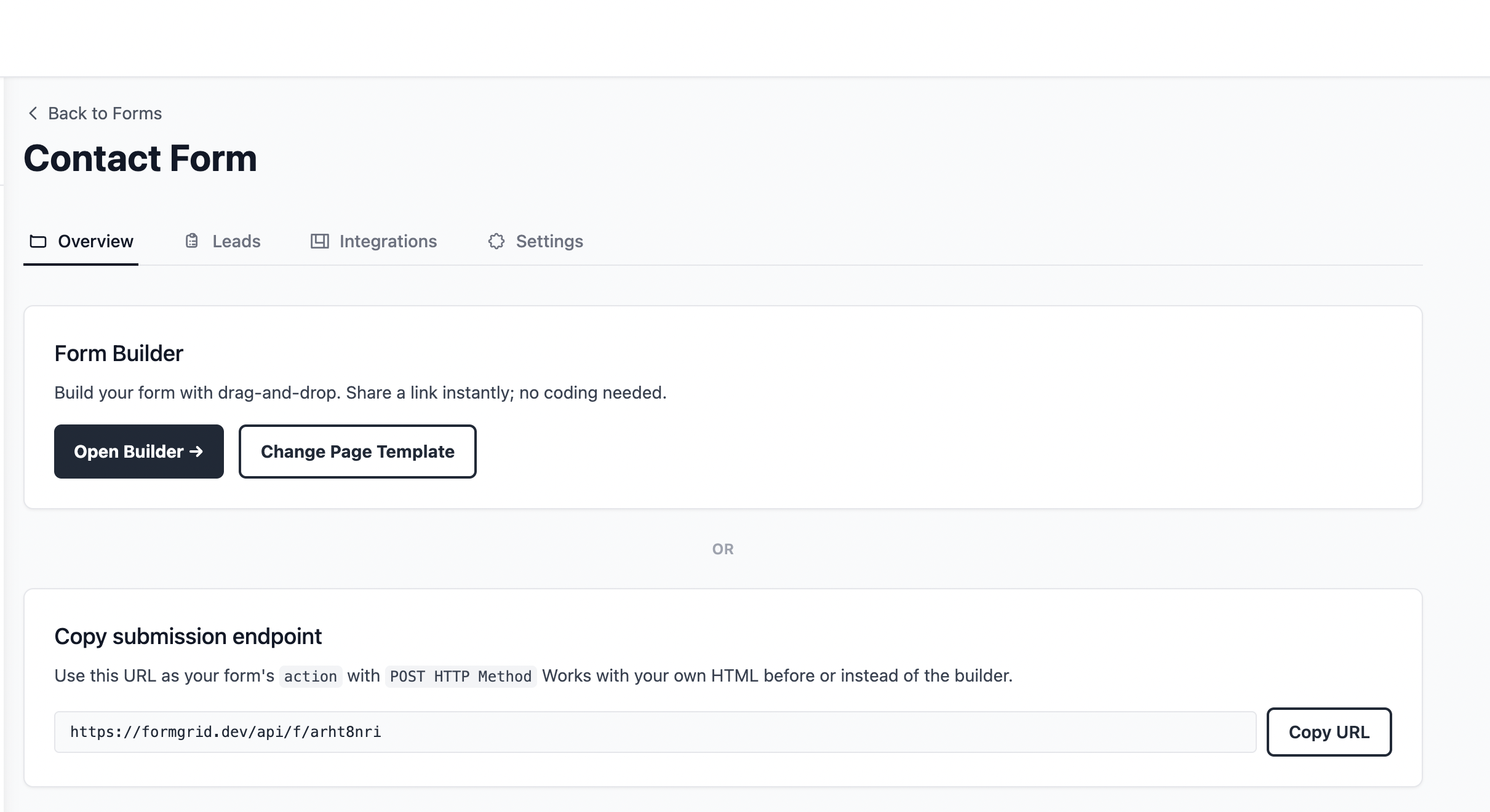
Integrations
On the form details page, open the Integrations tab, scroll to Notion, and click Connect with Notion.
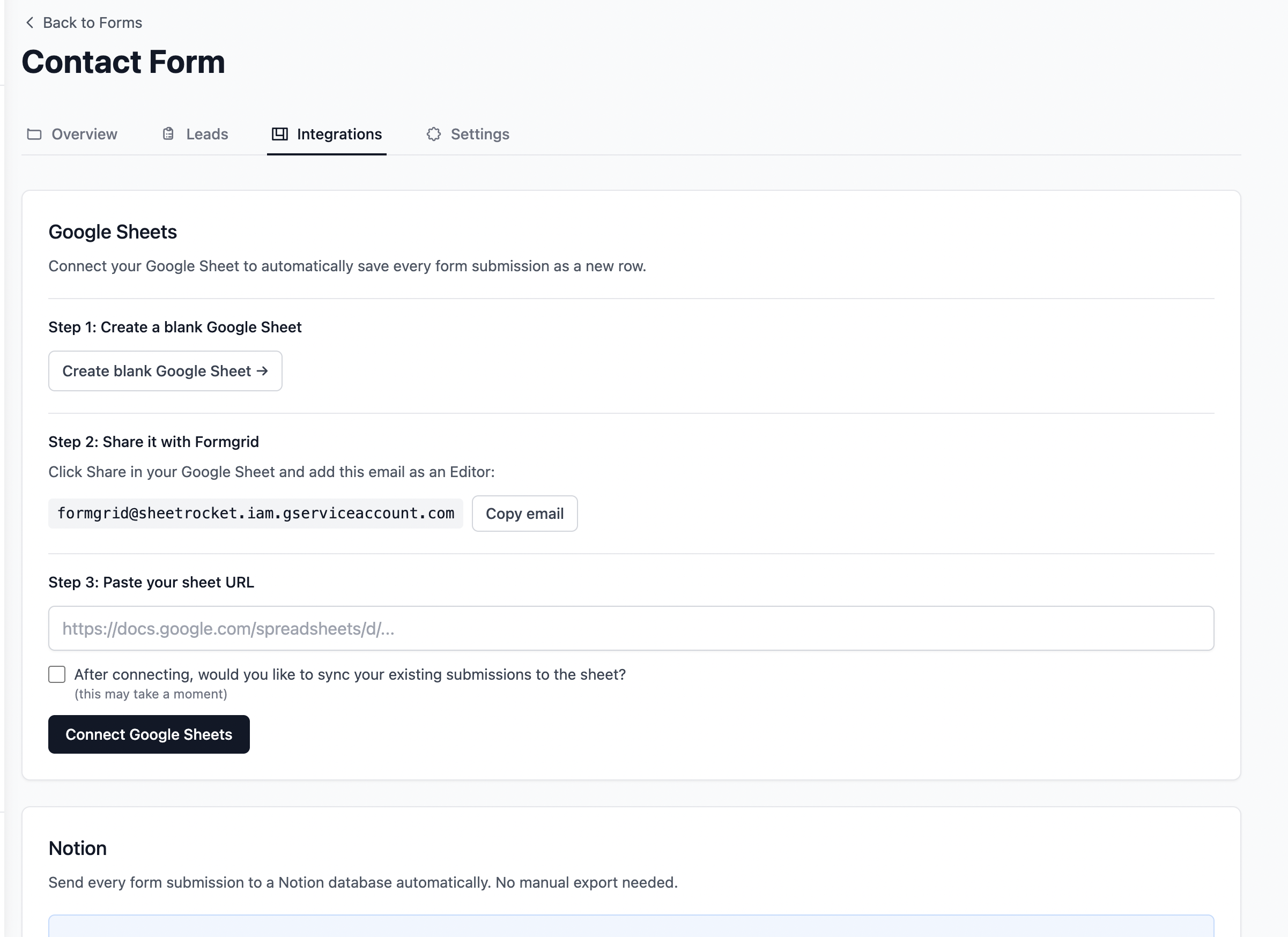
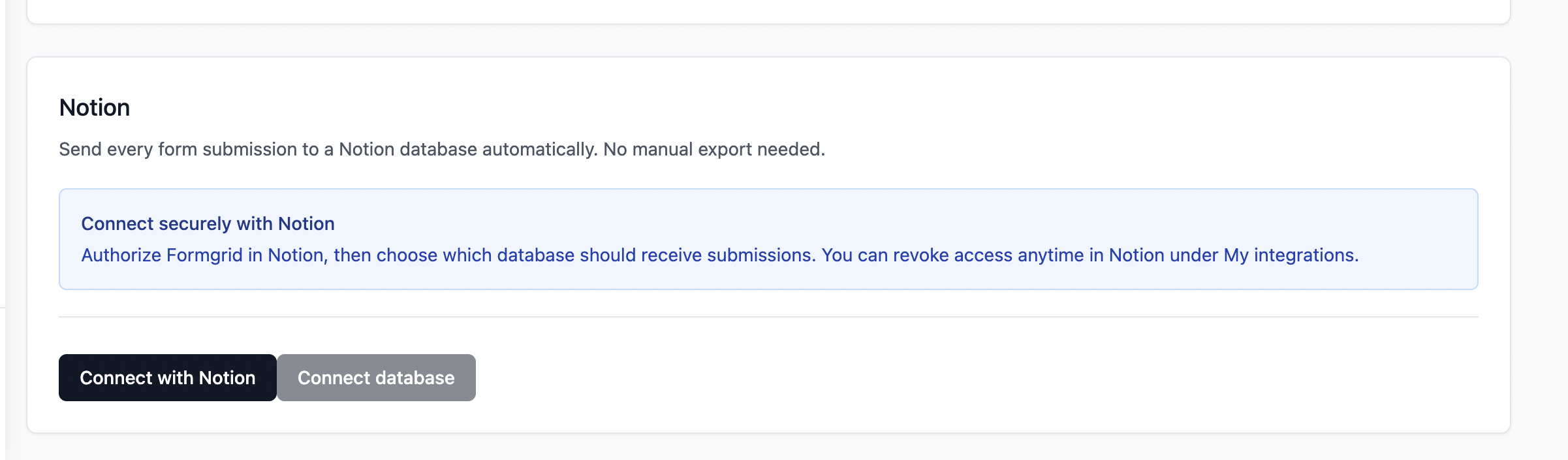
Connect
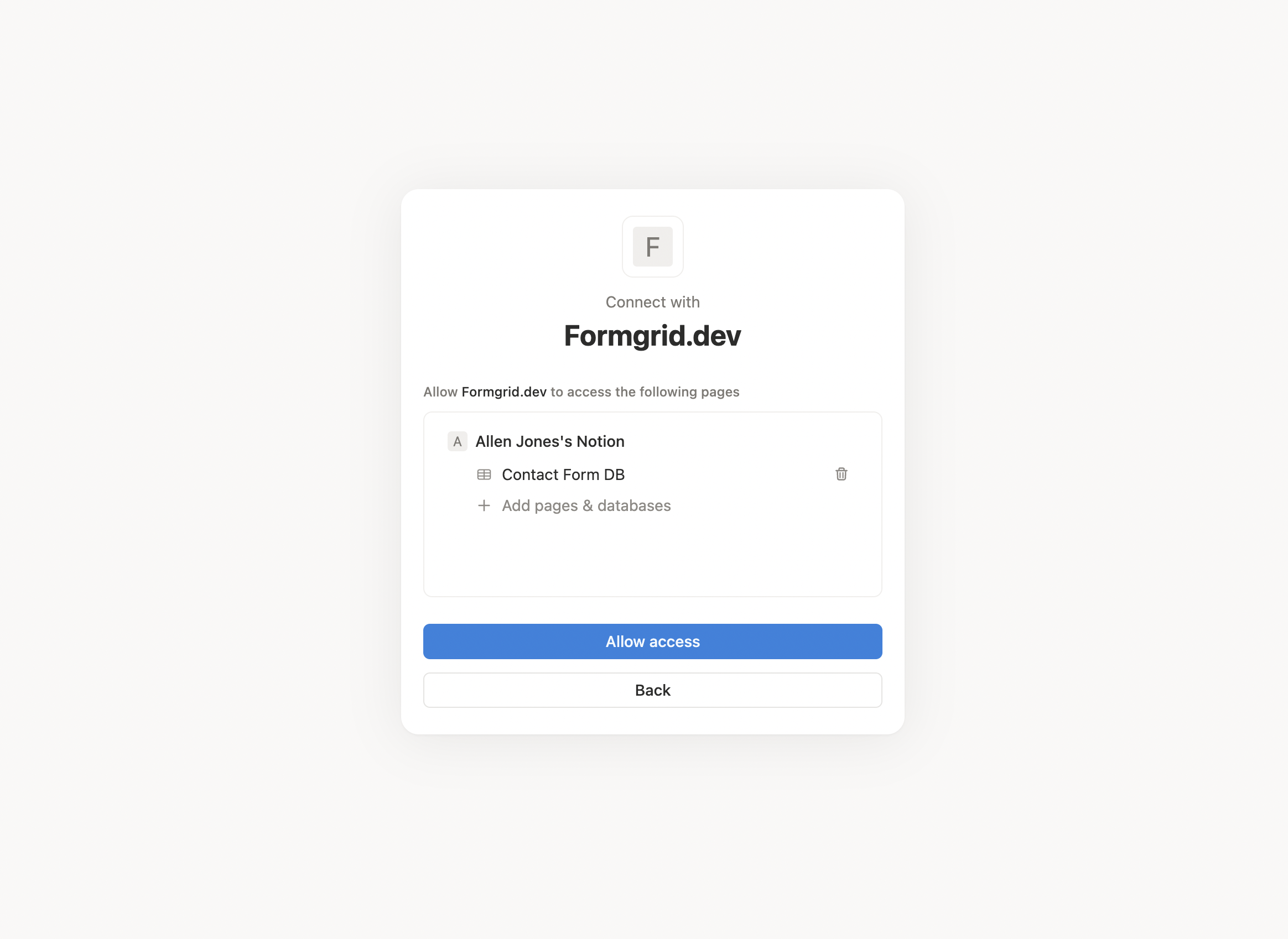
Choose the workspace and the databases Formgrid can write to. This is the same consent flow you have seen with other Notion apps.
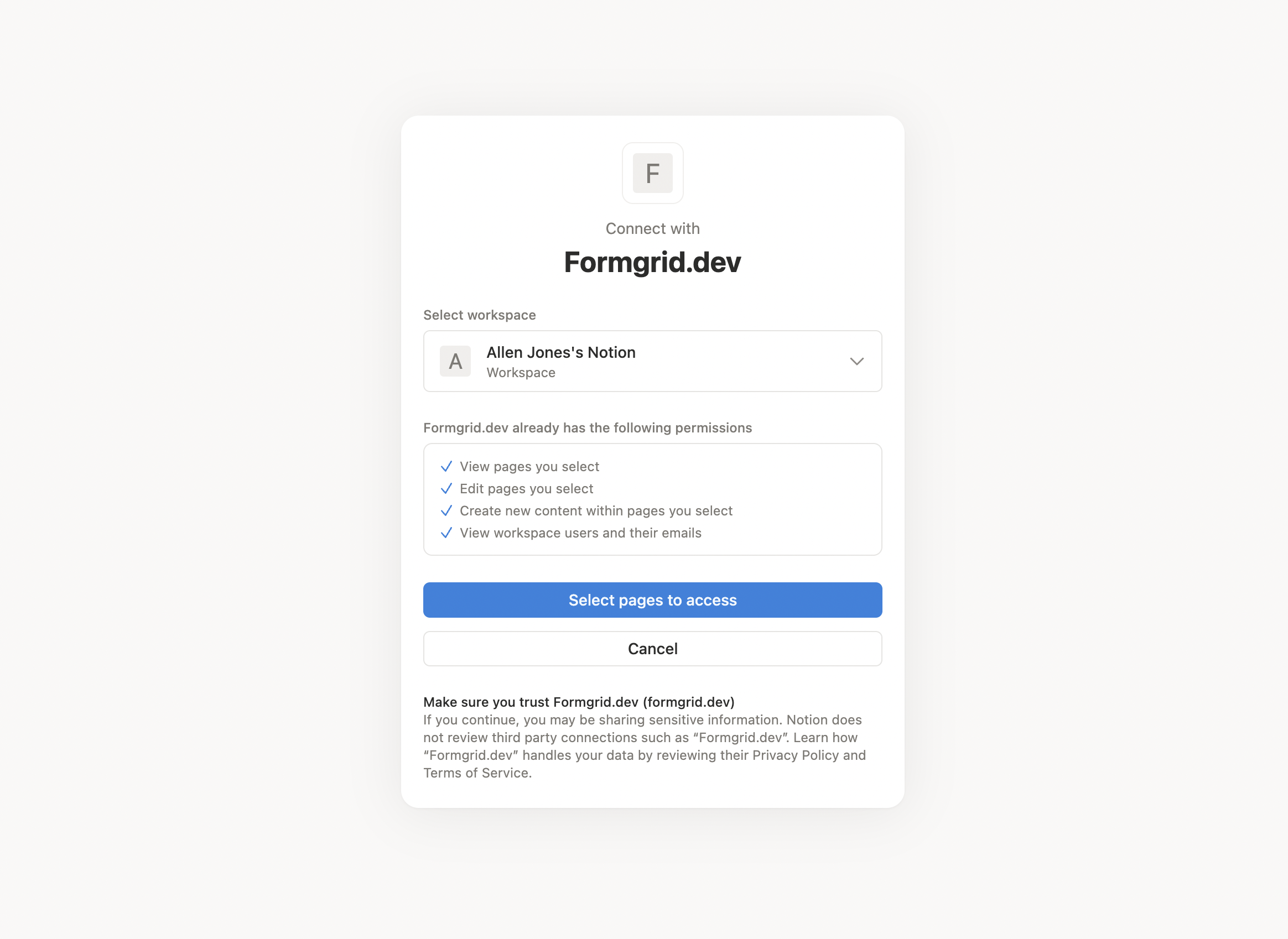
Pick a database
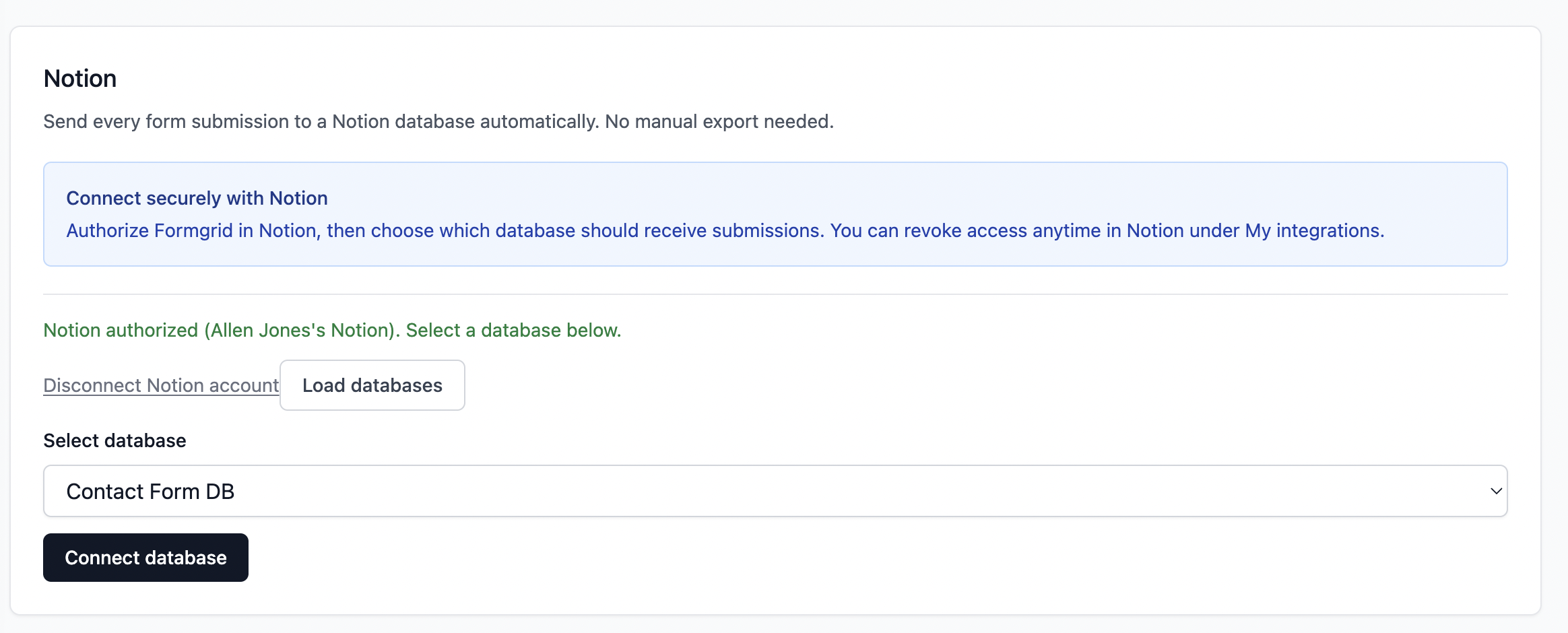
Formgrid lists every Notion database you shared. Select one and click Connect. You can pause or disconnect later without deleting existing Notion pages.
Test it
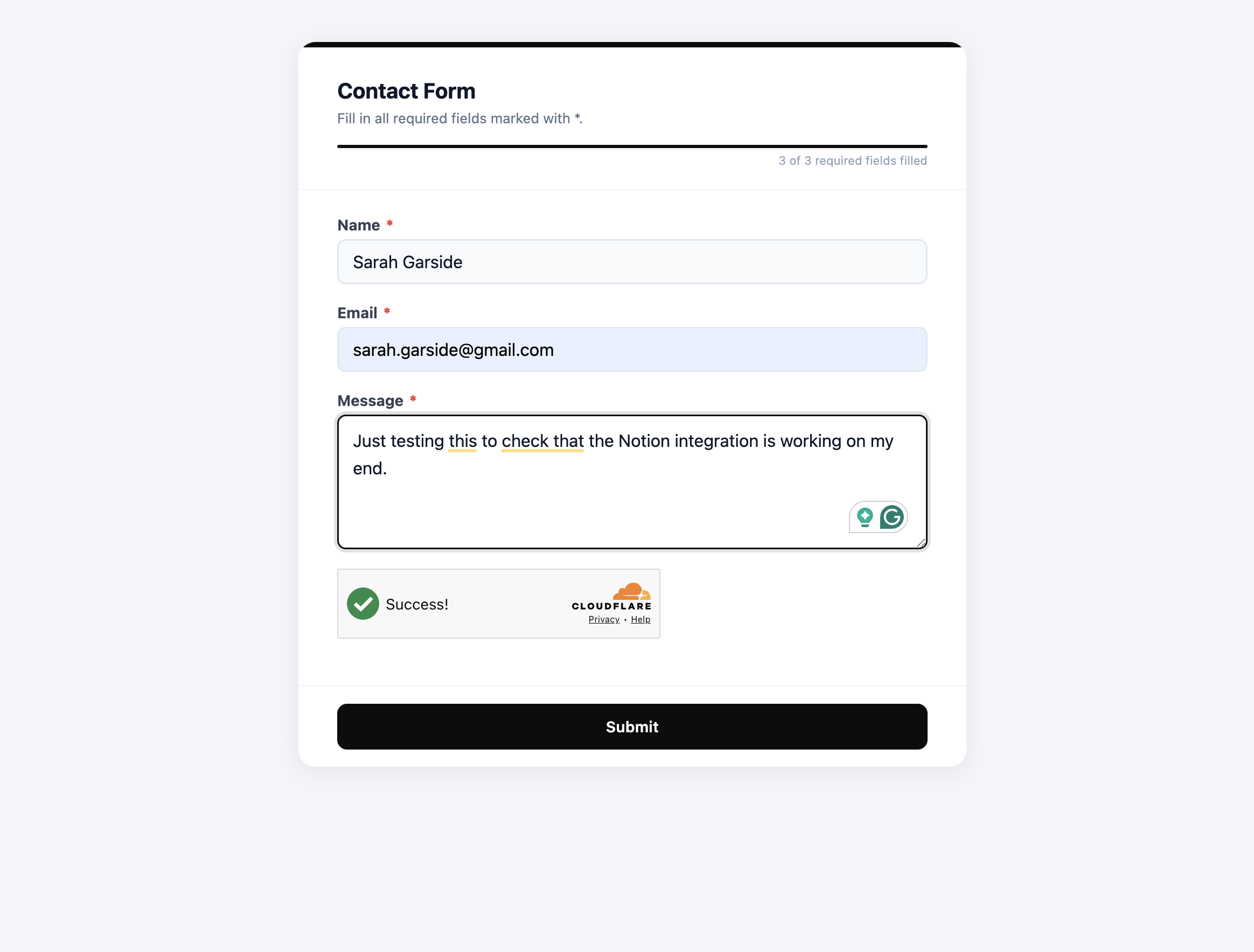
Fill the form on your site or through the Formgrid shareable link. You get an AI-labeled email, a new Notion page with every field as a property, and a tracked lead in Formgrid.
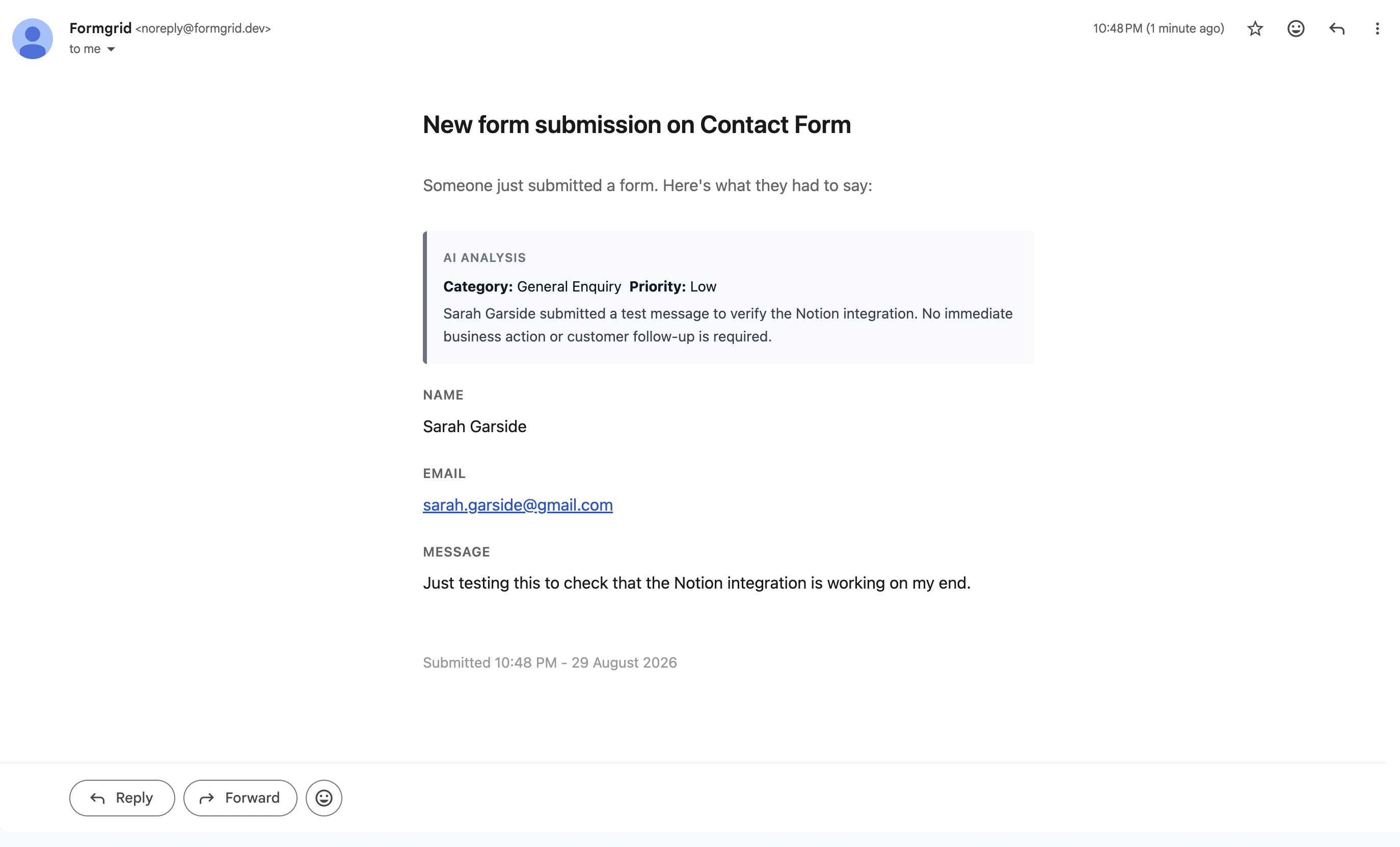
Automatic properties
A database in Notion is like a spreadsheet. Each submission is a new page (a row). Name, Email, and Message become properties. Submitted At is added for you.
Lead pipeline
Every form submission becomes a tracked lead automatically. Email notification, pipeline tracking, notes, and follow-up reminders are built in. No separate CRM needed.
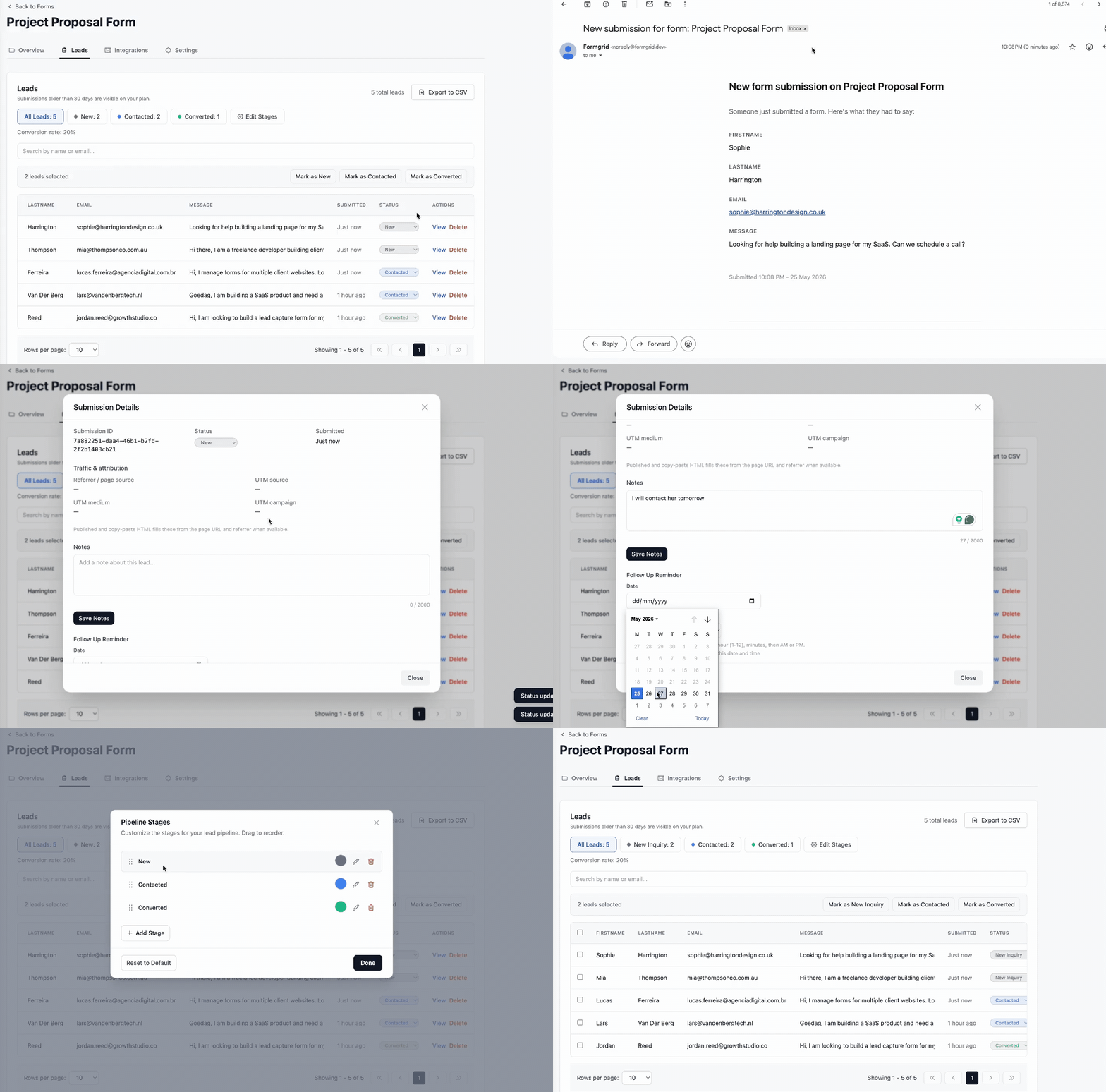
Most people search for a Notion integration and only think about the database. Formgrid does three things at the same time.
The subject line tells you if it is a hot lead, likely spam, a sales pitch, or a support request before you open it. A short summary is in the body.
A new page is created in your connected database with the full submission as properties, in the workspace your team already uses.
The same submission is tracked in Formgrid as New, Contacted, or Converted, with notes, follow-up reminders, and optional Gmail replies from the dashboard.
Zapier can move form data into Notion. Formgrid does it natively, instantly, and without a second subscription.
| Zapier route | Formgrid native | |
|---|---|---|
| Setup time | 20 to 40 minutes | Under 5 minutes |
| Extra cost | $20 or more per month for Zapier | Included with Formgrid Premium |
| Existing HTML forms | Only with extra configuration | Yes, by default |
| Timing | Depends on Zap frequency | Instant |
| Technical knowledge | Medium | None |
Start on free and confirm the integration with your real form before you upgrade. None of these plans require Zapier.
Free
$0
Premium
$12 / month
Business
$29 / month
Authorize once, pick a database, and every submission from that point forward becomes a page automatically.
Want every click documented? Read the walkthrough on the blog.
Connect your form to NotionPeople come for the Notion connection. They stay for AI inbox labels, the lead pipeline, and replies from the dashboard.
Start Free. No Credit Card Required