
Every developer has this thought at some point. "It's just a form. I'll write a quick endpoint, send an email with Resend or SendGrid, and be done in an afternoon."
Then you actually build it.
Two hours in, you have a working POST endpoint. Three days later, you are writing spam filtering rules by hand. Two weeks in, a client asks, "Can you show me all the submissions from last month?" and you realize you never built a dashboard, so you are querying your production database directly to answer a simple question. A month in, you are debugging why half your notification emails are landing in spam because you never set up SPF and DKIM records properly.
None of that was in the "quick afternoon" estimate.
This post explains why building your own form backend is almost always the wrong call, how much unexpected time it can cost you, and what you should use instead.
Why This Feels Like It Should Be Easy
On the surface, a form backend looks trivial. Receive a POST request, read the fields, send an email. That part genuinely does take an afternoon.
The problem is that a form backend that is actually usable in production is not that. It is:
1. An endpoint that accepts submissions
2. Spam and bot filtering
3. Email delivery that does not land in spam
4. A dashboard to view past submissions
5. Storage that does not disappear
6. Rate limiting so one bad actor can't flood you
7. Input validation and sanitization
8. File upload handling, if you need it
9. A way to track what happens after a submission arrives
You do not see most of this list on day one. You see it the first time a bot floods your endpoint, the first time a client asks to see old submissions, or the first time your notification emails start landing in spam because you are sending transactional email from a domain with no reputation.
The Hidden Costs Nobody Budgets For
Spam filtering. The moment your form is public, bots find it. Not eventually, immediately. You will need a honeypot field at minimum, and realistically CAPTCHA or a service like hCaptcha or Cloudflare Turnstile on top of that. Writing spam heuristics that catch crypto spam, disposable emails, and HTML injection without also blocking real users takes real iteration, not a weekend.
Email deliverability. Sending email reliably is its own discipline. SPF, DKIM, DMARC, a sending domain with reputation, retry logic for failed sends, and a fallback for when your email provider has an outage. Get any of this wrong, and your "notification" system silently stops notifying you, which is the worst possible failure mode for a form backend.
A dashboard. The first time someone asks "can I see submissions from before I set up email forwarding" or "can you export the last 200 leads to CSV," you realize you built an endpoint, not a system. Now you are building an admin panel: auth, pagination, search, filtering, export. That is not a form backend feature anymore; that is a small internal product.
Storage and retention. Where do submissions live? For how long? What happens when the database grows? Do you need backups? None of this is form-backend-specific; it is generic infrastructure you now own because you decided to roll your own.
Rate limiting and abuse prevention. Without it, one bad actor can submit your form thousands of times a minute, which either racks up your email sending bill or takes down your database.
GDPR and data handling. If you collect any personal data from a form, and you almost always do, you now have a small compliance surface: right to deletion, data retention policy, and knowing exactly where the data lives. This is easy to ignore until someone asks you to delete their data and you have no clean way to find it.
Ongoing maintenance. Every one of the systems above needs to keep working as your dependencies update, as spam patterns evolve, and as your email provider changes their API. A form backend is not something you build once. It is something you maintain forever, or it slowly rots.
None of this is a knock on your ability to build it. All of it is buildable. The question is whether it is worth building, given that it is not the product you are actually trying to ship.
The Math
Say you are honest about the real scope: endpoint, spam filtering, email delivery, a basic dashboard, and rate limiting. That is not an afternoon. That is realistically two to four days of focused work if you already know what you are doing, longer if you do not.
At any reasonable hourly rate, two to four days of engineering time costs more than a year of a managed form backend, and that is before counting the maintenance time you will keep spending every time something breaks.
DIY form backend:
  2-4 days initial build
  + ongoing maintenance
  + your time debugging deliverability issues
  + your time when a client asks for a feature
    the endpoint does not have

Managed form backend:
  10 minutes to set up
  $0-12/month
  Someone else's job to keep spam filtering,
  deliverability, and uptime working
This is the same tradeoff as writing your own authentication system instead of using an auth provider, or rolling your own payment processing instead of using Stripe. It is not that you cannot build it. It is that building it is rarely the highest-value use of your time, because it is infrastructure, not your product.
When Building Your Own Actually Makes Sense
To be fair, there are real cases where rolling your own is the right call:
You have genuinely unusual requirements
no service can meet

You are building this as the product itself,
not as infrastructure for something else

You have strict data residency or compliance
requirements that require full control

You already have this infrastructure built
for other reasons and reusing it is nearly free

You are doing it deliberately as a learning
exercise, not for a production client site
If none of those apply to you, and for most people building a contact form, a quote request form, or a lead capture form on a client site or their own product, none of them do, a managed service is the better trade every time.
What "Just Use a Service" Actually Looks Like
Here is the entire difference between the DIY approach and using a form backend.
DIY, roughly:
// You write and maintain all of this yourself
export default async function handler(req, res) {
  // validate input
  // check honeypot / run captcha verification
  // rate limit by IP
  // sanitize fields
  // save to a database you provisioned
  // send email via a provider you configured
  // handle delivery failures
  // return a response
  res.status(200).json({ success: true })
}
Using a form backend:
<form action="https://formgrid.dev/api/f/your-form-id" method="POST">
  <input type="text" name="name" placeholder="Your Name" required />
  <input type="email" name="email" placeholder="Your Email" required />
  <textarea name="message" placeholder="Your Message"></textarea>
  <button type="submit">Send Message</button>
</form>
That is the entire integration. No server code. No database to provision. No email service to configure. Spam filtering, delivery, storage, and a dashboard all come with the endpoint.
Setting This Up Takes About Ten Minutes
If you want to see exactly how little is involved, here is the full setup using Formgrid, an open-source form backend, as the example.
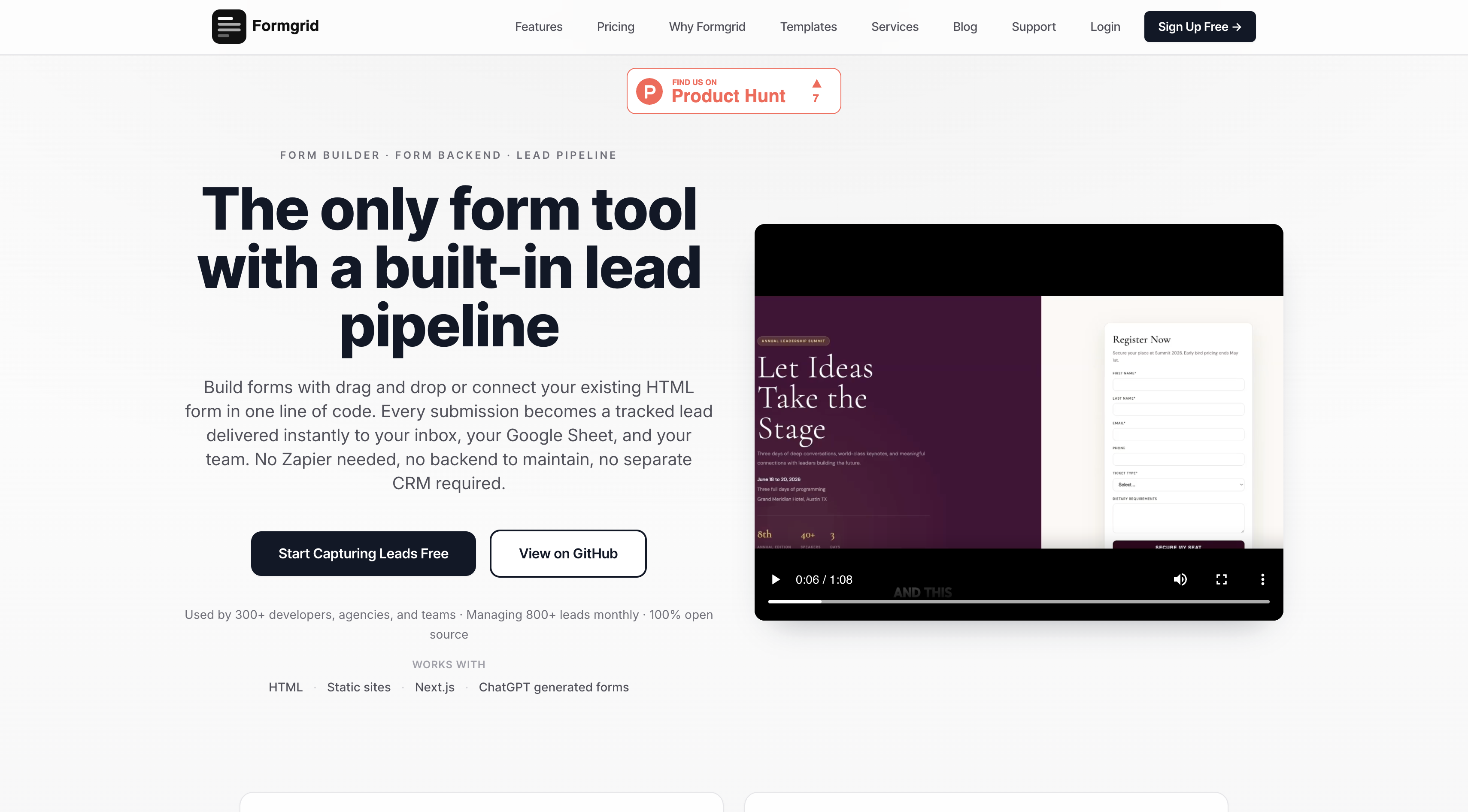
Step 1: Create an Account
Head to formgrid.dev and sign up with Google or email. No credit card required.
Step 2: Create a Form and Copy the Endpoint
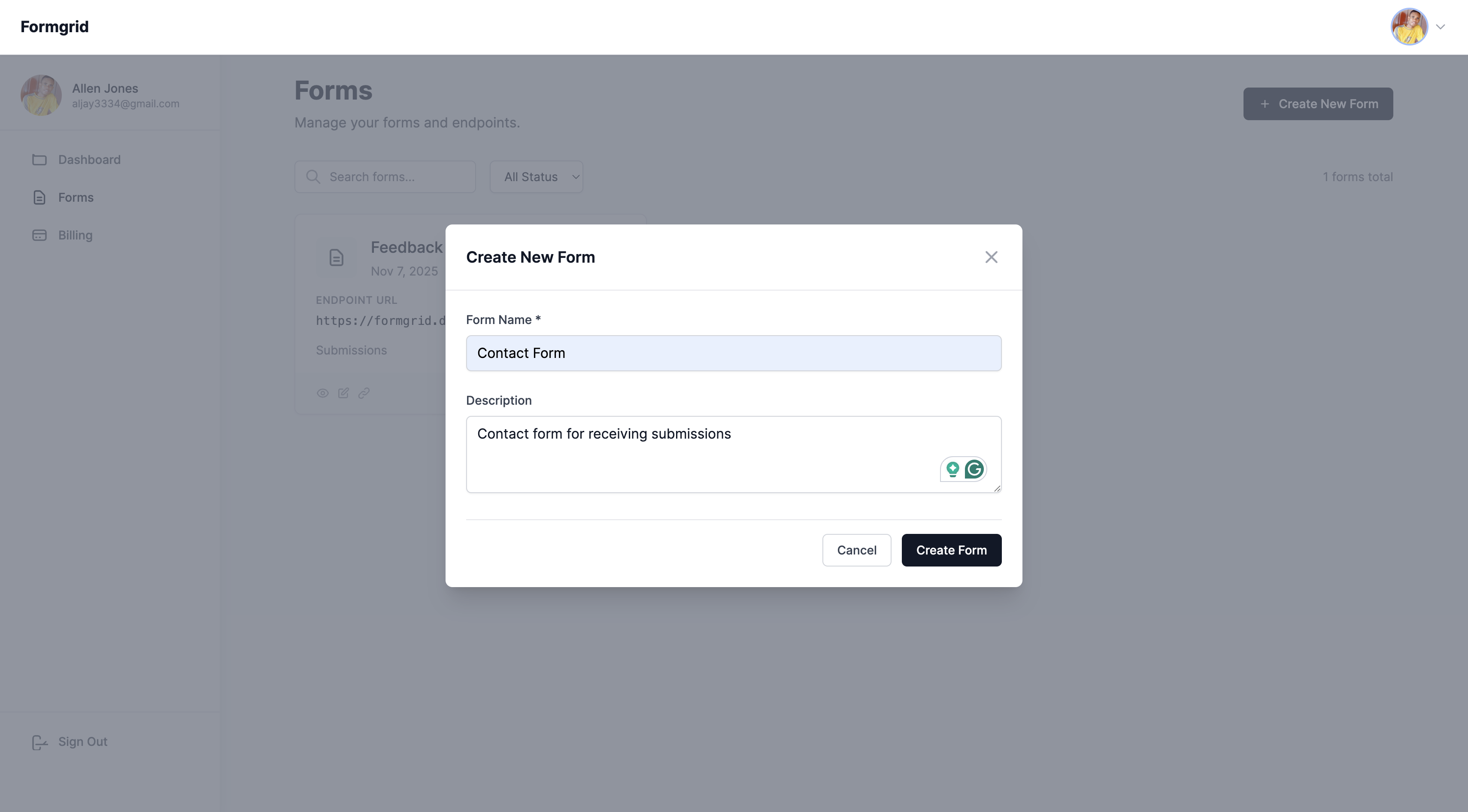
Click New Form, give it a name, and click Create Form.
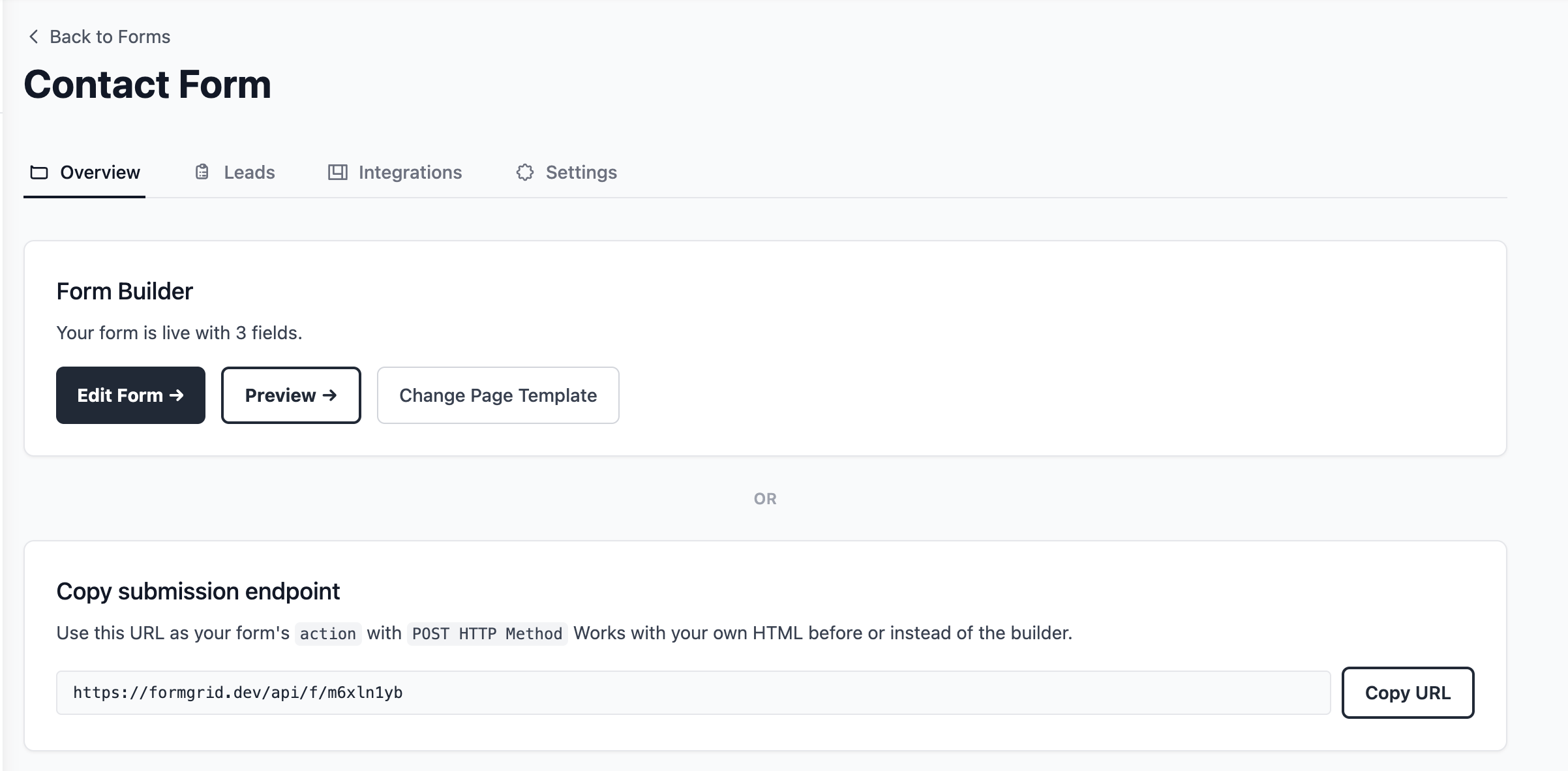
On the Overview tab, copy your endpoint URL.
Step 3: Point Your Form at It
Drop the endpoint into your form's action attribute. If you already have a form on your site, this is the only line that changes.
<form action="https://formgrid.dev/api/f/your-form-id" method="POST">
  <input type="text" name="name" required />
  <input type="email" name="email" required />
  <textarea name="message"></textarea>

  <!-- honeypot, invisible to real users -->
  <input type="text" name="_honey" style="display:none" />

  <button type="submit">Send</button>
</form>
Spam filtering, rate limiting, and bot protection are already active. You did not configure any of it.
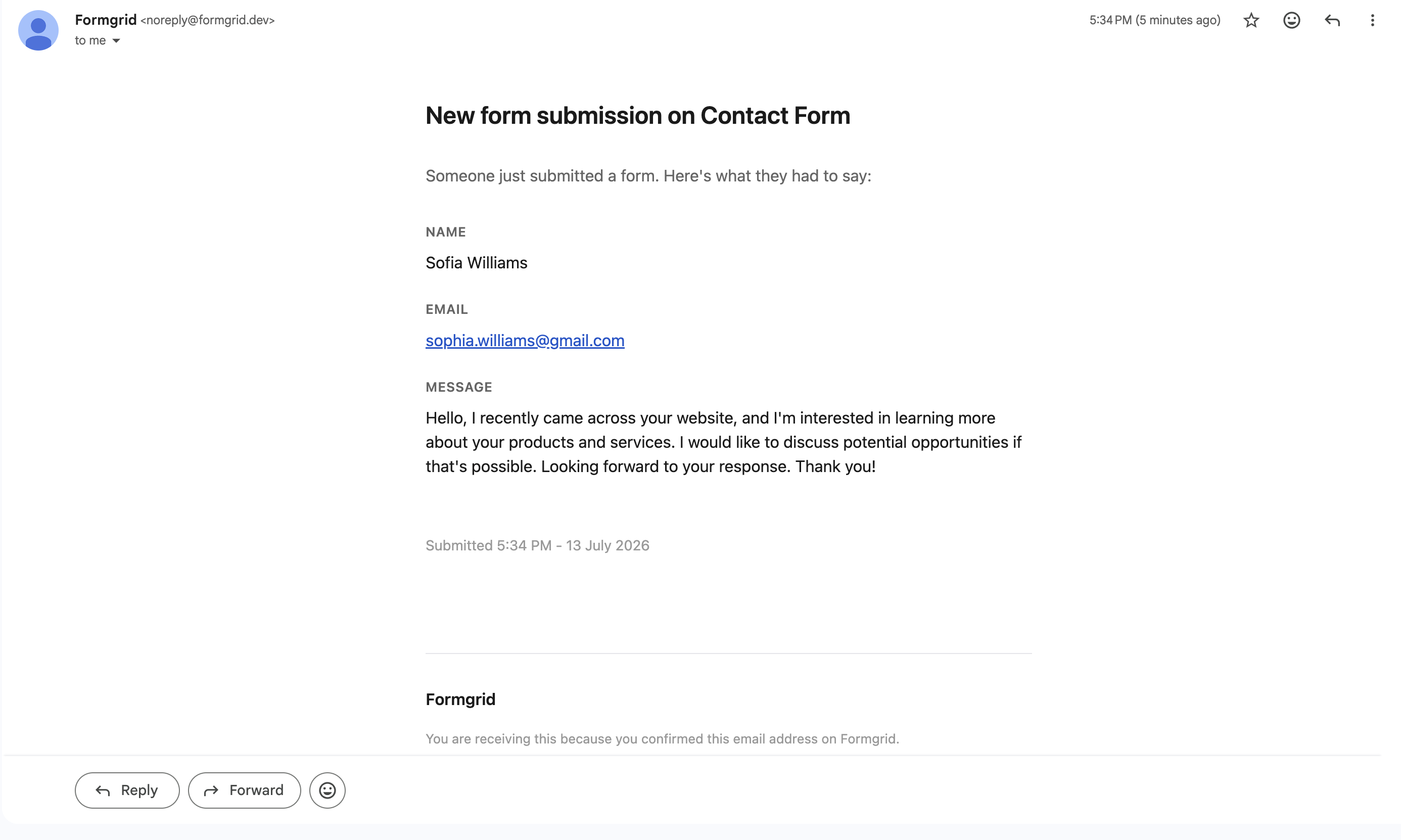
Step 4: Notifications Are Already On
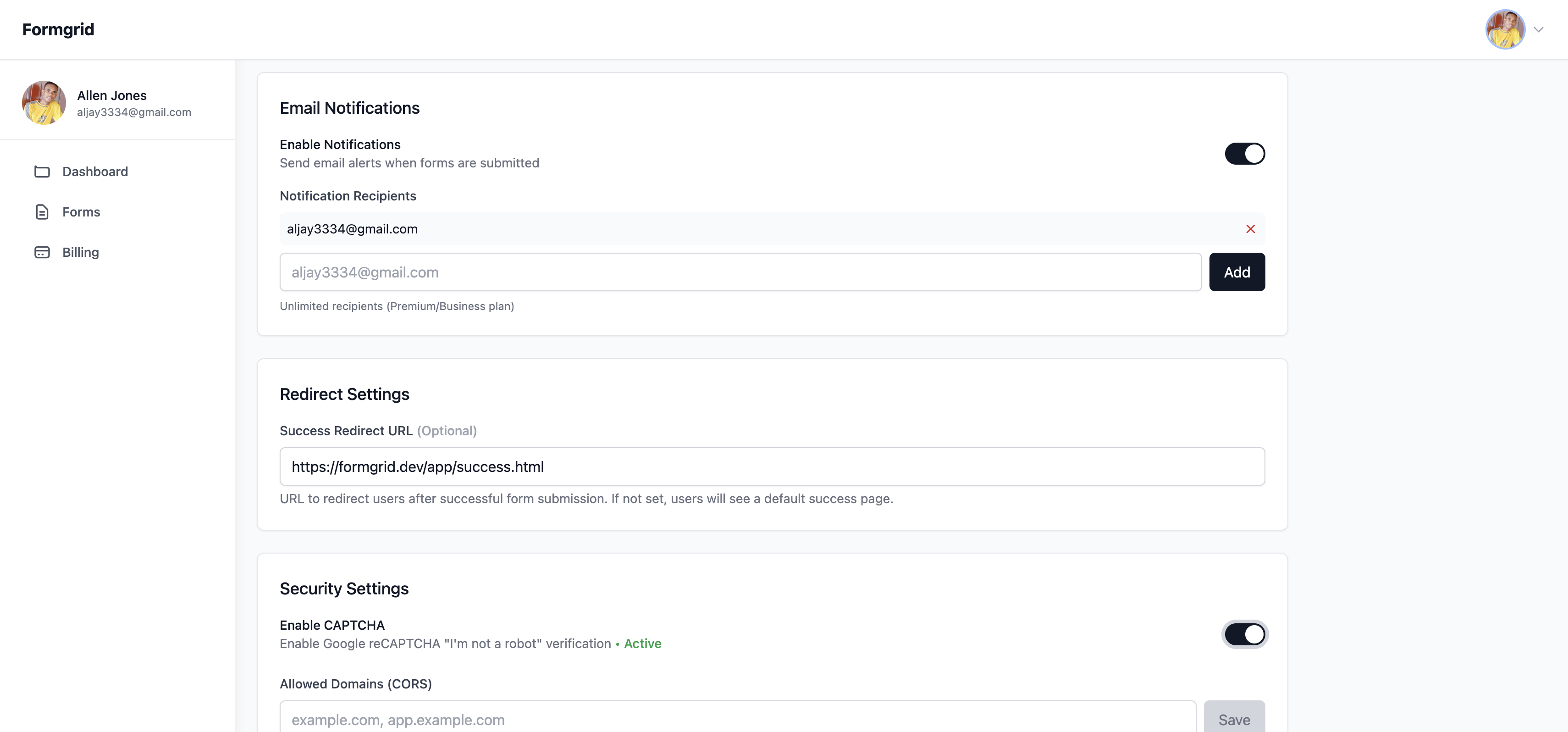
Nothing to set up here. The email address you signed up with is the default notification address the moment your form goes live. If you want submissions sent somewhere else, like a client's inbox or a shared team address, that is a single field in Settings.
Step 5: Every Submission Is Already a Tracked Lead
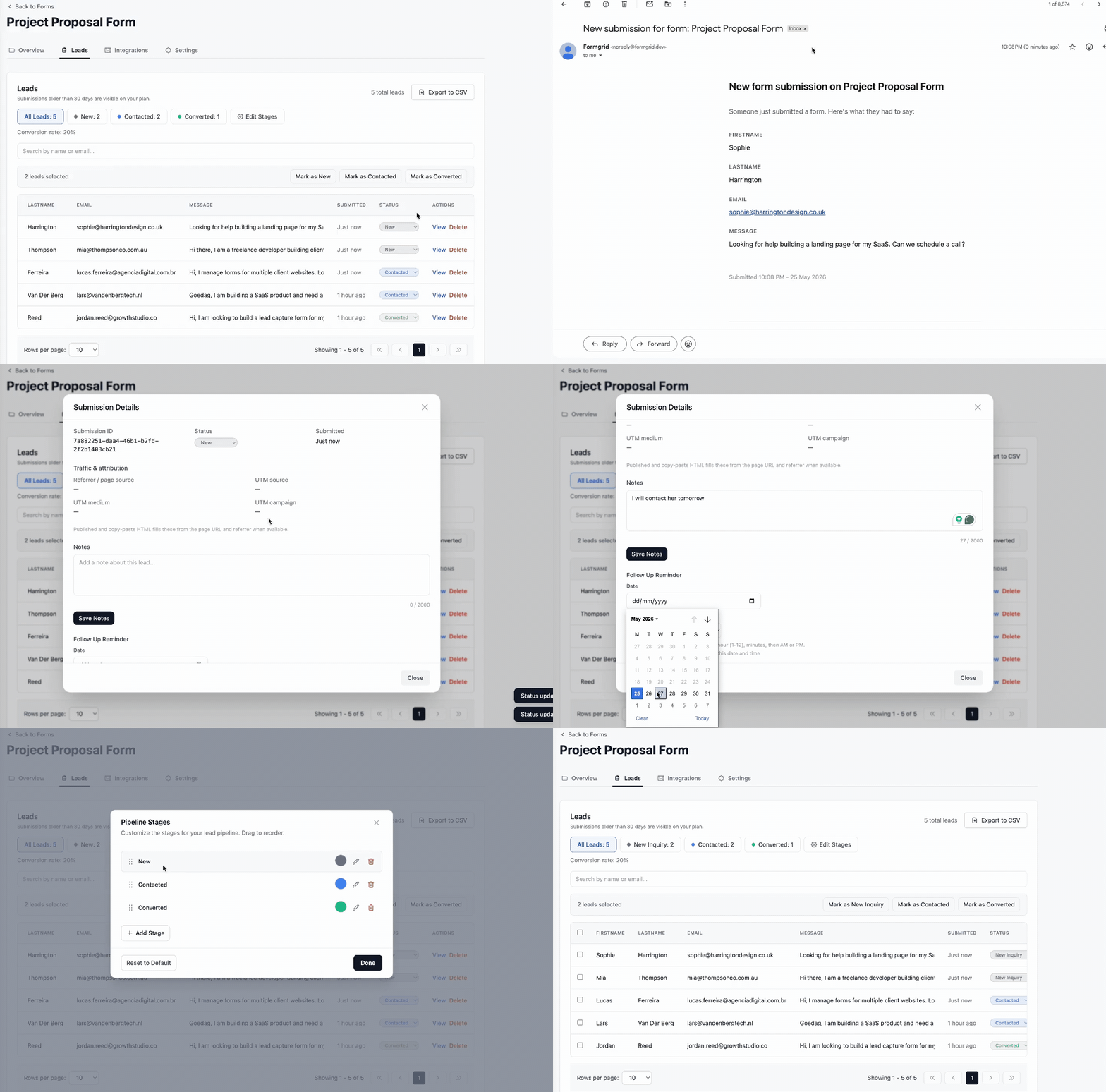
This is the part a DIY endpoint never gets to, because building it is a whole separate project. Every submission lands in a dashboard automatically, with a status you can move through New, Contacted, and Converted, not just a one-off email you have to remember to act on.
You can see the submitter's details, add a private note, and set a follow-up reminder, all without writing a line of backend code.
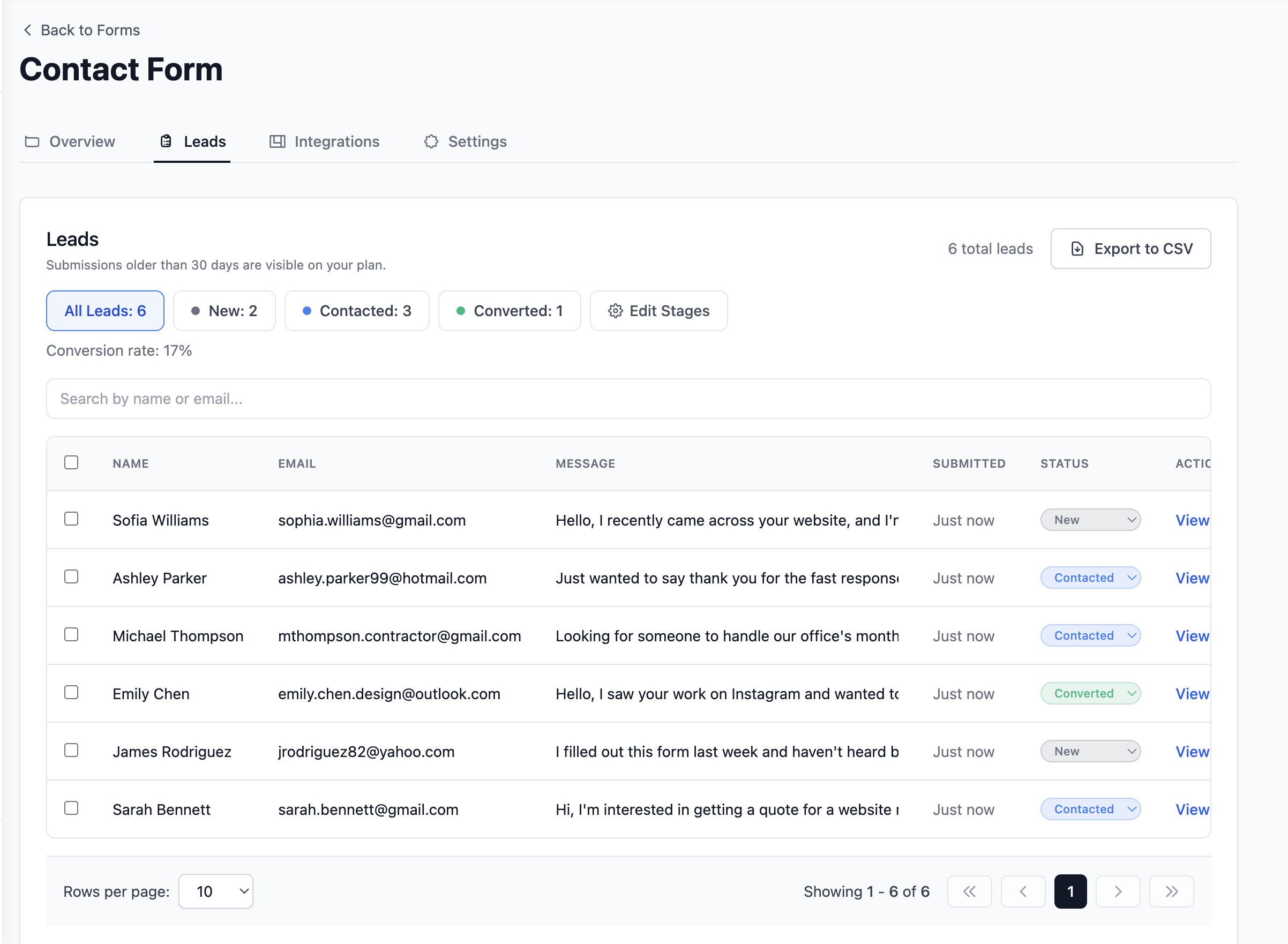
That is the entire setup. No server to maintain, no email provider to configure, no dashboard to build, and no spam filtering logic to write and keep tuning.
What You Get That You Would Not Have Built Yourself
This is really the heart of the argument. It is not just that a managed form backend saves you the two to four days of initial build time. It is that most people never get around to building the parts that make a form backend actually useful, because those parts are not urgent until they suddenly are.
A lead pipeline. Not just an inbox. Every submission gets a status, New, Contacted, Converted, so you know exactly what happened after someone filled out your form. This is the single most common gap in a DIY form backend, because building it means building a small CRM, not a form handler.
Automatic submission triage. Modern form backends can categorize what came in for you, flagging a genuine enquiry versus a sales pitch versus spam, and surfacing the important ones first. Building this yourself means training or wiring up a classification model on top of everything else on this list.
Permanent, searchable storage. Not a 30-day window, not a database table you have to remember to back up.
Integrations you did not have to build. Google Sheets sync, Notion sync, webhooks, CSV export. Each of these is a real integration with its own API quirks and edge cases if you build it yourself.
Spam filtering that improves without your involvement. You are not the one updating the spam patterns when a new kind of crypto spam campaign shows up.
None of this is exotic. It is just the difference between a weekend project and a product that someone maintains full-time.
Final Thoughts
Building your own form backend is a genuinely fun weekend project, and if that is what it is for you, build it. There is real value in understanding how the pieces fit together.
But if the form is infrastructure for something else, a client site, your own product's contact page, a lead capture flow for a business, it is almost never worth the time. The part that looks like the whole job, receive a POST request and send an email, is maybe 10% of what a form backend actually needs to do well. The other 90% is spam filtering, deliverability, a dashboard, storage, and a way to track what happens after someone submits, and that 90% is exactly the part that never makes it into the "quick afternoon" estimate.
Stop building your own form backend. Point your form at one instead, and spend the time you saved on the thing you were actually trying to build.
👉 Try Formgrid free at formgrid.dev. No credit card required.
Full disclosure: I built Formgrid. I wrote this as honestly as I could. If anything looks inaccurate, let me know in the comments.
Comments
Leave a comment