
Splitforms and Formgrid are both form backends for developers building static sites. Both give you an endpoint URL, both send email notifications, and both have a submissions dashboard.
But they made fundamentally different product bets.
Splitforms optimized for price and free-tier generosity. Formgrid optimized for what happens after the submission arrives.
This post is the honest comparison. I built Formgrid, so I have a clear conflict of interest. I will do my best to be fair about where Splitforms wins and where it falls short.
What Both Tools Do
Both Formgrid and Splitforms solve the same core problem:
You built a static site on GitHub Pages,
Vercel, Netlify, or plain HTML.
Your contact form has nowhere to go.
Static sites have no server.
No server means no backend.
No backend means no way to process
form submissions natively.
Both tools give you:
An endpoint URL you point your HTML form at. A submissions dashboard to view what came in. Email notifications when someone submits. Spam protection. CSV export.
That is where the similarities end.
The Core Difference
Splitforms:
Form submits
Email arrives
Submission sits in a list
You manage everything else yourself

Formgrid:
Form submits
Email arrives
Submission becomes a tracked lead
Status: New
You contact them
Status: Contacted
They become a customer
Status: Converted
Conversion rate updates automatically
Splitforms stops at the inbox. Formgrid does not.
That is not a criticism of Splitforms. Stopping at the inbox is a deliberate product choice. For developers who just want form submissions handled and nothing else, it is exactly the right scope.
But for anyone running a business where those submissions represent potential customers, stopping at the inbox costs you money.
Splitforms: Where It Wins
Free tier
Splitforms has the most generous free tier of any form backend available in 2026.
Free: 1,000 submissions per month
      Unlimited forms
      Dashboard
      Webhooks included free
      AI spam filtering
      No credit card required
Formspree gives you 50 per month. Basin gives you 100. Web3Forms gives you unlimited but with no dashboard. Splitforms gives you 1,000 with a full dashboard and webhooks included.
If you are building personal projects, portfolio sites, or low-volume client sites and you genuinely just need form submissions handled cheaply, Splitforms is the best free option available right now.
Price
Splitforms Free: 1,000 submissions per month
Splitforms Pro: $5 per month for 5,000 submissions
Splitforms 3 Year: $59 one time for 15,000 per month

Formgrid Free: 50 submissions per month
Formgrid Premium: $12 per month for 1,000 submissions
Formgrid Business: $29 per month for 15,000 submissions
On price and submission volume per dollar, Splitforms wins clearly. There is no way around this.
If your only consideration is how many form submissions you can receive for the lowest possible cost, Splitforms is the better choice.
Webhooks on free plan
Splitforms includes webhooks on the free plan. Formspree paywalls webhooks at $10 per month. Formgrid includes webhooks on the Business plan at $29 per month.
If you want to forward submissions to Slack, Discord, or your own server for free, Splitforms wins here too.
Formgrid: Where It Wins
The lead pipeline
This is the feature that separates Formgrid from every other form backend on the market, including Splitforms.
Every submission that arrives through Formgrid automatically becomes a tracked lead with a status, a notes field, a follow-up reminder system, and conversion tracking.
Here is what the full flow looks like from form submission to tracked lead:

On each lead, you can:
Change status from New to Contacted to Converted. Add a private note about the conversation. Set a follow-up date and receive an email reminder on that day with the lead details and your notes attached. See where the lead came from using UTM source tracking.
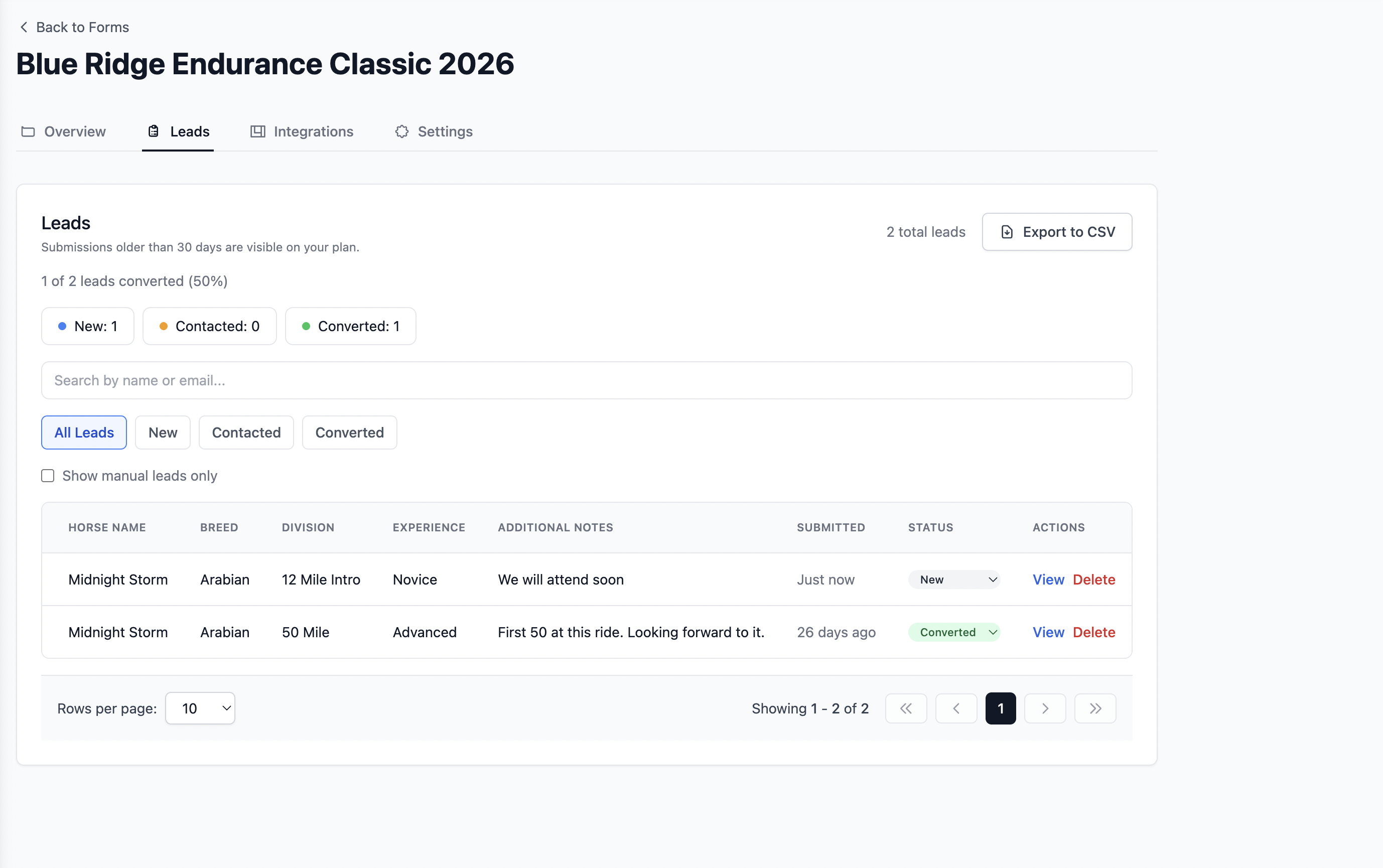
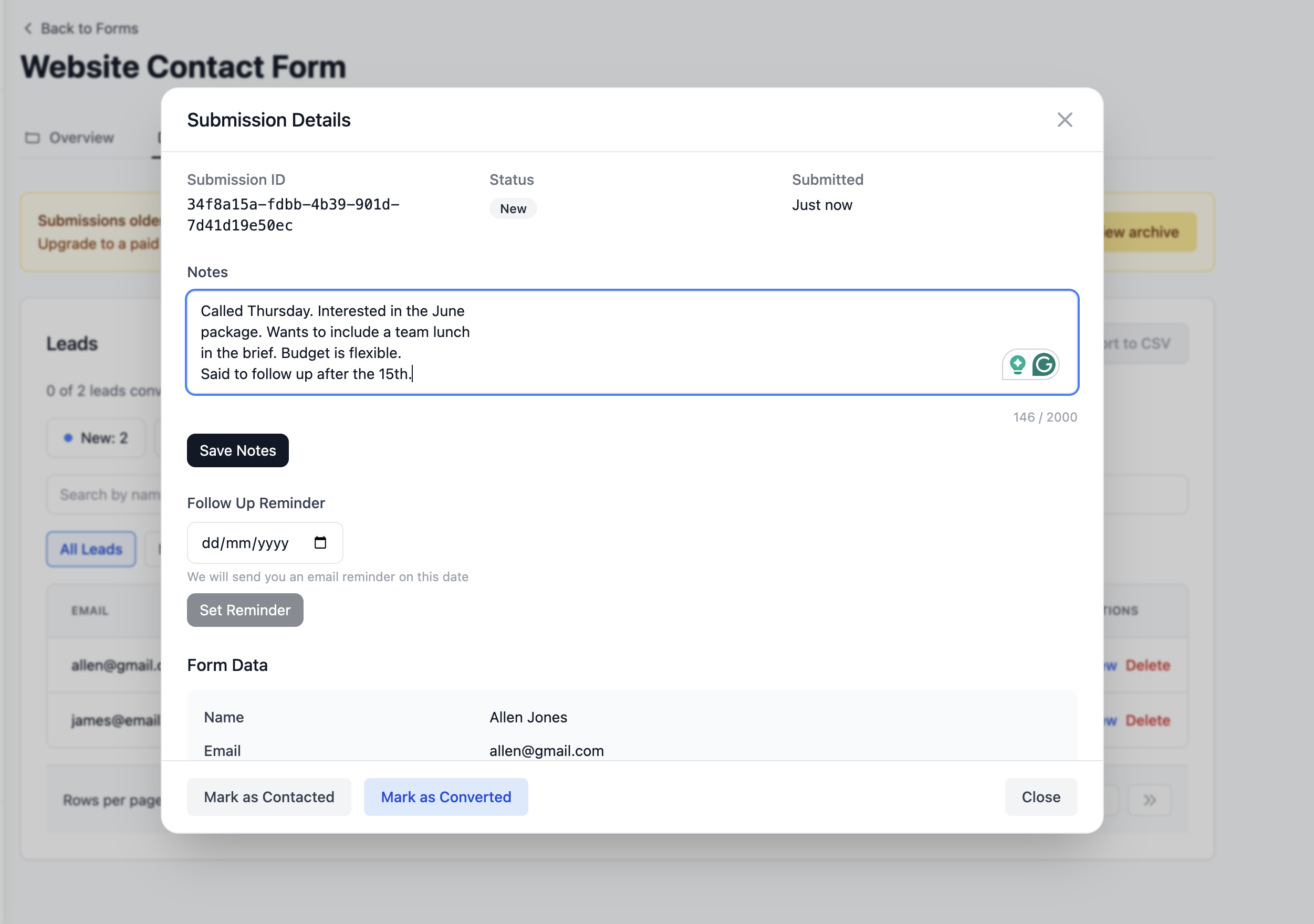
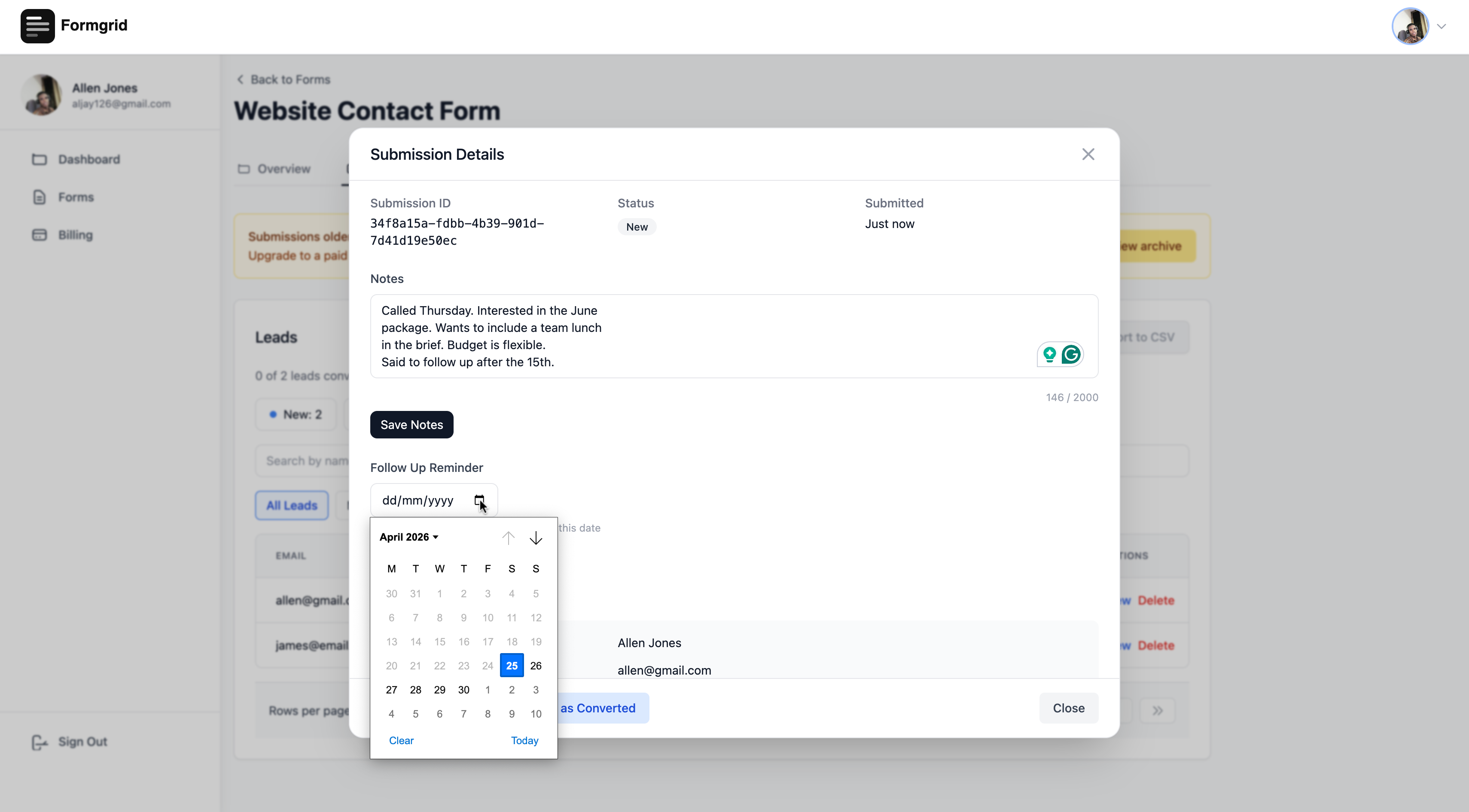
Your conversion rate updates automatically at the top of the leads tab. 3 of 23 leads converted is 13 percent. That number tells you things a flat submissions list never could.
Splitforms has none of this. Its dashboard shows you a list of submissions. You manage everything after that yourself.
Google Sheets sync without Zapier
Formgrid syncs every submission to a Google Sheet automatically without Zapier at $12 per month. Splitforms does not include Google Sheets integration at any price point.
Every new submission appears as a new row in your connected sheet the moment it is received.
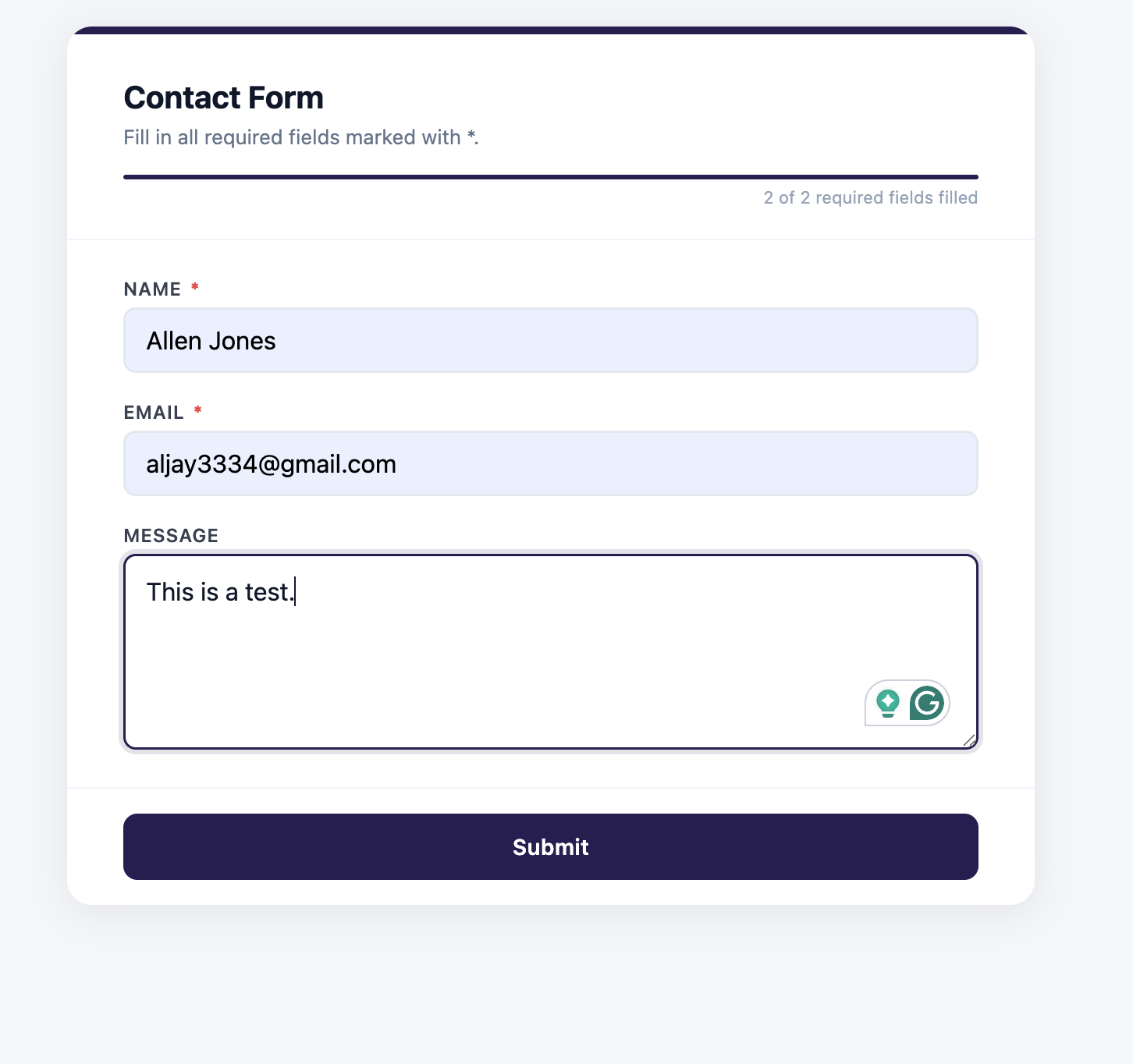
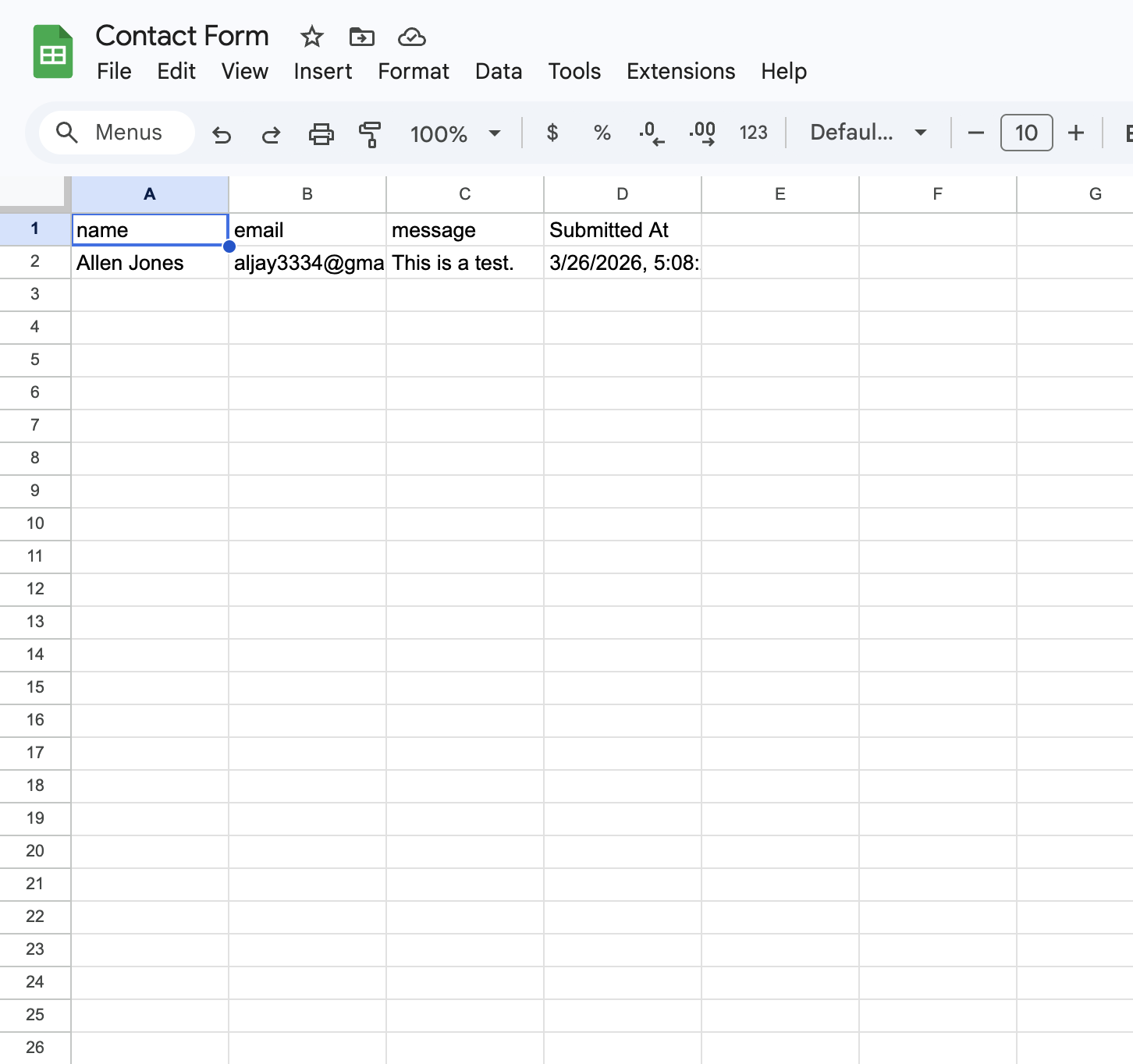
If you have a team that needs to see new submissions in real time without logging into anything new, this matters a lot.
A form builder with landing page templates
Formgrid is not just a form backend. It also includes a full drag-and-drop form builder with professionally designed landing page templates.
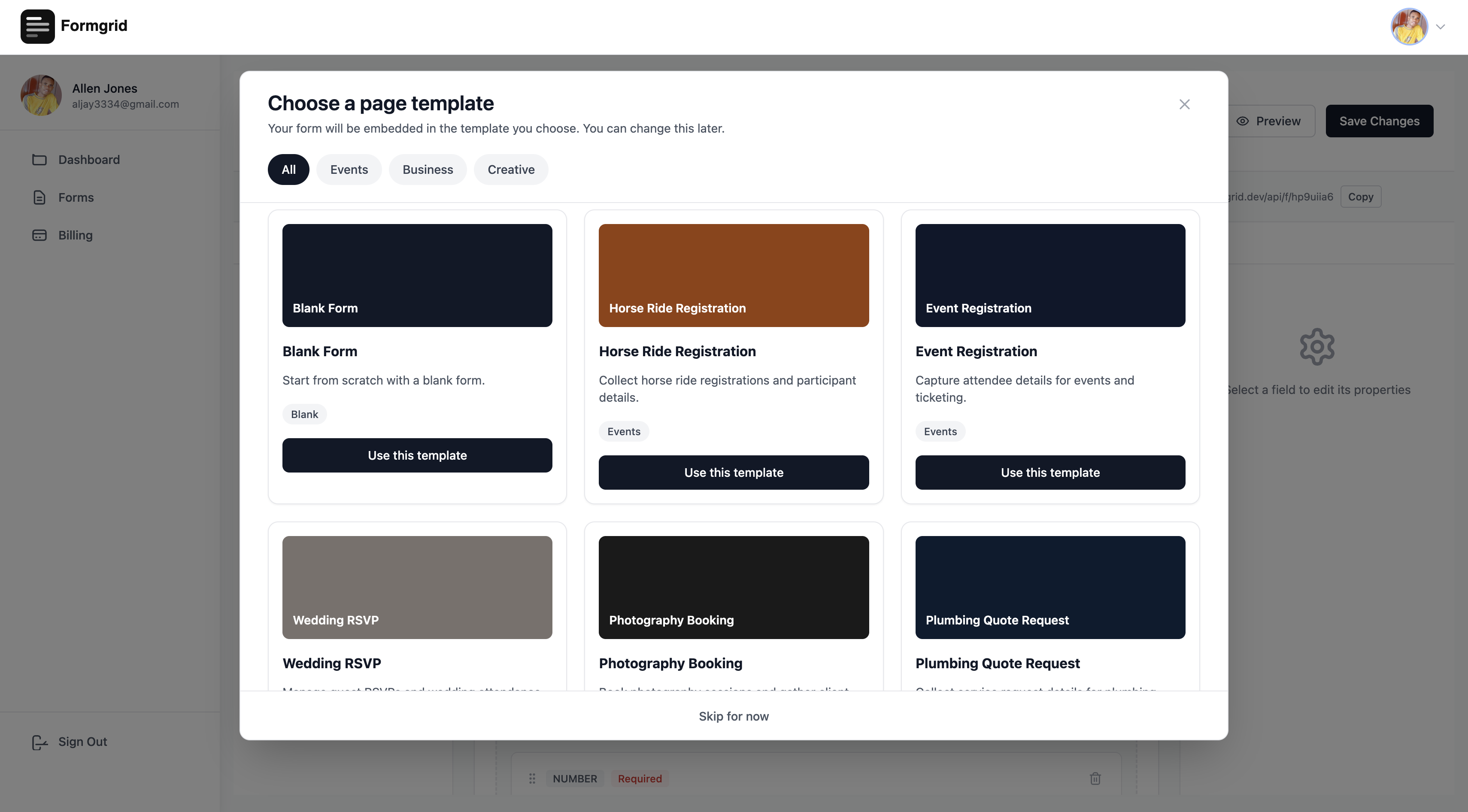
You can build a complete branded landing page with a form embedded inside it, share the link anywhere, and every submission still lands as a tracked lead in your dashboard.
Splitforms is a form backend only. There is no form builder and no shareable form link. You have to build your own form UI in HTML.
Multi-step conversational forms
Formgrid includes a built-in multi-step conversational form format. One question per screen. Clean design. Works on any device. No Typeform subscription needed.

Splitforms has no multi-step form capability.
Auto-responder emails
Formgrid includes auto-responder emails on the Premium plan. When someone submits your form, they receive an automatic confirmation email instantly.
Splitforms does not include auto-responder emails on any plan.
Open source and self-hostable
The entire Formgrid codebase is on GitHub under the MIT license. You can self-host on Docker for free with unlimited submissions.
Splitforms is not open source and is not self-hostable.
Side-by-Side Comparison
| Feature | Splitforms | Formgrid |
|---|---|---|
| HTML form endpoint | Yes | Yes |
| Free submissions | 1,000 per month | 50 per month |
| Paid price | $5 per month | $12 per month |
| Submissions dashboard | Yes | Yes |
| Email notifications | Yes | Yes |
| Spam protection | AI spam free | Free all plans |
| Webhooks | Free | Business plan |
| Lead pipeline | No | Yes |
| Status tracking | No | Yes |
| Notes on leads | No | Yes |
| Follow-up reminders | No | Yes |
| Conversion tracking | No | Yes |
| Google Sheets sync | No | Yes ($12/mo) |
| Form builder | No | Yes |
| Landing page templates | No | Yes |
| Multi-step forms | No | Yes |
| Shareable form link | No | Yes |
| Auto-responder emails | No | Yes (Premium) |
| File uploads | No (Q3 2026 roadmap) | Yes |
| Open source | No | Yes |
| Self-hostable | No | Yes |
The Honest Verdict
Use Splitforms if:
You just need form submissions handled cheaply and reliably. You have high volume and price is the primary concern. You want webhooks on the free plan. You are a developer who manages everything after the submission yourself. Personal projects, portfolios, and low-volume sites where the submissions do not represent business-critical leads.
Use Formgrid if:
You want to track what happens to submissions after they arrive. You want to know which leads you contacted, which ones converted, and which ones went cold. You need Google Sheets sync without Zapier. You want a form builder and shareable form links in addition to an HTML endpoint. You want auto-responder emails to confirm receipt to the person who submitted. You need file uploads. You care about open source and self-hosting. You are running a business where those form submissions represent potential customers you cannot afford to lose track of.
The Real Question
Both tools handle form submissions. The question is not which one receives form data better.
The question is: what do you do with those submissions after they arrive?
If the answer is "I just need to receive emails," Splitforms is excellent value and the best free tier available.
If the answer is "I need to follow up on these leads, track which ones converted, and never forget to reach out," Splitforms cannot help you with that. Formgrid can.
A Real Example
I built Formgrid after experiencing this problem myself.
While building my own agency website at leadsgrid.co I hit the same wall every developer hits. I had a contact form. It sent me emails. Those emails piled up. I lost track of which leads I had responded to. I forgot to follow up on warm enquiries. Good potential clients went cold because they slipped through the cracks of my inbox.
I needed a pipeline, not just an inbox.
One of my Formgrid customers is a tree service business in the US. He set up two forms on his website on his own without any help. On the same day they went live he received 13 real job enquiries. Every one of those enquiries arrived as a tracked lead in his pipeline. He could see which ones he had called, which ones had not responded yet, and which ones had become paying jobs.
That is the problem Formgrid solves. Splitforms does not try to solve it. That is neither good nor bad. They are different tools for different needs.
How to Switch to Formgrid From Splitforms
If you are on Splitforms and want to try Formgrid, switching takes about 5 minutes.
Create a free account at formgrid.dev. No credit card required.
Create a new form and copy your endpoint URL.
Update your HTML form action from your Splitforms URL to your Formgrid endpoint:
<!-- Before -->
<form action="https://splitforms.com/api/submit" method="POST">
  <input type="hidden" name="access_key" value="your-splitforms-key" />
  <input type="text" name="name" placeholder="Your Name" />
  <input type="email" name="email" placeholder="Your Email" />
  <textarea name="message" placeholder="Your Message"></textarea>
  <button type="submit">Send</button>
</form>

<!-- After -->
<form action="https://formgrid.dev/api/f/your-form-id" method="POST">
  <input type="text" name="name" placeholder="Your Name" />
  <input type="email" name="email" placeholder="Your Email" />
  <textarea name="message" placeholder="Your Message"></textarea>
  <input type="text" name="_honey" style="display:none" tabindex="-1" autocomplete="off" />
  <button type="submit">Send</button>
</form>
Submit a test form to confirm it is working.
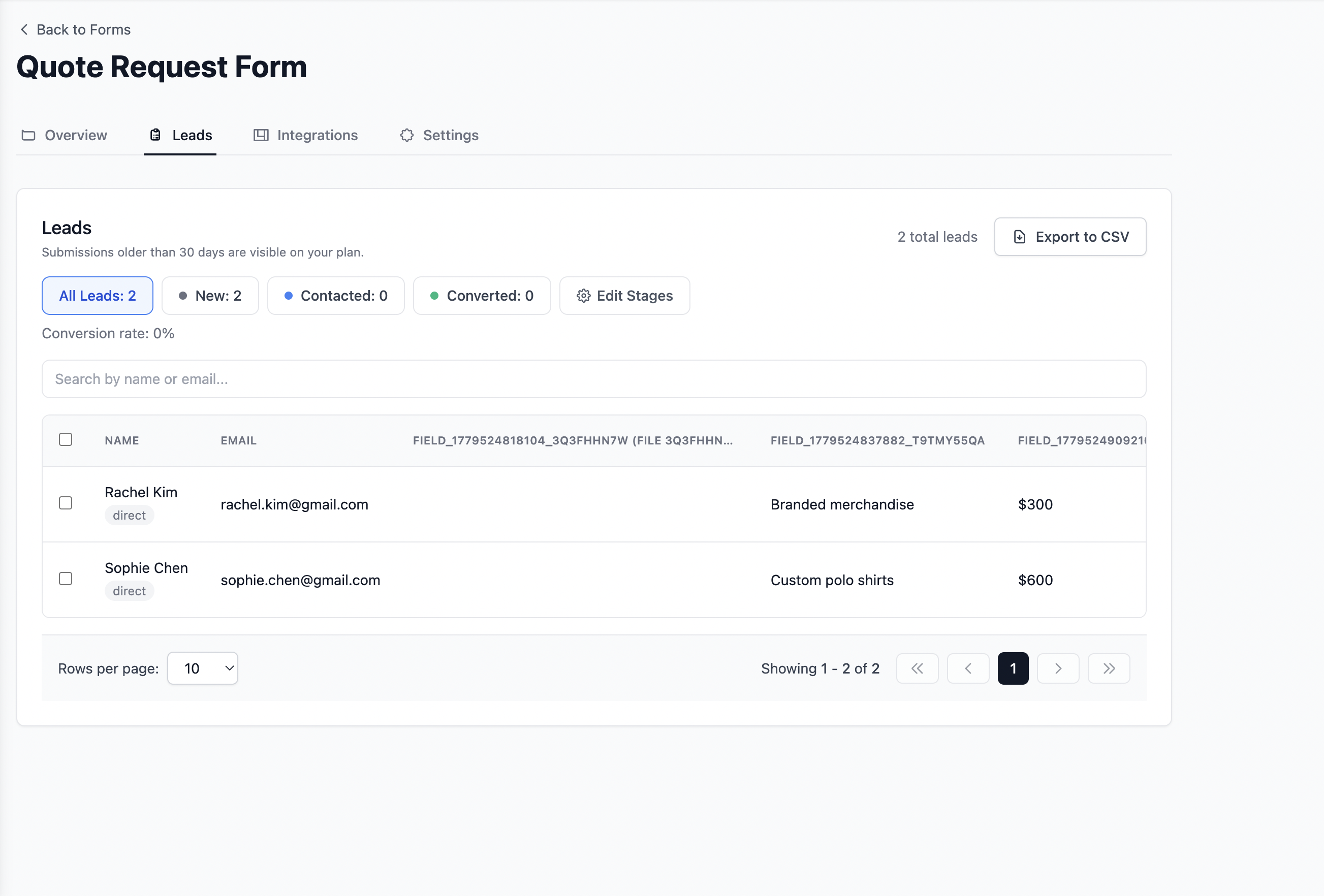
That is it. Your form is live, and every new submission now arrives as a tracked lead.
Formgrid Pricing
| Plan | Price | Submissions |
|---|---|---|
| Free | $0 per month | 50 per month |
| Premium | $12 per month | 1,000 per month |
| Business | $29 per month | 15,000 per month |
The free plan is enough to evaluate whether the lead pipeline is useful for your use case. Upgrade when your volume or needs grow.
Try Formgrid free at formgrid.dev No credit card required.
Full disclosure: I built Formgrid. I wrote this comparison as honestly as I could. If anything looks inaccurate, let me know in the comments.

Comments
Leave a comment