
Most comparisons between Formspree and Formgrid focus on price and features.
This one focuses on something more important.
What actually happens to your leads after they submit your form?
Because that is where most small businesses are losing customers without realising it. Not at the form. Not in the inbox. After the inbox.
The Moment Formspree's Job Ends
When someone fills in your contact form and hits submit, Formspree does its job cleanly and reliably. Submission received ✅ Spam filtered ✅ Email notification sent ✅ Submission stored ✅
That is it. Formspree's job is done.
The submission is in your inbox. It is in your Formspree dashboard. What happens next is entirely up to you.
Did you reply? Did you follow up? Did they become a customer? Did they go cold while sitting in your starred emails?
Formspree has no idea. It received the submission. That was the assignment.
For a developer building a portfolio contact form or a simple static site, that is completely fine. The submission is just a notification. There is nothing more to track.
But for a small business owner, that submission is a potential customer. And potential customers need more than an email notification. They need a system that tracks what happens to them after they reach out.
The Moment Formgrid's Job Begins
Formgrid does everything Formspree does at the point of submission. Submission received ✅ Spam filtered ✅ Email notification sent ✅ Submission stored ✅
But that is where the similarity ends.
Because in Formgrid, that submission does not just sit in a flat list. It becomes a tracked lead with a status, a notes field, and a follow-up reminder you can set in one click.
The submission landing in your dashboard is not the end of the workflow. It is the beginning.
What Happens in Formspree After
the Submission
You receive an email notification. You open it. You read the enquiry.
Then one of three things happens.
Best case: You reply immediately, have a great conversation, and the person becomes a customer. Formspree worked perfectly.
Most common case: You reply when you get a chance, a day or two later. The lead is still warm, but not as warm as it was. You close some of them. You lose some of them. You have no idea which or why.
Worst case: The submission gets buried under 40 other emails. You find it two weeks later. The person has already gone with someone else. You have no idea how many times this has happened because Formspree has no way to show you.
After a month of submissions in your Formspree dashboard, you have no idea at a glance: Which ones did you reply to? Which ones are still waiting? Which ones became customers? Which ones went cold?
You have a list of submissions. Not a picture of your business.
What Happens in Formgrid After
the Submission
You receive the same instant email notification. You open it. You read the enquiry.
But then you open your Formgrid dashboard, and the lead is already there waiting for you as a New lead with a status, a timestamp, and all the submitter details.
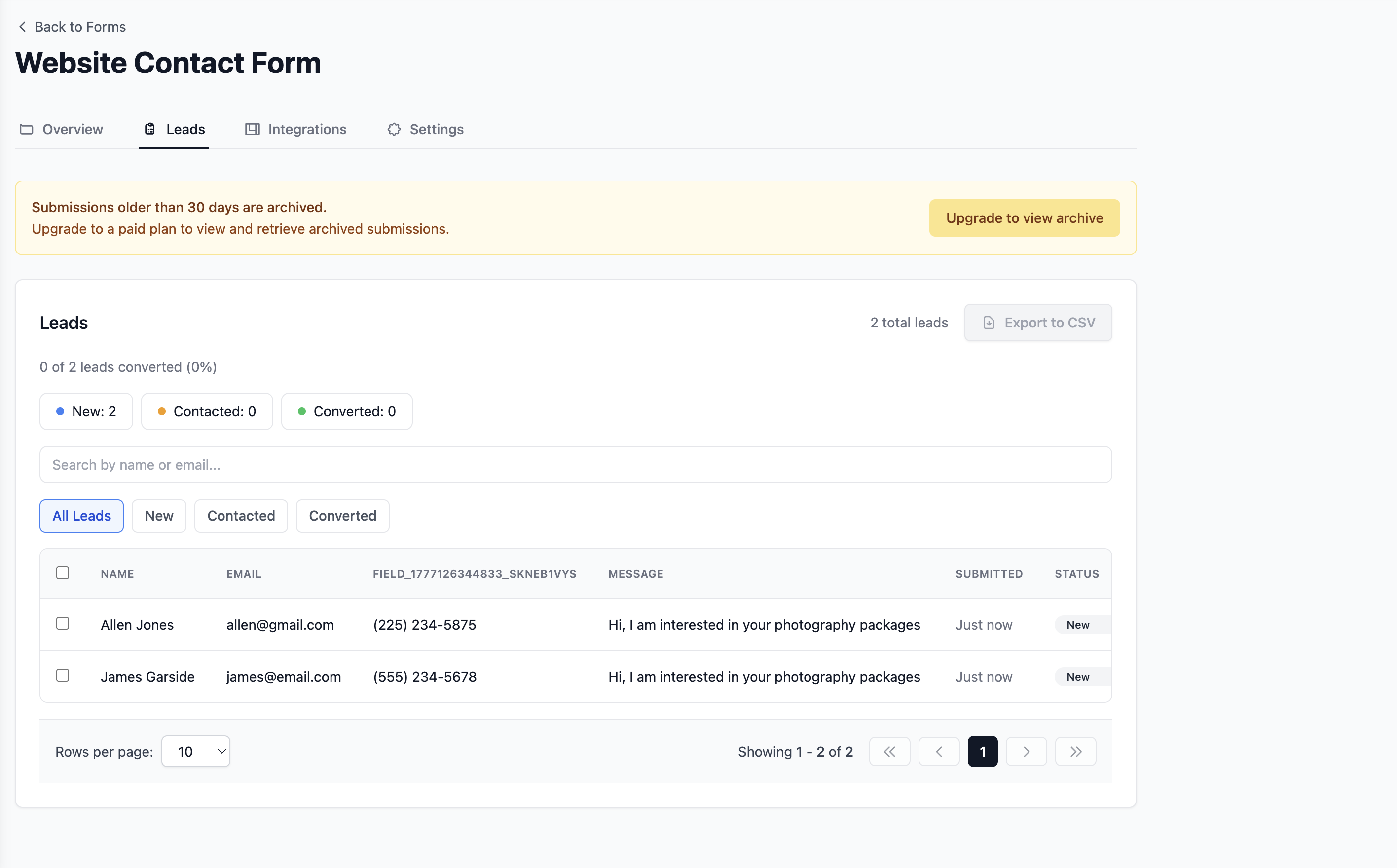
At the top of the leads tab, you see your full pipeline at a glance: New: 12 Contacted: 8 Converted: 3
And your conversion rate: 3 of 23 leads converted (13%)
You know immediately which leads need your attention. You know exactly how your form is performing. You know your conversion rate without counting anything manually.
That is the difference between a form backend and a lead management system.
The Four Things That Happen
Differently in Formgrid
1. You Can See Where Every Lead Stands
In Formspree, every submission looks the same. New or old. Replied to or not. Converting or dead. It is all in the same flat list.
In Formgrid, every lead has a status: New: You have not replied yet Contacted: You have been in touch Converted: They became a customer
When you reply to a lead, you change its status from New to Contacted. When they become a customer, you change it to Converted.
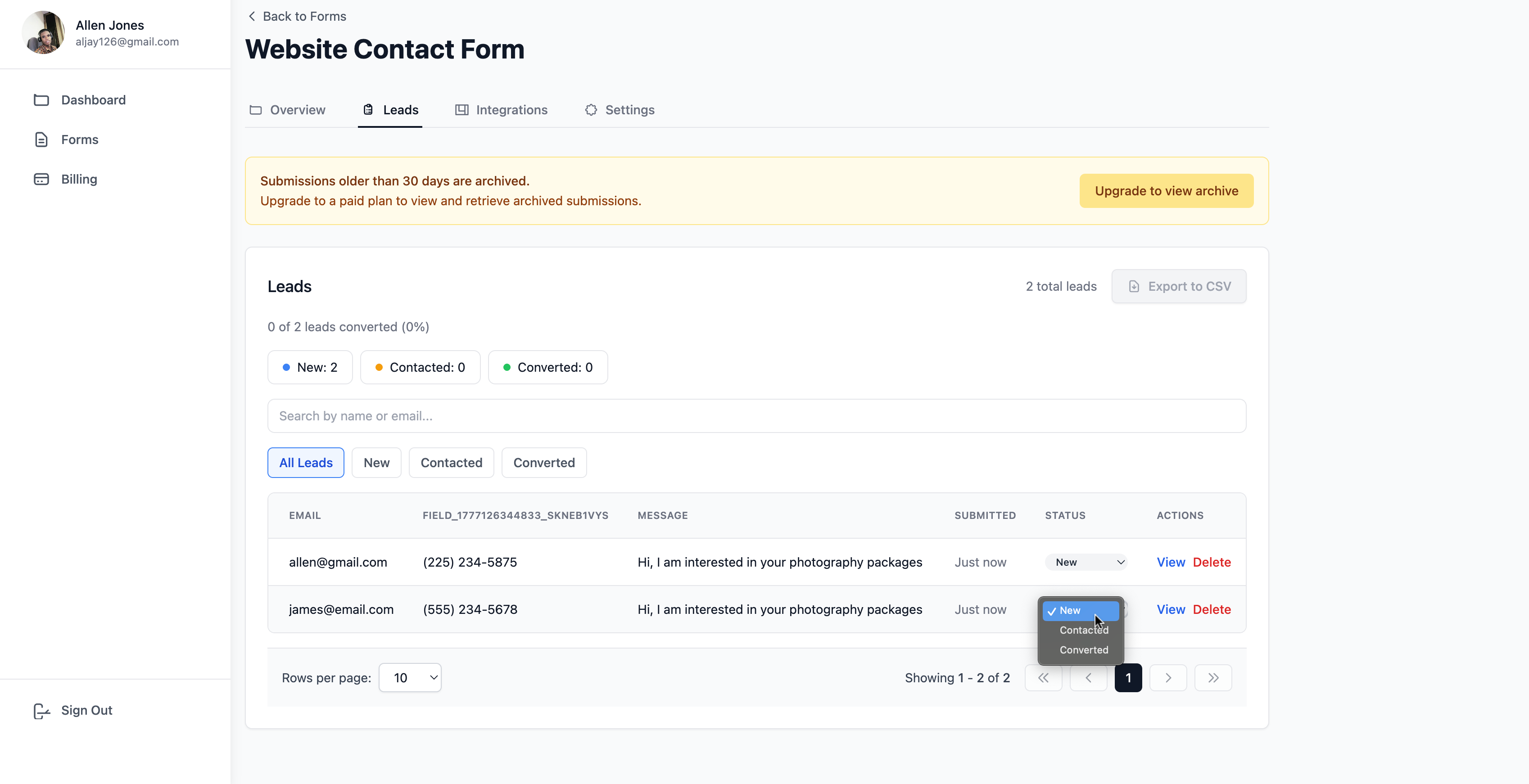
You can also update multiple leads at once using bulk actions. Mark everything you replied to this morning as Contacted in one click.
Three stages. That is all you need to turn a flat list into a visible one pipeline.
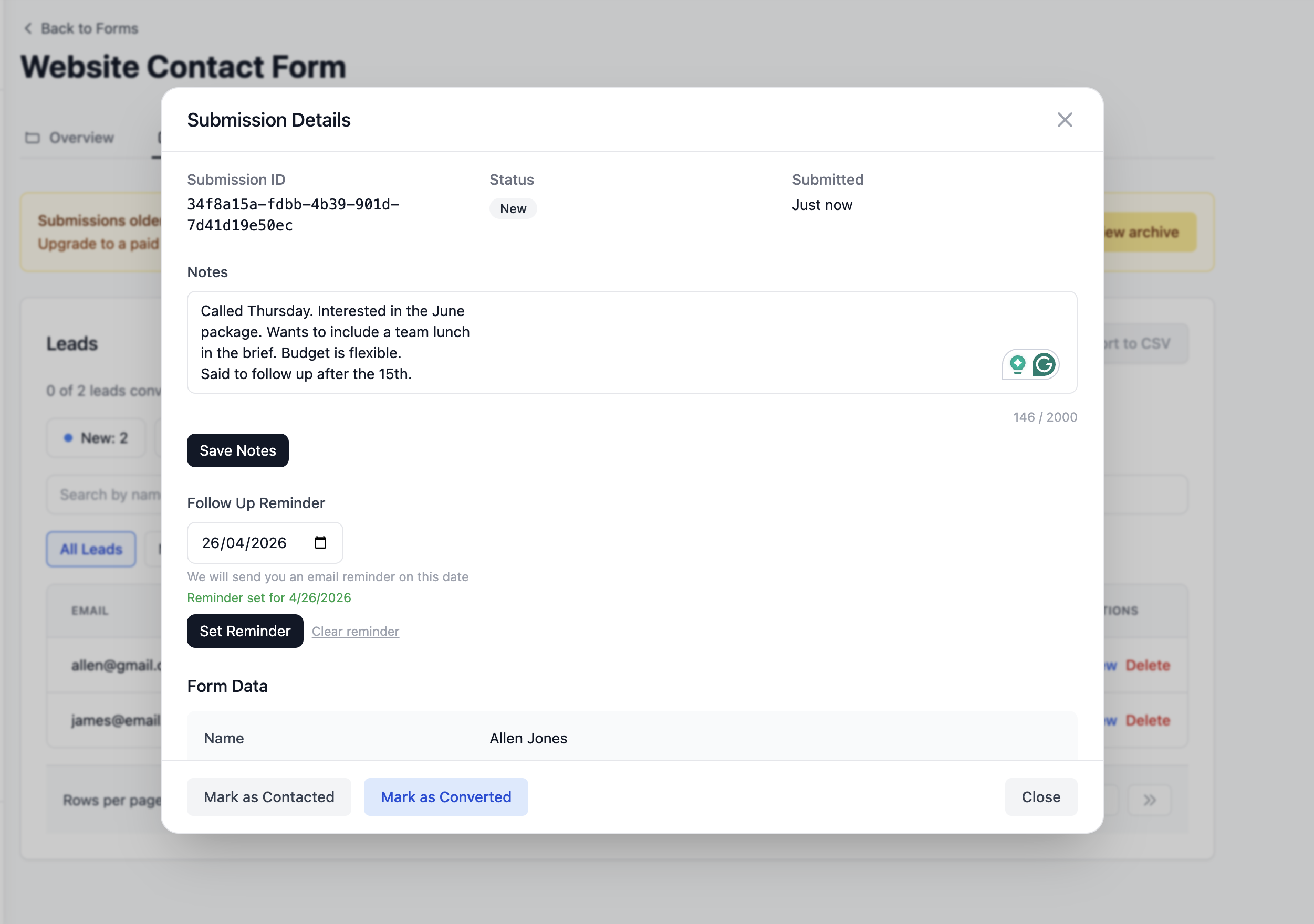
2. You Can Add Notes to Every Lead
After you call a potential customer and they tell you their budget is tight until next quarter, and to follow up in July, you need to write that down somewhere attached to that specific person.
Formspree has no notes field. You end up writing it somewhere else or trying to remember it.
In Formgrid, every lead has a notes field that accepts up to 2000 characters. Write whatever you need to remember: Called Thursday. Interested in the monthly package. Budget around $800 per month. Partner needs to approve. Follow up after the 20th.
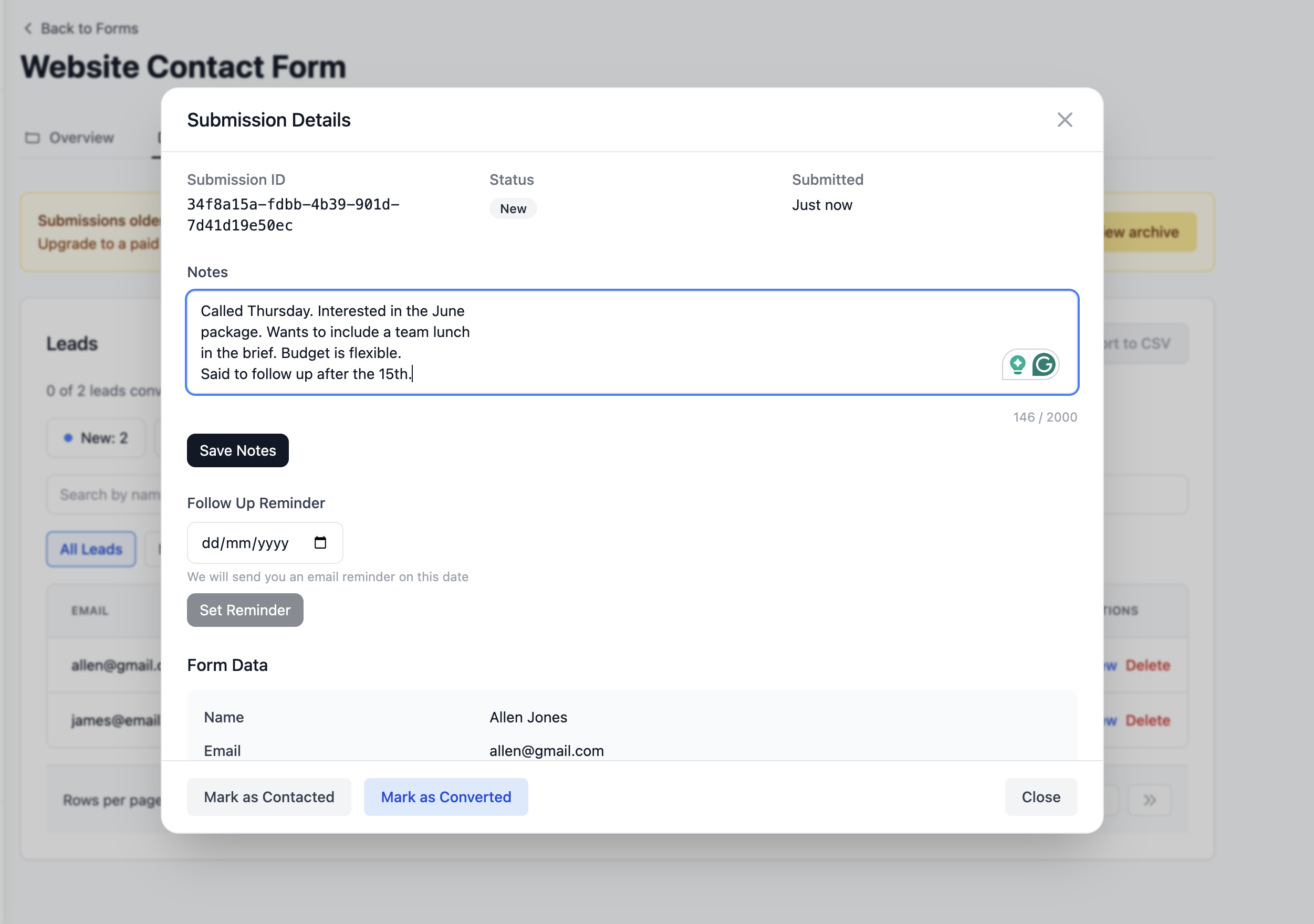
The next time you open that lead, your note is right there. You know exactly where the conversation left off before you pick up the phone. You sound prepared. You sound professional. You close more deals.
Without the note, you are starting from scratch every time. You ask the same questions again. You sound like you do not remember them. You lose the deal to someone who does.
3. You Can Set Follow-Up Reminders
Most leads do not convert on the first contact. They need a follow-up. Sometimes two or three.
The problem is that "follow up in two weeks" is not a system. It is a hope.
In Formgrid, you set a follow-up reminder directly on the lead. Pick a date. Click Set Reminder.
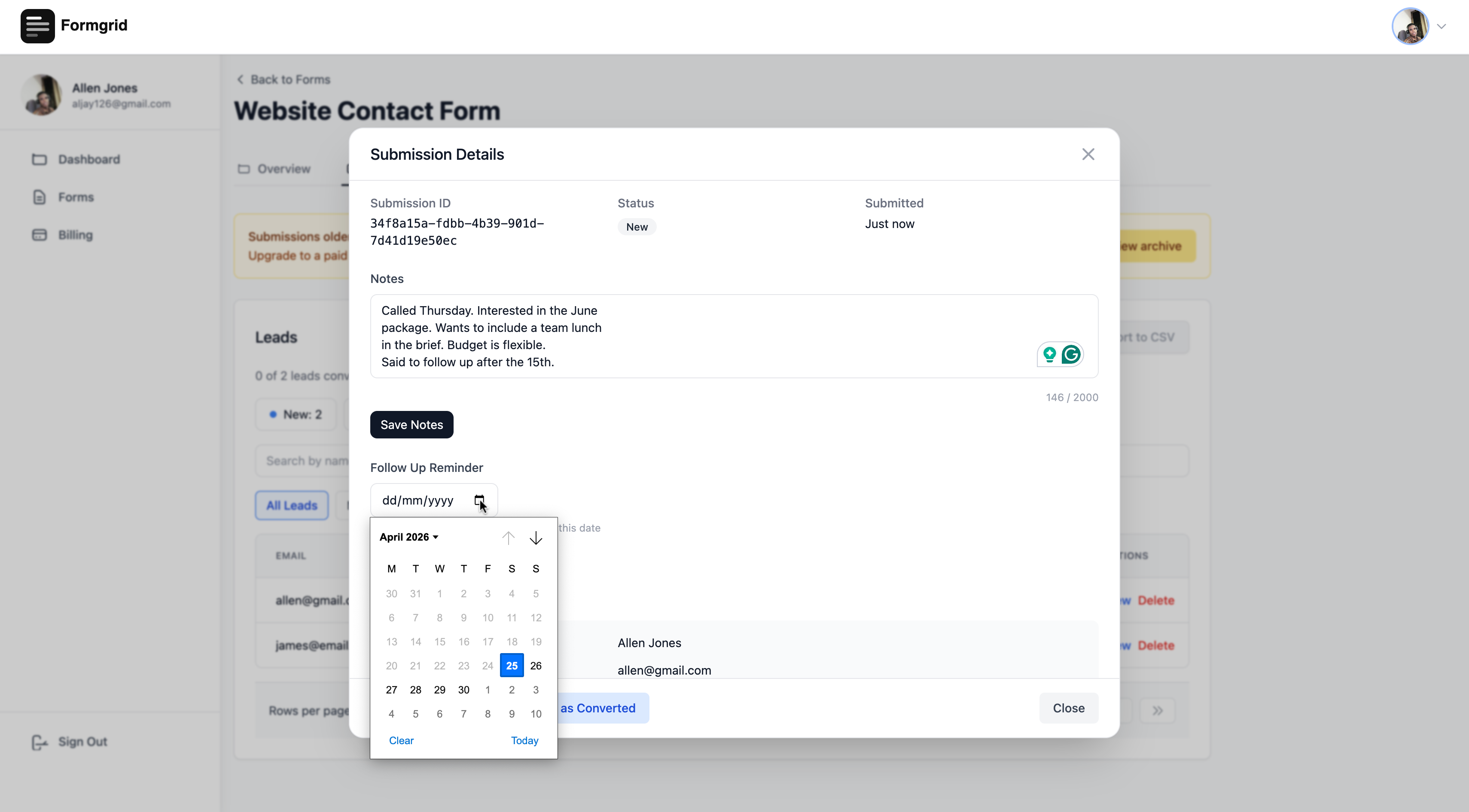
On that date, Formgrid emails you with the lead details and your notes so you have everything you need before you follow up.
 Follow-up reminder: James Garside
from Contact Form
Lead: James Garside
Email: james@email.com
Current status: Contacted
Notes: Called Thursday. Budget
around $800. Follow up after
the 20th.
View this lead: [link]
Follow-up reminder: James Garside
from Contact Form
Lead: James Garside
Email: james@email.com
Current status: Contacted
Notes: Called Thursday. Budget
around $800. Follow up after
the 20th.
View this lead: [link]
You open that email. You have the context. You send the follow-up. You close the deal.
Formspree has no equivalent of this. The moment the submission hits your inbox, Formspree is done. Whether you follow up is entirely up to you and your memory.
4. You Can See Your Conversion Rate
Do you know what percentage of your Formspree submissions become paying customers?
Almost certainly not. Because Formspree has no way to track that. It receives submissions and stores them. It has no concept of whether a submission converted or not.
In Formgrid, your conversion rate updates automatically as you move leads through the pipeline: 3 of 23 leads converted (13%)
That number tells you things you cannot see from a flat submissions list.
If it drops, you know something changed. Maybe a new traffic source is bringing lower-quality leads. Maybe you are taking too long to reply. Maybe your pricing conversation needs work.
If it is climbing, you know your process is working. Keep doing what you are doing.
Without that number, you are guessing. With Formspree, you are always guessing.
The Side-by-Side Comparison
| Feature | Formspree | Formgrid |
|---|---|---|
| HTML form endpoint | ✅ | ✅ |
| Email notifications | ✅ | ✅ |
| Submissions dashboard | ✅ | ✅ |
| CSV export | ✅ | ✅ |
| Spam protection | ✅ | ✅ |
| File uploads | ✅ Paid | ✅ |
| Lead pipeline | ❌ | ✅ |
| Notes on leads | ❌ | ✅ |
| Follow up reminders | ❌ | ✅ |
| Conversion rate tracking | ❌ | ✅ |
| Form builder | ❌ | ✅ |
| Shareable form link | ❌ | ✅ |
| Self-hostable | ❌ | ✅ |
| Open source | ❌ | ✅ |
| Free submissions | 50/month | 25/month |
| Starting price | $15/month | $12/month |
| GDPR friendly | ⚠️ | ✅ |
The technical foundation is similar. What happens after the submission is not even close.
How to Switch From Formspree
to Formgrid
If you are already using Formspree, switching to Formgrid takes about five minutes and your form does not change at all.
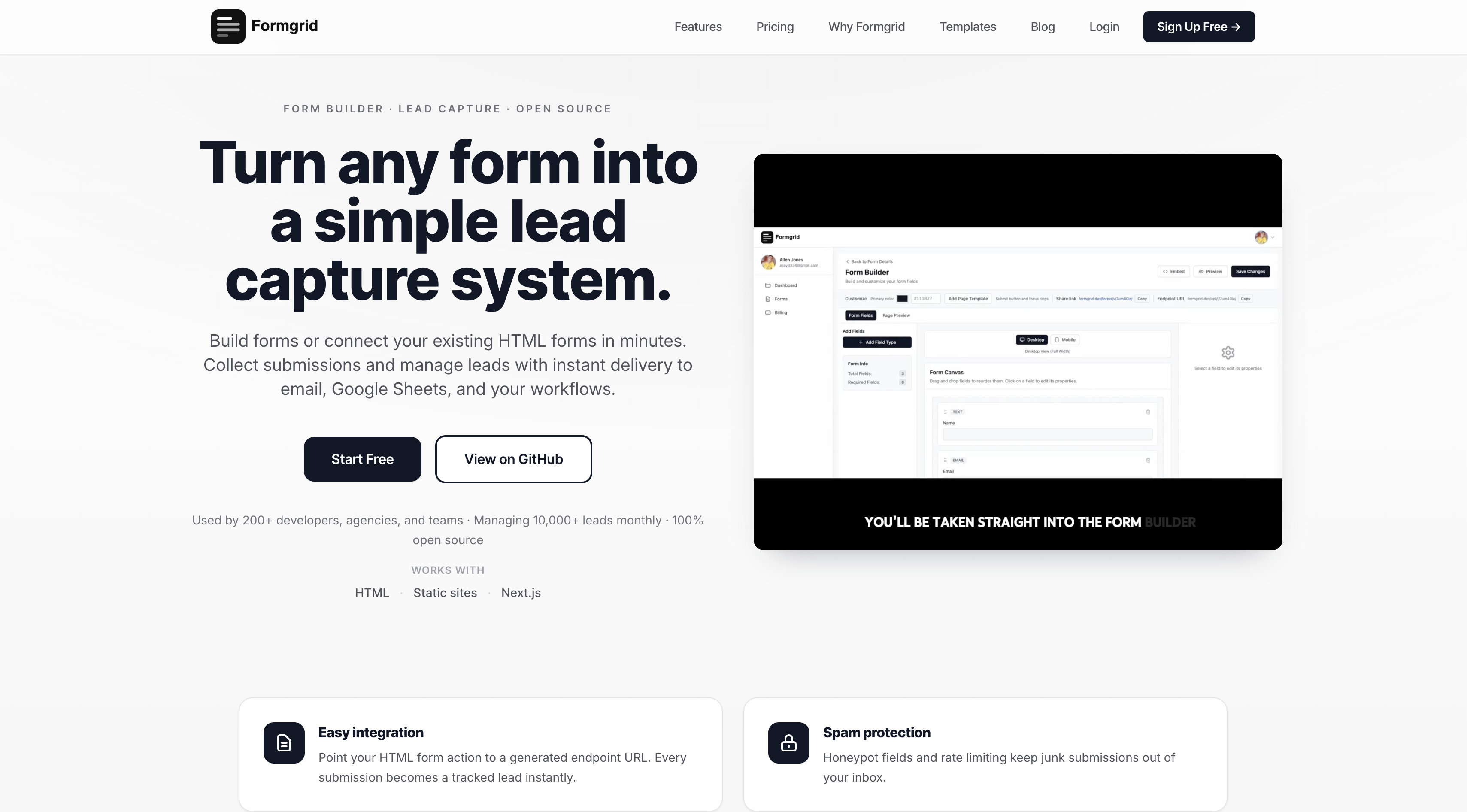
Step 1: Sign up at formgrid.dev. No credit card required.
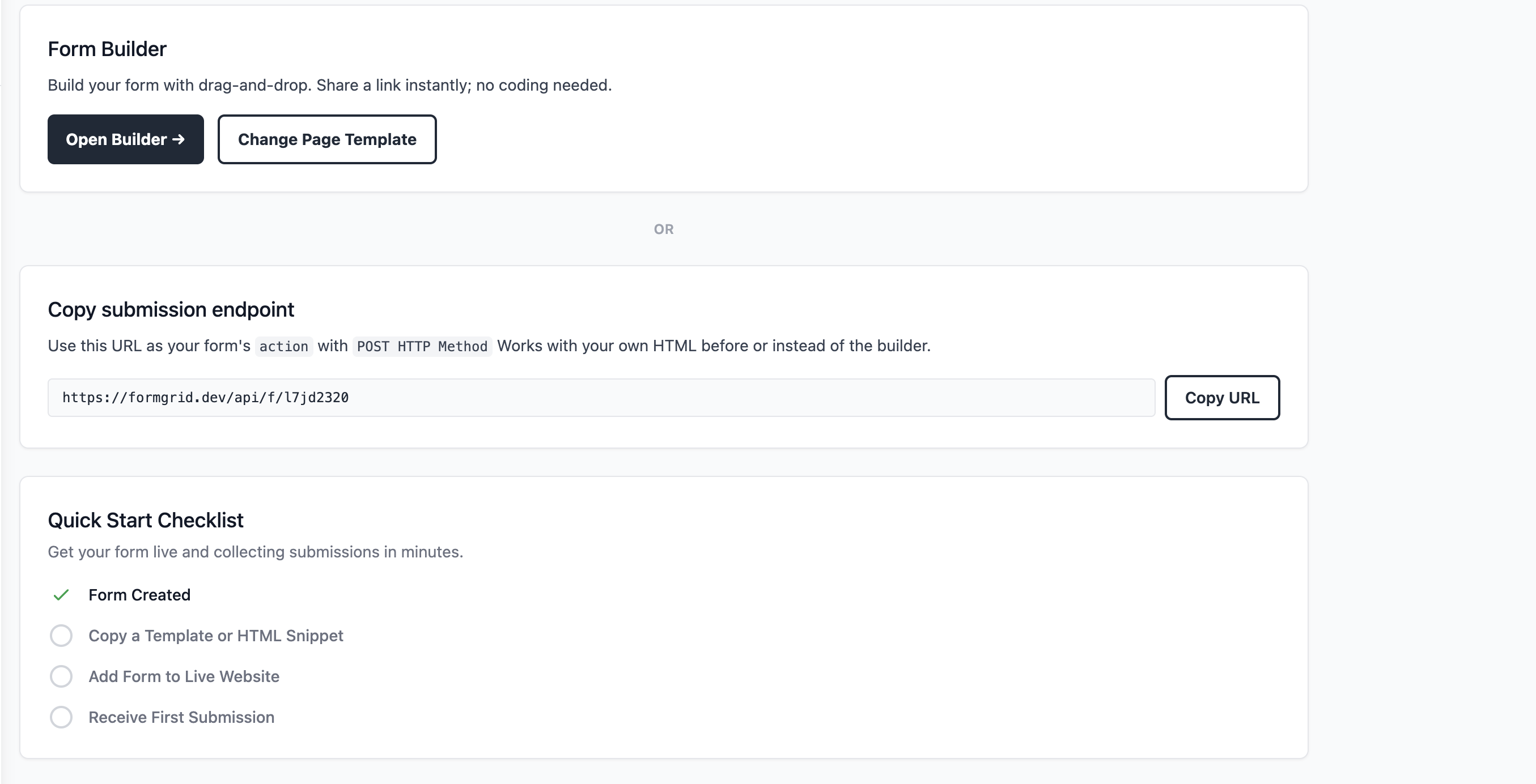
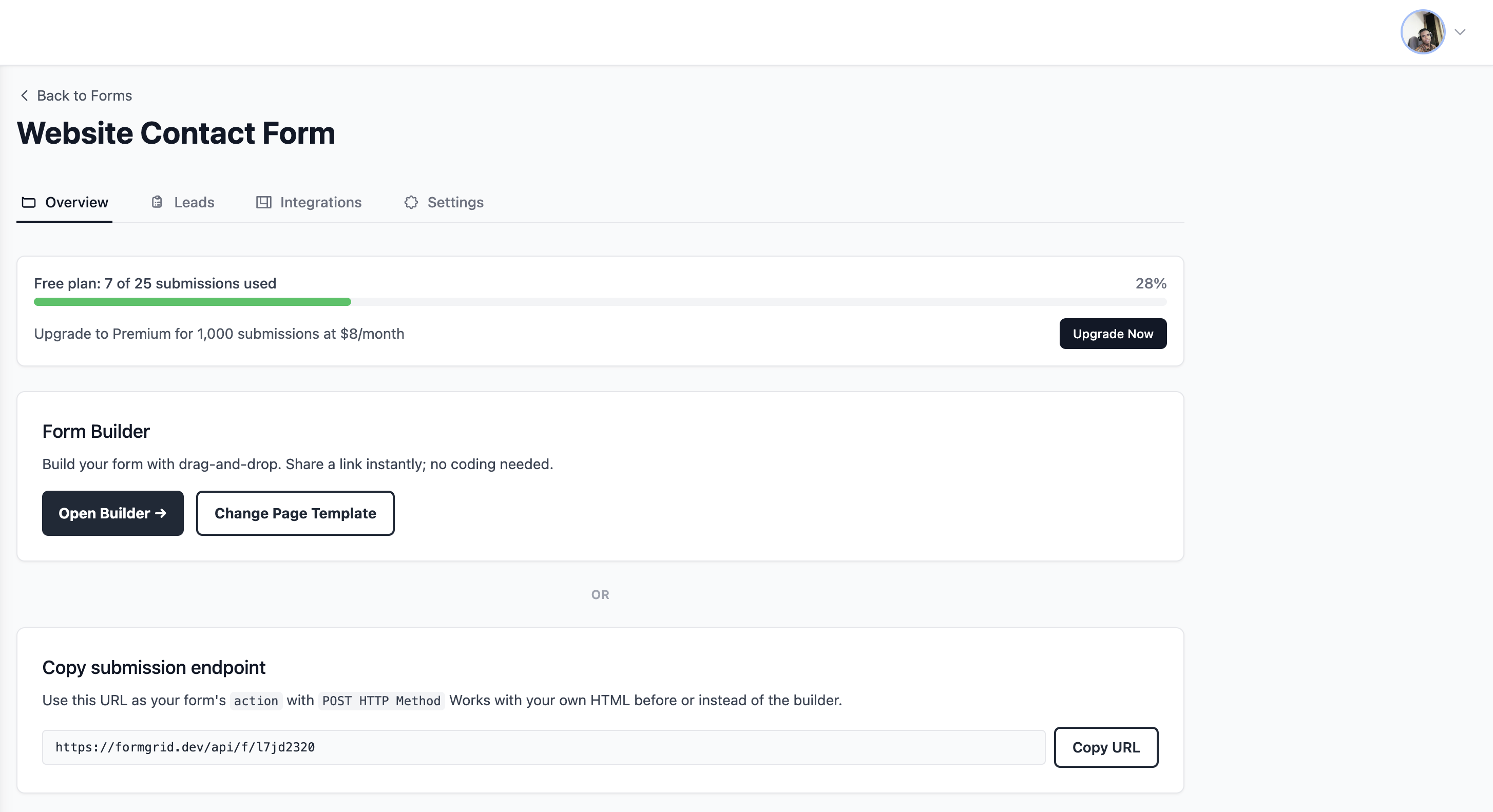
Step 2: Create a new form and copy your Formgrid endpoint URL from the form details page.
Step 3: Replace your Formspree endpoint in your existing HTML form with your Formgrid endpoint URL. One line change:
<form
  action="https://formgrid.dev/api/f/your-form-id"
  method="POST"
>
  <input
    type="text"
    name="name"
    placeholder="Your Name"
    required
  />
  <input
    type="email"
    name="email"
    placeholder="Your Email"
    required
  />
  <textarea
    name="message"
    placeholder="Your Message"
  ></textarea>

  <input
    type="text"
    name="_honey"
    style="display:none"
  />

  <button type="submit">Send Message</button>
</form>
That is the entire migration. Your form works exactly as before. The difference is that every submission now lands in a lead pipeline with a status, a notes field, and a follow-up reminder you can set in one click.
If you do not have a website or want a standalone shareable form link use the drag and drop builder to get a link in under 5 minutes.
What This Costs
Free: $0/month 25 submissions Premium: $12/month 1,000 submissions Business: $29/month 15,000 submissions plus auto-responder emails and more
Formspree's equivalent paid plan starts at $10 per month for 200 submissions with no lead management.
You pay less with Formgrid and get a complete lead pipeline on top of everything Formspree already does.
When Formspree Is Still the Right Choice
To be honest, Formspree is still a perfectly good choice in one specific situation.
If you are a developer building a simple contact form for a portfolio site or a static site where submissions are just notifications and nothing more. Formspree works fine.
You are not trying to convert those submissions into customers. You are just receiving messages. The pipeline, the notes, and the follow-up reminders add no value for that use case.
But the moment those submissions represent real revenue opportunities the calculation changes completely.
A small business taking 20 enquiries per month needs to know which ones they replied to, which ones need a follow-up, and which ones became customers. Formspree cannot tell you any of that. Formgrid can.
Getting Started
If you are a small business owner using Formspree, and you have ever lost track of a lead that could have become a customer. This is worth five minutes of your time.
Switch your form endpoint. Set up your first pipeline. See what your conversion rate actually is.
That number alone might change how you think about your contact form entirely.
No credit card required. Free plan available. Switching from Formspree takes five minutes, and your form does not change at all.
Have questions about switching from Formspree or setting up lead tracking for your specific use case? Email allen@formgrid.dev, and I will help you get it working.

Comments
Leave a comment