
Your next customer might already be looking for a business like yours.
They find your website, like what they see, and fill out a form asking for a quote. That should start a conversation. Instead, the enquiry lands in a crowded inbox, gets buried under other emails, and a week later you can't remember whether anyone replied.
The expensive part isn't building the website. It's losing track of the people who want to hire you.
Imagine having one place to do all of this:
- Create a complete website with AI, without starting from a blank page.
- Let visitors request quotes, ask questions, or enquire about bookings using forms on your site.
- See each enquiry in a lead dashboard, rather than hunting through emails.
- Record conversations and follow-up dates, so promising enquiries don't depend on your memory.
- Track enquiries from New to Contacted to Converted, so you know what happened next.
That's the workflow Formgrid.dev brings together: an AI website builder, forms, and a built-in lead pipeline.
In this tutorial, I'll show you how to build a website that does more than look professional. It gives potential customers a way to reach you and gives you a system to manage those opportunities.
Build your first website with Formgrid.dev
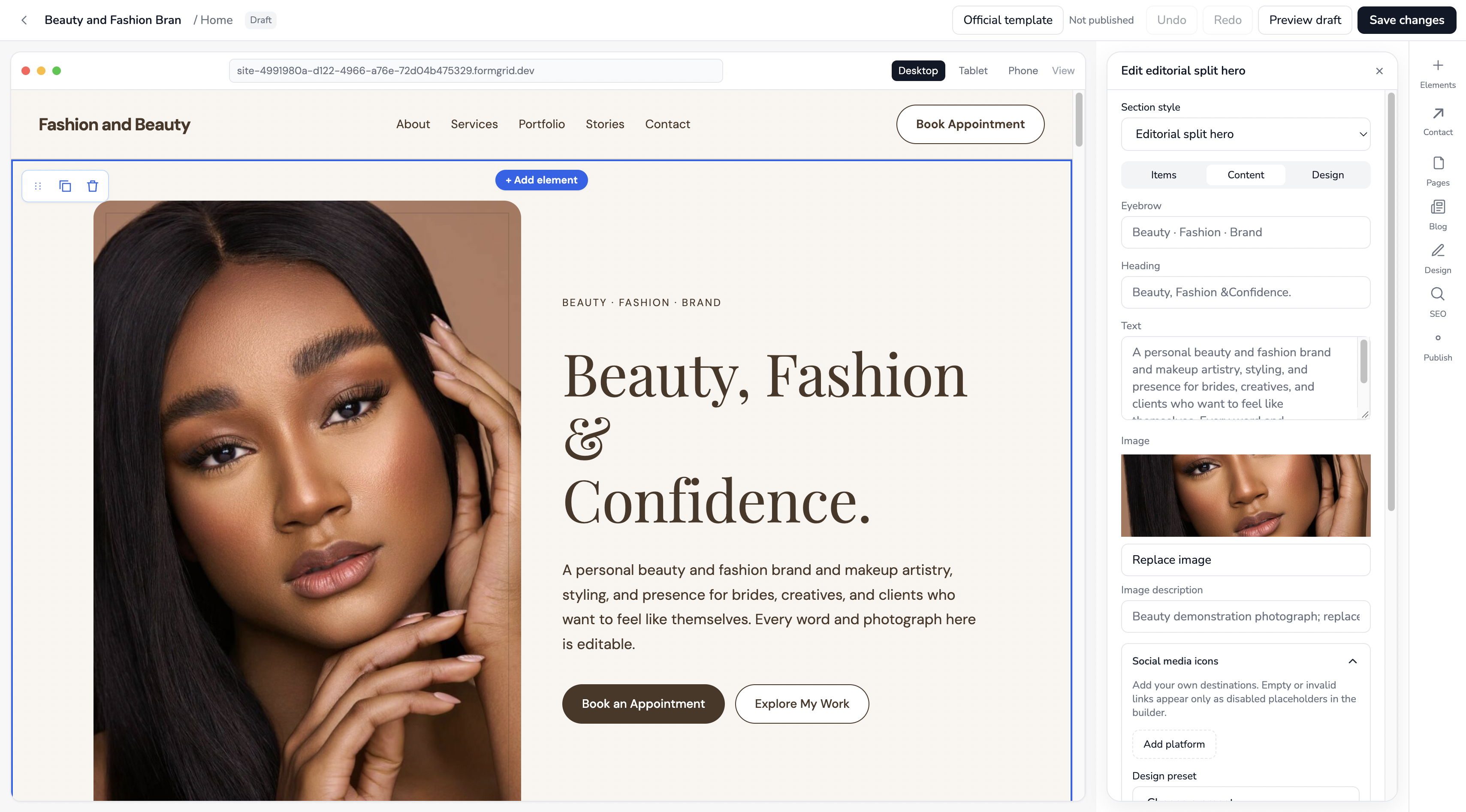
Screenshot placeholder 01: Replace with the real Formgrid website builder marketing or product overview screenshot.
A Good-Looking Website Isn't Enough If Enquiries Slip Through the Cracks
Let's use a makeup and fashion brand as an example.
One visitor wants makeup for a wedding. Another wants to enquire about a custom outfit. A third wants to know whether the brand is available for an upcoming event.
You have three potential customers, but three different conversations to manage. If all you have is an email notification, you'll still need to work out who replied, who needs a follow-up, and which enquiry turned into paid work.
That is where the real cost of a disconnected website can show up: missed follow-ups, duplicated work, and uncertainty about your next customer.
Here's the workflow you actually want:
- A visitor discovers your website and requests a service.
- Their enquiry is captured in a form connected to your project.
- You open the enquiry, review the details, and contact them.
- You add a note and a follow-up date when needed.
- You move the lead from New → Contacted → Converted as the conversation progresses.
You don't need an enterprise sales system to do this. You need a practical workflow that fits the way a service business operates.
The goal isn't more form submissions. It's turning more of the enquiries you already receive into real conversations and customers.
What Is Formgrid.dev?
Formgrid.dev combines an AI-powered website builder, form tools, and a built-in lead management dashboard.
You can use it to:
- Generate a multi-page website by describing your business to AI.
- Start with a professionally designed website template instead.
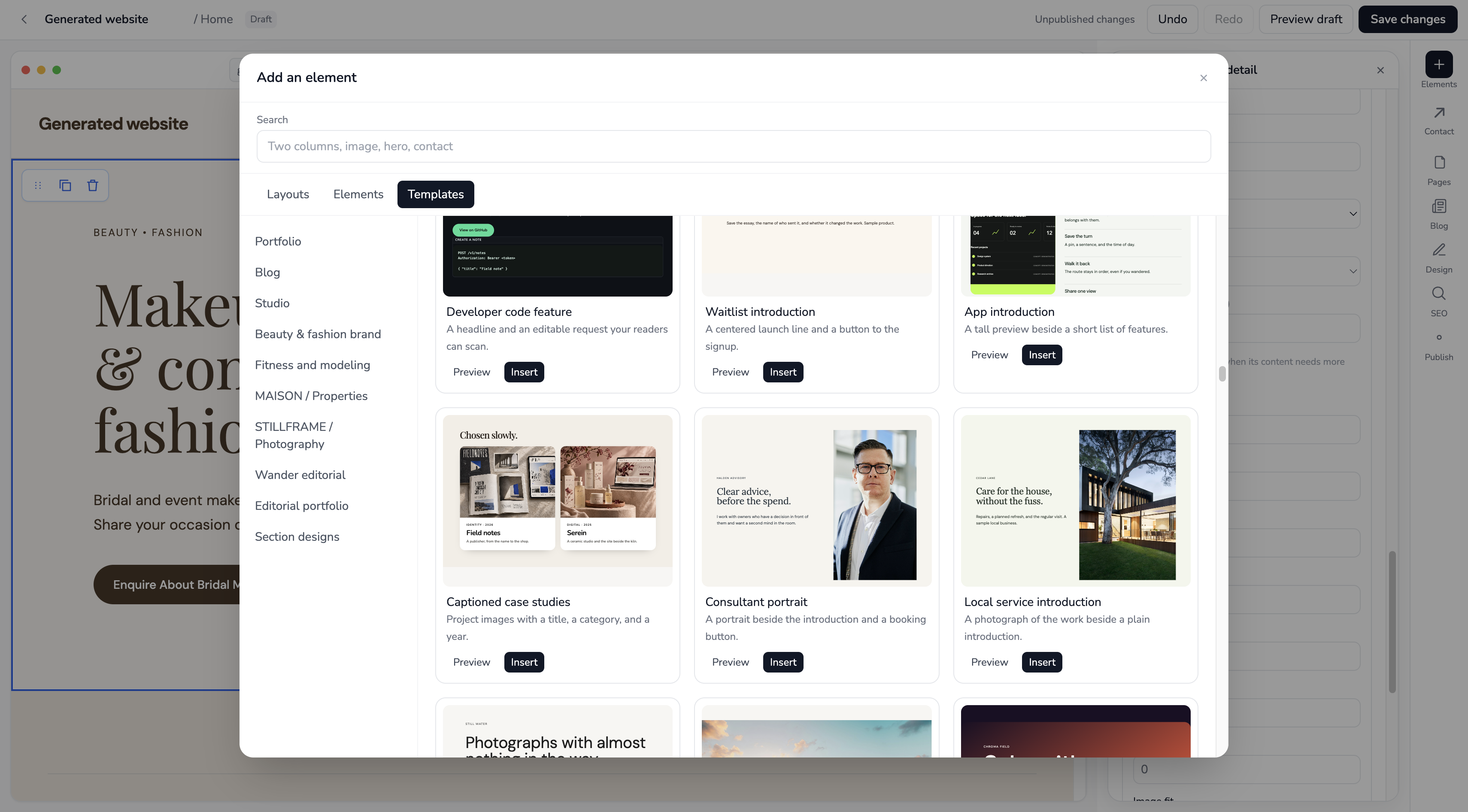
- Customize pages, sections, text, images, navigation, and styling in a visual editor.
- Add enquiry forms directly to your website or connect existing Formgrid forms.
- Publish your website to a public URL.
- Organize accepted enquiries in a lead pipeline with notes and follow-up dates.
- Manage separate projects for different businesses or client websites.
The website builder is especially useful for service businesses that depend on enquiries, such as photographers, contractors, consultants, real estate professionals, and local service providers.
It's also useful for developers and freelancers who want to deliver a website with form handling and lead management already connected.
Important distinction: Formgrid supports booking requests and enquiries. It is not, at the time of writing, a calendar-based appointment scheduler with live availability and automatic slot confirmation.
Step 1: Create Your Account and Open the Website Dashboard
Start by signing up for Formgrid.dev.
After account creation and any required email verification or login steps, Formgrid creates a default project called My Project. Projects keep your websites, forms, and submissions organized.
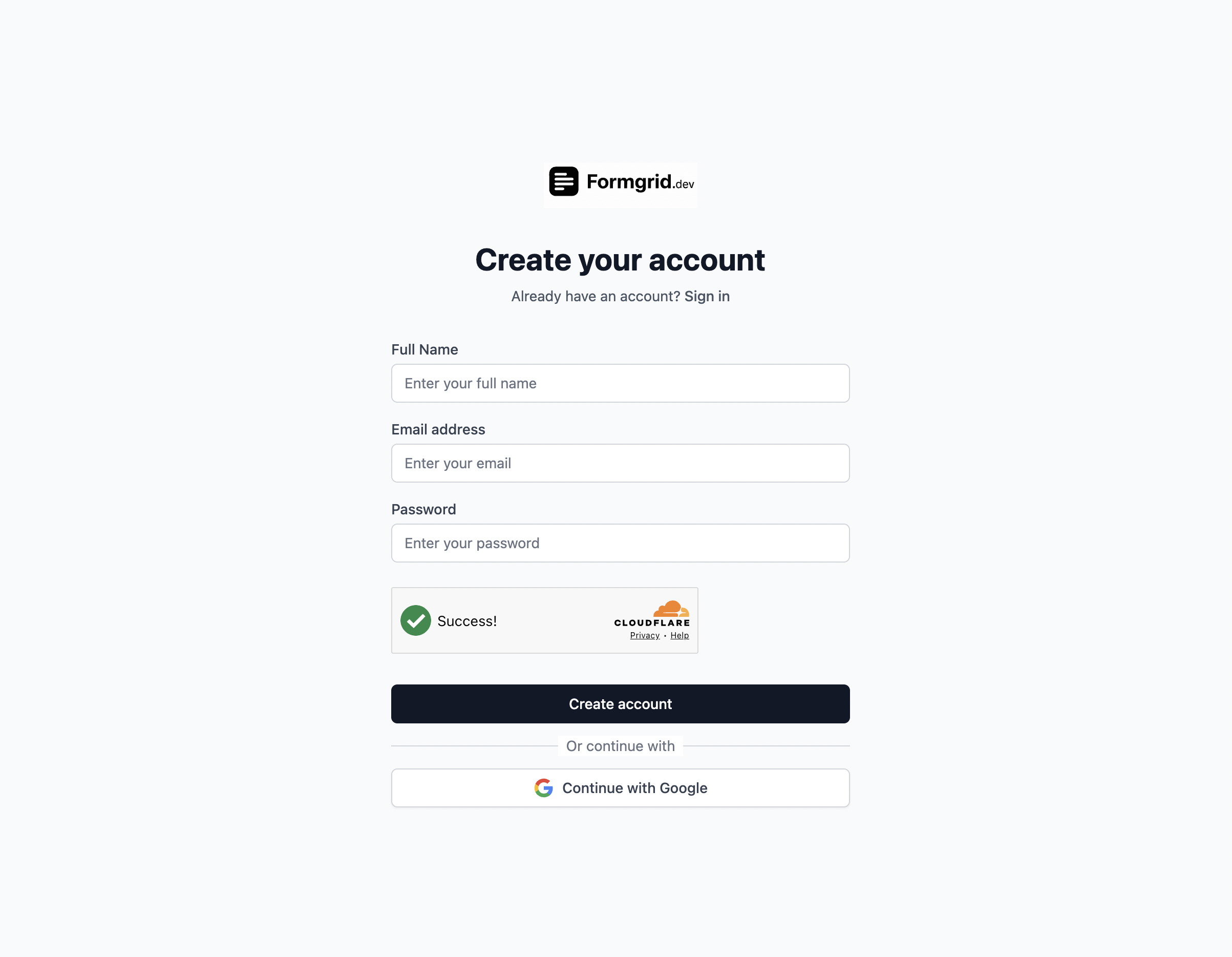
Screenshot placeholder 02: Signup screen, without personal information.
Once you're in the dashboard, look for Websites in the sidebar. This is where you can create and manage websites for the selected project.
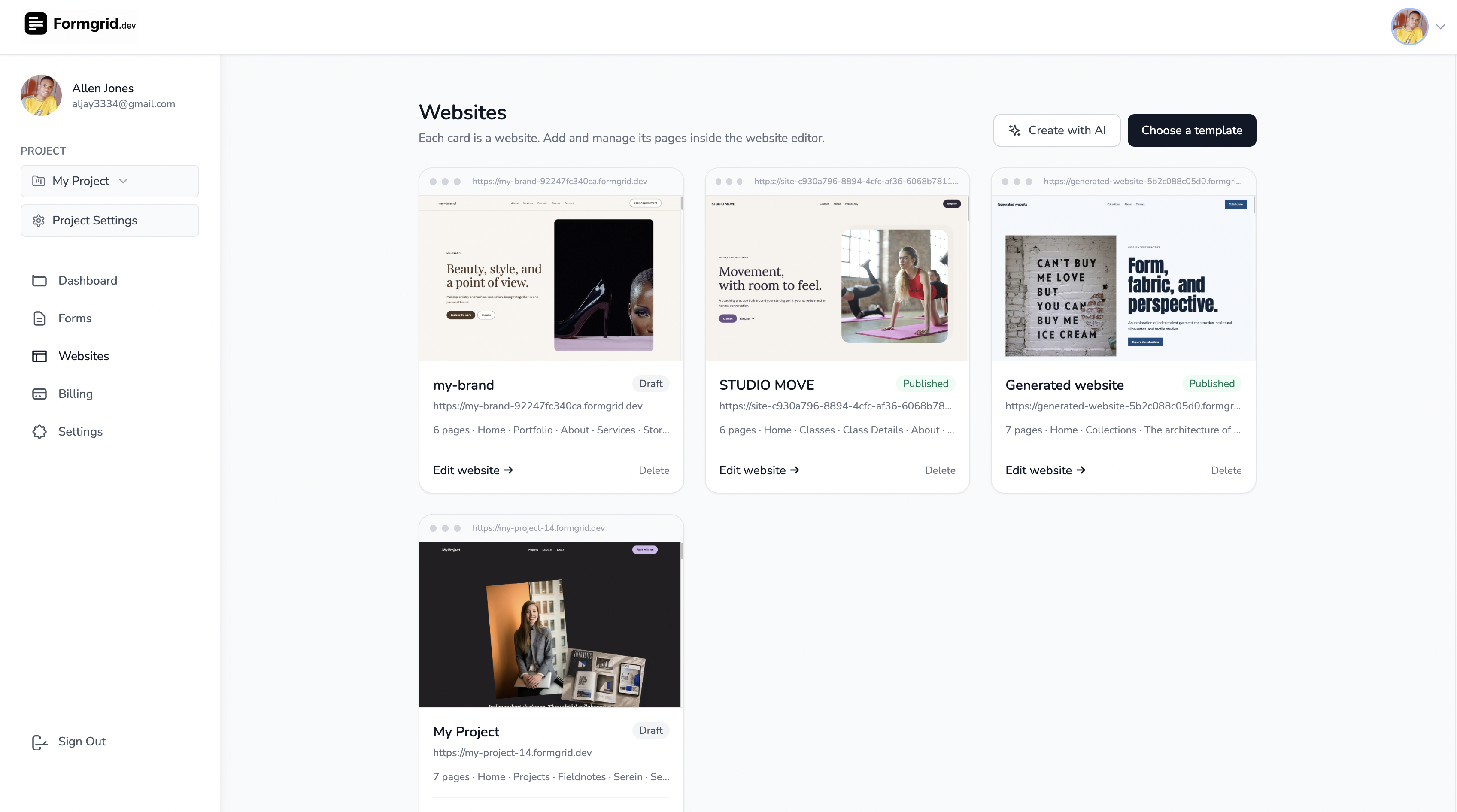
If you're just starting, you can use the default project. If you later manage websites for different clients, separate projects help keep their forms and enquiries apart.
Step 2: Choose How to Build Your Website
Formgrid gives you two main starting points: generate a website with AI or choose a template.
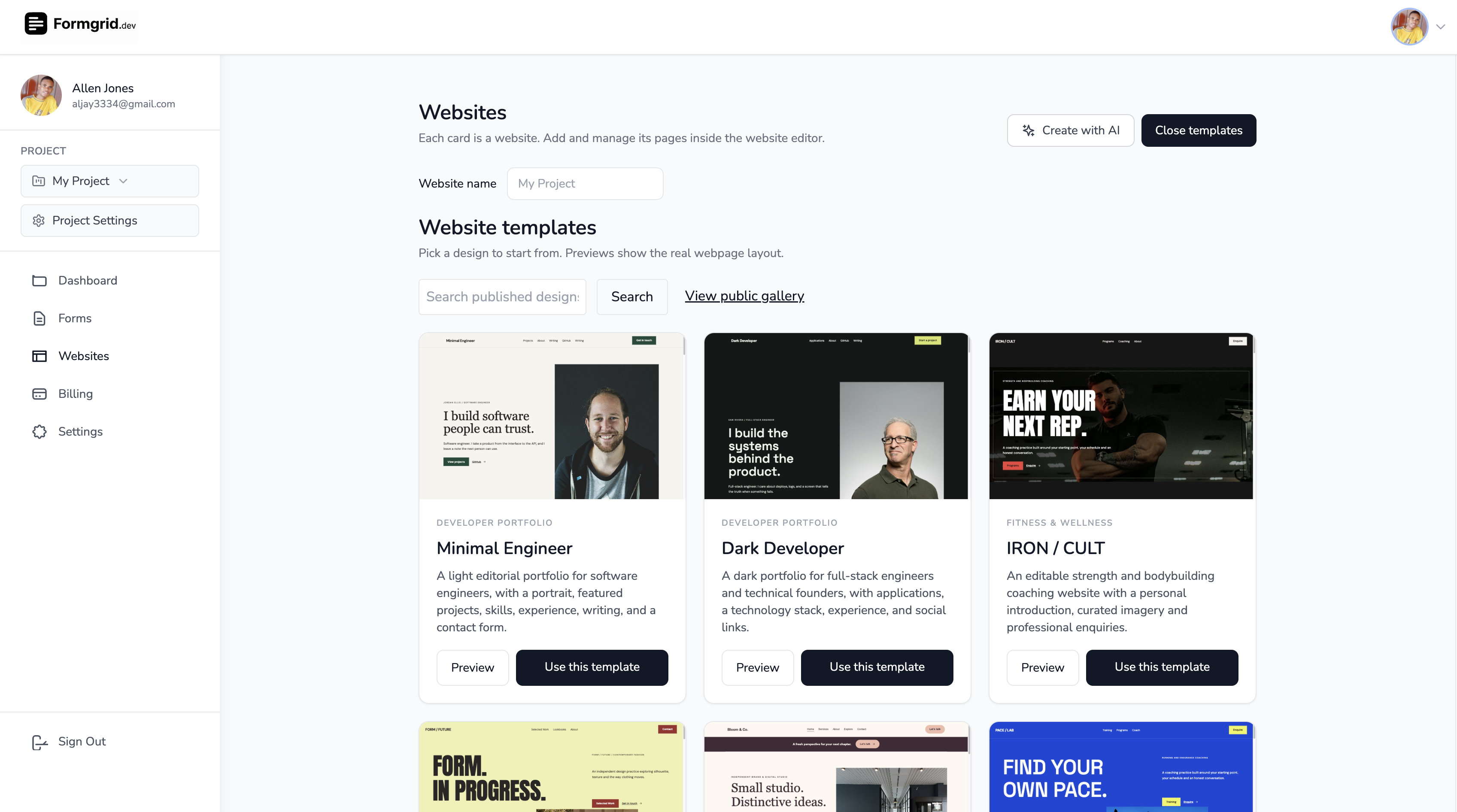
Option A: Generate a Website With AI
If you have a business idea but don't want to start from a blank canvas, choose the AI website generation option.
Describe your business, the services you offer, and the kind of website you want. The more specific your description, the easier it is to evaluate whether the generated content fits your business.
For example, a makeup and fashion brand might start with a prompt like this:
Create a modern, elegant, mobile-friendly website for a makeup and fashion brand. Include a homepage, makeup services, fashion collections, about page, and contact page. Showcase bridal makeup, event makeup, and custom fashion designs. Use a premium editorial style with strong images and clear calls to action such as “Enquire About Bridal Makeup” and “Request a Custom Outfit”. Make it easy for visitors to send booking enquiries and request quotes.
Formgrid's AI generation workflow is designed to produce a multi-page website draft, including page content, navigation, and styling, which you can then open in the visual editor.
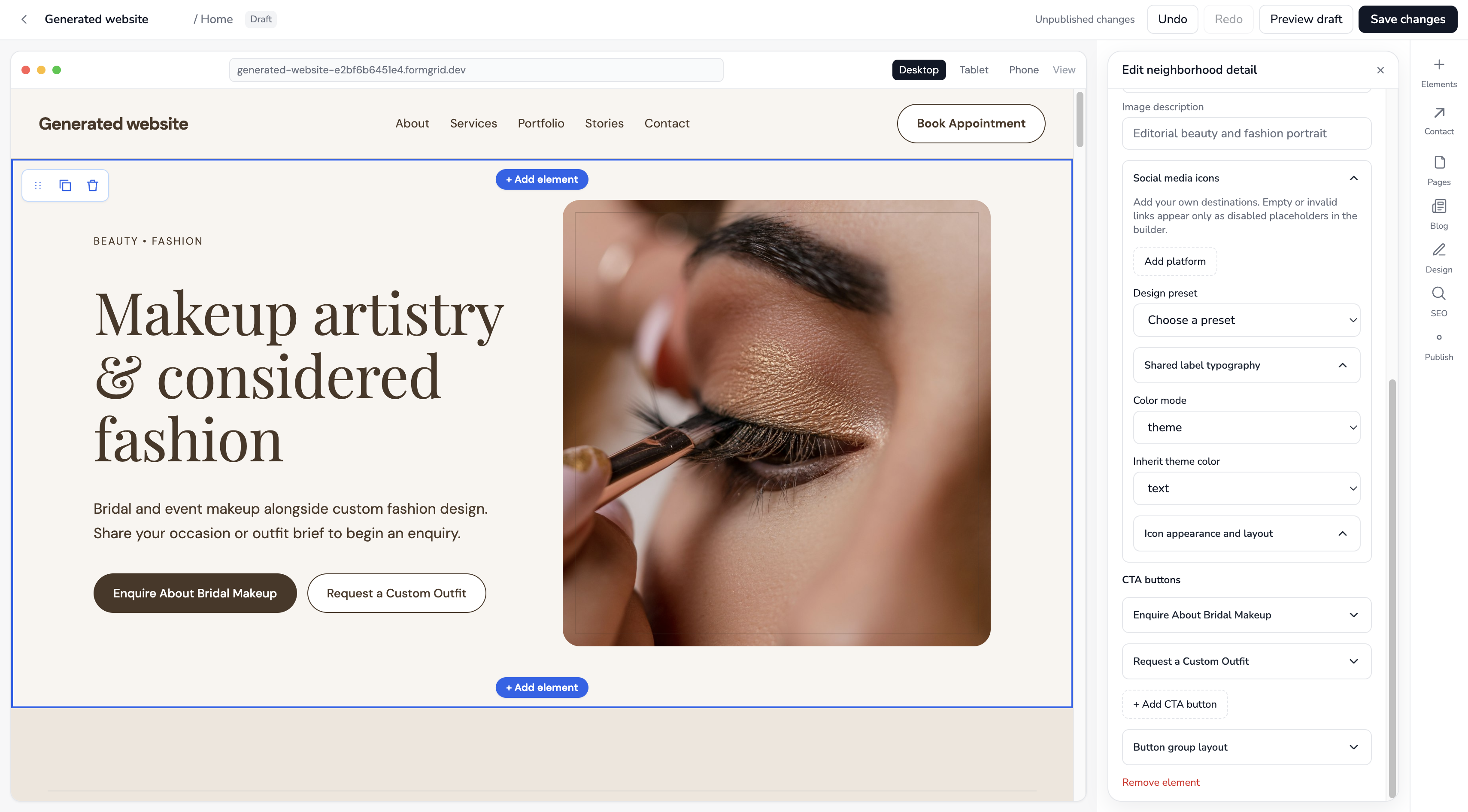
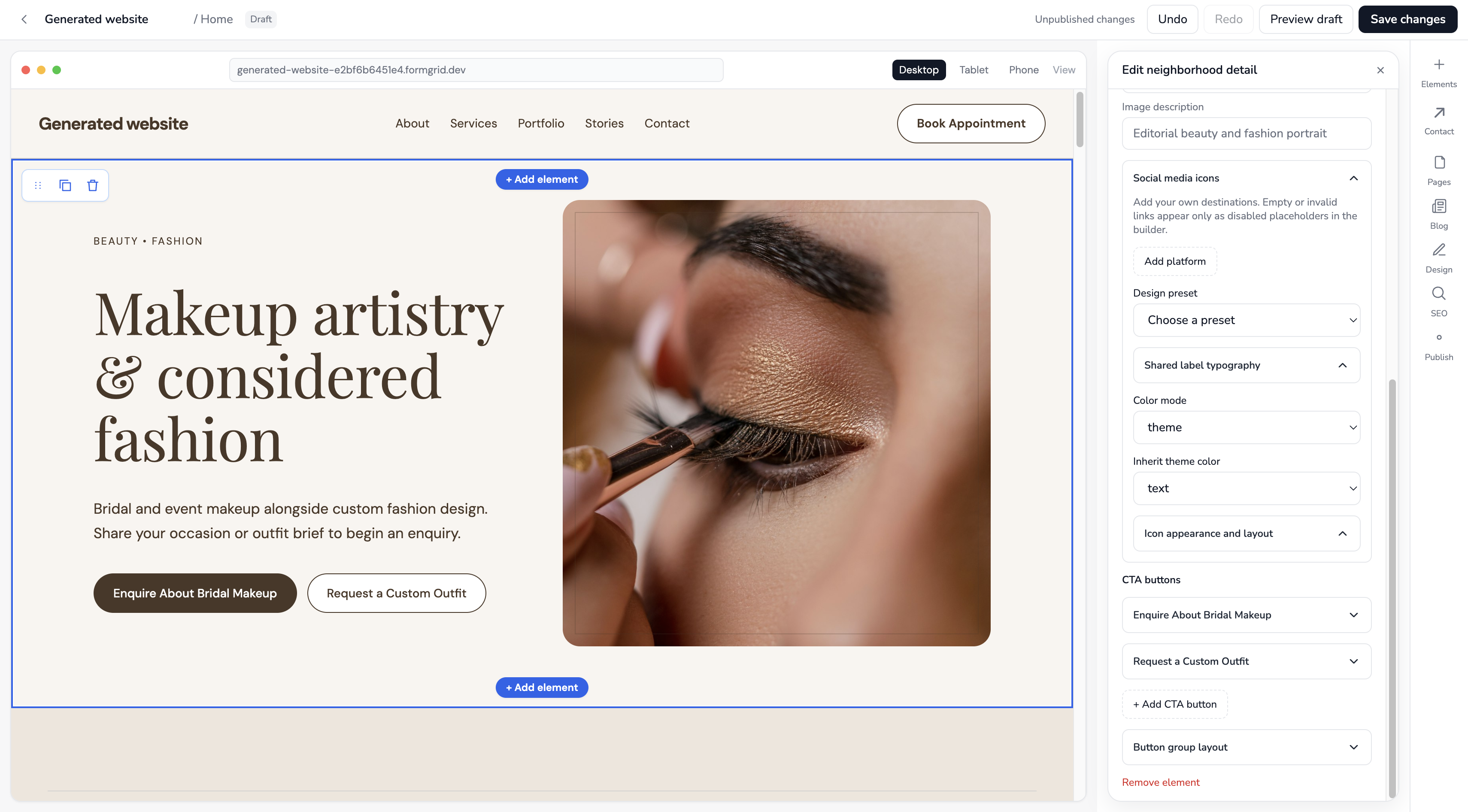
Tip: Treat AI-generated content as a starting point. Review service descriptions, prices, contact details, claims, and images before publishing. Your website should accurately represent your business.
Option B: Start With a Website Template
If you'd rather choose a design first, browse the Formgrid website templates.
Templates are useful when you want a ready-made structure and prefer editing existing sections rather than describing everything in a prompt.
You can preview a template, choose one that fits your business, and create your own editable copy. Your edits won't change the original template.
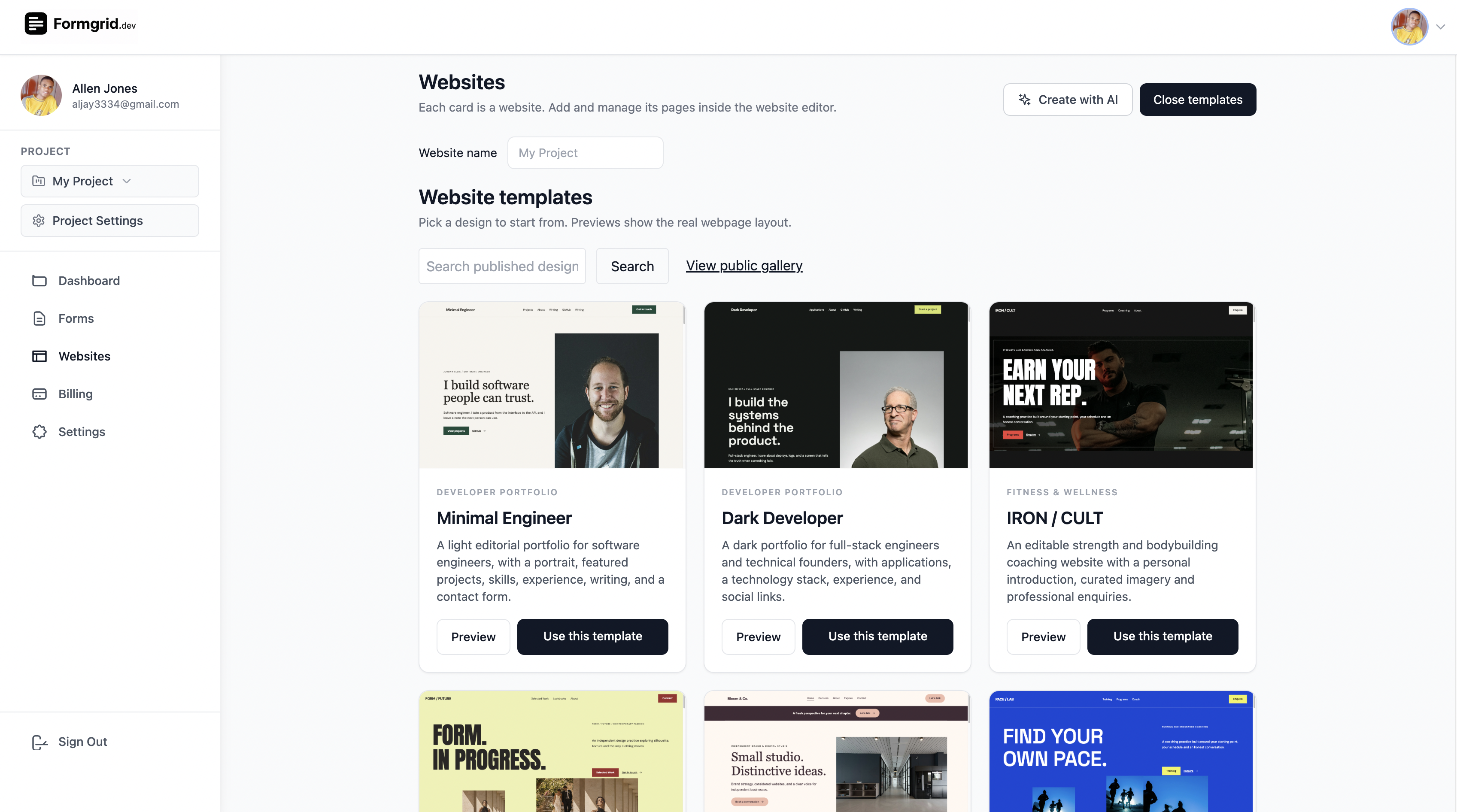
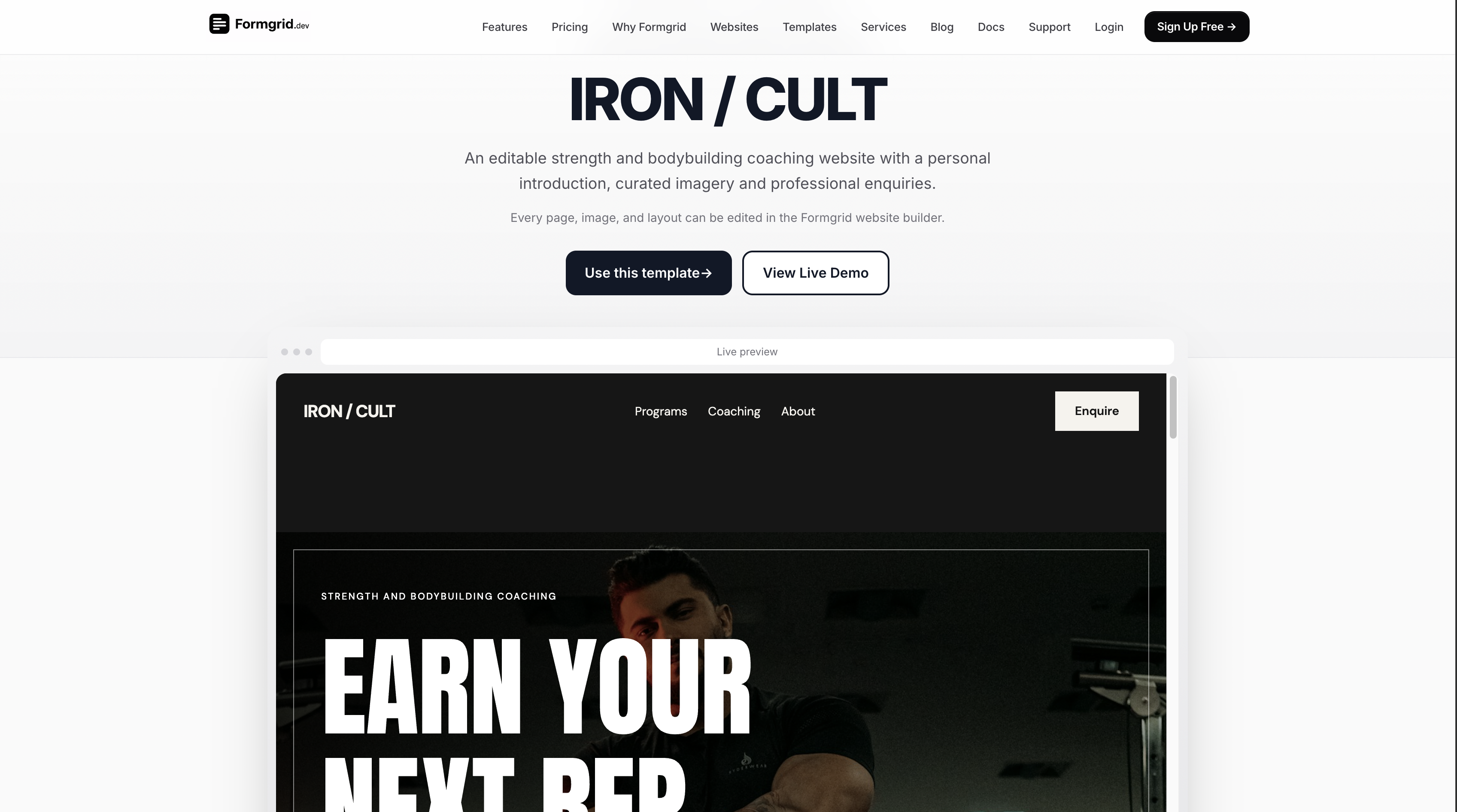
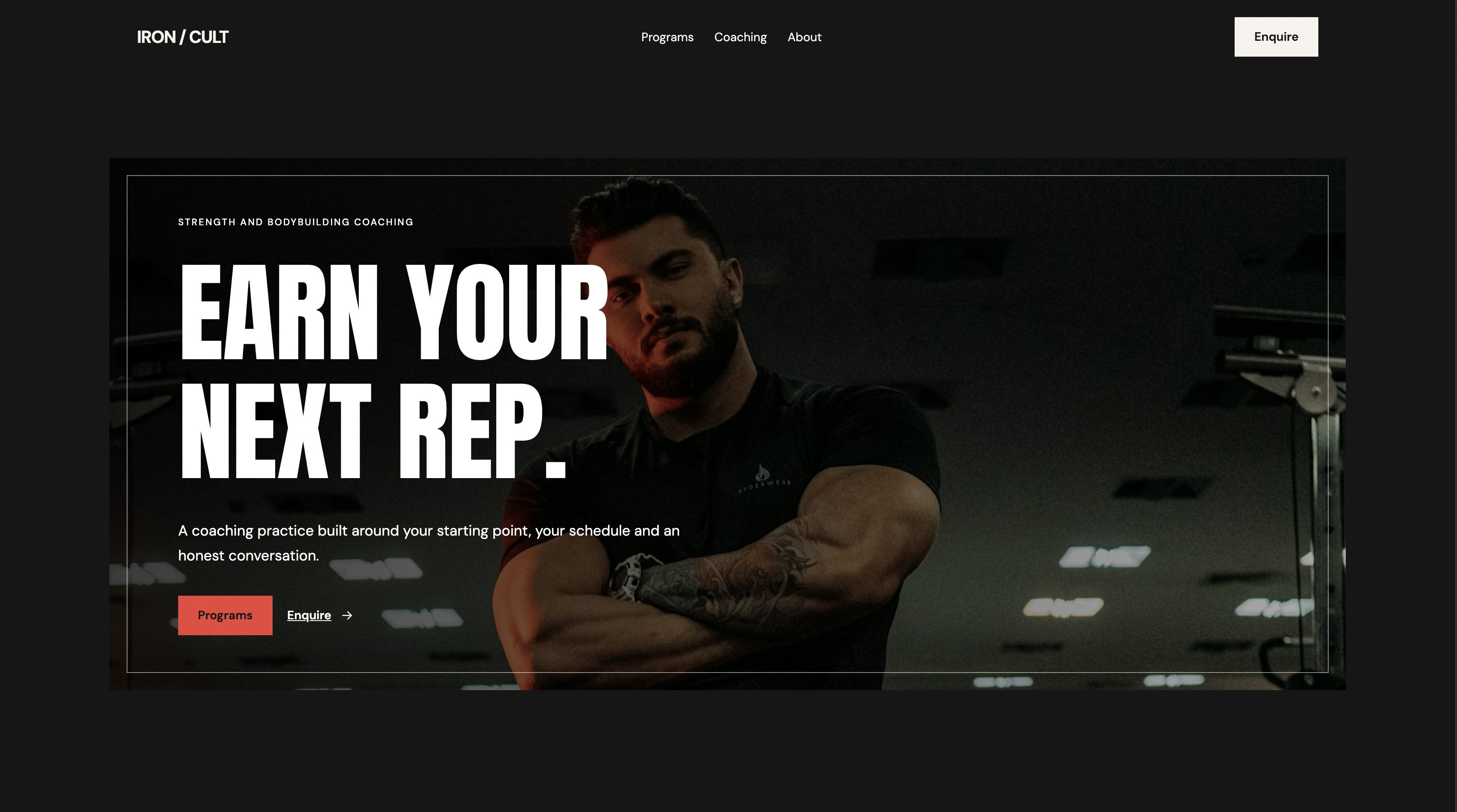
Screenshot placeholder 08: Preview of a real business website template.
Which option should you choose? Use AI when you want a website tailored to a written description. Use a template when you find a design you like and want to customize it yourself. Both paths lead into the website editor.
Step 3: Customize Your Website in the Visual Editor
Once your website is created, open it in Formgrid's visual editor.
You can adjust text, images, sections, pages, navigation, buttons, and styling. The editor also includes desktop, tablet, and mobile preview modes, so you can inspect how the site looks across screen sizes.
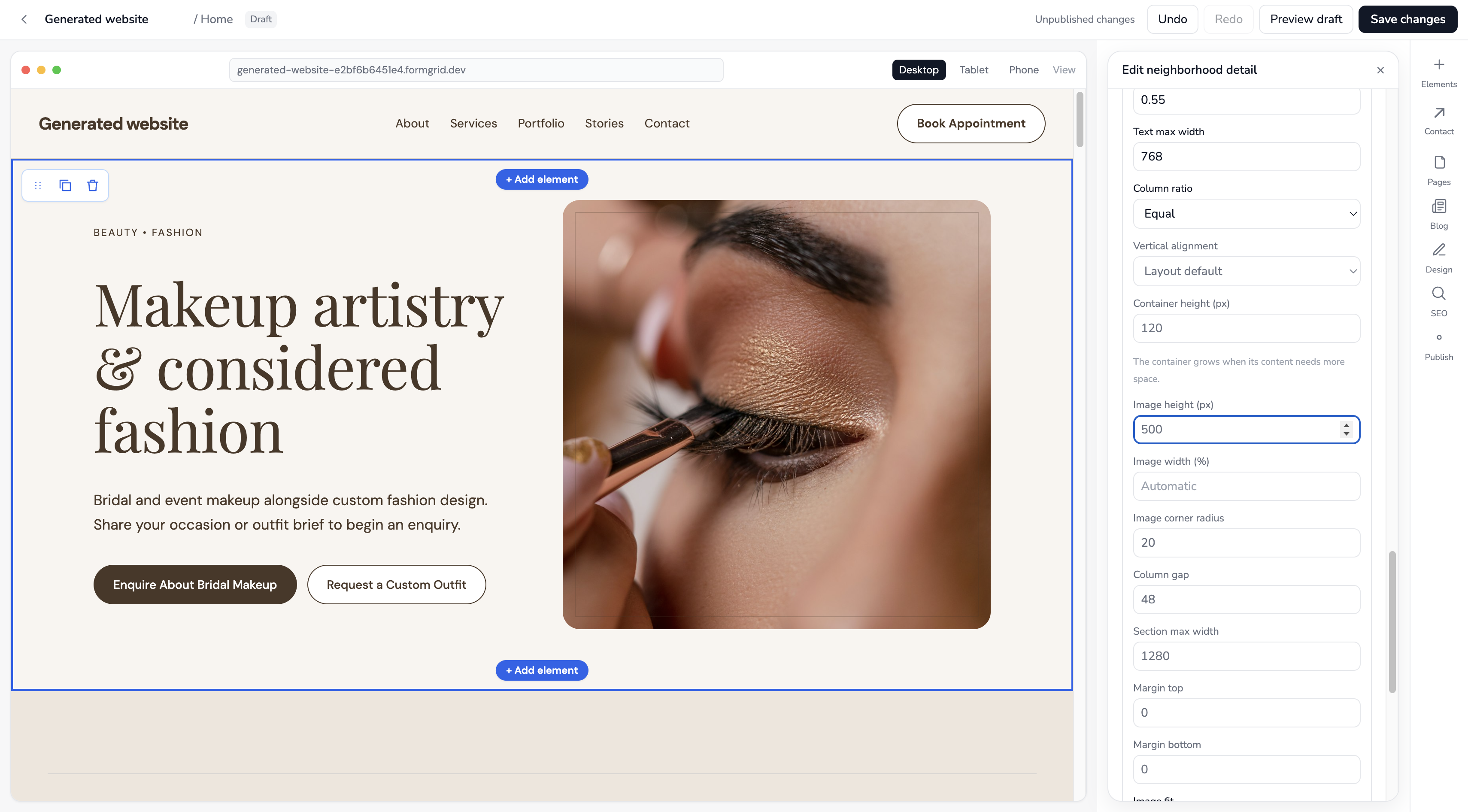
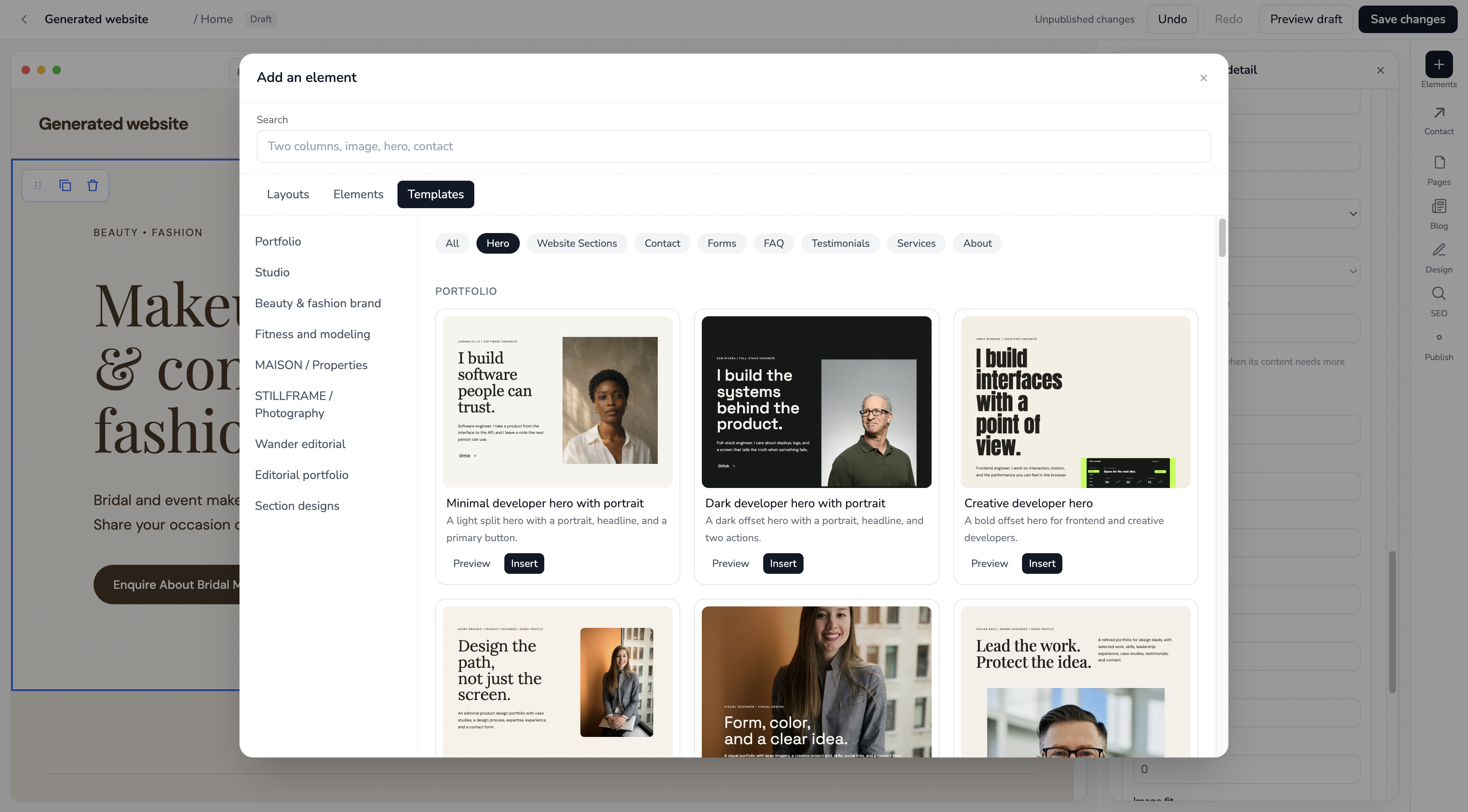
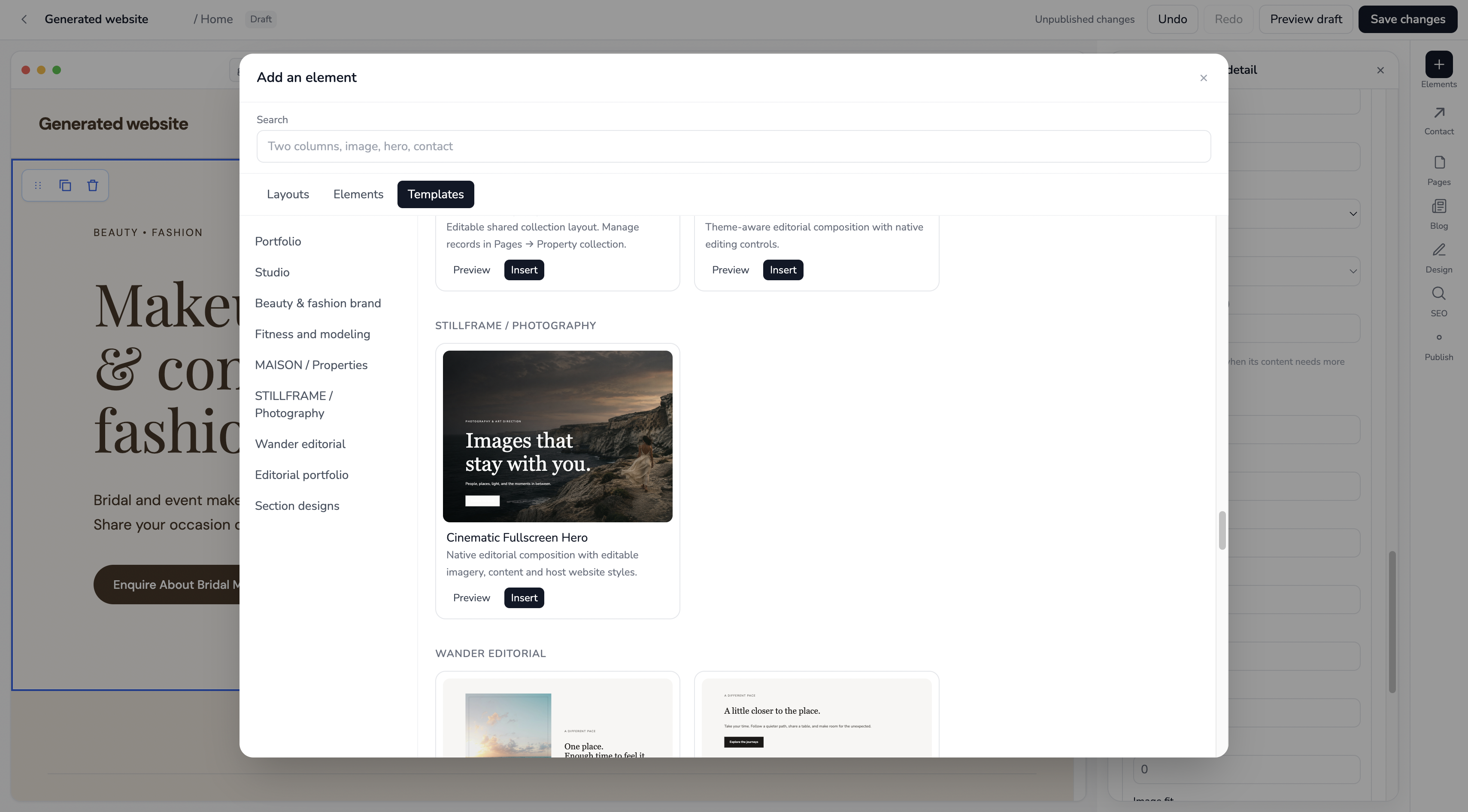
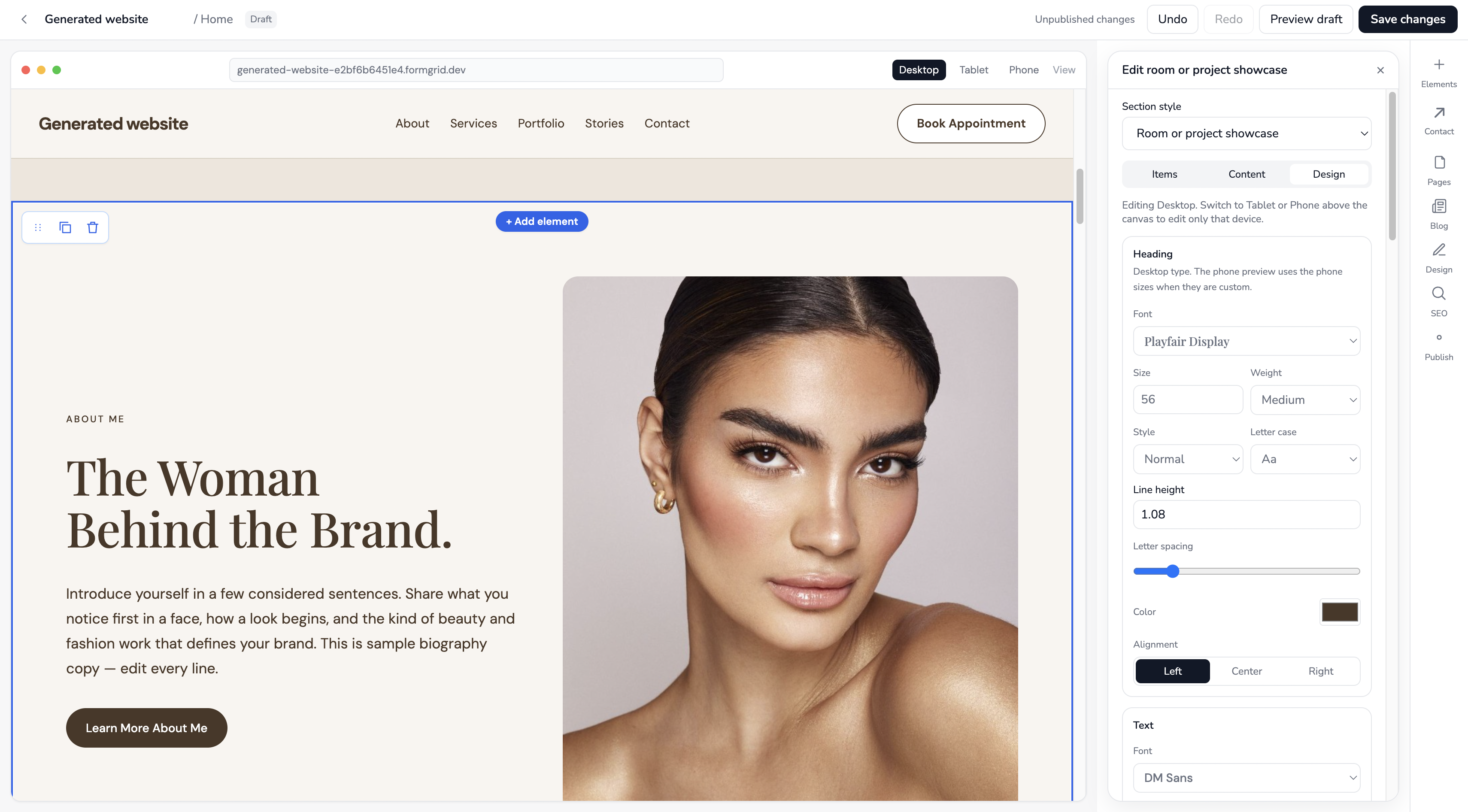
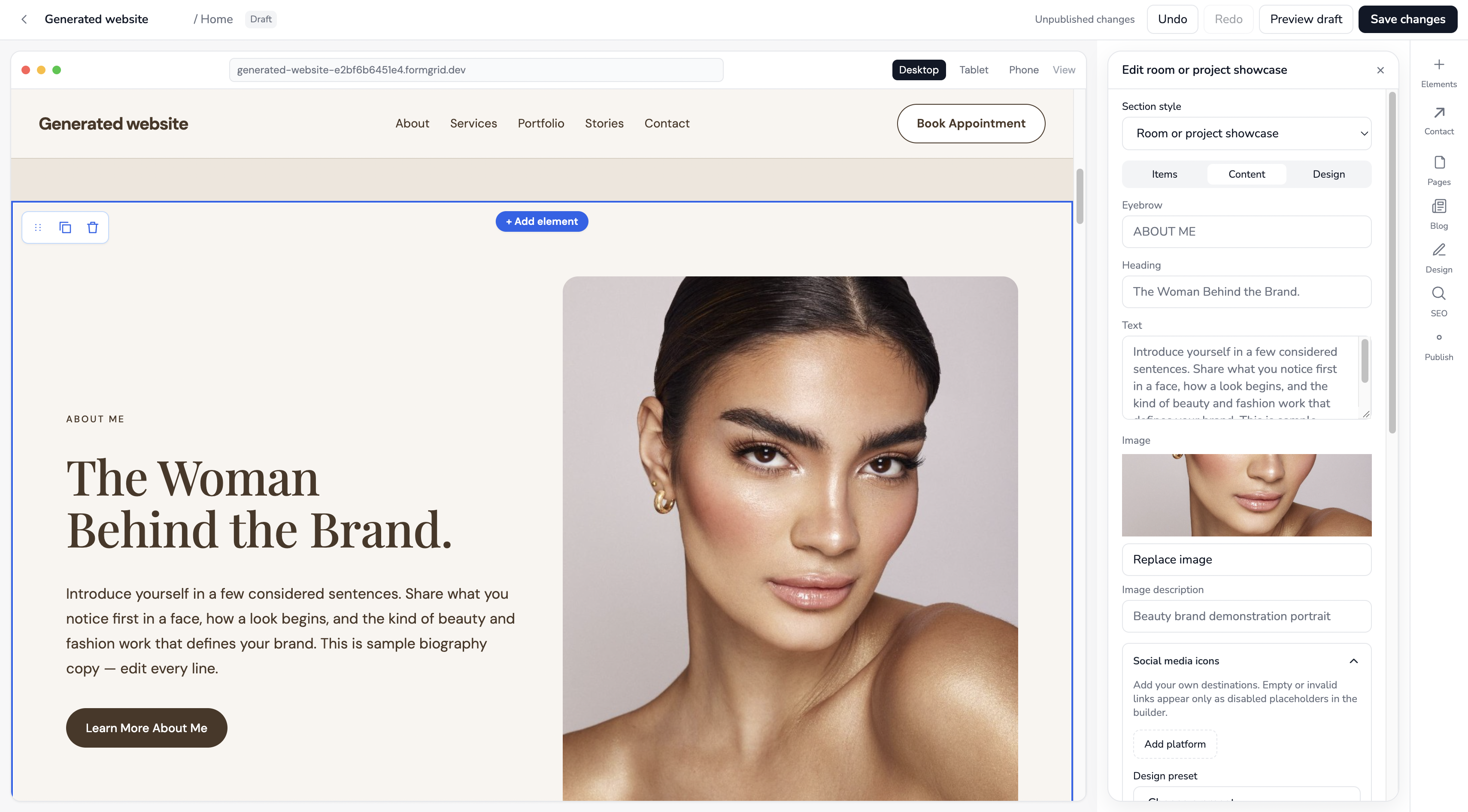
Here are a few things worth checking before publishing:
- Headline: Does the first screen clearly explain what your business does?
- Services: Can visitors quickly understand what they can enquire about?
- Calls to action: Are buttons such as “Request a Quote” or “Contact Us” easy to find?
- Navigation: Can visitors move between the important pages?
- Mobile layout: Is the website readable and usable on a phone?
- Contact information: Are your business details accurate?
For an enquiry-focused website, your goal isn't simply to make every section look impressive. It's to help visitors understand your services and take the next step.
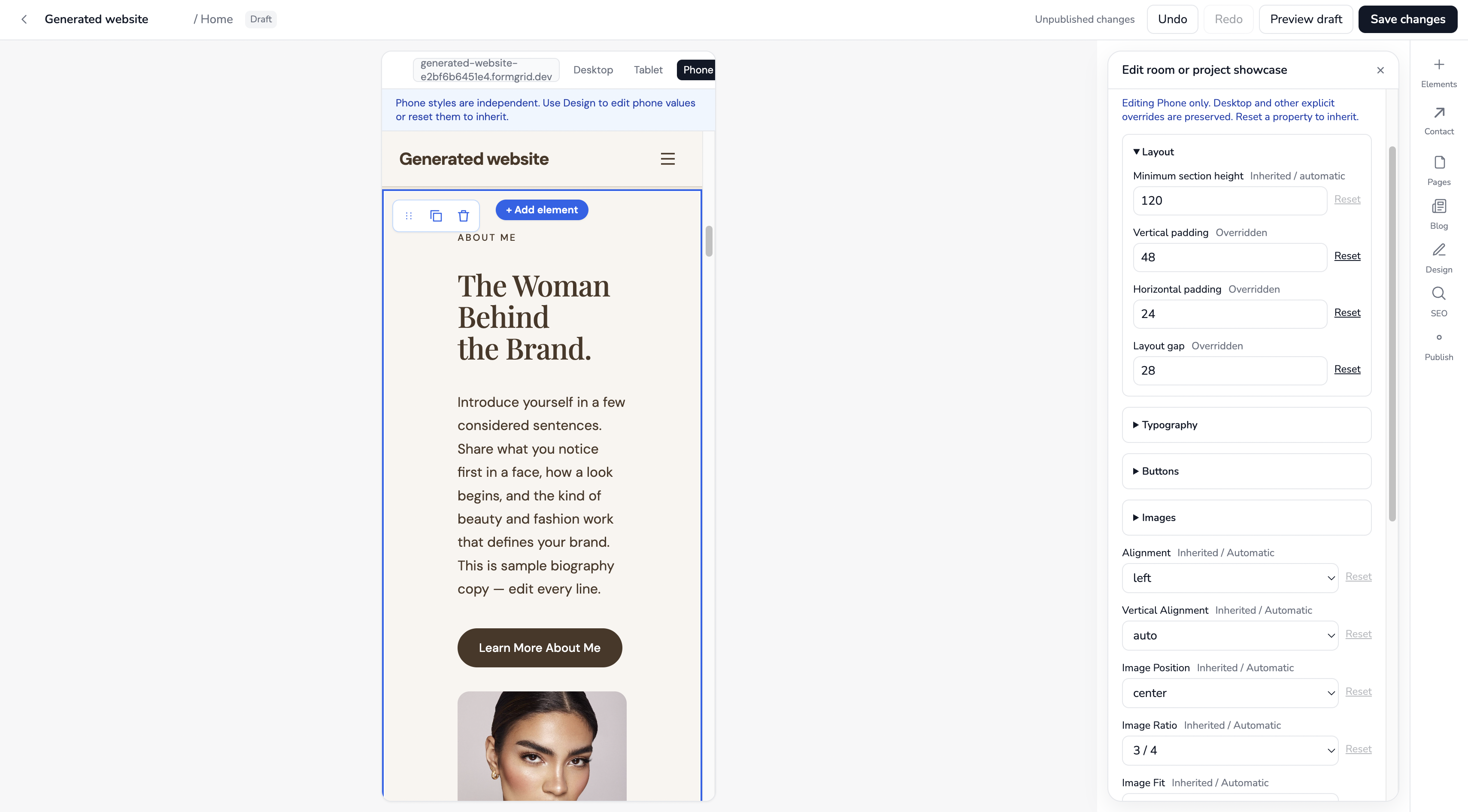
Remember to save your changes before leaving the editor.
A useful rule when designing your site: Don't make visitors guess what to do next. A makeup artist might use Enquire About Bridal Makeup; a fashion brand might use Request a Custom Outfit; a consultant might use Enquire About a Consultation. Choose one clear primary action and make it easy to find.
Step 4: Create a Form in Formgrid and Connect It to Your Website
Here's the step that turns a beautiful website into a working enquiry system: create a form in Formgrid, then connect the form on your website to it. This gives incoming enquiries a destination in your Formgrid dashboard instead of leaving you with a form that looks good but doesn't collect anything.
First, create your enquiry form in Formgrid
From your dashboard, open the Forms section in the same project as your website and create a form. Give it a name that makes sense to you. For our makeup and fashion brand, we'll call it Makeup & Fashion Enquiries. You could just as easily use Bridal Makeup Requests, Customer Enquiries, or Quote Requests.
The name helps you recognize which enquiries belong to which form, especially when you manage more than one website or service.
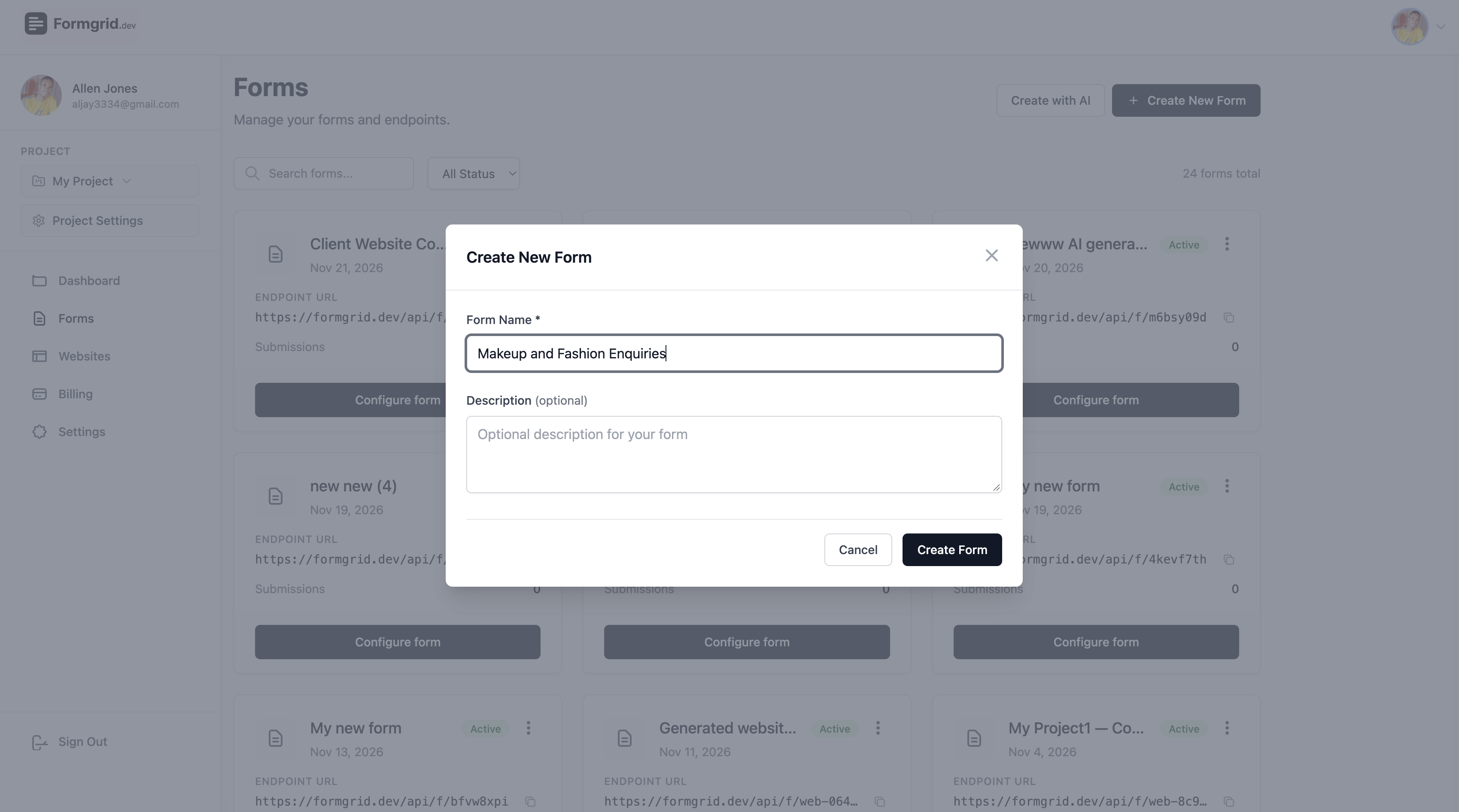
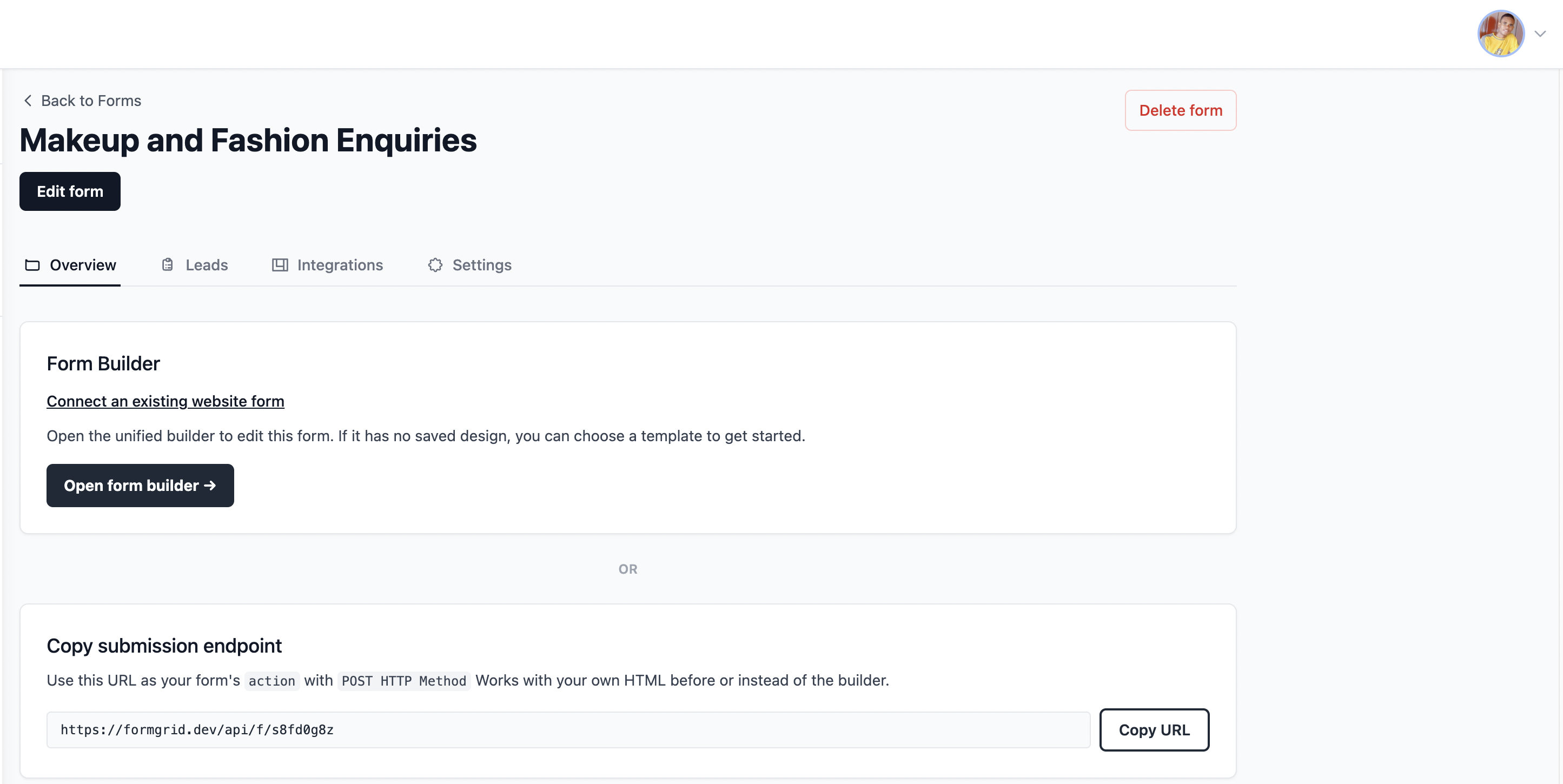
Screenshot placeholder 11B: Show the created form in Formgrid, ready to receive submissions.
Next, connect the website's enquiry form to it
Return to the Websites section and open your makeup and fashion website in the visual editor. Select the enquiry form on the page, or add a form section if the page doesn't have one yet. The sample form is on the contact page in the builder. Navigate to Pages on the right panel and go to the Contact page
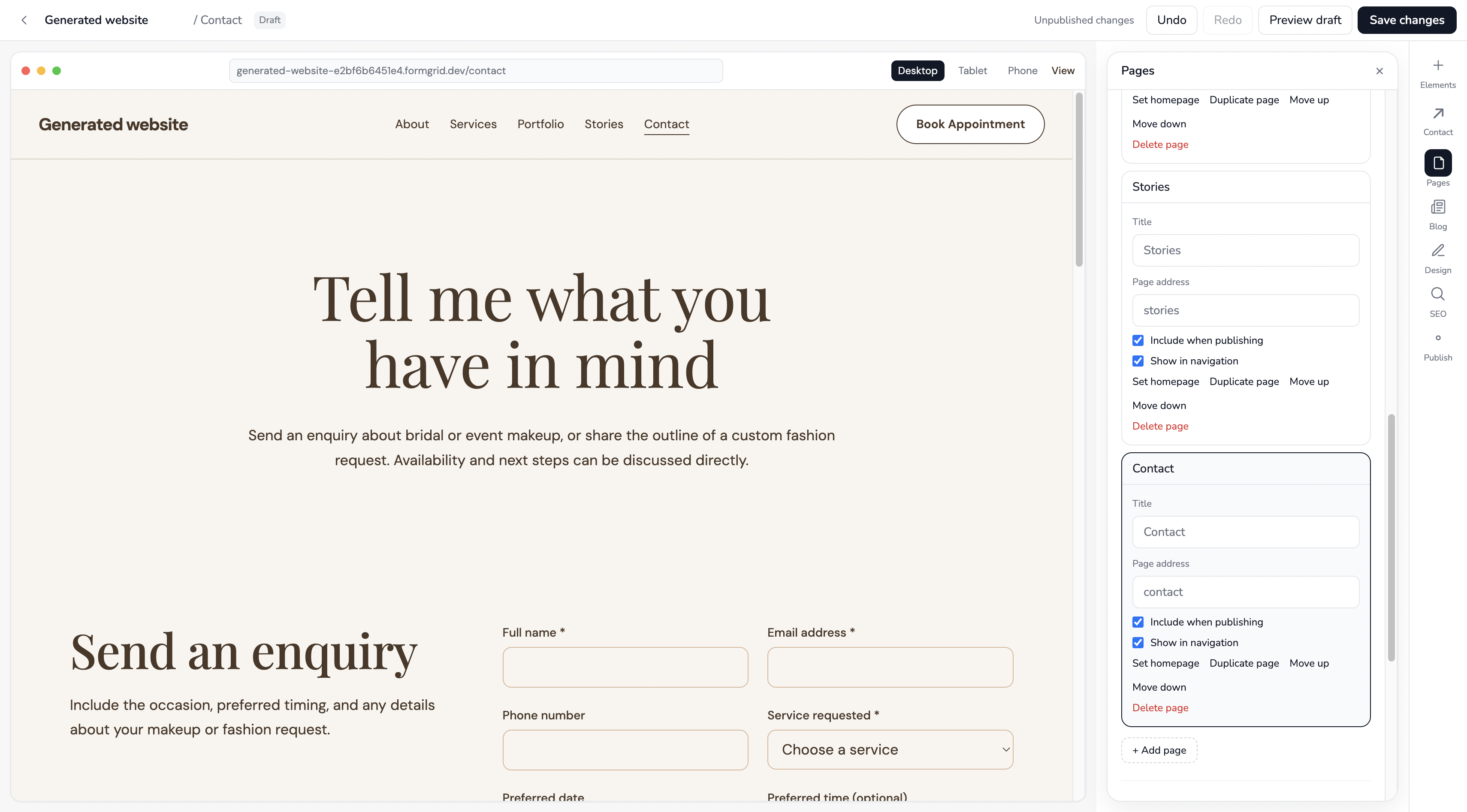
In the form's settings, configure its form action or Formgrid form connection and select the Makeup & Fashion Enquiries form you created. This links the form visitors see on your website to the form that stores submissions in Formgrid. The exact label in the editor may vary, so use the actual connection control shown in your screenshot.
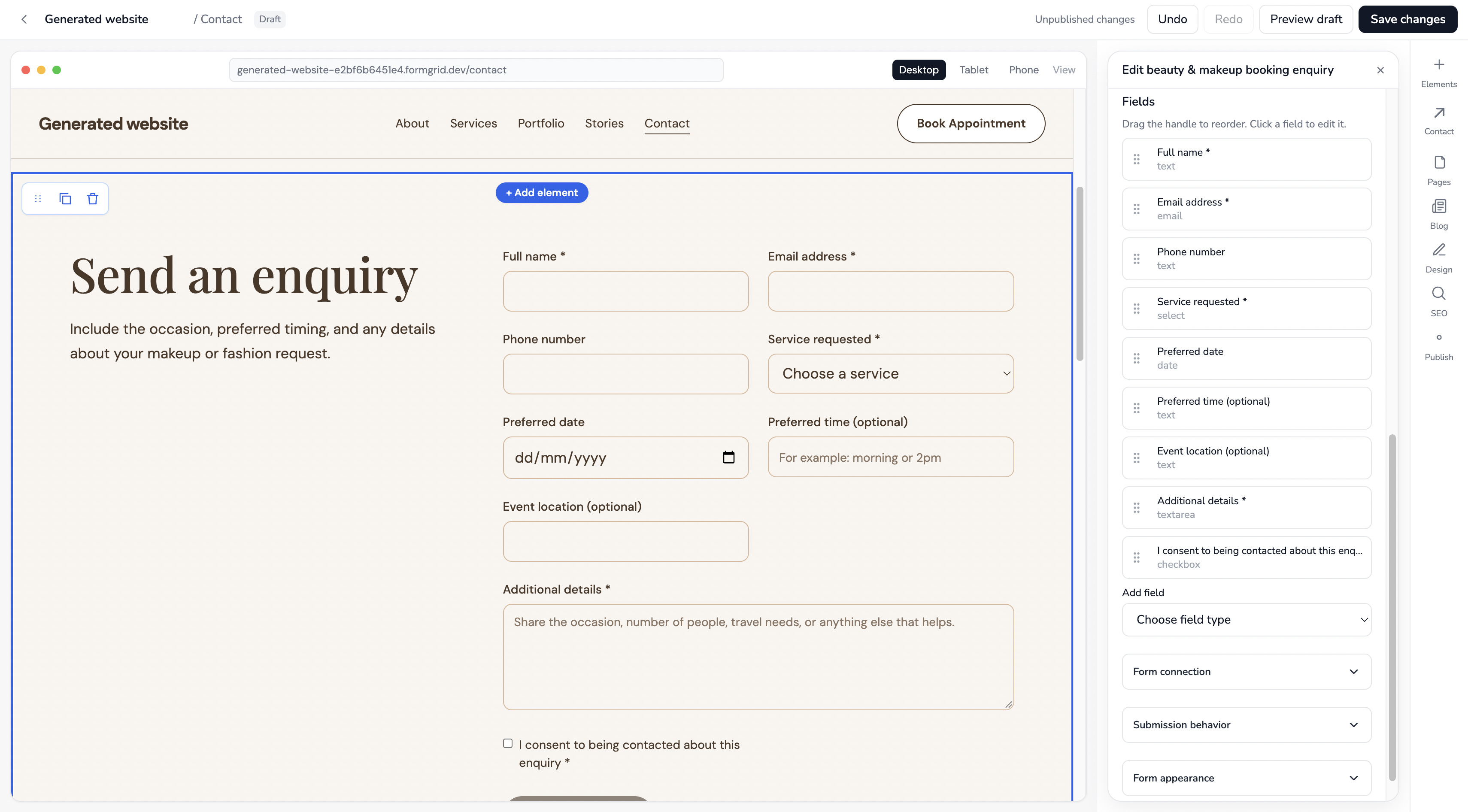
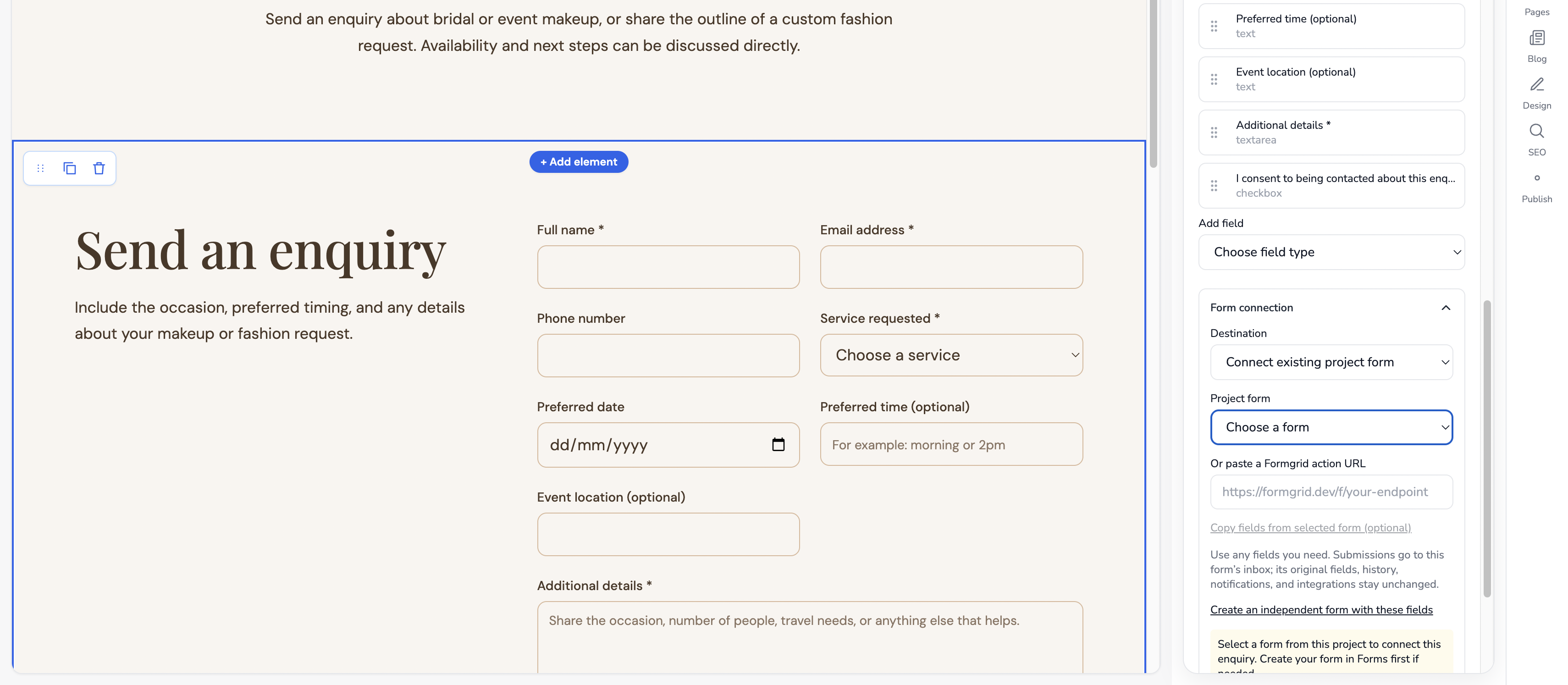
Screenshot placeholder 11D: This is the key screenshot. Show the form action or connection selector pointing to the Formgrid form created in the previous step.
Why this matters: You don't have to build a submission API, database, or separate admin dashboard. Once the published form is correctly connected, accepted enquiries can appear in the existing Formgrid submissions and Leads view, where you can review and follow up with potential customers.
Before publishing, save the website and verify that the connection persists. After publishing, submit a test enquiry and confirm it appears under the correct form and project.
Example: A Quote Request Form
For our makeup and fashion brand, a useful enquiry form might ask for:
- Full name
- Email address
- Phone number (optional)
- Service of interest (bridal makeup, event makeup, custom outfit, or general enquiry)
- Preferred event date (if applicable)
- A message describing what the customer needs
This gives the business enough context to reply with availability, pricing information, or the next steps without making the visitor complete a long questionnaire.
The goal is to collect enough information to respond meaningfully without making the form unnecessarily long.
Booking enquiry vs confirmed booking: A visitor can request a booking through a form, but that doesn't automatically reserve an appointment slot. If you need live availability, payments, or automatic appointment confirmation, verify those capabilities separately.
What Happens When Someone Submits?
When a visitor submits an accepted enquiry through a properly connected published form, the submission is stored under its associated Formgrid form and project. You can then review it in the dashboard and manage it as a lead.
This means you don't have to create your own database tables, submission endpoint, and custom admin dashboard just to collect and review enquiries.
Formgrid also provides form notification and spam protection features, subject to configuration and plan limits. Before going live, test that submissions are accepted and notifications reach the intended recipient.
See It in Action: A Customer Enquires About Makeup and Fashion Services
Let's follow a realistic example from the visitor's perspective. Imagine we've created and published a website for a makeup and fashion brand. A visitor likes the bridal makeup portfolio and wants to enquire about makeup for an upcoming wedding.
Instead of making the visitor search for an email address or send an unstructured direct message, the website presents a clear Enquire Now form.
Here's what a completed example could look like:
| Form field | Example visitor response |
|---|---|
| Full name | Olivia Bennett |
| olivia.bennett@example.com | |
| Service | Bridal makeup |
| Phone Number | |
| Preferred date | 19th December 2026 |
| Message | Hey! I'm getting married on December 19th in Manhattan and would love to book bridal makeup for myself and three bridesmaids. Could you please share your availability, pricing, and bridal package options? I'd also like to schedule a makeup trial before the wedding. |
| Thank you! |
The example details above are fictional demonstration data.
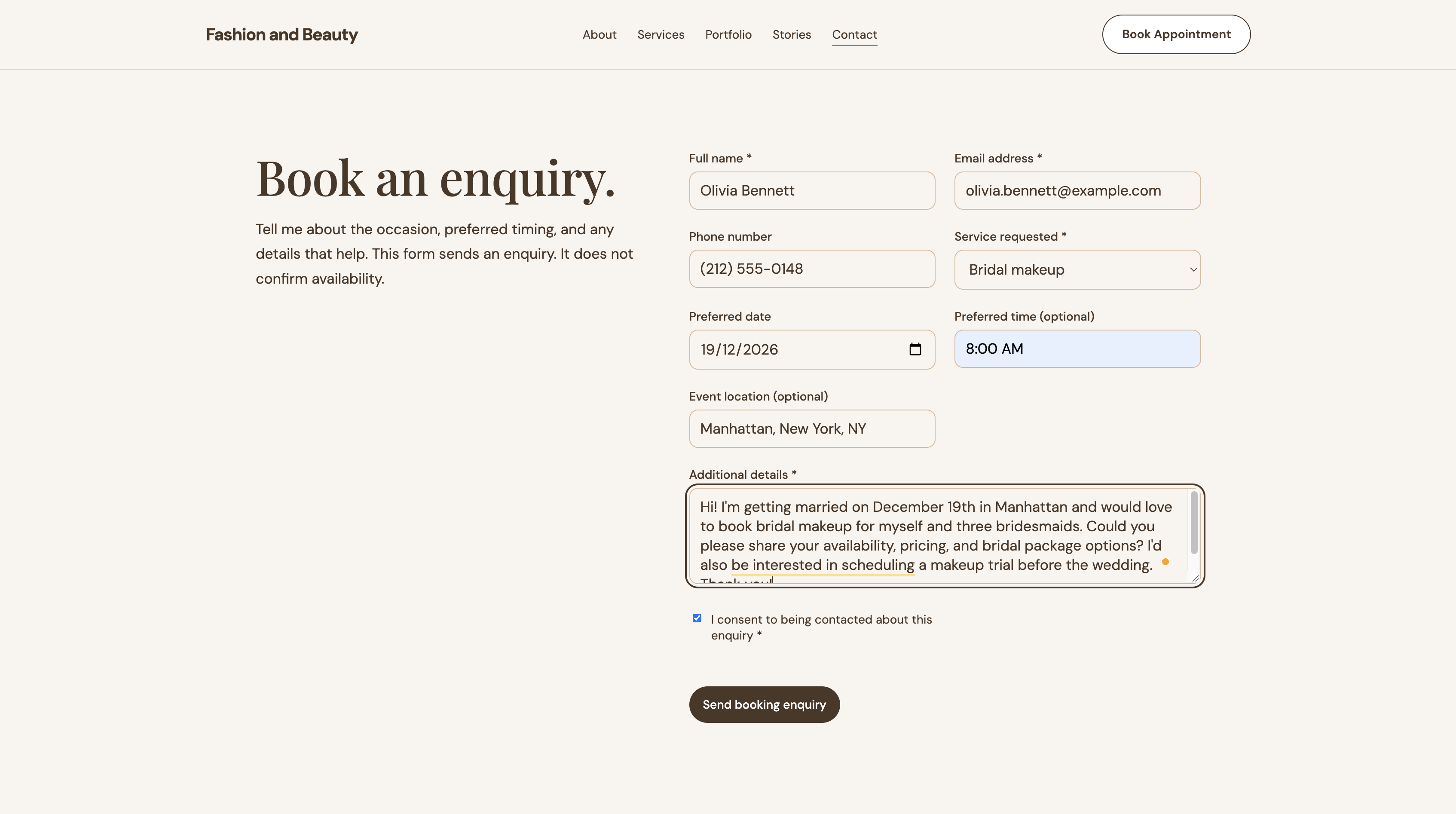
Because we connected the website form to Makeup & Fashion Enquiries, this test submission has a clear destination in Formgrid. The important detail isn't the form itself. It's that the visitor can take action while they're interested, and the business receives structured information that is easier to respond to.
We'll follow this same enquiry after publishing to show how it appears in Formgrid's dashboard and email notifications.
Step 5: Publish Your Business Website
Once you've reviewed your content, tested the layout, and configured your enquiry form, you're ready to publish.
Formgrid supports public website URLs. Paid plans also support custom domains, so you can connect a domain that represents your business.
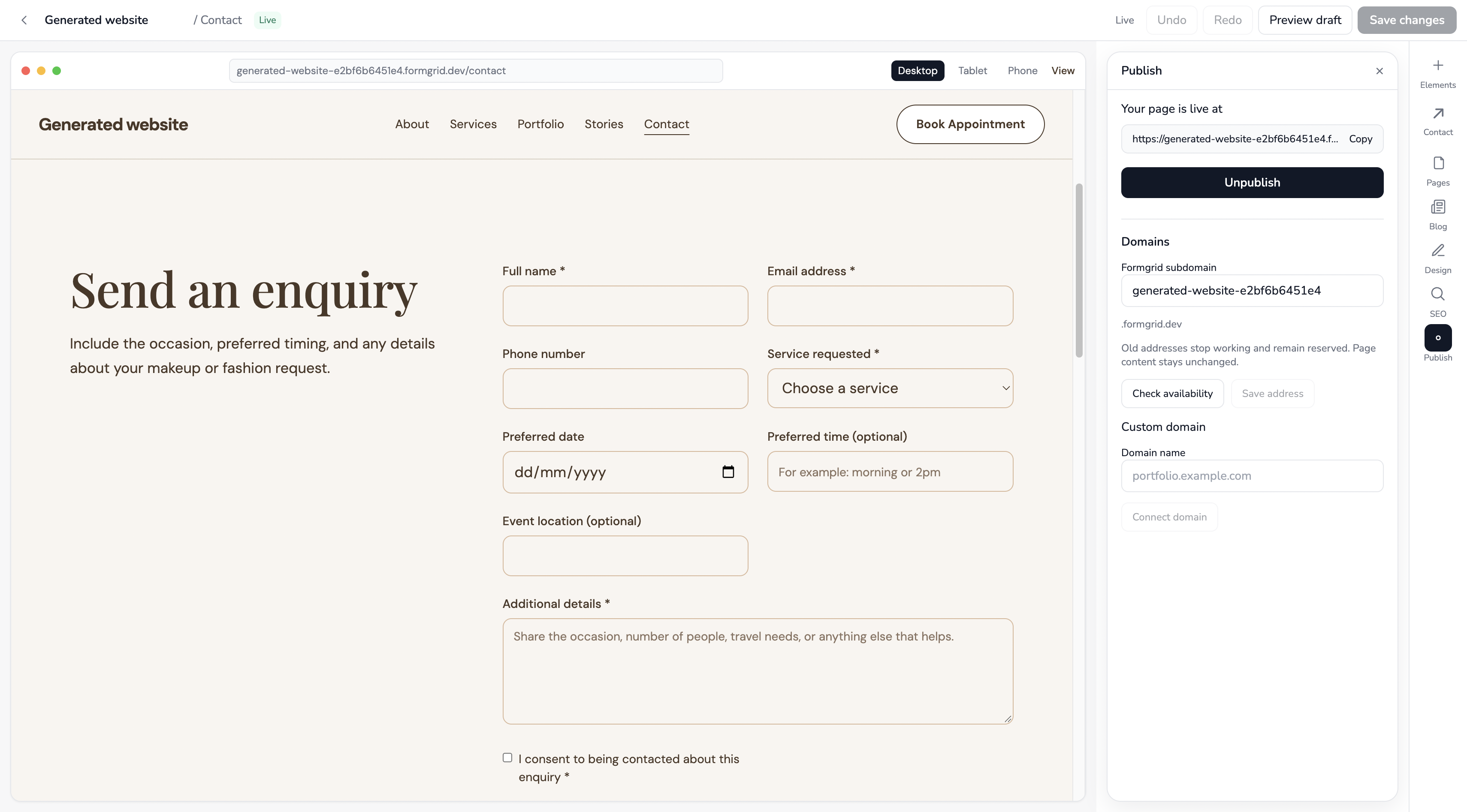
After publishing, open the public website in a separate browser session. Check the navigation, images, mobile layout, and form. Don't assume everything works simply because the editor preview looks correct.
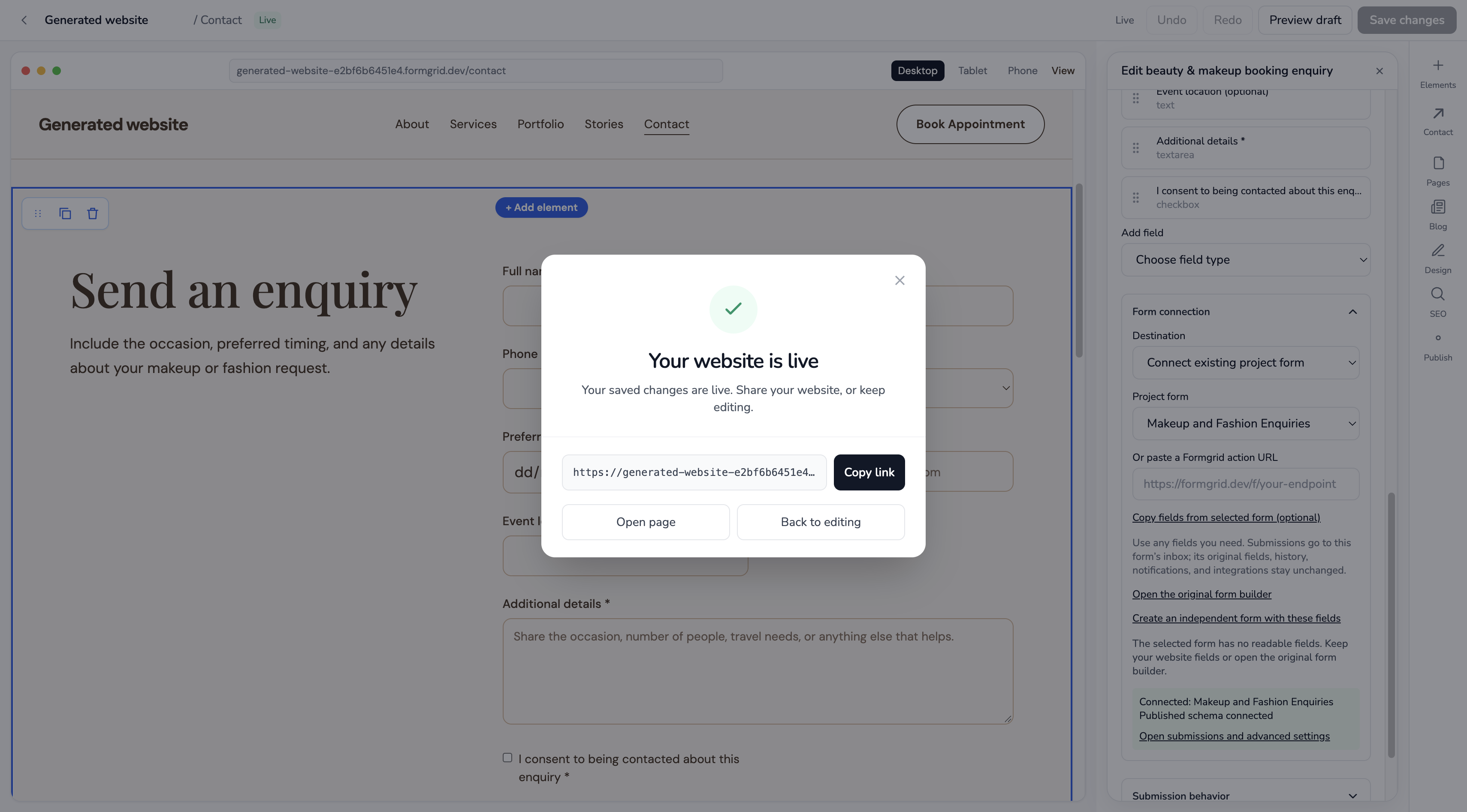
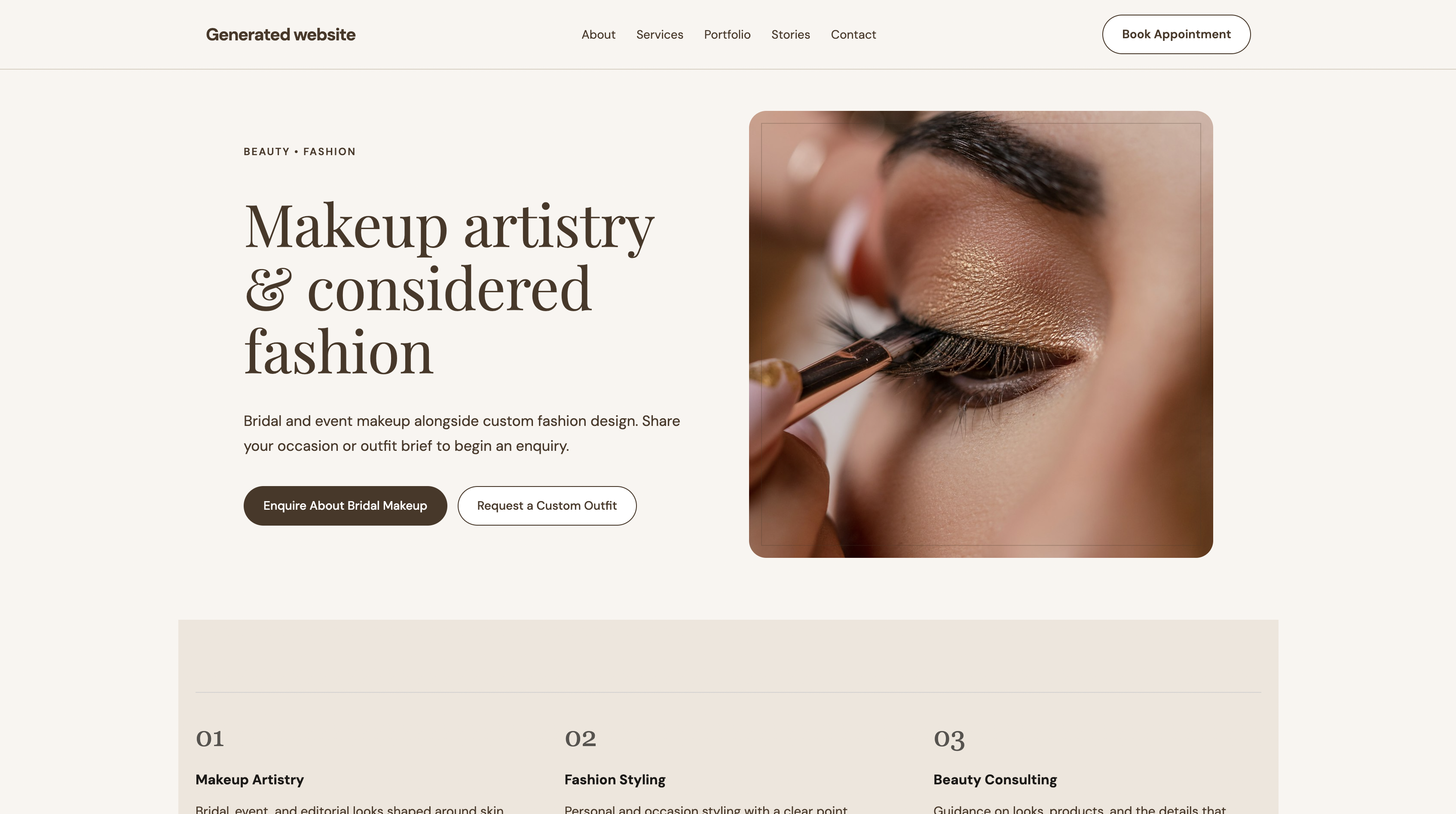
Before sharing the link: Submit a test enquiry and verify that it appears in the correct form dashboard. Confirm the success message and email notifications if enabled.
Step 6: Manage Customer Enquiries From the Built-In Lead Dashboard
Publishing your website is the beginning of the customer journey, not the end.
Now return to the visitor who filled out the bridal makeup enquiry form. Their message was:
Hi! I'm looking for bridal makeup for my wedding. Could you share your packages and let me know if you're available?
You receive an enquiry, but you still need to respond, keep track of the conversation, and follow up if the person doesn't book immediately.
From Website Form to Actual Submission
After the visitor clicks Submit, the website should display the configured success state. Behind the scenes, Formgrid processes the enquiry through the website's form and saves accepted submissions to the correct project.
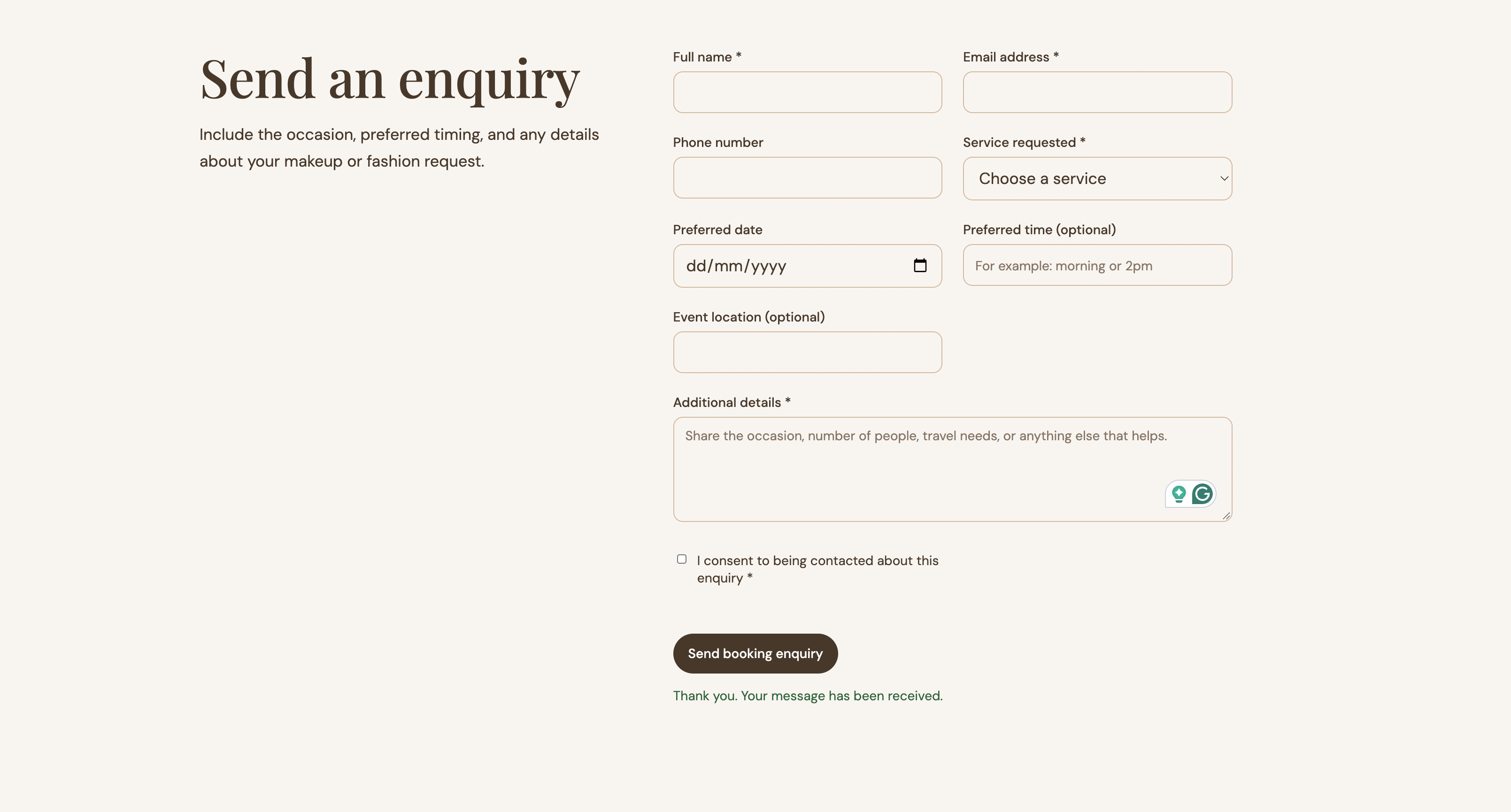
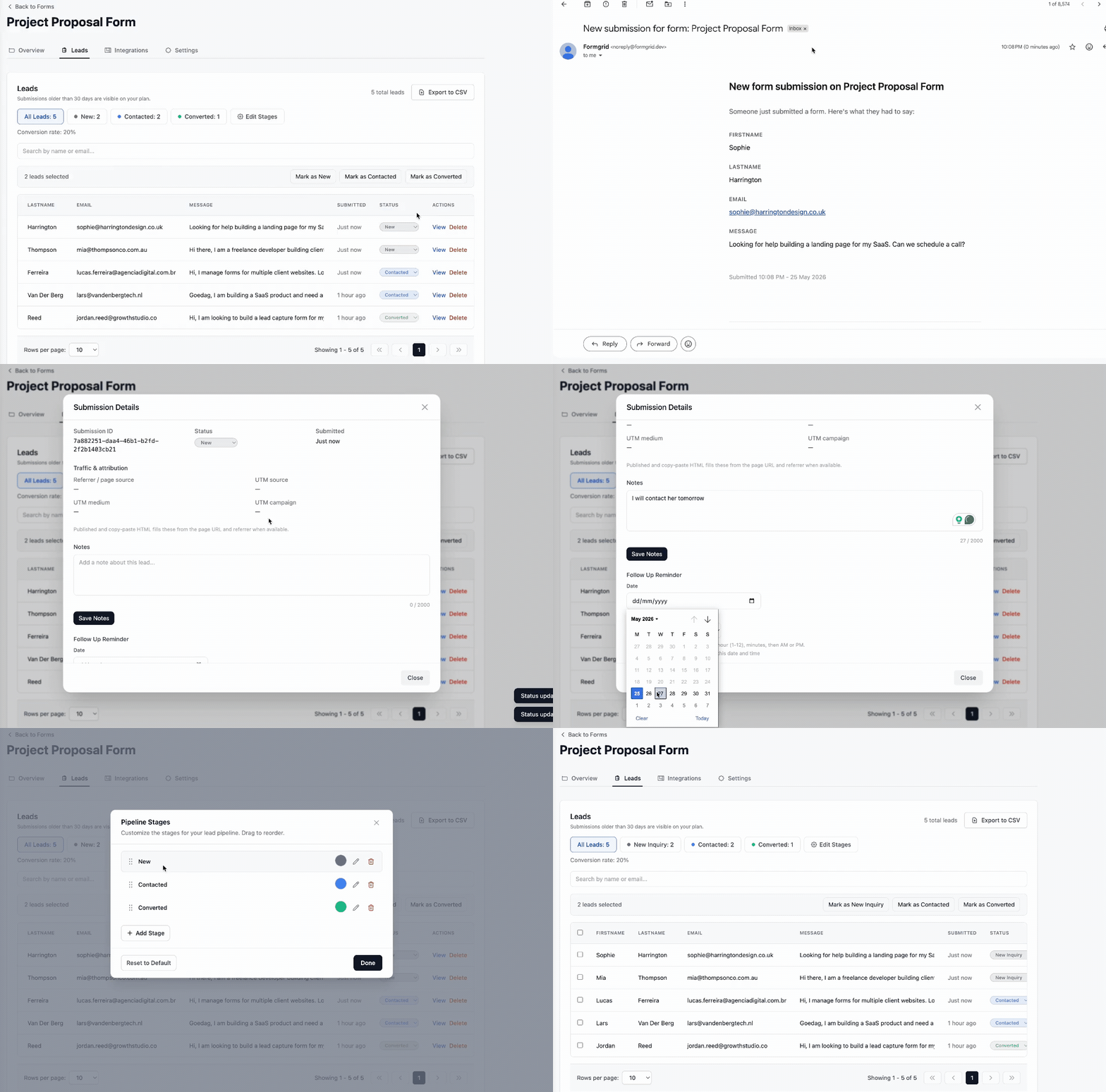
Next, the business owner opens the Formgrid dashboard and sees the new submission. The form response includes the customer's selected service, preferred date, and message, all in one place.
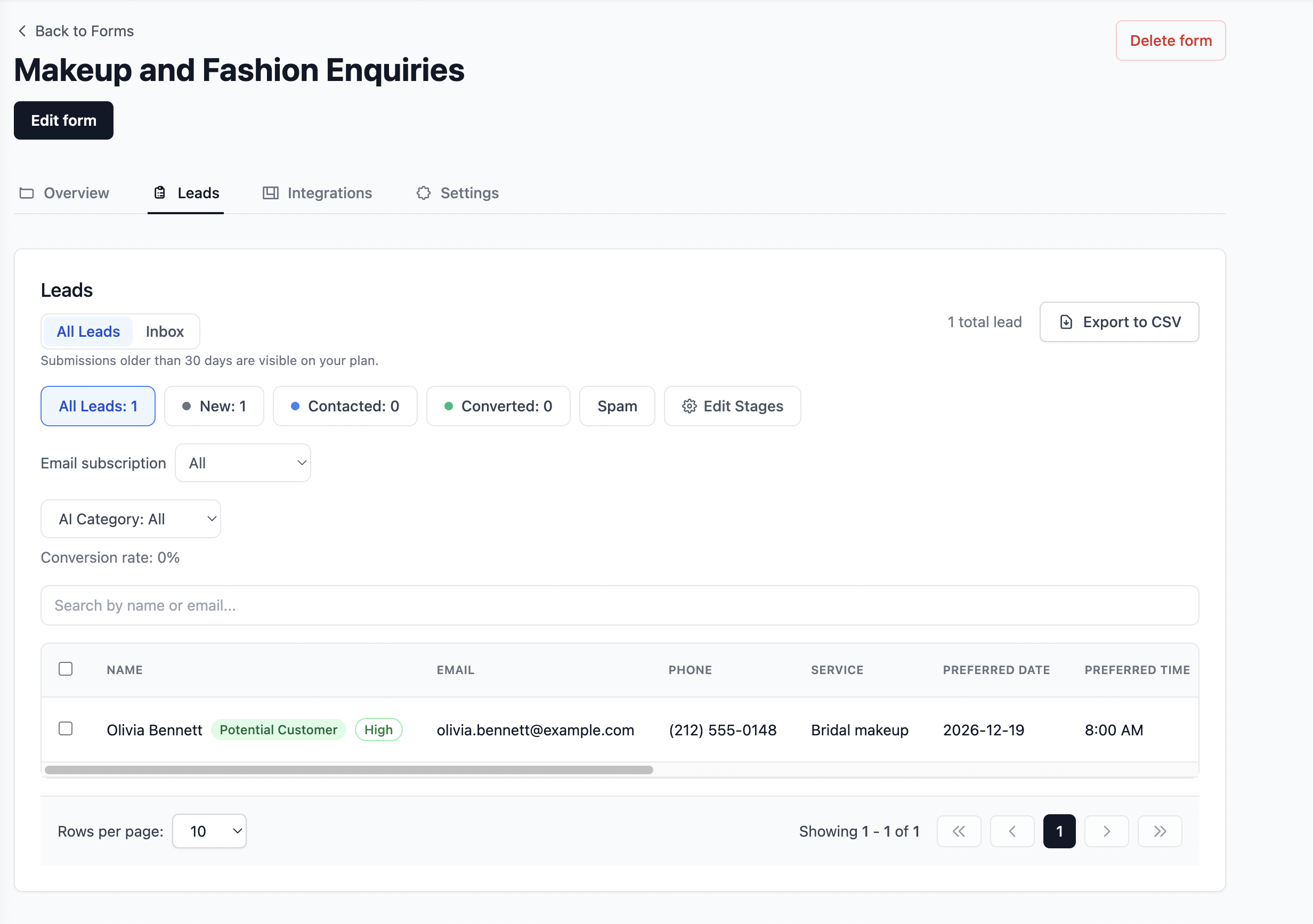
The Email Notification: Know When Someone Reaches Out
If email notifications are enabled and correctly configured for the form, the business can also receive a notification when a new enquiry arrives. That means you don't have to keep refreshing the dashboard to check for new interest.
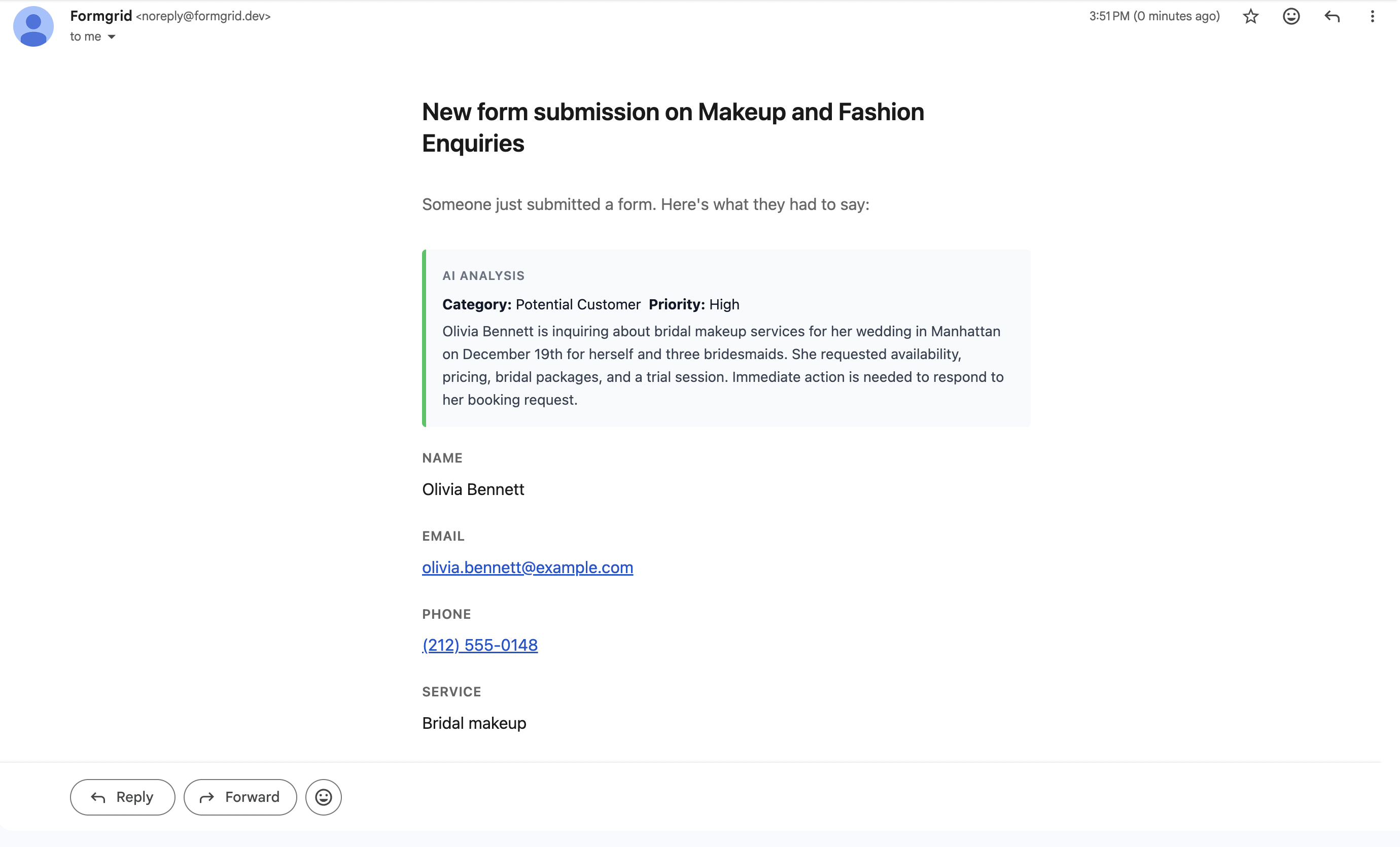
The email alerts you to the enquiry; the dashboard gives you a place to manage it. That combination is useful because an email notification alone doesn't tell you whether the person has been contacted, whether a quote was sent, or whether the enquiry became a customer.
Now let's look at what happens after the business owner receives the message.
With Formgrid's lead management workflow, accepted submissions can move through these stages:
| Stage | Meaning |
|---|---|
| New | A new enquiry has arrived and needs attention. |
| Contacted | You've reached out or started a conversation. |
| Converted | The enquiry has turned into a customer or your intended completed outcome. |
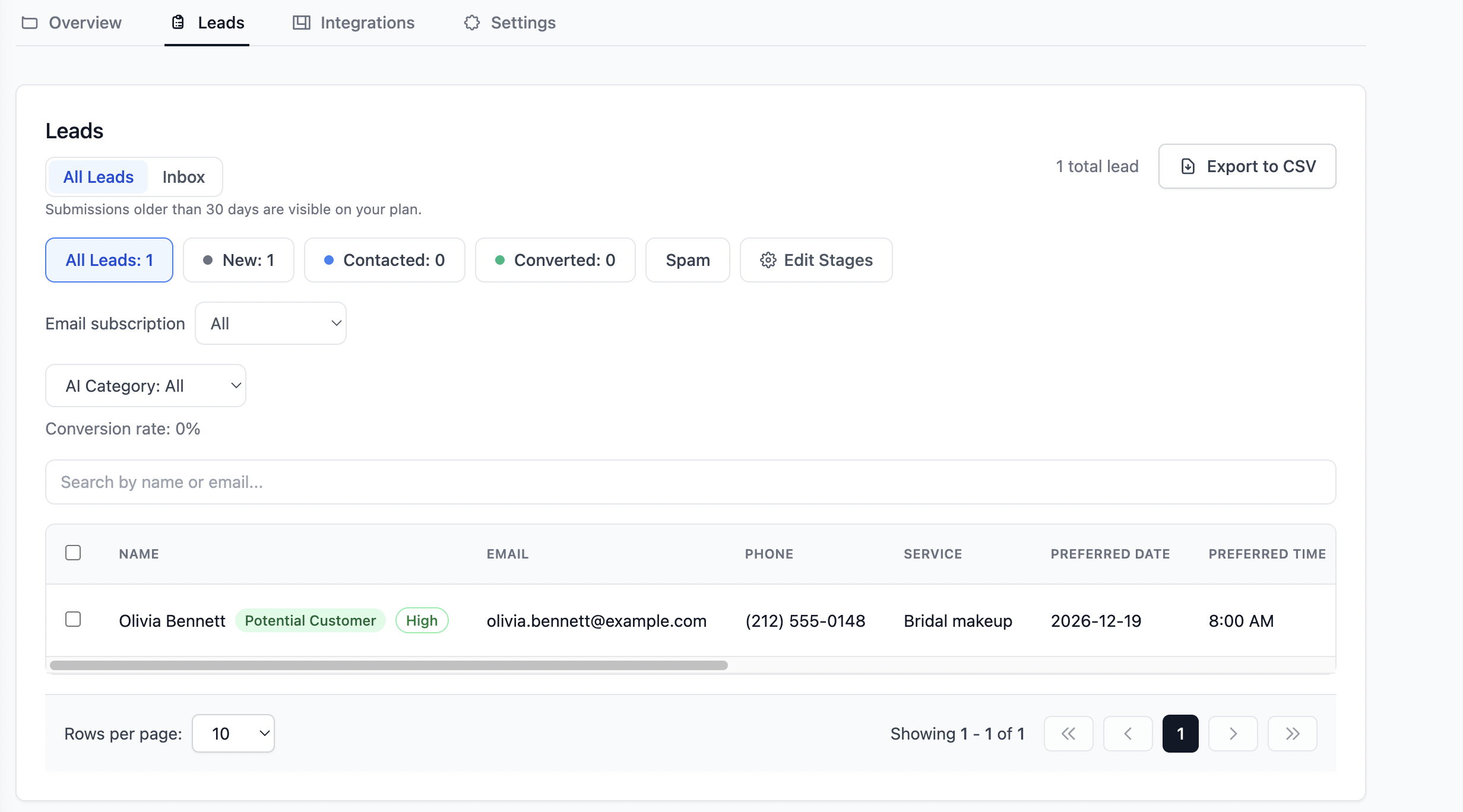
Formgrid's lead pipeline helps you track what happens after someone submits an enquiry.
You can also add notes to a lead. For example:
Replied with bridal makeup packages and requested the event location. Follow up on Monday if there is no response.
Then record a follow-up date so the next action isn't left to memory alone.
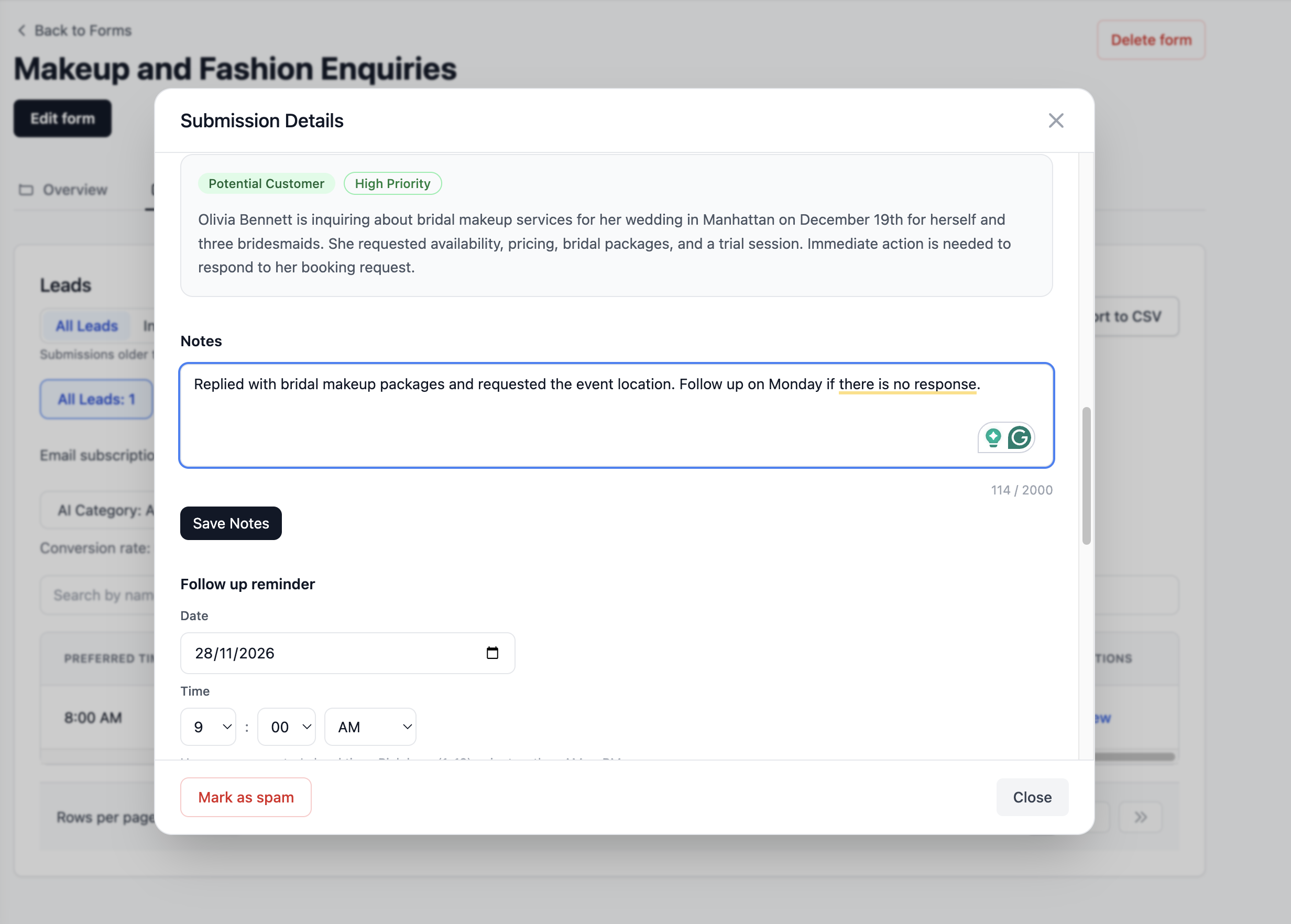
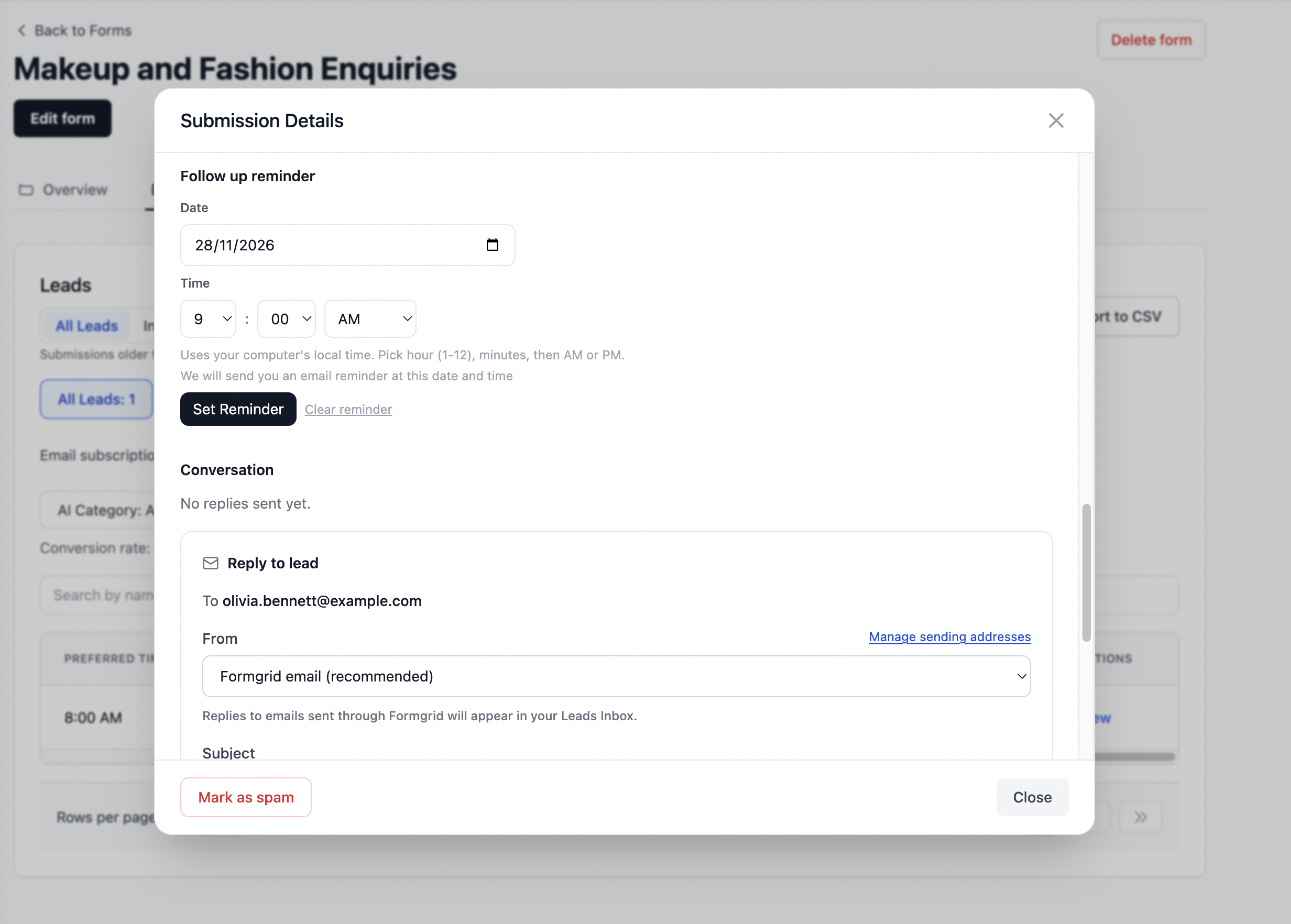
Keep relevant notes and follow-up information attached to each enquiry.
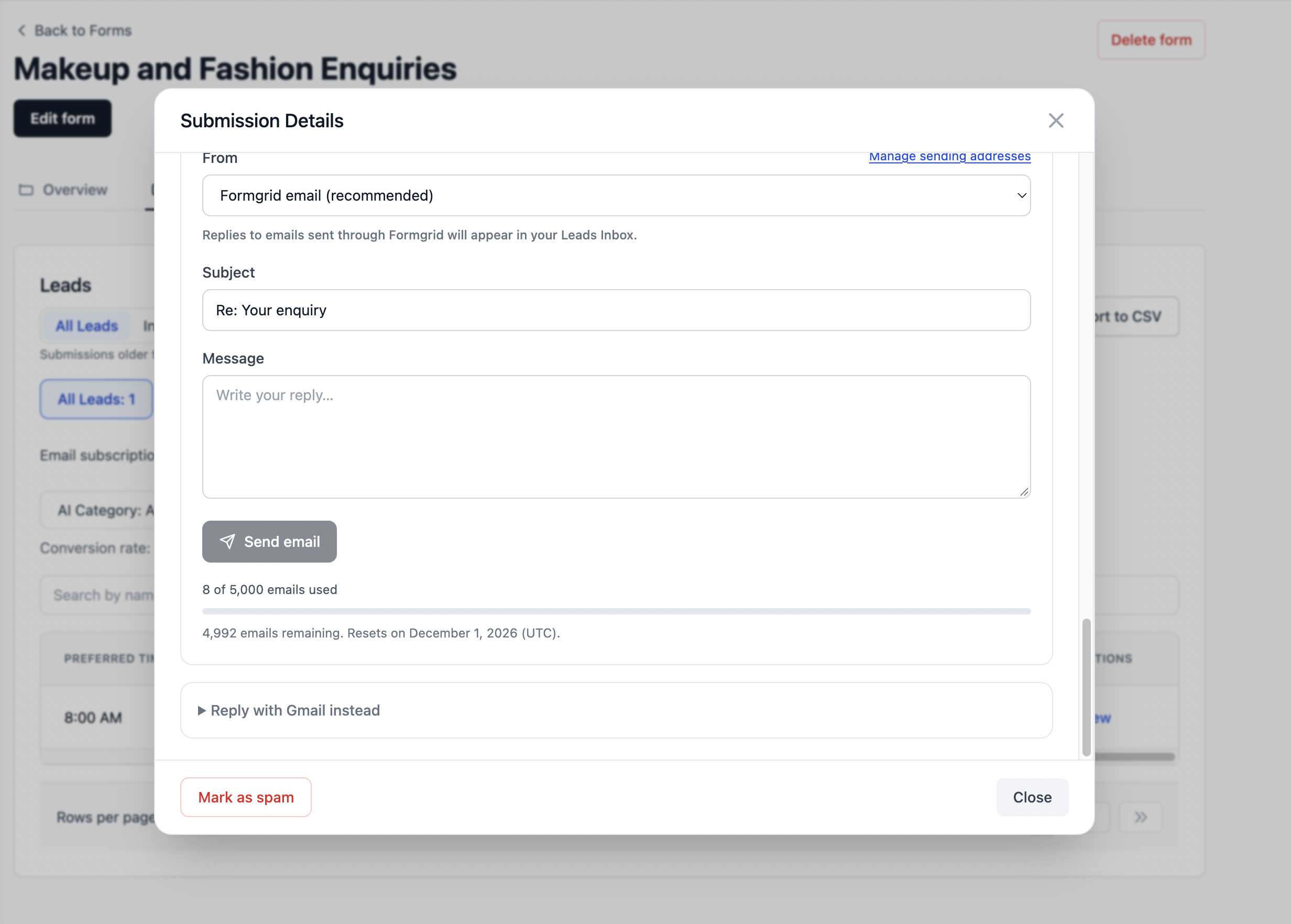
You can also reply to the lead directly. He receives an email directly.
This isn't intended to replace every feature of a large sales CRM. But for businesses primarily handling website enquiries, it can be a simpler way to stay organized without introducing another tool immediately.
The real value: You don't just know that someone filled out your form. You can see whether you've followed up and whether the enquiry became a customer.
Step 7: Use the Same Workflow for Multiple Businesses or Client Websites
Formgrid isn't only for business owners creating their own websites.
If you're a freelance developer or run a small agency, you may build sites for several clients: a restaurant, a photographer, a contractor, and a consulting firm.
Instead of mixing their enquiries, Formgrid lets you organize websites and forms under separate projects.
For example:
| Project | Website purpose | Typical enquiry |
|---|---|---|
| Photography Studio | Showcase services and portfolio | Event booking request |
| Roofing Company | Explain services and build trust | Quote request |
| Consulting Business | Present expertise | Consultation enquiry |
| Restaurant | Display business information | Event or catering enquiry |
On the Business plan, project invitations are available for collaboration. However, the current website-editing permissions have a limitation: invited collaborators may not be able to open or edit a website created by another user, even if they can see it listed in the project. Verify the exact access your client needs before promising shared website editing.
For many projects, the first goal is simpler: build the website, configure the form, and give the business a reliable way to receive and track enquiries.
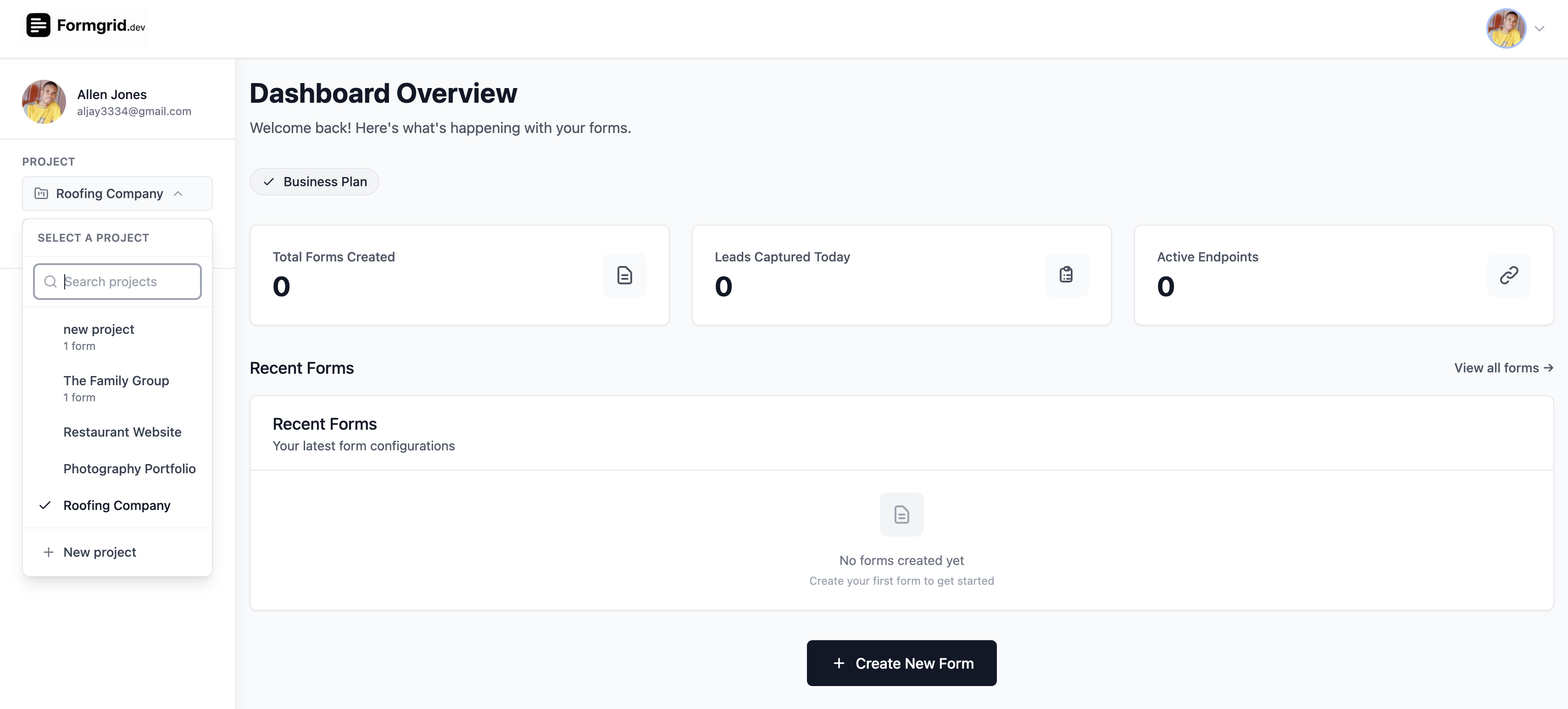
Organize forms and websites under separate projects when managing multiple businesses.
How Much Does It Cost to Build a Website With Formgrid.dev?
Formgrid has a Free plan and paid Premium and Business plans. The website-related allowances below reflect the implementation reviewed in November 2026; check the current Formgrid.dev pricing before subscribing.
| Website builder capability | Free | Premium | Business |
|---|---|---|---|
| Website creations | 1 lifetime | Unlimited | Unlimited |
| AI website generations | 1 lifetime | 20/month by default | 60/month by default |
| Publish a website | Yes, within site allowance | Yes | Yes |
| Custom domain | No | Yes | Yes |
| Project member invitations | No | No | Yes |
Premium starts at $12/month, and Business starts at $29/month, based on the pricing used in this comparison. Website generation allowances and other features are subject to the current subscription rules.
When Does Premium Make Sense?
Think about what you want to do after your first website goes live. You might want to try a different design, build another site for a second service, or connect a domain your customers already recognize.
That's where Premium becomes a practical upgrade. It gives you unlimited website creations, more monthly AI generations, and custom domain support.
For a business that depends on incoming enquiries, the decision isn't simply whether a website costs $12/month. It's whether having a professional website and an organized enquiry workflow is worth paying for. Your actual return will depend on how many enquiries you receive and how well you follow up.
Explore Premium on Formgrid.dev
When Does Business Make Sense?
Business is designed for people handling several businesses or client projects. You get more AI generation capacity and the ability to invite project members.
For a freelancer or agency, the offer to a client can become more useful than simply “I'll build you a website.” You can deliver a website with enquiry forms and a dashboard where the business can manage incoming requests.
Important: The current implementation has website ownership restrictions that may prevent collaborators from editing one another's sites. Verify the exact handoff and editing permissions before promising shared website editing to clients.
What About the Free Plan?
The Free plan is a way to try the website builder and publish one website. But the one-website and one-AI-generation allowances are lifetime limits, not monthly allowances. Deleting a website may not restore the creation allowance, so choose your first experiment carefully.
Explore Formgrid.dev and choose a plan
Website Builder vs Website Builder With Lead Management
A traditional website builder helps you create pages and publish them. Some also provide forms or integrations.
Formgrid's approach is to connect website creation more directly to what happens after a visitor submits an enquiry.
| Need | Website builder alone | Formgrid.dev approach |
|---|---|---|
| Create and publish pages | Core function | AI generation, templates, visual editor, publishing |
| Collect enquiries | May require built-in forms or integrations | Forms connected to the website and project |
| Track who was contacted | Depends on the product or CRM integration | Built-in New, Contacted, Converted pipeline |
| Keep follow-up notes | May require a separate CRM | Notes and follow-up dates on leads |
| Organize multiple client projects | Depends on the platform | Project-based organization |
If you receive only the occasional message, a simple contact form might be enough. But when a quote request could become a paid project, the value isn't in collecting the message. It's in knowing what to do with it next.
That's the difference Formgrid is built around: the website and the follow-up workflow belong together.
Frequently Asked Questions
Can I build a complete website with AI using Formgrid.dev?
Formgrid's AI generation workflow is designed to create a multi-page website draft with navigation, content, and styling. You can then customize it in the visual editor before publishing.
Do I need coding skills?
You can start from an AI-generated website or a template and use the visual editor to customize it. Developers can also use Formgrid's separate form backend tools when they prefer working with their own frontend.
Can I add a contact form to my website?
Yes. The website builder supports native forms and connecting existing Formgrid forms. Accepted submissions can be managed in the associated project's form dashboard.
Can visitors request appointments or bookings?
Yes, you can collect booking enquiries and requests through forms. However, Formgrid is not currently a calendar scheduling system with live appointment availability and automatic confirmations.
Can I use my own domain?
Custom domains are available on Premium and Business plans. The Free plan supports publishing within its website allowance using Formgrid's public website URL options.
Does Formgrid.dev include a CRM?
It includes a lightweight lead pipeline for website and form enquiries. You can move leads between New, Contacted, and Converted, add notes, and record follow-up dates.
Is the website builder free?
The Free plan includes one lifetime website creation and one lifetime AI website generation credit. Paid plans provide additional website creation and AI generation allowances.
Can agencies build websites for clients?
Yes, websites can be organized into projects, and Business supports project invitations. There is currently a limitation around editing websites created by other project members, so test the collaboration workflow you need before relying on it for client handoff.
Your Website Should Help You Win Work, Not Just Look Good
A polished website builds confidence. An enquiry form gives interested visitors a way to reach you. But the real opportunity begins when someone asks about your services.
With Formgrid.dev, you can bring the pieces together: generate a complete website with AI, customize it, publish it, collect enquiries, and manage the next steps in one dashboard.
You don't have to start by learning a website framework, configuring a form backend, and connecting a separate CRM just to handle your first customer enquiry.
Start with one website. Add a form for the action you want visitors to take, whether that's Request a Quote, Ask About Availability, or Book an Enquiry. Publish it, test the form, and see how your leads move through the pipeline.
Then, when you're ready to create more websites or use your own domain, explore the paid plans.
Create your business website with Formgrid.dev
Disclosure: I build Formgrid.dev. This guide is based on its current website builder, form, and lead management implementation. Some workflows are still being verified end-to-end; check current features and pricing before subscribing.
Comments
Leave a comment