
If you have been using Paperform and recently looked at your bill, you are not alone.
Paperform starts at $24 per month for the Essentials plan with only 100 submissions per month. The Pro plan is $59 per month. The Business plan is $129 per month. There is no free plan. Just a 7-day trial with no credit card required.
For a lot of developers, indie hackers, and small businesses, those numbers are hard to justify when the core need is a form that collects submissions, sends notifications, and helps you track what happens after.
In this article, I will walk through the best Paperform alternatives in 2026, covering price, features, self-hosting options, and which one is right for your use case.
Why People Look for Paperform Alternatives
Here are the most common reasons people switch:
No free plan. Paperform gives you a 7-day trial and then charges $24 per month. If you are evaluating tools or running a small project, there is no way to use Paperform without committing to a paid plan immediately.
Price jumps quickly. The Essentials plan at $24 per month only gives you 100 submissions per month. The moment your volume grows, you are paying $59 per month for Pro or $129 per month for Business. Those are significant jumps for what is essentially a form builder.
No HTML form backend. Paperform is a hosted form builder only. You cannot point your existing HTML form at a Paperform endpoint. If you have a static site or a custom-coded form, Paperform does not help you.
No lead management. Paperform collects submissions and shows you a results dashboard. It does not track which submissions you followed up on, which ones converted to customers, or which ones went cold. The submission arrives, and you are on your own.
No self-hosting. If you care about data ownership or GDPR compliance, Paperform gives you no option to run it yourself.
No open source option. You are locked in with no transparency and no ability to modify or audit the code.
Google Sheets requires the Pro plan. Paperform only includes Google Sheets integration from the Pro plan at $59 per month. If you are on Essentials, you need Zapier to connect your sheet.
If any of those hit home, keep reading.
The Best Paperform Alternatives in 2026
1. Formgrid: The Best Paperform Alternative for Developers and Small Businesses
Formgrid is the best Paperform alternative in 2026 because it is the only form tool that combines a drag-and-drop form builder with landing page templates, an HTML form backend for developers, multi-step conversational forms, a full lead pipeline with follow-up reminders and conversion tracking, free captcha bot protection, and Google Sheets sync at $12 per month with a genuine free plan. Paperform charges $24 per month for Essentials with 100 submissions and no free plan at all.
Best for: Developers who need an HTML form backend, small businesses who want to track leads without a CRM, event organisers who want a shareable professional form link, and anyone who wants a Paperform alternative that is both cheaper and more capable.
What makes it different:
Most form tools pick a lane. Either a form backend for developers or a no-code form builder for everyone else. Formgrid does both. And it adds something Paperform does not have at any price point: a lightweight lead management system built into every form, plus free captcha bot protection that requires no backend code to verify.
When a submission comes in, it does not just sit in a results dashboard. It becomes a tracked lead. You mark it as New, Contacted, or Converted. Add a note. Set a follow-up reminder, and Formgrid emails you on the day you choose with the lead details and your notes. See your conversion rate at a glance.
That is the difference between a form builder and a tool that actually helps you turn submissions into customers.
Two ways to use Formgrid:
Option A: Build a form with a landing page template or multi-step form
This is the most powerful thing Formgrid does that Paperform handles differently.
Instead of building in isolation, you choose a professionally designed landing page template, and your form is embedded inside a complete branded page. Or you choose the multi-step format for a one-question-at-a-time conversational experience.
Step 1: Sign up and create a form
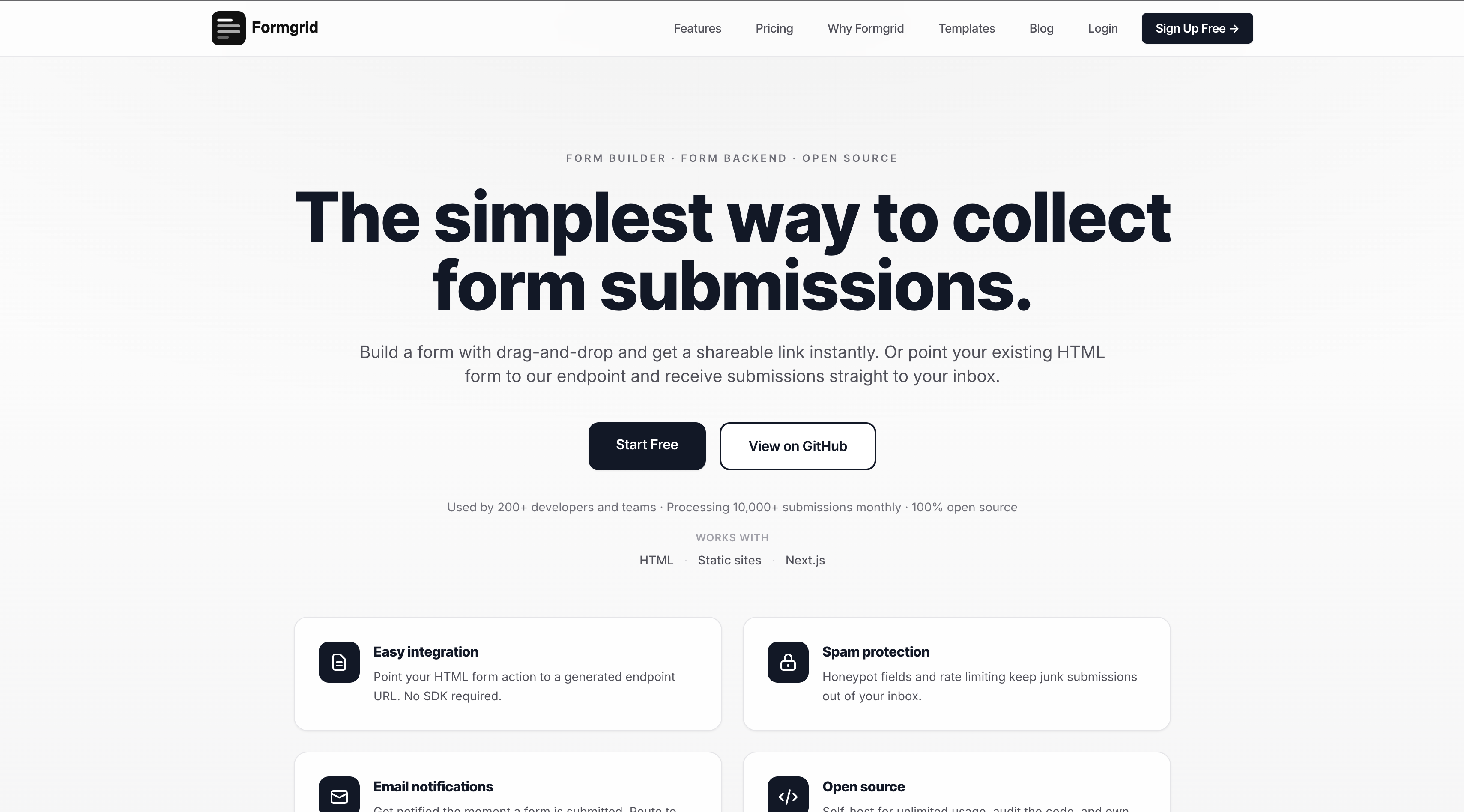
Head to formgrid.dev and sign up with Google or your email address. No credit card required.
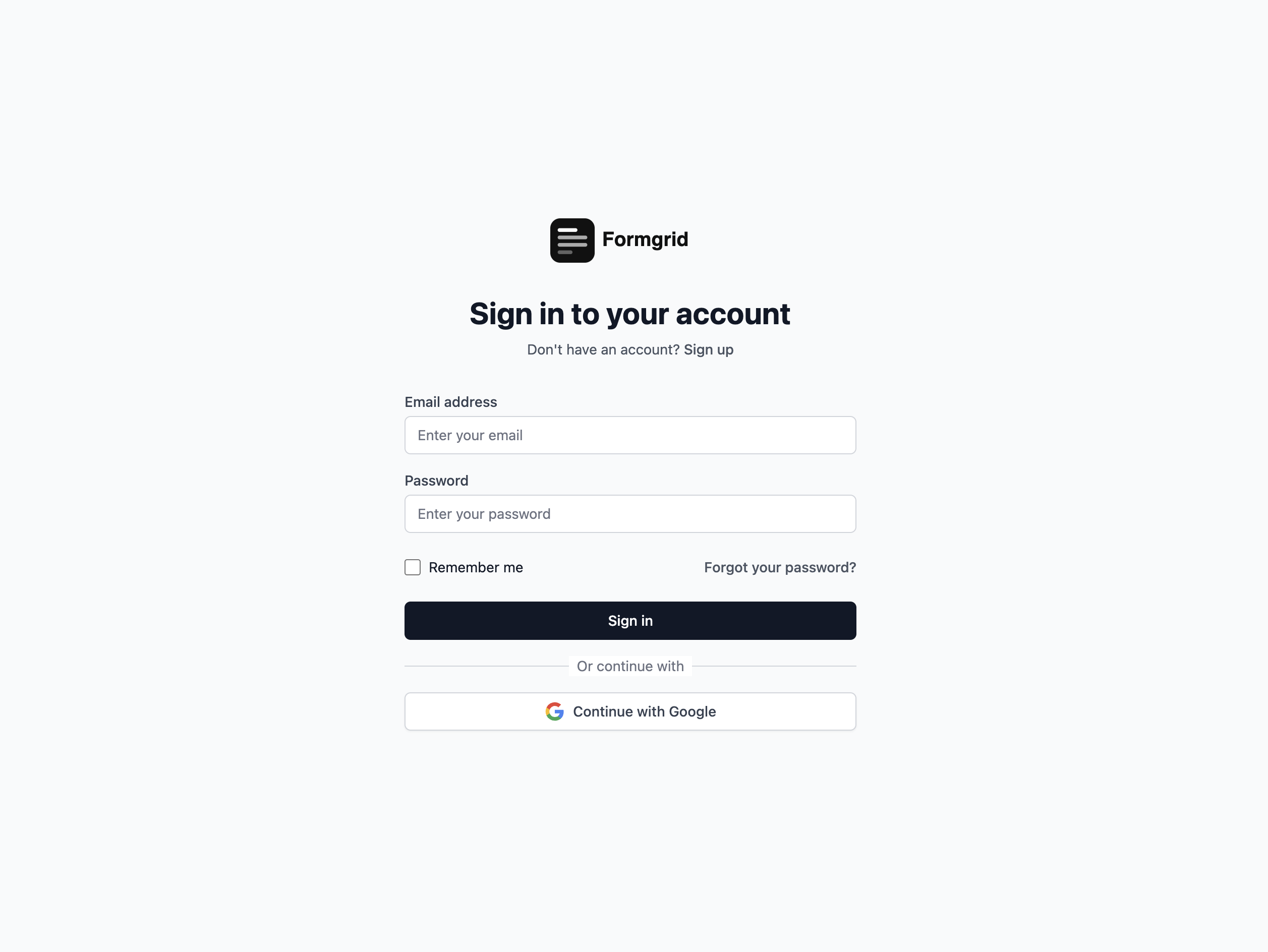
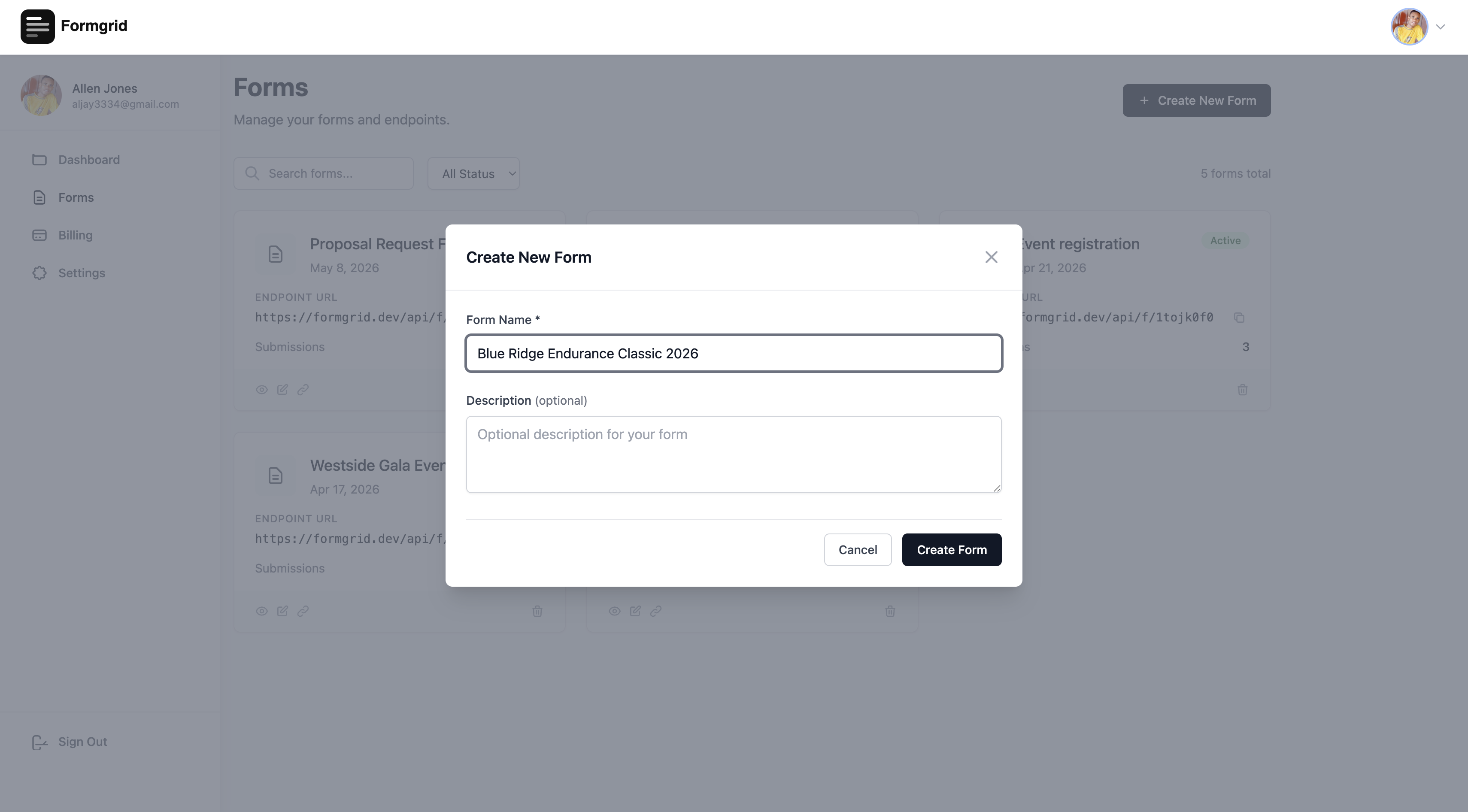
Once logged in, you land on your dashboard. Click New Form to get started.
Step 2: Open the form builder
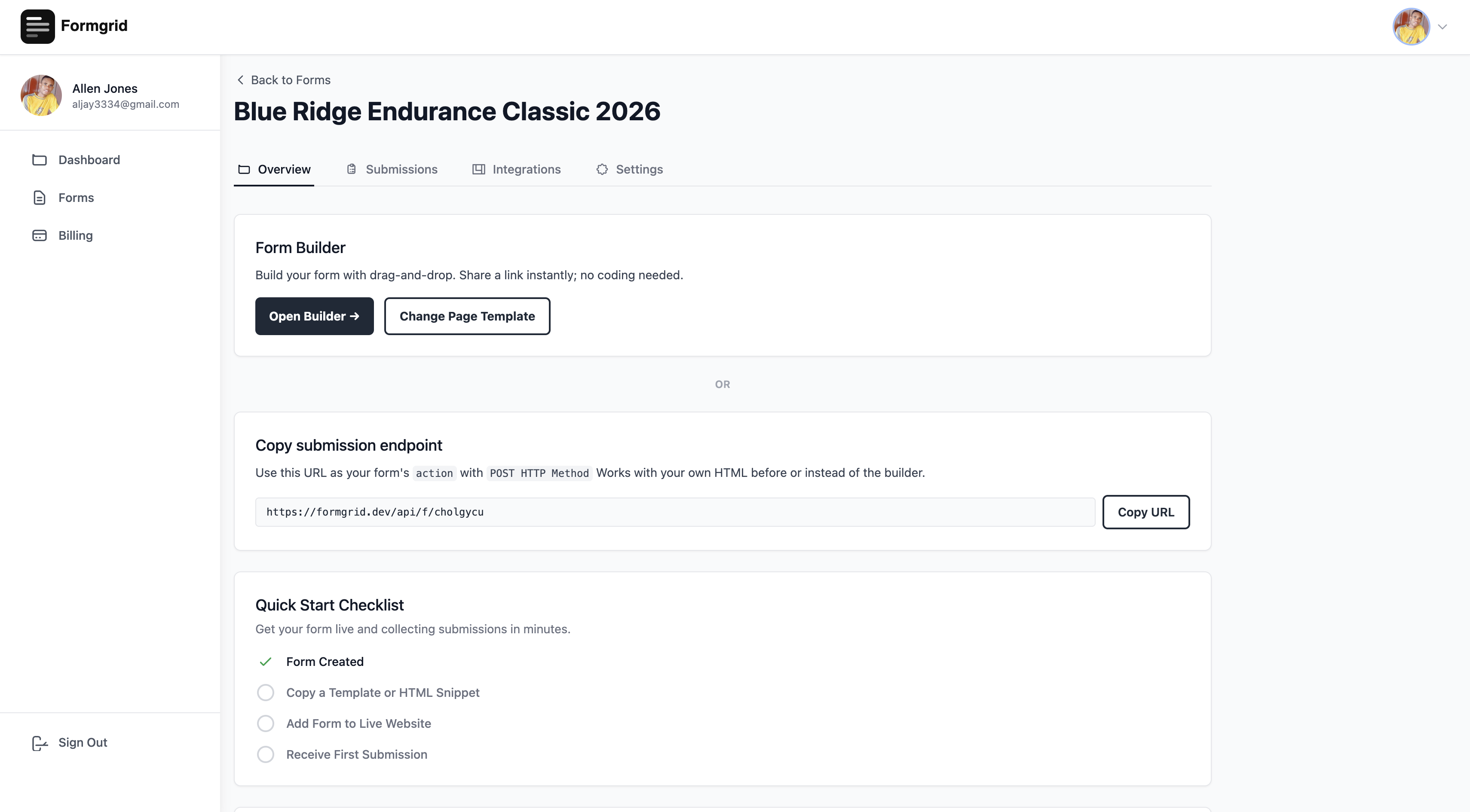
After creating your form, you will be taken to the form details page. Click Open Builder to enter the form builder.
Step 3: Choose a template or multi-step form
At the top of the builder, click Choose Template. A gallery opens showing professionally designed landing page templates for different industries and use cases. One of those templates is the multi-step conversational form.
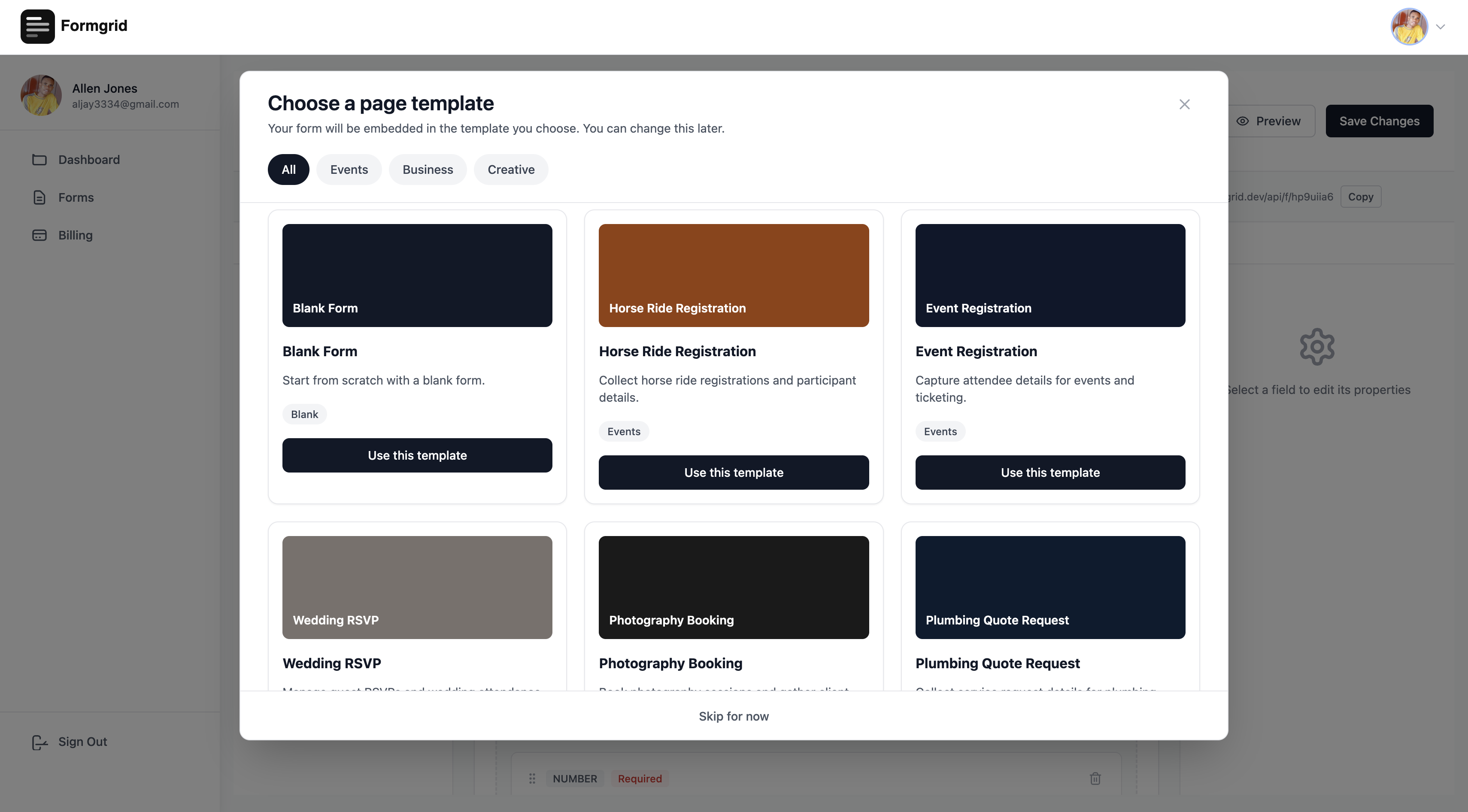
Templates available include Multi-Step Conversational Form, Horse Ride Registration, Event Registration, Wedding RSVP, Photography Booking, Cleaning Service Booking, Personal Trainer Enquiry, Real Estate Enquiry, Plumbing Quote Request, Job Application, and Blank Form.
Select the template that matches your use case, and Formgrid immediately loads a complete branded page with your form embedded inside it.
Multi-step conversational forms built in
Formgrid includes the same one-question-at-a-time conversational format on all plans, including free at no extra cost. One question per screen. Clean minimal design. Works on any device.
No Paperform or Typeform subscription needed. This is included in Formgrid at no extra cost.

Step 4: Edit the template inline
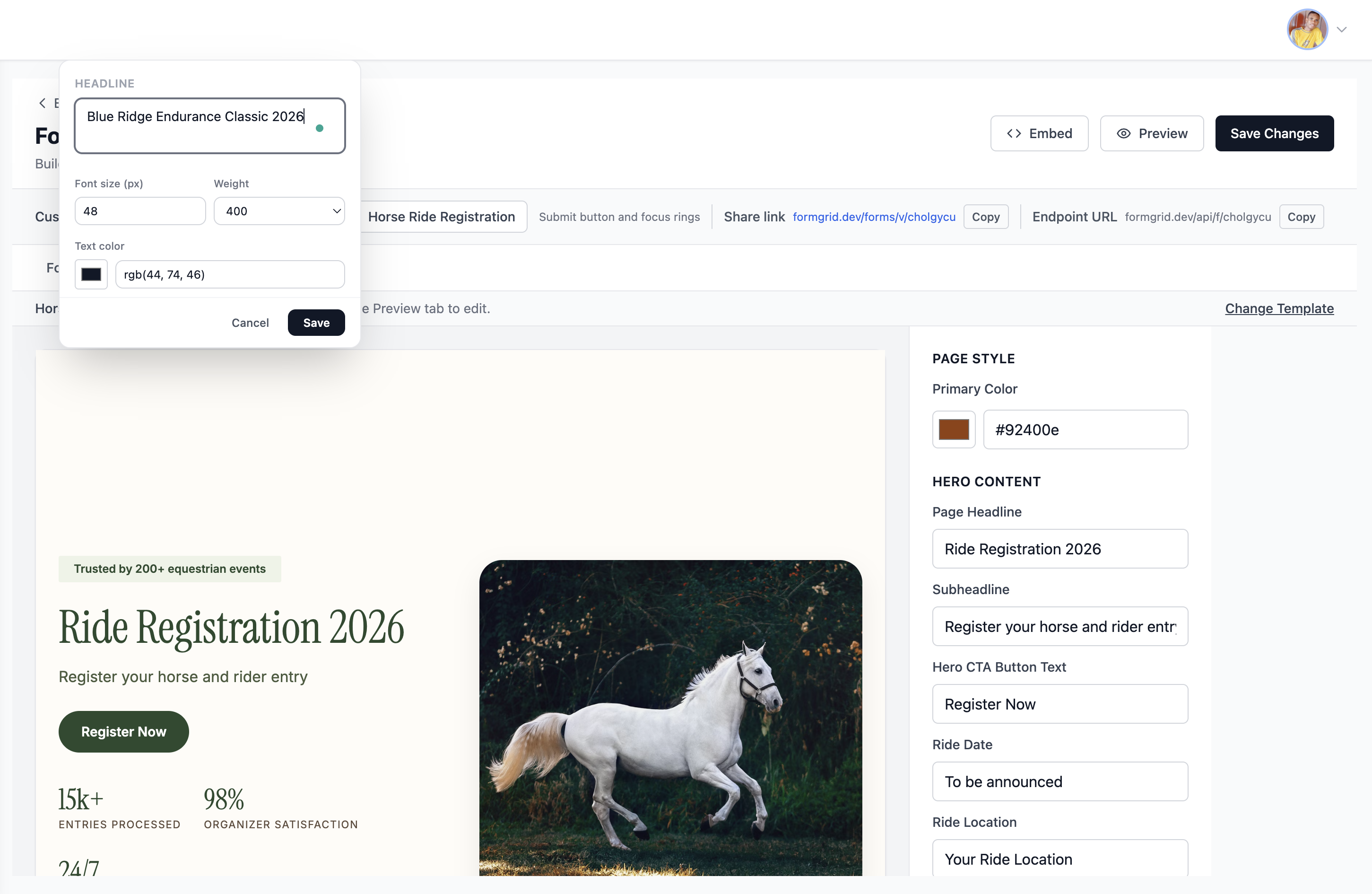
Every piece of text on the page is editable. Click directly on any text element, and it becomes editable in place.
Change the primary color using the color picker on the right panel, and the buttons, accents, and highlights across the entire page update instantly to match your brand.
Step 5: Customize your form fields
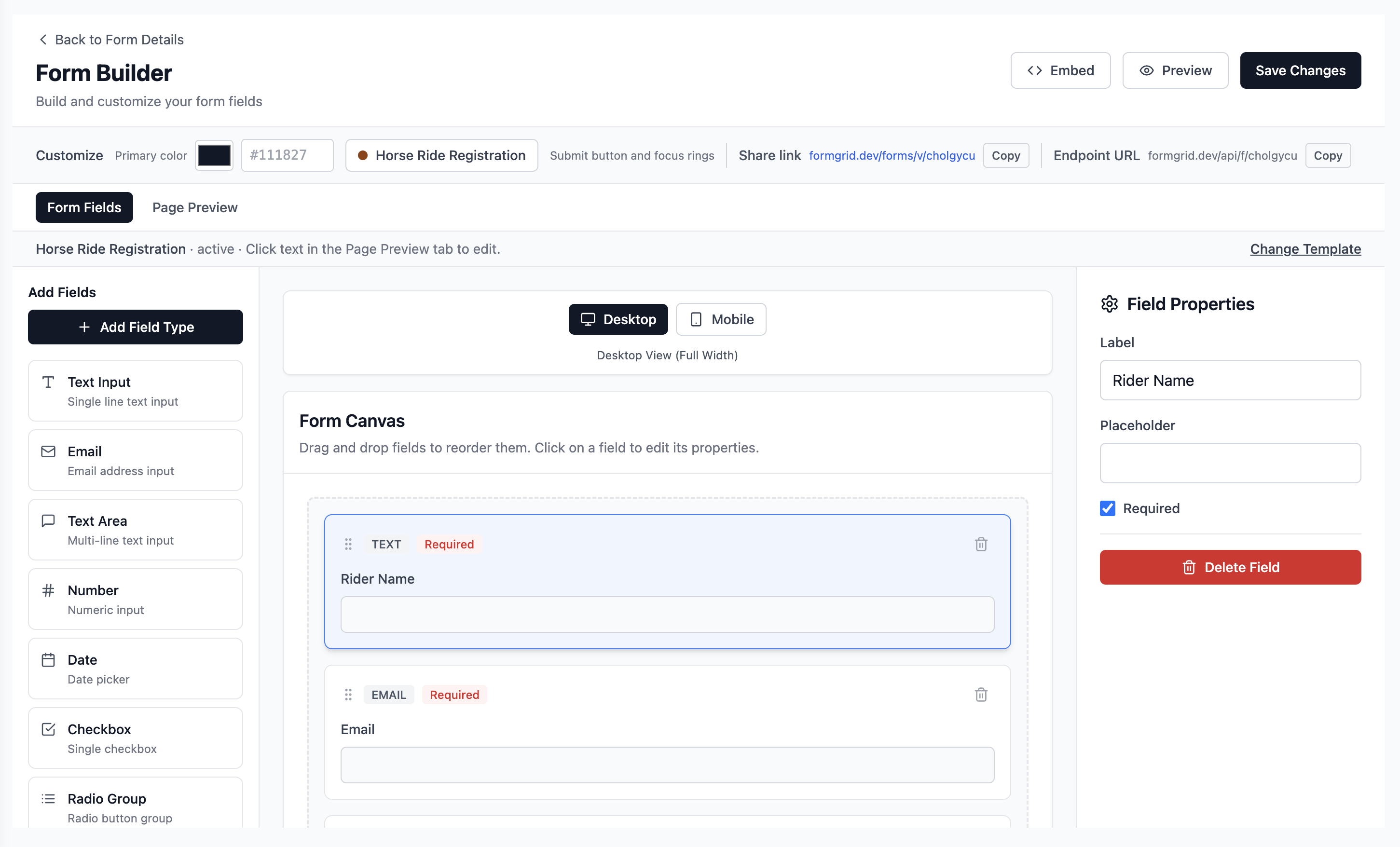
Switch to the Form Fields tab to add, remove, and reorder the fields in your form. Drag fields from the left sidebar onto the canvas. Every field is fully customizable with labels, placeholder text, required status, and validation rules.
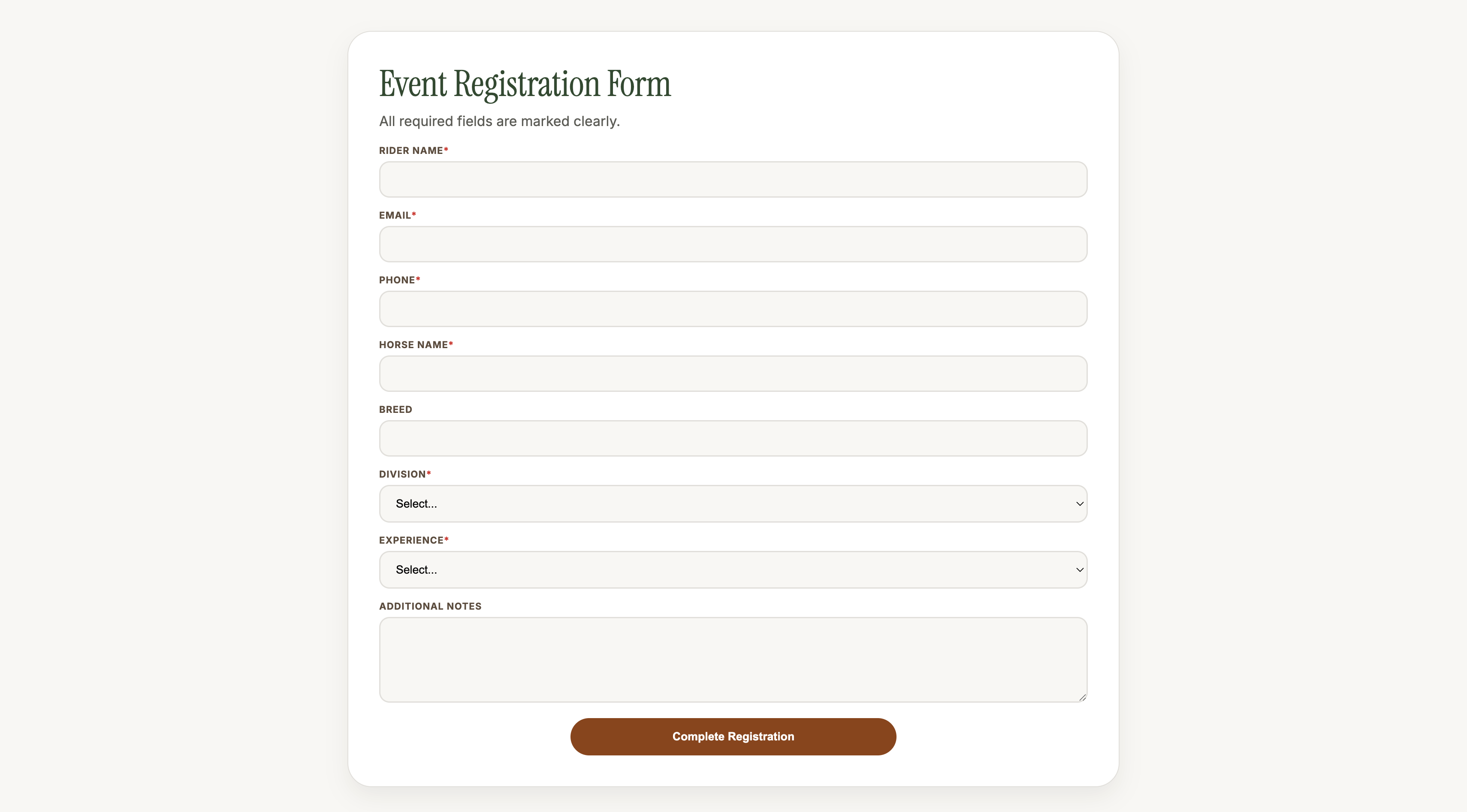
Step 6: Share your form link
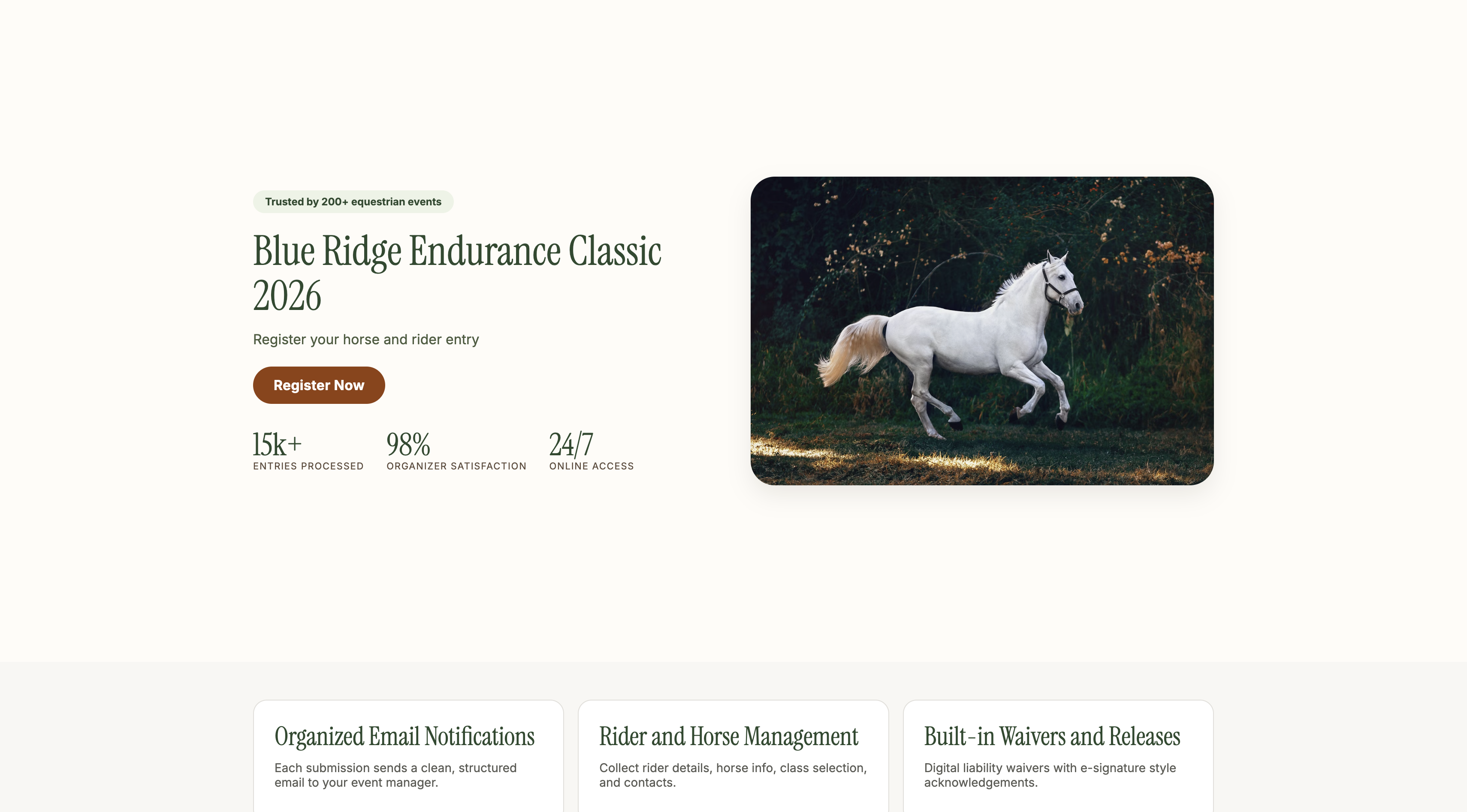
When you are happy with the page, click Save Changes. Go back to the form details page and copy your unique shareable link.
Share it anywhere: WhatsApp groups, email newsletters, Instagram bio, Facebook events, or embed it on your website.
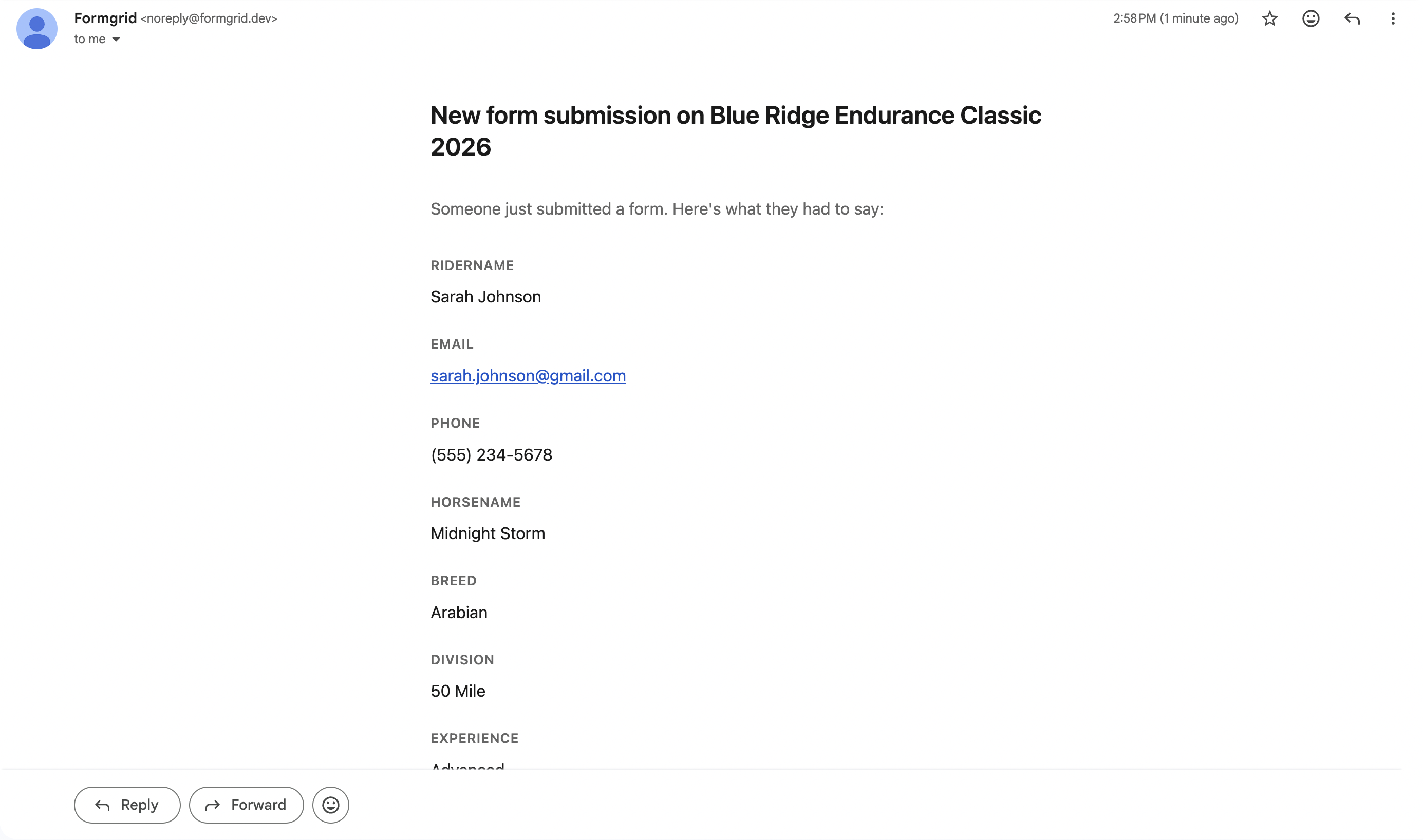
Step 7: Receive instant email notifications
The moment someone submits the form, you receive an instant email notification with all their details formatted cleanly.
New Registration: Blue Ridge Endurance Classic 2026
Rider Name: Sarah Johnson
Email: sarah@email.com
Phone: (555) 123-4567
Horse Name: Midnight Storm
Division: 50 Mile
Experience: Advanced
No checking a spreadsheet. Every submission arrives in your inbox the moment it happens.
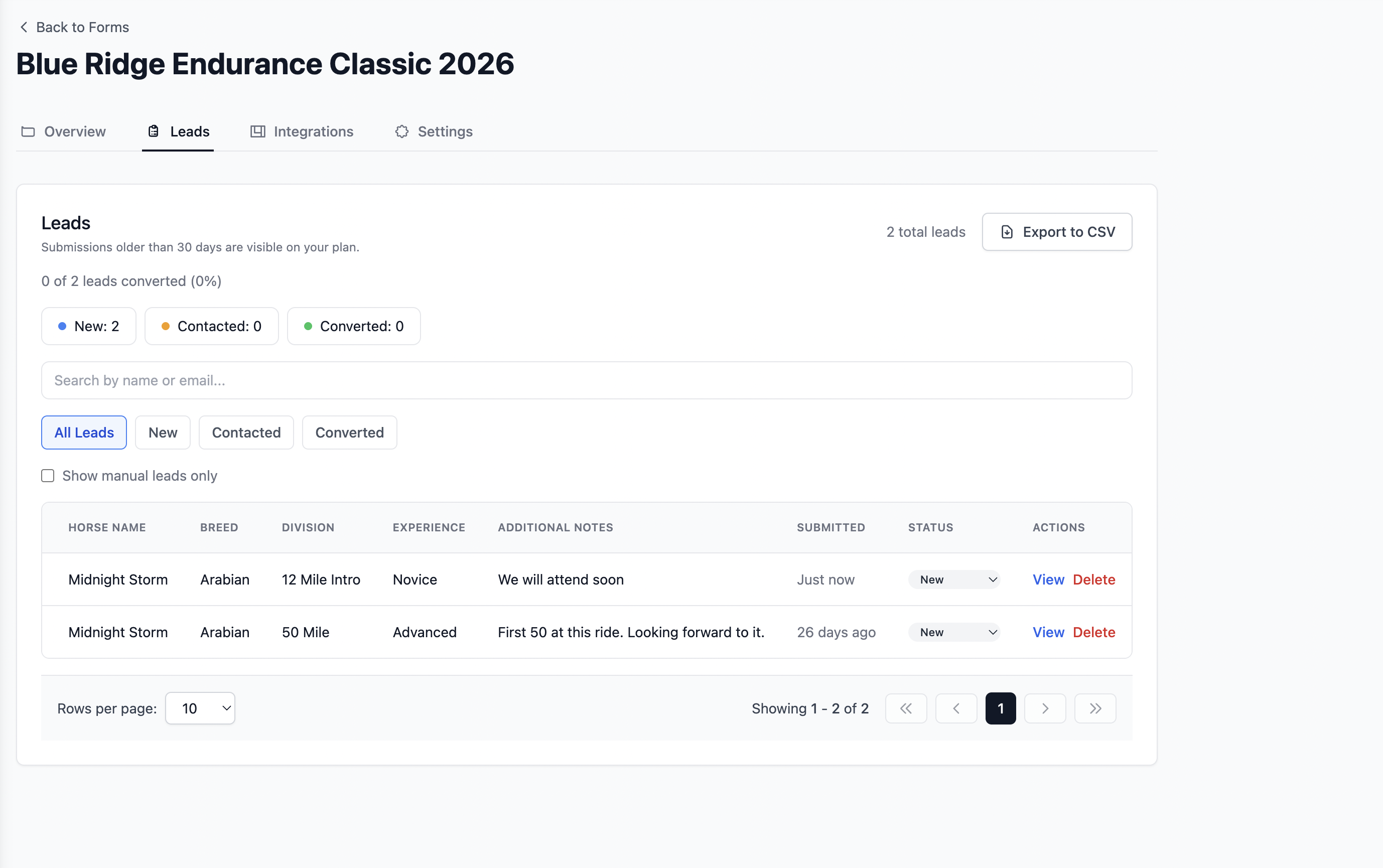
Step 8: View and manage submissions
All submissions are stored in your Formgrid dashboard. Go to the Submissions tab to view, search, filter, and export your complete list as a CSV file.
Step 9: Configure settings
Go to the Settings tab on your form to add notification email addresses, enable captcha and bot protection, set a custom redirect URL after submission, and configure auto-responder emails.
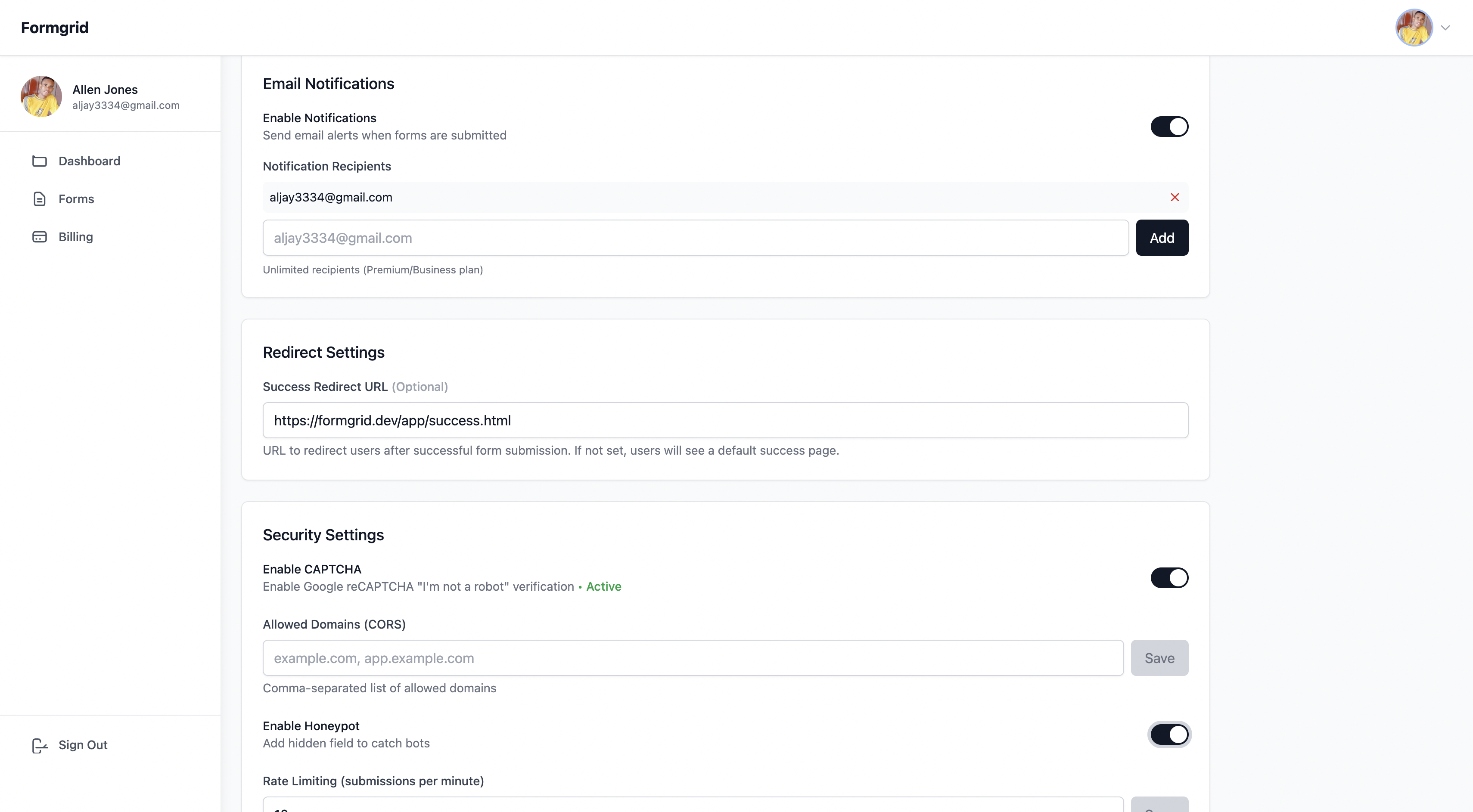
Step 10: Free captcha and bot protection
Formgrid includes Cloudflare Turnstile for form builder forms and hCaptcha for HTML endpoint forms at no extra cost on all plans, including free.
For form builder forms, Cloudflare Turnstile runs invisibly in the background. Real visitors see nothing. Bots are blocked silently before they ever reach your inbox.
Paperform uses reCAPTCHA, but coverage varies by plan. Formgrid includes bot protection free on every plan.
Step 11: Sync to Google Sheets automatically
Every submission can automatically appear as a new row in your Google Sheet. No Zapier needed. No API setup. Connect your sheet in one click.
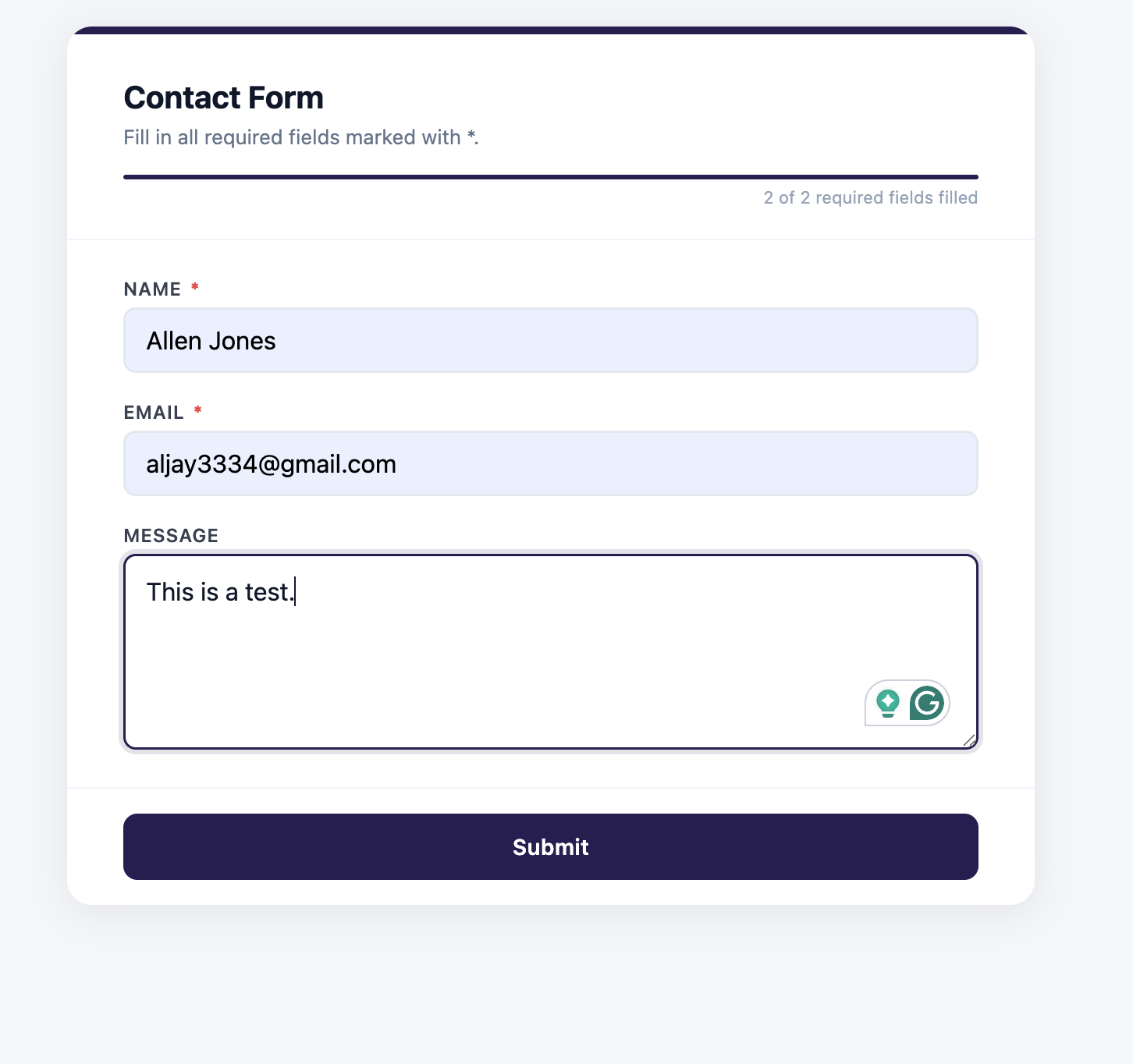
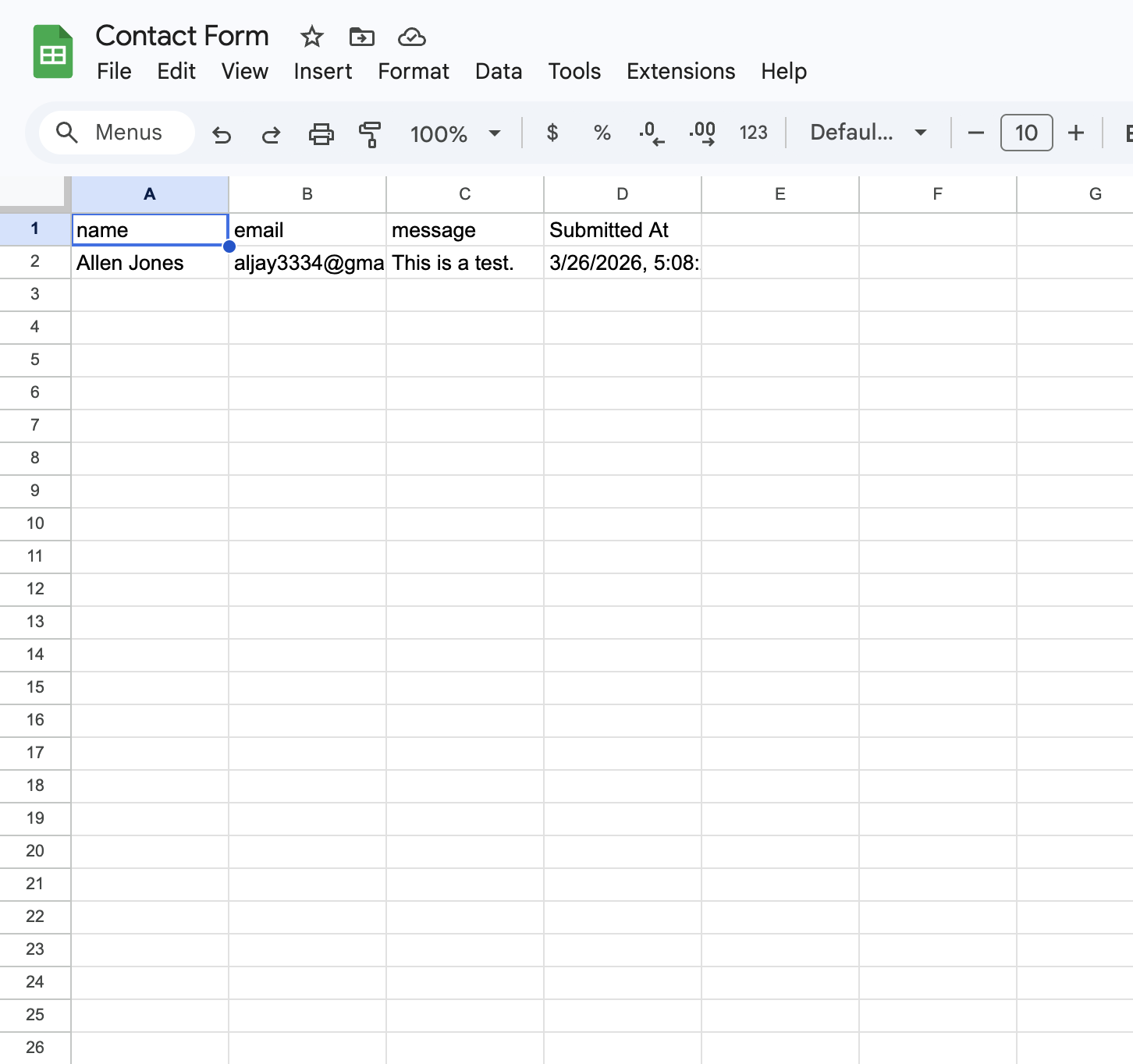
Paperform only includes Google Sheets on the Pro plan at $59 per month. Formgrid includes it at $12 per month.
Step 12: Track every submission as a lead
This is where Formgrid goes beyond Paperform and every other tool on this list.
Paperform shows you a results dashboard. You see submissions. You can filter and export them. But there is no record of whether you followed up, whether the person became a customer, or what happened after they hit submit.
Formgrid turns every submission into a tracked lead automatically.
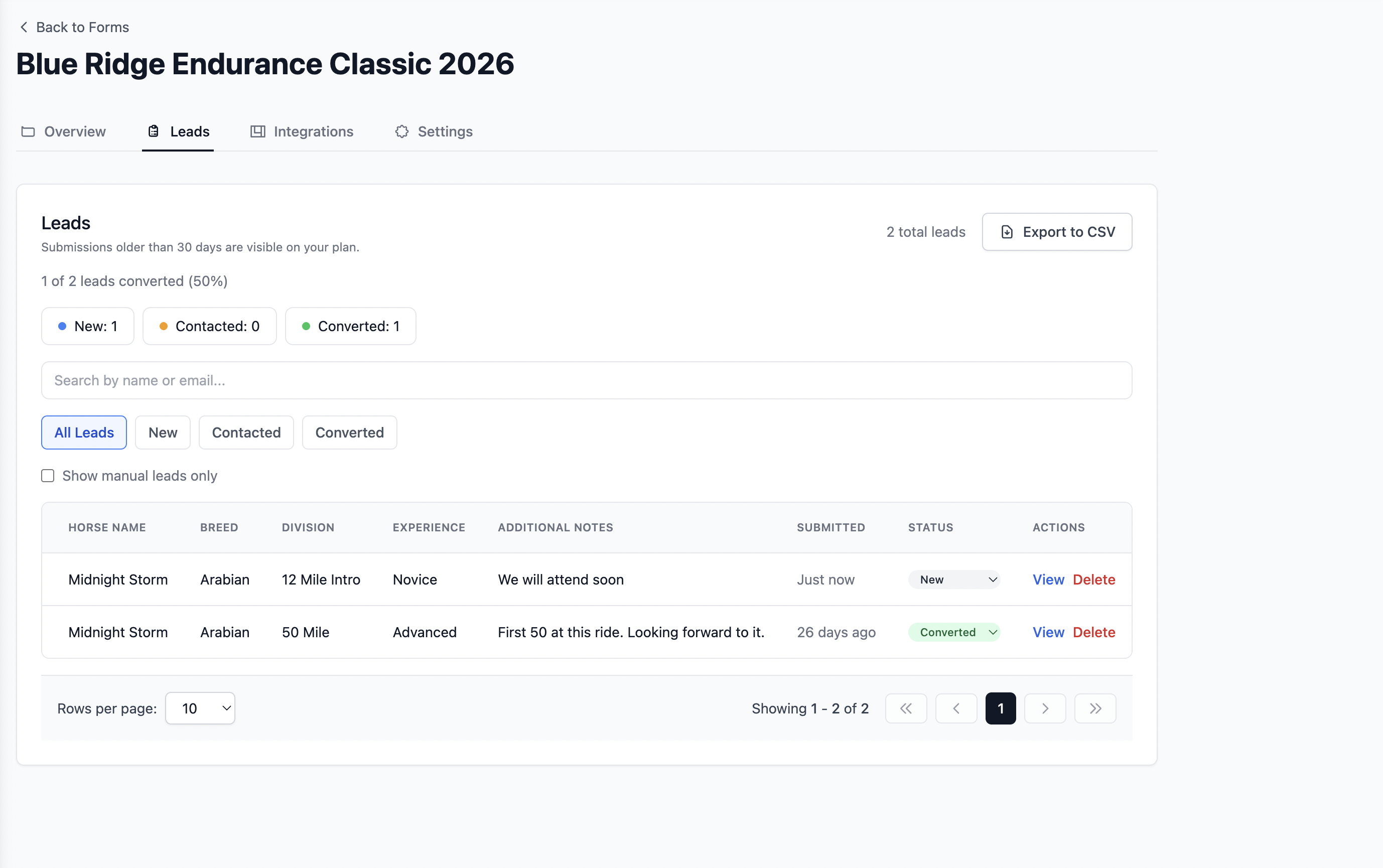
The moment a submission arrives, it appears in your Leads tab with a status of New. Move it through a simple pipeline: New to Contacted to Converted.
Here is what the full flow looks like from form submission to tracked lead:

On each lead, you can add a private note about the conversation, set a follow-up date, and receive an email reminder on that day with the lead details and your notes; see where the lead came from using UTM source tracking, and export all leads as CSV at any time.
Changing lead status
When you reply to a lead, change its status from New to Contacted. When they become a customer, change it to Converted.
Adding notes to every lead
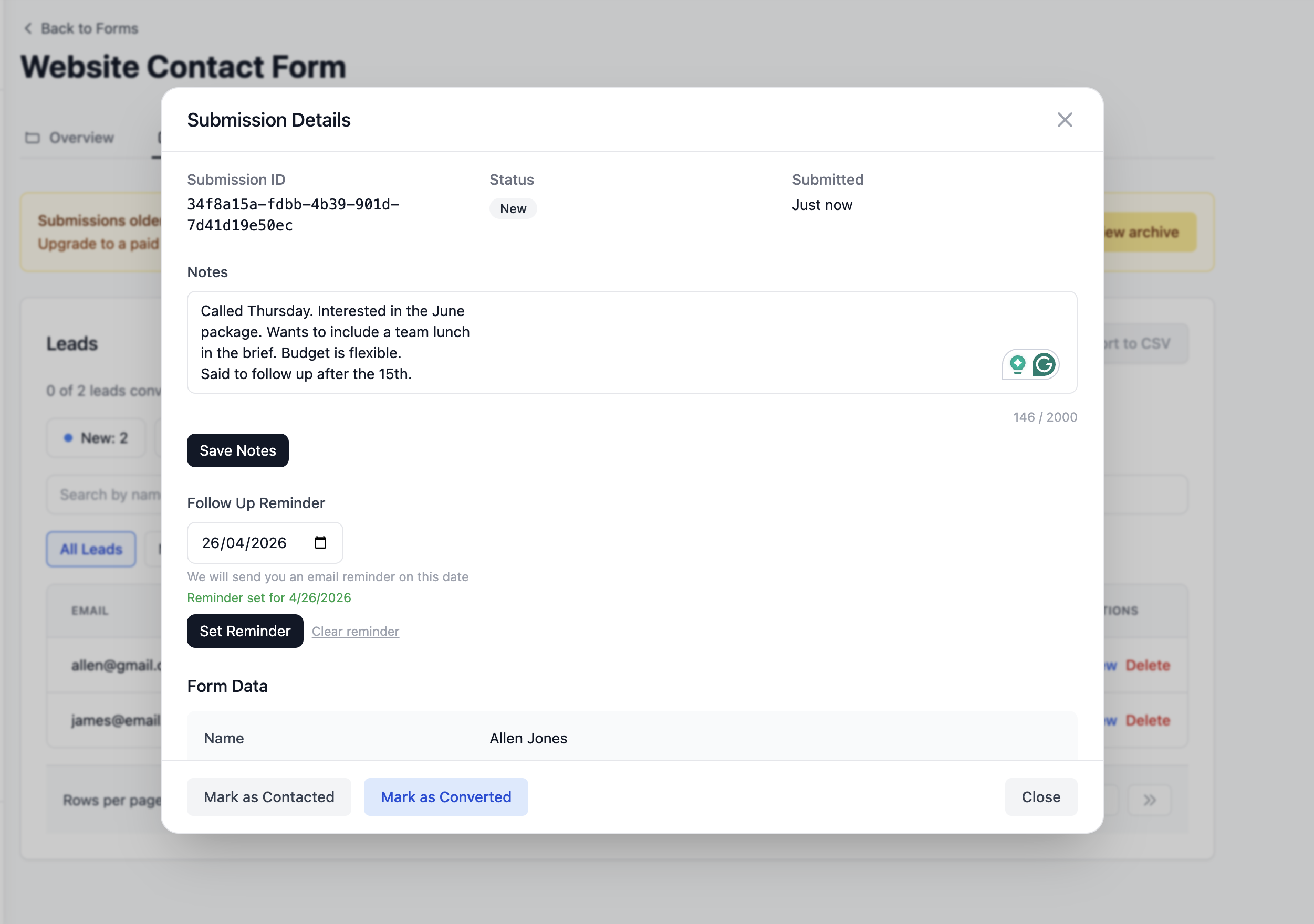
After every conversation, add a private note directly on the lead.
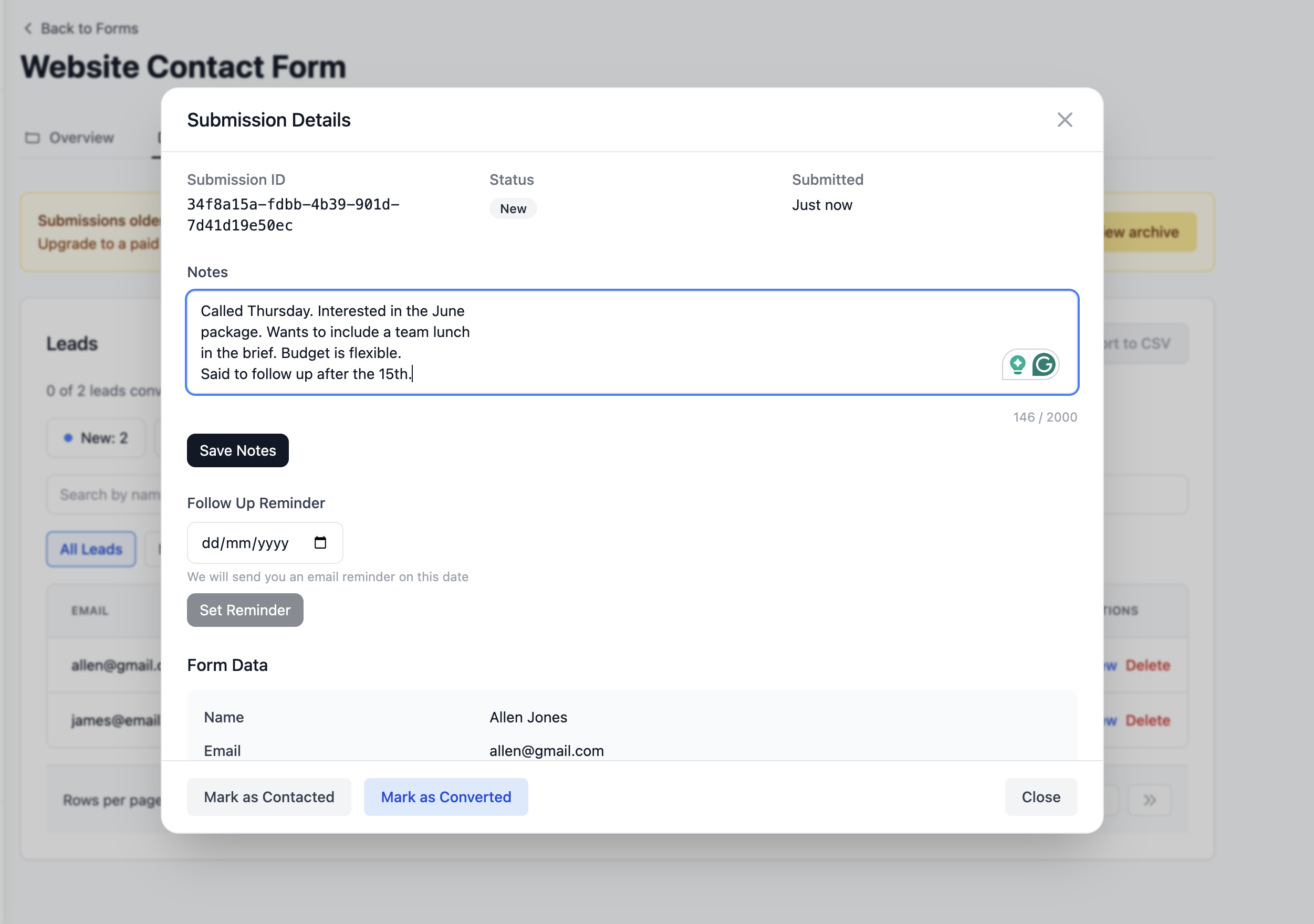
Setting follow-up reminders
When someone asks you to follow up in two weeks, set a reminder directly on the lead. Pick a date. Click Set Reminder.
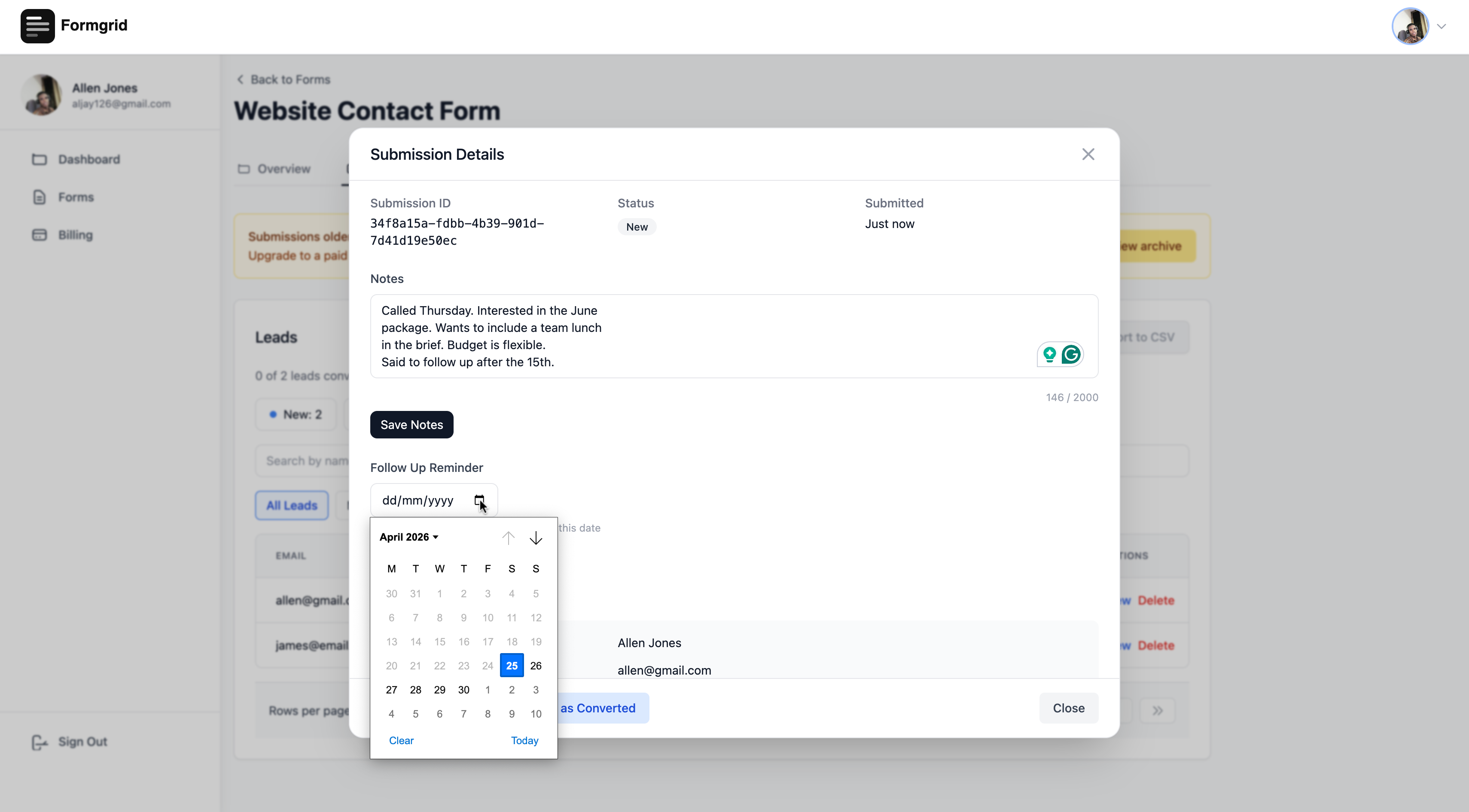
On that date, Formgrid emails you with the lead details and your notes so you have everything you need before you follow up.
Seeing your conversion rate
Your conversion rate updates automatically as you work through leads. 3 of 23 leads converted is 13 percent. That number tells you things a flat submissions list never could.
Paperform does not have any of this at any price point.
A real example
One of Formgrid's customers runs endurance horse riding events in San Diego. She was getting 15 to 20 registrations per month through a basic form. Submissions were landing in her inbox and getting buried.
She switched to Formgrid, connected her registration form to a horse ride landing page template, and every registration now appears as a tracked lead in her pipeline. After two months, she discovered that leads who received a reply within 4 hours converted at almost twice the rate of leads who waited a day or more. She would never have known that from a Paperform results dashboard.
"The level of personal support was impressive." A. Libby, Event Manager, San Diego Endurance Riders
Option B: Use your existing HTML form
If you already have an HTML form on your website, just point it at your Formgrid endpoint URL:
<form action="https://formgrid.dev/api/f/your-form-id" method="POST">
  <input type="text" name="name" placeholder="Your Name" required />
  <input type="email" name="email" placeholder="Your Email" required />
  <textarea name="message" placeholder="Your Message"></textarea>
  <input type="text" name="_honey" style="display:none" />
  <button type="submit">Send Message</button>
</form>
Paperform has no equivalent of this. You cannot use Paperform with an existing HTML form. Formgrid works with any static site, any framework, and any custom-coded form.
Key features:
Drag and drop form builder with shareable link. Multi-step conversational forms built in. Landing page templates for different industries. Inline text editing on templates. HTML form endpoint for any static site. Built-in lead pipeline: New, Contacted, Converted. Notes and follow-up reminders on every lead. Conversion rate tracking. Free CAPTCHA and bot protection on all plans, including free. Instant email notifications. File uploads up to 1GB. Google Sheets sync without Zapier at $12 per month. CSV export. Auto-responder emails on Premium and Business plans. Webhooks on Business plan. Self-hostable with Docker. 100 percent open source under MIT license. GDPR friendly with no tracking and no data selling.
Pricing:
| Plan | Price | Submissions |
|---|---|---|
| Free | $0 per month | 50 per month |
| Premium | $12 per month | 1,000 per month |
| Business | $29 per month | 15,000 per month |
The bottom line: Paperform charges $24 per month for 100 submissions with no free plan, no HTML form backend, no lead management, and Google Sheets only on the $59 plan. Formgrid gives you a form builder, an HTML backend, multi-step conversational forms, a full lead pipeline with follow-up reminders, free captcha protection, and Google Sheets sync for $12 per month with a real free plan.
Try Formgrid for free. No credit card required.
If you would rather have everything set up for you, including forms, Google Sheets sync, lead pipeline, and source tracking:
2. Tally: Best Free Paperform Alternative for Non-Technical Users
Tally is a good free Paperform alternative for non-technical users who want a clean, minimal form experience with unlimited responses and no subscription required. But it has no HTML form backend, no lead management, and no self-hosting.
Best for: Non-technical users who want a generous free plan and a clean form experience without paying anything.
Key features:
Unlimited forms and responses on the free plan. Conditional logic. File uploads on the paid plan. Notion integration. Embeddable forms. Stripe payments on the paid plan.
Pricing: Free plan available. Paid plan at $29 per month.
Drawback: No HTML form backend. No self-hosting. No open source. No lead management. No bot protection. Multi-step forms only on paid plan. Less visually polished than Paperform.
3. Jotform: Best Paperform Alternative for Advanced Forms
Jotform is a good Paperform alternative for businesses that need advanced conditional logic, payment integrations, PDF generation, and approval workflows. It has a free plan with 100 monthly responses but starts at $34 per month for paid plans and has no HTML form backend.
Best for: Businesses that need advanced form logic, multiple payment integrations, and a comprehensive form management suite where budget is not the primary concern.
Key features:
10,000 plus templates. Payment integrations including Stripe, PayPal, and Square. Conditional logic and branching. PDF generation from submissions. E-signatures. Approval workflows. 150 plus integrations.
Pricing: Free plan with 100 monthly responses. Paid plans start at $34 per month.
Drawback: Expensive at scale. No self-hosting. No open source. No HTML form backend. No lead management. Significantly more expensive than Formgrid for similar submission volumes.
4. Typeform: Best Paperform Alternative for Conversational Design
Typeform is a good Paperform alternative for teams that prioritise one-question-at-a-time conversational forms with a polished visual presentation. But the free plan is almost unusable at 10 responses per month, and paid plans start at $25 per month.
Best for: Teams where conversational form design is the top priority and budget is not a constraint.
Key features:
One question at a time conversational forms. Strong visual design. Logic jumps and branching. Video questions. Strong integration ecosystem.
Pricing: Free plan with 10 responses per month. Paid plans start at $25 per month.
Drawback: Extremely limited free plan. No HTML form backend. No self-hosting. No open source. No lead management. No bot protection on lower plans. Worth noting that Formgrid now includes multi-step conversational forms at $12 per month with all the features Typeform lacks.
5. Google Forms: Best Free Paperform Alternative for Basic Use Cases
Google Forms is a good free Paperform alternative for basic surveys and internal data collection with unlimited responses at no cost. But it has no custom branding, no lead management, no bot protection, and no HTML form backend.
Best for: Anyone who needs something completely free for basic internal data collection where branding and lead tracking do not matter.
Key features:
Completely free. Unlimited responses. Google Sheets integration included. Conditional logic. Simple response analytics.
Pricing: Free.
Drawback: No custom branding. Forms look like Google Forms. No HTML form backend. No self-hosting. No bot protection. No lead management. Not suitable for professional client-facing forms or event registration pages.
Side-by-Side Comparison
| Feature | Paperform | Formgrid | Tally | Jotform | Typeform |
|---|---|---|---|---|---|
| Form builder | Yes | Yes | Yes | Yes | Yes |
| Multi-step forms | Yes | Yes | Paid | Yes | Yes |
| Landing page templates | Yes | Yes | No | No | No |
| HTML form endpoint | No | Yes | No | No | No |
| Lead pipeline | No | Yes | No | No | No |
| Follow-up reminders | No | Yes | No | No | No |
| Conversion tracking | No | Yes | No | No | No |
| Free captcha | Paid | Free | No | Paid | No |
| Google Sheets sync | Paid ($59 plan) | Yes ($12/mo) | Paid | Paid | Paid |
| Self-hostable | No | Yes | No | No | No |
| Open source | No | Yes | No | No | No |
| File uploads | Paid | Yes | Paid | Paid | Paid |
| Free plan | No | Yes | Yes | Yes | Yes (10/mo) |
| Starting price | $24 per month | $12 per month | $29 per month | $34 per month | $25 per month |
| GDPR friendly | Yes | Yes | Partial | Partial | Partial |
Which One Should You Use?
Use Formgrid if:
You want a Paperform alternative with a real free plan. You need an HTML form backend for a static site or custom-coded form. You want to track what happens to submissions after they arrive. You want Google Sheets sync without paying $59 per month or using Zapier. You want multi-step conversational forms without a separate subscription. You need free captcha protection without writing any backend code. You care about open source and self-hosting. GDPR compliance matters to you.
Use Tally if:
You want unlimited responses for free. You are a non-technical user who does not need an HTML backend. You use Notion and want native integration.
Use Jotform if:
You need advanced payment integrations, PDF generation, and approval workflows. Budget is not a constraint.
Use Typeform if:
Visual design and conversational flow are your absolute top priority. You are not concerned about the limited free plan.
Use Google Forms if:
You need something completely free with unlimited responses. Branding and lead management do not matter.
Final Thoughts
The best Paperform alternative in 2026 is Formgrid because it is the only tool that gives you a form builder, an HTML form backend, multi-step conversational forms, a full lead pipeline with follow-up reminders and conversion tracking, free captcha protection, and Google Sheets sync at $12 per month with a real free plan. Paperform charges $24 per month for 100 submissions with no free plan and none of those additional capabilities.
Paperform is a genuinely good product. The form design quality is high, and the payment integrations are strong. But it is hard to justify the price in 2026 when better alternatives exist at lower cost with more features.
Most form tools stop at the inbox. Your submission arrives, you get an email, and then you are on your own figuring out who to follow up with and whether they ever became a customer. Formgrid is the only tool on this list that closes that gap.
Try Formgrid for free. No credit card required.
Full disclosure: I built Formgrid. I wrote this comparison as honestly as I could. If anything looks inaccurate, let me know in the comments.

Comments
Leave a comment