
If you are organizing an endurance ride, a horse show, or any equestrian event, you already know the problem. Entries come in by email. Some people forget to include their horse's name. Others send the wrong division. You spend hours chasing information that should have been on a form in the first place.
The traditional fix is expensive event management software that charges per-entry fees, takes a cut of your registration fees, or locks you into a platform your participants have never heard of.
There is a simpler way. This guide shows you how to build a professional horse show registration page in under 10 minutes using Formgrid, no coding, no expensive software, no per-entry fees.
What You Will End Up With
By the end of this guide, you will have:
- A beautiful, branded registration page for your participants can visit on any device
- A form that collects exactly the information you need from each rider and horse
- An instant email notification every time someone registers
- A submissions dashboard where you can view, search, and export all your entries as a CSV
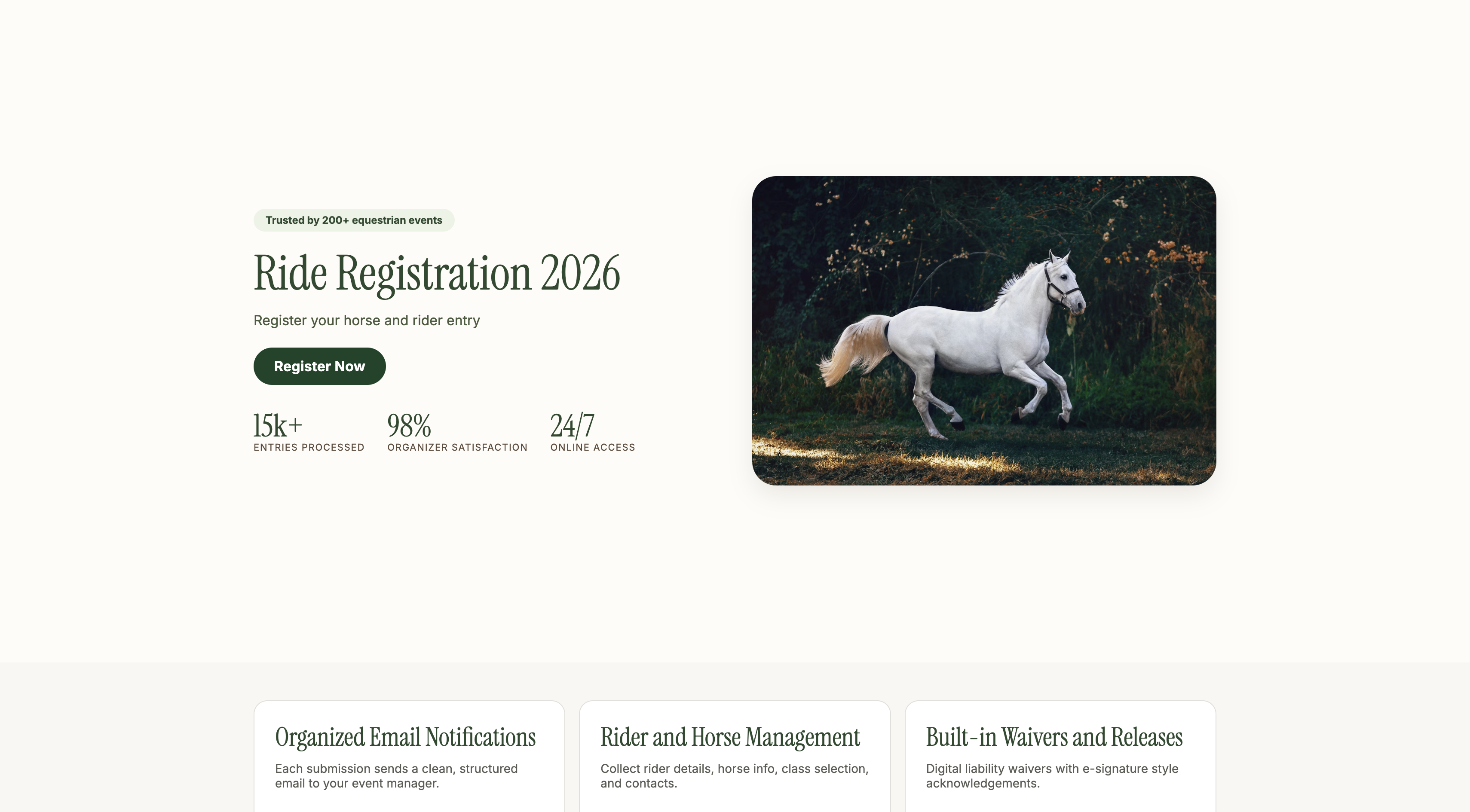
Here is what the finished registration page looks like:
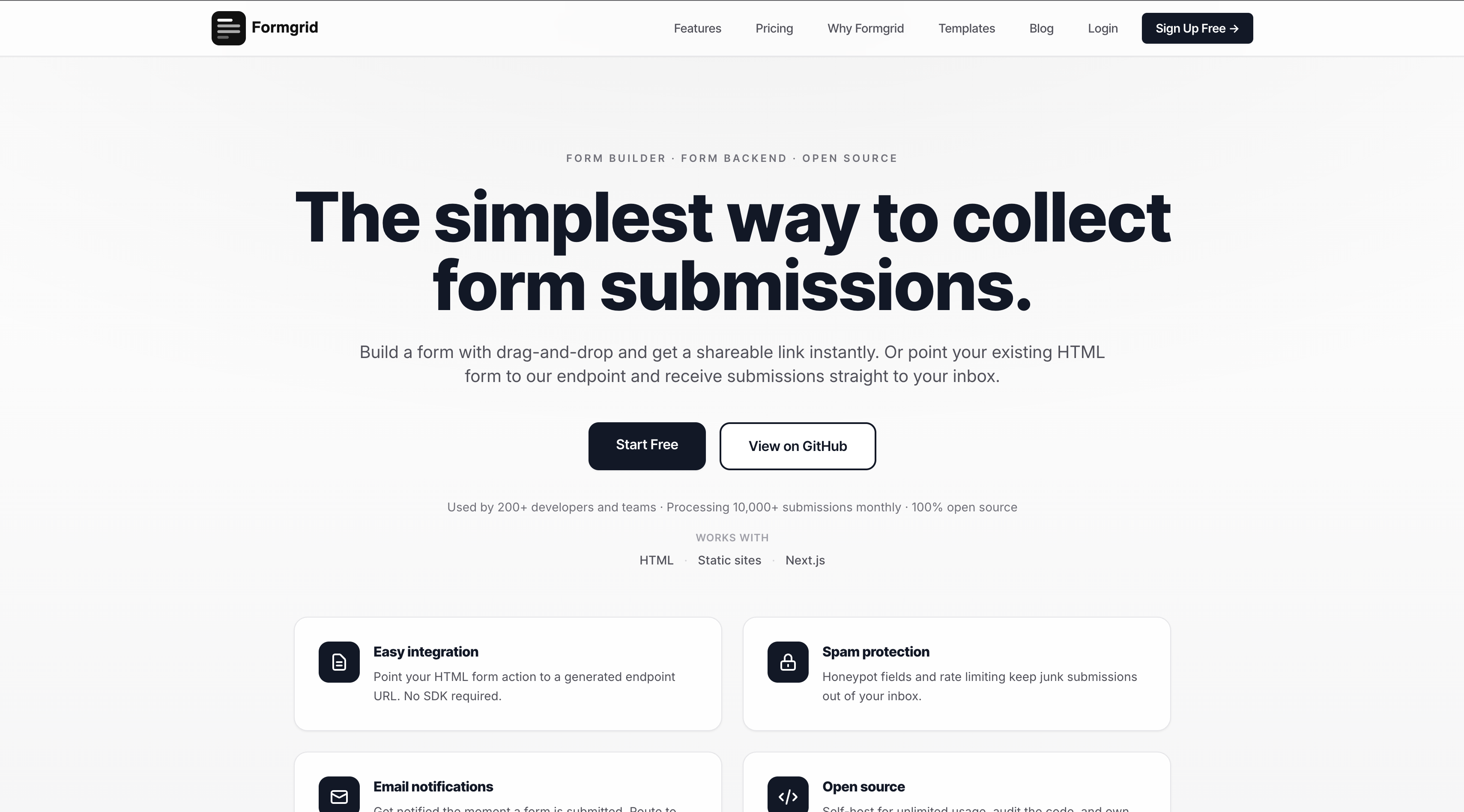
Step 1: Create Your Formgrid Account
Go to formgrid.dev and sign up with Google or your email address.
No credit card required. The free plan gives you 25 submissions per month, which is enough to test the whole setup before your entries open.
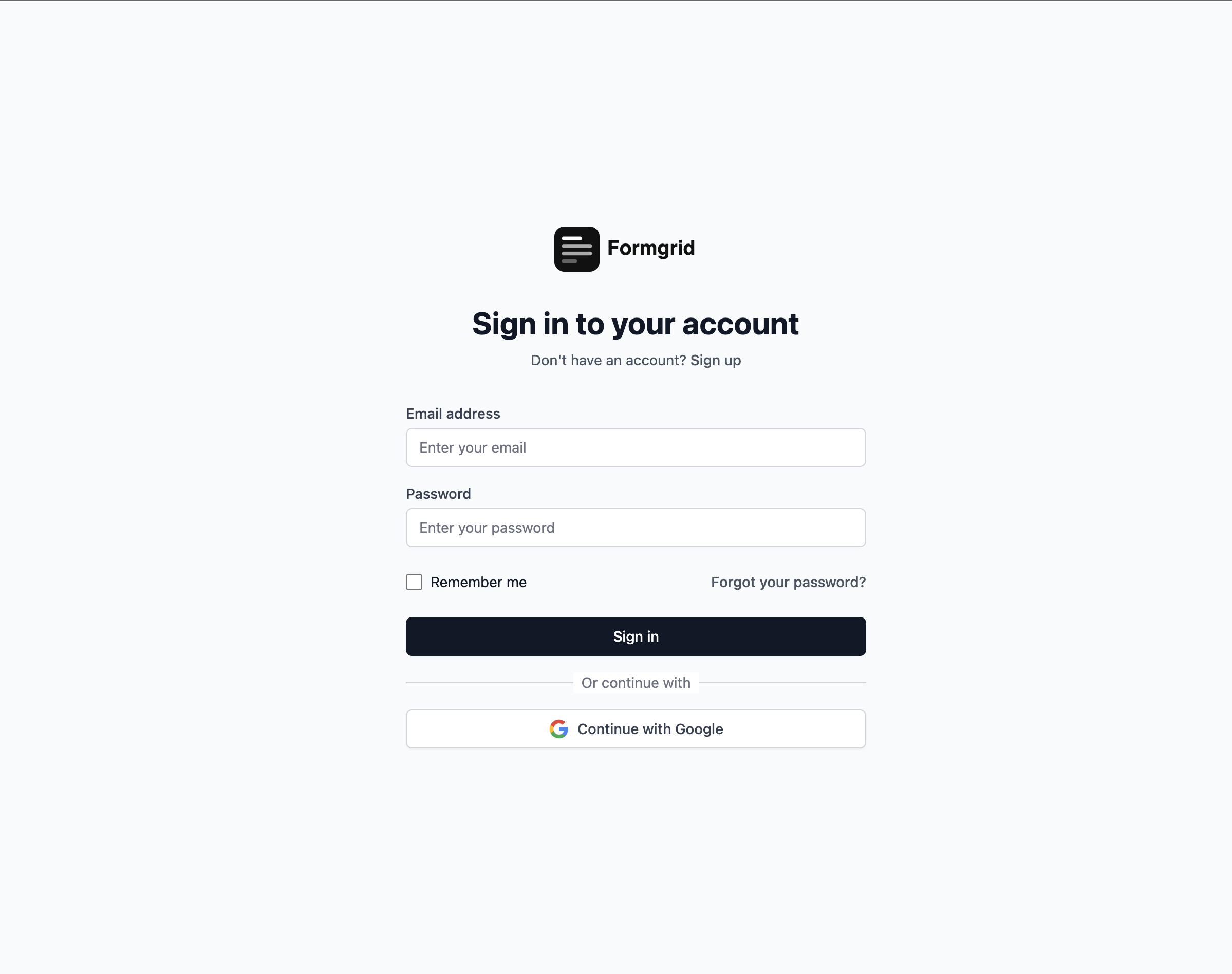
Once you sign up, you land on your dashboard.
Step 2: Create a New Form
From the dashboard click New Form.
Give your form a name that makes sense for your event. Something like:
- Descanso Endurance Ride 2026
- Spring Horse Show Entries
- Club Championship Registration
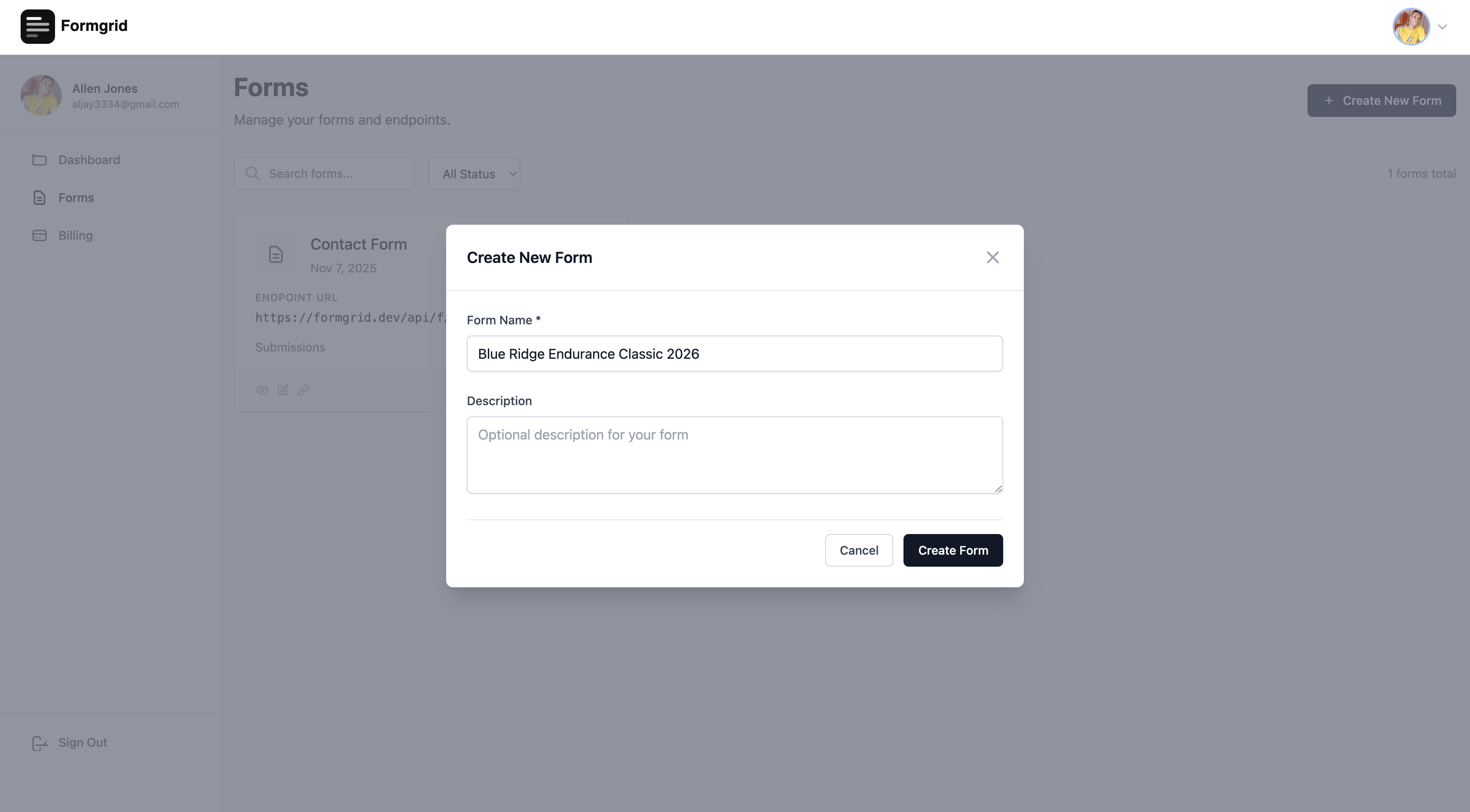
Click Create Form and you will be taken to the form details page.
Step 3: Open the Form Builder
On the form details page, you will see the Form Builder section. Click Open Builder.
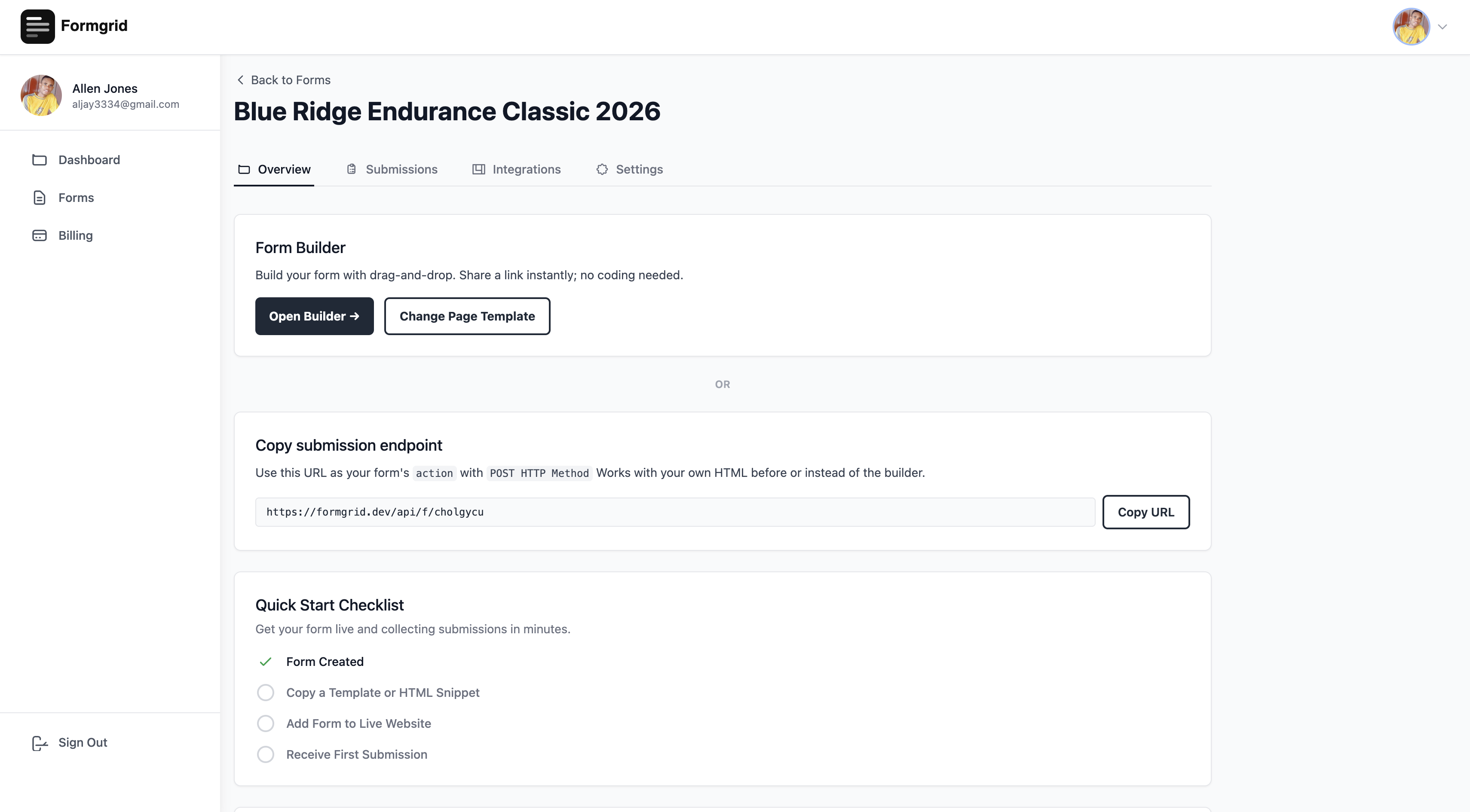
This takes you into the Formgrid builder, where everything happens.
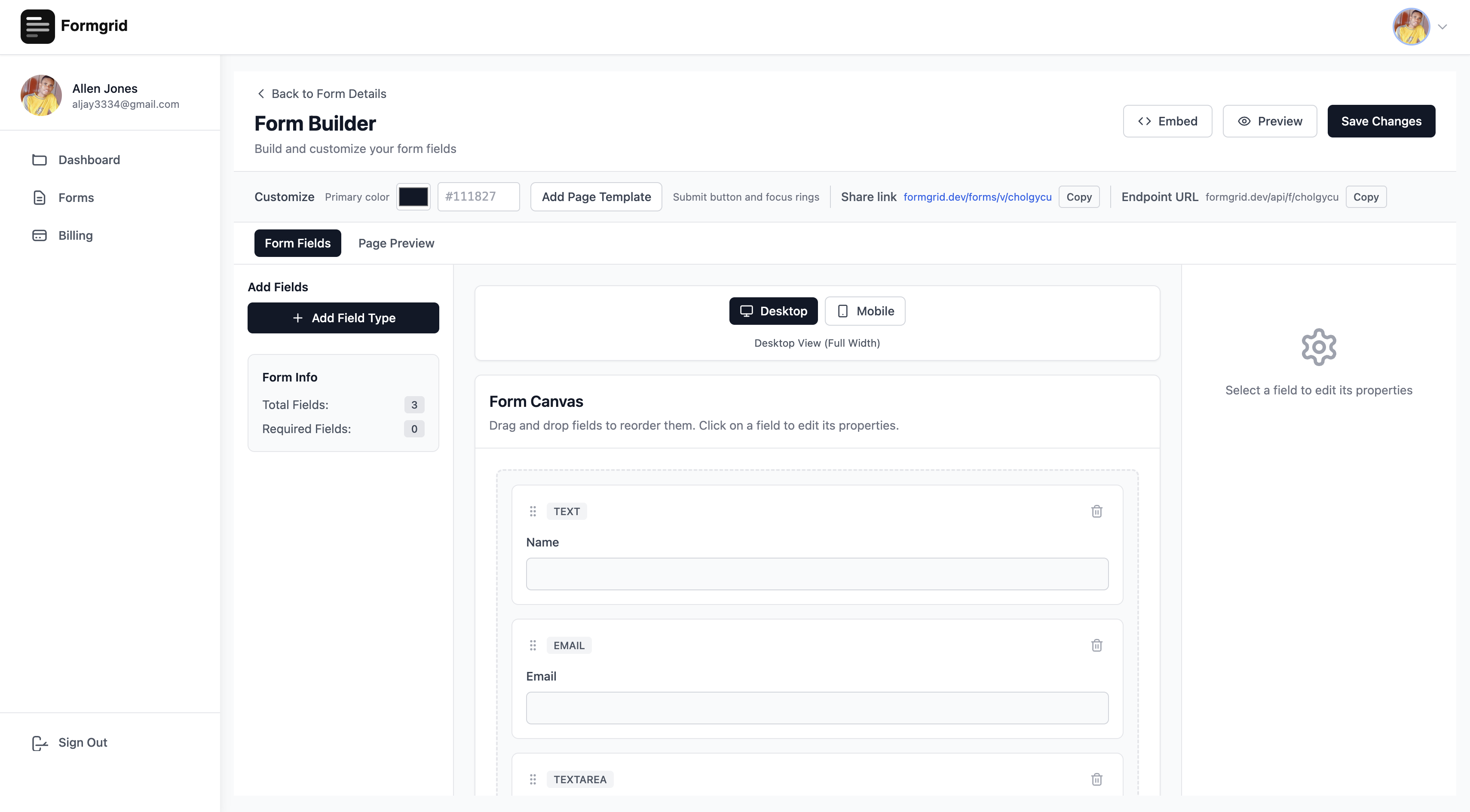
Step 4: Choose the Horse Riding Template
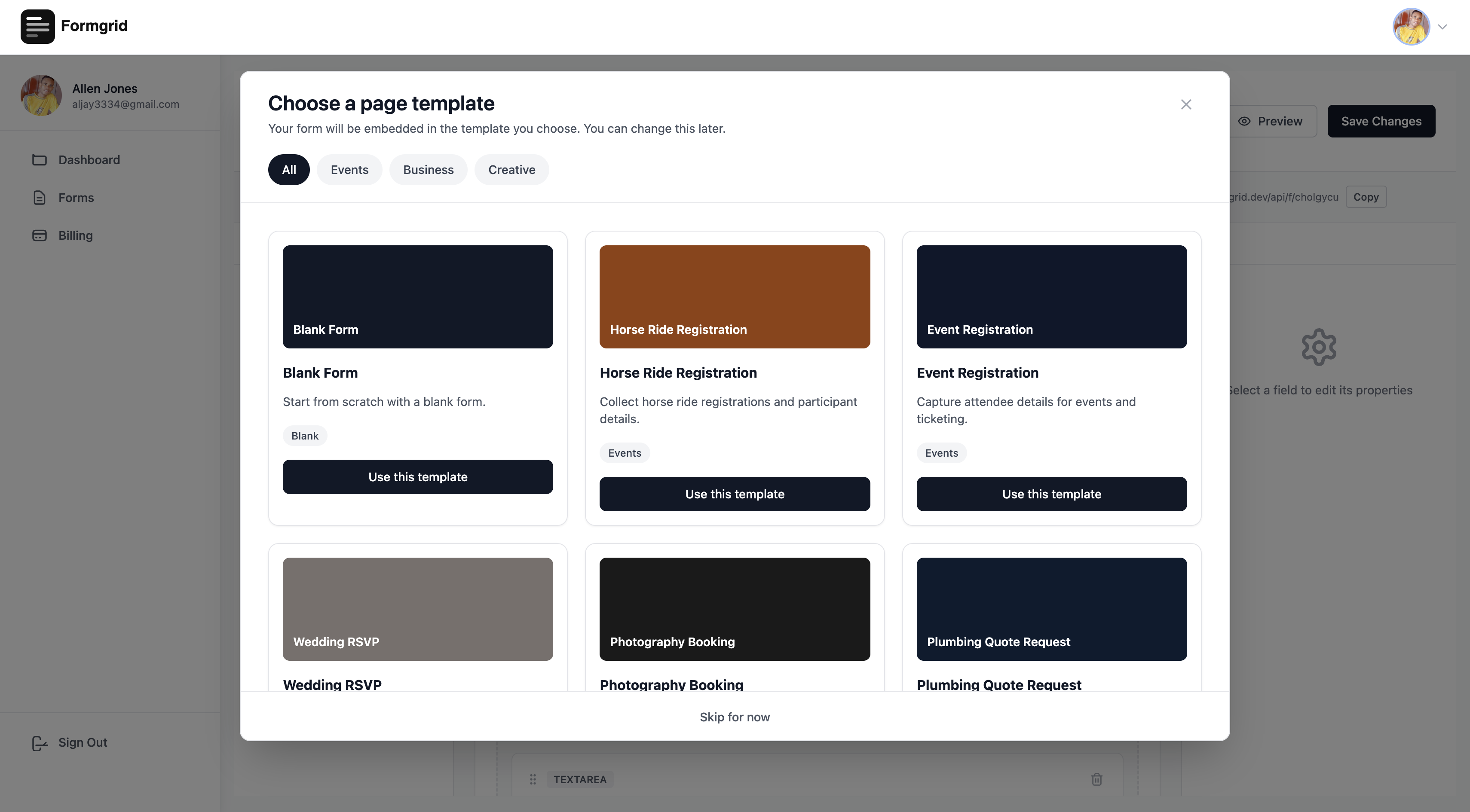
When the builder opens you will see a Choose Template button at the top of the page.
Click it. A template gallery appears, showing all the available landing page templates.
Find the Horse Ride Registration template and click Use This Template.
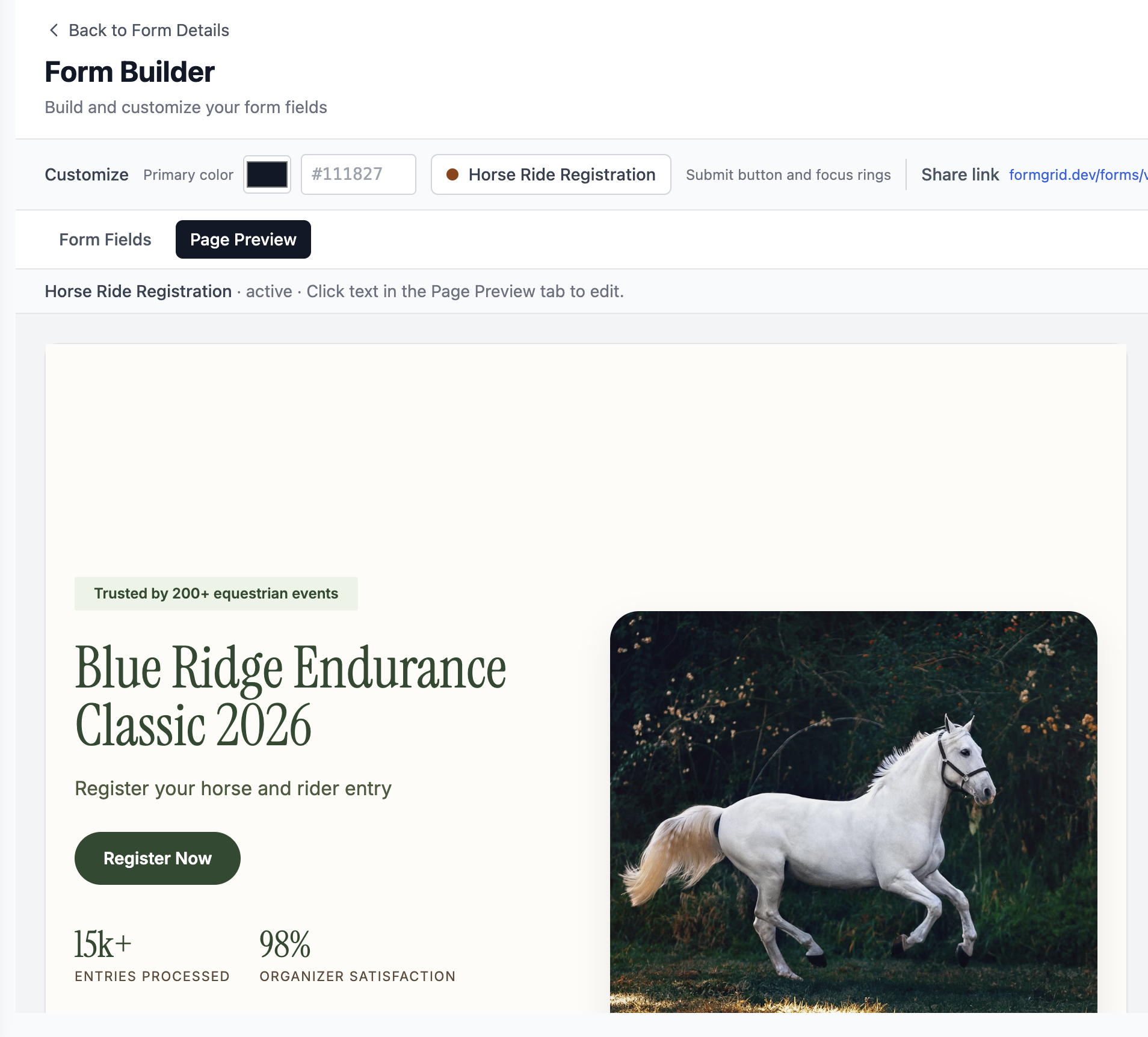
The builder immediately loads a complete, professional horse ride registration page with a hero section, event details, registration form, and footer, all ready for you to customize.
This is not a basic form on a white page. It is a full landing page that looks like a real event website.
Step 5: Customize the Template to Match Your Event
This is where it gets interesting. Every piece of text on the page is editable. You do not need to know any code.
Switch to Page View
At the top of the builder, you will see two buttons: Form Fields and Page View.
Click Page View to see and edit your landing page.
Edit Text by Clicking Directly on It
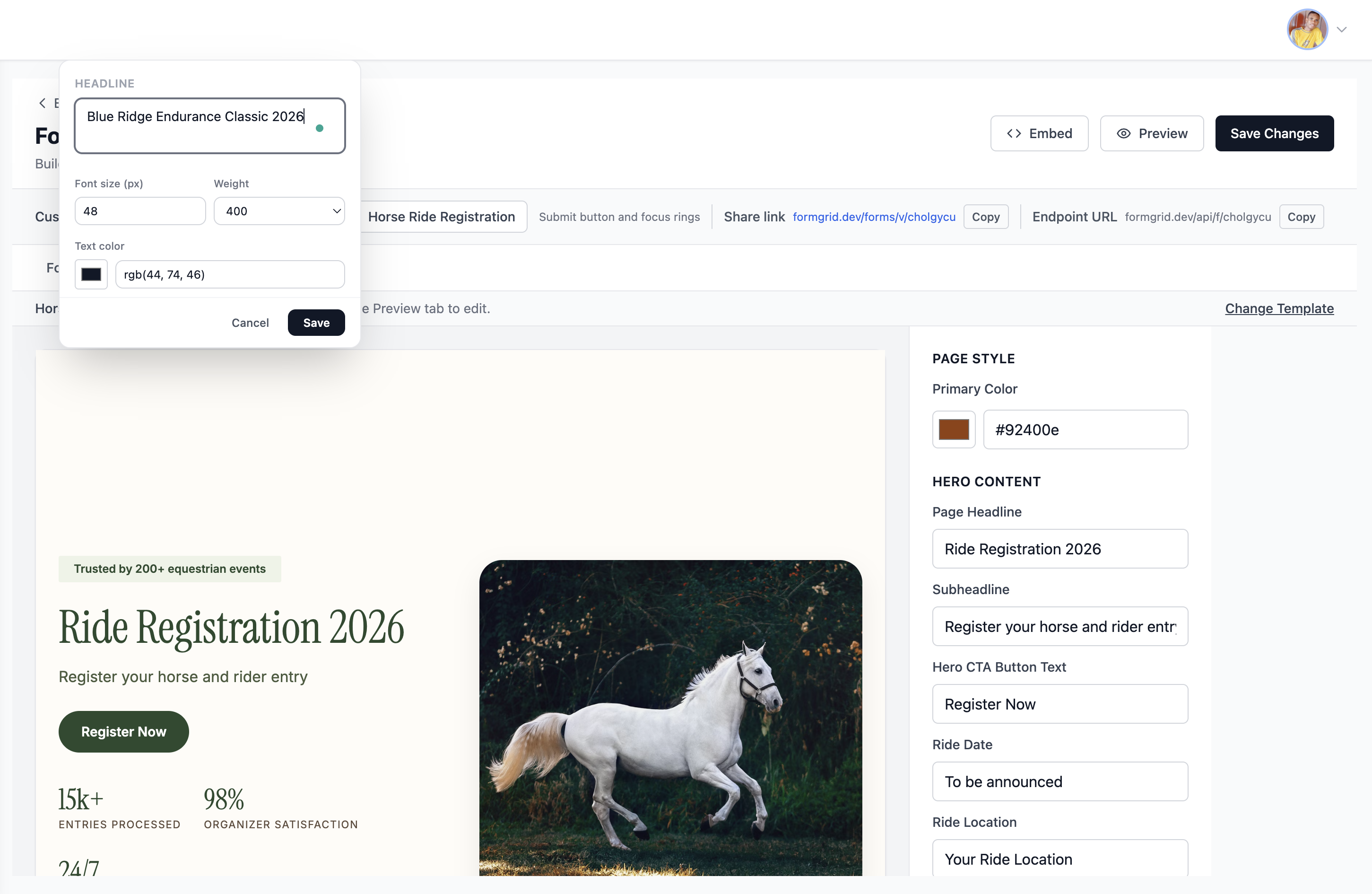
Click any text element on the page to make it editable instantly. Just like editing a document.
Click on the headline that says "Ride Registration 2026" and change it to your actual ride name:
Blue Ridge Endurance Classic 2026
Click on the date and change it to your event date. Click on the location and add your venue. Click on the description and write something that captures what makes your ride special.
Every click saves you a support email from a confused participant who could not find the date.
Change the Colors to Match Your Brand
On the right side panel, you will see a Primary Color picker.
Click it and choose a color that matches your club or event branding. The button, the accents, and the highlights across the entire page update instantly to match.
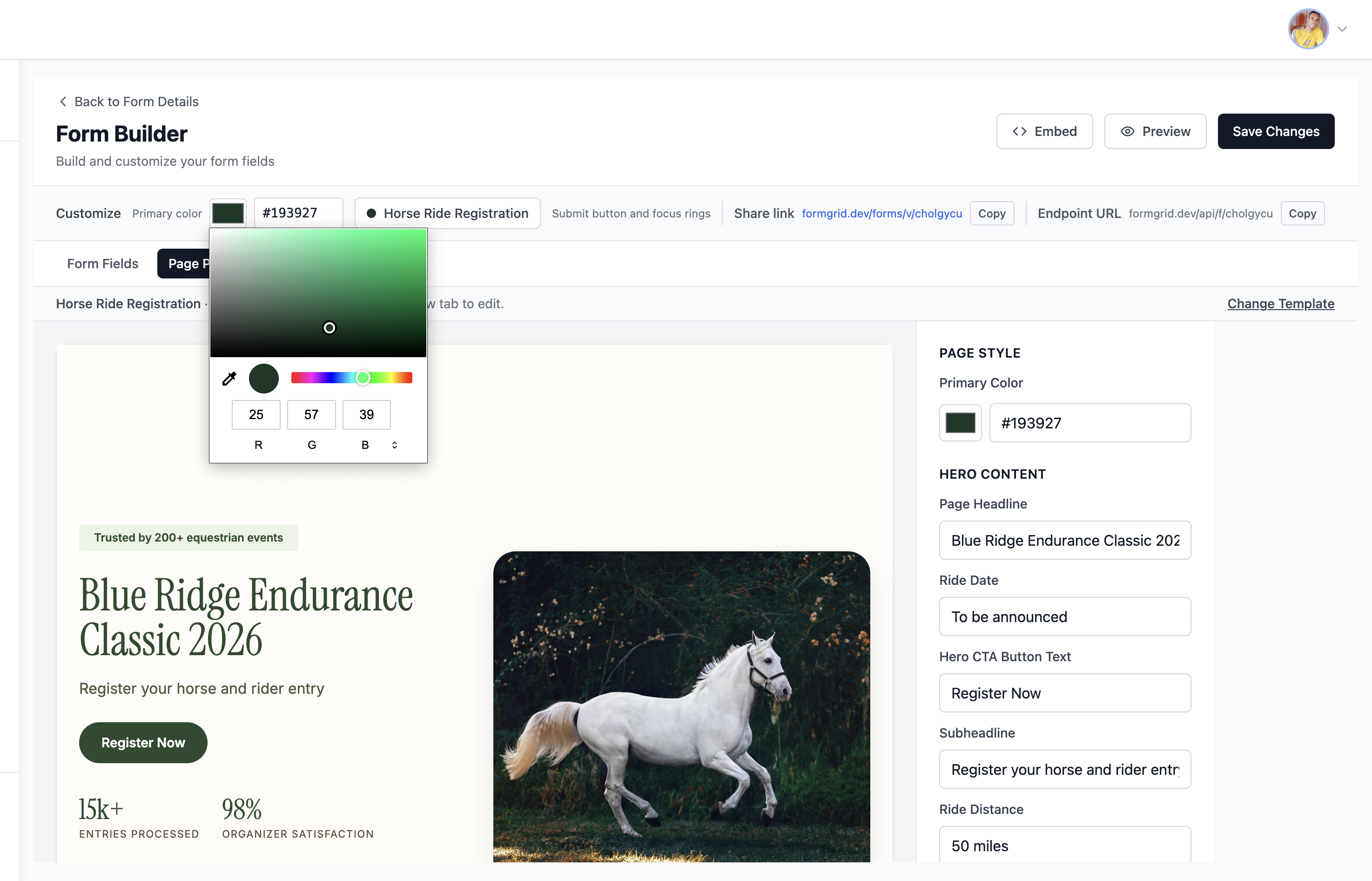
You can also change the background color to give the page a completely different feel.
Update Your Contact Details
Scroll to the footer section of the template editor panel on the right. Update:
- Your club or organization name
- Your contact email address
- Your phone number
These appear in the footer of your registration page so participants can reach you if they have questions.
Step 6: Customize Your Registration Form Fields
Now switch back to Form Fields by clicking the Form Fields button at the top.
The horse ride template comes pre-loaded with the most common fields for an equestrian event. registration:
- Rider Full Name
- Email Address
- Phone Number
- Horse Name
- Breed
- Division (50 Mile, 25 Mile, 12 Mile Intro, Limited Distance)
- Experience Level
- Emergency Contact
- Additional Notes
If you need to add more fields, like a waiver acknowledgment, a vet card number, or a t-shirt size, click Add Field from the left sidebar and drag it into position on the canvas.
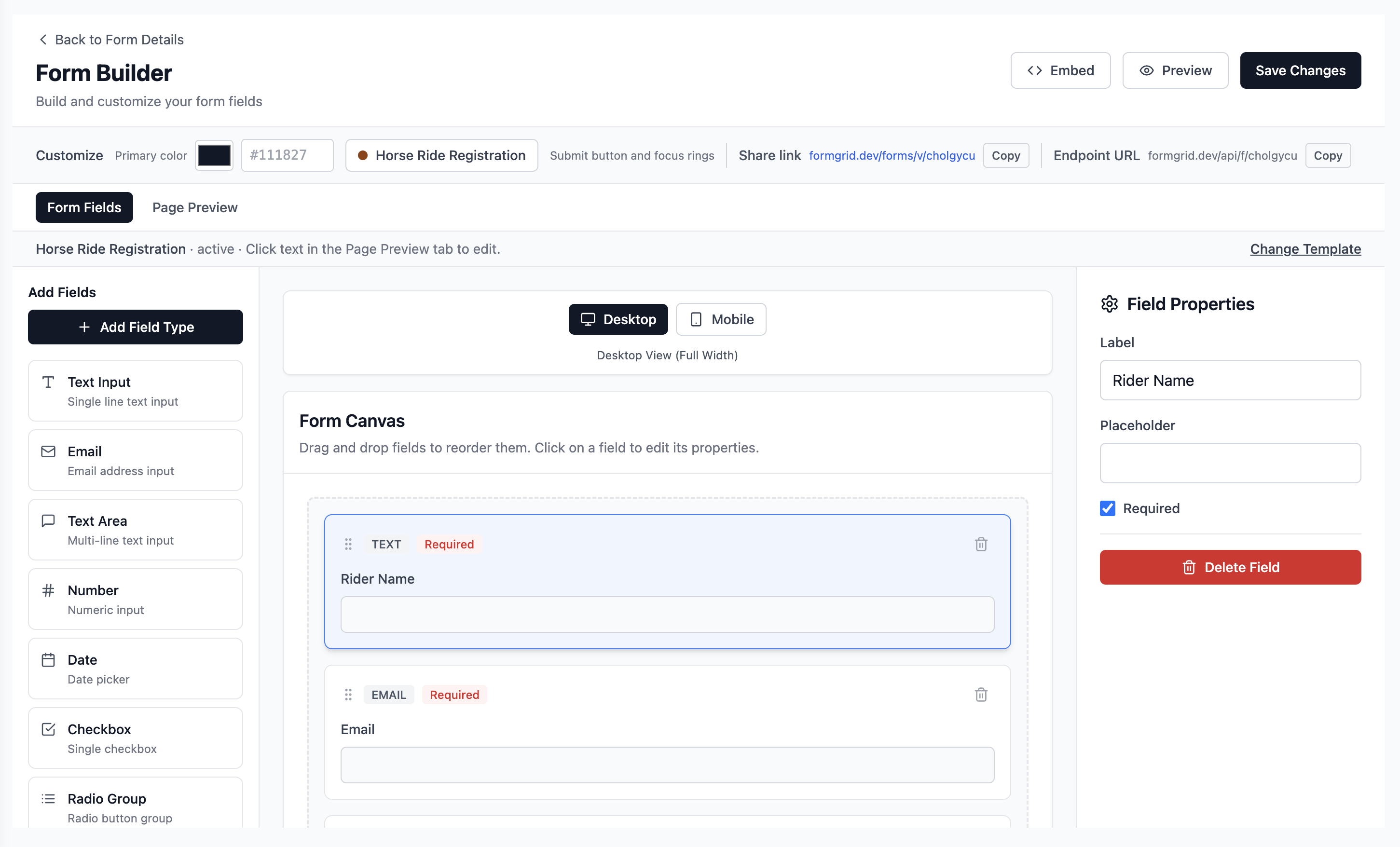
You can make any field required or optional, change the label, add placeholder text, and reorder fields by dragging them up or down.
Step 7: Preview Your Registration Page
Want to see exactly what your participants will see before you share it?
Click Page View again to see the live preview of your complete registration page with all your customizations applied.
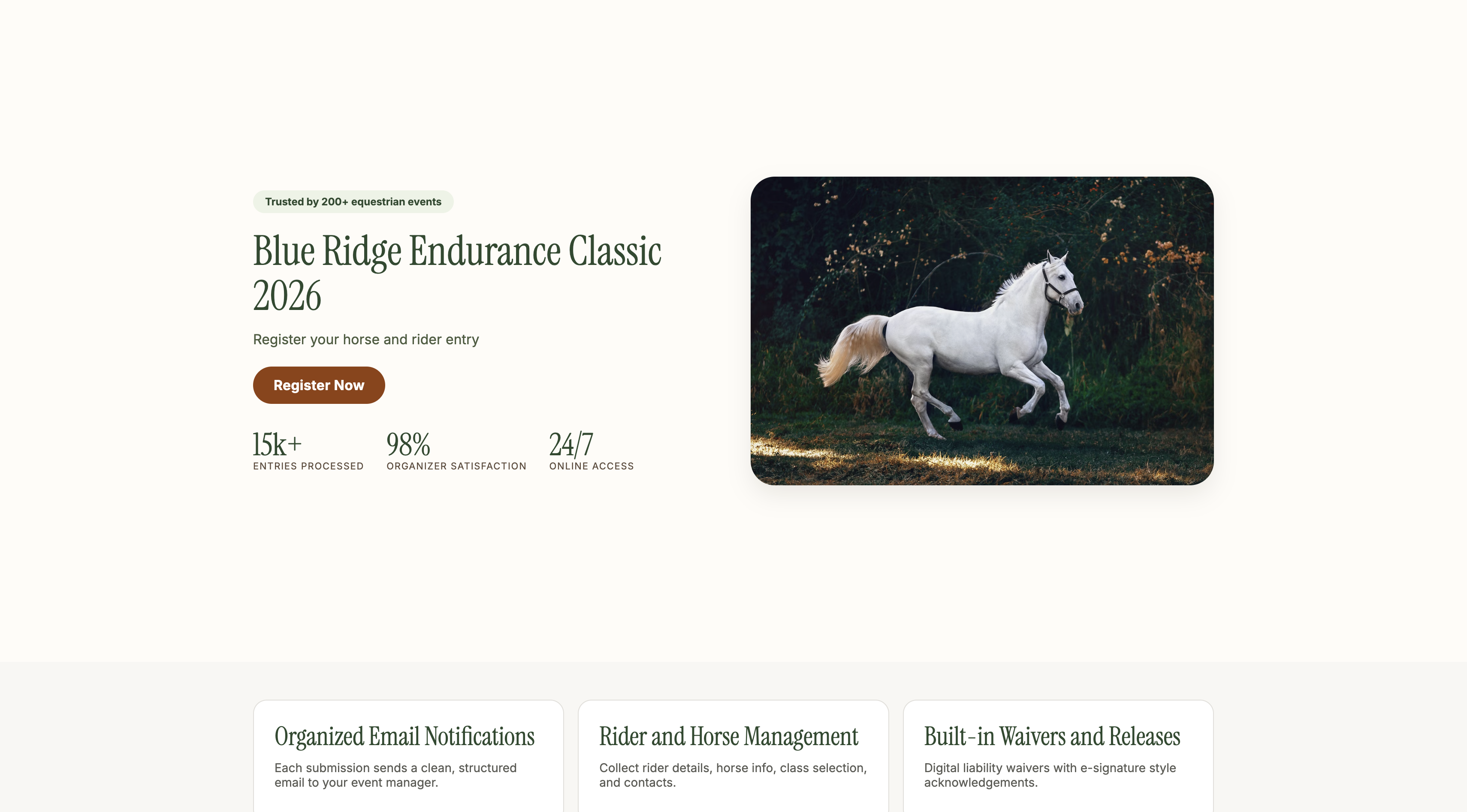
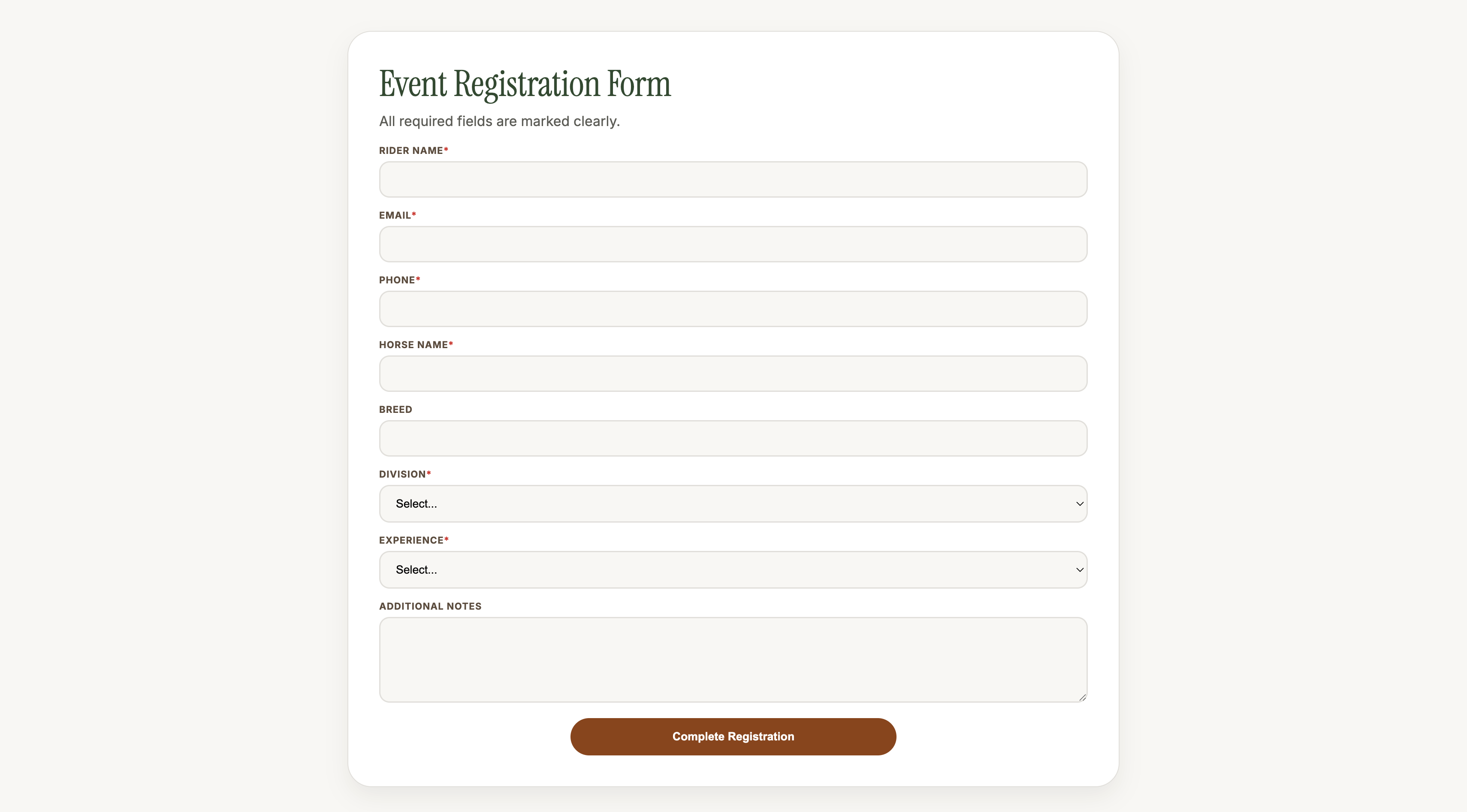
Take a moment to read through it as if you were a participant. Is the date clear? Is the division selector labeled correctly? Does the page reflect your event's personality?
Make any final adjustments by clicking directly on the text or updating the panel on the right.
Step 8: Save Your Form
When you are happy with everything, click Save Changes at the top of the builder.
Formgrid saves your template design, your form fields, and all your customizations.
Step 9: Share Your Registration Link
Go back to the form details page. You will see your unique registration link.
It looks something like this:
This is a real, working landing page. Share it anywhere:
- Post it in your WhatsApp group
- Add it to your club website or Facebook page
- Put it in your event announcement email
- Share it in equestrian Facebook groups
- Add it to your Instagram bio
Participants visit the link, see your branded registration page, fill in the form, and hit submit. That is it.
What Happens When Someone Registers
The moment a participant submits the form, two things happen simultaneously.
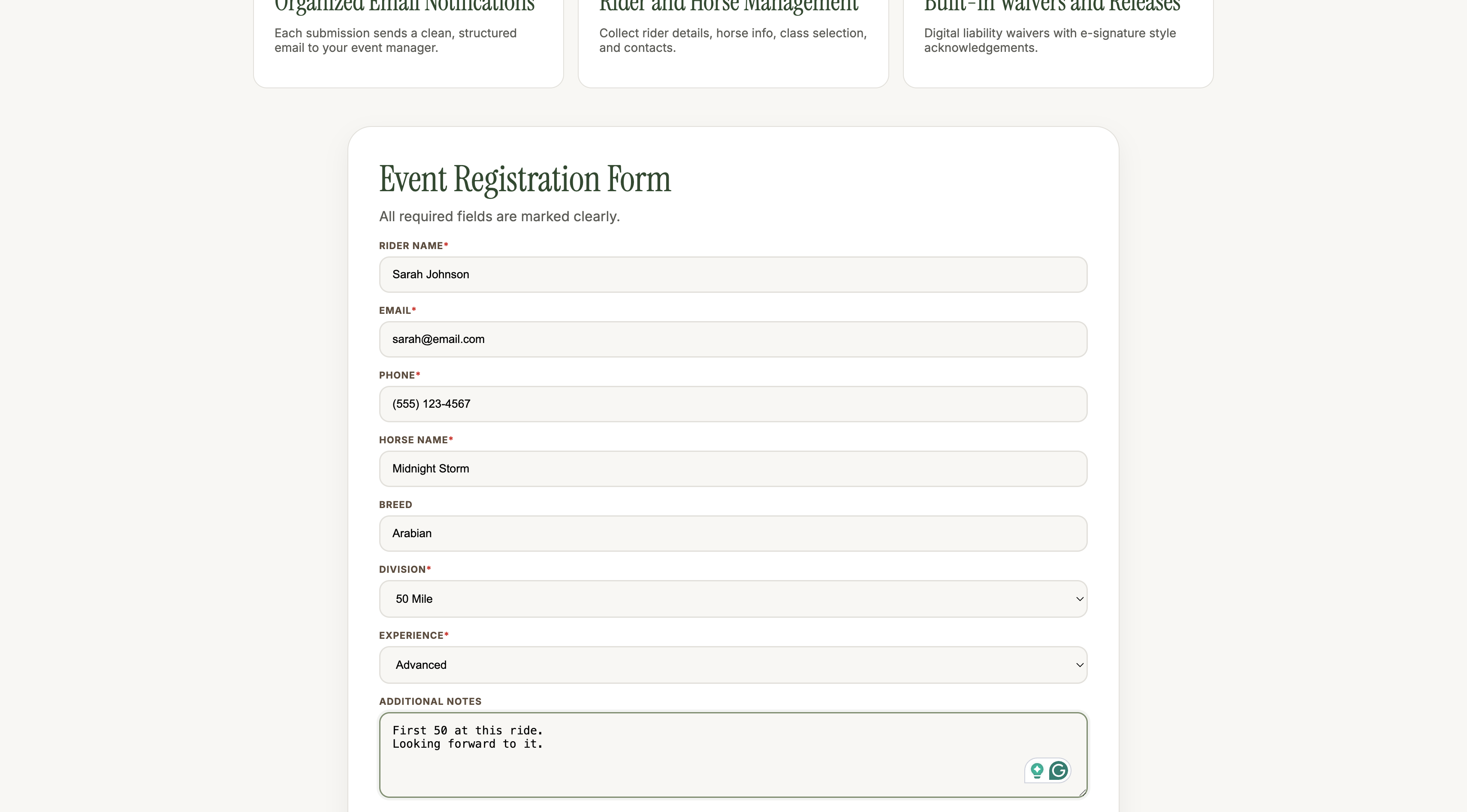
You receive an instant email notification with all their details formatted cleanly: Blue Ridge Endurance Classic 2026
Rider Name: Sarah Johnson Email: sarah@email.com Phone: (555) 123-4567 Horse Name: Midnight Storm Breed: Arabian Division: 50 Mile Experience Level: Advanced Additional Notes: First 50 at this ride. Looking forward to it.
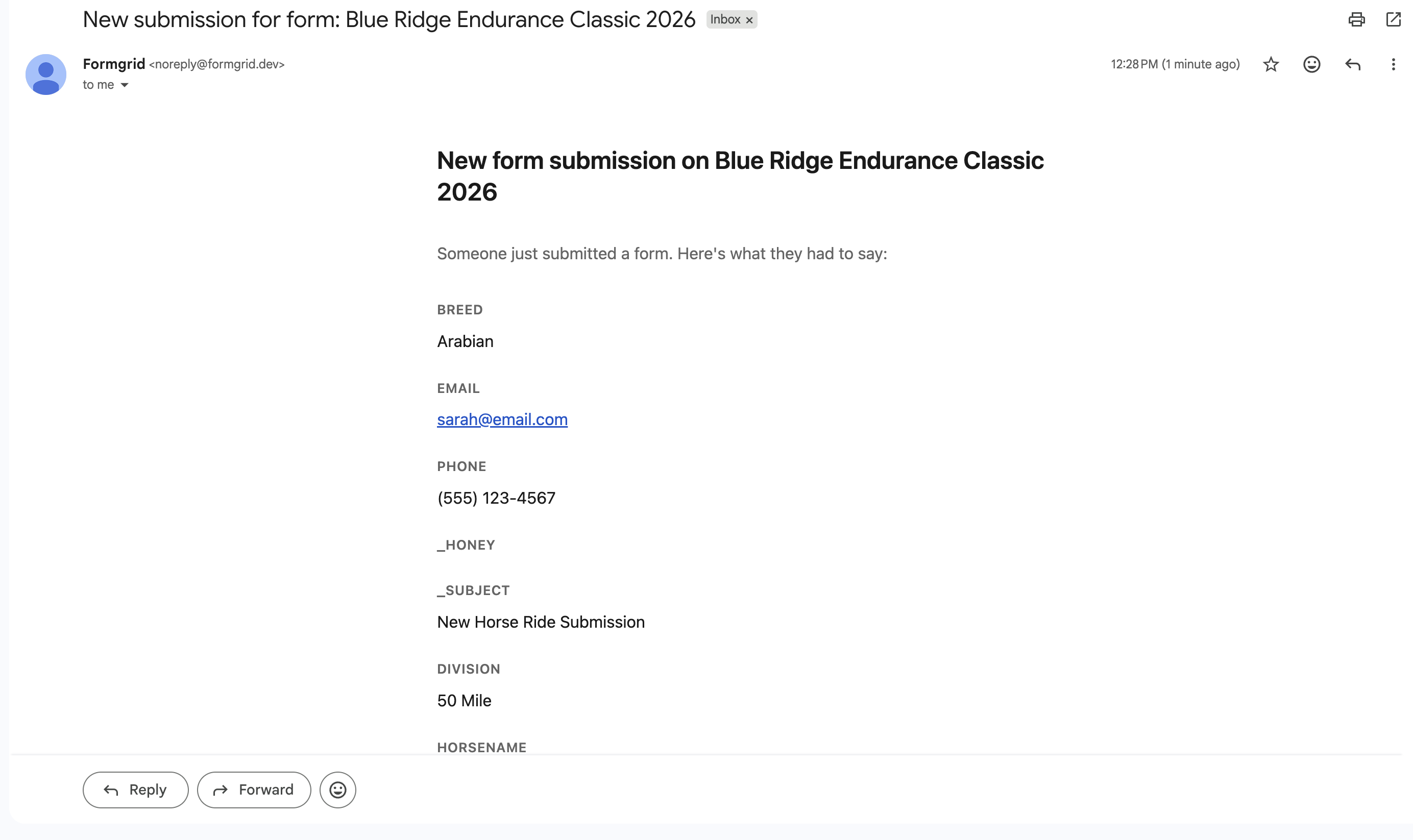
No more digging through a chain of reply-all emails trying to find someone's horse's name. Every registration arrives in your inbox in the same format, ready to read.
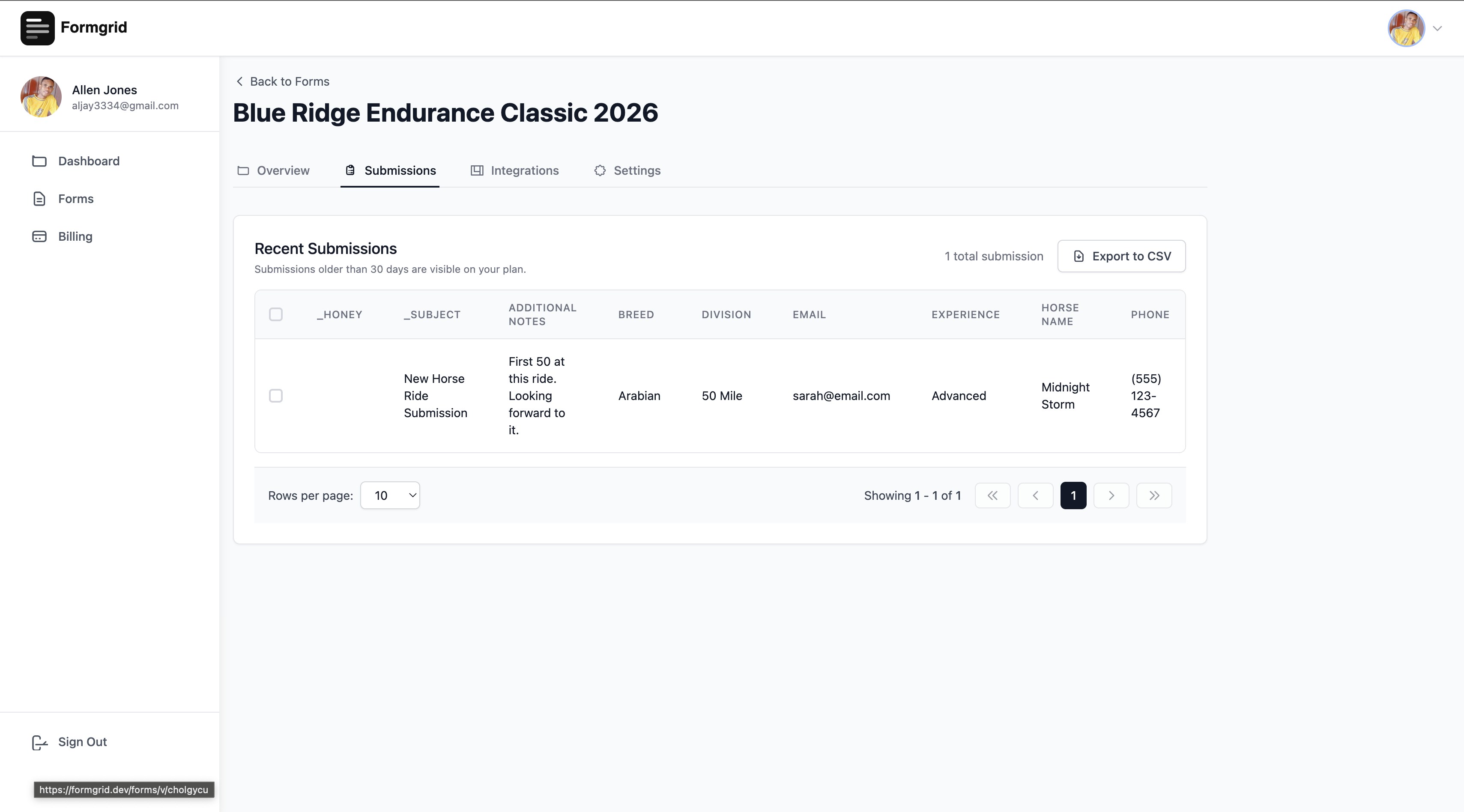
The submission is also saved to your dashboard where you can view every entry, search by name, filter by division, and export the complete list as a CSV file for your records or to share with your ride manager.
Managing Your Entries
Go to the Submissions tab on your form details page to see everything in one place.
You can:
- Search for a specific rider by name
- See every detail they submitted
- Export all entries as a CSV spreadsheet
- Mark entries as read or responded
If you are on the Business plan you can set up an auto-responder email that goes to every participant automatically when they register. Something like:
Thank you for entering the Descanso 50 Mile 2026. We have received your registration for [Horse Name] in the [Division] division. You will receive your ride packet information and camp details approximately two weeks before the ride. See you at the start line.
That one automated email eliminates a week of answering the same question from 200 riders.
Upgrading When Your Entries Open
The free plan gives you 25 submissions per month which is useful for testing and small events.
When your entries open and registrations start coming in, you will want to upgrade to Premium at $12 per month for 1,000 submissions or Business at $29 per month for 15,000 submissions with the auto-responder and custom email templates included.
For context, Annie, who manages the San Diego Endurance Riders events, use the Business plan for her ride registrations. At $29 per month it is a fraction of what dedicated event management software costs, and there are no per-entry fees.
Why Event Organizers Choose Formgrid
No per-entry fees. Eventbrite and similar platforms charge a percentage of each registration. Formgrid charges a flat monthly fee regardless of how many entries you collect.
Your participants do not need an account. They just visit the link, fill in the form, and submit. No login required. No app to download.
Works on any device. The registration page looks great on a phone, tablet, or desktop. Most of your participants will register on their phones.
You own your data. Every submission is yours. Export it anytime as a CSV. No lock-in.
Instant notifications. You know the moment someone registers. No logging into a platform to check. It arrives in your email inbox just like any other message.
Start Your Registration Page Today
Setting up your horse show or endurance ride registration page takes less than 10 minutes.
The template does the heavy lifting. You just fill in your event details, pick your colors, and share the link.
Your participants get a professional registration experience. You get clean, organized entries in your inbox and dashboard. Nobody has to chase anyone by email.
No credit card required. Free plan available. Upgrade when your entries open.
Have questions about setting up your registration form? Email allen@formgrid.dev and I will help you get it live before your entries open.

Comments
Leave a comment