
Why Your Contact Form Is Getting Spam (And How to Stop It in Under 5 Minutes)
Get a working CAPTCHA on your existing form today: no backend server, no API keys to manage, no rewrite of your site. Works whether you already have a server behind your form or your site is static with nothing behind it at all.
You wake up, check your inbox, and there it is. A wall of foreign text. A string of suspicious links. A sender name that matches no real person you have ever heard of.
That is contact form spam. If you have a public-facing form on the internet, it is only a matter of time before a bot finds it.
Short Version
If your form already has a backend that can verify a CAPTCHA token, add Captcha and Honeypot there directly; most providers support both.
If your site is static, built on Webflow, hosted on GitHub Pages, or you just have a plain HTML form with nowhere to send the verification, point your form at Formgrid instead. It verifies the CAPTCHA on its own server, so you add one snippet and never touch a token yourself. Setup takes under 5 minutes, and the free plan covers it at no cost.
See how it works below, or jump straight to signup.
What a Spam Submission Actually Looks Like
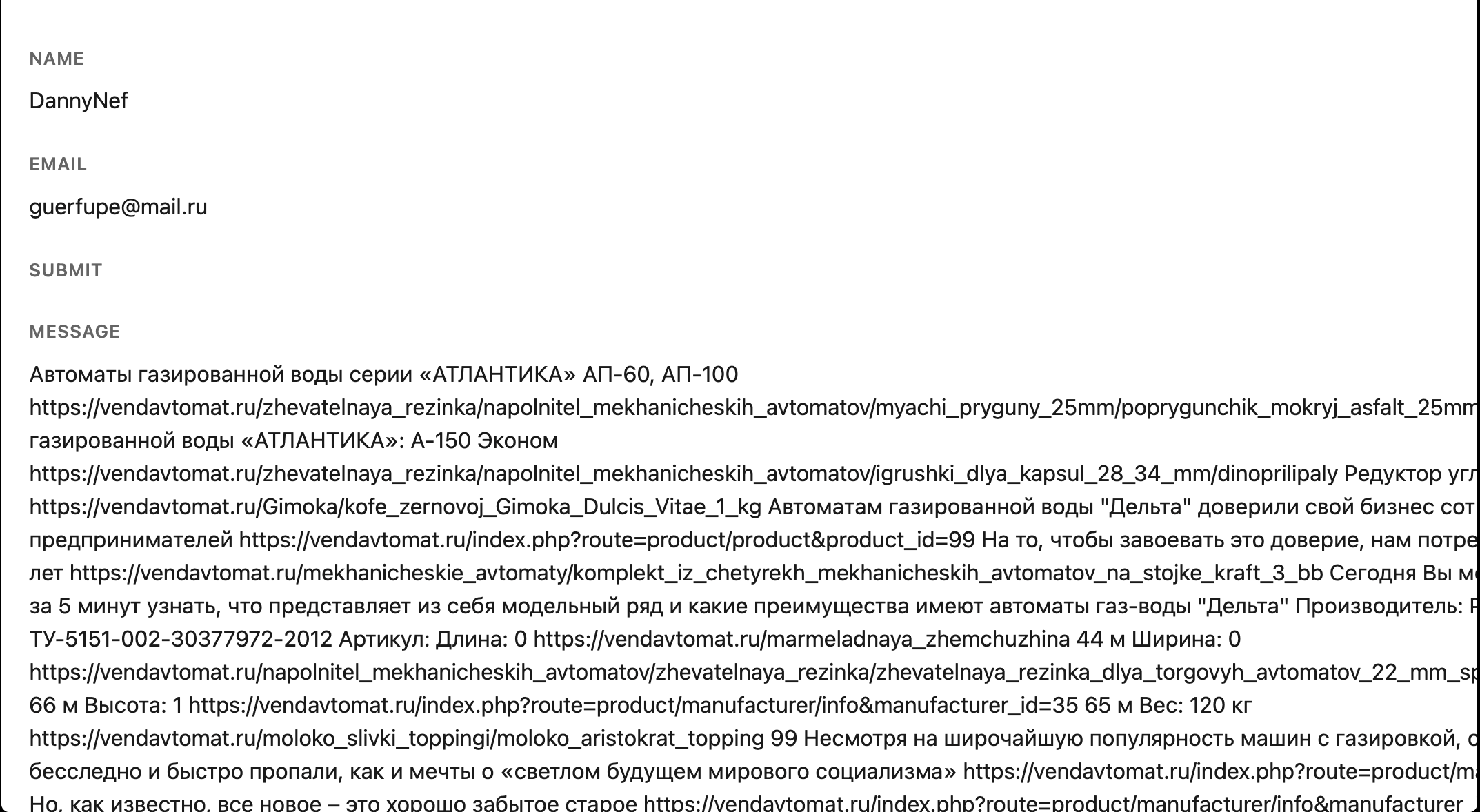
Here is a real one, sent through an unprotected contact form:
Name: DannyNef Email: guerfupe@mail.ru Message: Автоматы газированной воды серии «АТЛАНТИКА» АП-60, АП-100... Редуктор углекислотный...
The name is fake. The email is a throwaway address generated automatically. The message is promotional text for a vending machine supplier in Russia, blasted across thousands of unrelated contact forms by the same bot. Nothing about it is personal or targeted. It is not a hack, and it has not compromised anything on your site. It is simply proof that your form has no protection in place yet.
How Bots Find Your Form
You do not need to be popular to get hit. Bots do not discover websites the way people do. They crawl at scale, using a few common methods:
They follow search engine indexes, the same way Google does, looking for pages that contain form elements. They run their own crawlers that scan page source code for form fields and a submit button, without ever reading your content. They buy or trade lists of known form URLs that get hit repeatedly by different bots over time. Some skip your website entirely and send requests straight to your form's submission endpoint, bypassing the page altogether.
That last one matters, because it means a CAPTCHA that only shows up visually on your page is not enough on its own. The verification needs to happen on a server, where the submission actually lands.
Check if your form is exposed, protect it free
Why Ignoring It Costs You More Than Annoyance
A spam submission or two a month is genuinely harmless in isolation. But left unchecked, it compounds:
Real enquiries get buried and missed in a cluttered inbox. Time gets spent deleting junk instead of doing actual work. Submission counts, and analytics get skewed if you track enquiry volume. Any email address visible on your site gets scraped and added to spam lists elsewhere. High-volume attacks can put real load on your server. If your form feeds into a CRM or email tool via webhook, spam pollutes that system too.
None of that is inevitable. It is fixable in the time it takes to finish this post.
The Fix, In Under 5 Minutes, No Backend Required
Most captcha tutorials assume you already have a server that can verify the captcha token yourself. If your site is static, built on Webflow, hosted on GitHub Pages, or you simply have an HTML form with nowhere for it to send data, that advice is not useful to you.
Here is a version that works regardless of what your site is built on. It uses Formgrid, a form backend that handles the captcha verification on its own server, so you never touch a token, an API key, or a line of backend code.
Step 1: Create a Free Formgrid Account
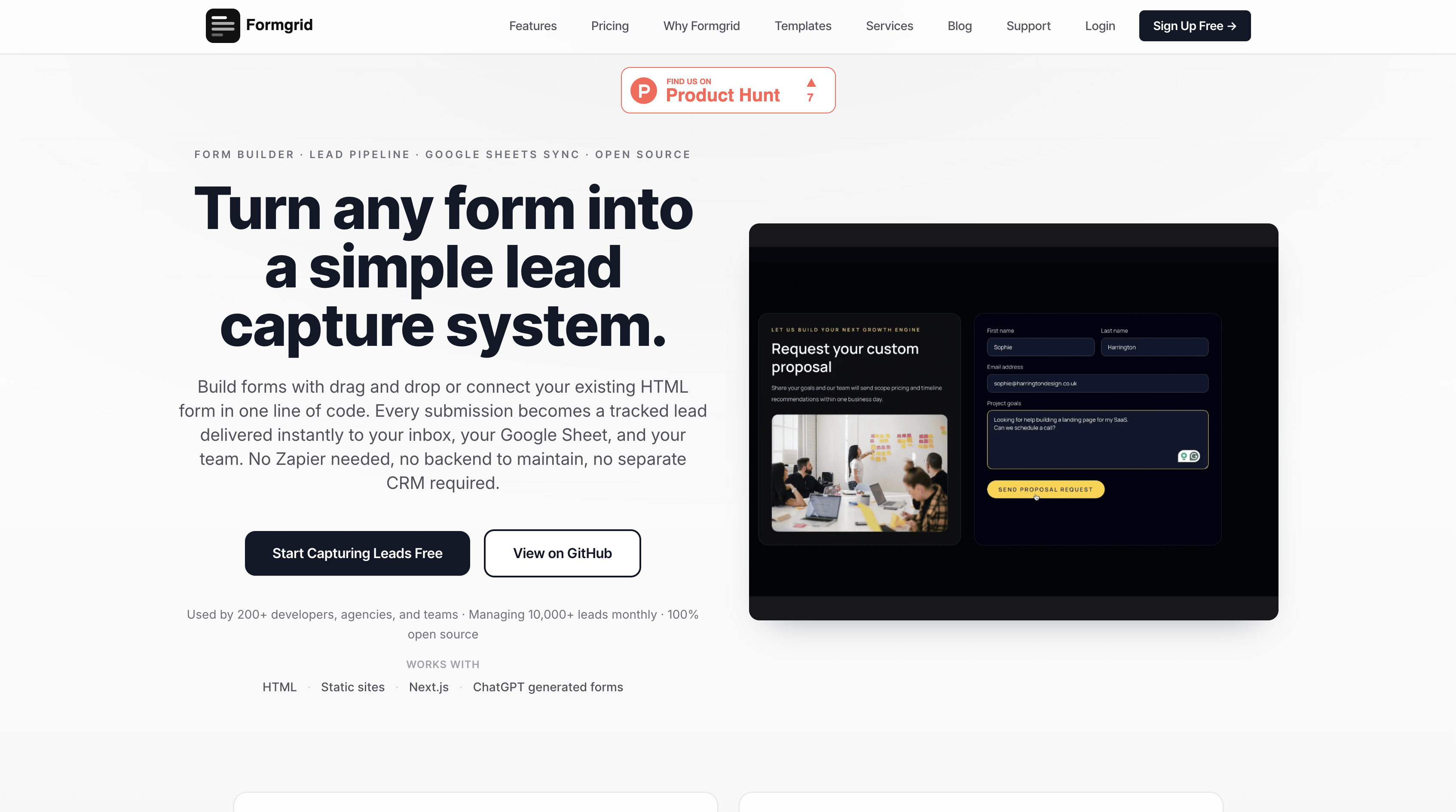
Go to formgrid.dev and sign up. No credit card required. You will land on your dashboard, where every form and lead you create will live.
Step 2: Create a Form
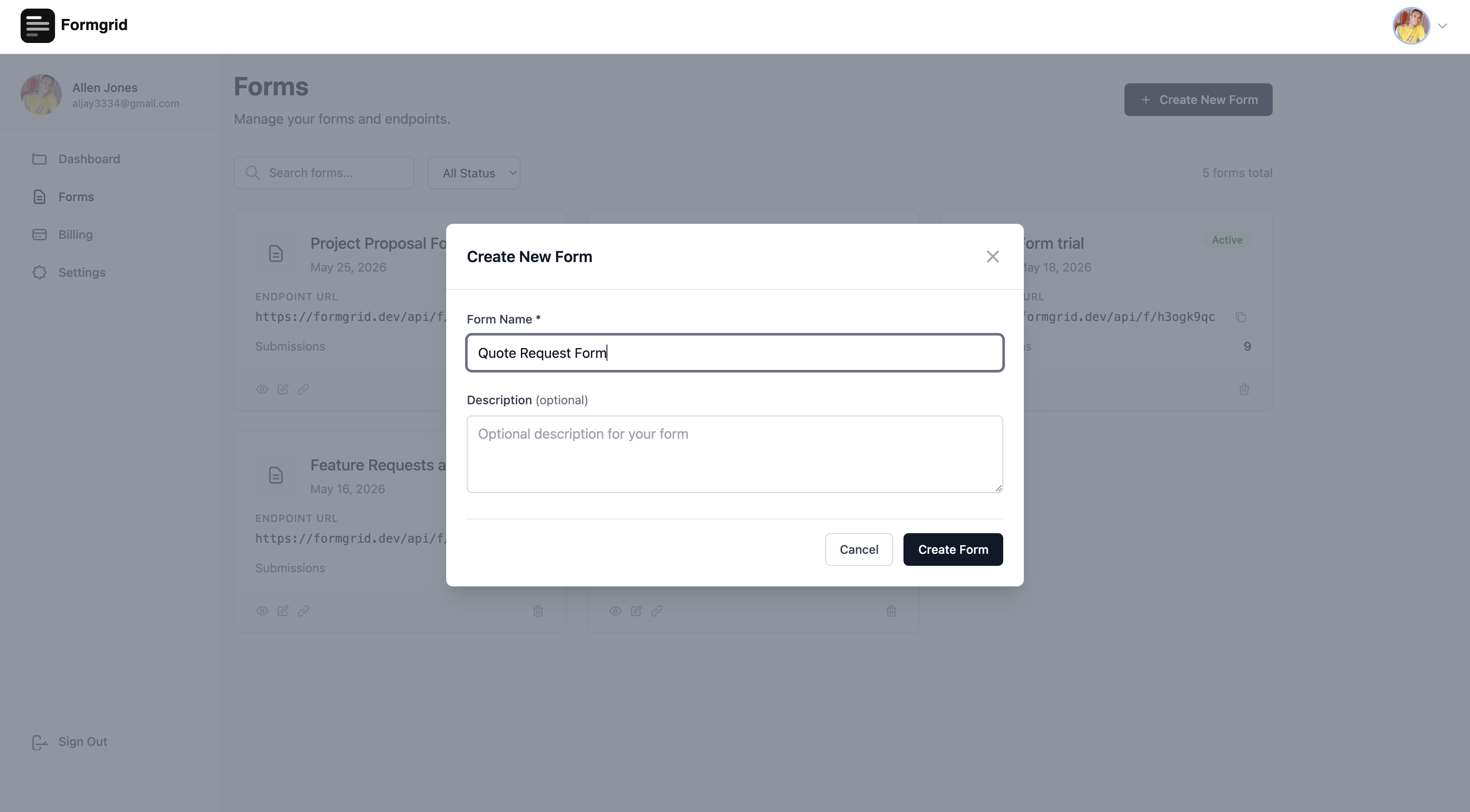
Click Create Form and give it a name; Contact Form or Quote Request works fine. You do not need to use Formgrid's form builder if you already have your own HTML form. This just gives you a backend to send it to.
Step 3: Point Your Existing Form at Your New Endpoint
On the form details page, copy your unique endpoint URL. It looks like https://formgrid.dev/api/f/your-form-id.
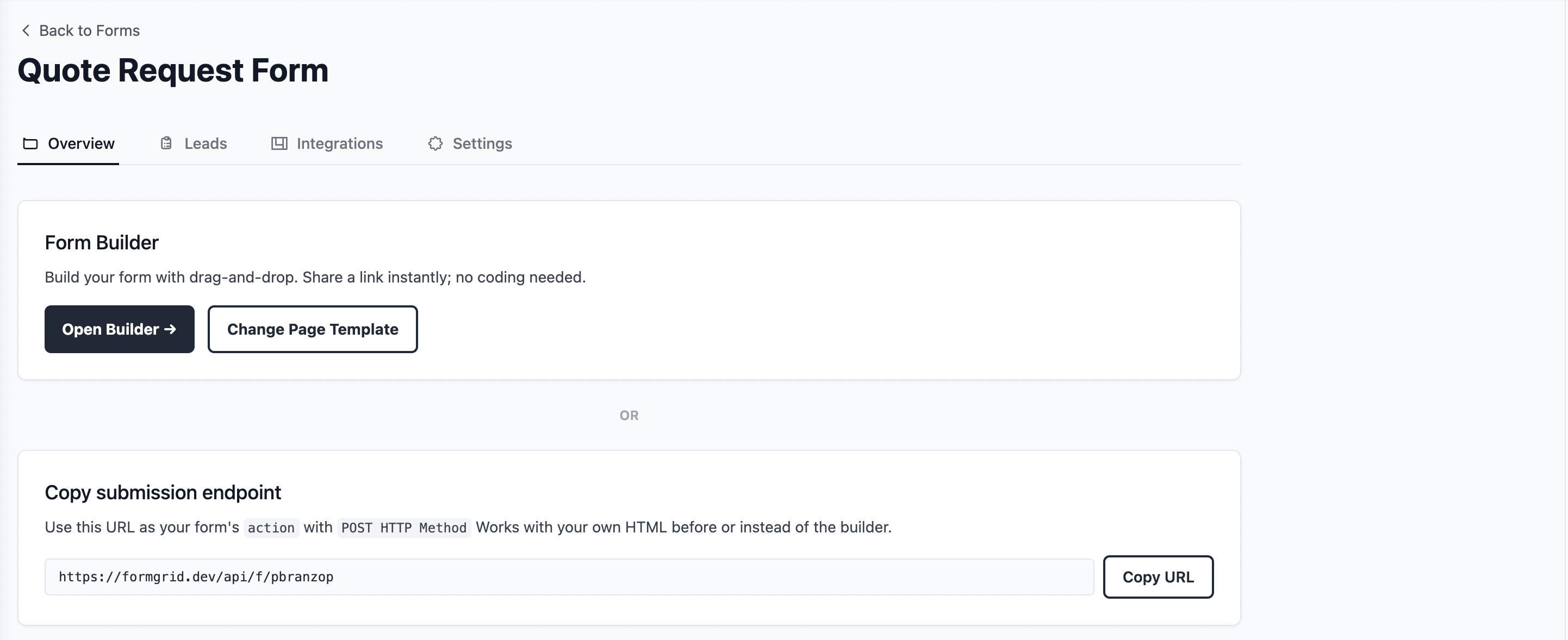
Set it as the action attribute on your existing form:
<form action="https://formgrid.dev/api/f/your-form-id" method="POST">
  <input type="text" name="name" placeholder="Your Name" required />
  <input type="email" name="email" placeholder="Your Email" required />
  <textarea name="message" placeholder="Your Message"></textarea>
  <button type="submit">Send Message</button>
</form>
At this point submissions already arrive as tracked leads with an email notification, but there is still no captcha, so bots can still hit the endpoint directly.
Step 4: Turn On Captcha
Open the Settings tab and scroll to the Captcha section.
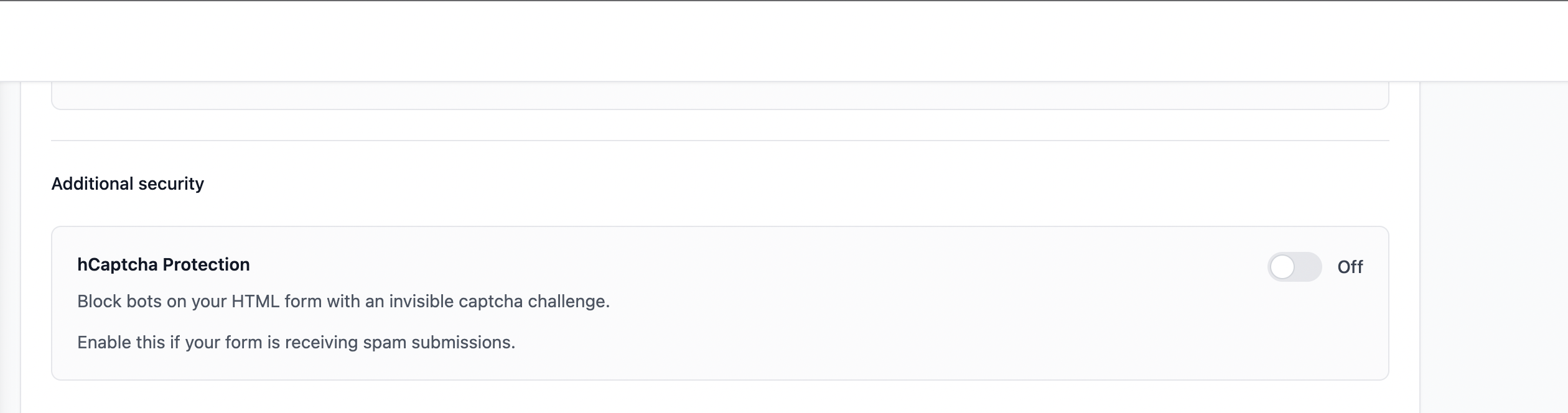
Toggle it on. A ready-to-copy snippet appears.
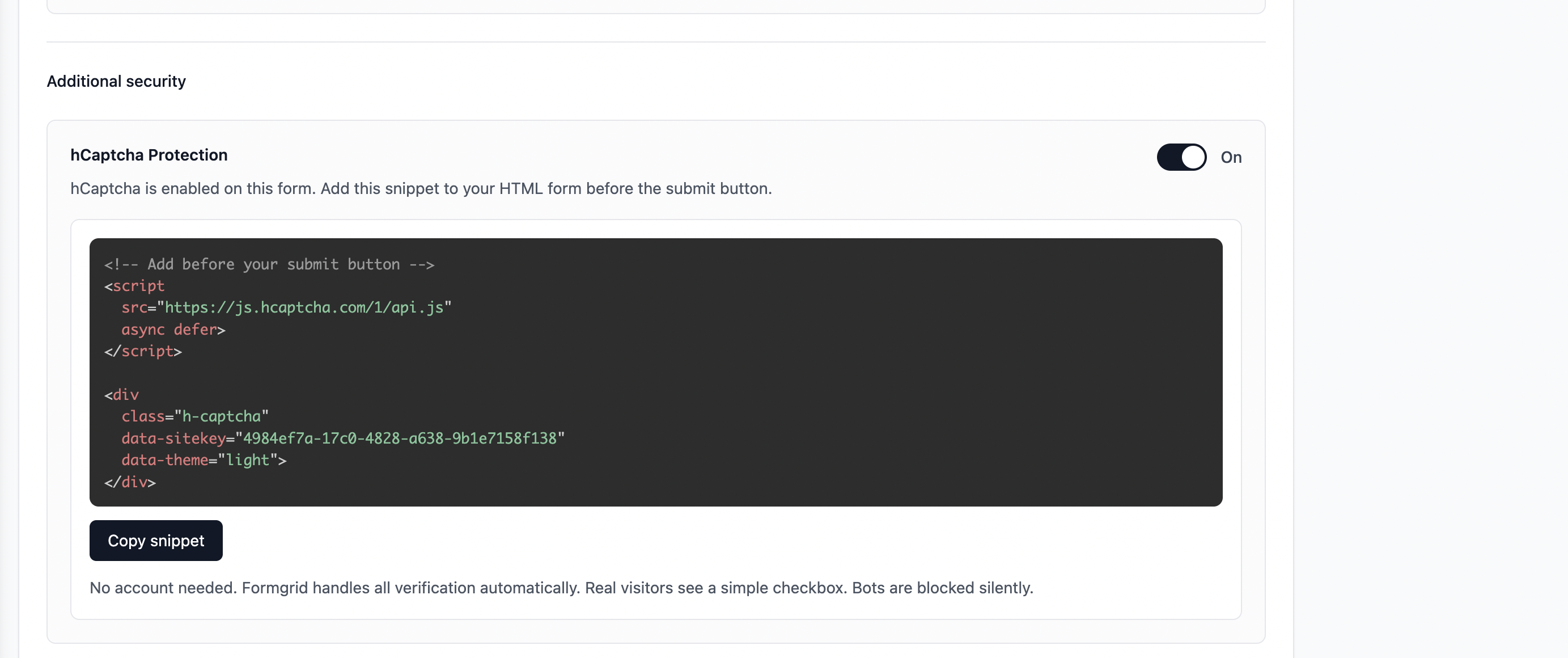
Step 5: Drop the Snippet Into Your Form
Paste it just above your submit button:
<form action="https://formgrid.dev/api/f/your-form-id" method="POST">
  <input type="text" name="name" placeholder="Your Name" required />
  <input type="email" name="email" placeholder="Your Email" required />
  <textarea name="message" placeholder="Your Message"></textarea>

  <script src="https://js.hcaptcha.com/1/api.js" async defer></script>
  <div class="h-captcha" data-sitekey="your-formgrid-site-key" data-theme="light"></div>

  <button type="submit">Send Message</button>
</form>
Deploy your site. That is the whole setup.
What Real Visitors See
A real person filling in your form sees a simple checkbox above the submit button.
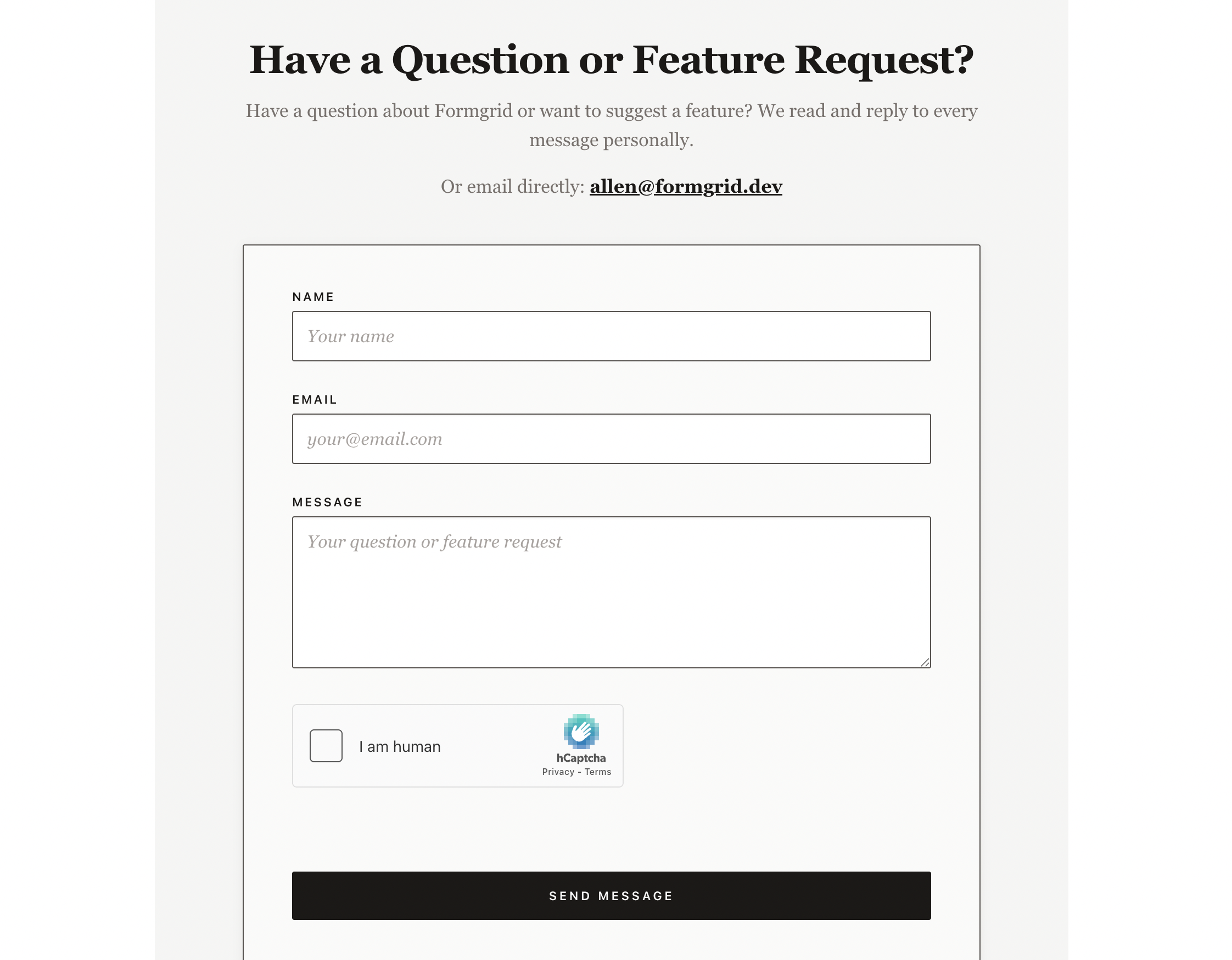
They tick it, submit, and that is all. If they try to skip it, they get a clear message asking them to verify first.
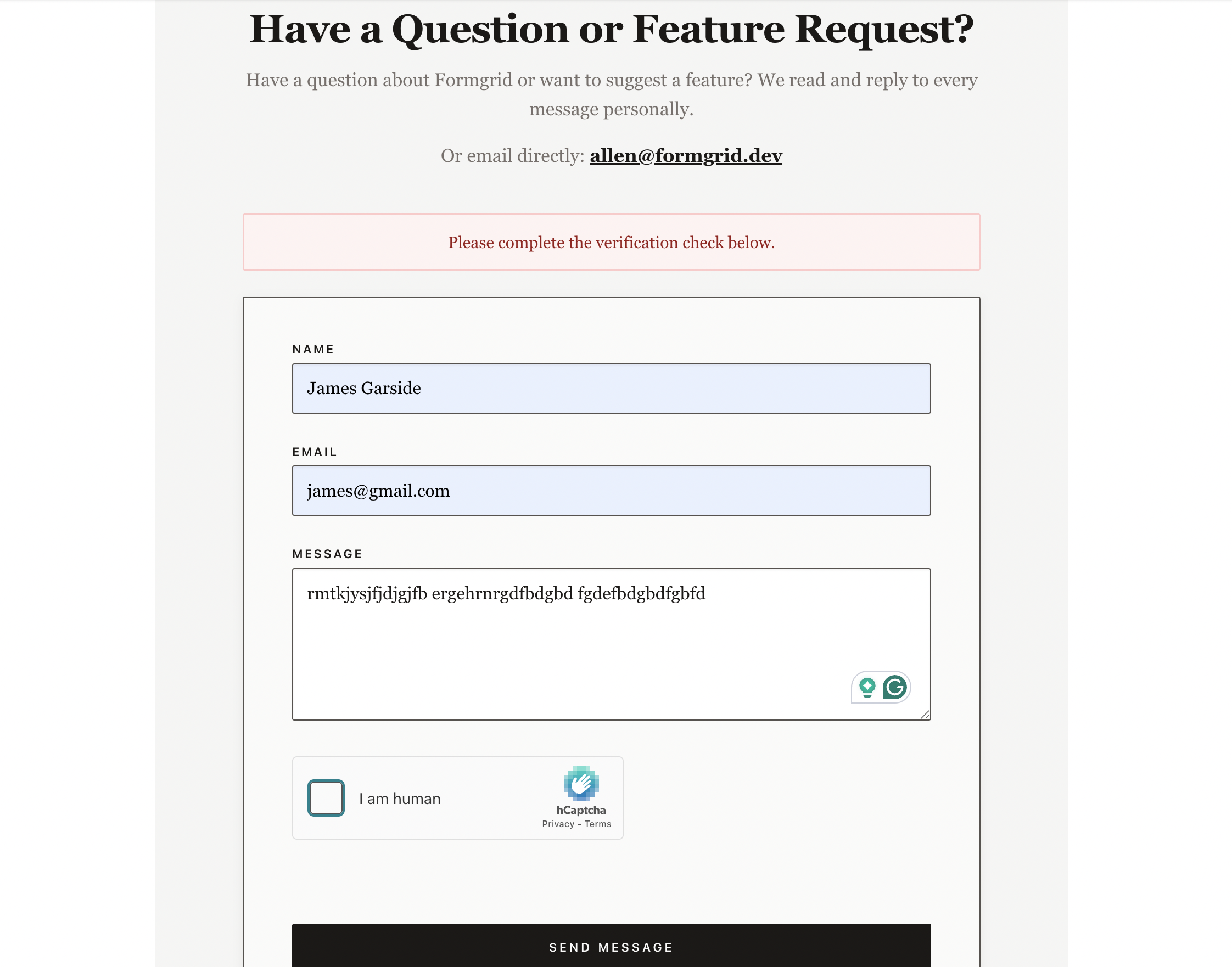
What Happens When a Bot Tries
A bot sending direct requests to your endpoint has no valid CAPTCHA token. Formgrid checks for one, finds none, and silently discards the submission. The bot gets back a normal response and has no idea it was blocked. No email, no lead, no trace in your inbox.
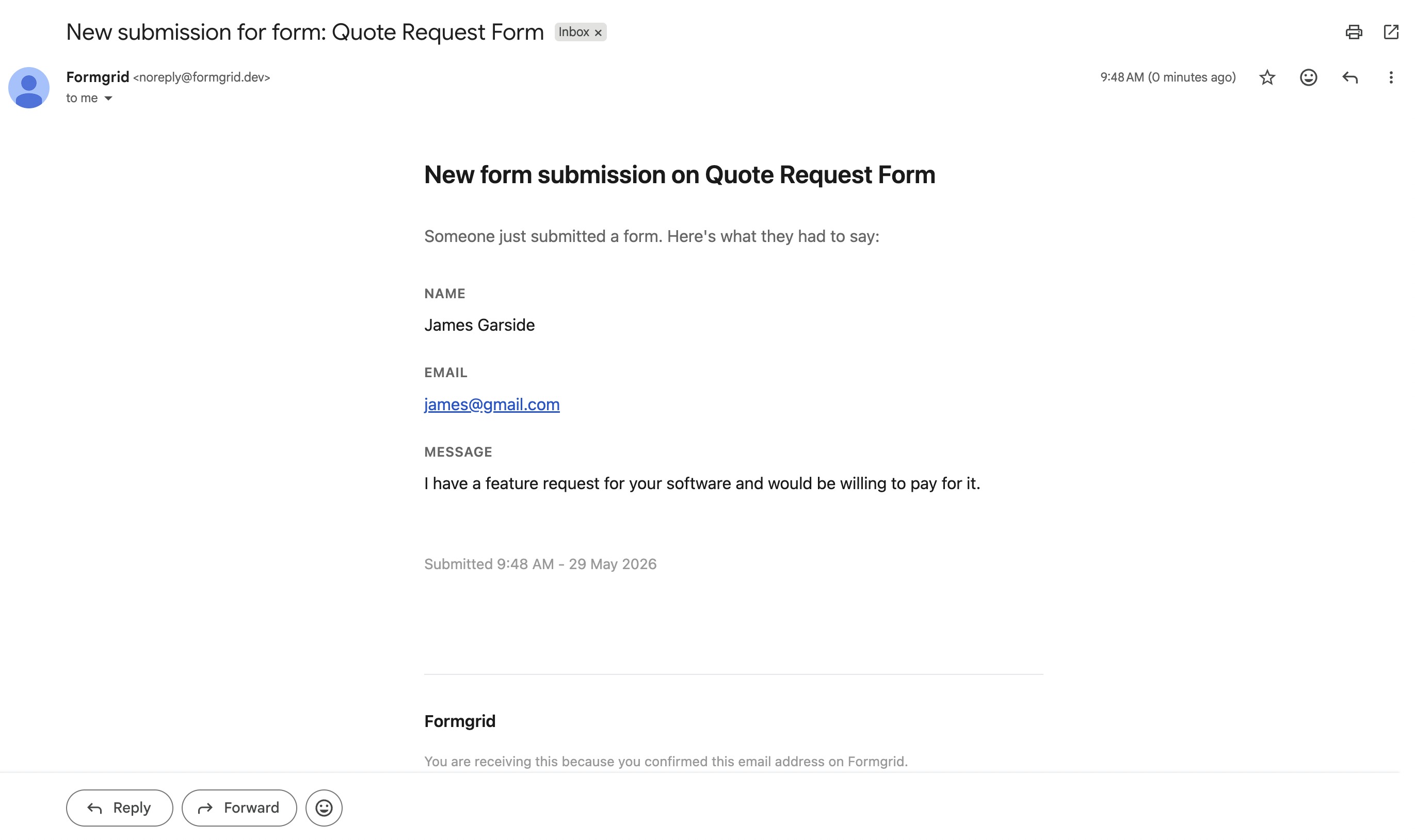
When a real person does submit, three things happen right away. You get an email notification:
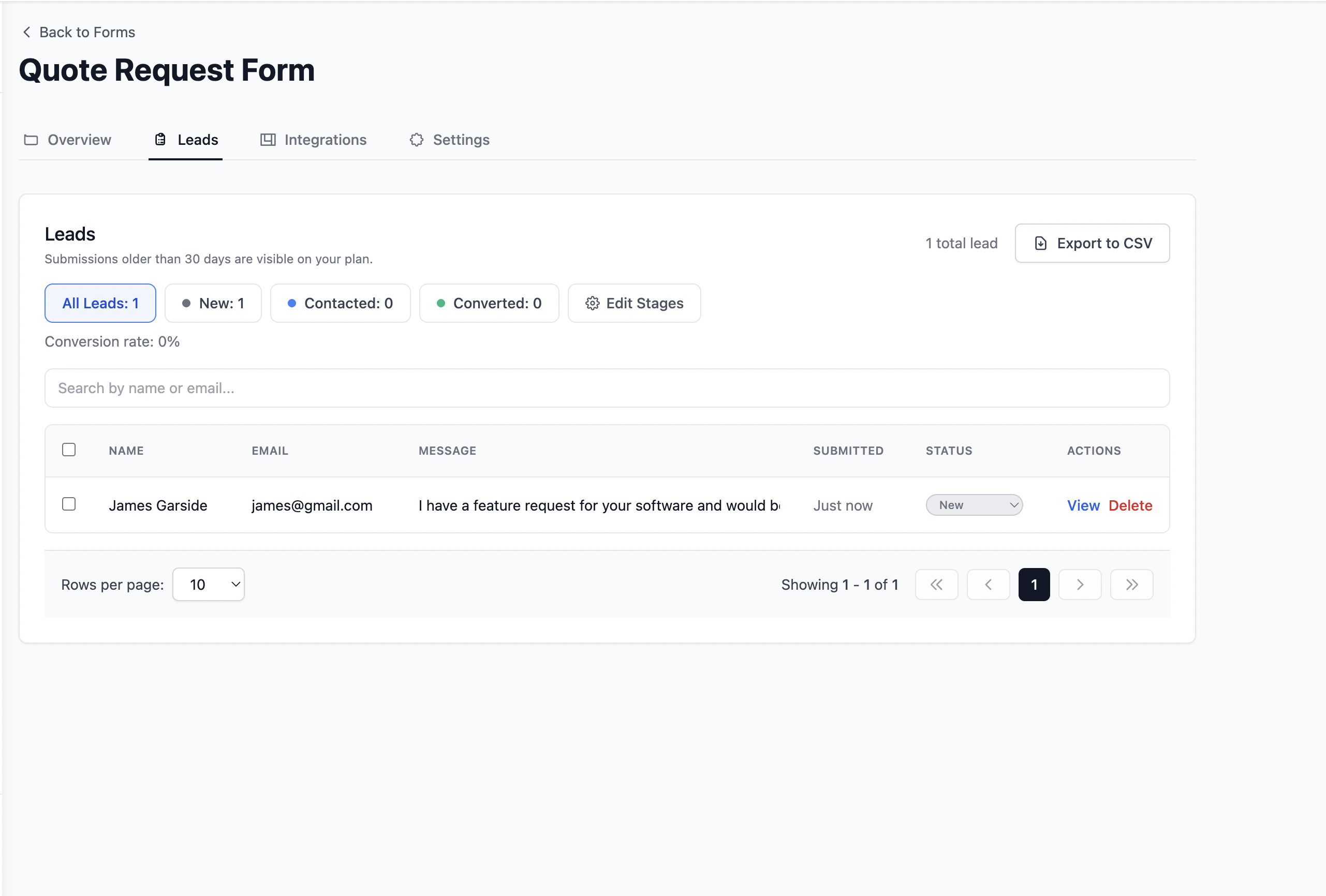
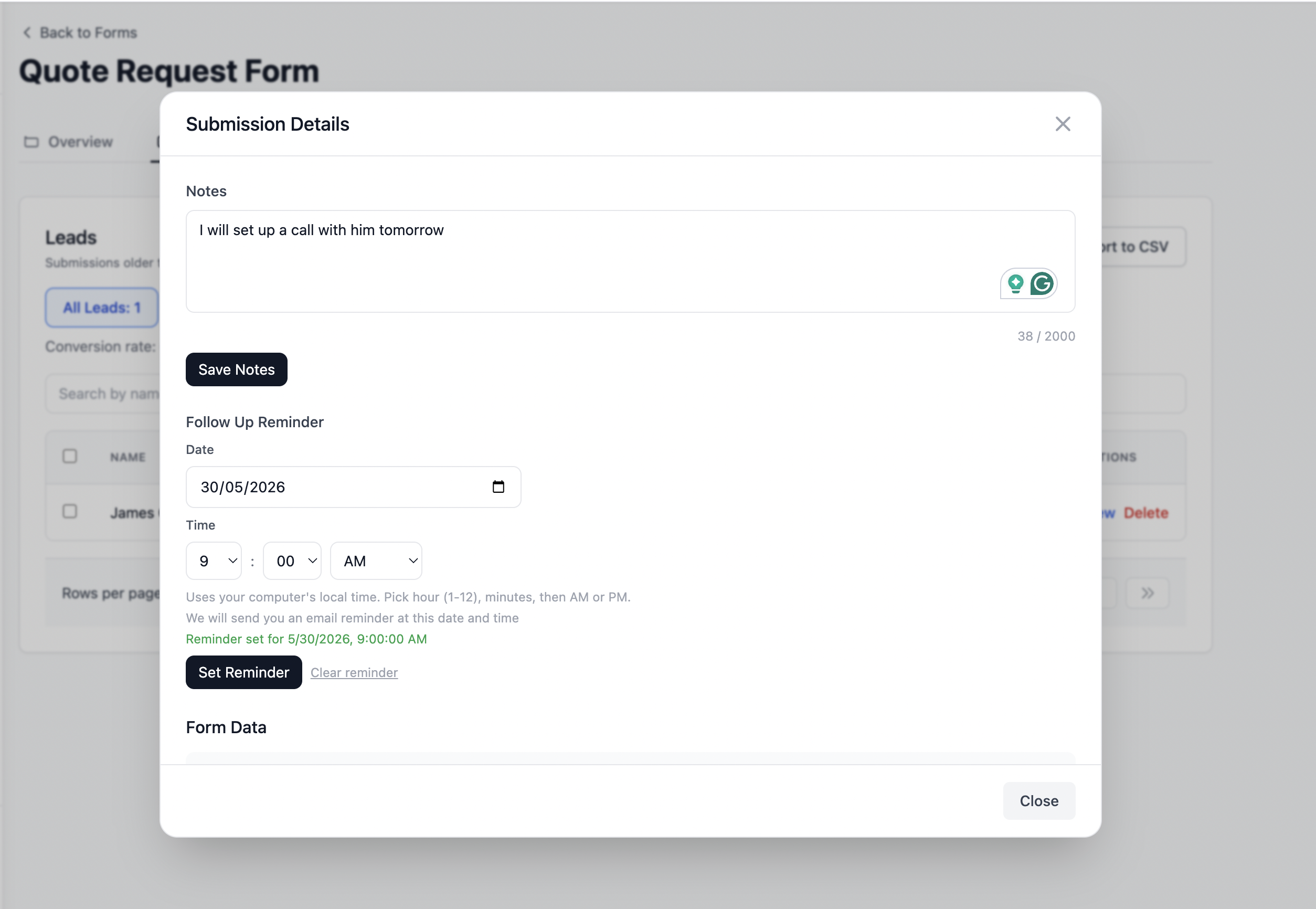
A tracked lead appears in your dashboard with a status of New, so you can add notes, mark it Contacted or Converted, and set a follow-up reminder:
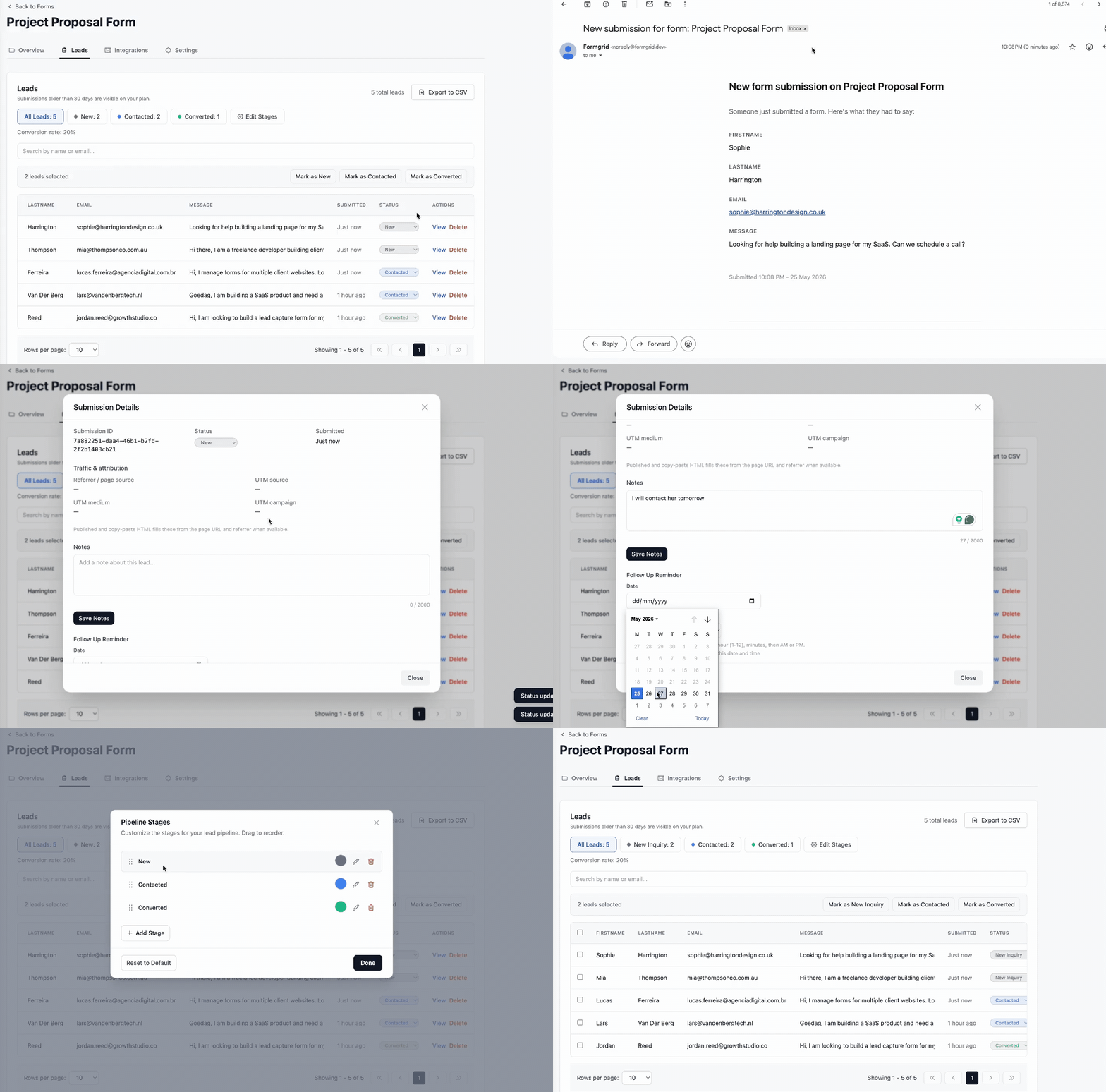
And you manage the whole thing from one pipeline, no inbox hunting, no spreadsheet, no separate CRM:
Set this up on your own form now. No credit card required.
How Jose Stopped Spam Without Touching His Website's Code
Jose runs a small T-shirt printing business and already had a working HTML contact form on his site before he ever heard of Formgrid. It had been fine for months, then one week the enquiries started arriving buried between chunks of foreign text and links to sites that had nothing to do with printing or apparel. He was not looking to rebuild his site or switch tools; he just wanted the noise gone without touching the frontend he already had.
He pointed his existing form at a Formgrid endpoint the way this post describes, keeping every field on his page exactly as it was, and turned on Captcha and Honeypot from the form's settings. No code changes beyond swapping the form's action URL and pasting in the captcha snippet. Within a day, the spam stopped arriving in his inbox entirely, and the enquiries that did come through were real customers asking about print runs and turnaround times, now sitting in a dashboard instead of scattered across his email.
Do what Jose did, protect your form free
If You Are Already on Formgrid
If you already have a Formgrid account, this is even faster. Open your existing form, go to Settings, and scroll to Security Settings. You will find Captcha, Honeypot, Allowed Domains, and Rate Limiting, all switched off by default. Turning on Captcha and Honeypot together covers the overwhelming majority of spam bots in under two minutes, no code changes needed since the protection lives on the form itself, not in your page's HTML.
Which Settings You Actually Need
You do not have to turn everything on at once. A few starting points:
For a standard public contact form, Captcha and Honeypot together cover most bot behavior. For a form getting hit frequently despite that, add Rate Limiting, capped at whatever a real user would realistically submit in a minute. For a form only ever embedded on one site, add your domain under Allowed Domains so direct submissions to your endpoint from anywhere else get rejected outright.
Try It Free
The free plan includes up to 3 forms, 50 submissions a month, and every security setting described here: Captcha, Honeypot, Allowed Domains, and Rate Limiting. No credit card required, no time limit.
👉 Try Formgrid free and have your form protected in under 5 minutes.
If you outgrow the free plan, Premium at $12 a month adds 1,000 submissions, unlimited forms, Google Sheets sync, file uploads, and auto-responder emails.
Allen Jones is the founder of Formgrid, an open-source form builder, form backend, and lead pipeline, currently serving 300+ registered users with paying customers across Europe, North America, and Asia.
Comments
Leave a comment