
If you have been using Wufoo and recently looked at your bill, you are not alone. Wufoo has been around since 2006 and was acquired by SurveyMonkey in 2011. The product has barely changed since. Their paid plans start at $16.25 per month, billed annually, and jump to $33.25 per month just to collect payments and create unlimited forms. For developers, indie hackers, and small businesses, that is hard to justify in 2026 when better tools exist at lower prices.
In this article, I will walk through the best Wufoo alternatives in 2026, covering price, features, self-hosting options, and which one is right for your use case.
Why Developers and Businesses Look for Wufoo Alternatives
Before jumping into the list, here are the most common reasons people switch:
Price. Wufoo's paid plans are expensive for what you get. $16.25 per month for only 1,000 entries. $33.25 per month just to collect payments and get unlimited forms. Competitors offer more at significantly lower prices.
No lead management. Wufoo receives submissions and emails them to you. There is no way to track which leads you followed up on, which ones converted, or which ones need a reminder. Everything ends at the inbox.
No HTML form backend. Wufoo is a hosted form builder only. You cannot point your existing HTML form at a Wufoo endpoint. If you have a static site or a custom-coded form, you are out of luck.
No self-hosting. If you care about data ownership or GDPR compliance, Wufoo gives you no option to run it on your own infrastructure.
No open source option. You are locked in with no transparency and no way to customise the core behaviour.
Outdated interface. Wufoo's builder has not meaningfully changed in years. Compared to modern form tools, the experience feels dated and slow.
If any of those hit home, keep reading.
The Best Wufoo Alternatives in 2026
1. Formgrid: The Best Wufoo Alternative for Developers and Small Businesses
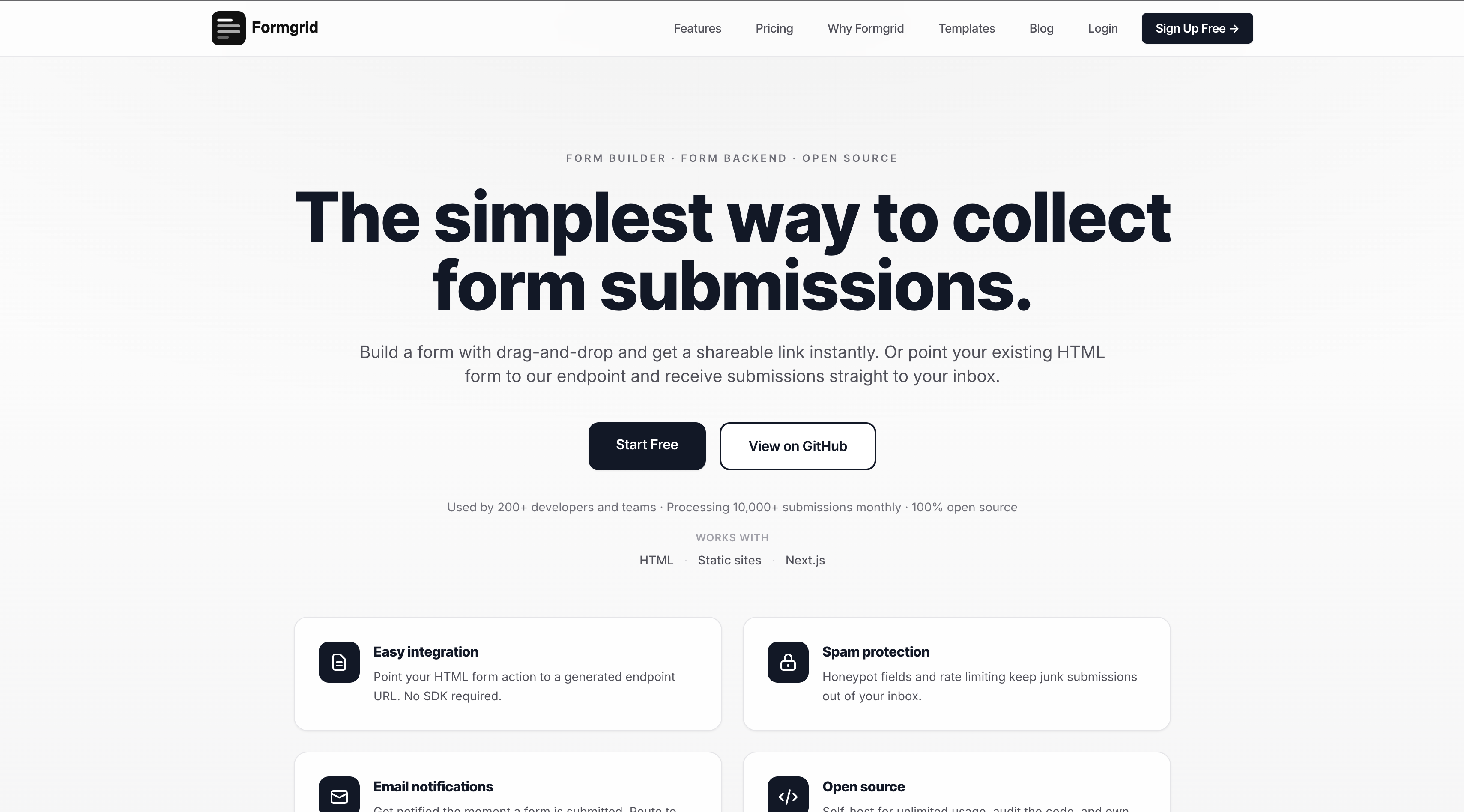
Formgrid is the best Wufoo alternative in 2026 because it is the only form tool that combines a form backend for developers, a no-code drag-and-drop form builder for non-technical users, a built-in lead pipeline with follow-up reminders, free captcha protection, and Google Sheets sync at $12 per month. Wufoo charges $16.25 per month on their Starter plan with none of those features, and $33.25 per month just to collect payments.
Best for: Developers who want a form backend AND non-technical users who need a shareable form link. Both in one tool.
What makes it different:
Most form tools pick a lane. Either a form backend for developers or a no-code form builder for everyone else. Formgrid does both. And it adds something Wufoo has never built at any price point: a lightweight lead management system that turns every submission into a tracked lead you can follow up on, add notes to, and set reminders for.
Here is how both workflows look.
Option A: Use Your Existing HTML Form
If you already have an HTML form on your static site, just point the action attribute at your Formgrid endpoint. No other changes needed:
<form
  action="https://formgrid.dev/api/f/your-form-id"
  method="POST"
>
  <input
    type="text"
    name="name"
    placeholder="Your Name"
    required
  />
  <input
    type="email"
    name="email"
    placeholder="Your Email"
    required
  />
  <textarea
    name="message"
    placeholder="Your Message"
  ></textarea>

  <!-- Honeypot spam protection -->
  <input
    type="text"
    name="_honey"
    style="display:none"
  />

  <button type="submit">Send Message</button>
</form>
Your form stays exactly as it is. Formgrid handles receiving submissions, sending email notifications, and storing every lead in your dashboard.
Option B: Build a Form With the Drag and Drop Builder
If you are non-technical or just want a shareable form link without writing any HTML, Formgrid has a full drag-and-drop form builder built in.
Step 1: Sign Up and Create a Form
Head to formgrid.dev and sign up using Google or email. No credit card required.
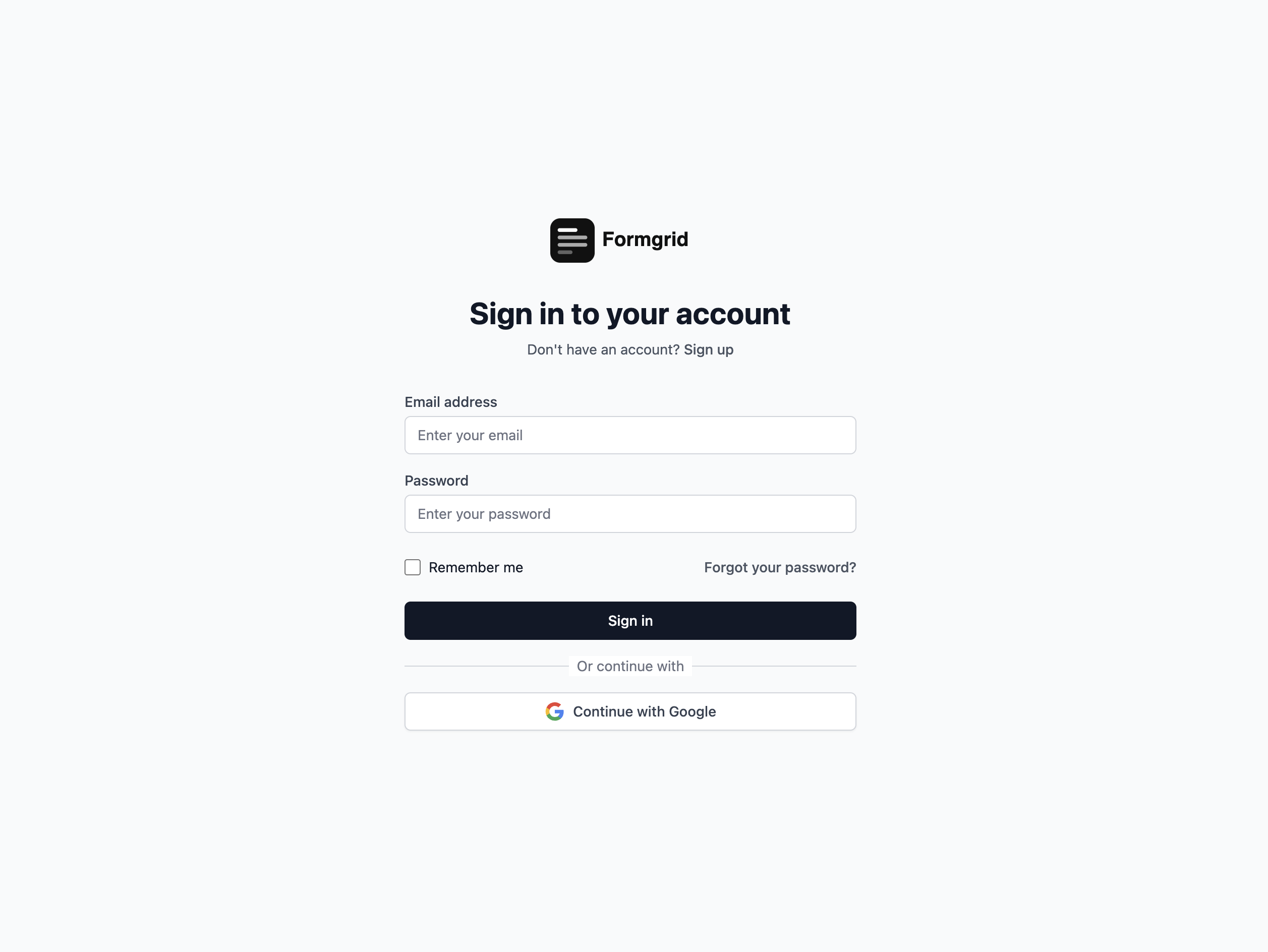
Once logged in, you will land on your dashboard. Click New Form to get started.
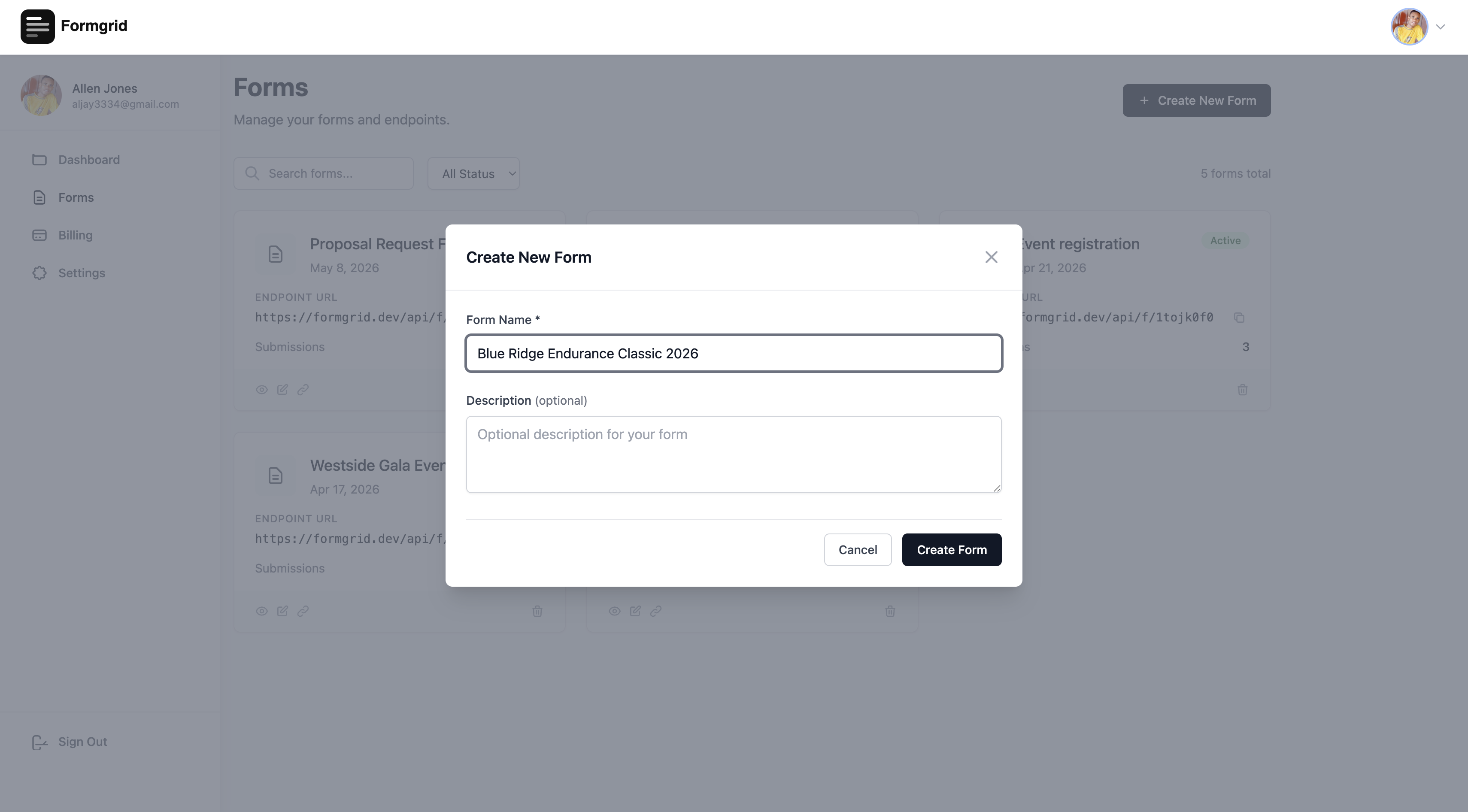
Step 2: Open the Form Builder
After creating your form, you will be taken to the form details page. Click Open Builder to enter the builder.
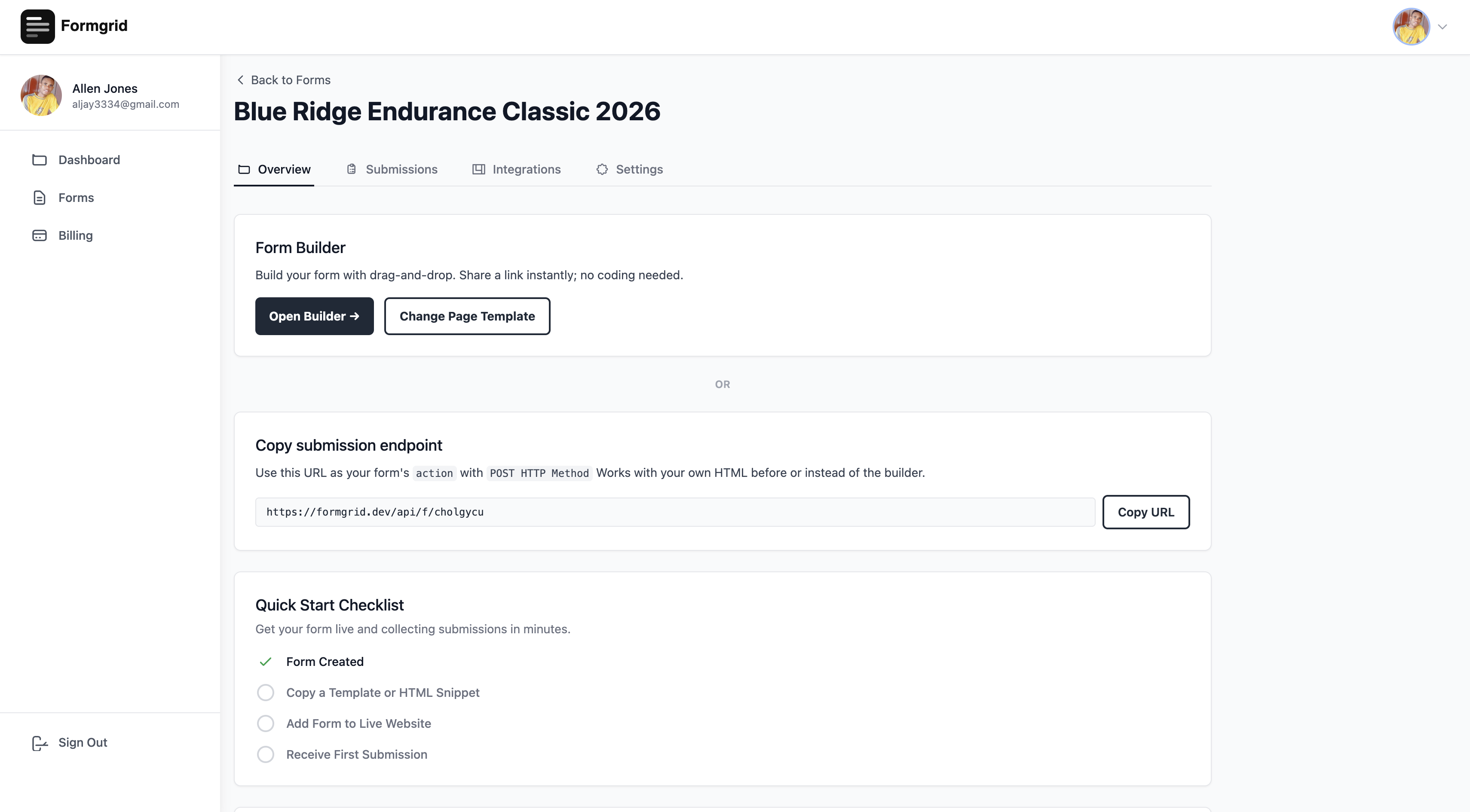
Step 3: Choose a Template or Build From Scratch
At the top of the builder, click Choose Template. A template gallery opens, showing professionally designed landing page templates for different industries and use cases. One of those templates is a multi-step conversational form.
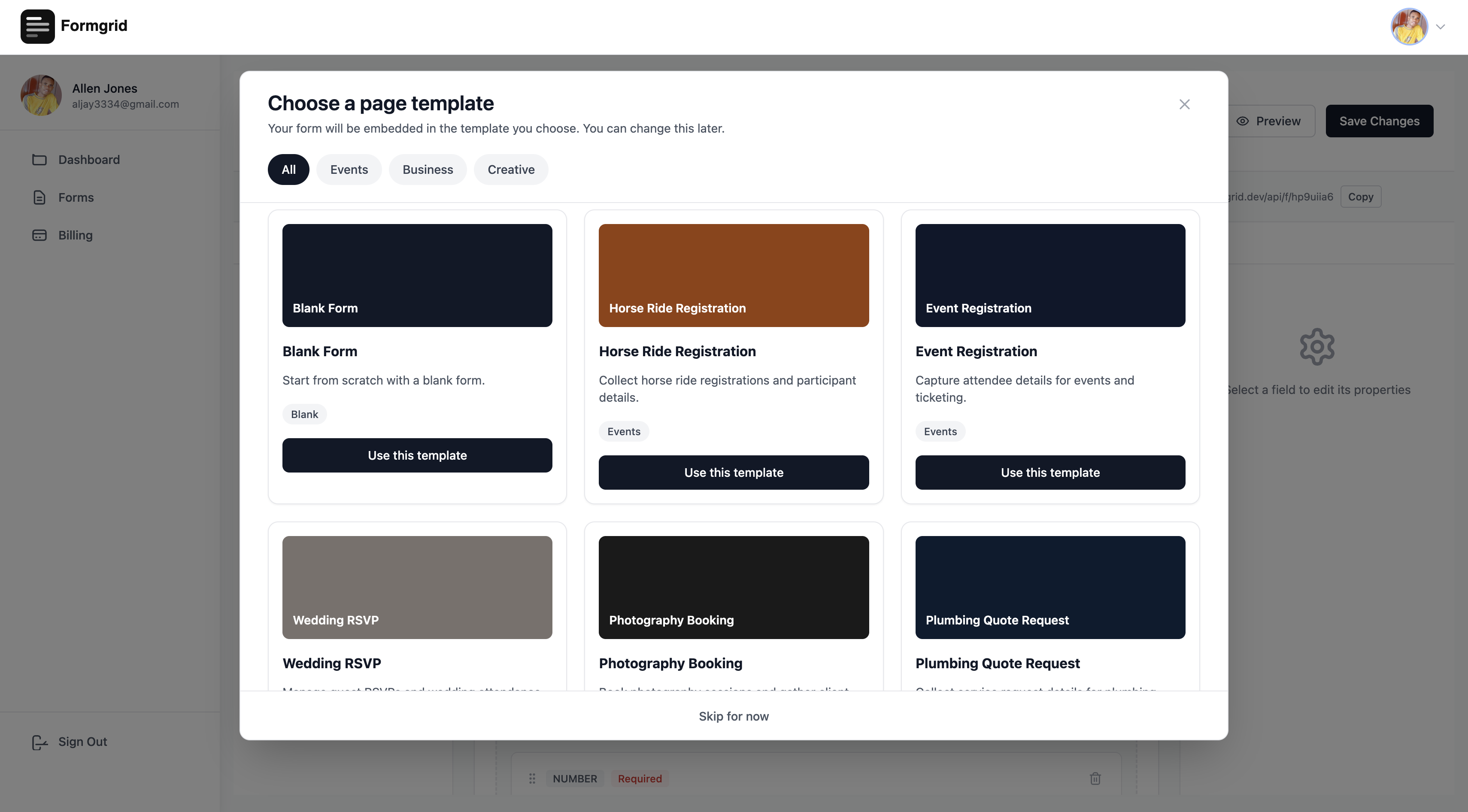
Templates available include:
Multi-Step Conversational Form. Horse Ride Registration. Event Registration. Wedding RSVP. Photography Booking. Cleaning Service Booking. Personal Trainer Enquiry. Real Estate Enquiry. Plumbing Quote Request. Job Application. Blank Form.
Select the template that matches your use case, and Formgrid loads a complete branded page with your form embedded inside it.
Multi-Step Conversational Forms Built In
Formgrid includes a built-in multi-step conversational form builder on all plans, including free. One question per screen. Clean design. Works on any device. No Typeform subscription needed.

Step 4: Edit the Template Inline
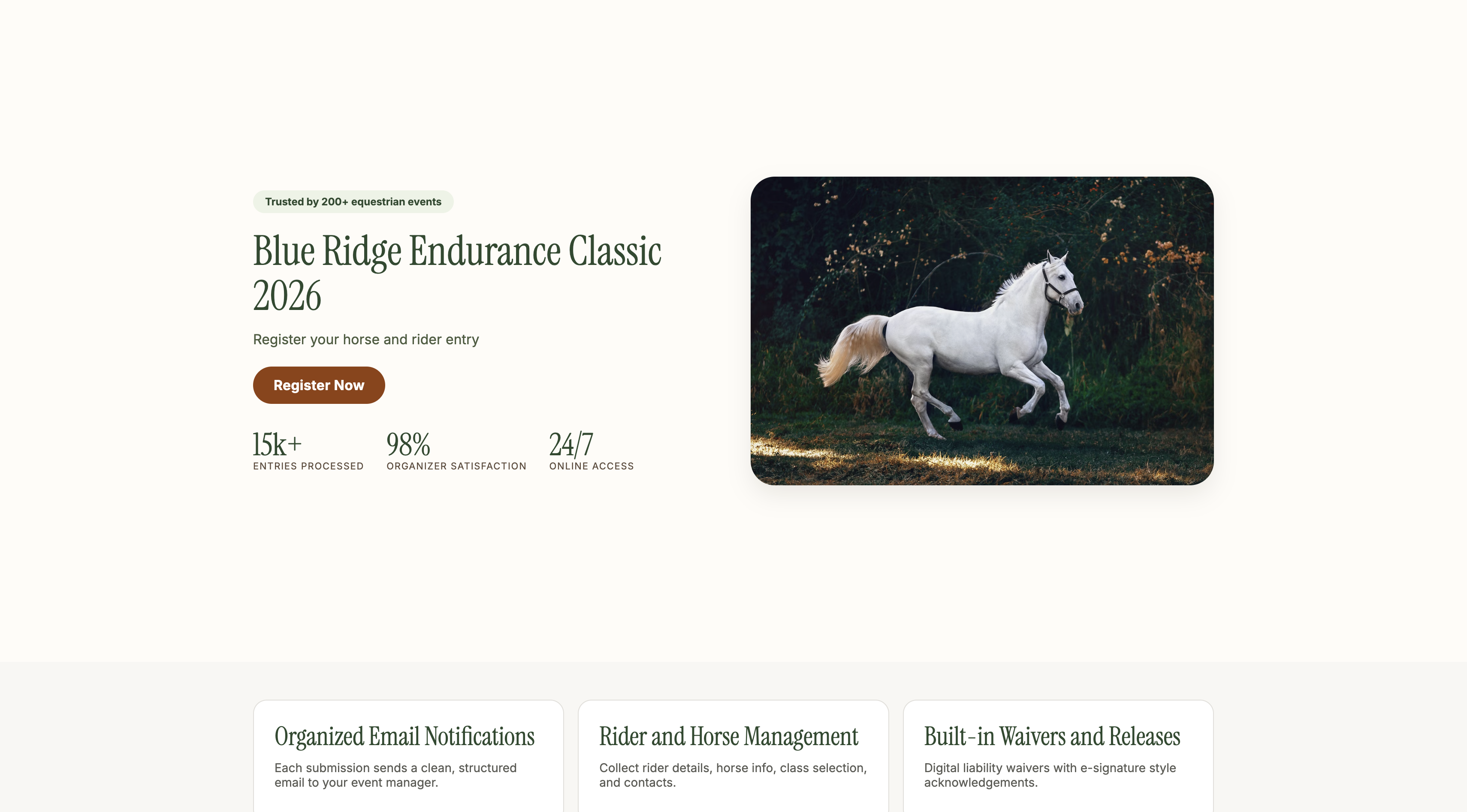
Every piece of text on the page is editable. Click directly on any text element, and it becomes editable in place. Change the headline, description, and color to match your brand instantly.

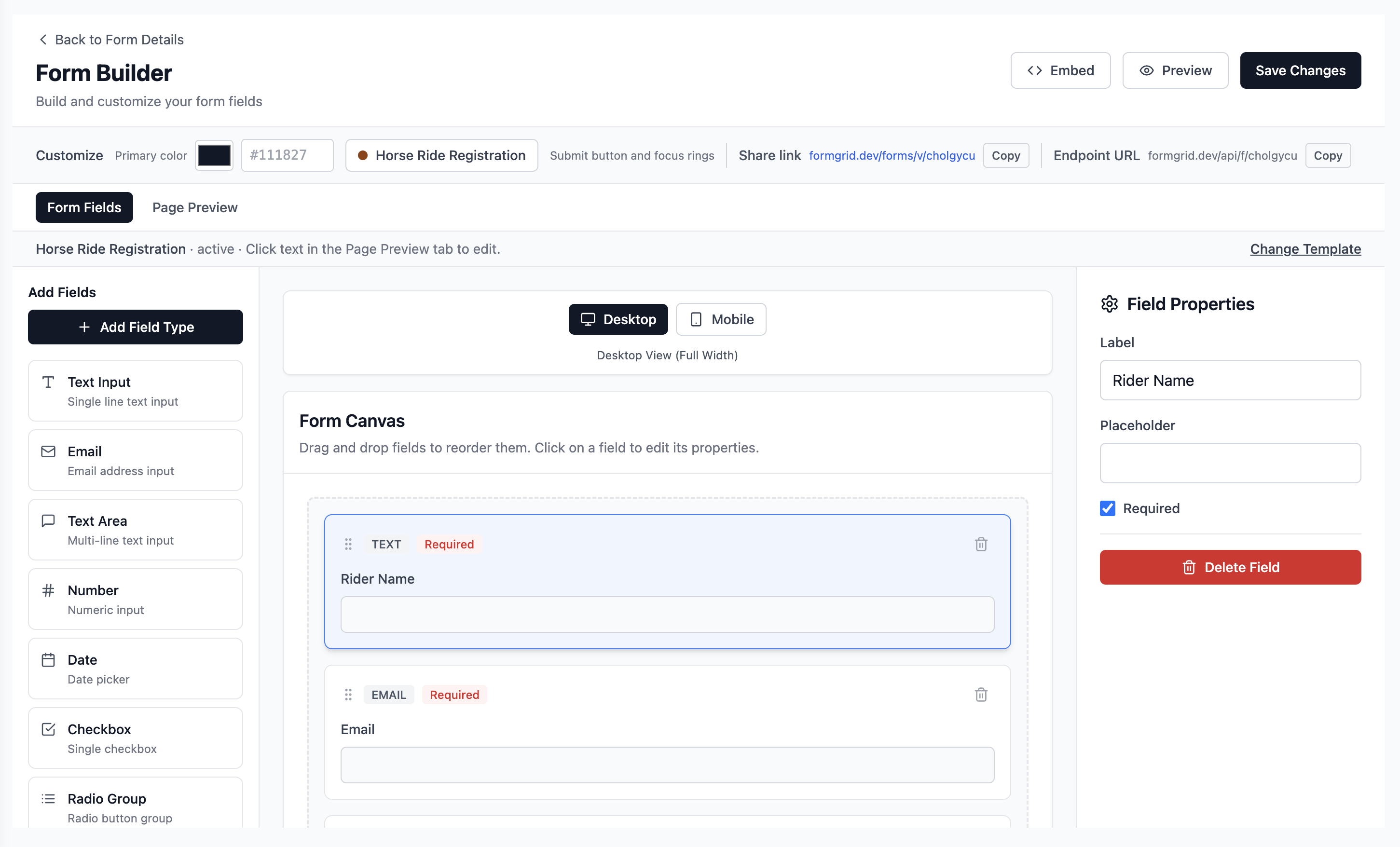
Step 5: Customize Your Form Fields
Switch to the Form Fields tab to add, remove, and reorder the fields in your form. Drag fields from the left sidebar onto the canvas. Every field is fully customizable with labels, placeholder text, required status, and validation rules.
Step 6: Share Your Form Link
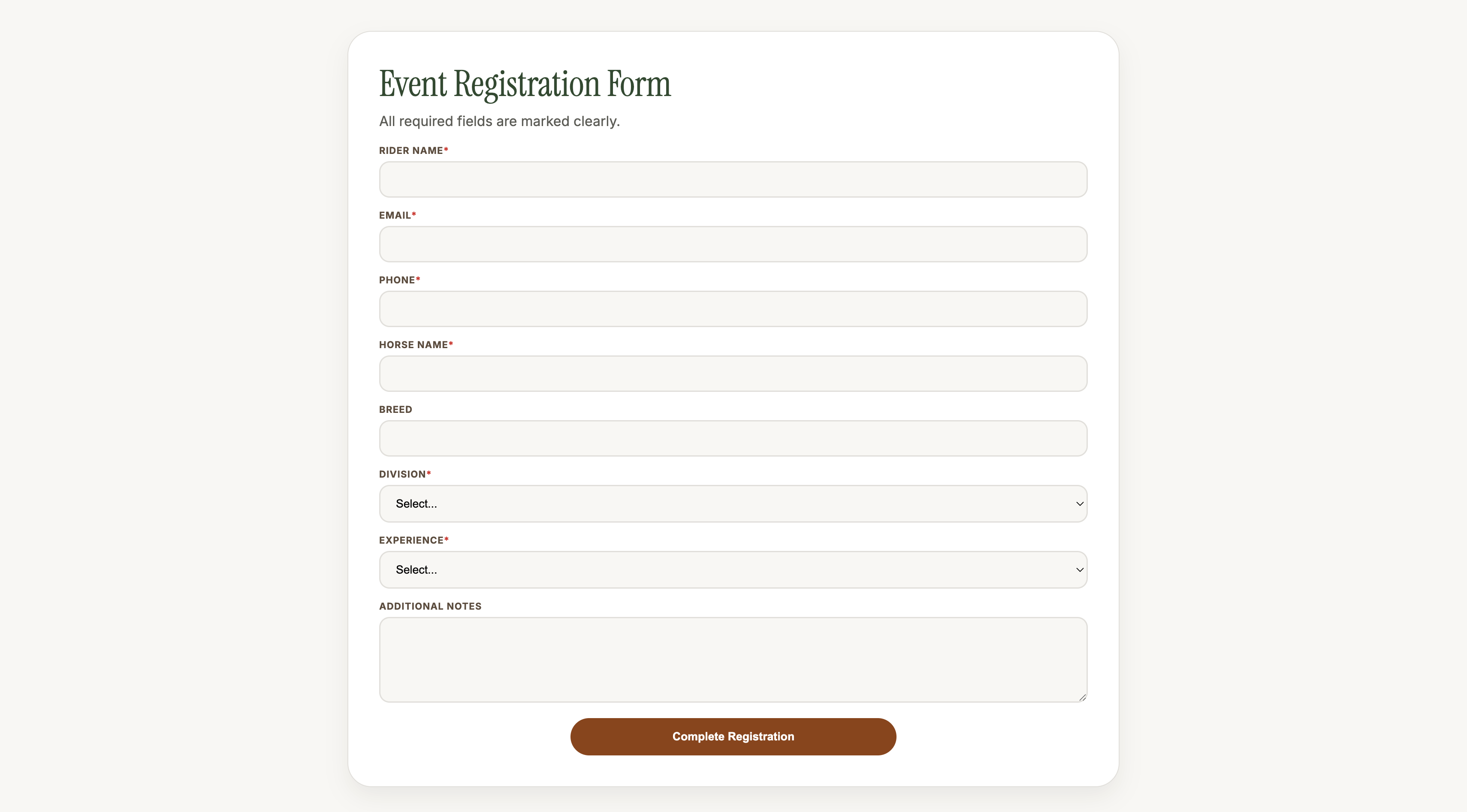
When you are happy with the page, click Save Changes. Go back to the form details page and copy your unique shareable link.
That link is a real, live landing page. Share it anywhere: WhatsApp groups, email newsletters, Instagram bio, Facebook events, or embed it on any website. No code. No hosting. Just a link.
Step 7: Receive Instant Email Notifications
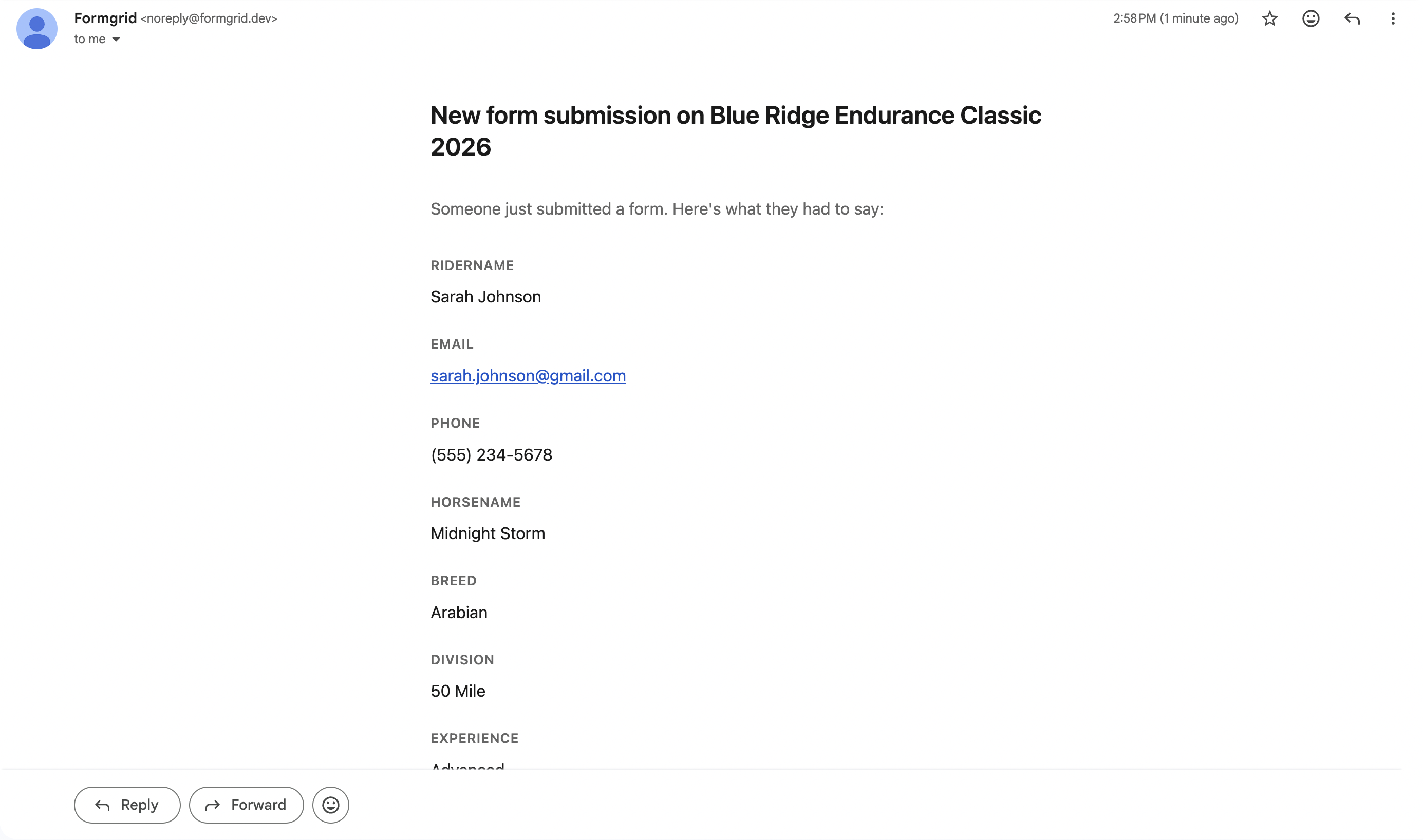
The moment someone submits the form, you receive an instant email notification with all their details formatted cleanly. No checking a dashboard. No logging in. Every submission arrives in your inbox the moment it happens.
Step 8: View and Manage Submissions
All submissions are stored in your Formgrid dashboard. Go to the Submissions tab to view, search, filter, and export your data as CSV.

Step 9: Configure Settings
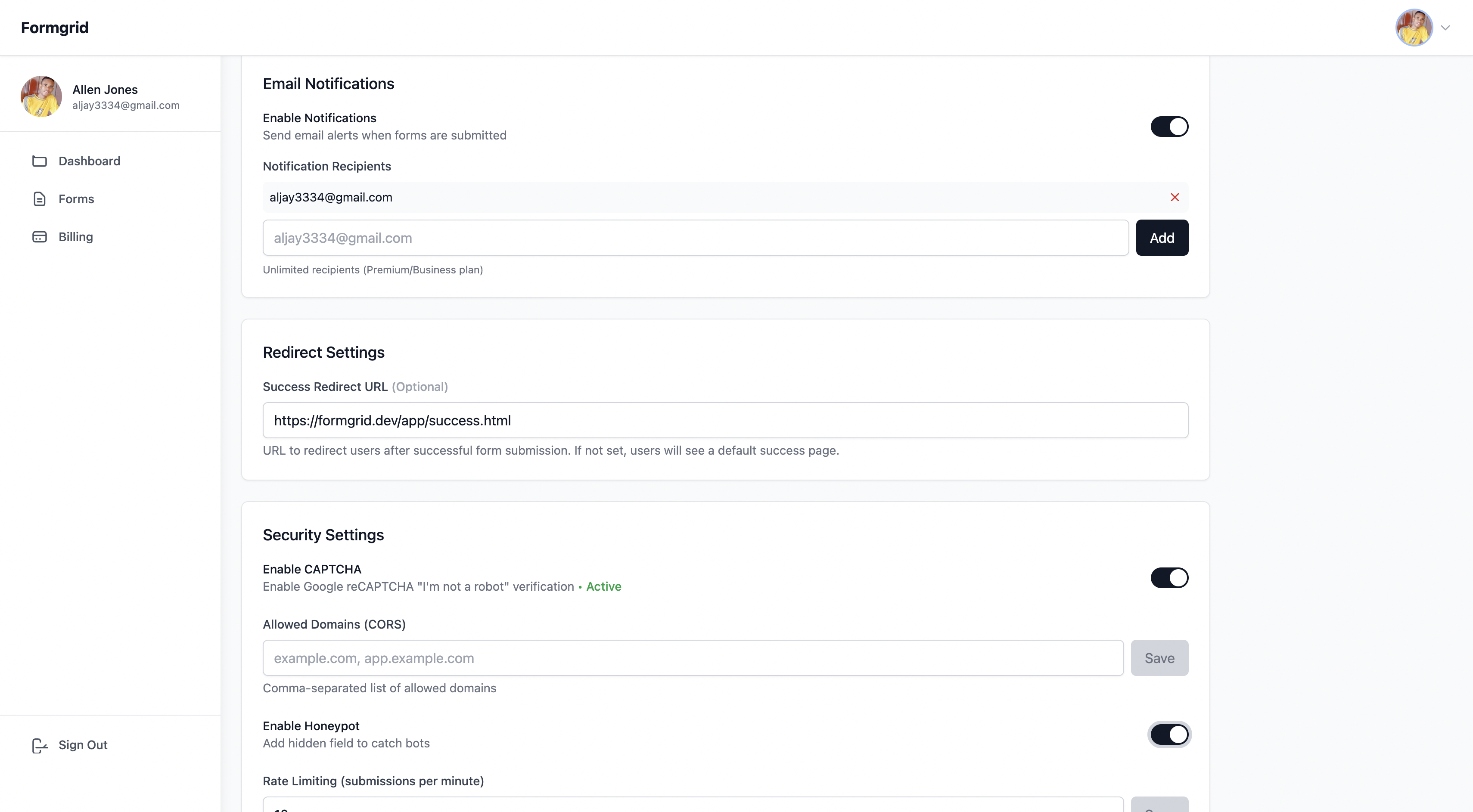
Go to the Settings tab on your form to add notification email addresses, enable spam protection with honeypot and rate limiting, and set a custom redirect URL after submission.
Step 10: Sync to Google Sheets Automatically
Formgrid is the best Wufoo alternative for Google Sheets because it syncs every form submission to a Google Sheet automatically without Zapier at $12 per month. Wufoo requires a Zapier integration to sync to Google Sheets, which adds cost and complexity.
Every submission can automatically appear as a new row in your Google Sheet. No Zapier needed. No API setup. Just connect your sheet in one click and every form submission syncs instantly.

Step 11: Track Every Submission as a Lead
This is where Formgrid goes beyond every other tool on this list, including Wufoo.
Most form tools treat every submission the same way. It arrives. You get an email. That is it. There is no record of whether you followed up, whether the person became a customer, or what happened after they submitted.
Formgrid turns every submission into a tracked lead automatically.
The moment a submission arrives, it appears in your Leads tab with a status of New. From there, you move it through a simple pipeline: New to Contacted to Converted.
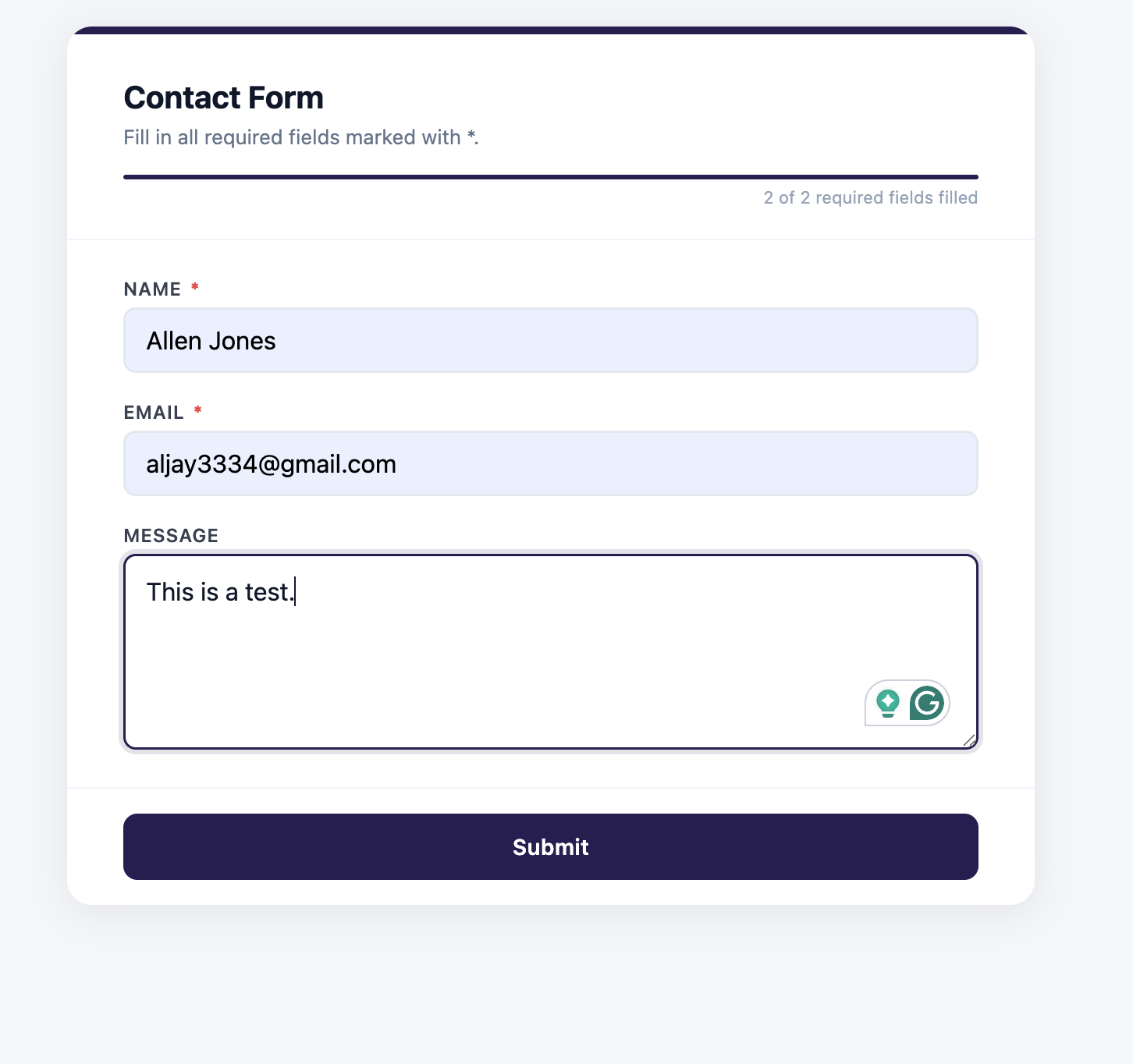
Here is what the full flow looks like from form submission to tracked lead:

Changing Lead Status
When you reply to a lead, change its status from New to Contacted. When they become a customer, change it to Converted. You can also update multiple leads at once using bulk actions.

Adding Notes to Every Lead
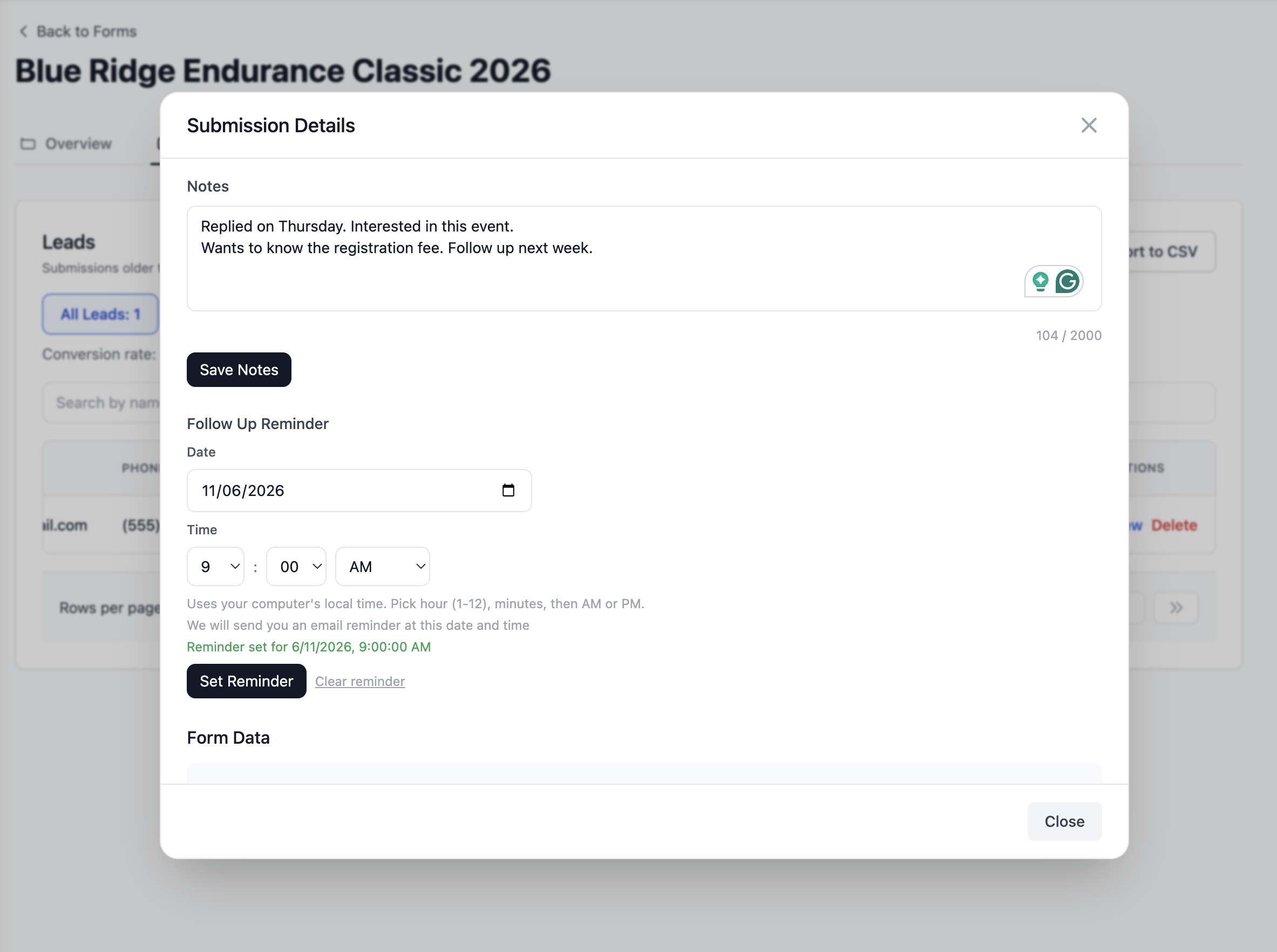
After every conversation, add a private note directly on the lead. What they said. What you quoted. What the next step is. Everything in one place when you follow up.

Setting Follow-Up Reminders
When someone asks you to follow up in two weeks, set a reminder directly on the lead. Pick a date. On that date, Formgrid emails you with the lead details and your notes so you have everything you need before you follow up.
Free Captcha and Bot Protection
Formgrid is the best Wufoo alternative with free spam protection because it includes Cloudflare Turnstile for form builder forms and hCaptcha for HTML endpoint forms at no extra cost on all plans, including free.
For form builder forms, Cloudflare Turnstile runs invisibly in the background. Real visitors see nothing. Bots are blocked silently before they ever reach your inbox.
For HTML endpoint forms, you can enable hCaptcha protection from your form settings. Copy one snippet, paste it before your submit button, and Formgrid handles all the verification on the server side automatically.
Key features:
Drag and drop form builder with shareable link. Multi-step conversational forms built in. Landing page templates for different industries. HTML form endpoint that works with any static site. Built-in lead pipeline: New, Contacted, Converted. Notes and follow-up reminders on every lead. Conversion rate tracking. Free captcha and bot protection on all plans. hCaptcha for HTML endpoint forms. Cloudflare Turnstile for form builder forms. Instant email notifications. File uploads up to 1GB. CSV export. Color picker for brand matching. Google Sheets sync included at $12 per month with no Zapier needed. Self-hostable with Docker. 100% open source under MIT license. GDPR friendly with no tracking and no data selling.
Pricing:
| Plan | Price | Submissions |
|---|---|---|
| Free | $0/month | 50/month |
| Premium | $12/month | 1,000/month |
| Business | $29/month | 15,000/month |
The bottom line: Wufoo charges $16.25 per month on their Starter plan for 1,000 entries with no lead management, no open source, and no self-hosting. Formgrid gives you a form backend, a drag-and-drop builder, multi-step forms, a lightweight lead pipeline, follow-up reminders, free captcha protection, Google Sheets sync without Zapier, and full self-hosting support for $12 per month.
If you are paying for Wufoo right now, Formgrid is the obvious upgrade.
👉 Try Formgrid for free No credit card required.
2. Google Forms: Best Free Option
Best for: Anyone who needs a completely free form builder for basic use cases with unlimited responses.
Google Forms is completely free with no submission limits. It works, it is fast, and everyone knows how to use it.
Key features:
Completely free. Unlimited responses. Google Sheets integration built in. Conditional logic. Simple analytics.
Pricing: Free.
Drawback: No custom branding. No custom domain. No HTML form backend. No self-hosting. No bot protection. No lead management. Forms look like Google Forms, not like your brand. Not suitable for professional client work.
3. Tally: Clean and Free Form Builder
Best for: Non-technical users who want a clean, minimal form experience with unlimited responses at no cost.
Tally is a popular alternative with a simple interface. Their free plan is genuinely useful with unlimited forms and unlimited responses, though some features are locked behind the paid plan.
Key features:
Unlimited forms and responses on the free plan. Conditional logic. File uploads on the paid plan. Notion integration. Embeddable forms.
Pricing: Free plan available. Paid plan at $29 per month.
Drawback: No HTML form backend. No self-hosting. No open source. No bot protection. No lead management. Multi-step forms only on paid plan.
4. Typeform: Best for Conversational Forms
Best for: Marketers who want a beautiful conversational form experience for surveys and lead generation.
Typeform pioneered the one question at a time conversational format. It produces high completion rates for surveys and research forms.
Key features:
Conversational one question at a time format. Beautiful design templates. Logic jumps and conditional branching. Payment integrations. Data analysis.
Pricing: Free plan limited to 10 responses per month. Paid plans start at $25 per month.
Drawback: Extremely limited free plan. No HTML form backend. No self-hosting. No open source. No bot protection. Expensive compared to alternatives. Overkill for simple contact forms.
5. Jotform: Most Feature-Rich Option
Best for: Businesses that need advanced form logic, payment integrations, and a full form management suite.
Jotform has 10,000-plus templates, approval workflows, PDF generation, and e-signatures. If you need advanced functionality, Jotform has it.
Key features:
10,000 plus templates. Payment integrations. Conditional logic. PDF generation. E-signatures. Approval workflows. 150 plus integrations.
Pricing: Free plan available with 100 monthly responses. Paid plans start at $34 per month.
Drawback: Expensive. No HTML form backend. No self-hosting. No open source. Overkill for most small businesses.
Side-by-Side Comparison
| Feature | Wufoo | Formgrid | Google Forms | Tally | Typeform |
|---|---|---|---|---|---|
| Form builder | ✅ | ✅ | ✅ | ✅ | ✅ |
| HTML endpoint | ❌ | ✅ | ❌ | ❌ | ❌ |
| Multi-step forms | ❌ | ✅ | ❌ | ✅ Paid | ✅ |
| Landing page templates | ❌ | ✅ | ❌ | ❌ | ❌ |
| Shareable link | ✅ | ✅ | ✅ | ✅ | ✅ |
| Lead pipeline | ❌ | ✅ | ❌ | ❌ | ❌ |
| Follow up reminders | ❌ | ✅ | ❌ | ❌ | ❌ |
| Conversion tracking | ❌ | ✅ | ❌ | ❌ | ❌ |
| Built-in captcha | ❌ | ✅ Free | ❌ | ❌ | ❌ |
| Google Sheets sync | ✅ via Zapier | ✅ $12/mo | ✅ Free | ✅ Paid | ✅ Paid |
| Self-hostable | ❌ | ✅ | ❌ | ❌ | ❌ |
| Open source | ❌ | ✅ | ❌ | ❌ | ❌ |
| File uploads | ✅ Paid | ✅ | ✅ | ✅ Paid | ✅ Paid |
| Free submissions | 100/month | 50/month | Unlimited | Unlimited | 10/month |
| Starting paid price | $16.25/month | $12/month | Free | $29/month | $25/month |
| GDPR friendly | ⚠️ | ✅ | ⚠️ | ⚠️ | ⚠️ |
Which One Should You Use?
Use Formgrid if:
You want a form backend AND a form builder in one tool. You need to point an existing HTML form at an endpoint. You want to track what happens to submissions after they arrive. You are getting spam and want free captcha protection. You want Google Sheets sync without Zapier or paying extra. You care about open source and self-hosting. You are paying for Wufoo and want to cut costs while getting more features. GDPR compliance matters to you.
Use Google Forms if:
You need something completely free with unlimited responses. Branding does not matter. You are collecting internal data or running simple surveys.
Use Tally if:
You want a clean, minimal form builder for free. You do not need an HTML form backend or lead management. You are a Notion user.
Use Typeform if:
You need a conversational one question at a time experience with advanced branching logic. Visual design is your top priority, and budget is not a constraint.
Use Wufoo if:
You are already deeply integrated with SurveyMonkey's ecosystem. You need their specific payment integrations. You have been using it for years, and switching is too disruptive.
Final Thoughts
Wufoo was a genuinely innovative product when it launched in 2006. But in 2026, it is hard to justify $16.25 per month for a Starter plan when better alternatives exist at lower prices with more features.
If you are a developer who needs both a form backend for your static site AND a no-code builder for non-technical clients, there is no better option than Formgrid. It is the only tool on this list that does both, starting at $12 per month, with a lead pipeline and follow-up system that Wufoo has never built.
If you are paying $16.25 or more per month for Wufoo and not using their SurveyMonkey integrations or specific payment workflows, you are overpaying.
👉 Try Formgrid for free No credit card required.
Full disclosure: I built Formgrid. I wrote this comparison as honestly as I could. If anything looks inaccurate, let me know in the comments.

Comments
Leave a comment