Template

Wedding vendor inquiry form template

A high converting wedding vendor inquiry form template for planners and studios. Collect photographer, venue, florist, and caterer requests in one flow with Formgrid as the backend.

Quick Answer

This is the best free wedding vendor inquiry form template because it includes a working contact form powered by Formgrid so every wedding inquiry goes directly to your email and a Google Sheets roster without any server code. Covers wedding photographers, venues, florists, and caterers in one form flow. Replace one URL, deploy free on GitHub Pages or Netlify, and collect real wedding inquiries from day one. Full source code on GitHub. No credit card required.

One form. Multiple vendors. Less back and forth.

Couples usually contact every vendor separately. This page combines everything into one wedding photographer inquiry form plus wedding venue booking form style flow that also captures florist and caterer requests.

Every wedding vendor who takes bookings online needs a form that collects the right details before the first conversation. Date. Guest count. Budget range. Style preferences. Venue location. The more context you have before the first reply, the more efficient that first reply becomes.

This template includes a working contact form powered by Formgrid. Replace one URL in the HTML, deploy free on GitHub Pages or Netlify, and wedding inquiries go straight to your email and a Google Sheets roster automatically. No server code. No backend project. No monthly software bill beyond $12 per month if you need more than 50 submissions.

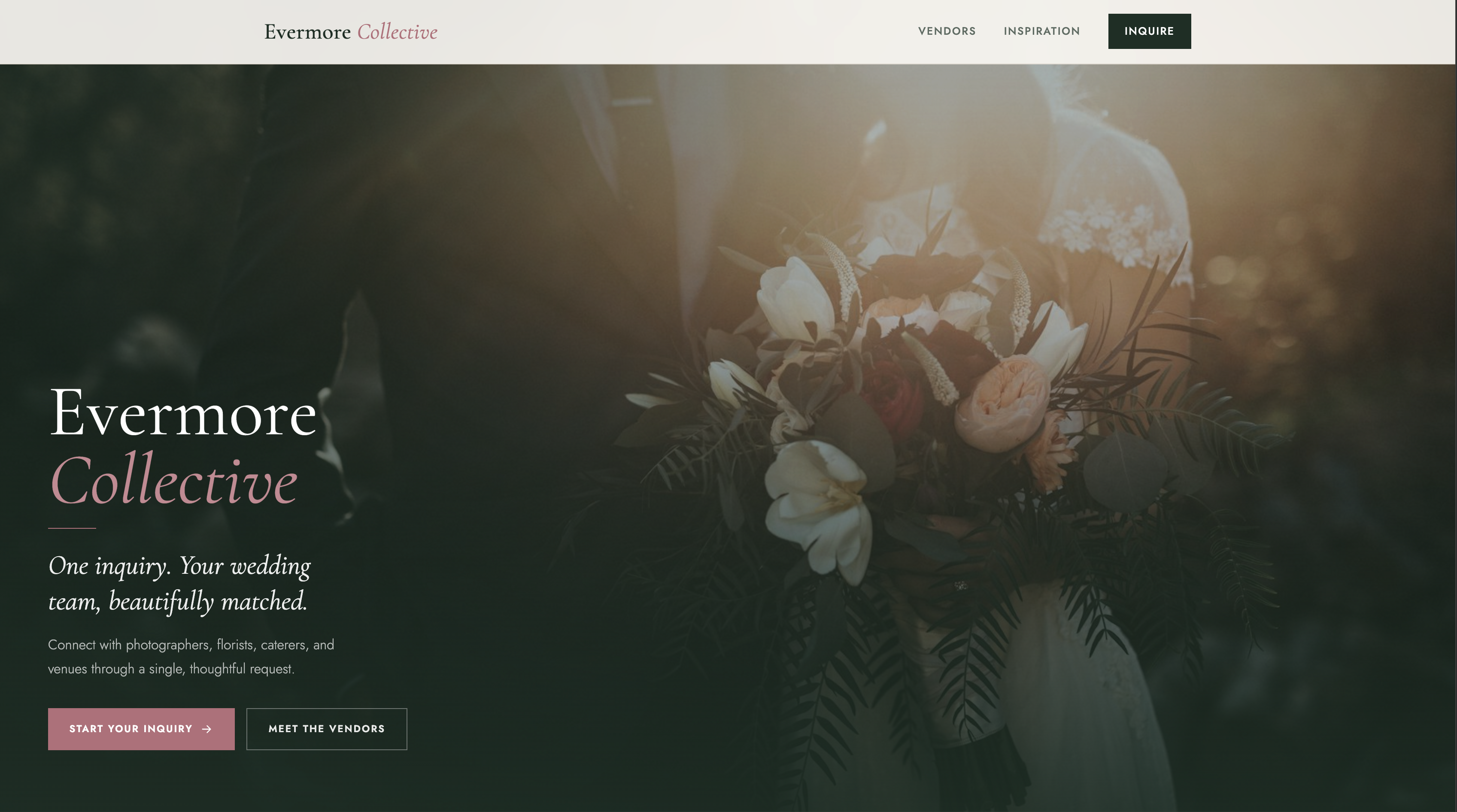
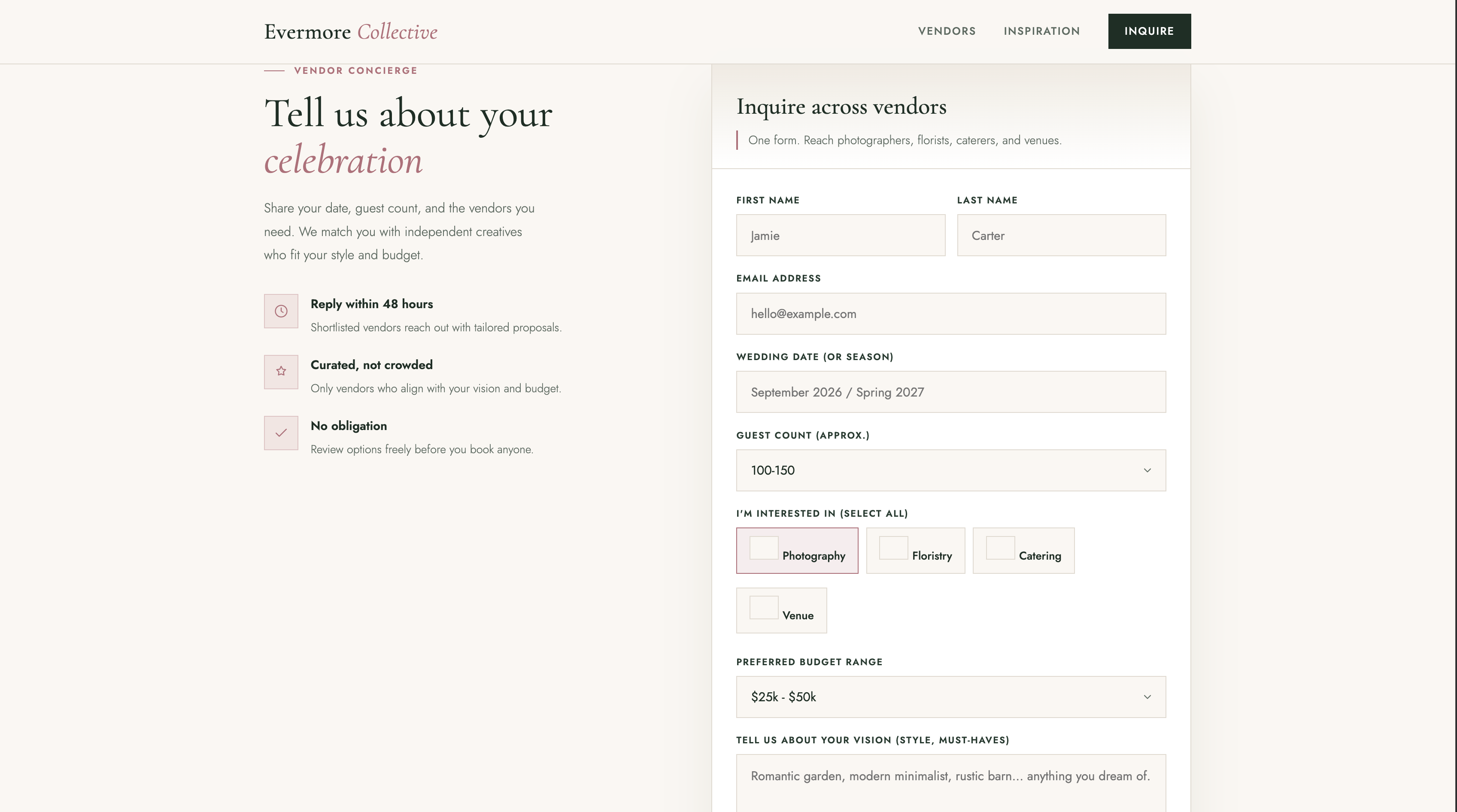
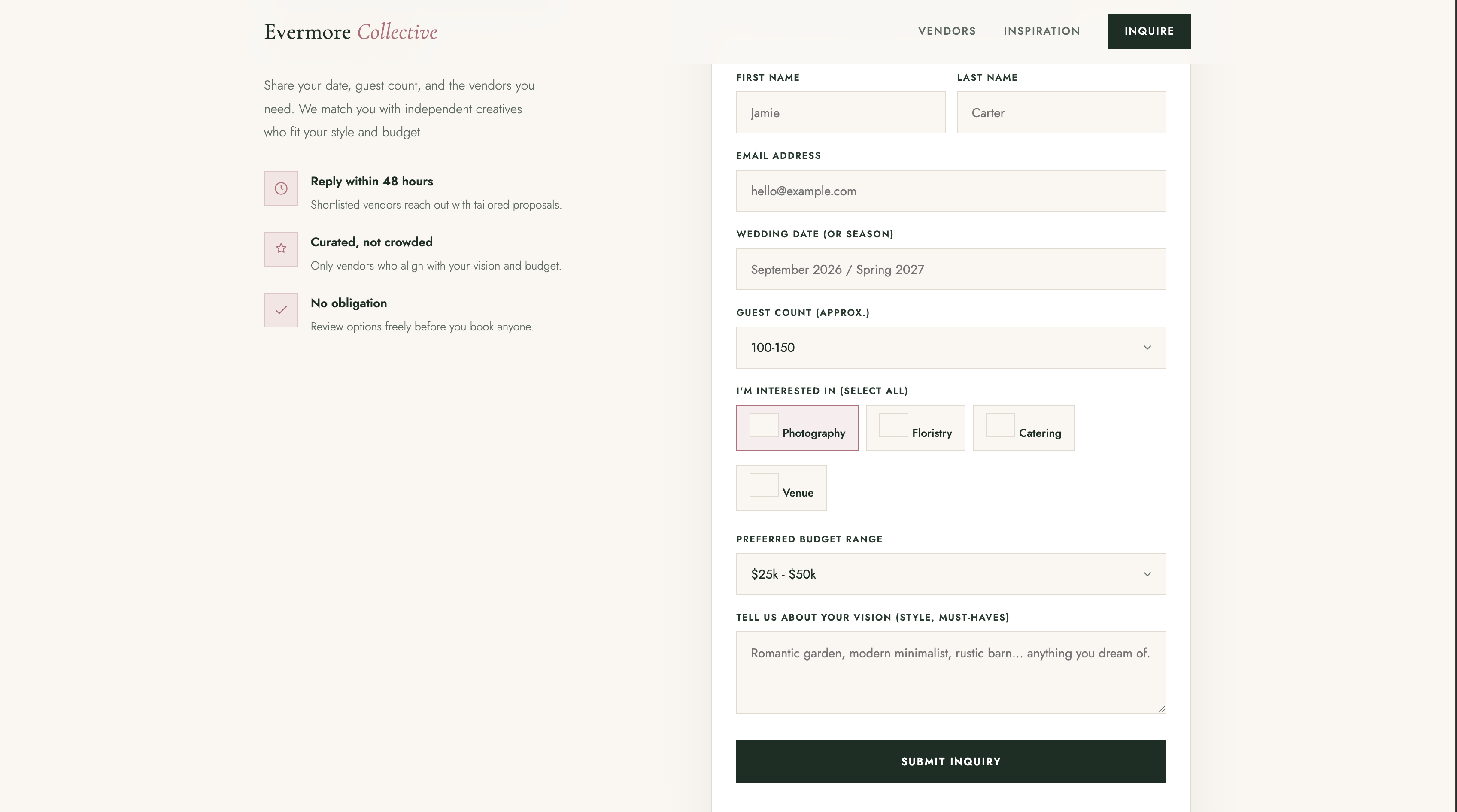
Wedding vendor inquiry form template preview showing contact form and vendor sections

Preview of the wedding vendor inquiry template. Click to see the live demo.

Who this template is for

Wedding planners

Collect style, date, budget, and vendor intent from clients in one request.

Vendor marketplaces

Route inquiries to local photographers, venues, florists, and caterers.

The same template works for individual vendors who want a dedicated inquiry page: a wedding photographer who wants couples to submit date, location, and style details before the first call, a wedding venue that wants to capture guest count and catering requirements upfront, or a florist who wants to know budget and flower preferences before quoting.

How to use this template

  1. Clone the examples repo or open the wedding-inquiry folder on GitHub.
  2. Create a free account at formgrid.dev.
  3. Replace YOUR_FORMGRID_ENDPOINT_URL in the HTML with your Formgrid form endpoint URL.
  4. Customize the form fields to match what you need from couples: date, guest count, budget, style, venue location.
  5. Deploy free on GitHub Pages, Netlify, Cloudflare Pages, or any static host.

All templates use Formgrid as the form backend. The free plan includes 50 submissions per month. No credit card required.

What Happens After Submit

Every template enquiry connects to a full lead system

Download the HTML, point the form at Formgrid, and get the same dashboard, Google Sheets sync, and follow up tools that power every Formgrid site. Not just a plain email notification.

Lead pipeline

Every enquiry becomes a tracked lead

New, Contacted, and Converted stages in one dashboard. See active enquiries and conversion rate without counting manually or adding a separate CRM.
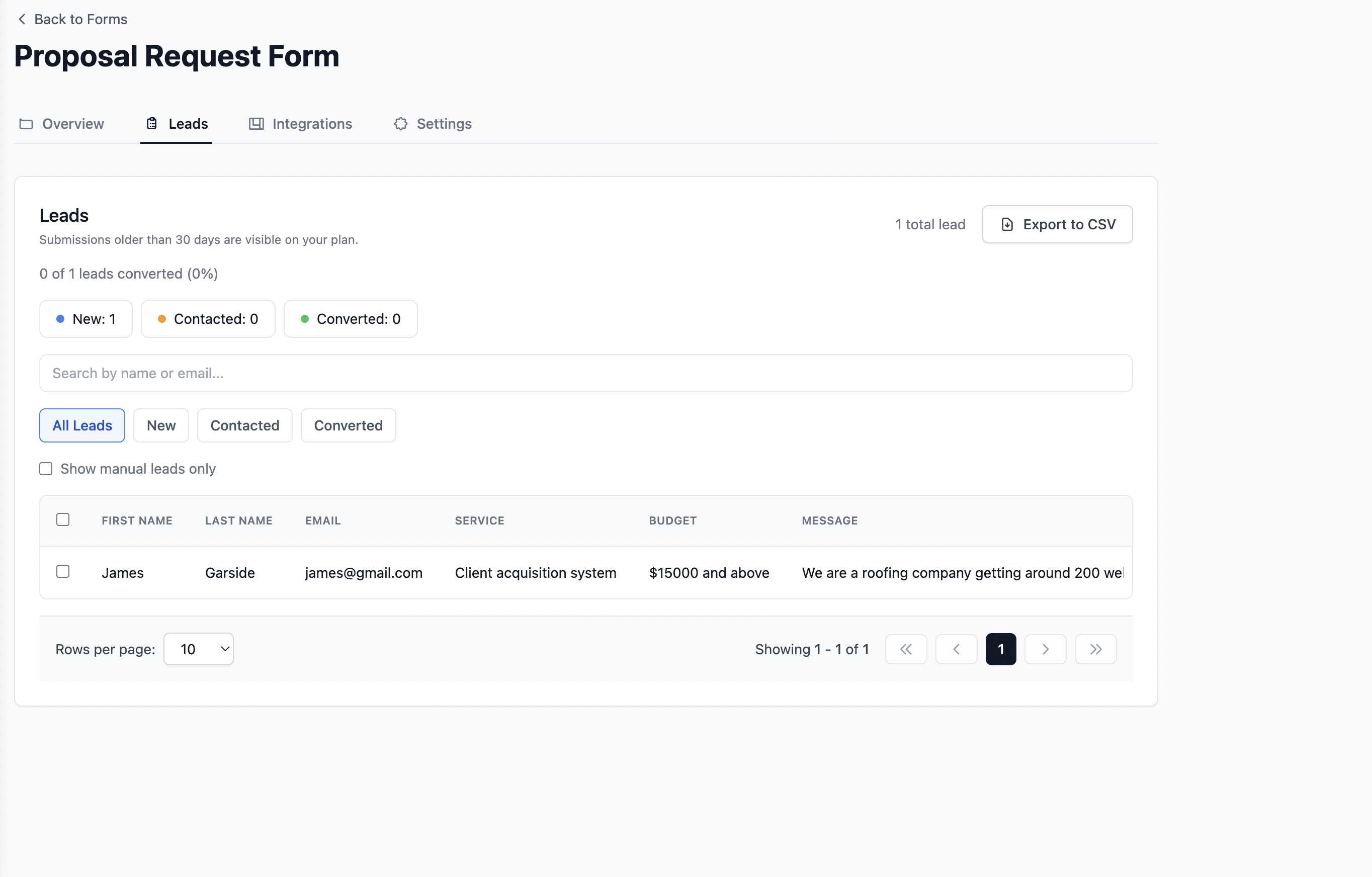
Formgrid lead pipeline showing New Contacted Converted stages
Lead status and pipeline view in the Formgrid dashboard

Google Sheets sync

Every submission in a shared sheet automatically

Each form post appears as a new row in Google Sheets within seconds. Your whole team sees new leads in real time. No Zapier needed.
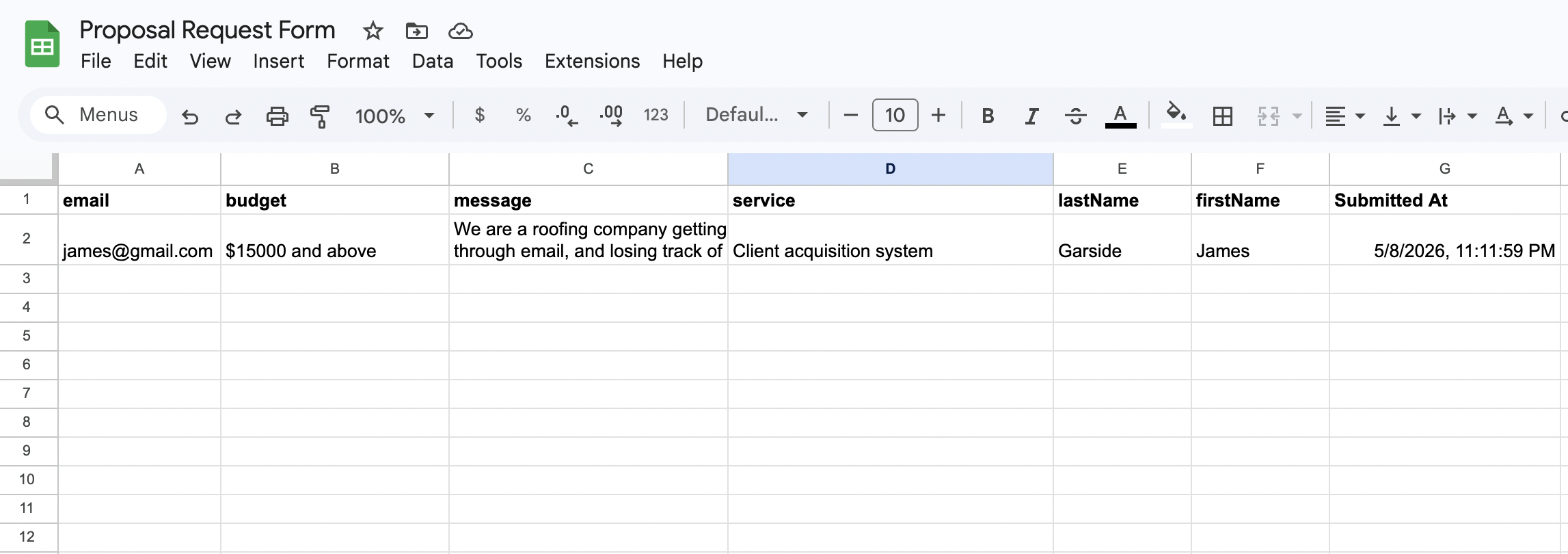
Form submissions syncing to Google Sheets automatically

Email notifications

Instant inbox alerts that look professional

Every submission triggers a clean, formatted email with the full enquiry details. No raw data dumps in the inbox.

Instant email notification for a new form submission

Follow up reminders

Warm leads never go cold

Set a follow up date on any lead and get an email reminder with the lead details and your notes on that date.
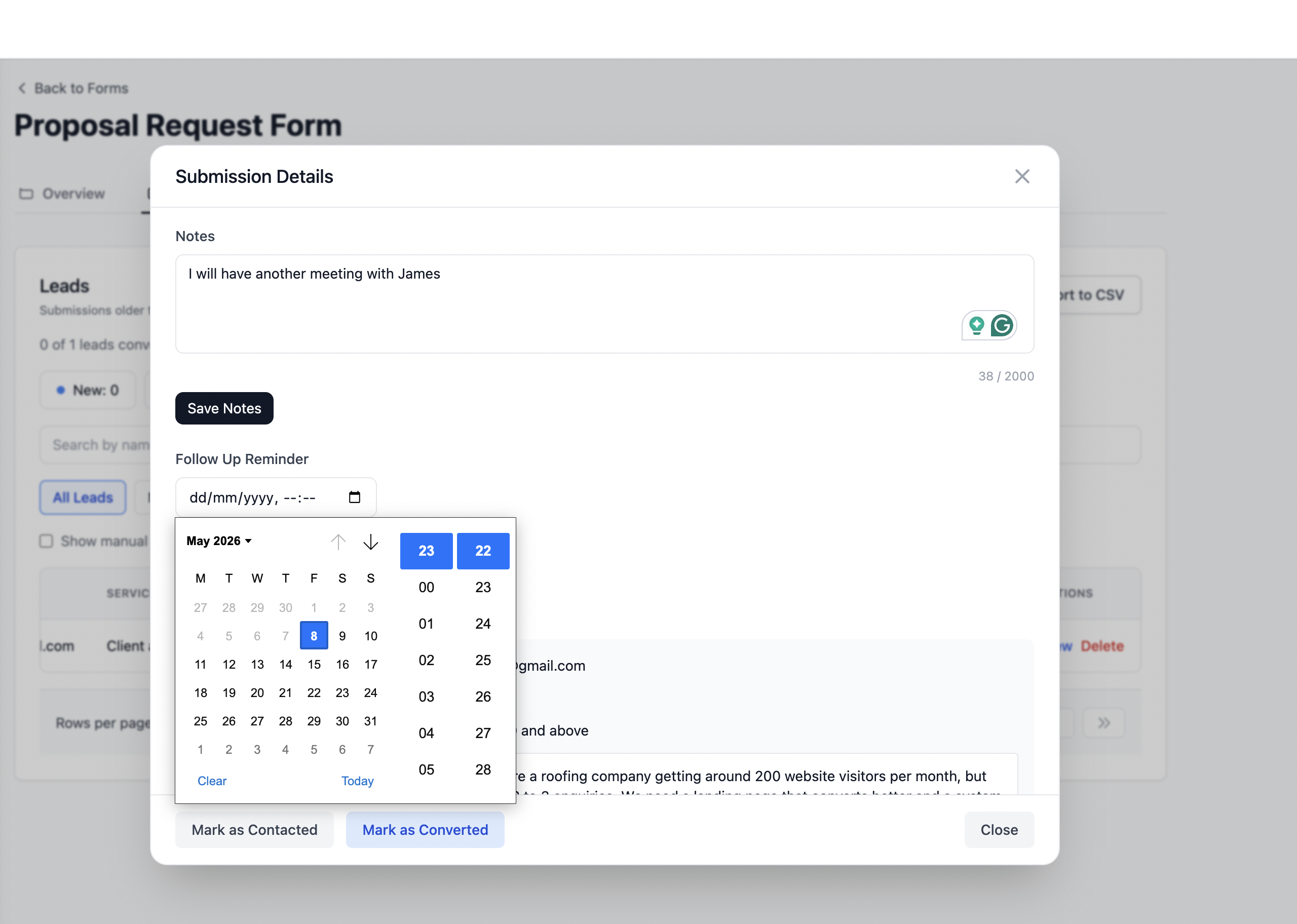
Formgrid follow up reminder email with lead details

UTM Source Tracking

Know exactly which channel sent each submission. Google, Instagram, referrals, and paid ads are captured automatically.

Spam Protection

Honeypot fields and rate limiting are built in automatically. Your template form stays protected from bots.

Frequently Asked Questions

Common questions about using and customizing this wedding vendor inquiry form template.

Yes. The HTML template is completely free and open source on GitHub. You can download it, customize it, and deploy it at no cost on GitHub Pages, Netlify, Cloudflare Pages, or any static hosting service. The contact form inside the template uses Formgrid as the backend. Formgrid's free plan includes 50 submissions per month with no credit card required. Wedding photographers and vendors who receive more than 50 inquiries per month can upgrade to the Premium plan at $12 per month.
Download this template from GitHub, sign up free at formgrid.dev, create a new form, and replace YOUR_FORMGRID_ENDPOINT_URL in the HTML with your Formgrid endpoint URL. Customize the form fields for your photography inquiry: wedding date, venue location, estimated guest count, style preferences, and how they found you. Deploy free on GitHub Pages or Netlify. Every couple who fills in the form sends you an instant email notification and appears as a tracked lead in your Formgrid dashboard.
Yes. The template is fully customizable for wedding venue booking inquiries. Change the form fields to capture the details a venue needs: event date, guest count, catering requirements, indoor or outdoor preference, ceremony and reception layout needs, and budget range. The Formgrid backend handles all submissions regardless of what fields you include. Every venue inquiry appears as a tracked lead in your dashboard and syncs to Google Sheets automatically on the Premium plan.
A wedding vendor inquiry form should collect: name and contact details, wedding date, venue or location, estimated guest count, approximate budget range, vendor type needed (photography, venue, catering, florals), style or vision notes, and how they found you. The more context couples provide upfront, the more useful your first reply can be. This template includes all of these fields and you can add, remove, or rename any field to match your specific vendor category.
Yes via Formgrid. Once you connect your Formgrid form to a Google Sheet from the Integrations tab, every wedding inquiry submitted through the template appears as a new row automatically within seconds. Your coordinator or assistant sees new inquiries in real time without needing to access your email. Google Sheets sync is available on the Formgrid Premium plan at $12 per month.
Yes. If you already have a Squarespace or Webflow wedding vendor website, you can add a Formgrid endpoint to your existing contact form without replacing your site. Just copy your Formgrid endpoint URL and set it as the form action on your existing HTML form. Alternatively, use the Formgrid drag and drop form builder to create a standalone inquiry form page and link to it from your Squarespace or Webflow site. Both approaches work without any backend code.
Formgrid includes a built in lead pipeline that tracks every inquiry from New to Contacted to Converted. When a couple submits the form their inquiry appears as a tracked lead with a status of New. You move it to Contacted when you reply. You move it to Converted when they book you and pay a deposit. After each wedding season you can see exactly how many inquiries converted to bookings, what your conversion rate was, and which marketing channels sent the couples who actually booked.

Your form builder, lead pipeline, and form backend in one place.

Whether you are sharing a form link on WhatsApp, pointing your HTML form to a Formgrid endpoint, or tracking leads through a built-in pipeline, get it done in 2 minutes.

Start Free. No Credit Card Required