Build visually, start from a template
Add and arrange fields in the visual builder. Preview the form before publishing. Start with a template when a contact, quote-request or intake form is close to what you need.
Create forms, collect enquiries, and track leads without juggling a separate form builder and CRM.
Free plan available.
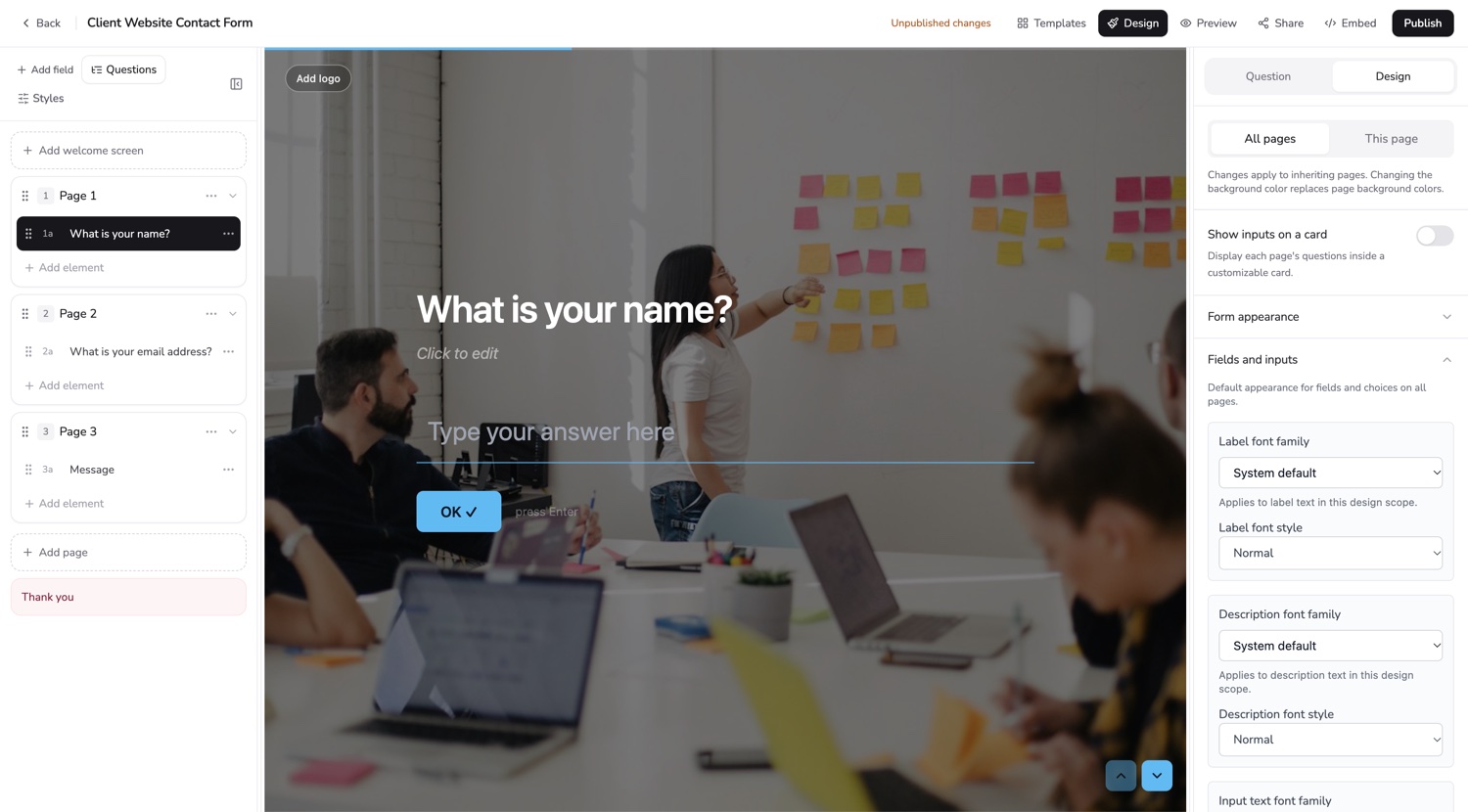
A form builder with CRM-style lead tracking brings form creation and enquiry follow-up together. Formgrid provides a visual builder and a lightweight pipeline for submissions, not the full feature set of an enterprise CRM.
A well-designed form can collect a useful request. After someone submits it, you still need to find the record, respond, and remember the outcome. Formgrid keeps that second part close to the first.
Add and arrange fields in the visual builder. Preview the form before publishing. Start with a template when a contact, quote-request or intake form is close to what you need.
Share a hosted link or use the generated embed. If your website already has a custom HTML, React or Next.js form, keep its design and connect the submission endpoint.
Open the Leads tab to review requests, change statuses, save notes and set follow-up dates. Form building and lead tracking stay in the same product.
Default stages are New, Contacted and Converted. Paid plans support custom pipeline stages. Notifications and available spam controls help with incoming submissions, while the pipeline records the work you do after arrival. Controls and limits vary by plan.
Build Your First Form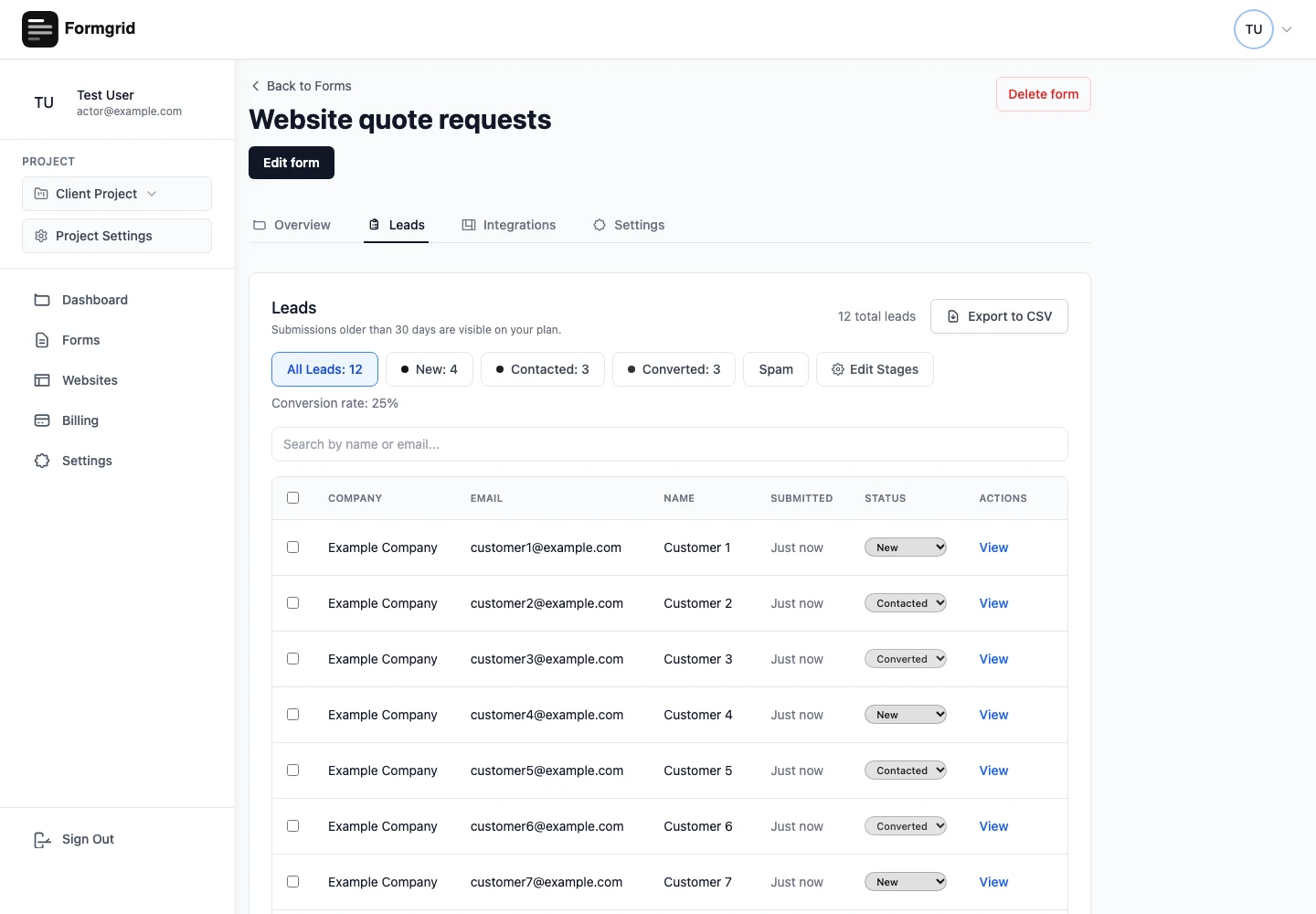
Ask for the contact information and details needed for a useful first response. Preview the layout on a phone.
Use a hosted form or your website embed. Submit a test request and confirm the record and notification arrive as expected.
Treat each accepted request as a record to assess. Add context and update its stage when you make contact.
Best for website contact forms, quote requests and small enquiry workflows. If you need opportunity forecasting, account hierarchies, territory management or complex marketing automation, use a dedicated CRM and evaluate the relevant integration separately.
For setup instructions, visit the documentation. Plan-specific allowances are listed on pricing.
No. It includes lightweight lead management around form submissions, including stages, notes and follow-up dates.
No. You can use the submission endpoint with an existing form or choose the visual builder for a new one.
Formgrid receives the submissions. Your website still needs to point its form or embed at the correct published Formgrid configuration.
No. Form, project, submission and integration limits apply. The pricing page lists the current allowances and paid features.
Create a free account to try Formgrid with your website.
Build Your First Form Compare plans