Capture the original request
Use a hosted Formgrid form, embed one on your website, or connect an existing HTML form to its endpoint. Accepted submissions become records you can return to.
Your website brings in enquiries. Formgrid helps you capture, organize, and follow up with them using forms and a built-in lead management dashboard.
Free plan available.
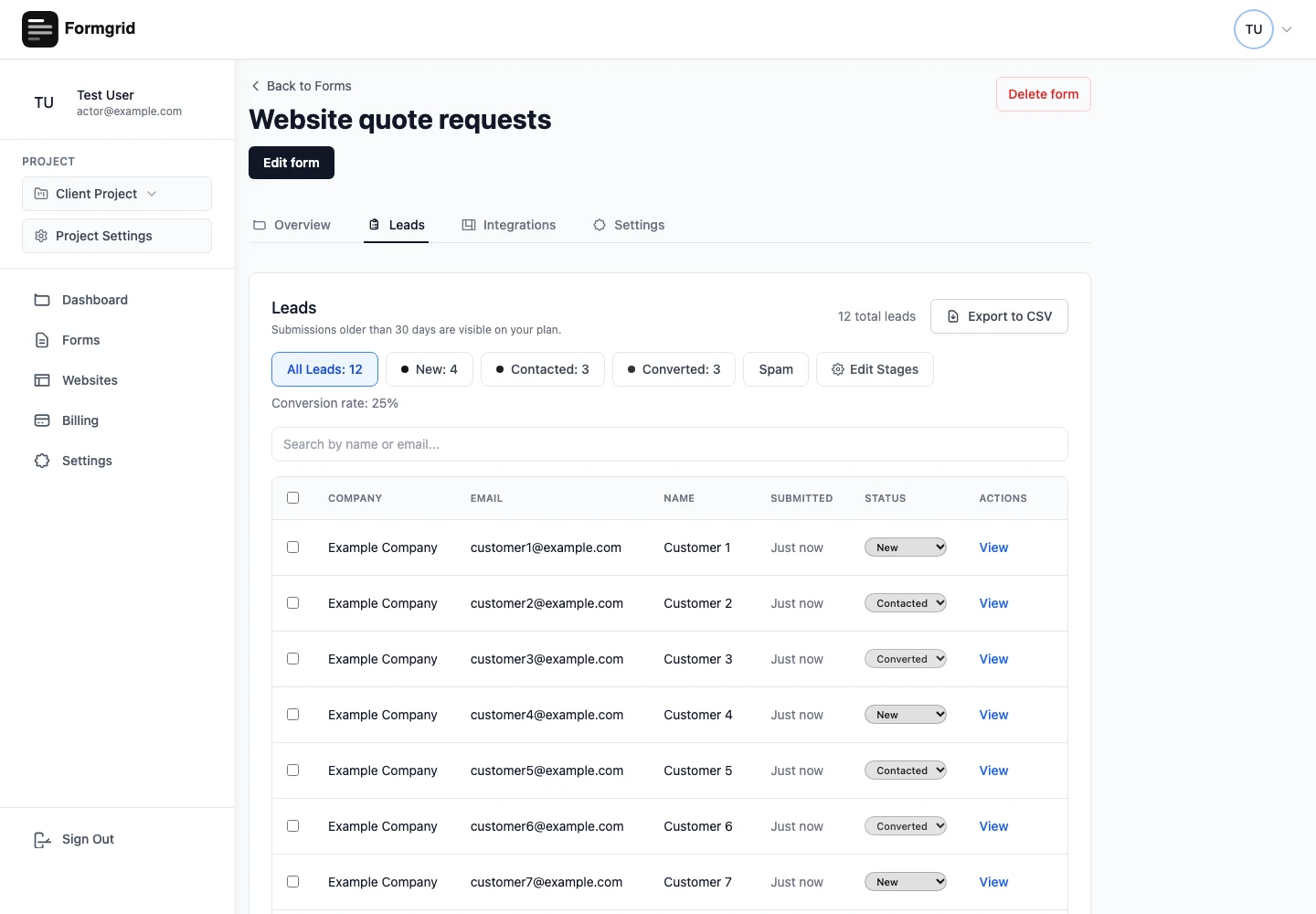
Website enquiry management means keeping a record of each request, its current status, and the next action. Formgrid connects that record to the form that collected it, so your inbox does not have to be your only tracking system.
A quote request comes in during a busy afternoon. Someone reads the notification, plans to reply later, and loses track of it beneath the next delivery update. The problem is not a missing notification. It is a missing place to record progress.
Use a hosted Formgrid form, embed one on your website, or connect an existing HTML form to its endpoint. Accepted submissions become records you can return to.
New means the request still needs attention. Contacted means you have reached out. Converted means the enquiry became a customer. Update stages to reflect what actually happened.
Save notes after a call and set a follow-up date. Your next visit starts with the context you recorded, rather than another search through forwarded messages.
Open a lead to review its submitted information, add notes, and set a follow-up reminder. A notification helps you notice an enquiry; the saved record helps you act on it. Reminder delivery depends on the configured email service.
Start Managing Enquiries for Free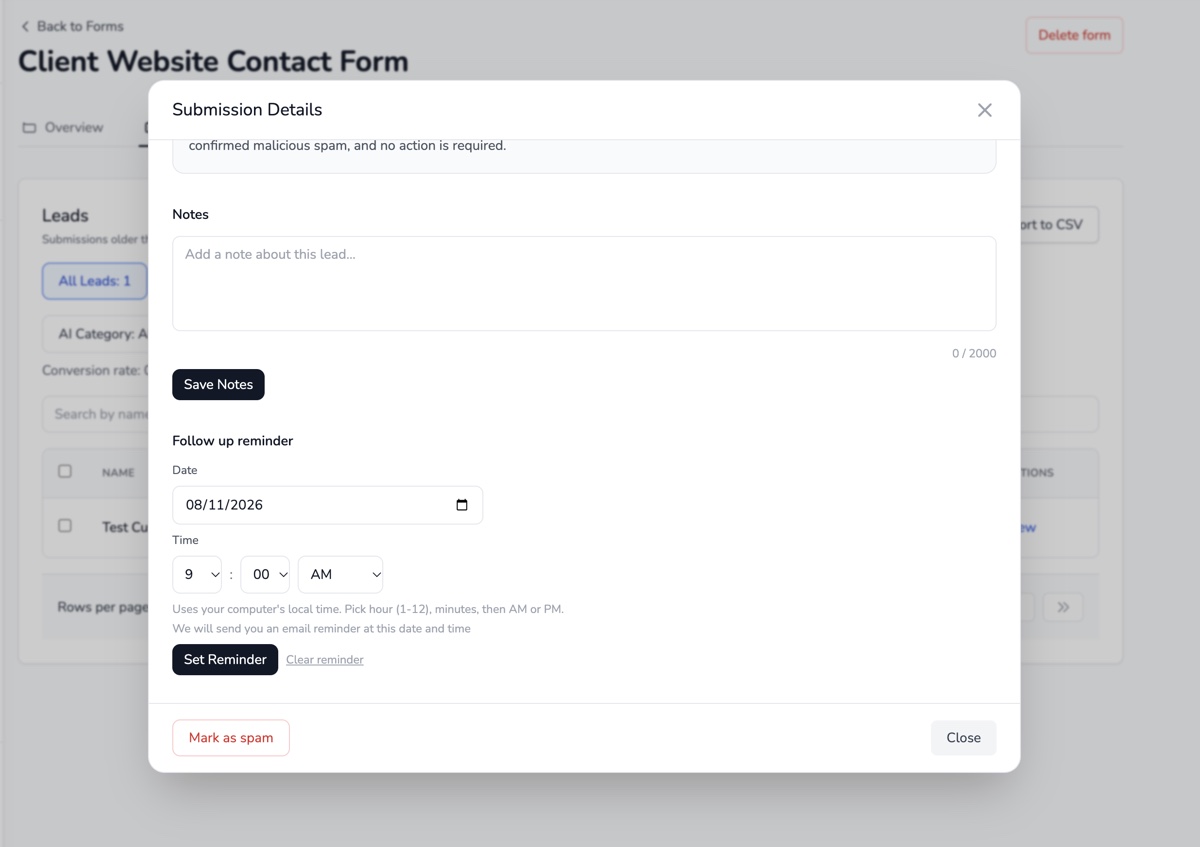
Capture their contact details and what they need. Ask only for information that helps you respond.
Mark the lead Contacted and note what you discussed, such as a preferred appointment time or a missing measurement.
Set a reminder if a decision is pending. Mark Converted when the customer confirms, rather than leaving the result hidden in an email thread.
| Task | Email only | With Formgrid |
|---|---|---|
| Find an enquiry | Search individual inboxes and forwarded messages | Open the form’s saved submissions |
| Know whether someone replied | Rely on read/unread flags or memory | Maintain a New, Contacted or Converted status |
| Remember the next step | Keep a separate list or calendar note | Save lead notes and a follow-up date |
For setup instructions, visit the documentation. Plan-specific allowances are listed on pricing.
No. Notifications tell you that a submission arrived. Managing enquiries also means tracking what happened afterwards and deciding what to do next.
Yes. Existing HTML forms can submit to a Formgrid endpoint. You can also build a form and share its link or embed it.
No. Your team updates lead status as the enquiry progresses. A captured submission is not proof of a qualified lead or a conversion.
It suits lightweight website enquiry tracking. Sales forecasting, complex account hierarchies and multi-channel sales automation may require a dedicated CRM.
Create a free account to try Formgrid with your website.
Start Managing Enquiries for Free Compare plans