Collect what you need to respond
Start with a contact or quote-request form. Ask for the customer’s details and a description of the job, booking or service they are interested in.
From the first enquiry to the final follow-up, keep your website leads organized without setting up a complicated CRM.
Free plan available.
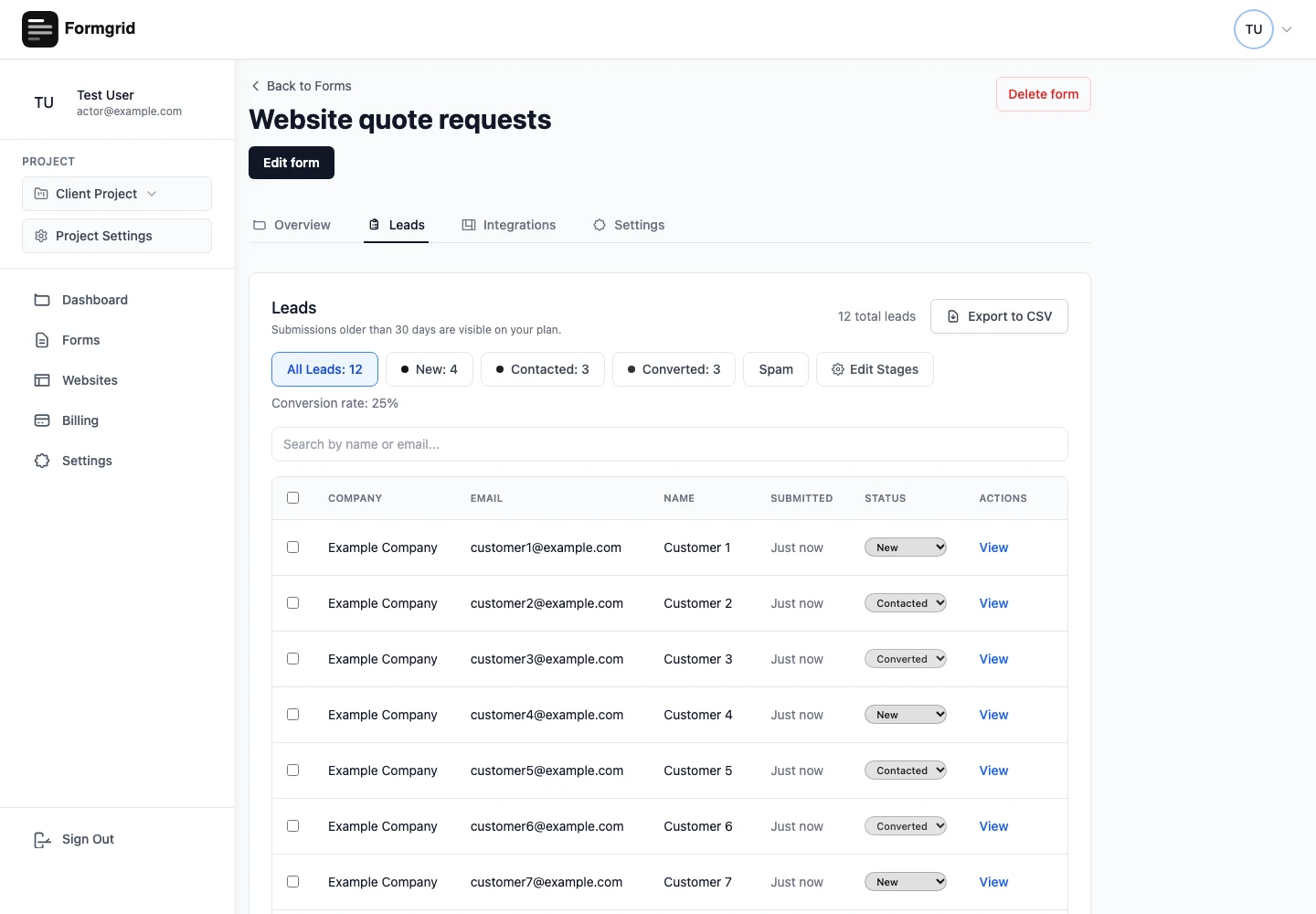
Website lead management is the routine of collecting customer enquiries, responding, and keeping track of the outcome. Formgrid gives small businesses a form builder and a lead dashboard for that routine, without requiring a large sales system.
When you are taking calls, working on a job and answering messages, it is easy to forget which website customer needs a response. A short, repeatable process helps you find that answer without reconstructing your day from an inbox.
Start with a contact or quote-request form. Ask for the customer’s details and a description of the job, booking or service they are interested in.
Configured email notifications help you notice new requests. The saved submission remains in Formgrid subject to your plan’s access and archive rules.
Use New for requests to review, Contacted after you reply and Converted when a customer proceeds. Add notes and a follow-up date when a decision is still open.
A photographer might note a preferred session date. A roofer might record that an inspection is needed. A restaurant might keep the guest count for a private event. Keep the useful context beside the original request.
Start Free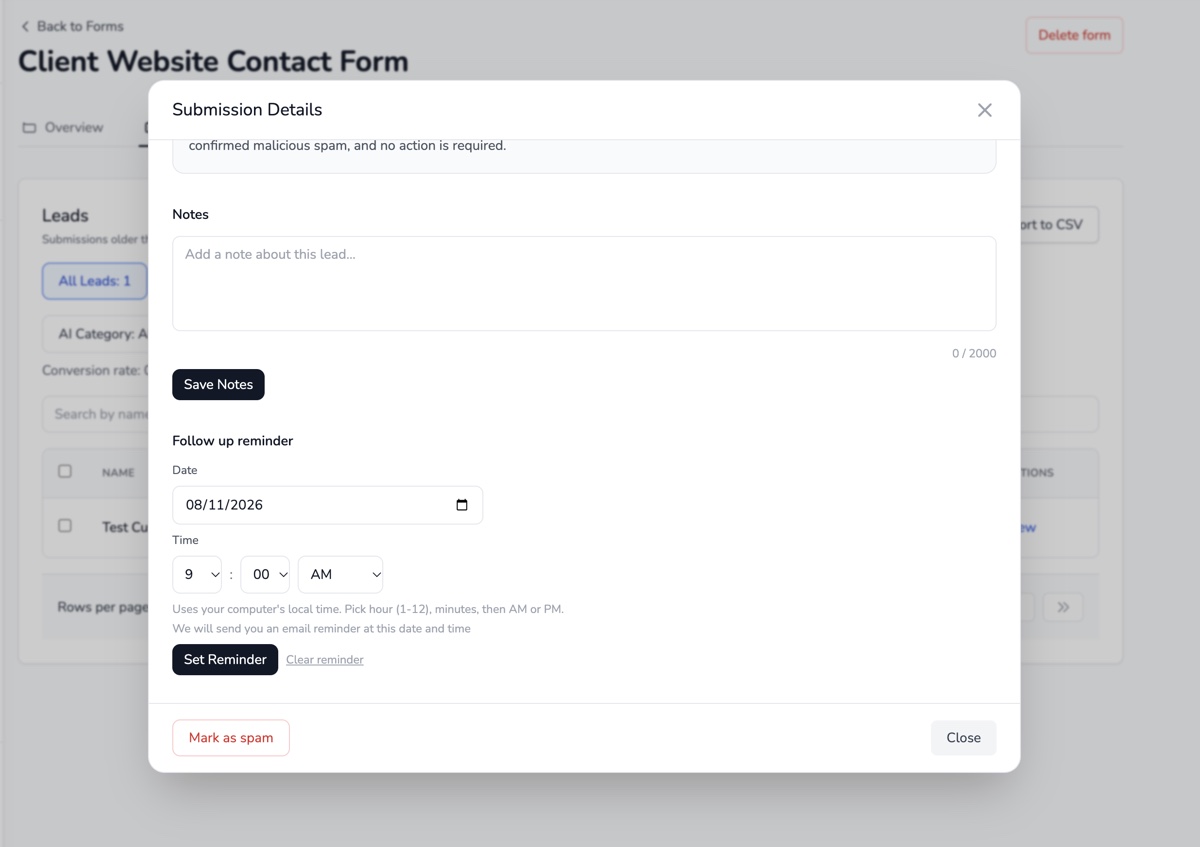
Review a quote request, arrange the next assessment and note what the customer needs before the next call.
Collect the session details, check dates and set a reminder while a prospective customer considers the options.
Keep private-event enquiries together, record the conversation and update the status when a booking is confirmed.
| Tool | Useful for | Consideration |
|---|---|---|
| Useful for conversations | Progress is easy to scatter across threads | |
| Spreadsheets | Flexible for a simple list | Someone needs to keep the list and submissions aligned |
| Formgrid | Forms, saved enquiries and a lightweight pipeline | Focused on website enquiries, not every part of a sales operation |
| Full CRM | Broader sales and account workflows | Choose one when those extra capabilities are genuinely needed |
For setup instructions, visit the documentation. Plan-specific allowances are listed on pricing.
You can use the visual builder and share a hosted link. Adding an embed or connecting an existing website form may need access to your website editor or help from your web designer.
Yes. A simple process can be useful before a large sales system is necessary. Start within Free allowances and review pricing as your volume grows.
No. Submitting a form does not establish marketing consent. Enquiry follow-ups and marketing emails have separate eligibility rules.
Evaluate a dedicated CRM for complex accounts, forecasting, sales teams or automation requirements. Keep the choice based on the work you actually need to manage.
Create a free account to try Formgrid with your website.
Start Free Compare plans